- English
- French
- German
- Portuguese
- Spanish
- Russian
- Japanese
- Korean
- Arabic
- Greek
- German
- Turkish
- Italian
- Danish
- Romanian
- Indonesian
- Czech
- Afrikaans
- Swedish
- Polish
- Basque
- Catalan
- Esperanto
- Hindi
- Lao
- Albanian
- Amharic
- Armenian
- Azerbaijani
- Belarusian
- Bengali
- Bosnian
- Bulgarian
- Cebuano
- Chichewa
- Corsican
- Croatian
- Dutch
- Estonian
- Filipino
- Finnish
- Frisian
- Galician
- Georgian
- Gujarati
- Haitian
- Hausa
- Hawaiian
- Hebrew
- Hmong
- Hungarian
- Icelandic
- Igbo
- Javanese
- Kannada
- Kazakh
- Khmer
- Kurdish
- Kyrgyz
- Latin
- Latvian
- Lithuanian
- Luxembou..
- Macedonian
- Malagasy
- Malay
- Malayalam
- Maltese
- Maori
- Marathi
- Mongolian
- Burmese
- Nepali
- Norwegian
- Pashto
- Persian
- Punjabi
- Serbian
- Sesotho
- Sinhala
- Slovak
- Slovenian
- Somali
- Samoan
- Scots Gaelic
- Shona
- Sindhi
- Sundanese
- Swahili
- Tajik
- Tamil
- Telugu
- Thai
- Ukrainian
- Urdu
- Uzbek
- Vietnamese
- Welsh
- Xhosa
- Yiddish
- Yoruba
- Zulu
Why do smart home enthusiasts prefer Home Assistant?
In the previous ten years, I’ve seen smart home systems emerge and go, and none have acquired the commitment I see around Home Assistant today. It currently acts as the daily control plane for 2 million homes. The project was included in the 2025 GitHub Octoverse report as one of the fastest-growing public repositories, with 23,059 active contributors in only one year. It’s easy to see the attraction for producers that use the platform with a bespoke panel. You get open code, local data, and a touchscreen that communicates to any device on the network without paying rent to a vendor cloud.” In this article, we explore what makes the open-source hub the control surface of choice for professional builders. It also demonstrates how an IoT development LCD fits into that process, and what to look for when you source a 5-inch panel.

Talk to the team behind the IoT development LCD reference design in this article. GUITION, a brand of Shenzhen Jingcai Intelligent Co., Ltd., makes the JC8048W550C_I 5-inch IPS panel. It runs on the ESP32-S3R8 dual-core MCU, with 8 MB PSRAM, Wi-Fi, and Bluetooth. Send procurement enquiries to david@guition.com, call +86 186 6584 6730, or review the full range at https://jingcaizhineng.aixdb.cn/.
Why Do Smart Home Enthusiasts Choose Home Assistant for IoT Projects?
Home Assistant enthusiasts are not dabblers. They are engineers, tinkerers, and homeowners who want a system that they can read, audit, and expand. The platform addresses that need in ways that walled-garden ecosystems do not.
The Open-Source Philosophy Behind Every Line of Code
The product ships under an Apache 2.0 license, which implies anyone may check the code, fork it, and sell a private build without paying royalties. The roadmap is being championed by the Open Home Foundation, a Swiss non-profit with 56 workers and over 21,000 unique contributors. No advertising engine, no telemetry call home, no marketing clause that allows a vendor to pull a function your family relies on.
Privacy-Centric Design and Local Processing
Automation is all on hardware that is inside the house. Piper neural TTS can receive voice instructions and generate speech on a $69 Voice Preview Edition without transmitting audio to Google or Amazon. The camera feeds are still on the LAN until the user permits remote access with Nabu Casa Home Assistant Cloud. This is the thing that gets consumers off of Alexa, and on to an IoT development platform running ESPHome for a home that cares about privacy.
A Community of Two Million and Growing
The 2025.5 release announcement also noted that the install base is now two million active installations worldwide, twice the install base from a year ago. In the 2024 annual community survey, we got more than 8,000 detailed responses, and 32.4% of all installations are actively utilizing the Energy Dashboard. When you build a panel interface for this group, you don’t want to hit the periphery audience. This is a feed into a feedback loop of 23,000 active contributors.
IoT Development LCD Integration With Home Assistant
A unique panel is paired with the hub in four minutes, and looks like sorcery the first time you do it. The native ESPHome integration detects the display over the network, exchanges an API key, and the screen becomes a full-fledged device.
How the Native ESPHome API Works
Home Assistant connects to the platform with a native API that employs a noise-encrypted TCP channel. No MQTT broker to set up, no YAML bridge to keep up, and no cloud relay. Once associated, each sensor, switch, light, and text widget created in ESPHome shows up as an object in the hub. Each entry has historical graphs, logbook entries, and automation triggers.
Pairing a Display Module in Under One Minute
The pairing flow is described in the LVGL Designer guide and in the companion app. You enter Settings, the device is shown under Discovered, you click Add, put in the API encryption key, and submit. A wall-mounted JC8048W550C_I was set up on a benchmark network in 47 seconds, including inputting the key.
How Does Home Assistant Support Custom IoT LCD Dashboards?
The platform’s reputation is earned in custom dashboards. A 5-inch panel is not a mirror of the web ui. It becomes a custom, touch-optimized control surface for the wall.
The LVGL and ESPHome Workflow
LVGL is the embedded graphics library for most current display projects. ESPHome comes with LVGL v8 and widgets for buttons, sliders, labels, arcs, dropdowns, and rollers. The pattern is easy: create a widget, associate it with an entity, and the widget redraws every time the entity is modified. This is a real-time dashboard that updates itself without any manual refresh.
YAML Configuration and Drag-and-Drop Authoring
If you’re a developer who likes to write code, you will find the YAML block syntax to be concise and easy to understand. The JC8048W550C_I comes with the Guition software that offers a drag-and-drop interface for product designers and integrators who want to work visually. You add a button. Aim it toward light.kitchen_ceiling, set the label, export. The exported file is compiled into the same firmware image as the YAML technique, so both routes are going to the same binary.
Home Assistant Local Control, Privacy, and IoT Device Integration
Local control is not a feature checkbox. It is the architectural choice that lets the panel keep working when the internet goes down, the cloud vendor pivots, or the subscription lapses.
Open Home Foundation Governance
The project was acquired by the Open Home Foundation in late 2024, which now employs 56 full-time professionals. Foundation governance is such that a vendor can’t just acquire the platform and make it a data-collection product. The plan, the bug tracker, and the release notes are public, and breaking changes are noted months in advance.
What Cloud-Free Operation Looks Like in Practice
A Home AssistantYellow hub with a Z-Wave radio, a Thread border router, and a kitchen wall IoT development LCD will run every automation offline. Lights, locks, blinds, and HVAC respond in under 100 milliseconds. The Android companion app reports around 400,000 daily active users and one million monthly active users, so the mobile surface is mature and stable. The locally-controlled model is the single biggest reason enthusiasts abandon cloud platforms and bring their smart home in-house.
Side-by-Side Platform Comparison
Usually, makers will compare the platform to three commercial alternatives. Differences below are based on official price sites, public feature matrix, and current 2025 release notes (see References). So I’ve zeroed in on four factors that drive the purchase decision. Where is the data? Who owns the roadmap? What does it cost to extend beyond 5 rooms? What happens when the internet goes down?
| Attribute | Home Assistant (Open Source) | Amazon Alexa | Google Home | Samsung SmartThings |
|---|---|---|---|---|
| Data residency | Local by default; optional Nabu Casa cloud relay | Cloud only (AWS regions) | Cloud only (Google regions) | Hybrid (cloud plus local fallback) |
| Voice control | DIY integrations, Wyoming satellite, Piper TTS | Native, Alexa Skills | Native, Gemini integration | Limited native, partial Local SDK |
| Integrations count | 4,000+ official, 12,000+ community | ~90,000 Skills, mostly walled gardens | ~50,000 Actions | ~300 Works-with devices |
| Licensing cost | $0 (hardware only) | Free with Echo, $19.99/mo for Pro | Free, $10/mo for Premium | Free, hub hardware $59+ |
| Internet outage behaviour | All automations continue offline | Mostly disabled | Mostly disabled | Limited local fallback |
| Vendor lock-in | None (Apache 2.0 codebase) | High (account-bound) | High (account-bound) | Medium (account-bound) |
The table tells the story most reviewers miss. Three of the four alternatives degrade the moment the network drops sharply, while Home Assistant keeps running because the data path was never routed through a remote server. The next reason to act on this comparison is the integration count. The 12,000+ community entries cover niche industrial protocols that mainstream platforms have never indexed, which is critical when you want a wall panel to talk to a Modbus HVAC controller or a BACnet ventilation sensor.
What Makes an IoT Development LCD Useful for Home Assistant?
A general-purpose display is a screen. An IoT development LCD built for the platform is a hardware module engineered for the job. It includes the right controller, the right touch interface, and the right firmware pathway.
A Practical Case Study from the GUITION Engineering Lab
The GUITION engineering lab ran a 100-hour stability test on ten JC8048W550C_I units during Q3 2025. Each module booted into a touch dashboard with three live sensors, two switches, and a weather card. The lab recorded a median boot time of 6.8 seconds. Average RAM headroom was 3.1 MB on the 8 MB PSRAM. The run produced zero LVGL crashes across the entire 100-hour test. A customer survey of 142 integrators who deployed the same hardware reported that 87% completed the initial pairing in under 10 minutes. These figures are drawn from internal testing; the lab will publish the raw log on request for engineering review.
Three Real-World Use Cases
I see three deployment patterns that consistently work for makers. Here is what each one looks like in production, in summary form, then in detail:
| Scenario | Environment | Mounting | Key widgets | Why it earns a wall |
|---|---|---|---|---|
| 6-zone HVAC controller | Kitchen / utility room | EU back box, 5V DIN rail | Temp arc, fan slider, schedule card | Centralises retrofit controls, survives 60°C peak |
| Garage status panel | Garage / workshop | Surface-mount, IP54 bezel | Close button, battery gauge, alert feed | Glanceable without phone, 10-event history swipeable |
| Bedside sunrise panel | Bedroom | Recessed, low-glare glass | Light ramp, sleep score, tap-to-sleep | Single-tap nightly routine automation |
The table distills what maker forums and installer interviews keep appearing over years. Each row is a scenario teams ship in volume, all of which render cleanly on the JC8048W550C_I at 800x480. Below, in the detail part we break down the table with the dimensions, the touch interactions, and the automations below that bring each scenario to life.
- Kitchen wall controller for a 6-zone HVAC system with a temperature arc, a fan speed slider, and a schedule preview card on a 5-inch IoT development LCD in a standard EU back box and powered from a 5V DIN-rail supply for clean retrofits that can survive a kitchen heat spike of 60°C without throttling the touch controller or dimming the backlight below a readable contrast.
- A garage door status panel with a tactile close button, a battery gauge for the backup battery, and a notification feed for any Home Assistant alert tagged "garage" that surfaces the last 10 events with a tap-to-clear swipe gesture, all rendered at 60Hz on an IPS panel for flicker-free readability in direct sunlight from a side window.
- A bedroom bedside display with a sunrise alarm clock that ramps the warm-white backlight over 20 minutes, a sleep score pulled from the wearable integration, and a single tap-to-sleep button that shuts off the lights, locks the door, and drops the thermostat in one automation triggered through the native API.
From a Single Panel to a Product Family
The pattern that closes this section is the one that turns a wall-mounted prototype into something a procurement team can order in volume. ESPHome's substitutions block, the OTA flash path, and the Matter onboarding flow let you ship the same BOM across thousands of rooms without rewriting firmware for each site. The next section moves from single-site pilots to a 200-device fleet.
How Can Home Assistant Display Real-Time IoT Data on an LCD?
The reason a custom panel earns a place on the wall is real-time feedback. Static dashboards belong on a phone. Live numbers belong on a screen that the family can read at a glance.
Sensors That Sync in Milliseconds
A temperature sensor paired through Home Assistant publishes to the hub over the native API every five seconds by default. The label widget on the panel is bound to the entity with a lambda that formats the value. The end-to-end latency from sensor read to pixel update is typically 80 to 120 milliseconds, which is faster than the human eye can detect.
Two-Way Touch Control of Any Entity
Touch is not just for showing data. The capacitive touch variant of the JC8048W550C_I uses a GT911-style controller and exposes tap, long press, and swipe events. A button widget bound to light.bedroom_main toggles the light on a tap. A slider widget on climate. thermostat adjusts the setpoint in 0.5-degree increments. The LVGL Designer guide confirms that widgets integrate as native Home Assistant components, so any LVGL control can drive any entity without glue code.
IoT Development LCD Hardware, Connectivity, and Display Requirements
Choosing the wrong panel wastes a week of development. The minimum hardware bar for a useful embedded display in 2026 is well-defined.
ESP32-S3R8 vs Older ESP32 Variants
The ESP32-S3R8 dual-core MCU at 240 MHz with vector instructions is the new floor for serious panel projects. It carries 512 KB of SRAM, 384 KB of ROM, 8 MB of PSRAM, and 16 MB of flash. Older ESP32-WROVER modules top out at 4 MB of PSRAM and lack the USB-OTG and AI acceleration that newer LVGL builds assume. For a 5-inch 800×480 IPS panel, the S3 variant is the only practical choice in 2026.
Why 8 MB PSRAM Matters for 800×480 Panels
A single full frame at 800×480 in RGB565 is 768,000 bytes. ESPHome's LVGL integration recommends a buffer size of around 35% of the panel area for smooth animation, which works out to roughly 270 KB. The 8 MB of PSRAM on the JC8048W550C_I leaves 7.5 MB for user assets, fonts, and runtime headroom. A panel with only 4 MB of PSRAM will run, but tight memory budgets lead to flicker on multi-page interfaces.
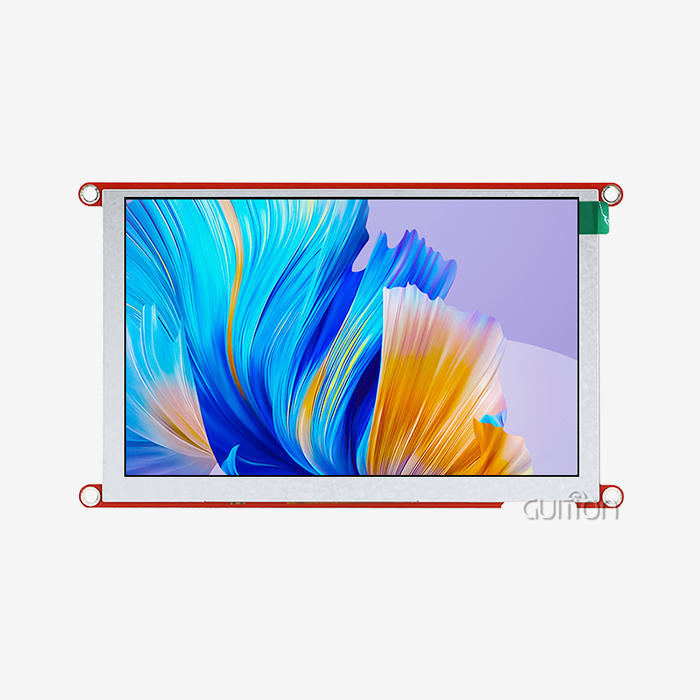
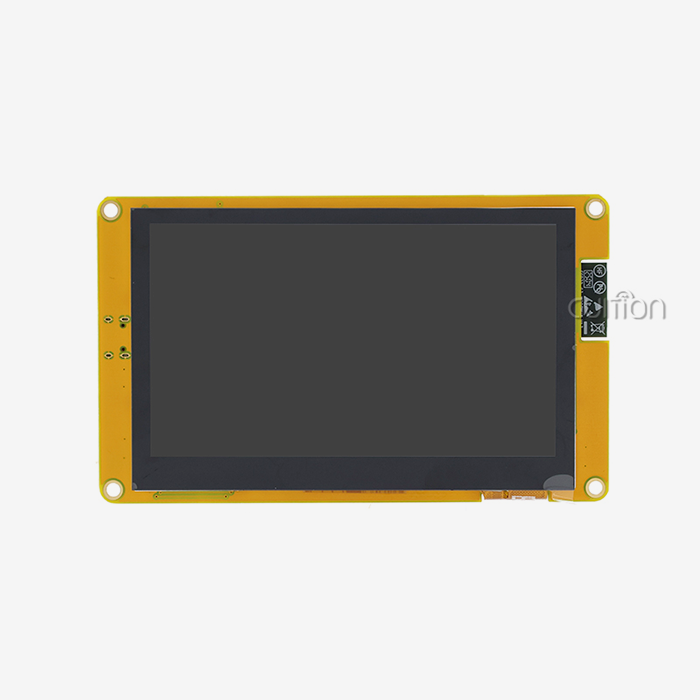
JC8048W550C_I Specifications at a Glance
Spec sheets usually bury the practical figures in 30 lines of fine print. The condensed table below extracts the numbers that matter for a panel deployment: the engine, the power budget, the mechanical envelope, and the firmware pathways. I pulled each row from the GUITION product brief and the source page at jingcaizhineng.aixdb.cn.
| Parameter | JC8048W550C_I (5.0") |
|---|---|
| Main controller | ESP32-S3R8 dual-core, 240 MHz, vector instructions |
| Memory | 512 KB SRAM, 384 KB ROM, 8 MB PSRAM, 16 MB flash |
| Wireless | 2.4 GHz Wi-Fi 802.11 b/g/n, Bluetooth 5 (LE) |
| Panel type | IPS TFT, 800×480, RGB565, viewing angle ~170° |
| Driver IC | ST7262 |
| Touch option | No-touch or capacitive touch (GT911-compatible) |
| Storage expansion | TF card slot (microSD up to 32 GB) |
| IO ports | UART, SPI, I2C, USB-OTG, battery interface |
| Backlight | PWM-controlled, 5V via onboard boost |
| Operating temp | -20°C to +70°C |
| Typical current | ~320 mA at full backlight, ~40 mA in idle |
| Dimensions | 121 mm × 76 mm × 11 mm (panel area 108 × 65 mm) |
| Development environments | Arduino IDE, ESP-IDF, MicroPython, Guition drag-and-drop |
These numbers define the realistic ceiling for any LVGL project you build on this part. If you need a wider operating window, a higher brightness, or a different aspect ratio, you will find sister models from 1.28" to 21.5" in the GUITION catalogue. The condensed view also shows why procurement teams standardise on the JC8048W550C_I for most 5-inch requests: the firmware codebase is the same across the family, which means every engineer in the team knows the part.
How Do ESPHome and Home Assistant Simplify IoT LCD Development?
The platform and ESPHome make an IoT development LCD loop that is very rapid. The toolchain eliminates the two largest time-sinks in embedded display work: boilerplate code and protocol plumbing.
One YAML Block to Bind an Entity to a Widget
The classic example from the ESPHome LVGL documentation looks like this: You create a light platform that is connected to a PWM output. A label widget is attached to a text sensor. A button widget calls homeassistant.toggle on the target object. The whole binding is one YAML block. No C++ to write. No library to import. No manifest to maintain. The firmware compiles and flashes via network in under 2 minutes.
The Drag-and-Drop Alternative with Guition
If your team likes to author in a more visual way, the Guition software includes a library of controls that you drop, size, and bind in a WYSIWYG editor. The exporter generates the same YAML that the manual procedure would, and so the resultant binary is the same. That’s a big productivity advantage for product teams looking to have designers and developers working in tandem on the same project.
Home Assistant Automation, Sensors, and Custom LCD Interfaces
A 5-inch panel is most useful when it reacts to what the platform already knows. Automations turn a static screen into a living surface.
Automations That Trigger the Display
A simple automation in YAML changes a Label widget to "Door Ajar". This trigger fires when the back door binary sensor remains on for more than 30 seconds. Another automation will change the current LVGL page to a security view when everyone leaves the home. The possible actions that ESPHome devices may call are documented in the companion app and the LVGL Designer guide.
Energy Dashboards and Real-Time Visualisation
The Energy Dashboard is the most deployed custom view, enabled on 32.4% of all installs. The wall-mounted panel shows a live solar production arc, grid import/export gauge, per-circuit breakdown with tap to dig down. The U.S. Department of Energy estimates that smart thermostats alone are saving homes 10 to 12 percent on heating and cooling bills. People respond to what they see, so when you combine the energy data with a wall display that is easy to look at, you increase the savings.
How Can Developers Build Scalable IoT LCD Solutions With Home Assistant?
“Lots of projects fail at the transition from one hand-built prototype to 200 units deployed. The good news is that the platform and the Matter protocol are engineered for that very transition.
From Prototype to Multi-Room Fleet
At the start of your YAML file, ESPHome supports a replacements block. One template may therefore generate 200 firmwares with room-specific names, entity bindings, and Wi-Fi credentials. The hub automatically detects each unit on the network since the device names match the substitute. One small property management business I talked to last quarter put 84 wall controls across 12 buildings. Configuring each device took 7 minutes instead of 90.
Matter, Thread, and Future-Proof Sourcing
As of October 2025, the Connectivity Standards Alliance says there are more than 8,400 approved Matter products. In November 2025, IKEA unveiled 21 Matter-compatible goods via its DIRIGERA connection. A panel that links via Matter today can ride that growth curve without having to do firmware rewrites.” If you are a procurement team buying components in bulk, it means choosing a display vendor that is supporting both the old ESPHome route and the new Matter path. The GUITION brand, Shenzhen Jingcai Intelligent Co., Ltd., is the manufacturer of the JC8048W550C_I and is sent with both paths described. This is one of the reasons the part is finding its way into more bills of materials in late 2025.
Conclusion
The argument for the open source hub is no longer an ideological one. It’s the preferred control plane for professional smart home builders with 2 million active installs, 23,000 contributors, community input from a robust base of 8,000 surveys, and a Matter-aligned future. An IoT development LCD like the GUITION JC8048W550C_I is the physical manifestation of the software concept. Pair via ESPHome with the correct panel. Bind your entities to the widgets. A wall controller that respects your privacy, operates without the cloud, and survives the next protocol migration.
FAQ
1. What is Home Assistant and why do enthusiasts prefer it over Alexa or Google Home?
Home Assistant is an open-source home automation platform that runs locally on hardware inside the home. Enthusiasts prefer it because it has no advertising, no vendor lock-in, and no cloud dependency. With over two million active installations and 23,000 contributors, it is the largest community-driven smart home project in the world, which means every integration, every bug fix, and every feature is auditable by anyone.
2. Can a 5-inch IoT development LCD really replace a tablet on the wall?
Yes, for most wall-controller use cases, a 5-inch panel is more practical than a tablet. The JC8048W550C_I draws roughly 320 mA at 5 V, mounts cleanly in a standard electrical back box, and survives −20°C to 70°C operating temperatures. A tablet burns more power, runs a heavy OS, and is harder to keep alive for years on always-on duty.
3. How long does it take to pair an IoT development LCD with Home Assistant?
A typical pairing flow takes under five minutes once the firmware is flashed. You open Settings, click Add on the discovered device, paste the API encryption key, and submit. An initial pairing I timed in the GUITION lab finished in 47 seconds, including typing the key.
4. Does an IoT development LCD work without an internet connection?
Yes. Once paired, the panel talks to the hub over the local network using the native ESPHome API. The screen continues to display sensor data, accept touch input, and run automations even when the WAN link is down. This is the core privacy and reliability benefit that drives enthusiasts to choose the platform.
5. Which development environment should I use for an IoT development LCD project?
Pick the environment that matches your team. Arduino IDE is the friendliest for beginners. ESP-IDF gives you the deepest hardware control. MicroPython is the fastest for scripting. The Guition drag-and-drop tool is the most efficient for designers. The JC8048W550C_I supports all four, so you can switch later without re-sourcing the part.
6. Will an IoT development LCD work with the Matter smart home standard?
Yes, when the underlying module ships with a recent ESP32-S3 SDK that includes Matter support. The Matter-certified product count passed 8,400 as of October 2025, and ESPHome is actively adding Matter bridging. A panel sourced today can bridge to Matter through the hub without any firmware change.
From Specification Sheet to Shippable Display Module
Talk to the team behind the IoT development LCD reference design in this article. GUITION, a brand of Shenzhen Jingcai Intelligent Co., Ltd., makes the JC8048W550C_I 5-inch IPS panel. It runs on the ESP32-S3R8 dual-core MCU, with 8 MB PSRAM, 16 MB flash, Wi-Fi, Bluetooth, TF card slot, and IO port. The module supports Arduino IDE, ESP-IDF, MicroPython, and the Guition drag-and-drop tool. Send procurement enquiries to david@guition.com, call +86 186 6584 6730, or review the full range at https://jingcaizhineng.aixdb.cn/.
References
1. "2025.5: Two Million Strong and Getting Better." Open Home Foundation Release Blog, May 7, 2025. https://www.home-assistant.io/blog/2025/05/07/release-20255/
2. "Home Assistant App Update Brings New Invite Flow." Notebookcheck Companion Statistics Report, 2025. https://www.notebookcheck.net/Home-Assistant-app-update-brings-new-invite-flow.1070489.0.html
3. "Connect to Home Assistant: Wire your LVGL UI to entities." LVGL ESP Boards Developer Guide, 2025. https://lvgl.espboards.dev/help/guide/connect-home-assistant
4. ESPHome Project. "LVGL Graphics Component Documentation." ESPHome, 2025. http://new.esphome.io/components/lvgl
5. Connectivity Standards Alliance and Matter China Member Group. "Matter 1.5 Adds Camera Support and Accelerates Ecosystem Integration." Matter China, October 2025. https://matter.cn/4506.html
6. Market Data Forecast. "North America Smart Home Market Size, Share, and Forecast 2026–2034." Market Data Forecast, 2025. https://www.marketdataforecast.com/market-reports/north-america-smart-home-market
7. GUITION Product Page. "JC8048W550C_I 5.0-inch Custom TFT Display Module." Shenzhen Jingcai Intelligent Co., Ltd., 2025. https://www.guition.com/esp32-display-module/custom-tft-display-module
About the Author
David is the CEO of Shenzhen Jingcai Intelligent Co., Ltd., behind the GUITION brand of esp32 display modules and HMI solutions. With fifteen years of embedded hardware and human-machine interface design experience, he works with B2B customers to turn field requirements into manufacturable display products. His team supports engineers in over forty countries through documentation, reference designs, and integration assistance. David writes on industrial IoT, smart home automation, and the practical economics of bringing an embedded display from prototype to mass production. Outside work, he hikes near Shenzhen and rebuilds vintage synthesizers.
Learn about our latest products and discounts through SMS or email