- English
- French
- German
- Portuguese
- Spanish
- Russian
- Japanese
- Korean
- Arabic
- Greek
- German
- Turkish
- Italian
- Danish
- Romanian
- Indonesian
- Czech
- Afrikaans
- Swedish
- Polish
- Basque
- Catalan
- Esperanto
- Hindi
- Lao
- Albanian
- Amharic
- Armenian
- Azerbaijani
- Belarusian
- Bengali
- Bosnian
- Bulgarian
- Cebuano
- Chichewa
- Corsican
- Croatian
- Dutch
- Estonian
- Filipino
- Finnish
- Frisian
- Galician
- Georgian
- Gujarati
- Haitian
- Hausa
- Hawaiian
- Hebrew
- Hmong
- Hungarian
- Icelandic
- Igbo
- Javanese
- Kannada
- Kazakh
- Khmer
- Kurdish
- Kyrgyz
- Latin
- Latvian
- Lithuanian
- Luxembou..
- Macedonian
- Malagasy
- Malay
- Malayalam
- Maltese
- Maori
- Marathi
- Mongolian
- Burmese
- Nepali
- Norwegian
- Pashto
- Persian
- Punjabi
- Serbian
- Sesotho
- Sinhala
- Slovak
- Slovenian
- Somali
- Samoan
- Scots Gaelic
- Shona
- Sindhi
- Sundanese
- Swahili
- Tajik
- Tamil
- Telugu
- Thai
- Ukrainian
- Urdu
- Uzbek
- Vietnamese
- Welsh
- Xhosa
- Yiddish
- Yoruba
- Zulu
Why Choose a Custom Hmi human interface for Your Equipment?
When your equipment demands precision, a generic display panel rarely delivers. A custom HMI human interface gives engineers and product teams direct control over how operators interact with machines—matching workflows, environments, and safety requirements that off-the-shelf products simply cannot address. Research from MarketsandMarkets (2023) values the global HMI market at over $5.87 billion, with custom solutions driving the fastest growth segment. Whether you manage industrial control panels, medical monitors, or smart appliances, choosing the right human-machine interface is a decision that directly affects uptime, operator efficiency, and long-term cost.

Understanding HMI Human Interface: Definition, Types, and Functionality
Understanding what an HMI human interface does and why the type you choose is important is helpful before evaluating any display solution.
What Is an HMI Human Interface?
The hardware and software that enables human interaction with a machine or control system is known as an HMI human interface. In industrial automation, this means turning raw data from a PLC or sensor into images, warnings, and controls that can be read. Without it, workers have to guess what's going on instead of using real-time info.
Common Interface Types in Industrial Applications
There are many types of industrial HMI displays, such as resistive and capacitive touchscreens, membrane keypads, and visualization panels that only show data. Each is useful for a different reason: capacitive panels let you use multiple touch movements, while resistive screens can work with wet or gloved hands. In higher-end robotic settings, voice-command and gesture-controlled systems are becoming more common.
Why Functionality Alignment Matters
The Mean Time To Repair (MTTR) is cut down by a well-matched interface that makes finding faults quick and easy. A study from the Aberdeen Group in 2022 says that sites that used custom-built HMI screens had 23% less unplanned downtime than those that used generic displays. Choosing the right type from the start will save you a lot of money on upgrades in the future.
Challenges with Standard HMIs and the Case for Custom Solutions
A lot of engineering teams start with generic, off-the-shelf HMI panels, but then they find out how limited they are after the system is put into use.
Generic Designs Miss Application-Specific Needs
The screens in standard HMI devices are fixed, and they only handle a few protocols and have rigid display logic. A worker in a chemical plant who is in charge of pressure tanks has very different needs than a worker who is in charge of the speed of a conveyor belt. Users have to change how they do things to fit the tool, not the other way around with generic HMI human interface solutions.
Integration Barriers with PLCs and SCADA Systems
Custom HMI options are made to work with the Modbus, EtherNet/IP, or PROFINET framework you already have. Standard panels often need middleware from a third party, which adds more places where things can go wrong. With a custom method, those gaps are gone from the start, which cuts down on both the time it takes to set up and the cost of ongoing upkeep.
The Business Case Is Clear
The Manufacturing Enterprise Solutions Association (MESA International) did a study in 2021 and found that companies that used application-specific HMI designs cut operator mistakes by as much as 31% in the first six months. When your interface talks the same language as your process, your team can make decisions more quickly and better.
How Custom HMI Solutions Work: Components, Design Principles, and Technology
Teams can choose the best option and avoid over-engineering if they know how a custom HMI panel is put together.
Hardware Foundation: Processors, Displays, and I/O
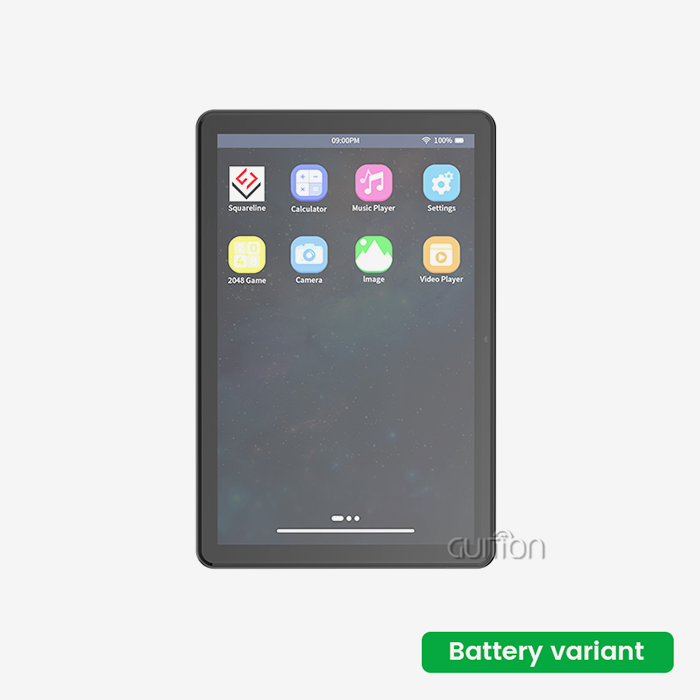
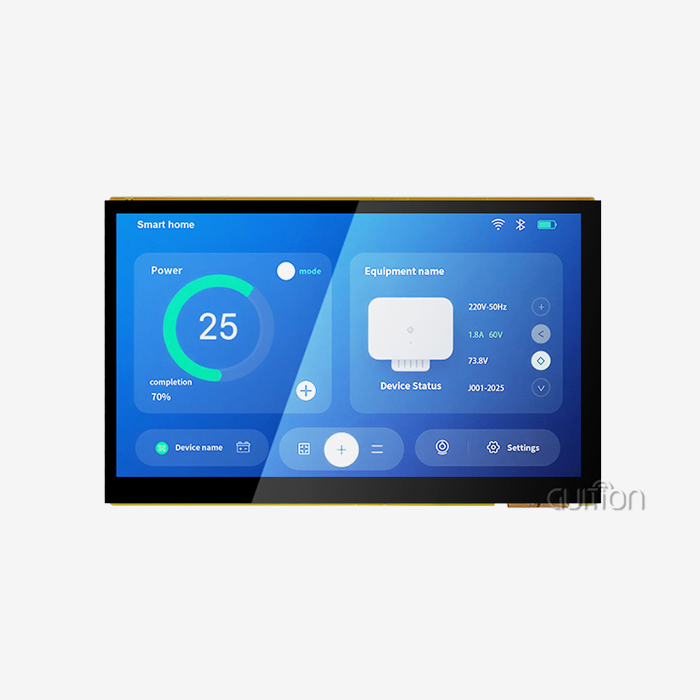
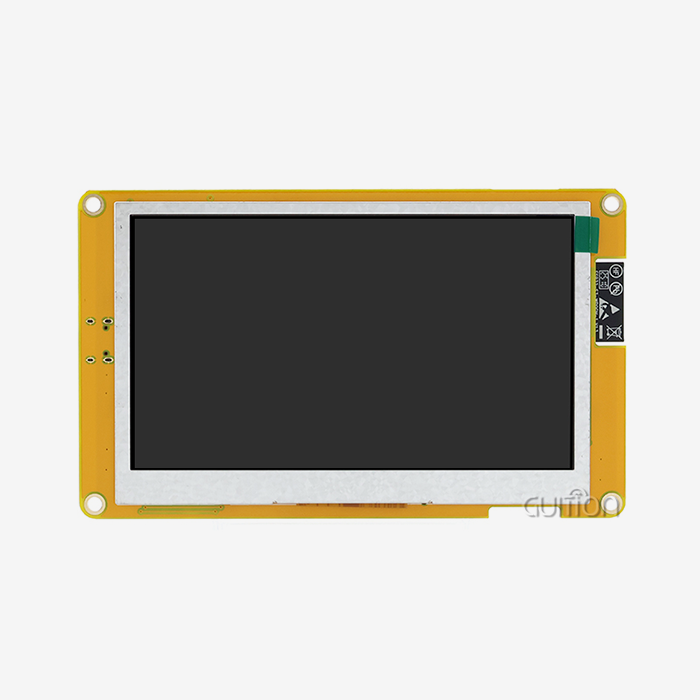
The processor and screen are the most important parts of any display gadget. This is well shown by the GUITION JC1060Q370N_I, which has a 7.0-inch IPS screen with a resolution of 1024x600 and runs on the Artinchip D121BBV MCU at 400MHz. The module has backlight control circuits, IO port interfaces, and dedicated links for TF cards, serial ports, and sensors. This gives engineers the physical freedom they need without having to rethink the board.
Software and UI Design Principles
These days, making a custom HMI doesn't require writing low-level code from scratch. The online GUI development tool Guition lets UI designers place controls by dragging and dropping them, so they can make professional-looking screens without having to know a lot about embedded code. This cuts the time between idea and prototype by a huge amount. Cross-platform online debugging finds problems before they are deployed on hardware, which cuts down on iteration cycles even more.
Emerging Technologies Shaping HMI Design
IoT-enabled remote monitoring and OTA (Over-the-Air) firmware updates are now commonplace in devices that are connected to the internet. The JC1060Q370N_I can be upgraded remotely, which means that units that are already in use can get interface changes without having to come in for service. This module can be used in smart home devices, farm automation terminals, and IIoT-linked energy management systems because it has built-in WiFi and Bluetooth connections, making it a reliable hmi display module for various connected applications. When you put these technical skills together, you get an HMI solution that doesn't limit your product line but instead grows with it.
Comparing Custom HMI Solutions to Other Industrial Interfaces
Not every job needs the same amount of flexibility. Procurement teams can make better choices when they know where custom HMIs fit in comparison to other types of interfaces.
Custom HMI vs. Standard HMI Panels
Panels from Siemens (SIMATIC series) or Rockwell Automation (PanelView) are reliable and support a lot of protocols, but they are expensive and can't be changed in the user interface. Custom solutions, like those built on the GUITION platform, offer similar stability and full UI ownership, which is important for OEMs who need branded, application-specific interfaces.
Custom HMI vs. SCADA and PLC Interfaces
SCADA systems are great at collecting data from across a plant and logging it, but they usually run on PC infrastructure and aren't good for applications that need a display that is mounted on a machine. PLC interfaces give users control reasoning, but they don't give them the visual information they need for real-time tracking to work well. An Hmi human interface was designed to connect both worlds. It provides local viewing and MQTT or OPC UA connection back to SCADA or cloud systems.
Where GUITION Fits the Competitive Landscape
When it comes to price and features, the GUITION JC1060Q370N_I hits the sweet spot. It works with Arduino, ESP-IDF, and native Guition creation modes, so teams with different levels of technical knowledge can use it. In the Guition line, display sizes range from 1.28" to 21.5", so system builders can choose units that fit their panel space and budget without sacrificing processing power or visual output.
Procurement Guide: Buying Custom HMI Human Interface Panels for Industrial Equipment
It takes more than just comparing spec sheets to find the right HMI Display Module. This is what B2B buyers should put first. Make sure you know exactly what you need from an HMI before you contact a supplier. Take a look at these important evaluation criteria:
- Processing and display specs: Confirm that the controller speed and resolution meet your real-time data demands. The JC1060Q370N_I's 400MHz processor and 65K-color IPS screen handle complex graphics without lag.
- Development ecosystem compatibility: Verify that the module supports your team's preferred environment—Arduino, IDF, or a dedicated GUI tool like Guition—to avoid retraining costs.
- Connectivity and upgrade path: Modules with built-in WiFi, Bluetooth, and OTA upgrade support reduce lifetime service costs, especially for distributed or field-deployed equipment.
- Multi-language encoding: For products shipped globally, UTF-8 support is non-negotiable. The JC1060Q370N_I handles multi-language interfaces natively.
- Supplier documentation and support: Request technical documentation samples before committing. A supplier who provides complete secondary development interfaces and responsive technical support reduces your debugging burden significantly.
These factors directly show not only the unit price but also the total cost of ownership. A well-documented module that works well with a lot of tools usually pays for itself in the first development cycle. Once you've looked at these, ask for sample units from the HMI providers you've chosen and run your goal application on real hardware. The JC1060Q370N_I comes with the GUITION test program already installed, so your team can start testing as soon as they get there—no setup needed first.
Conclusion
A realistic engineering choice with quantifiable benefits is selecting a custom HMI human interface. Generic panels make integration riskier, make it harder to own the user interface, and usually need pricey middleware. Customized options like the GUITION JC1060Q370N_I fill in these gaps by combining a 400MHz processor, a 7.0-inch IPS display, and a powerful online development tool into a module that can be used in real life. A custom method always works better than the standard one for procurement managers and embedded engineers who need display options that are reliable, flexible, and cost-effective.
FAQ
What industries benefit most from custom HMI panels?
Industrial equipment manufacturing, medical device development, energy management, and agricultural automation all benefit significantly. Any application requiring real-time process visualization with operator input justifies a purpose-built interface over a generic display.
Can a custom HMI integrate with existing PLC or SCADA systems?
Yes. Modern HMI modules support serial protocols (RS-232/485 for legacy PLCs) and Ethernet-based standards (Modbus TCP/IP, MQTT) for SCADA connectivity. The key is confirming protocol driver support before purchase.
How difficult is development without embedded coding experience?
With tools like the Guition drag-and-drop GUI platform, UI designers can build functional interfaces without writing low-level code. Arduino and IDF compatibility also allows experienced embedded engineers to work within familiar environments.
What is the typical lifespan of an LCD display module?
Industrial-grade LED backlights typically reach their half-life (50% brightness) at around 50,000 hours of operation at 25°C, giving most products 10+ years of operational life under normal conditions.
Does the GUITION JC1060Q370N_I support remote firmware updates?
Yes. The module supports remote project upgrades over WiFi, allowing interface updates to deployed units without physical access—an essential feature for distributed installations.
Partner with Guition for Your Next HMI Human Interface Project
Guition has a wide selection of display units, all of which come with clear instructions and quick help from engineers. The JC1060Q370N_I is a tried-and-true HMI human interface supplier that teams use to make industrial panels, smart products, medical monitors, and business devices. With built-in connectivity, cross-platform development support, and display sizes ranging from 1.28" to 21.5", Guition gives your team the tools they need to ship faster and make changes with confidence. Get in touch with us today at david@guition.com.
References
1. MarketsandMarkets. (2023). Human Machine Interface (HMI) Market — Global Forecast to 2028.
2. Aberdeen Group. (2022). Operational Technology Visibility: How HMI Design Affects Plant Uptime.
3. Manufacturing Enterprise Solutions Association (MESA International). (2021). Operator Interface Design and Its Impact on Industrial Error Reduction.
4. International Electrotechnical Commission. (2020). IEC 61000 Series: Electromagnetic Compatibility Standards for Industrial Equipment.
5. Rockwell Automation. (2022). The Connected Enterprise: Human-Machine Interface Best Practices for Discrete Manufacturing.
6. ISA — International Society of Automation. (2019). ANSI/ISA-101.01: Human Machine Interfaces for Process Automation Systems.
Learn about our latest products and discounts through SMS or email