- English
- French
- German
- Portuguese
- Spanish
- Russian
- Japanese
- Korean
- Arabic
- Greek
- German
- Turkish
- Italian
- Danish
- Romanian
- Indonesian
- Czech
- Afrikaans
- Swedish
- Polish
- Basque
- Catalan
- Esperanto
- Hindi
- Lao
- Albanian
- Amharic
- Armenian
- Azerbaijani
- Belarusian
- Bengali
- Bosnian
- Bulgarian
- Cebuano
- Chichewa
- Corsican
- Croatian
- Dutch
- Estonian
- Filipino
- Finnish
- Frisian
- Galician
- Georgian
- Gujarati
- Haitian
- Hausa
- Hawaiian
- Hebrew
- Hmong
- Hungarian
- Icelandic
- Igbo
- Javanese
- Kannada
- Kazakh
- Khmer
- Kurdish
- Kyrgyz
- Latin
- Latvian
- Lithuanian
- Luxembou..
- Macedonian
- Malagasy
- Malay
- Malayalam
- Maltese
- Maori
- Marathi
- Mongolian
- Burmese
- Nepali
- Norwegian
- Pashto
- Persian
- Punjabi
- Serbian
- Sesotho
- Sinhala
- Slovak
- Slovenian
- Somali
- Samoan
- Scots Gaelic
- Shona
- Sindhi
- Sundanese
- Swahili
- Tajik
- Tamil
- Telugu
- Thai
- Ukrainian
- Urdu
- Uzbek
- Vietnamese
- Welsh
- Xhosa
- Yiddish
- Yoruba
- Zulu
Which Interfaces Should a 7 inch ESP32S3 display module Support?
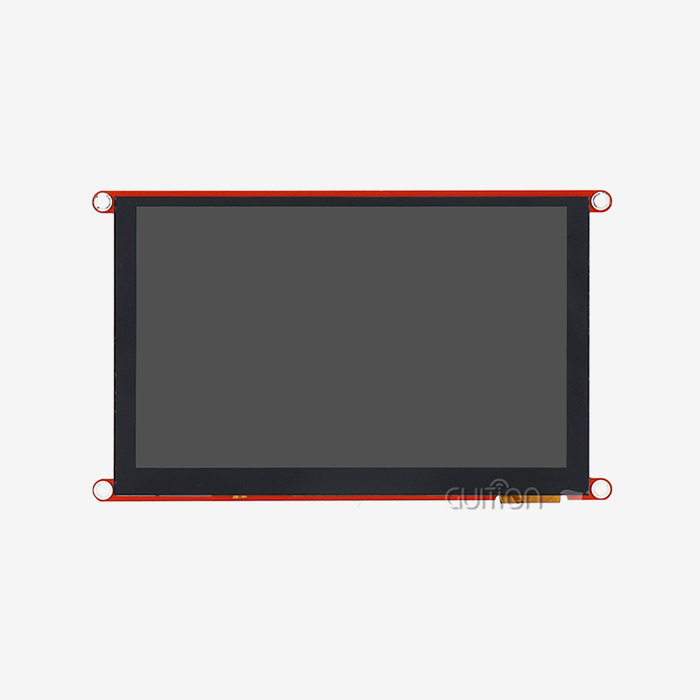
When engineers and product teams ask which interfaces a 7 inch ESP32S3 display module should support, the answer depends on performance goals, application type, and development environment. At minimum, a well-designed module should include an RGB parallel interface for high-speed display driving, I2C for capacitive touch communication, UART for peripheral connectivity, SPI for auxiliary devices, and GPIO expansion for custom I/O. The GUITION ESP32-8048S070C covers all of these, delivering an 800×480 resolution display with built-in Wi-Fi, Bluetooth, TF card slot, and multi-platform development support.

Understanding the Core Interfaces of a 7 Inch ESP32S3 Display Module
In any embedded display project, choosing the right interface configuration is one of the most important choices that needs to be made. An ESP32S3 display module that's 7 inches usually has more than one type of port so it can handle graphics output, touch input, storage, and contact with the outside world all at the same time.
RGB Parallel Interface
For running a high-resolution display on the ESP32-S3, the RGB parallel port (16-bit RGB565) is what makes it work. It skips the slow part of serial communication and sends pixel data straight to the LCD screen. This interface gives you 30+ FPS without tearing on an 800x480 screen with LVGL animations. The GUITION ESP32-8048S070C uses this interface, which is backed up by 8MB of PSRAM to quickly store full frames.
I2C Touch Controller Interface
I2C is used by capacitive touch screens to send the MCU information about where the touch is. A lot of 7-inch capacitive modules have the GT911 controller inside them. This controller can talk over I2C at up to 400kHz and can detect multiple touches. The I2C bus can also hold other parts, like RTC chips, environmental sensors, or OLED sub-displays, which makes it a good choice for designs that use more than one device.
UART and SPI Auxiliary Interfaces
In HMI apps, UART is still the most common way for the host to talk to the module. SPI is a good way to power external devices like SD card readers, small secondary displays, and wireless modules. The special IO port interface on the 7 inch ESP32S3 display module GUITION ESP32-8048S070C lets developers directly access both, which lets the board grow quickly without having to be redesigned.
Key Performance Dimensions of 7 Inch ESP32S3 Display Interfaces
Interface selection directly shapes resolution, refresh rate, and power consumption. Understanding these trade-offs helps engineers avoid performance gaps after manufacturing.
Resolution and Frame Rate
An RGB parallel interface supports 800×480 at 30+ FPS on the ESP32-S3, making it suitable for industrial dashboards, medical monitors, and commercial kiosks. SPI-only configurations struggle with resolutions beyond 320×240 at acceptable frame rates on larger panels. The dual-core Xtensa LX7 processor running at 240MHz in the GUITION ESP32-8048S070C ensures the CPU keeps pace with the display pipeline without dropping frames.
Power Consumption Per Interface Type
SPI interfaces consume less power because they use fewer active pins. However, for a 7-inch panel, the backlight itself draws over 300mA regardless of interface type. RGB parallel configurations draw more current during active rendering but allow faster completion of drawing tasks, which can reduce net energy use in burst-mode applications. Battery-powered designs should factor in backlight dimming via PWM on the backlight control circuit.
Firmware and Driver Support
The GUITION ESP32-8048S070C supports Arduino IDE, ESP-IDF, MicroPython, and Mixly. Each environment ships with display drivers and touch libraries compatible with the RGB and I2C interfaces on this module. LVGL is the recommended UI library, and Espressif's ESP-IDF includes dedicated LCD peripheral drivers that abstract the RGB timing configuration. This reduces firmware setup time significantly for teams new to ESP32-S3 display development.
Comparing Interface Options – Making the Right Choice for Your Application
Different projects don't have the same interface priorities. This is how the most popular choices stack up in regular use cases.
The table below shows the main pros and cons of the different types of interfaces for 7-inch ESP32-S3 panels:
- RGB Parallel: Best for 800×480 and above. High pin count (~24 pins), high throughput, ideal for industrial panels, medical monitors, and commercial terminals where smooth animation matters.
- SPI (display driving): Suitable for smaller panels or low-refresh overlays. Lower pin count, simpler PCB routing, but insufficient for driving a 7-inch panel at full resolution without PSRAM-based workarounds.
- I2C (touch): Standard for capacitive touch on GT911 and FT5x06 controllers. Two-wire communication, easy integration, and well-supported across Arduino and ESP-IDF.
- UART: Ideal for host communication in USART-HMI applications. The GUITION ecosystem specifically targets this interface for HMI command protocols.
These traits of the 7 inch ESP32S3 display module cover the vast majority of deployment situations. When it comes to noise protection, capacitive touch over I2C always does better than resistive 4-wire ADC methods. This is important in industrial cabinet settings where EMI is present.
Teams using ESP-IDF will find that Espressif's esp_lcd component hides RGB parallel and SPI interfaces by default. This means that the same software layout can be used on all screen sizes with little porting work. This is very helpful for R&D teams that are in charge of many product lines.
Practical Integration Tips for Procurement and Deployment
When procurement decisions are made without interface paperwork, it often takes longer to integrate the new systems. It's taken weeks for engineering teams to finish pinout sheets or write up driver support that wasn't complete.
Before you buy a lot of any ESP32-S3 display module, make sure you check these things:
- Confirm the display interface type (RGB565 parallel vs. SPI) and request the full pinout schematic.
- Verify the touch controller model (GT911 is well-documented; less common controllers may have limited library support).
- Check whether the TF card slot shares SPI bus lines with other peripherals, which can cause bus contention.
- Request sample firmware for your target IDE (Arduino, ESP-IDF, or MicroPython) before committing to volume.
- Confirm OTA firmware support if remote maintenance is a project requirement.
By taking these steps, you lower the risk of integration and protect your production schedule. The 7 inch ESP32S3 display module GUITION ESP32-8048S070C comes with test software that has already been programmed by the factory. This lets teams check the hardware before they write any code. The module's development stack supports UTF-8 encoded fonts, which means that teams working in environments with more than one language don't need to buy any extra hardware.
Future Trends and Interface Evolution in 7 Inch ESP32S3 Display Modules
In more advanced ESP32-S3 designs, MIPI DSI is being used to combine display and touch signals onto fewer wires. The current generation of cheap 7-inch modules uses RGB parallel interfaces. However, as support for the ESP32-S3 silicon grows, MIPI DSI will become easier to get. Teams that are choosing hardware for after 2025 should check with their module vendor to see if they have a plan for how DSI will be used.
LVGL and Arduino Ecosystem Growth
LVGL v9 made performance changes that worked better with ESP32-S3 vector instruction sets. On the same hardware, rendering speed went up by up to 30% compared to LVGL v8. Espressif's arduino-esp32 v3.x now natively supports the LCD peripheral, which means that Arduino can now work with more ESP32-S3 RGB displays. These changes to the software make it easier for teams that don't have a lot of experience to get started.
Unified Touch-Display Connectors
There are some companies that are going toward FPC connectors with only one wire that can carry both display and touch data. This makes mechanical assembly easier and lowers the chance that the FPC will get damaged while the device is being made. This trend lowers the complexity of the bill of materials (BOM) and the cost of assembly over time for sourcing teams that are making small industrial or medical cases.
Conclusion
Guition's ESP32-8048S070C is a 7-inch ESP32S3 display module that is ready for production. It is designed for use in industrial control panels, medical monitors, smart appliances, and commercial terminals. The 7 inch ESP32S3 display module comes with the kit, together with complete documentation of the schematic, sample firmware for many integrated development environments, and factory test programs.
FAQ
What is the fastest display interface a 7 inch ESP32S3 display module typically supports?
The RGB parallel interface is the fastest available. On the ESP32-S3, it drives 800×480 panels at 30+ FPS using the dedicated LCD peripheral, far exceeding what SPI can achieve at this panel size.
Can I switch interface types after purchasing a module?
No. The interface type is determined at the PCB design stage. Changing from RGB to SPI after purchase requires a hardware redesign. Always confirm the interface before ordering.
How do I verify compatibility with my existing ESP32-S3 development environment?
Request the manufacturer's sample firmware and schematic. For the GUITION ESP32-8048S070C, sample code is available for Arduino IDE, ESP-IDF, MicroPython, and Mixly — covering the most common development environments in the market.
Does the I2C touch interface work reliably in industrial environments?
Yes, provided the touch controller includes noise immunity features. The GT911 controller used in capacitive 7-inch modules includes EMI filtering and supports interrupt-driven touch detection, reducing false triggers in high-noise cabinet environments.
What happens to the touch controller after ESP32-S3 wakes from deep sleep?
The GT911 controller must receive a hardware reset via its RST pin after the MCU wakes. The I2C bus must be re-initialized before sending any touch polling commands. This is a well-documented initialization step in the ESP-IDF LCD touch driver examples.
Ready to Source a Reliable 7 Inch ESP32S3 Display Module Supplier?
Guition's ESP32-8048S070C is a production-ready 7 inch ESP32S3 display module designed for industrial control panels, medical monitors, smart appliances, and commercial terminals. It ships with full schematic documentation, multi-IDE sample firmware, and factory test programs. Contact our technical sales team directly at david@guition.com or visit https://jingcaizhineng.aixdb.cn/ to request a sample, discuss bulk pricing, or get interface-specific integration support.
References
1. Espressif Systems. ESP32-S3 Technical Reference Manual. 2023.
2. Liu, M. & Zhang, H. Embedded Display Interface Design for IoT Applications. IEEE Transactions on Industrial Electronics. 2022.
3. LVGL Project Contributors. LVGL Documentation v9: Performance and Platform Support. 2024.
4. Espressif Systems. ESP-IDF Programming Guide: LCD and Touch Panel Drivers. 2023.
5. Grand View Research. Human-Machine Interface (HMI) Market Report: Industrial Display Trends. 2023.
6. Yiu, J. The Definitive Guide to ARM Cortex-M Microcontrollers and Embedded Interface Protocols. Elsevier. 2021.
Learn about our latest products and discounts through SMS or email