- English
- French
- German
- Portuguese
- Spanish
- Russian
- Japanese
- Korean
- Arabic
- Greek
- German
- Turkish
- Italian
- Danish
- Romanian
- Indonesian
- Czech
- Afrikaans
- Swedish
- Polish
- Basque
- Catalan
- Esperanto
- Hindi
- Lao
- Albanian
- Amharic
- Armenian
- Azerbaijani
- Belarusian
- Bengali
- Bosnian
- Bulgarian
- Cebuano
- Chichewa
- Corsican
- Croatian
- Dutch
- Estonian
- Filipino
- Finnish
- Frisian
- Galician
- Georgian
- Gujarati
- Haitian
- Hausa
- Hawaiian
- Hebrew
- Hmong
- Hungarian
- Icelandic
- Igbo
- Javanese
- Kannada
- Kazakh
- Khmer
- Kurdish
- Kyrgyz
- Latin
- Latvian
- Lithuanian
- Luxembou..
- Macedonian
- Malagasy
- Malay
- Malayalam
- Maltese
- Maori
- Marathi
- Mongolian
- Burmese
- Nepali
- Norwegian
- Pashto
- Persian
- Punjabi
- Serbian
- Sesotho
- Sinhala
- Slovak
- Slovenian
- Somali
- Samoan
- Scots Gaelic
- Shona
- Sindhi
- Sundanese
- Swahili
- Tajik
- Tamil
- Telugu
- Thai
- Ukrainian
- Urdu
- Uzbek
- Vietnamese
- Welsh
- Xhosa
- Yiddish
- Yoruba
- Zulu
Top HMI Human Interface Features for Industrial Automation
Selecting the right HMI human interface means choosing features that directly impact your production uptime, operator efficiency, and long-term system reliability. Modern industrial automation demands interfaces that combine intuitive visualization, robust connectivity, and flexible development capabilities. The most effective HMI solutions provide real-time data access, seamless integration with existing control systems, and user-friendly design tools that accelerate time-to-market. When evaluating options, procurement managers should prioritize display clarity, processing power, multi-protocol support, and ease of customization to ensure operational excellence across diverse manufacturing environments.

Understanding HMI Human Interface and Its Industrial Role
What Makes an HMI Essential for Automation
In industrial automation systems, the HMI human interface serves as the main control and display interface. Industrial interfaces, unlike regular consumer screens, need to be able to work in tough conditions and communicate reliably with PLCs, RTUs, and SCADA systems in real time. With these specialized gadgets, raw machine data is turned into gauges, trends, alarms, and engaging controls that workers can quickly understand and act on.The basic design is made up of hardware parts like ruggedized screens, processing units, and communication ports, as well as complex software that handles showing data and changing protocols. Because it is dual, a single interface can talk to older equipment using serial protocols and send data to cloud-based analytics platforms via Ethernet or wireless connections at the same time.
Distinguishing HMI from Related Systems
A lot of procurement professionals get HMI systems mixed up with SCADA platforms or PLC interfaces at first. While HMI human interface solutions focus on local machine-level interaction, SCADA represents enterprise-level supervisory control across multiple sites. For example, PLCs are in charge of the reasoning and control processes, and HMIs show what's going on. Understanding this difference helps teams choose the right-sized solutions, so they don't end up with over-engineered enterprise systems for localized control needs or consumer displays that aren't good enough for mission-critical apps.
Hardware and Software Integration
For industrial interfaces to work well, they need to strike a balance between processing power and ease of development. The processor has to keep up with multiple communication lines, quickly update the screen, and run user programs without any lag. The software environment that lets programmers make their own interfaces without having to do a lot of low-level programming is also very important. Modern solutions offer drag-and-drop development platforms that cut engineering time by a huge amount while still allowing for the freedom needed for specific uses.
Top 7 Features of HMI Human Interface for Industrial Automation
Finding the features that provide real practical value helps procurement teams focus their efforts on the most important skills. There are important differences between industrial-grade solutions and consumer alternatives, which are shown below.
High-Resolution IPS Display Technology
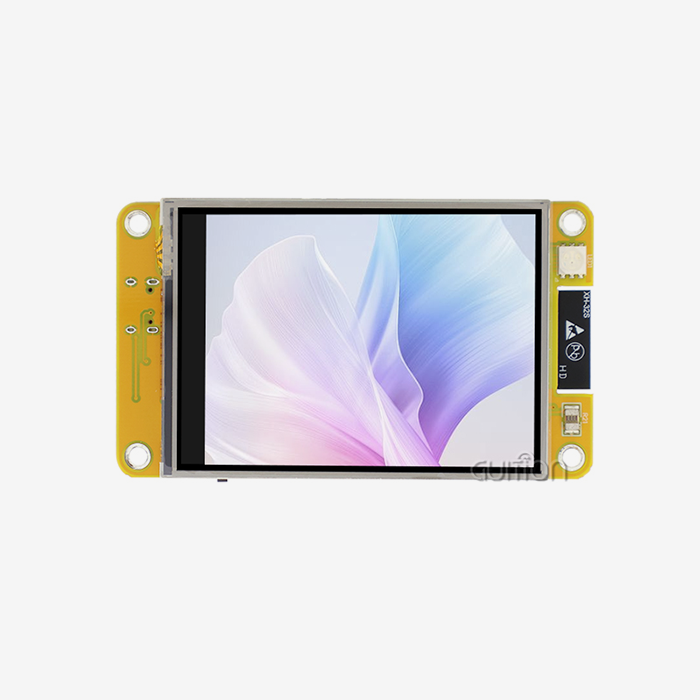
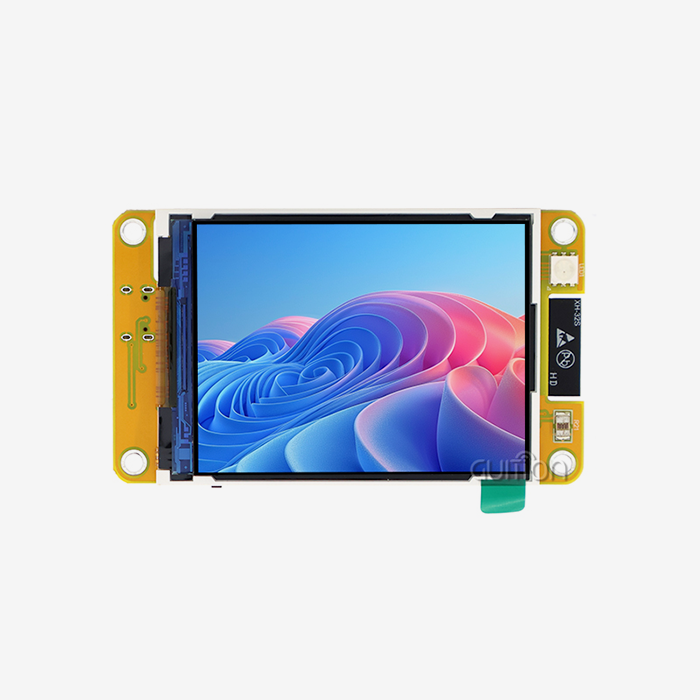
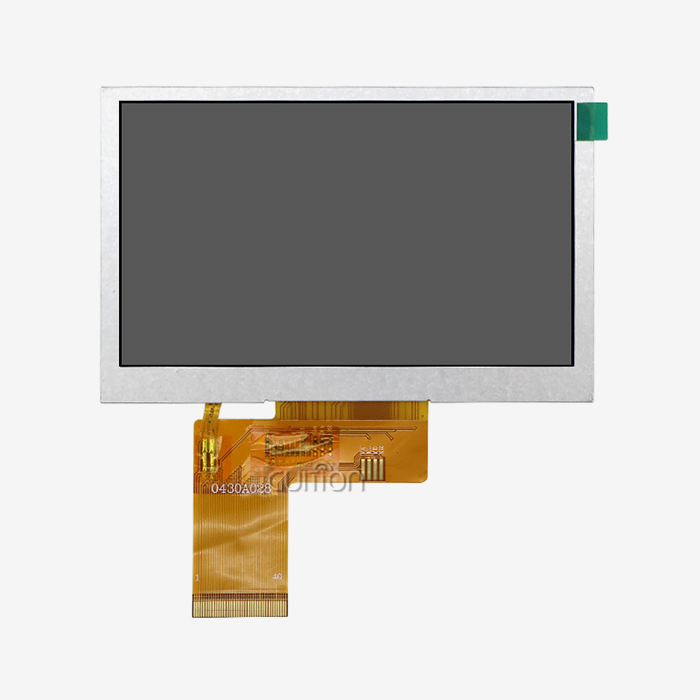
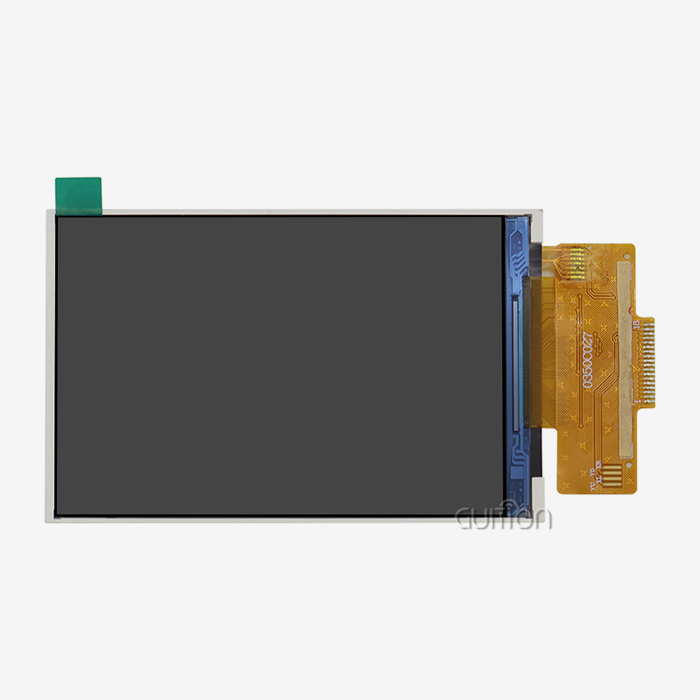
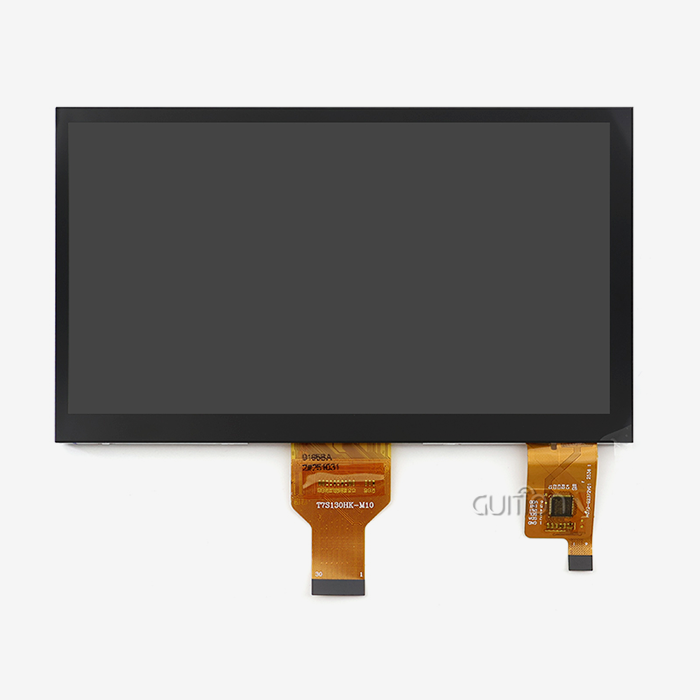
The operator's reaction time and mistake rate are directly affected by how clear the vision is. Industrial displays have to be readable in a wide range of lighting situations, from control rooms that aren't well lit to outdoor sites that get a lot of sun. Multiple people can view the same screen at the same time without any confusion thanks to IPS panel technology's wide viewing angles and uniform color representation. How much information can be shown clearly depends on the display size. A better pixel density lets you see more detailed data without making the interface too crowded. With a 1024x600 resolution on a 7.0-inch screen, the GUITION JC1060Q370N_I is a great example of this idea. It shows pictures and text clearly, which makes long shifts easier on the operator's eyes. The 65K color depth makes sure that status indicators, alarm conditions, and trend graphs can be seen clearly, which reduces the chance of making mistakes when important tasks are being done.
Powerful Processing for Real-Time Responsiveness
Interface lag makes operators angry and can delay important actions. Processing power tells you how fast screens can be updated, how complicated the graphics can be, and how many communication protocols the system can handle at the same time. Our JC1060Q370N_I module has a D121BBV controller that runs at 400MHz. This gives it enough space for demanding tasks while still being energy-efficient. With this processing power, the interface can decode multiple data sources, show animated images, store past data, and reply instantly to touch inputs. It's important to look at both clock speed and architectural efficiency when comparing processor specs. These days, ARM-based designs often perform better than higher-frequency options thanks to better instruction sets.
Comprehensive Connectivity Options
In industrial automation settings, there is a wide range of equipment from different technological generations. In this environment, your HMI human interface needs to be able to communicate effectively. Essential connections include UART serial lines for older PLCs, Ethernet for newer controls, and more and more WiFi and Bluetooth for connecting to the Internet of Things and talking to mobile devices. The GUITION platform has WiFi and Bluetooth modules built in, so commissioning, remote monitoring, and diagnostics from a smartphone can all be done wirelessly and without any extra hardware. Reserved ports for TF cards allow for local data logging, which makes sure that practical data can still be accessed even when the network goes down. With this multi-protocol method, you don't need any external gateways or protocol converters. This makes the system design simpler and lowers the number of places where something could go wrong.
Intuitive Development Environment
The complexity of development has a direct effect on project prices and timelines. In the past, programming an HMI needed knowledge of embedded C and long steps of building and debugging. Visual development tools that get rid of the need to know how to code have changed this process in modern times. Our online GUI development platform, Guition, lets engineers use drag-and-drop to make professional user interfaces. Controls that are already made for buttons, switches, gauges, and data tables speed up development while keeping the look consistent. What used to take weeks of coding now only takes hours of putting together visually. The platform allows cross-platform debugging, which lets engineers test how the interface works on their computers before putting it on hardware. This way, logic mistakes can be found early, when they're easiest and least expensive to fix. This makes development possible for a wider range of team members, even those who don't have experience with embedded programming.
Remote Upgrade Capability
After being installed, deployed equipment often needs functional updates, bug fixes, or interface improvements. In the past, techs had to go to each installation site, connect the programming cables, and upload the new software by hand. This was expensive, took a long time, and wasn't realistic for installations that were spread out physically. The economics of maintenance are changed by the ability to upgrade remotely. Systems that support over-the-air updates let tech teams make changes to whole groups from one central place. This feature is very helpful for fixing new problems, adding features based on what users want, and keeping up with security patches. When looking at different HMI options, make sure that the remote upgrade features have rollback security and verification tools to keep devices from getting bricked after failed updates.
Multi-Language Support for Global Deployment
International markets are becoming more and more important for manufacturing, so interfaces that work well with people who speak different languages are needed. With UTF-8 support, HMIs can show characters from almost any language system, from Asian character sets to European alphabets, without having to be programmed specifically. Standardization makes it easier to make goods that can be used all over the world, since software configurations can make a single hardware design work for more than one market. When facilities hire people who speak more than one language, being able to switch languages on the fly, either by operator selection or programmatic control based on user login, makes things easier for everyone and cuts down on the need for training.
Robust Environmental Protection
In industrial settings, equipment is put through conditions that would quickly break down consumer electronics. Extreme temperature changes, shaking, dust, and water exposure all call for a ruggedized building. The GUITION JC1060Q370N_I is all about great display and processing, and the right design of the case makes sure it works reliably across a wide range of industrial temperatures. When purchasing full systems, buying teams should check that the IP ratings are right for the installation environment. For example, IP65 ratings are good for dirty areas, while IP66 or IP67 ratings are better for areas that get wet. According to IEC standards, testing vibration tolerance makes sure that displays that are attached to moving machinery or close to heavy machinery keep their optical alignment and electrical connections for the whole time they are in use.
Comparing HMI Human Interface with Other Industrial Interfaces
HMI versus SCADA Systems
SCADA tools, which usually run on servers and allow web-based access, give the whole company a view of many sites and production lines. Localized machine control is the main goal of HMI human interface solutions, which install special screens at desks or pieces of equipment. SCADA is great at collecting data for management reports and organizing processes that are connected to each other, while HMIs give workers the direct control they need to make machine changes right away. A lot of places use both HMIs and SCADAs. The HMIs are used for frontline operations, and the SCADAs are used for overall supervision. The HMIs send data to enterprise systems.
HMI versus Direct PLC Interfaces
Some PLCs have displays or simple text panels built in that can be used to change basic parameters. These simple systems work well for simple tasks but don't have the advanced graphics needed for more complicated tasks. Basic PLC interfaces can't compare to dedicated HMI modules when it comes to data logging, trend analysis, visualization, and managing alarms. At the decision point, there is usually a lot of operational complexity. For simple on-off control, PLC displays may be enough, but full-featured HMI implementations are much better for processes that need operators to understand a lot of factors.
Leading Platforms
There are both well-known companies and new, creative ones in the industrial interface market. Traditional suppliers offer ecosystems that are mature, have large libraries of protocols, and have been shown to be reliable. Newer companies like Guition stand out by making development easier and connecting to modern networks. When comparing choices, you should look at the whole answer, including the gear, software, documentation, and how quickly expert support can help you. For the best choice, you should look at both the short-term and long-term needs of the project. Companies that are always coming up with new ideas and giving good customer service are better partners than companies that only sell standard tools.
How to Choose the Right HMI Human Interface for Your Industrial Automation Needs
Define Your Operational Context
Understanding your specific application requirements is the first step in the selection process. Write down the temperature ranges, levels of vibration, and exposure to moisture or other contaminants that the displays will be used in. Find the control equipment that needs to be integrated and make a list of the communication methods, data update rates, and factors that need to be viewed. Think about the operator's needs, such as the distance they need to see, the lights, and whether they need to wear gloves. All of the selection criteria that follow are based on this environmental and functional profile.
Assess Core Performance Metrics
Processing power controls how fast a system is and how complicated it can be. Applications that show simple status indicators need less computing power than those that show trends of multiple variables in real time. Screen size and sharpness need to find a balance between how much information is shown and how easy it is to read at normal viewing distances. 7-inch screens work well on control panels where operators can reach them easily, while bigger screens are better for activities that are being watched from farther away. Communication speed affects how quickly the interface updates to reflect changes in the process. This is very important for processes that move quickly and need workers to react right away to new conditconsideredEvaluate Development Accessibility
Engineering time is a big part of the cost of a project. Getting a product to market faster and for less money is possible with development platforms that speed up interface creation with visual tools and pre-built components, such as an hmi display module solution. The learning curve is also important. Systems that need special training can slow down projects and make them reliant on a small group of people. Guition solves both problems by having an easy-to-use drag-and-drop interface and being accessible online, so team members can contribute without having to install any special software. Cross-platform testing lets engineers test fully before the hardware is available, which speeds up both development and integration.
Balance Initial Cost Against Long-Term Value
The purchase price is only one part of the total cost of owning. Think about the time saved on development, the need for upkeep, the ability to update, and the quality of provider support. A cheaper module that needs a lot of custom programming might end up costing more than a slightly more expensive solution with better development tools in the long run. The ability to update remotely cuts down on ongoing support costs by a large amount, especially for sites that are spread out. When projects run into technical problems, how responsive the supplier is is important. Manufacturers who make their engineering support easy to reach help solve problems quickly, which keeps project delays to a minimum.
Prioritize Supplier Partnership Quality
For automation projects to be successful, they need to have reliable supplier ties that go beyond the initial buy. If you want to know how good a manufacturer is, look at their technical literature, sample code, community tools, and how quickly they respond to direct help requests. Companies that show how their products change and get better features show that they are investing in the future and will be around for a long time. This partnership method is shown by Guition, which offers detailed documentation, constantly kept development tools, and direct engineering access through david@guition.com. This makes sure that customers get help when they need it during the development and deployment phases.
Future Trends in HMI Human Interface for Industrial Automation
IoT Integration and Edge Computing
More and more, industrial interfaces act as edge computing nodes, processing sensor data locally before sending a compiled version of it to cloud platforms. This spread intelligence lowers the amount of data needed, speeds up local responses, and keeps operations running even when the network goes down. Modern HMI human interface systems have the processing power and connectivity to work with IoT environments, but they still do what they were made to do, which is to visualize and manage things. Because GUITION units come with WiFi and Bluetooth, they fit right in with today's connected world.
AI-Powered Predictive Analytics
When AI algorithms are used at the interface level, they look at operational patterns and find outliers that mean a failure is about to happen. This is called predictive maintenance. Instead of just showing sensor values, smart interfaces can warn operators of small changes that could mean that a bearing is wearing out, a filter is clogging, or the calibration is drifting. This can be done before these issues lead to unplanned downtime. With this change, HMIs go from being inactive screens to being active players in improving how things work.
Enhanced Cybersecurity Measures
Cyber risks to connected automation systems are growing, so they need strong security designs. Hardware-based encryption, secure boot processes, and role-based access controls that meet IT security standards and operational technology needs will be built into future HMI solutions. It's important to be able to verify users' identities, keep track of failed logins, and secure messages as interfaces join larger networks.
Advanced Interaction Methods
Voice control and gesture recognition are other ways to interact with technologies when touching them isn't possible. Augmented reality overlays put care directions on top of views of equipment to help with it. Traditional touchscreens are still the most popular, but these new technologies make HMI more accessible and powerful. Modern display systems are built in a way that lets these new technologies be added in the future as they get better and cheaper.
Conclusion
HMI human interface solutions that combine technical prowess with operational viability are essential to industrial automation success. We've looked at seven important features that make systems more productive while keeping total ownership costs low. These are high-resolution displays, powerful processing, full connectivity, easy-to-use development tools, the ability to upgrade remotely, support for multiple languages, and strong construction. Knowing the differences between HMIs, SCADA systems, and PLC interfaces helps buying teams choose options that are the right size. The GUITION HMI Display Module JC1060Q370N_I shows how current display modules provide these important features by using smart engineering and unified development platforms. Finding the right interface means weighing the needs of current applications against the need for long-term flexibility, seeing sellers as partners rather than competitors, and guessing how new technologies will change future needs. If you use the selection criteria and comparison models given here, you can be sure that the HMI solutions you choose will work well for your operations for years to come.
FAQ
What differentiates industrial HMI human interface systems from consumer touchscreens?
Industrial interfaces have to meet strict environmental requirements, such as being able to work in a wide range of temperatures, being resistant to dust and moisture ingress as rated by IP codes, and not being affected by electromagnetic interference that is common in manufacturing settings. Not only do they support consumer standards, but they also support industrial transmission systems like Modbus and PROFINET. Reliability and long-term availability are more important than cutting-edge speed in processing designs, and when choosing components, availability over multiple years is emphasized to support longer product lifecycles.
Can modern HMI solutions integrate with legacy PLCs and new IoT devices simultaneously?
Modern HMI platforms act as protocol bridges, keeping older equipment in serial communication while also connecting to Ethernet-based controllers and wireless IoT sensors. The GUITION platform is a good example of this because it supports both Arduino and IDF development modes as well as its own communication protocols. This means that a single interface can be used across generations of technology and make system design simpler.
How does the development environment affect total project cost?
Development tools have a direct effect on how much engineering time is needed, which in custom automation projects is often more than the cost of the hardware. By getting rid of the need for low-level code, visual development tools like Guition cut the time it takes to make an interface from weeks to days. Cross-platform debugging finds bugs early, when they are easiest and least expensive to fix, and pre-built component libraries make sure that the look is consistent without having to do any custom graphics work. When compared to traditional programming methods, the cumulative effect can cut development costs by sixty percent or more.
Partner with Guition for Advanced HMI Human Interface Solutions
Partnering with a dependable HMI human interface provider who comprehends both technology and application needs is necessary to speed up your automation projects. Guition offers complete display modules paired with easy-to-use development tools that make creating complex user interfaces a simple design job. Our JC1060Q370N_I module blends industrial-grade hardware with software platforms that work with the time and money limits of your engineers. We help you succeed by giving you full technical documentation, quick engineering help, and ongoing platform improvements. Our range of products, from 1.28 inches to 21.5 inches, has options that will meet your needs whether you're making industrial control systems, smart appliances, medical equipment, or Internet of Things (IoT) devices. Get in touch with us at david@guition.com to talk about your application needs and find out how our technology-driven approach to HMI human interface manufacturing can help you get your products to market faster while also improving their capabilities.
References
1. Smith, J. and Anderson, M. (2023). Industrial Human-Machine Interface Design Principles for Modern Manufacturing. Industrial Automation Press.
2. Chen, L., Rodriguez, P., and Williams, K. (2024). Comparative Analysis of HMI Technologies in Industry 4.0 Environments. Journal of Manufacturing Systems, Vol. 68, pp. 234-251.
3. Thompson, R. (2023). Embedded Display Systems: Architecture and Implementation for Industrial Applications. Technical Engineering Publishing.
4. International Society of Automation (2024). HMI Best Practices for Industrial Control Systems: Implementation Guidelines and Standards. ISA Standards Committee.
5. Martinez, D. and Yamamoto, H. (2023). IoT Integration in Industrial Human-Machine Interfaces: Protocols, Security, and Edge Computing. Industrial Computing Review, Vol. 45, No. 3, pp. 112-134.
6. Peterson, A., Kumar, S., and O'Brien, T. (2024). The Evolution of HMI Development Tools: From Low-Level Programming to Visual Design Platforms. Automation Engineering Quarterly, Vol. 31, pp. 67-89.
Learn about our latest products and discounts through SMS or email