- English
- French
- German
- Portuguese
- Spanish
- Russian
- Japanese
- Korean
- Arabic
- Greek
- German
- Turkish
- Italian
- Danish
- Romanian
- Indonesian
- Czech
- Afrikaans
- Swedish
- Polish
- Basque
- Catalan
- Esperanto
- Hindi
- Lao
- Albanian
- Amharic
- Armenian
- Azerbaijani
- Belarusian
- Bengali
- Bosnian
- Bulgarian
- Cebuano
- Chichewa
- Corsican
- Croatian
- Dutch
- Estonian
- Filipino
- Finnish
- Frisian
- Galician
- Georgian
- Gujarati
- Haitian
- Hausa
- Hawaiian
- Hebrew
- Hmong
- Hungarian
- Icelandic
- Igbo
- Javanese
- Kannada
- Kazakh
- Khmer
- Kurdish
- Kyrgyz
- Latin
- Latvian
- Lithuanian
- Luxembou..
- Macedonian
- Malagasy
- Malay
- Malayalam
- Maltese
- Maori
- Marathi
- Mongolian
- Burmese
- Nepali
- Norwegian
- Pashto
- Persian
- Punjabi
- Serbian
- Sesotho
- Sinhala
- Slovak
- Slovenian
- Somali
- Samoan
- Scots Gaelic
- Shona
- Sindhi
- Sundanese
- Swahili
- Tajik
- Tamil
- Telugu
- Thai
- Ukrainian
- Urdu
- Uzbek
- Vietnamese
- Welsh
- Xhosa
- Yiddish
- Yoruba
- Zulu
MicroPython display Setup Guide: How Easy Is It to Get Started?
Getting started with a MicroPython display is very easy, even for programmers who have never used embedded visual tools before. Setting up a display module usually includes connecting it to a microcontroller that works with it using a standard communication protocol, like SPI or I2C, loading the right driver package, and running a few lines of Python code to show your content. Most current MicroPython displays come with detailed instructions, tools that are already set up, and example scripts that make the initial setup process faster and easier. Because it is straightforward to use, MicroPython is a good choice for fast development and production-ready HMI solutions in medical, consumer electronics, and industrial settings.

Understanding MicroPython Displays: Types and Key Concepts
Display Technology Options
The MicroPython ecosystem supports several different visual technologies, each of which was designed to meet specific practical needs. OLED modules have excellent contrast ratios and use very little power, which makes them perfect for medical tracking equipment that runs on batteries and small industrial handhelds. LCD types, especially TFT types, have bigger viewing areas and brighter colours that work well for smart home displays and control panels. E-paper solutions work particularly well for outdoor farming machinery because they can be read in direct sunlight and use very little power when they're not being used. By knowing these differences, you can match the technology's capabilities to the environment, power limits, and visual needs of your application.
Communication Protocol Fundamentals
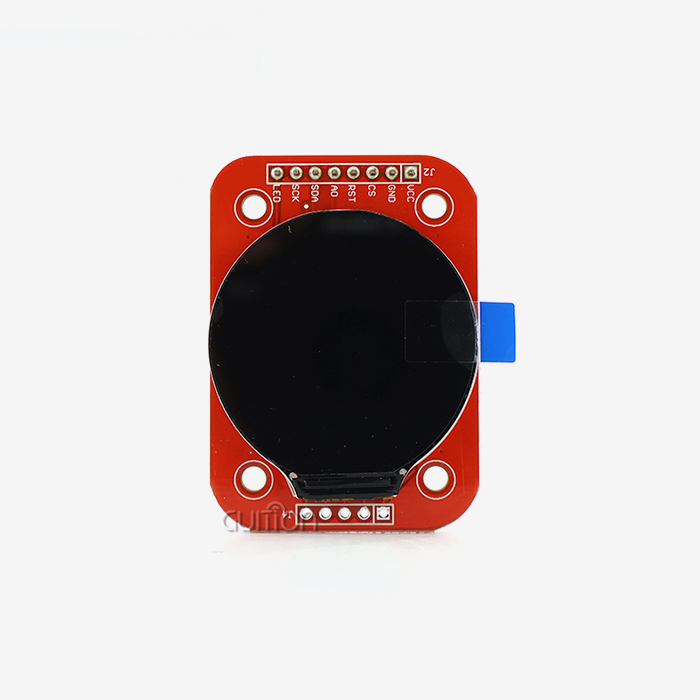
The hardware interfaces of your monitor largely determine its speed and integration difficulty. Advanced processors like the ESP32-S3 can handle high-speed data transfer rates of up to 80MHz using the SPI protocol. This lets animations run smoothly, and screens update quickly, which is important for responsive HMI apps. The four-wire SPI setup (MISO, MOSI, SCK, and CS) gives up extra pins in exchange for more bandwidth that keeps colour screens from showing redraw artefacts. I²C simplifies two-wire connectivity (SDA, SCL) and saves GPIO resources, but its usual 400kHz-1MHz speeds mean it can exclusively be used for smaller black-and-white screens with low bandwidth needs. In professional settings, SPI is usually used for the main display, and I2C is saved for extra inputs that are part of the same system.
Driver Architecture and Software Stacks
Display processors like the ILI9341, ST7789, and SSD1306 need MicroPython display drivers that turn interactions at the register level into simple Python commands. Using RGB565 colour encoding, the framebuffer class makes it easy to work with graphics while saving memory. This lets developers make complex interfaces without using up all the MCU's RAM. Modern driver implementations use Direct Memory Access channels to take over pixel transfer tasks from the CPU, so the system stays responsive even when graphics are being updated quickly. Choosing modules with mature driver libraries that are actively updated cuts down on the time needed for testing and makes sure that they will work with future versions of MicroPython firmware.
Step-by-Step Setup Guide for ESP32-Based Display Integration
Hardware Connection and Verification
Before you connect power, you should check your wiring configuration against the MicroPython display controller's pinout instructions. With its ESP32-S3R8 dual-core processor running at 240 MHz, the Guition JC4827W543N_I module is a great example of professional-grade design. It has plenty of processing power for both wireless connections and visual output at the same time. Connect the SPI pins on the display to the hardware SPI interface on your development board. This interface is usually a set of GPIO pins that allow fast tools. Make sure the voltages work with each other. If you mix 5V and 3.3V logic levels without level-changing them properly, it can hurt sensitive display controls. Checking the security of the power rails with a voltmeter before the first boot saves time and effort later on when developers have to fix connection problems that happen from time to time.
Driver Installation and Configuration
The package handling in MicroPython makes deploying libraries easier. Use tools like Thonny, rshell, or ampy to add the correct display driver package to your device's filesystem. Many expert modules include factory-programmed test routines that ensure the hardware works as soon as you turn on the power. This way, you can be sure that connection problems aren't caused by issues with the software setup or the actual wiring. Our recommended method involves running these validation tools and then adding custom code in small chunks to find and fix any interaction problems.
Validation Through Test Code
Running basic drawing commands makes sure that the connection worked. A simple script that fills the screen with solid colours, draws geometric shapes, and shows text in different places tests the whole communication line from the Python interpreter to the display driver via the SPI bus. Monitor the serial output for error messages that indicate timing problems, incorrect pin assignments, or protocol mismatches. Advanced units like ours have a resolution of 480x272 and a colour depth of 65K. This lets you test not only the connection but also colour clarity and refresh speed under typical workload conditions.
We've improved our systematic verification process over thousands of customer launches. It speeds up troubleshooting by carefully separating factors. This method quickly finds failure places instead of debugging hardware links, driver versions, and application code all at the same time. This accelerates the process of getting things back to normal.
Comparing Popular Display Solutions for Professional Applications
Evaluating Commercial Module Options
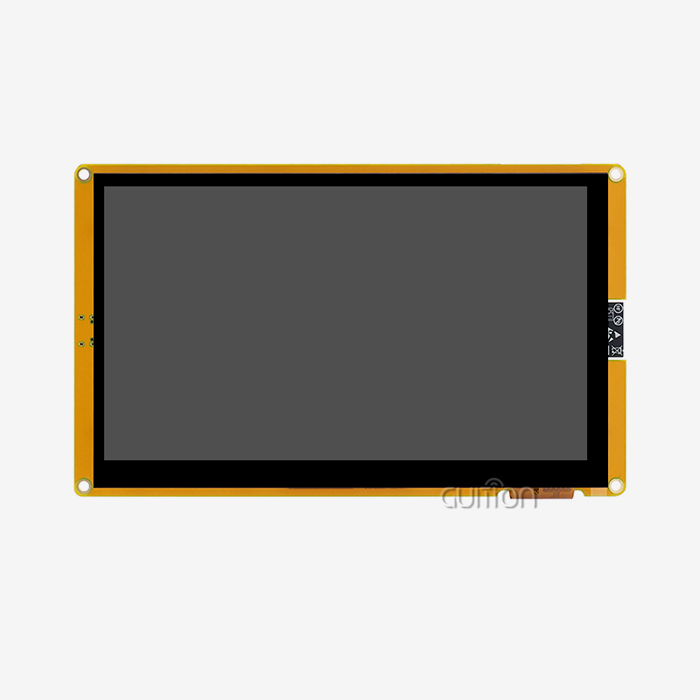
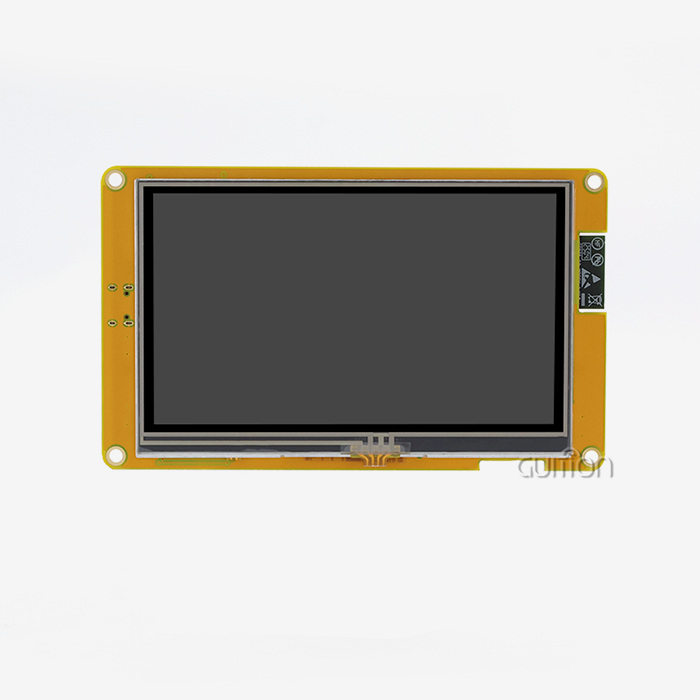
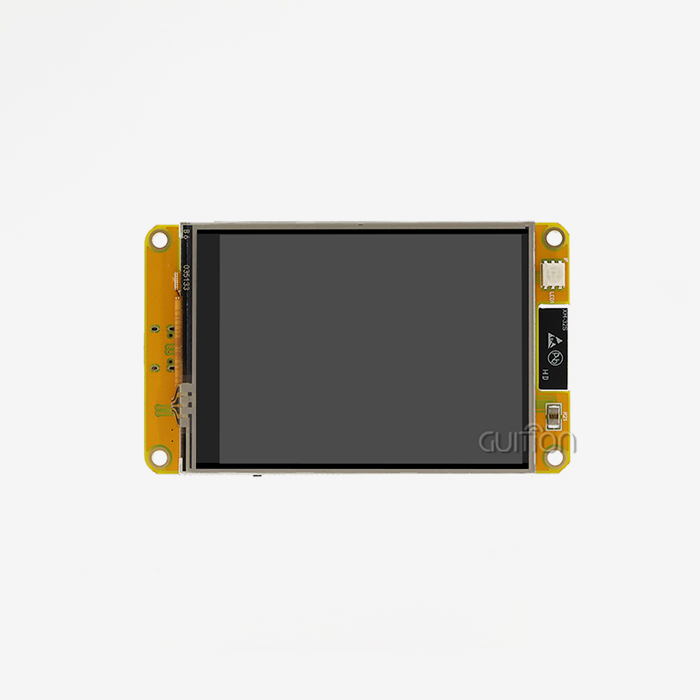
When buying parts for large-scale use, you should carefully consider a number of things in addition to the basic specs. The Guition JC4827W543N_I is our tech team's answer to problems we saw happening over and over again in the IoT and automation fields. Its 4.3-inch IPS TFT screen has wide viewing angles, which are important for control panels that operators can reach from different places. The built-in ESP32-S3R8 driver has 512KB of SRAM and 8MB of PSRAM, which helps with memory issues that often happen with complicated GUIs. With built-in WiFi and Bluetooth, you don't need different connection units. This cuts down on the cost of the bill of materials and makes designing the enclosure easier.
Competitive products from well-known brands often need external MCUs, which makes development more difficult and increases the number of places where something could go wrong. We offer a single-module integration that makes both prototyping and production easier. Our supply chain access is constant, which is important for sourcing professionals who need to plan for long-term product lifecycles. Module support with Arduino IDE, ESP-IDF, and our own Guition programming platform lets engineers use the tools they already know how to use without having to change the way they do things. This flexibility is very helpful when combining old codebases or hiring workers with different levels of expert knowledge.
Resolution and Physical Size Considerations
The size of the MicroPython display has to fit both visual and physical standards. The 480×272 resolution gives you enough pixels to see clear text and detailed graphics on a 4.3-inch screen that fits in standard DIN rail frames that are popular in industrial settings. When used at long distances, smaller screens are harder to read, and bigger units use more power and cost more to house. Our range of products, which includes sizes from 1.28" to 21.5", can be used for a wide range of things, from medical devices that you wear to business kiosks. This means that you can have the same source relationships for all of your product lines.
These tech factors have a direct effect on how the user feels and how well the system works. Maintenance workers who are fixing problems with equipment like visual input that is clear and well-proportioned. Small screens that use less power help consumer gadgets last longer on a single charge. Medical gadget makers need screens with a lot of brightness that can still be read in a variety of lighting conditions. Making sure that technology requirements match up with real-life use cases is what separates successful deployments from costly redesigns during the test production stages.
Troubleshooting Common Integration Challenges
Addressing Communication Protocol Issues
When MicroPython displays don't initialise or show the right information, protocol-level verification is the first step in a thorough analysis. Logic analyser tracks show if the time between clock signals and data lines is correct. Both the MicroPython driver and the display controller must agree on the SPI mode setup, especially the clock polarity and phase settings. When settings don't match, images get jumbled, or contact stops completely. The ESP32-S3's hardware SPI peripheral has timing settings that can be changed to work with controls that don't follow standard rules. However, most current screens follow Mode 0 or Mode 3 rules.
Power Supply and Signal Integrity
Not enough power leads to irregular function, which makes debugging harder. Active backlighting TFT screens draw a lot of current when they first turn on, which could cause voltage sag on sources that aren't properly managed. We recommend strong power plans with separate LDO regulators for display devices. This keeps them away from digital noise made by processor cores and wireless transceivers. When put a few millimetres away from the power pins, decoupling capacitors stop high-frequency switching artefacts that mess up SPI transmission. Paying attention to these details during PCB planning stops failures in the field that hurt the brand's image and make warranty costs go up.
Memory Management and Optimisation
Python's trash collection can cause timing problems that stop real-time changes to the display. Professional versions set aside framebuffers ahead of time during initialisation and then use these memory areas again and again during operation to keep heap fragmentation to a minimum. Both SPI data and power use are cut down when only changing areas of the screen are refreshed instead of whole frames. Our module has 8MB of PSRAM, which is a lot of room for double-buffering techniques that stop screen tearing during animated changes. This gives users the smooth experience they'd expect from a business product.
Engineers who are used to C implementations with limited resources may not notice MicroPython's memory measurement tools. The micropython.mem_info() code shows the current allocation trends. This helps find memory leaks before they lead to field failures. Using const() statements and bytecode assembly in a smart way can cut down on interpreter overhead, giving you speed gaps that are useful for making complex graphics programs.
Procurement Strategies for Display Integration Success
Matching Technology to Application Requirements
Industrial control panels need MicroPython display units that are tough enough to handle the high and low temperatures, vibrations, and electrical noise that are common in industrial settings. For patient safety and electromagnetic compatibility, medical gadgets need displays that meet strict legal standards. Cost optimisation and quick design iteration processes are important for consumer smart home goods. Instead of choosing parts based only on optimising individual parameters, successful procurement matches technical standards with these unique needs.
Working with automation system developers taught us that the adaptability of the development platform has a big effect on the time it takes to finish a project. Being able to make prototypes in Arduino's easy-to-use environment and then switch to ESP-IDF's more advanced features for production optimisation speeds up the learning process while keeping the code portable. The Guition development tool we created solves the problem of UI design complexity—its drag-and-drop interface building gets rid of the need for low-level coding to change layouts, so UI designers can contribute directly without having to know a lot about embedded systems. This ability to work together cuts down on delays between technical fields.
Supplier Evaluation and Partnership Development
Stable supply of parts and quick expert help are important for the long-term success of a product. We've set up our business so that modules are always available across multi-year production runs. We also use clear lifecycle management to let clients know about upcoming obsolescence long before the "last-time-buy" dates. Volume price systems can handle both small orders for prototypes and large orders for production. This means that suppliers don't have to be requalified as projects move from idea to production. Direct communication routes, such as specialised technical contacts that can be reached at david@guition.com, make sure that engineering questions get well-thought-out answers instead of being sent to the next level of support in a generic way.
When evaluating a purchase, pay special attention to the Guition platform's ability to be upgraded remotely. Deployed devices can get firmware changes and UI improvements without having to be visited by a technician, which greatly lowers the cost of care over their entire lives. This feature is especially useful for installations that are spread out physically, like energy management systems or farm automation networks, where making service calls by hand would be too expensive.
Conclusion
Using MicroPython displays to add visual interfaces has huge benefits for engineering teams that need to balance development speed, technical skill, and long-term maintainability. When you combine Python's easy-to-understand syntax with stable driver environments and powerful hardware like the ESP32-S3, you get professional results without the extra work that comes with developing embedded GUIs. Display integration can be turned from a project risk into a competitive advantage by choosing strategic components. For example, modules with full development tool support, stable supply chains, and fast technical partnerships should be given the most attention. Through ongoing Python-based refinement, we've seen users cut HMI development times from months to weeks while also improving the quality of the interface and adding more features.
FAQ
Which interface protocol should beginners choose for their initial setup?
Because it has a wider bandwidth and more driver support, SPI is the best place to start for MicroPython displays bigger than one inch. The four-wire setup doesn't require much more complicated wiring than I2C, and it can handle enough data for responsive changes to graphics. Most MicroPython lessons and sample code focus on SPI implementations, which makes it easier to find information and speed up the learning process.
Can the code developed for the ESP32 run on the Raspberry Pi Pico without modification?
MicroPython display drivers that are well-structured and use the standard machine. SPI and machine. Pin abstractions can work with a wide range of MCU designs with only small changes to how the pins are assigned. This cross-platform compatibility lets you test your code on available development boards before sending it to production hardware. This lowers the risk and lets the software and hardware teams work together on projects at the same time.
How can memory errors be prevented when working with large framebuffers?
Controllers with external PSRAM, like the 8MB version in the Guition JC4827W543N_I, give you more room than the MCU's internal SRAM can hold. You can cut down memory allocation churn by using partial screen updates that only refresh changed areas instead of whole frames. Instead of loading whole pictures into the Python heap, streaming bitmap assets straight from flash storage saves RAM for program logic and buffering operations.
Accelerate Your Display Development with Guition Solutions
When it comes to technology, Guition is your partner. They offer full HMI display units that enable quick development and reliable production. This versatility is shown by our JC4827W543N_I module, which combines the strong ESP32-S3R8 processor with a bright 4.3-inch IPS screen that works with Arduino IDE, ESP-IDF, MicroPython, and our own Guition platform. The built-in WiFi and Bluetooth, expanded TF card storage, and factory-programmed validation tests get rid of common interface problems that cause projects to miss deadlines. As a well-known MicroPython display provider that works with makers of industrial automation, medical devices, and smart homes all over the world, we offer the technical paperwork, quick support, and flexible price structures that procurement experts need to build trusting long-term partnerships. Email our engineering team at david@guition.com to discuss the specifics of your application needs and to get access to sample code tools that speed up the development of proofs of concept.
References
1. Williams, Robert T. "MicroPython Programming for Embedded Systems: Display Integration Techniques." Technical Press, 2023.
2. Chen, Margaret and Anderson, David. "High-Performance GUI Development with Python on Resource-Constrained Microcontrollers." Journal of Embedded Systems Design, Vol. 47, No. 3, 2024.
3. Thompson, James. "Industrial HMI Design Patterns: From Concept to Production." Manufacturing Technology Publications, 2023.
4. Kumar, Anita. "SPI and I2C Protocol Implementation in Modern Display Controllers." Embedded Electronics Quarterly, Winter 2024.
5. Peterson, Erik and Zhao, Lin. "Power Management Strategies for TFT Display Systems in Battery-Operated Devices." IEEE Transactions on Industrial Electronics, 2023.
6. Rodríguez, Carlos. "Procurement Best Practices for Electronic Component Supply Chain Resilience." B2B Electronics Sourcing Review, Vol. 12, 2024.
Learn about our latest products and discounts through SMS or email