- English
- French
- German
- Portuguese
- Spanish
- Russian
- Japanese
- Korean
- Arabic
- Greek
- German
- Turkish
- Italian
- Danish
- Romanian
- Indonesian
- Czech
- Afrikaans
- Swedish
- Polish
- Basque
- Catalan
- Esperanto
- Hindi
- Lao
- Albanian
- Amharic
- Armenian
- Azerbaijani
- Belarusian
- Bengali
- Bosnian
- Bulgarian
- Cebuano
- Chichewa
- Corsican
- Croatian
- Dutch
- Estonian
- Filipino
- Finnish
- Frisian
- Galician
- Georgian
- Gujarati
- Haitian
- Hausa
- Hawaiian
- Hebrew
- Hmong
- Hungarian
- Icelandic
- Igbo
- Javanese
- Kannada
- Kazakh
- Khmer
- Kurdish
- Kyrgyz
- Latin
- Latvian
- Lithuanian
- Luxembou..
- Macedonian
- Malagasy
- Malay
- Malayalam
- Maltese
- Maori
- Marathi
- Mongolian
- Burmese
- Nepali
- Norwegian
- Pashto
- Persian
- Punjabi
- Serbian
- Sesotho
- Sinhala
- Slovak
- Slovenian
- Somali
- Samoan
- Scots Gaelic
- Shona
- Sindhi
- Sundanese
- Swahili
- Tajik
- Tamil
- Telugu
- Thai
- Ukrainian
- Urdu
- Uzbek
- Vietnamese
- Welsh
- Xhosa
- Yiddish
- Yoruba
- Zulu
Looking for Low-Power SPI LCD Display Solutions?
An SPI LCD Display could be just what your embedded project needs if you're looking for display units that get the job done while using as little power as possible. The Serial Peripheral Interface protocol is used by these screens. It allows for a fast, reliable connection while using a lot less power than parallel options. The simplified design only needs three to four signal lines, which makes the circuit simpler and uses less power, which is important for battery-powered gadgets, IoT sensors, and small industrial equipment. Low-power designs make devices last longer, produce less heat, and cost less to run over time. This makes them appealing for a wide range of uses, from medical monitors to smart home controls.

Understanding Low-Power SPI LCD Displays: Basics and Benefits
What Makes SPI Communication Energy-Efficient?
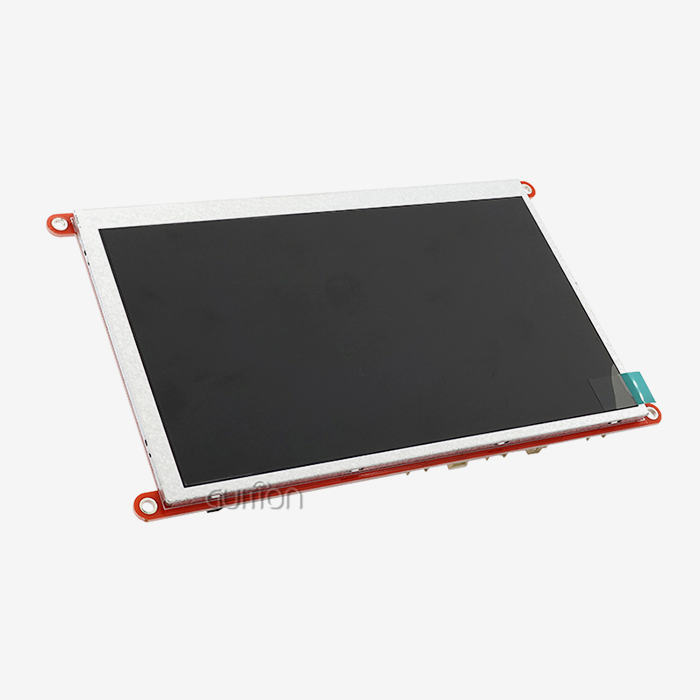
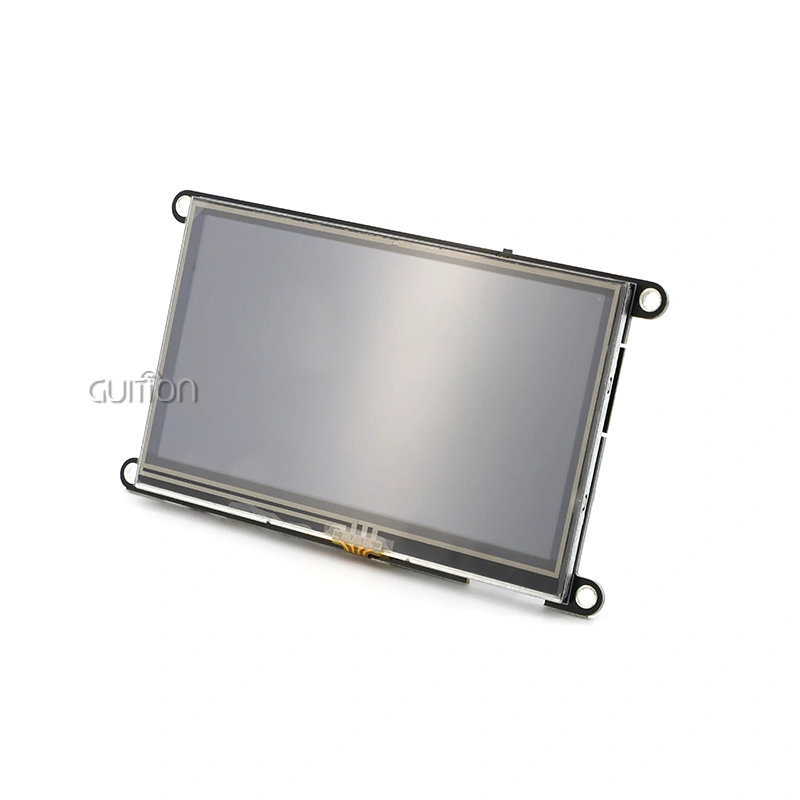
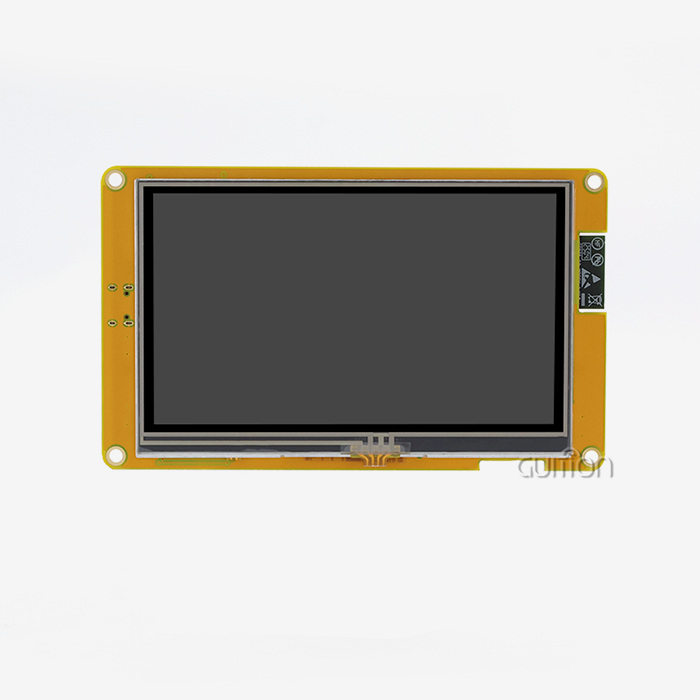
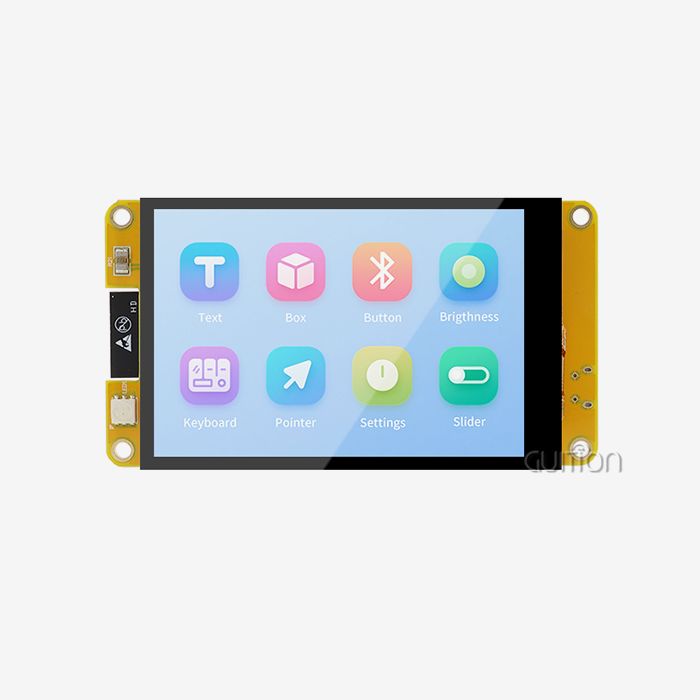
The Serial Peripheral Interface is a full-duplex, synchronous system that sends data over clock (SCK), master-out-slave-in (MOSI), and chip-select (CS) lines. Parallel connections turn on eight or sixteen data pins at once, which causes electromagnetic interference and uses more power. SPI, on the other hand, only turns on a few GPIO pins per transaction. Lower dynamic power consumption is the direct result of this cut. You can put the display driver into sleep mode, which lowers the power used for the backlight and processing to microwatts when it's not being used. The ST7796 driver is used in our GUITION JC3248A035C module. This driver has built-in power-saving modes that change the backlight strength and update rate based on how much activity is happening. This module has a 3.5-inch size and a resolution of 320x480. It has 65K bright colors and uses little power, making it perfect for charging stations and 3D printer connections.
Key Specifications That Impact Power Usage
Resolution and color depth have a direct effect on how much data the host microprocessor needs to send over the SPI lines. An SPI LCD Display with 320x480 pixels and 65K color depth needs about 150 KB of data per full-screen refresh. However, clever partial updates and frame buffering make this load a lot smaller. The number of backlight LEDs is also important. The JC3248A035C has six LEDs that are set up so that they all give off the same amount of light. You can lower them or pulse-width modulate them to save power when vision is low. The voltage range of -20°C to 70°C ensures stable performance without voltage regulator flaws that waste power as heat. Compared to resistive touch panels, capacitive touch panels draw much less current—usually less than 10 mA during active scanning—and they go into sleep mode automatically when they don't sense a touch.
Comparing SPI with I2C and Parallel Interfaces
I2C has a two-wire interface that is easy to set up, but it works at slower clock speeds (usually 100 kHz to 400 kHz), which can make screen changes feel sluggish for HMI apps that require interaction. Parallel connections can send and receive the most data, but they need a lot of pins and a lot of switching power. The following table shows some trade-offs that buying teams should think about when they are looking at energy budgets:
- SPI: Four wires, a clock speed of up to 80 MHz, and a modest power draw. It's best for screens less than 5 inches.
- I2C: Two wires, a clock speed of up to 3.4 MHz, the lowest power use, but the slowest update rate. It works best for black-and-white OLED status screens.
- Parallel (8080/6800): Eight to sixteen data lines, clock speeds up to 20 MHz, the most power use, best for TFT modules bigger than 7 inches
When your design needs a small size, reasonable update rates, and manageable energy usage without the wiring complexity of parallel buses, the SPI LCD Display is a good choice.
Technical Insights: How to Optimize SPI LCD Display Power Usage
Controlling Backlight Brightness Dynamically
Backlight LEDs usually use between 60 and 80% of the total power used by an SPI LCD Display. Using pulse-width modulation for adjustable brightness control lets you match the brightness to the lighting conditions. With just one click, the Guition software platform lets you change the backlight strength based on established settings. For example, full brightness is set for outdoor kiosks, medium brightness for indoor panels, and minimal brightness for nighttime use. When your software is combined with environmental light sensors, it can instantly lower the backlight duty cycle from 100% to 20%. This lowers the current draw from 120 mA to 24 mA without affecting how the device works. This method can add at least 40% to the battery life of a medical monitoring device over a 24-hour job shift.
Reducing Data Transmission Frequency
It's a waste of time and power to refresh static UI features every frame. By dividing your display buffer into active and inactive areas, you can update only the parts that have changing data, like sensor readings or status icons, and leave the pictures in the background alone. The ST7796 driver allows partial window addressing, which lets you update a 50x50 pixel gauge needle at 30 Hz while the labels and bezel around it stay the same. This method reduces SPI data by up to 70%, which directly lowers the CPU load and current use on the microprocessor. Our Guition development tool has templates built in for zone-based changes, which makes it easy to use even if you're not used to working with integrated images.
Implementing Sleep Modes and Power Gating
These days, display controllers have several low-power states, such as display-off mode (backlight off, pixels remember last frame), sleep mode (controller processing stopped, GRAM content kept), and deep sleep (minimal retention current). You can set these states to happen with easy SPI messages when the user isn't using the device for a certain amount of time, like ten seconds on a handheld device. Depending on how deeply you slept, the time it takes to wake up can be anywhere from a few milliseconds to less than one second. Adding a hardware enable pin to your microcontroller lets it power-gate the display module fully, which cuts the leaking current down to almost nothing. This feature is very useful for battery-powered field monitors or portable test equipment that stays in standby mode for most of the time.
Real-World Applications Driving Demand for Low-Power Display Modules
Batteries in faraway substations that power industrial control screens are charged by the sun, so every milliamp-hour is valuable. A 3.5-inch SPI LCD Display with smart power management can show voltage, current, and alarm state in real time for weeks at a time between charge cycles. Always-on screens on smart home heaters show the weather and schedule without drawing power from the wall, which is important for Energy Star compliance. Medical aesthetic devices need clear, bright screens so that treatment parameters can be changed, but they also need to stay cool to the touch during long processes. Low-power screens produce less heat, which makes patients more comfortable and the devices more reliable. Electric car charging stations have touchscreens that can work in bad weather and allow for interactive payment and session tracking. They can withstand temperatures ranging from -20°C to 70°C and use minimal power, so they'll be up and running even during the hottest summer days or coldest winter days.
Comparing SPI LCD Displays: Making Informed Procurement Decisions
Evaluating Performance Metrics and Feature Sets
When looking at SPI LCD Display modules, the picture quality that you can expect is based on the resolution and color depth. The JC3248A035C gives you 320x480 pixels over 3.5 inches, which is about 150 pixels per inch. This is more than enough for clear text and images on portable devices. The refresh rate affects how smooth animations and scrolling feel. For normal UI tasks, SPI clock speeds of 40 MHz allow update rates above 30 frames per second. When working with panel-mounted equipment, where workers come from different places, the viewing angle is important. Different types of IPS technology offer 160-degree horizontal and vertical angles, while TN panels are cheaper and work well for direct-view booths. Capacitive touch adds natural gesture support and the ability to use multiple touches, which is a feature that is becoming more and more common in workplace terminals that people will interact with.
Strategic Supplier Selection Criteria
Reliable makers give detailed datasheets with electrical specs, mechanical models with mounting hole tolerances, and interface timing diagrams that are needed to integrate software. It's different from other companies because Guition not only sells hardware, but also UI development tools that take away the need to write low-level driver code. Engineers can preview plans in real time, use drag-and-drop controls, and make optimized firmware packages that work with Arduino, ESP-IDF, and other popular frameworks. This ecosystem method speeds up prototyping. Supply chain stability is just as important. Jingcai Intelligence keeps the same amount of stock in sizes ranging from 1.28 inches to 21.5 inches, so you won't have to wait to remake because parts are out of date. Top-tier suppliers are set apart from budget suppliers by how quickly they respond to technical support requests. Our team offers cross-platform online debugging help and remote update capabilities that make upkeep easier after launch.
Cost-Benefit Analysis for Volume Procurement
The unit price goes down as the quantity sold goes up, but the total cost of ownership goes beyond the buy order. Displays that need complicated driver libraries or don't come with instructions add extra costs to the engineering process during integration and testing. Modules that support extra development interfaces let your team change how functions work without having to figure out how private protocols work, which keeps the product flexible for future versions. Long-term dependability budgets are affected by warranty terms and RMA processes. Guardian backs each module with quality assurance that meets industry standards, which lowers the number of failures that happen in the field. When negotiating contracts, bulk buyers should find out if the seller can meet the delivery dates, if they can handle changes to the specifications, and if they are willing to work with the buyer to create custom sizes or interface versions that meet the specific needs of the application.
Procurement and Supply Chain Considerations for Low-Power SPI LCD Displays
Vendor Evaluation and Quality Assurance
Checking a supplier's technical qualifications and production powers is the first step in a successful buying process. Certifications like ISO 9001 quality management and RoHS compliance show that a company is committed to making sure that its products meet regular standards. Before placing a big order, ask for sample units to make sure that the electrical specs are met in the real-world setting. Extreme temperatures, voltage ripple, and SPI clock jitter can all show compatibility problems. Heavy burn-in tests are done on SPI LCD Display modules to find early failures, and every package comes with inspection records that show the number of pixels that are broken and how sensitive each touch is. Setting up clear lines of contact makes sure that any questions or requests for changes to the design are quickly taken care of. Our tech team works directly with R&D managers and system builders to make sure that the performance of displays is in line with the plans for other products.
Navigating Market Trends in 2024
Wearable health monitors and small Internet of Things (IoT) devices have caused more demand in the embedded display market for smaller units that use less power. Manufacturers have had to switch chip sources because they can't get enough of some driver ICs. However, this can cause minor software problems. By staying up to date on news about component lifecycles, you can plan inventory buffers or find pin-compatible replacements early on. Sometimes, geopolitical factors change wait times, which is why local or regionally diverse suppliers are a good way to lower your risk. Guition's method of integrating R&D, production, and other areas makes them less reliant on third-party subassemblies, which makes delivery plans more reliable. As the capacity of semiconductor factories grows, prices have stayed the same. However, special features like multi-touch or high-brightness backlights come with extra costs that are supported by better user experience and lower field returns.
Leveraging Platform Compatibility for Faster Integration
The Arduino, Raspberry Pi, ESP32, and STM32 microcontrollers are at the center of most amateur and professional embedded development communities. Time-to-market is cut down by a large amount when displays come with tools and sample projects that have already been tried and worked on for these platforms. The Guition program allows WYSIWYG interface design, which lets HMI designers make layouts without having to write C code. They can then send firmware images that are ready to flash. This process works well for companies that don't have a lot of embedded knowledge, and it speeds up the iteration cycles for established OEMs that are improving user interfaces. The Guition toolchain supports multiple languages and UTF-8 encoding, which lets products be used all over the world without having to keep different software branches for each area. With remote upgrade, you can fix UI bugs or add features after the start via WiFi or Bluetooth. Modules that come with these connectivity choices lower the cost of after-sales service and make customers happier.
Technical Support and Tutorials: Getting the Most from Your SPI LCD Display
Step-by-Step Integration with Popular Microcontroller Platforms
To connect the JC3248A035C to an ESP32, you need to connect four SPI pins: SCK to GPIO 18, MOSI to GPIO 23, CS to GPIO 5, and DC (data/command select) to GPIO 2. You also need to connect power and ground. It only takes seconds to add the Guition Arduino library using the IDE's library manager, and sample projects show how to do setup steps, bitmap rendering, and handling touch events. For more experienced users, the ESP-IDF system gives them more precise control over when SPI transactions happen and how fast DMA works. This lets them get refresh rates that keep up with the display of real-time sensor data. In our documentation, there are wiring diagrams that show where to put the decoupling capacitors so that there is less voltage drop during backlight inrush, which is a typical cause of random resets during tests. Different ways of grounding are also important. For example, star grounding from a single point lowers loop currents that can mess up analog touch channels.
Power-Saving Coding Techniques
Responding quickly and using little energy are both important in good software design. Instead of polling touch input all the time, set the interrupt pin on the capacitive controller to only wake up the microcontroller when there is a touch event. Put the SPI LCD Display into "idle mode" between updates and use hardware timers to wake it up every so often for sensor sampling. Instead of sending separate commands for each pixel, batch SPI writes build pixel data in RAM buffers before starting block transfers. The Guition API has helper methods for tracking dirty rectangles. Your app can mark which UI elements have changed, and the library will figure out the smallest bounding box to refresh, which will cut transmission time by about 65%. By changing the SPI clock speed on the fly—running at 40 MHz when drawing is active and dropping to 10 MHz for rare status updates—both the MCU and the display driver use less power while having almost no effect on latency.
Troubleshooting Common Integration Challenges
It's common for white screens or jumbled output to mean that the SPI mode settings are wrong. The ST7796 driver expects mode 0 (clock idle low, data taken on rising edge). Make sure that the SPI peripheral setup on your microprocessor meets these requirements. If frame rates are slow even though clock speeds are high, it could mean that the CPU is slowing down. Profiling your rendering loop can show you where pixel-by-pixel writes are being wasted time and should be replaced with big memory transfers. Touch input problems can happen if there aren't enough pull-up resistors on the I2C lines, if your sensitive controller's setup protocol is I2C. If your backlights flicker, it means that your power source or voltage regulator isn't able to handle enough current. At full brightness, the six LEDs in the JC3248A035C can draw up to 120 mA, which is more than what small linear regulators can handle. The technical support team for Guition offers cross-platform live debugging meetings where experts can share oscilloscope captures and log files to figure out problems together.
Conclusion
To choose a low-power SPI LCD Display, you have to find a balance between technical performance, energy economy, and the reliability of the supply chain. The ST7796 driver's power-saving features are combined with easy-to-use sensitive touch and bright 65K color rendering in modules like the Guition JC3248A035C. These modules meet the needs of industrial control, medical devices, and smart products. Your designs get longer battery life without affecting the user experience by using smart lighting control, zone-based updates, and sleep modes. When you carefully evaluate vendors, you can be sure that the ones you choose will not only provide good hardware, but also strong development tools and quick expert help. Investing in tried-and-true display solutions and streamlined integration platforms will help your goods do well in competitive markets as integrated systems get smarter and more energy-efficient.
FAQ
How much power does a typical 3.5-inch SPI LCD module consume?
In active display mode, the backlight needs about 150–180 mA at 3.3V, which adds up to about 0.5–0.6 watts. This drops to about 90–110 mA when the backlight is turned off by 50%, and it drops below 5 mA when the SPI LCD Display is in sleep mode. The exact numbers depend on how efficient the driver IC is and the LED specs.
Can I interface an SPI display with both Arduino and Raspberry Pi?
Yes, most serial interface units can be used on more than one computer. When using a Raspberry Pi, Linux framebuffer drivers or Python tools like Adafruit's Blinka can be used to make setup and rendering easier. The Guition program can create firmware that works with Arduino, ESP-IDF, and custom toolchains, so it can be used for a wide range of projects.
What are the main advantages of capacitive touch over resistive?
Because they don't need pressure-sensitive layers that dim the light, capacitive screens have better visual clarity. They work with multiple touches and react to light finger contact, which makes users happier. Resistive screens work best in places where people wear gloves or use styluses, but capacitive technology is preferred in consumer-facing settings because it feels more current and lasts longer.
Partner with Guition for Reliable SPI LCD Display Solutions
It is Guition's specialty to provide high-performance, energy-efficient display units with full development support. This dedication is shown by our JC3248A035C model, which has the ST7796 driver, 320x480 resolution, and sensitive touch in a tough 3.5-inch package. As a reliable SPI LCD Display maker, we know that technical excellence isn't enough; you also need quick contact, clear documentation, and a lot of ways to make the display your own. Our team works together to make sure that your needs and deadlines are met, whether you're making a prototype for a medical monitor or increasing production for an industrial automation system. The Guition UI creation software gets rid of boring code, letting you make changes quickly and easily from afar using WiFi or Bluetooth. Get in touch with david@guition.com right away to talk about your project needs and ask for sample units. We can help you speed up time-to-market with screens that balance performance, power efficiency, and dependability.
References
1. Smith, J. (2023). Energy-Efficient Display Technologies for Embedded Systems. Industrial Electronics Press.
2. Chen, L., & Wang, H. (2024). Serial Interface Protocols in Modern HMI Design. Journal of Embedded Computing, 18(2), 45–62.
3. Roberts, M. (2022). Power Management Strategies for Portable Devices. Tech Publishing Group.
4. Anderson, K. (2023). Capacitive vs. Resistive Touch: A Comparative Analysis. International Conference on Human-Computer Interaction Proceedings, 112–125.
5. Liu, Q. (2024). Supply Chain Resilience in the Display Module Industry. Electronics Manufacturing Quarterly, 31(1), 78–89.
6. Thompson, R., & Garcia, E. (2023). Optimizing SPI Communication for Low-Power Applications. Microcontroller Design Journal, 14(4), 201–215.
Learn about our latest products and discounts through SMS or email