- English
- French
- German
- Portuguese
- Spanish
- Russian
- Japanese
- Korean
- Arabic
- Greek
- German
- Turkish
- Italian
- Danish
- Romanian
- Indonesian
- Czech
- Afrikaans
- Swedish
- Polish
- Basque
- Catalan
- Esperanto
- Hindi
- Lao
- Albanian
- Amharic
- Armenian
- Azerbaijani
- Belarusian
- Bengali
- Bosnian
- Bulgarian
- Cebuano
- Chichewa
- Corsican
- Croatian
- Dutch
- Estonian
- Filipino
- Finnish
- Frisian
- Galician
- Georgian
- Gujarati
- Haitian
- Hausa
- Hawaiian
- Hebrew
- Hmong
- Hungarian
- Icelandic
- Igbo
- Javanese
- Kannada
- Kazakh
- Khmer
- Kurdish
- Kyrgyz
- Latin
- Latvian
- Lithuanian
- Luxembou..
- Macedonian
- Malagasy
- Malay
- Malayalam
- Maltese
- Maori
- Marathi
- Mongolian
- Burmese
- Nepali
- Norwegian
- Pashto
- Persian
- Punjabi
- Serbian
- Sesotho
- Sinhala
- Slovak
- Slovenian
- Somali
- Samoan
- Scots Gaelic
- Shona
- Sindhi
- Sundanese
- Swahili
- Tajik
- Tamil
- Telugu
- Thai
- Ukrainian
- Urdu
- Uzbek
- Vietnamese
- Welsh
- Xhosa
- Yiddish
- Yoruba
- Zulu
Industrial HMI Panel Development from Design to Deployment
From coming up with the idea to putting the Industrial HMI panel into use, you need to know a lot about how hardware, software, and practical integration work together. An Industrial HMI panel turns complicated industrial data into easy-to-understand visual interfaces and acts as a key communication link between workers and automated machinery. This process includes picking the right display technology, processor architecture, and software tools in order to cut down on time-to-market and keep stability high in tough conditions. Modern options like the Guition JC8048Q350N_I show how advanced MCU technology and simplified development platforms can cut engineering complexity and project costs by a huge amount.

Understanding Industrial HMI Panels: Design Fundamentals and Core Features
Understanding what makes these devices perfect for business use is the first step to building a good human-machine interface. Unlike consumer-grade tablets or computers, these interfaces have to work without fail for years at a time while being exposed to high temperatures, steady vibration, and electromagnetic interference.
Hardware Architecture Components
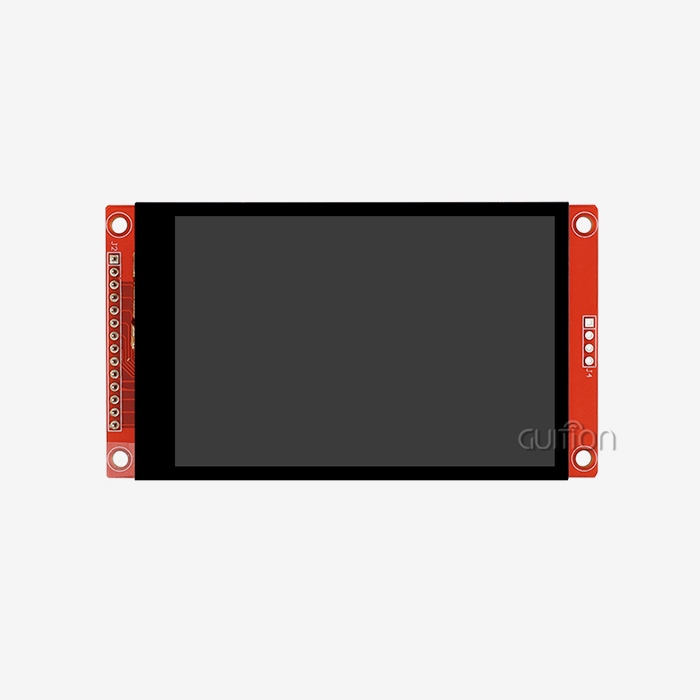
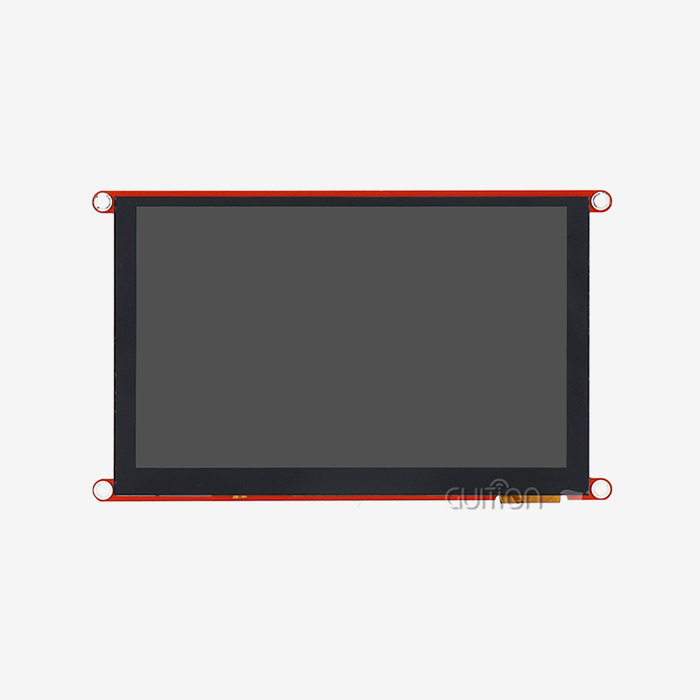
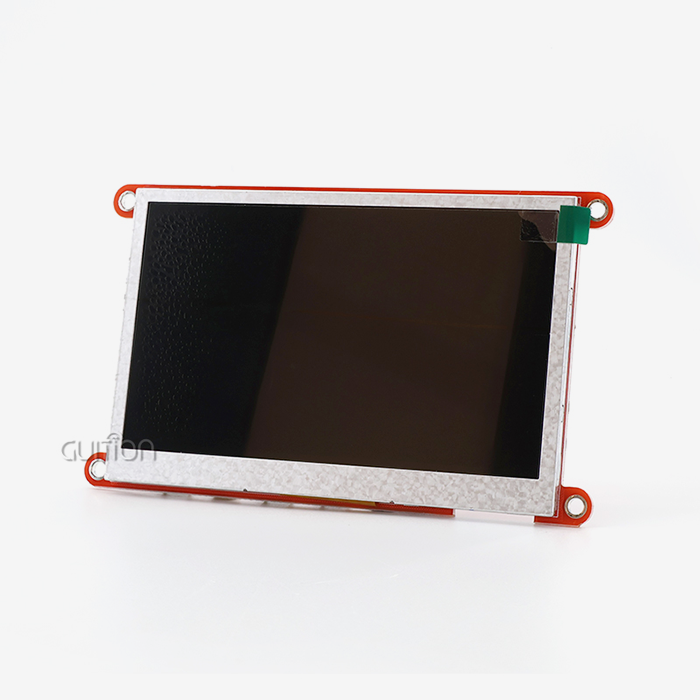
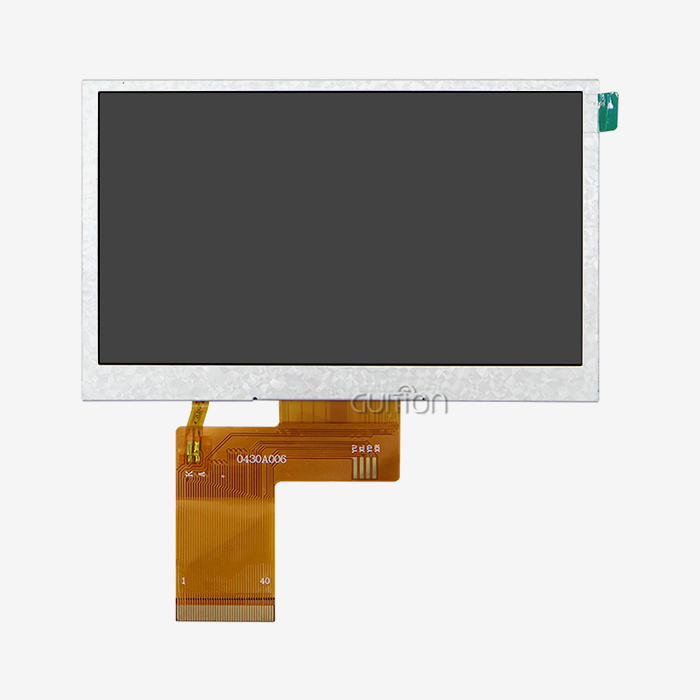
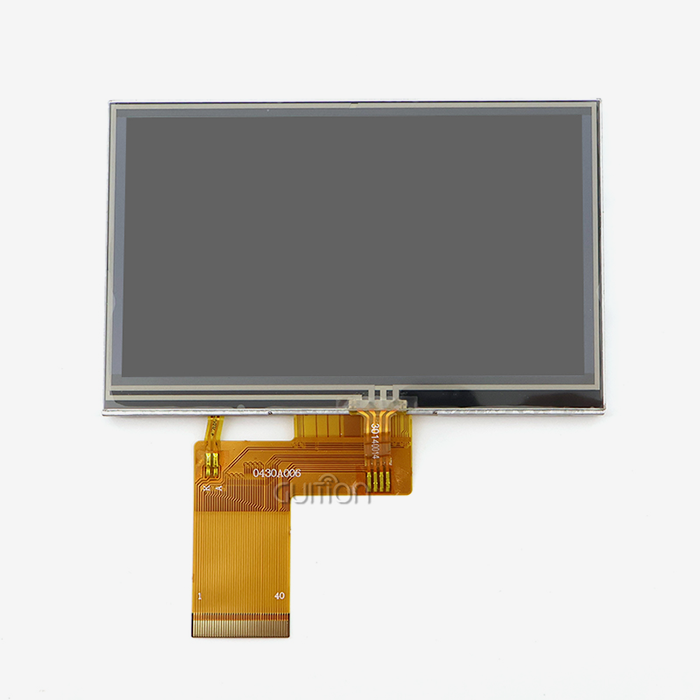
At the heart of every reliable display solution is carefully chosen hardware that strikes a balance between computer power and power economy. This balance is shown by the Artinchip D121BBV single-core MCU that runs at 400MHz in the Guition JC8048Q350N_I. This processing power lets complicated graphical user interfaces run smoothly while keeping touch interactions fast. The 5.0-inch screen has an 800x480 IPS resolution and 16-bit RGB support for 65K colors. This means that the images are clear even in dim factory warehouse lighting.
Communication Protocols and System Integration
Human-machine connections and control systems must be able to connect to each other without any problems in modern automation settings. Protocols for industrial communication like Modbus RTU, Ethernet/IP, and PROFINET have become industry standards because they make sure that equipment from different makers can reliably share data. The USART-HMI interface makes serial transmission easy and makes it easier to connect to PLCs and embedded computers. For flexible setups and the ability to watch from afar, a wireless connection has become a must. Built-in WIFI and Bluetooth units get rid of the need for complicated cables and let you send data to cloud platforms or mobile devices in real time. This connection helps preventative maintenance programs work and lets workers keep an eye on many production lines from one control room.
Display Technology Considerations
Choosing between display technologies has a big effect on how the operator feels and how much it costs to maintain in the long run. When compared to regular TN panels, IPS (In-Plane Switching) technology gives better viewing angles, keeping colors true even when watched at an angle. This is very important when more than one person needs to look at the same screen at the same time or when panels are placed at odd heights. During the planning process, backlight control circuits need extra care. Adjustable brightness makes panels last longer by keeping LEDs from breaking down during night shifts or low light. Ambient light sensors can change the brightness of a screen automatically, which can help people with vision problems and save energy in big setups.
From Concept to Prototype: The Design and Development Process
The most important part is when theoretical requirements meet real limitations when going from conceptual designs to working samples. At this stage, you find out if your interface will be ready on time and on budget.
Requirements Assessment and Environmental Analysis
Before a deployment of Industrial HMI panel deployment can go well, the practical needs and the surroundings must be carefully studied. Extreme temperatures in steel foundries are very different from those in cleanrooms where drugs are made. When grain particles are in the air, farm machinery needs to have dust ingress protection ratings of IP65 or higher. When used in mining tools or transportation, where constant mechanical stress tests component solder joints, vibration resistance is very important. User workflow research shows how workers really use tools during normal operations and in case of an emergency. Studies on cognitive load show that systems that are too crowded and have too many menus make mistakes more likely when people are under a lot of stress. Ergonomic factors include more than just where the screen is placed; they also include the size of the buttons, the distance between the touch targets, and the color contrast ratios that can be read in low light.
Selecting Development Tools and Frameworks
The programming tool you choose has a huge impact on how productive engineers are and how easily the project can be expanded. Traditional embedded GUI development needs a lot of low-level code knowledge, which slows things down when design changes need to be made quickly. Modern drag-and-drop development tools make it easier for anyone to make an interface, even UI designers who don't know a lot about code. This paradigm change can be seen in Guition's online GUI creation tool. With just one click, engineers can add a wide range of tools, such as gauges, sliders, trend graphs, and danger signs. Moving things around and styling them are done visually, not by calculating coordinates in code. This WYSIWYG (What You See Is What You Get) method cuts the time it takes to make a normal factory control panel from weeks to days.
Hardware Selection Criteria
When choosing a processor, you have to weigh the need for computing speed against the need for managing heat and power. The D121BBV MCU running at 400MHz gives you enough extra speed for animations, data logging, and communication jobs at the same time without having to use active cooling methods that add more places where things can go wrong. When compared to multi-core designs, which need careful job partitioning, single-core structures make it easier to build a real-time operating system. When making a prototype, you should carefully plan how to assign memory. Flash storage needs to be able to hold not only the current app, but also space for new features and remote software changes in the future. The amount of RAM decides how many data points can be stored in buffers during connection interruptions. This keeps data from being lost during short network failures.
Iterative Testing and Validation
During prototyping, hardware and software are changed several times before they are ready for production. Environmental testing rooms mimic the worst-case situations in the field when it comes to temperature changes, humidity exposure, and shaking profiles. Accelerated life testing predicts how parts will break down after years of constant use, revealing possible failure modes before mass production starts. Compliance testing makes sure that safety standards and electromagnetic compatibility rules are being followed. For example, CE marking for European markets, UL certification for installations in North America, and CCC approval for Chinese equipment all have specific design requirements that must be met through testing in a recognized lab. Early involvement with certification groups stops expensive redesigns that are found too late in the development process.
Deployment and Integration: Ensuring Seamless Industrial Operations
When installation goes well, tested prototypes become useful assets that bring back the investment. Planning for deployment organizes the arrival of tools, the preparation of the site, the placement itself, and the verification of the commissioning.
Installation Planning and Site Preparation
Physical positioning issues are very different depending on the purpose. Panel-mount systems need exact hole sizes and enough space in the back for cables to be managed and heat to escape. VESA-compatible mounting patterns let you put things on moving arms or set wall brackets in a variety of ways. Ingress protection rates must match or go beyond the amounts of environmental exposure, and gasket seals must keep water out of mounting bezels. To keep electromagnetic interference from power lines and motor drives from messing up cable routes, it needs to be carefully planned. Communication mistakes caused by noise can be avoided with shielded wires that are properly grounded. Future cable additions should be able to go through conduit paths without having to shut down equipment or make damaging changes to access.
System Integration Best Practices
To connect human-machine connections to current control systems, you need to carefully set up the protocols and map the data. Address assignment schemes need to make sure that they don't clash with other network devices and follow sensible numbering rules that make debugging easier. For reliable message transmission, devices that are linked must work together to set the baud rate, parity, and timeout parameters. Standardized communication tools that handle both Arduino and IDF frameworks make this integration easier on the Guition programming platform for the Industrial HMI panel. With pre-built protocol drivers, engineers don't have to write code to change low-level bits. This lets them focus on application logic instead of fixing the communication stack.
Remote Maintenance and OTA Updates
Over-the-air firmware updates change the economics of upkeep by getting rid of the need for expensive service calls to make software improvements. Before taking new firmware pictures, secure update methods check their cryptographic signatures. This stops illegal changes that could put safety systems or intellectual property at risk. Version control systems keep track of changes to the setup of all of a fleet's equipment. This lets you quickly undo updates that cause problems. Changes are scheduled on centralized management platforms during planned repair windows. To keep operations running smoothly, changes are coordinated to happen at the same time on all production lines.
How to Choose the Right Industrial HMI Panel: Decision Criteria for B2B Buyers
When making a procurement choice, you have to weigh the needs of the project right now against the costs of long-term help and the total cost of ownership. Systematic review systems make sure that the choices made meet both technical requirements and business goals.
Display Size and Resolution Requirements
The size of the screen affects how much information is shown and how far away the user can see it. Small 5.0-inch screens like the JC8048Q350N_I work well for machine settings that don't have a lot of room for installation. 7- to 10-inch screens in the middle price range can show multi-zone process overviews with trend graphs and alarm reports. Large screens (15 to 21.5 inches) are used in centralized control rooms that keep an eye on the whole production facility. When scaling the resolution, it needs to fit the viewing distance. Higher pixel counts aren't noticeable from where most operators sit, and they use more processing power. The 800x480 resolution gives clear images at arm's-length distances, which is usual for machine operator stations. This balances visual clarity with the speed of graphics processing.
Processor Performance and Software Flexibility
MCU clock speeds have a direct effect on how fast the interface is and how many tasks can be done at once. The 400MHz processing speed can handle complicated vector graphics, logging data to external storage, and network connection all at the same time without causing noticeable lag when the user interacts with the computer. Smooth animations and fast screen changes give operators more trust when they need to do things quickly. How easily interfaces can change to meet new needs depends on how flexible the development process is. Multiple development modes, such as Arduino for fast testing, ESP-IDF for advanced features, and Guition for graphical development, make it possible for engineers with a range of skills and project types to work together. This flexibility keeps you from being locked into one seller and protects your engineering investment across generations of products.
Connectivity and Communication Standards
What kind of wireless capabilities are needed rely on how flexible the system needs to be and how much data needs to be sent. WIFI connection lets you use mobile apps and get help from experts from afar during troubleshooting meetings. Bluetooth Low Energy lets you add wireless sensors without having to spend a lot of money on connection equipment. For control loops that need to be reliable for safety reasons, wired USART connections are better than wireless ones because they offer predictable delay. Protocol similarity across major PLC brands (Siemens, Allen-Bradley, Mitsubishi, and Omron) makes integration easy, no matter what automation system is already in place. Support for native protocols gets rid of the need for special gateway devices that make system designs more complicated and increase the number of possible failure points.
Vendor Support and Ecosystem Maturity
The standard of technical documentation has a direct effect on how productive engineers are during the creation and maintenance phases of the hmi display module. Full datasheets, application notes, sample code repositories, and video lessons make learning faster and lower the number of help tickets that need to be sent. Active user groups let people help each other figure out problems that aren't covered in official paperwork. Stability in the supply chain is very important for goods that are made over a long period of time. When display screens or processors hit the end of their useful life, planning for their obsolescence and providing migration support can save you a lot of money on redesigns. Good sellers keep extra inventory on hand and let you know ahead of time when they're going to stop selling an item, so that the change goes smoothly.
Conclusion
From the first idea to the successful launch of an Industrial HMI panel, you need to pay close attention to the hardware you choose, how you build software, and how you plan to integrate it all. Modern options like the Guition JC8048Q350N_I show how advanced display technology and easy-to-use software tools can help embedded engineers and system designers solve their most important problems. The 400MHz processor, high-quality IPS monitor, and full development environment make it possible to make prototypes quickly without sacrificing long-term dependability. As connected intelligence and predictive maintenance become more common in industrial automation, it becomes more important to choose partners who offer both tried-and-true hardware systems and cutting-edge software features to stay ahead of the competition in global markets.
FAQ
What differentiates industrial-grade HMI displays from standard touchscreens?
Industrial screens have parts that are made to be tough, can work in a wider range of temperatures, and are protected against dust and water getting in. Consumer touchscreens aren't designed to withstand vibrations, and when used continuously in tough settings for months, they usually break.
Can the Guition JC8048Q350N_I integrate with existing PLC systems?
Standard industrial methods can be used with the USART communication interface to talk to major PLC brands. The development platform has protocol tools that make setting up data sharing easier without having to make custom drivers.
How does remote OTA update functionality work?
Panels that have been set up receive secure software releases over wired or wireless networks. Before execution, cryptographic testing makes sure that the software is real. Through background downloads and quick activation during repair times, the update process keeps operations running smoothly.
What languages does the multi-language support include?
UTF-8 encoding works with almost all languages in the world, like English, Spanish, German, French, Japanese, Korean, and both simplified and traditional Chinese. It's easy to add language packs during development without having to change the hardware.
Partner With Guition for Your Next Industrial Automation Project
Guition's complete HMI display systems are made for tough industrial settings and can help you speed up the time it takes to make a product. Our JC8048Q350N_I model combines strong hardware design with the easy-to-use Guition development platform. This lets your tech team make complex user interfaces even if they don't have a lot of experience with embedded programming. We know how hard it is for procurement managers to meet tight start dates while also meeting reliable standards and staying within budget. As an experienced provider of Industrial HMI panel solutions, we offer full professional help from the time of creation to the time of deployment. Get in touch with our apps team at david@guition.com to talk about your specific needs, ask for evaluation samples, and find out how our technology-driven approach lowers your total cost of ownership and protects your automation investments for the future.
References
1. Johnson, M. & Chen, L. (2022). Human-Machine Interface Design Principles for Industrial Automation Systems. Industrial Press.
2. Schmidt, K. (2021). "Embedded Display Technologies for Harsh Environment Applications." Journal of Industrial Electronics, 45(3), 287-304.
3. Martinez, R. (2023). PLC Communication Protocols and Integration Strategies. Automation Publishing Group.
4. Anderson, P. & Williams, D. (2022). "Total Cost of Ownership Analysis for Industrial Display Systems." Manufacturing Technology Review, 38(7), 112-128.
5. Zhang, W. (2023). Edge Computing in Industrial IoT: Architecture and Implementation. Technical Systems Press.
6. Thompson, S. (2021). "Cybersecurity Frameworks for Connected Industrial Control Systems." Industrial Automation Security Quarterly, 12(4), 56-73.
Learn about our latest products and discounts through SMS or email