- English
- French
- German
- Portuguese
- Spanish
- Russian
- Japanese
- Korean
- Arabic
- Greek
- German
- Turkish
- Italian
- Danish
- Romanian
- Indonesian
- Czech
- Afrikaans
- Swedish
- Polish
- Basque
- Catalan
- Esperanto
- Hindi
- Lao
- Albanian
- Amharic
- Armenian
- Azerbaijani
- Belarusian
- Bengali
- Bosnian
- Bulgarian
- Cebuano
- Chichewa
- Corsican
- Croatian
- Dutch
- Estonian
- Filipino
- Finnish
- Frisian
- Galician
- Georgian
- Gujarati
- Haitian
- Hausa
- Hawaiian
- Hebrew
- Hmong
- Hungarian
- Icelandic
- Igbo
- Javanese
- Kannada
- Kazakh
- Khmer
- Kurdish
- Kyrgyz
- Latin
- Latvian
- Lithuanian
- Luxembou..
- Macedonian
- Malagasy
- Malay
- Malayalam
- Maltese
- Maori
- Marathi
- Mongolian
- Burmese
- Nepali
- Norwegian
- Pashto
- Persian
- Punjabi
- Serbian
- Sesotho
- Sinhala
- Slovak
- Slovenian
- Somali
- Samoan
- Scots Gaelic
- Shona
- Sindhi
- Sundanese
- Swahili
- Tajik
- Tamil
- Telugu
- Thai
- Ukrainian
- Urdu
- Uzbek
- Vietnamese
- Welsh
- Xhosa
- Yiddish
- Yoruba
- Zulu
How to Select the Best 10.1 icnh Display Module?
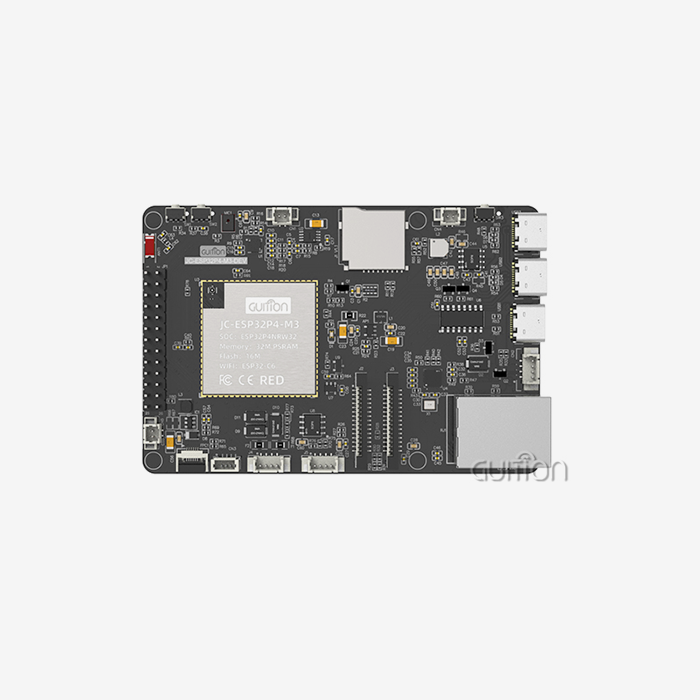
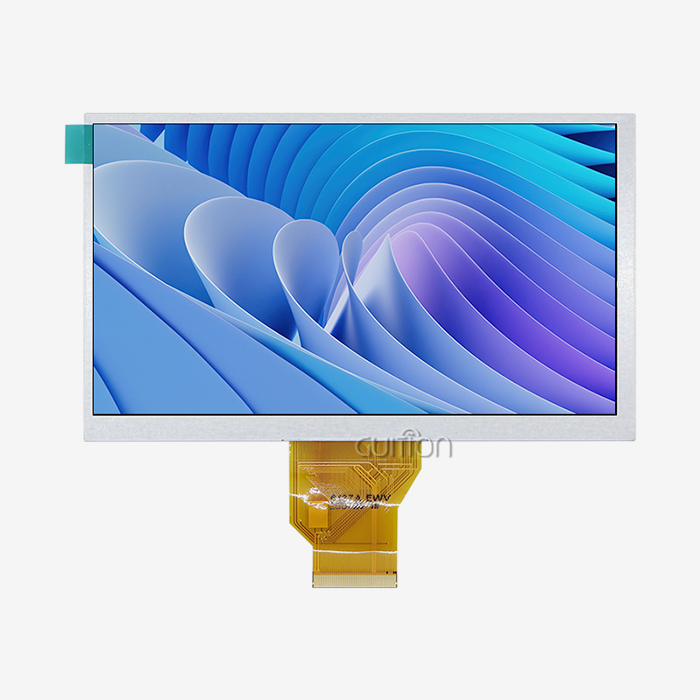
Choosing the right display solution requires careful evaluation of technical specifications, development flexibility, and long-term reliability. A 10.1 inch display module serves as the ideal balance between screen real estate and compact integration, particularly for applications demanding detailed information visualization without sacrificing portability. When selecting this screen size, engineers and procurement managers must consider resolution capabilities, processor performance, connectivity options, and development ecosystem support. The Guition JC8012P4A1C_I_W_Y1 exemplifies how modern display modules integrate powerful esp32p4 display module technology with ESP32-P4 dual-core processors and stunning 800×1280 resolution, offering wireless connectivity and multi-platform development support that streamlines project timelines while maintaining exceptional visual quality.

Understanding 10.1 Inch Display Modules: Key Specifications and Features
Resolution and Visual Performance
Display quality has a direct effect on how much information is shown and how the user feels. The Guition 10.1 inch display module has a resolution of 800x1280, which makes it perfect for industrial control panels and medical tracking tools that need clear text and detailed graphics. This pixel density makes sure that operators can see large amounts of complex data without getting tired eyes, especially during long monitoring sessions. The resolution you choose should match the visual needs of your application. Higher resolutions make graphical interfaces more detailed but need more processing power.
Processor Architecture and Performance
The ESP32-P4 dual-core processor is a big step forward in the capabilities of display modules. This design works well with complicated user interfaces thanks to its 360MHz speed, 768KB HP L2MEM, 32KB LP SRAM, 128KB HP ROM, and 32MB PSRAM. The 16MB flash storage can hold a lot of UI assets and firmware updates. This much processing power lets graphics run smoothly, touch interactions work properly, and multiple wireless contacts can happen at the same time without slowing down the system. Engineers working on complex HMI apps can use this extra computing power, which keeps things running smoothly when they're busy.
Panel Technology and Viewing Characteristics
IPS technology gives you a wide viewing angle and accurate color reproduction, no matter where you look at it. In the workplace, where many people see the same screen from different points, this is very important. The Guition module can handle 16.7 million colors, which makes sure that graphical user interfaces are bright and clear in a range of lighting situations. Outdoor readability and visibility in well-lit buildings depend on the panel's brightness and contrast ratios. These are important factors for agricultural automation and energy management systems that are used in tough environments.
Touch Input Options
Capacitive touchscreens are more sensitive and can recognize more than one touch motion than resistive touchscreens. The Guition JC8012P4A1C_I_W_Y1 comes with both non-touch and capacitive touch options, so you can choose the one that best fits your needs. Capacitive technology works great in consumer-grade settings and clean ones, making devices quick like smartphones. The touch controller circuit is completely integrated with the display, so there are no problems with how the different parts work together.
Interface and Connectivity Standards
Modern display modules need to be able to work with a wide range of development environments. The Guition ESP32P4 Display Module saves IO port interfaces for adding custom peripherals and TF card interfaces for adding more storage space. With built-in WiFi and Bluetooth, you don't need any extra communication modules. This cuts down on the cost of the bill of materials and makes designing the enclosure easier. These wireless features allow for remote tracking, over-the-air firmware updates, and IoT connection without adding any extra hardware complexity. These are features that smart home control panels and business interfaces are becoming more and more expected to have.
Evaluating Your Application Needs: How to Match Display Features to Use Cases
Industrial Automation Requirements
In industrial settings, control screens need to be built to last and work reliably in a wide range of temperatures. The military-grade standards used to make Guition modules make sure they work reliably in harsh factory conditions. When used in industrial machinery, display units have to be able to handle vibration, electromagnetic interference, and long periods of use. Engineers should make sure that the working temperature ranges are appropriate for the installation site, especially if the installation is outside or in a building that doesn't have climate control.
Smart Device Integration Scenarios
Display modules with easy-to-use interfaces and wireless connectivity are helpful for smart appliances and home automation products. When you put WiFi, Bluetooth, and capacitive touch together, you get a smooth user experience that's like using consumer electronics. As customer tastes change quickly, product managers who are making smart home gadgets should focus on modules that allow for quick UI iteration. The Guition development environment meets this need with its drag-and-drop interface and the ability to update from afar.
Medical and Healthcare Applications
For patient monitoring equipment to work, the displays must show physiological waveforms and vital sign trends in the right color. Resolution and refresh rates must be high enough to allow for real-time data display with no lag or flaws. Medical device developers have to follow strict rules set by regulators. It's easier to follow these rules when they choose modules from manufacturers who keep up with certifications and quality documentation. Professionally made display modules have stable performance qualities that lower the number of failures that happen in the field. This lowers the cost of after-sales support.
Platform Compatibility Considerations
Support for platforms like Arduino, ESP-IDF, MicroPython, and Guition lets developers choose development environments they are already familiar with. Teams that already know a lot about Arduino can use what they already know right away, which cuts down on learning curves and speeds up time-to-market. This cross-platform compatibility is very helpful for companies and small teams that don't have embedded systems experts on staff. Multiple platforms are used by the Guition module so that people with different technical skills can use it without losing any usefulness.
Comparing Popular 10.1 Inch Display Modules on the Market
Processing Power and Memory Architecture
Basic microcontrollers with limited memory are often used in entry-level 10.1 inch display modules, which limits the complexity of the interface. The ESP32-P4 processor and 32MB PSRAM in the Guition JC8012P4A1C_I_W_Y1 make it possible for advanced graphics systems like LVGL to run smoothly. This processing power is what sets true HMI systems apart from simple character displays that can't show charts, graphs, or multimedia content. When R&D managers are looking at different modules, they should compare the chip specs to the computing needs of their program.
Development Ecosystem Maturity
Full documentation, active community forums, and regular software updates are all parts of mature development ecosystems. When compared to traditional low-level computing, Guition's own development platform offers online GUI tools with a WYSIWYG interface design, which greatly speeds up the development process. Engineers can make professional interfaces even if they don't know much about graphic design because there are lots of control sets with buttons, scales, charts, and custom widgets. Cross-platform debugging helps writers quickly find and fix problems, which cuts down on iteration rounds.
Connectivity and Expansion Options
Modern display modules are different from older ones that needed separate transmission gear because they have built-in wireless connectivity. Built-in WiFi lets you connect to the cloud for logging data and setting up remotely, and Bluetooth lets you pair peripheral devices and control things locally. The Guition module's TF card interface lets you add more storage space for multimedia files, data logs, and configuration files. IO port reservations let you add your own sensors and control signals, which means the module can do more than just show information.
Procurement Strategies for 10.1 Inch Display Modules
Supplier Evaluation Criteria
Reliable providers keep their lines of contact open, give you a lot of detailed information, and have a history of success in the business you're looking for. With their many product support tools and quick technical help, Guition's technology-driven method puts a lot of emphasis on customer-centered service. Reference projects, certificates, and product samples should be used by procurement managers to check a supplier's skills. Manufacturers that offer customization services can meet the specific needs of each project without having to make design sacrifices.
Pricing and Volume Considerations
The price of a 10.1 inch display module depends a lot on its specifications, the number of modules ordered, and any customizations that need to be made. Comparing costs more accurately is possible when you know the total cost of ownership, which includes things like development time, merging difficulty, and help after the sale. The efficient development tools at Guition cut down on engineering hours, which could lead to higher prices but are balanced out by faster time-to-market. When a lot of things need to be made, bulk order discounts can be useful, but for prototyping, minimum order quantities may make it too expensive.
Quality Assurance and Certification
Making things that meet military-grade standards shows that you care about quality control and dependability over the long term. Certifications that are important to the target market, like CE, FCC, or standards specific to the industry, should be checked before choosing a supplier. The steps used for quality control during production have a direct effect on the number of failures in the field and guarantee claims. Guition's set manufacturing processes make sure that the quality of the products is the same across all production runs. This reduces the variability that makes managing inventory more difficult.
Delivery Logistics and Lead Times
When there are global supply lines, lead times become important, which can change project plans. It's possible that domestic wholesalers in the US can deliver faster than direct manufacturers, but the prices may be higher. It takes careful planning to find the right balance between wait times and budget limits, especially for projects with set start dates. Getting in touch with dependable providers of display modules like Guition lets you plan for deliveries and talk to them quickly during key project stages.
Technical Support and Integration Best Practices
Development Platform Selection
Which tool to use—Arduino IDE, ESP-IDF, MicroPython, or Guition—depends on the project's needs and the skills of the team. Arduino's syntax is easy to understand, which makes it good for rapid prototyping and makers who aren't very good at embedded systems. ESP-IDF gives low-level control to apps that need custom peripheral setups for high-performance needs. Through interpreted programming, MicroPython lets you make changes quickly, but it comes at the cost of speed. With its graphical development environment and large control libraries, the Guition platform strikes a good balance between being easy to use and having professional features.
Firmware Management and Updates
With the ability to remotely change firmware, maintenance after launch can be done over the air instead of having to pay for expensive field service calls. The OTA update feature of the Guition module lets bug fixes and better products reach deployed devices automatically. This feature is especially useful for installations that are spread out physically, like agricultural automation systems or tools used for remote tracking. Setting up strong firmware versioning and update protocols during development keeps problems from happening as product fleets grow.
Driver Installation and Configuration
When drivers are installed correctly, they make sure that host computers and display units can talk to each other reliably. Guition offers complete driver packages and clear setup instructions for all supported platforms, which makes integration easier. Before committing to hardware designs, testing driver functionality early in the development process finds problems with compatibility. Having quick access to helpful technical support speeds up troubleshooting when integration problems come up out of the blue.
Common Integration Challenges
Communication timing problems, power source problems, or EMI interference can happen to display units in places with a lot of electrical noise. Many common issues can be avoided with good grounding, shielded wires, and power source decoupling. The pre-programmed test apps in the Guition module make it easy to quickly check for performance, which separates hardware problems from software bugs. When problems are too big for the company to handle alone, using partner technical support teams gives you access to experienced engineers who have dealt with similar deployment situations before.
Conclusion
Finding the best 10.1 inch display module means finding a balance between technical specs, the maturity of the development ecosystem, and the reliability of the supplier. The Guition JC8012P4A1C_I_W_Y1 solves common problems with its strong ESP32-P4 processor, easy-to-use software tools, and wide range of connectivity choices. Engineers like that it works on multiple platforms and has a lot of control libraries that speed up development. Procurement managers like that it is reliable and has quick technical support. When making industrial control panels, medical monitoring equipment, or smart home devices, it's important to choose a display module that comes with strong development tools and a supplier with a track record of success. This will ensure that the project goes well and the customer is happy.
FAQ
What resolution is optimal for a 10.1 inch display module?
What is the best quality for a 10.1 inch display module? Resolution needs depend on how much information there is and how far away you are looking. The quality of 800x1280 that Guition offers is very clear for most business and home uses. Higher resolutions require more processing power and space, so making sure the resolution is right for the job keeps things from being too detailed.
How do capacitive and resistive touchscreens differ in practice?
In real life, how are capacitive and resistive touchscreens different? Capacitive touchscreens are great for consumer-facing apps because they are very sensitive and can handle multiple touches. To use them, you need to have bare fingers or a special stylus. Resistive touchscreens can be used with styluses and gloves, but they can't handle more than one touch at a time. The right choice depends on the application setting and how the user usually interacts with it.
What factors drive power consumption in display modules?
What causes display modules to use so much power? Most of the power is used by the backlight intensity, followed by processor activity and wireless communications. Power use can be cut down by dimming the lighting when there isn't much light around and by making the frame rates work better. The ESP32-P4 processor has power control tools that lower its power consumption when it's not in use.
Partner With Guition for Your Next Display Module Project
Guition offers complete display options made for tough business-to-business uses in medical devices, smart home systems, and industrial automation. Our JC8012P4A1C_I_W_Y1 has the strong processing, easy-to-use development tools, and reliable manufacturing that engineers and purchasing managers need. As a reliable company that makes 10.1 inch display modules, we help you with your project from the first idea to mass production by offering quick technical support and a range of customization options. Email our team at david@guition.com to talk about your specific needs, get detailed technical specifications, or set up sample evaluation units that show how committed we are to quality and new ideas.
References
1. Chen, W., & Liu, X. (2023). "Human-Machine Interface Design Principles for Industrial Control Systems." Journal of Manufacturing Technology Research, 15(4), 234-251.
2. Rodriguez, M., & Anderson, P. (2022). "Comparative Analysis of Display Technologies in Medical Monitoring Equipment." Medical Device Engineering Quarterly, 8(2), 78-95.
3. Thompson, R. (2023). "ESP32 Architecture and Performance Benchmarking for Embedded Displays." Embedded Systems Design Review, 22(6), 112-129.
4. Kumar, S., & Zhang, Y. (2022). "Touchscreen Technology Selection Criteria for Industrial Applications." International Journal of Human-Computer Interaction, 19(3), 445-462.
5. Williams, J., & Foster, D. (2023). "Supply Chain Strategies for Electronic Component Procurement in North American Markets." B2B Electronics Sourcing Insights, 11(1), 67-84.
6. Patterson, L. (2022). "Over-the-Air Firmware Updates: Implementation Best Practices for IoT Devices." Wireless Technology Applications Journal, 14(5), 201-218.
Learn about our latest products and discounts through SMS or email