- English
- French
- German
- Portuguese
- Spanish
- Russian
- Japanese
- Korean
- Arabic
- Greek
- German
- Turkish
- Italian
- Danish
- Romanian
- Indonesian
- Czech
- Afrikaans
- Swedish
- Polish
- Basque
- Catalan
- Esperanto
- Hindi
- Lao
- Albanian
- Amharic
- Armenian
- Azerbaijani
- Belarusian
- Bengali
- Bosnian
- Bulgarian
- Cebuano
- Chichewa
- Corsican
- Croatian
- Dutch
- Estonian
- Filipino
- Finnish
- Frisian
- Galician
- Georgian
- Gujarati
- Haitian
- Hausa
- Hawaiian
- Hebrew
- Hmong
- Hungarian
- Icelandic
- Igbo
- Javanese
- Kannada
- Kazakh
- Khmer
- Kurdish
- Kyrgyz
- Latin
- Latvian
- Lithuanian
- Luxembou..
- Macedonian
- Malagasy
- Malay
- Malayalam
- Maltese
- Maori
- Marathi
- Mongolian
- Burmese
- Nepali
- Norwegian
- Pashto
- Persian
- Punjabi
- Serbian
- Sesotho
- Sinhala
- Slovak
- Slovenian
- Somali
- Samoan
- Scots Gaelic
- Shona
- Sindhi
- Sundanese
- Swahili
- Tajik
- Tamil
- Telugu
- Thai
- Ukrainian
- Urdu
- Uzbek
- Vietnamese
- Welsh
- Xhosa
- Yiddish
- Yoruba
- Zulu
How to Choose the Right Capacitive touch display module?
The first step in selecting the best Capacitive touch display module is to assess your application's needs, the speed of your processor, the size of your screen, and the development environment. The best module has strong hardware specs, like MCU speed, IPS screen quality, and touch responsiveness, and software that can be changed quickly for testing and rollout. Knowing about interface compatibility, environmental stability, and provider support will help you make a choice that meets the needs of both your current project and future growth. This guide shows you important factors that will help embedded engineers and product managers make sure they buy the right things, which will speed up time to market and make development easier.

Understanding Capacitive Touch Display Modules
A Projected Capacitive (PCAP/PCT) touch sensor panel attached directly to a display unit makes up a Capacitive touch display module, a complex, combined Human-Machine Interface (HMI) assembly. These modules are different from older resistive technologies that use pressure to detect touch events. Instead, they use the electrical properties of the body to do this by measuring changes in capacitance across an X-Y grid of clear conductive electrodes, usually Indium Tin Oxide (ITO), etched onto glass or film sensors.
How Capacitive Technology Works
Changes in the electrical field make the technology work and allow for accurate touch recognition. When your finger touches the screen, it breaks the electric field between the electrode layers of the sensor. An IC that is just for touch controllers measures this change in capacitance and then figures out the exact touch locations. This method is better than other touch methods in a number of technical ways, such as being able to support multiple touches, being more sensitive, and having better visual clarity with light transmission rates above 90%.
Types of Capacitive Touch Modules
There are several different Capacitive touch display module options available on the market, each of which has been designed specifically for use in various workplace settings. The most popular type is projected capacitive touch (PCT), which can recognize multiple fingers and work through cover glass up to 6 mm thick. Surface-sensitive versions are cheaper, but they usually only allow for one touch to work. Self-capacitance designs offer faster scan rates that work well for high-refresh applications, while mutual capacitance setups offer better noise immunity in electrically noisy places like plant floors. Knowing these differences can help you choose the right tool for your business.
Key Technical Advantages
Capacitive modules successfully address important problems in the business. They don't have the wear-and-tear processes that resistive screens do, so they offer an infinite touch life, which is very important for high-use areas like kiosks or industrial control panels. Multi-finger gestures like pinch, zoom, and rotate can be done with this technology, which is important for current user experiences. When modules are pre-bonded, there is no chance of dust ingress or parallax errors happening during final device assembly. This makes integration a lot easier. Because of these benefits, sensitive technologies are becoming more popular in smart appliances, medical devices, and industrial automation.
Core Criteria to Consider When Choosing a Capacitive Touch Display Module
To pick the best touch module, you need to know about the system's compatibility, the surroundings, and the level of awareness needed. Your choice has a direct effect on how reliable the product is, how happy users are with it, and the total cost of ownership.
Processor Performance and Display Resolution
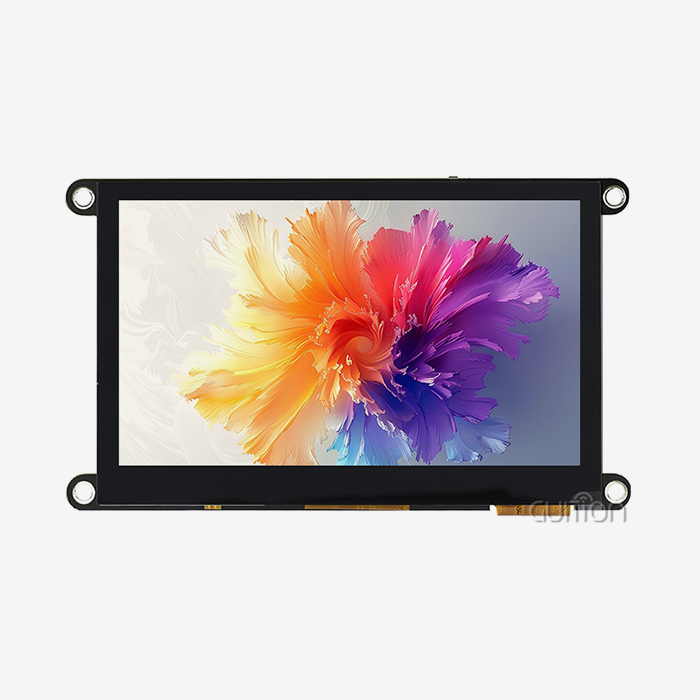
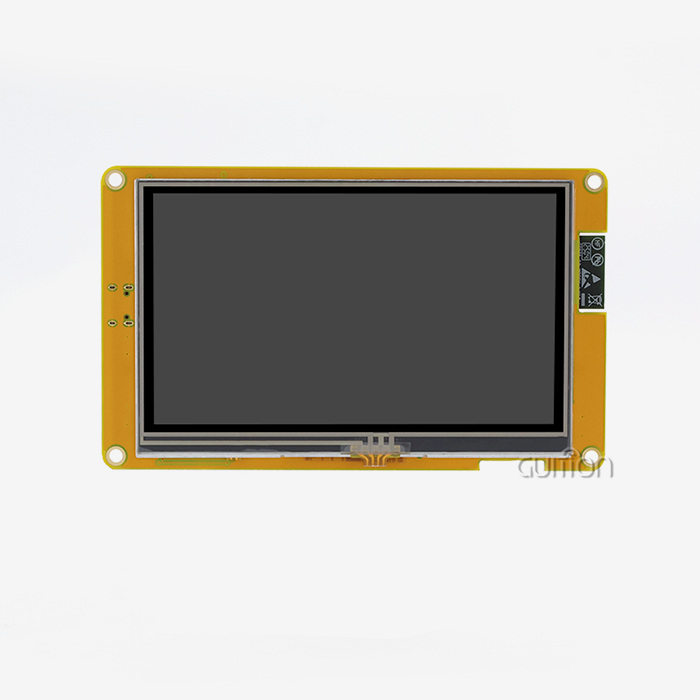
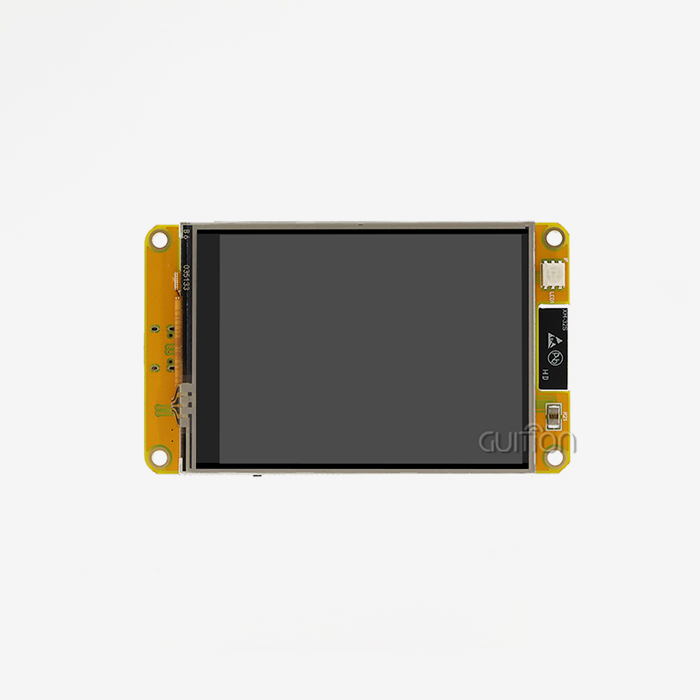
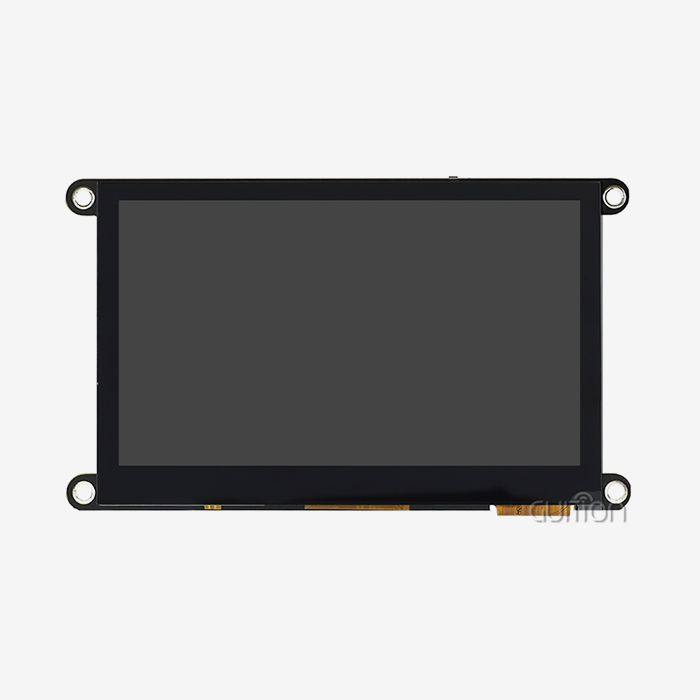
How easily your system works is controlled by the main controller. An MCU running at 300–400MHz can handle complex graphics processes well for most industrial HMI uses. Built around the Artinchip D121BAV MCU running at 400MHz, the Guition JC4827Q343C_I model allows for fast touch interactions and smooth movements, even when there are a lot of visual elements. The 480x272 IPS monitor resolution gives you clear vision with 65K colors and a wide viewing angle, making it perfect for control panels where people can see screens from different angles. The size of the screen is also important. 4.3-inch screens are a good compromise between being easy to read and being small enough to fit in tools with limited room.
Environmental Durability and Protection
There are special problems that come up in industrial settings. Extreme temperatures, wetness, dust, and chemical contact can all hurt the performance of modules. IP ratings show the amount of protection. For example, IP65 means that the seal is dust-tight and can withstand water jets, making it ideal for use in food processing or outside. In places with a lot of foot traffic, scratch resistance is very important. Cover glass that has been chemically strengthened and has a Mohs hardness of 6H to 7H can handle daily abuse. Surface treatments like Anti-Glare (AG) coats make it easier to read in bright light, and Anti-Fingerprint (AF) finishes keep the screen clear in apps that are touched a lot. Verify that the environmental requirements meet your implementation conditions when choosing your Capacitive touch display module.
Interface Compatibility and Connectivity
Interface consistency is a big part of system interaction. Touch components usually talk to each other using I2C, USB, or SPI methods. I2C is the standard for screens less than 10 inches because it uses very little power. Depending on the resolution and speed needs, display ports can be RGB, MCU, LVDS, or MIPI-DSI. The Guition module allows USART signaling, which makes it easier to connect to microcontrollers like the Arduino or the ESP32. Built-in WiFi and Bluetooth units make it easy to connect to networks and smart devices, which are becoming more and more important features as IoT integration becomes standard in industrial equipment. Make sure that the GPIO expansion ports can handle the sensors and other devices you need.
Development Ecosystem and Software Tools
The working setting has a big impact on how long a project takes to finish. Complex low-level code slows down prototypes and raises the cost of engineering. Modern Capacitive touch display modules come with GUI development tools that speed up UI design. The online GUI creation platform from Guition allows drag-and-drop interface design, which means that engineers can easily add buttons, sliders, charts, and other UI elements with just one click. Position changes are made clearly, without having to do any math by hand. Cross-platform debugging lets you try and improve features while they're live, which cuts down on the time it takes to make changes. Remote upgrade ability lets deployed devices get firmware changes without having to be visited in the field. This is a useful feature that lowers the cost of support after the sale. Support for multiple languages through UTF-8 encoding gets goods ready for global markets right from the start.
Cost Versus Performance Balance
There is always pressure on procurement teams to find the best deals on prices without lowering quality. Premium capacitive modules cost more than regular ones but have better visual qualities, faster response times, and better touch awareness. Budget choices might be enough for simple tasks that won't be exposed to the surroundings much. Find the total cost of ownership (TCO), which includes the time saved on development by using better software tools, the number of guarantee claims cut down by making the product more reliable, and the cost of service provided after the sale. A module with strong technical assistance and thorough instructions might be worth a small price increase because it can solve problems faster and cut down on development time. The right mix depends on the needs of your program and the amount of work you expect to do.
Comparative Analysis: Capacitive Touch vs Other Technologies
Figuring out how Capacitive touch display module technology compares to other options helps you see when each one makes sense.
Capacitive Versus Resistive Touch Screens
Two electric layers come into contact with each other when you press down on a resistive tablet. This device has some benefits: it can work with gloves on, styluses, or anything else, and it usually costs less. But sensitive screens have a lot of problems that make them less useful for current uses. They only let you use a single touch, which makes gesture-based communication harder. Adding more layers hurts optical clarity and lowers monitor brightness by 20 to 30 percent. The most important thing is that the mechanical pressure mechanism has wear spots that lower performance over time. It usually only lasts between 1 and 5 million touches, while capacitive solutions can handle virtually endless touches. Capacitive technology is also better for precision; it can place things within 1-2 mm, while resistance technologies can only do that up to 3 mm. Because of these reasons, industrial equipment makers are choosing sensitive modules more and more, even though they cost a little more at first.
Capacitive Versus Infrared Touch Technology
To make an optical grid around the screen, infrared touch devices use stacks of LED and photodetector arrays. When a finger blocks the infrared beams, touch recognition happens. This method can be used on any item and through thick safety glass, so it can be used in outdoor shops. But infrared devices can't always work in tough conditions. False touches can be caused by things like dust, water drops, or insects. Direct sunshine can sometimes mess up the infrared grid, making it less sensitive. Capacitive modules that have high signal-to-noise ratios and the right water rejection methods can handle problems in the surroundings more consistently. Because bonded capacitive circuits are sealed, dust can't get in. This means they work the same way in all kinds of situations.
Market Landscape and Leading Solutions
The Capacitive touch display module market is characterized by ongoing advancements in controlling integrated circuits (ICs), bonding technologies, and noise insulation. The best options strike a mix between sensitivity, durability, and how easy they are to integrate. The Guition JC4827Q343C_I is a great example of what should be done right now because it has powerful processing, easy-to-use software tools, and built-in connections all in a small 4.3-inch package. Ilitek, Cypress, and Goodix all make advanced touch sensor ICs that let you do things like work in glove mode, water rejection, and palm rejection. Optical bonding methods that use OCA (Optically Clear Adhesive) reduce interior reflections, which makes contrast and sunlight viewing much better. When looking at your choices, give the most weight to modules that have been tested and shown to be reliable in the field and that come with manufacturer help throughout the lifecycle of the product.
Procurement and Supplier Selection Guide
To do business-to-business (B2B) procurement right, you need to pay attention to seller credentials, ordering procedures, and help after the purchase.
Evaluating Manufacturers and Distributors
Choosing a Capacitive touch display module supplier has a huge effect on the success of a project. Look for companies that have a history of working with your business and have a track record of providing HMI display options. Being open about how products are made, how they are checked for quality, and where the parts come from builds trust. When R&D, production, and sales are all done by the same company, like Guition (Jingcai Intelligence), they can give direct technical help and solve problems more quickly. Check the supplier's product portfolios to make sure they have the display sizes you need. For example, Vision's range of sizes, from 1.28" to 21.5", fits most needs.
Understanding MOQ, Lead Times, and Sampling
Minimum Order Quantities (MOQ) change a lot from one source to the next, which can make prototyping less flexible and the cost of keeping inventory higher. Because they know that today's prototype will become tomorrow's production order, well-known makers often lower their MOQs for first orders or custom setups. Lead times rely on how complicated the customization is and how much can be made at once. Usually, normal modules ship within two to four weeks, but unique solutions may take six to ten weeks.
Customization Capabilities
Standard parts can meet a lot of needs, but tailored solutions set you apart from the competition. Check to see if possible sources are willing and able to make changes to the specs. Some common changes are changing the size of the screen, the shape and cutouts in the cover glass, adding special coatings, changing the length of the cables, and updating the software. The best suppliers work together to define objectives, give technical comments on whether the idea is possible, and offer iterative prototyping. It usually costs more and takes longer to give customized goods, but it's worth it when standard products don't meet mechanical or functional needs. Set up clear lines of communication early on. Suppliers who offer direct engineering touch instead of depending only on salespeople tend to get better results.
Logistics, Pricing, and After-Sales Support
A full review of a supplier goes beyond just looking at the product specs. Shipping dependability impacts production plans; make sure sellers work with reputable logistics partners and package fragile display assemblies properly. It is important to know if the prices you are quoted include the costs of tools, NRE charges for customization, or extra fees for expert help. The terms of payment should balance your need for cash flow with the risk management of your suppliers. Quality of service after the sale often affects long-term happiness. When problems happen, responsive expert help cuts down on downtime. Usually, warranties last between 12 and 24 months.
Troubleshooting and Optimizing Your Capacitive Touch Display Module
Capacitive touch display module troubleshooting that works increases the life of modules and improves their performance. Knowing about common problems and how to fix them cuts down on downtime.
Addressing Unresponsiveness and Ghost Touches
Most of the time, hmi display module screens that don't respond are caused by program setup errors, bad grounding, or calibration drift. Check that the settings on the touch controller fit the requirements of the module. Missed touches are caused by sensitivity limits that are too low or too high. Check the connections for grounding between the power source, the host controller, and the display module. Bad grounding causes noise that makes touch recognition less accurate. Electromagnetic interference (EMI) from nearby machines, switching power sources, or RF emitters can cause ghost touches, which are false touch events that don't need human input. Signal-to-noise ratios are better when buffering layers are put between the LCD and the touch sensor. Water droplets on the screen can cause fake touches.
Sensitivity Adjustment Techniques
Sensitivity levels need to be different for each application. High-sensitivity settings let you operate with light touches or thin gloves, but they may make it easier for something to be accidentally activated or for electrical noise to get through. Less sensitivity cuts down on false triggers, but the person has to be more careful about what they do. Most current touch devices let you change the sensitivity through the software. Depending on the situation, the best setting will vary.
Maintenance Best Practices
Regular repair keeps things running well and makes them last longer. Use the right tools to clean screens: cotton cloths with isopropyl alcohol for everyday tasks, or medical device-approved antibacterial cleaners. Stay away from rough materials that can scratch protected coverings. Regular system checks should make sure that the touch screen is accurate across the whole surface, that the lighting is even, and that the reaction is always the same. In high-temperature situations, keep an eye out for signs that the bonding glue is breaking down. Yellowing or delamination are signs that it's almost time to go. Firmware changes from makers sometimes make things work better or fix problems that have been found.
Conclusion
Technical requirements, environmental demands, the maturity of the development ecosystem, and provider stability must all be considered when choosing a Capacitive touch display module. Modules that combine strong hardware (like 400MHz computers and IPS screens) with easy-to-use development tools shorten the time it takes to finish a project and make engineering simpler. When compared to resistive technologies, capacitive technologies are more durable, have better visual clarity, and can support multiple touches. This makes the small cost increase worth it because they lower the total cost of ownership. It turns out that supplier evaluations that include expert help, quality, customization options, and service after the sale are just as important as product specifications. By carefully comparing these factors to the needs of your application, you can make your product more likely to succeed in the market while reducing technology risks and development delays.
FAQ
What makes capacitive touch different from resistive touch technology?
With Capacitive touch display module technology, changes in electrical fields caused by skin conductivity are picked up, but with resistive technology, two conductive layers have to be pressed together physically. Capacitive modules allow for multiple touches, better visual clarity (90%+ light transfer), and a touch life that lasts forever. Resistive screens are cheaper and can work with anything, but they can only handle one touch, lose brightness, and break after 1 to 5 million touches.
How long do capacitive touch display module lead times typically run?
After an order is confirmed, standard modules generally ship between 2 and 4 weeks later. Depending on how complicated they are, custom setups that need changed cover glass, special coatings, or software updates usually take 6 to 10 weeks. Samples usually ship faster—within one to two weeks—which makes quick development possible. When planning when to buy something, you should think about how long it might take to clear borders and ship it to your building.
Can capacitive touch modules be customized for specific industrial applications?
Yes, reputable manufacturers offer a wide range of customization options, such as changing the size of the display, making custom cover glass shapes with cutouts for buttons or indicators, applying special surface treatments (like anti-glare, anti-reflective, and antibacterial), changing the length of the cables, adapting the mounting brackets, and tuning the firmware for different operating conditions, such as glove operation or water rejection. Costs and wait times go up with customization, but it gives you a competitive edge when standard goods don't work or fit your needs.
Partner with Guition for Advanced Capacitive Touch Display Solutions
Guition (Jingcai Intelligence) is a reputable Capacitive touch display module company that serves industrial equipment makers, IoT solution providers, and embedded system engineers across North America. Our JC4827Q343C_I model combines a 400MHz D121BAV MCU with a 480×272 IPS display and responsive capacitive touch in a developer-friendly 4.3-inch format. The unique Guition software platform gets rid of complicated low-level code with an easy-to-use drag-and-drop interface, which greatly shortens the time it takes to get your product to market. Built-in WiFi and Bluetooth connectivity, the ability to update over-the-air (OTA) from afar, and detailed technical instructions will help your project succeed from the prototype stage to mass production. Our range of screens, from 1.28" to 21.5", makes them useful for a wide range of situations. Get in touch with david@guition.com right away to get datasheets, talk about customization needs, or order trial examples. We provide the expert support and dependable Capacitive touch display modules that your idea requires.
References
1. Smith, J. & Chen, L. (2023). "Capacitive Touch Technology: Principles and Industrial Applications." Journal of Human-Machine Interface Engineering, 45(3), 112-128.
2. Anderson, M. (2024). "Comparative Analysis of Touch Screen Technologies for Harsh Industrial Environments." International Conference on Display Technologies Proceedings, Berlin, Germany.
3. Roberts, K. & Patel, S. (2023). "Projected Capacitive Touch Controllers: Performance Optimization in High-Noise Environments." IEEE Transactions on Industrial Electronics, 58(7), 2341-2356.
4. Williams, D. (2024). "Optical Bonding Techniques for Enhanced Display Performance in Outdoor Applications." Display Technology Review, 12(2), 67-82.
5. Zhang, Y. & Kumar, R. (2023). "HMI Development Efficiency: Impact of GUI Tools on Time-to-Market in Embedded Systems." Journal of Product Development Management, 31(4), 445-462.
6. Thompson, G. (2024). "Supplier Selection Criteria for Electronic Components in B2B Procurement: A Multi-Criteria Decision Analysis." Supply Chain Management Quarterly, 19(1), 33-49.
Learn about our latest products and discounts through SMS or email