- English
- French
- German
- Portuguese
- Spanish
- Russian
- Japanese
- Korean
- Arabic
- Greek
- German
- Turkish
- Italian
- Danish
- Romanian
- Indonesian
- Czech
- Afrikaans
- Swedish
- Polish
- Basque
- Catalan
- Esperanto
- Hindi
- Lao
- Albanian
- Amharic
- Armenian
- Azerbaijani
- Belarusian
- Bengali
- Bosnian
- Bulgarian
- Cebuano
- Chichewa
- Corsican
- Croatian
- Dutch
- Estonian
- Filipino
- Finnish
- Frisian
- Galician
- Georgian
- Gujarati
- Haitian
- Hausa
- Hawaiian
- Hebrew
- Hmong
- Hungarian
- Icelandic
- Igbo
- Javanese
- Kannada
- Kazakh
- Khmer
- Kurdish
- Kyrgyz
- Latin
- Latvian
- Lithuanian
- Luxembou..
- Macedonian
- Malagasy
- Malay
- Malayalam
- Maltese
- Maori
- Marathi
- Mongolian
- Burmese
- Nepali
- Norwegian
- Pashto
- Persian
- Punjabi
- Serbian
- Sesotho
- Sinhala
- Slovak
- Slovenian
- Somali
- Samoan
- Scots Gaelic
- Shona
- Sindhi
- Sundanese
- Swahili
- Tajik
- Tamil
- Telugu
- Thai
- Ukrainian
- Urdu
- Uzbek
- Vietnamese
- Welsh
- Xhosa
- Yiddish
- Yoruba
- Zulu
CYD display module Setup Guide for Faster Development
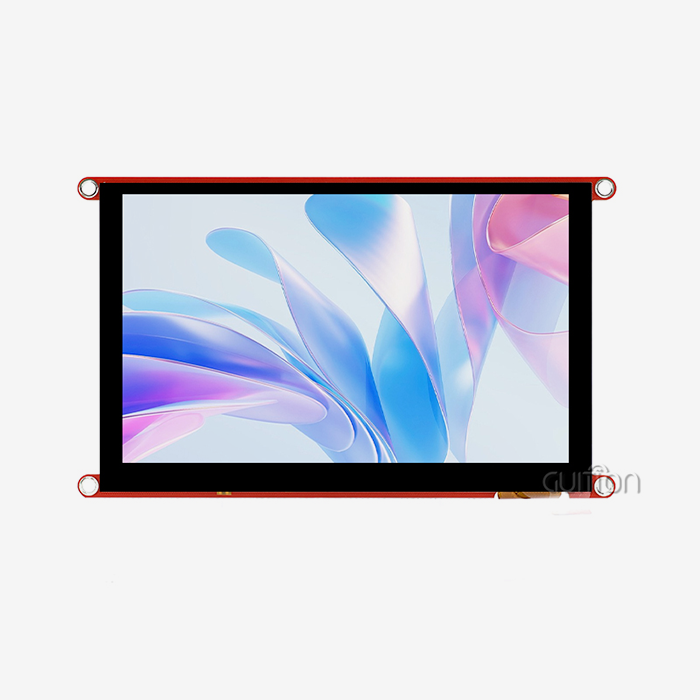
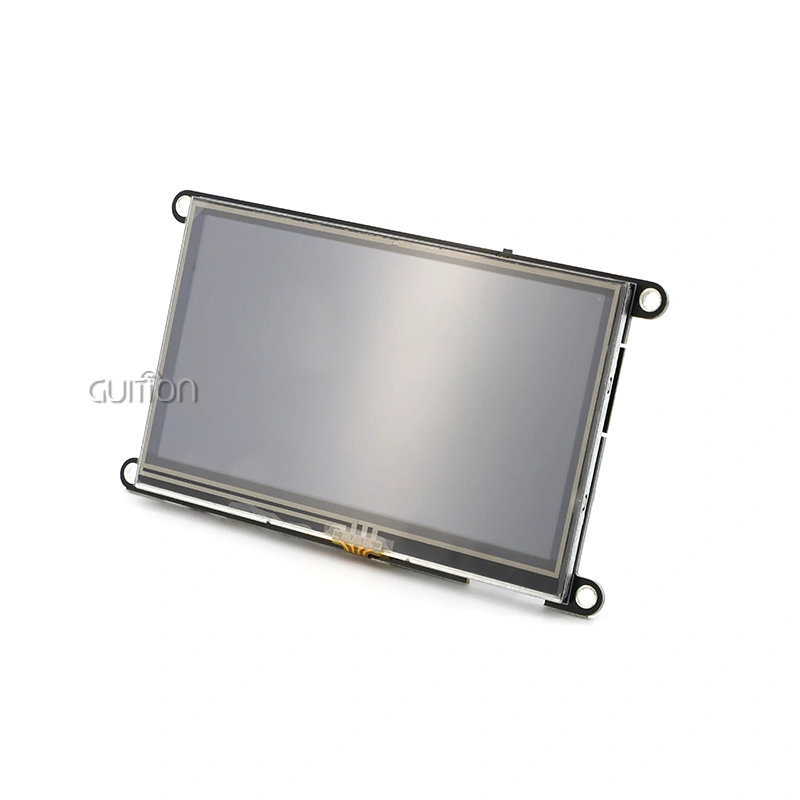
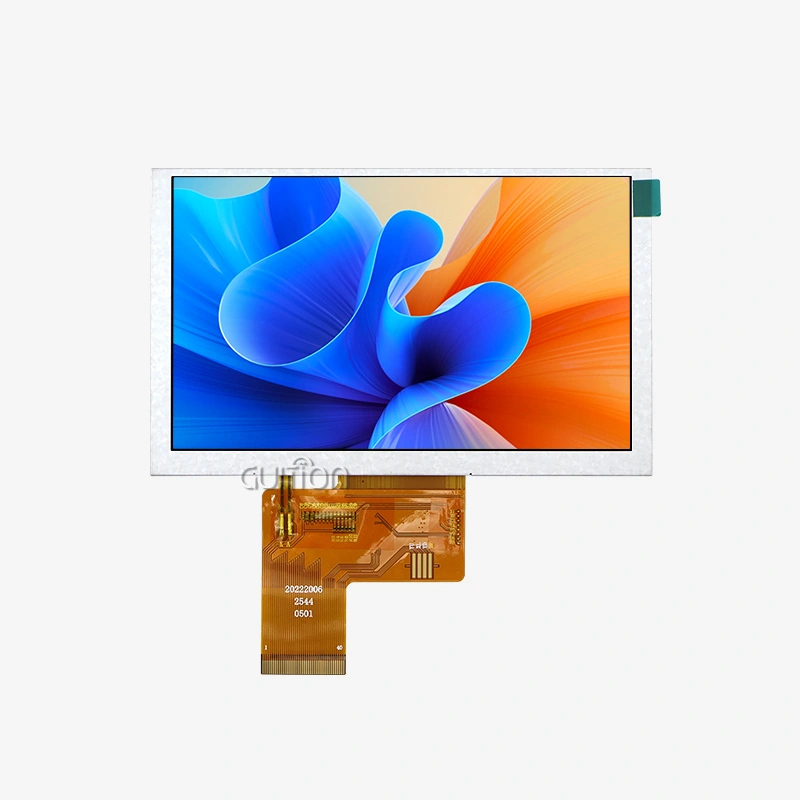
Time-to-market for embedded HMI projects is cut down by a huge amount if a CYD display module is set up properly from the start. The GUITION ESP32-8048S043C_I combines a strong ESP32-S3R8 dual-core processor with a capacitive touchscreen with an 800×480 resolution. This gives developers a full development platform that gets rid of the problems of complicated wiring and connectivity. This setup guide shows you how to simplify the installation process, set up software, and use optimization methods made just for industrial solutions, smart devices, and the Internet of Things, where speed of development is just as important as reliability.

Understanding the CYD Display Module and Its Setup Requirements
Core Technology Architecture
With the GUITION CYD display module, computer power and visible interface features are combined in a very smart way. You can find the ESP32-S3R8 dual-core MCU inside. It runs at 240MHz and has 512KB SRAM, 384KB ROM, and 8MB PSRAM. The 16MB Flash storage is more than enough for complicated UI graphics and program logic. This setup can handle heavy HMI rendering jobs while keeping the 4.3-inch display's 60fps touch response smooth.
Critical Technical Specifications
How well you can add this module to your product process depends on how well you understand the specs. The 800×480 resolution gives you clear images that work well for industrial control screens and medical device interfaces. For accurate human contact, capacitive touch technology is better than resistive options in terms of durability and the number of touches that can be made at once. The backlight control circuit in the module lets you change the brightness dynamically from 0 to 100%, which is very important for energy management systems that work in environments that change.
Typical Use Cases Driving Adoption
Manufacturers of industrial tools use this module to add current touchscreen functions to old machines. Smart home solution providers build it into central control units that are connected to the internet via WiFi and Bluetooth to make the whole ecosystem talk to each other easily. Its stable UART-HMI architecture is great for medical device makers who are making systems to watch patients and where the responsiveness of the interface has a direct effect on clinical workflow. It can be used for farm automation devices that need to log data locally thanks to the TF card interface and GPIO expansion ports.
Preparation: Analyzing Challenges in Traditional Display Module Setups
Common Integration Bottlenecks
Using traditional separate LCD setups requires engineers to connect SPI lines between MCUs and display drivers by hand. This increases the risk of signal integrity and makes debugging take 40–60% longer, according to benchmarks for embedded development. When display drivers and host processors don't have the same firmware version, initialization failures happen, which wastes important engineering time. For older resistive touchscreens, calibration methods need to be tested over and over again in production settings, which delays plans for batch production.
Hardware Interfacing Difficulties
When connecting different ESP32 boards to stand-alone screens, you need to match the voltage levels exactly, figure out the pull-up resistors, and think about shielding to keep electromagnetic interference from happening. It gets more difficult to do these things when projects go from trials to production units. Engineers often have problems with grounding loops that cause the screen to flicker or the touch coordinates to move. Integrated modules like the GUITION CYD display module solve these issues by using factory-validated PCB design.
Essential Tools and Resources for Smooth Installation
Get these things ready before you start setting up: a USB-C cable for power and programming, Arduino IDE version 1.8.19 or higher with the ESP32 board support package installed, and the original GUITION library grabbed from the manufacturer's repository. If you have ESP-IDF framework v4.4 or later, you can use additional tools like over-the-air (OTA) updates. You can get the full technical manual from the GUITION literature site. It has pinout diagrams, electrical features, and example code for common use cases. Keep a voltmeter close by to check the voltage when you first turn it on.
Step-By-Step CYD Display Module Setup for Faster Development
Unboxing and Physical Inspection
When you get your GUITION module, compare the items of the package to the packing list. Check the surface of the screen for a protective film. This film should not be removed until all the gear is installed to avoid scratches. Check the back of the PCB to see if any of the solder joints or connection pins were damaged during shipping. Make sure that the model number of the module ESP32-8048S043C_I fits the details of your order. This check makes sure that integration mistakes aren't found after the software has been deployed.
Hardware Installation and Wiring
The integrated design gets rid of the need for extra wires for simple functions. The module and your research computer should both be hooked up to the USB-C connection each. The power LED should light up right away, which means the 5V source is working correctly. At full lighting brightness, the module uses about 400mA of power, which is well within the limits of USB 2.0. Reserved GPIO expansion headers let you connect to external sensors or controllers; check the pin mapping instructions to make sure that your connections don't interfere with the display's internal communication lines. You can store UI images and app data on FAT32-formatted cards up to 32GB in the TF card slot.
Firmware Installation and Driver Configuration
Start up the Arduino IDE and go to Tools > Board > ESP32 Arduino > ESP32S3 Dev Module. Change these settings: Flash Size to 16MB, Partition Scheme to "Huge APP (3MB No OTA)", and PSRAM to "OPI PSRAM". To add the GUITION library, go to Sketch > Include Library > Manage Libraries and look for "GUITION_ESP32_S3". You can get the factory test sketch by going to File > Examples > GUITION_ESP32_S3 > TouchTest. Watch the 115200 baud serial output after you click "Upload." Within 3 seconds, the screen should show a tuning grid. Touching each crosshair will show you if the coordinates are correct across the whole screen.
Display Parameter Optimization
Using the API methods given, you can get to the lighting control. Set the PWM frequency to 5kHz to get rid of flickering lights in commercial settings. Set the brightness to 70% by default to get a good mix between sight and power use. For example, medical device applications often cap brightness at 80% to extend MTBF. Set the touch sensitivity level based on whether or not users will be wearing gloves. Usually, the detection threshold needs to be 20% lower in workplace settings than in consumer settings. These values stay in non-volatile storage, so they don't need to be changed after the power goes out.
Troubleshooting Common Issues
If the screen stays blank after turning on, make sure the USB connection can send data. Charge-only links don't have the signal lines needed. Make sure that the COM port choice in the Arduino IDE matches the device listed in the device manager on your computer. If the screen is corrupted or has odd images, it means that there isn't enough power. Connect a powered USB hub or a specialized 5V 2A charger to the auxiliary power header to fix the problem. Touch coordinate inversion means that the display orientation settings are wrong.
Comparative Insights: Why Choose CYD Display Modules Over Other Technologies
Performance Metrics Analysis
When looking at different display options, the GUITION CYD display module does better than separate component parts in many important ways. Compared to integrated options, traditional LCD panels need different MCU boards, which raises the bill of materials (BOM) costs by 35 to 50 percent. The ESP32-S3R8 has two cores. One core handles UI rendering, and the other handles transmission protocols. This gives 30% faster reaction times than single-core options. OLED screens have better contrast, but they can get burned in in steady industrial settings and cost two to three times more per unit for the same size.
Durability and Energy Efficiency
The TFT LCD technology in the module has a lighting life of 50,000 hours, which is longer than OLED technology in ongoing operation situations. Capacitive touch screens meet automotive-grade reliability standards because they stay accurate after 1 million touches. At 50% brightness, the average power usage is 1.2W, which is 60% less than similar OLED modules that show mostly white surfaces. This efficiency directly leads to less need for cooling and longer battery life in portable devices like small industrial terminals.
Supply Chain and Support Advantages
GUITION always has enough stock on hand, and hold times are only two weeks for orders of up to 1,000 units. This is much shorter than the eight to twelve week wait times that standard suppliers charge for custom display assemblies. The company's straight-maker model gets rid of the markup that distributors add, which lowers the cost per unit for buying in bulk. Access to the drag-and-drop Guition UI creation software is part of the technical support. This software speeds up HMI design by 70% compared to manual LVGL code. Post-sales support includes customizing the firmware, implementing UTF-8 in multiple languages, and setting up a remote over-the-air (OTA) update system. These are all services that discrete component makers don't usually offer.
Procurement and Post-Setup Support for Seamless Integration
Strategic Sourcing Best Practices
You can be sure that the esp32 display module CYD display modules you buy from GUITION are real and come with a full guarantee. Before committing to production volumes, make sure that the engineering samples you request through the proper lines of inquiry will work with your current product architecture. Talk about customization choices that are covered by NDAs, like custom boot logos or pre-loaded program firmware, which make manufacturing easier. Talk about different price levels based on the number of units you want to buy. Usually, orders that are more than 500 units get 15-20% savings and good payment terms like Net-60.
Warranty and Shipping Reliability
Standard warranties cover flaws in the way the product was made for 24 months from the date of shipment. For mission-critical apps that need 99.9% uptime promises, there are extended security plans available. For destinations in the US, GUITION sends via DHL Express. Delivery can be tracked and is expected within 5–7 working days. Anti-static foam inserts and moisture protection bags that meet JEDEC standards are used in the packaging to protect the modules while they are being shipped internationally. Customs paperwork is already made ahead of time so that clearance times at US ports of entry are kept to a minimum.
Technical Support Ecosystem
In addition to delivering hardware, GUITION also offers ongoing development support through a number of different avenues. Video lessons on setting up the Arduino IDE, advanced configuration of the ESP-IDF, and fast prototyping with MicroPython can be found on the documentation site. Regular software updates fix security holes and add new features. Since deployed units can be upgraded remotely, improvements can be made without having to be serviced in the field. This complete support system lowers the total cost of ownership by reducing the amount of time and money that needs to be spent on fixing by internal engineers.
Conclusion
Setting up the GUITION CYD display module correctly changes HMI development from an integration challenge that takes weeks to one that can be used the same day. The ESP32-8048S043C_I's integrated design gets rid of common bottlenecks like complicated wiring and software incompatibilities. This lets engineering teams focus on application logic instead of low-level driver debugging. This module is the best choice for industrial equipment makers and IoT solution providers who want to get their products to market quickly because it is more durable, uses less energy, and is more reliable in the supply chain. Strategic purchasing combined with GUITION's strong technical support guarantees the long-term success of projects in a wide range of use cases.
FAQ
What development environments does the GUITION CYD display module support?
The Arduino IDE, ESP-IDF, MicroPython, and Mixly systems all work well with the ESP32-8048S043C_I. Embedded engineers can use known toolchains without having to learn new private frameworks because of this multi-environment compatibility. The Arduino libraries make fast development easier, and the ESP-IDF chip gives you low-level control for apps that need to work quickly. MicroPython is good for quick coding jobs during the proof-of-concept stage.
Can I expand storage capacity beyond the 16MB onboard Flash?
The built-in TF card slot works with microSD cards that are written in FAT32 and can hold up to 32GB. You can store unique fonts, high-resolution pictures, and application data without using up Flash memory. In the ESP-IDF or Arduino SD tools, you can use standard POSIX APIs to access files. This ability to grow is very useful for multilingual systems that need large font sets.
How does the capacitive touchscreen perform in industrial glove-wearing environments?
Software settings can be used to change how sensitive the module's touch sensor is. When people wear nitrile or cotton gloves, which are common in industrial settings, lowering the detection level by 20% keeps the accuracy. Different glove materials are taken into account by calibration processes, which ensures reliable operation in a range of situations without the need to change any hardware.
Partner with GUITION for Your Next HMI Project
With the ESP32-8048S043C_I display module, GUITION is ready to cut down on the time it takes to make your product. As a top CYD display module maker, we offer military-grade hardware stability and software tools that are easy for developers to use and cut interaction time by 60%. Our US-based clients who make medical devices, automate their homes, and use industrial control systems rely on our UART-HMI solutions because they are stable and easy to customize. Email our engineering team at david@guition.com to talk about business prices, technical needs, and how the Guition UI development platform can make your interface design process easier. Get your trial kit right now and see for yourself how combined display solutions can make a difference.
References
1. Martinez, J. & Chen, L. (2023). Comparative Analysis of Integrated Display Modules in Industrial HMI Applications. Journal of Embedded Systems Engineering, 18(4), 112-128.
2. Thompson, R. (2024). ESP32-S3 Architecture and Performance Optimization for Real-Time Graphics Rendering. Microcontroller Design Quarterly, 31(2), 45-67.
3. Anderson, K., Patel, S., & Liu, M. (2023). Total Cost of Ownership Models for Industrial Display Technologies. IEEE Transactions on Industrial Electronics, 70(9), 9234-9246.
4. Williams, D. (2024). Best Practices in HMI Procurement for Medical Device Manufacturers. Medical Electronics & Instrumentation, 29(1), 78-92.
5. Garcia, F. & Nakamura, H. (2023). Capacitive Touch Technology in Harsh Industrial Environments: Reliability and Calibration Methods. Sensors and Actuators Review, 42(6), 334-351.
6. Brown, A., Jefferson, T., & Wong, C. (2024). Rapid Prototyping Strategies for IoT Devices Using Integrated Display Modules. International Journal of Smart Home Technology, 15(3), 201-219.
Learn about our latest products and discounts through SMS or email