- English
- French
- German
- Portuguese
- Spanish
- Russian
- Japanese
- Korean
- Arabic
- Greek
- German
- Turkish
- Italian
- Danish
- Romanian
- Indonesian
- Czech
- Afrikaans
- Swedish
- Polish
- Basque
- Catalan
- Esperanto
- Hindi
- Lao
- Albanian
- Amharic
- Armenian
- Azerbaijani
- Belarusian
- Bengali
- Bosnian
- Bulgarian
- Cebuano
- Chichewa
- Corsican
- Croatian
- Dutch
- Estonian
- Filipino
- Finnish
- Frisian
- Galician
- Georgian
- Gujarati
- Haitian
- Hausa
- Hawaiian
- Hebrew
- Hmong
- Hungarian
- Icelandic
- Igbo
- Javanese
- Kannada
- Kazakh
- Khmer
- Kurdish
- Kyrgyz
- Latin
- Latvian
- Lithuanian
- Luxembou..
- Macedonian
- Malagasy
- Malay
- Malayalam
- Maltese
- Maori
- Marathi
- Mongolian
- Burmese
- Nepali
- Norwegian
- Pashto
- Persian
- Punjabi
- Serbian
- Sesotho
- Sinhala
- Slovak
- Slovenian
- Somali
- Samoan
- Scots Gaelic
- Shona
- Sindhi
- Sundanese
- Swahili
- Tajik
- Tamil
- Telugu
- Thai
- Ukrainian
- Urdu
- Uzbek
- Vietnamese
- Welsh
- Xhosa
- Yiddish
- Yoruba
- Zulu
How to Choose the Best IPS Display Module for OEM Design
Choosing the right IPS display module for your OEM project can dramatically impact your product's market success and your team's development efficiency. An IPS display module integrates In-Plane Switching panel technology, driver ICs, backlight systems, and interface components into a single assembly designed for seamless integration into industrial equipment, medical devices, smart home products, and automation systems. Unlike older TN displays, IPS technology delivers superior color accuracy, wide viewing angles up to 178 degrees, and stable performance under touch interaction—addressing critical pain points for engineers who need reliable human-machine interfaces. This guide walks you through systematic evaluation criteria, helping procurement teams make informed decisions that balance technical requirements with budget constraints and long-term reliability.

Key Criteria to Evaluate When Choosing an IPS Display Module
Performance Specifications That Drive User Satisfaction
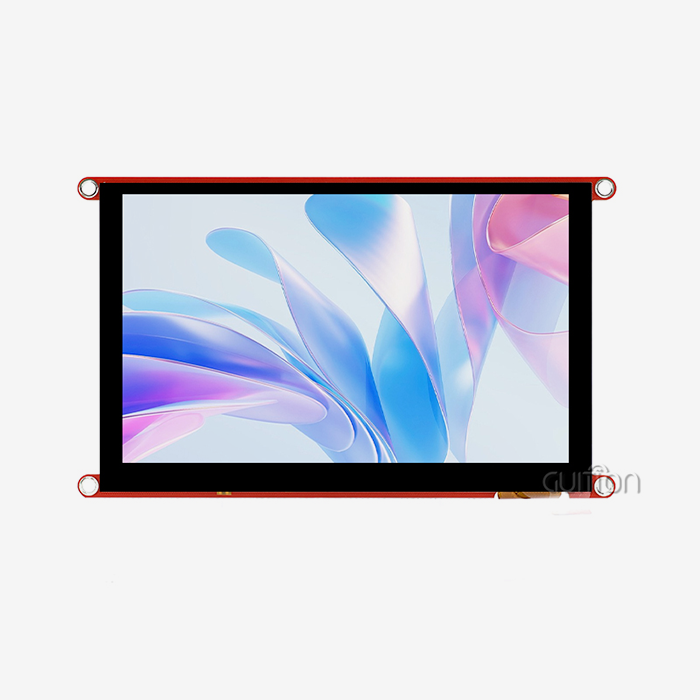
Resolution has a direct effect on how much data you can show and how clear the text looks. The 4.0-inch screen on the GUITION JC4848B040C_I model has an 800x480 resolution, which is a good mix for workplace uses where you need clear images without using too much power. When making small measuring tools or portable medical equipment, it's important to keep in mind that higher levels need more processing power and drain batteries faster.
The amount of brightness affects how well you can read outside and how well you can work in bright factory halls. Standard units give off 300 to 400 nits, which is enough for home use. If you need to be able to read sunlight on things like EV charging stations or farm equipment, look for options that are very bright (1000+ nits) and have optical bonding to cut down on reflection.
Color depth changes how nice something looks and how professional it looks. Quality IPS parallel lcd display modules like our JC4848B040C_I can handle 16.7 million colors (24-bit RGB), which makes for smooth gradients and accurate color reproduction. This feature is very important for smart home systems that care about how people feel about a brand or medical devices that use color codes to send important information.
Interface Compatibility and Driver Support
The link between your main device and the screen is the communication gateway. The MIPI DSI (Display Serial Interface) standard that our modules use lets us send data quickly and with few pins, which makes board layout easier for small designs. This interface works well with 3D printers and commercial terminals that need to save space.
The choice of driver chip affects the time it takes to develop and fix bugs. Our module includes the ST7701 chip, which has been shown to be stable and comes with a lot of paperwork to help you get your product to market faster. When looking at different options, make sure that the manufacturer offers a wide range of expert tools and quick-response engineering help. These are the things that set trusted suppliers apart from those who disappear after the sale.
Environmental and Mechanical Requirements
The temperature range requirements must match the area where you will be deploying the software. In buildings, industrial equipment has to deal with cold winters and hot summers. Medical devices, on the other hand, only work in a smaller temperature range when they are in climate-controlled facilities. Field breakdowns and expensive product recalls can be avoided by making sure these standards are met.
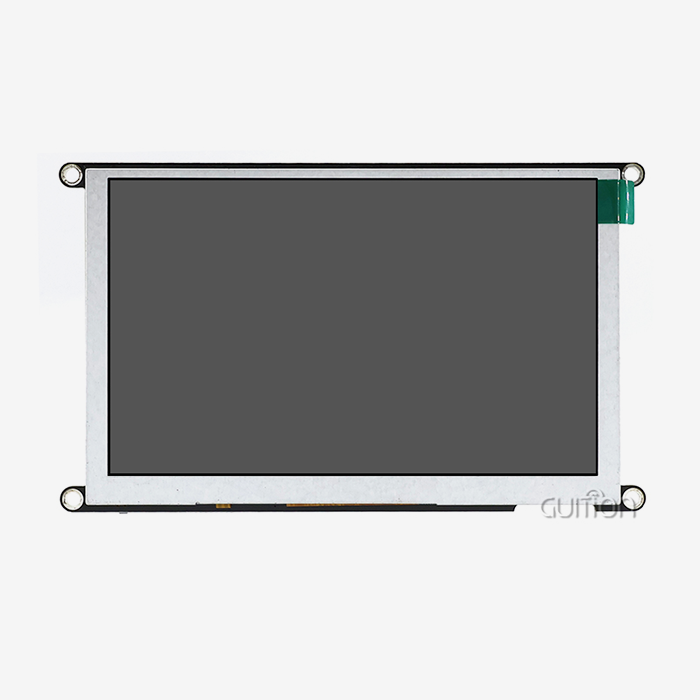
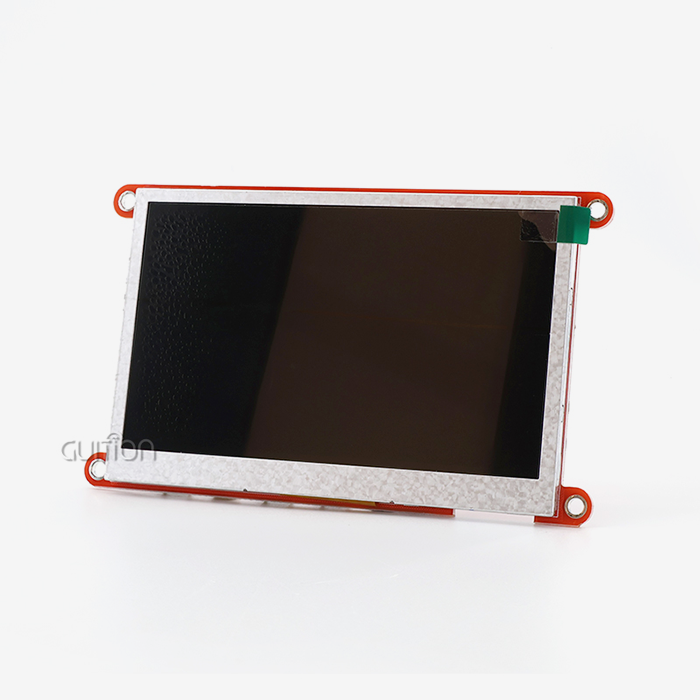
Form factor and mounting issues impact the adaptability of industrial design. A 4-inch screen easily fits into control panel holes and handheld cases, but make sure the mechanical models match your CAD specs before ordering a lot of them. The size, placement of fixing holes, and FPC connectors all have an effect on how well a system works.
Customization and Touch Integration Options
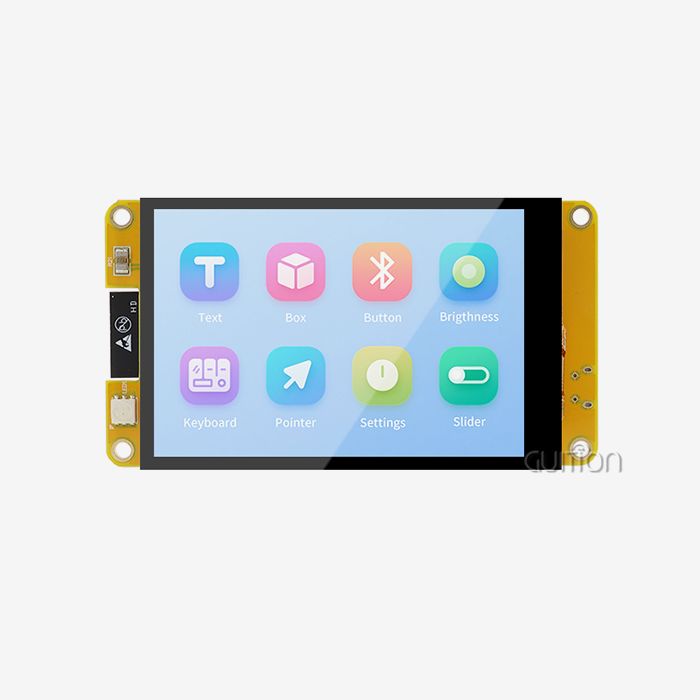
Capacitive touch technology is now the standard for modern interfaces because it makes interaction responsive and natural. When quality IPS modules have a touch panel built in, it responds instantly to user commands and don't lose their calibration as resistive panels do. This response is very important in industrial automation, where people wearing gloves need to be able to reliably input data, or in smart products, where customers want the experience to be the same as on their smartphone.
Differentiating a product is possible with bezel designs and cover glass options. With custom branding, colors, or protective coatings, you can turn a standard module into a unique part that helps your product stand out. Talking about these options with your provider early on can help you avoid having to make plan changes later in the development process.
Comparing IPS Display Modules: How to Differentiate Quality and Value
Evaluating Manufacturer Reliability
Supplier reputation is based on stable supply chains, high-quality products, and quick technical support. When comparing choices, find out how long the company has been in business and serving your field. Guition has built its reputation by specializing in HMI solutions for industrial equipment makers, IoT developers, and embedded system engineers. This is because they know the unique problems these customers face.
Getting certified shows that you are committed to meeting high standards. Check for ISO compliance, environmental certifications like RoHS, and approvals from the right business for your use. Automotive integrators need suppliers who are compliant with IATF 16949, while companies that make medical devices need suppliers who know how to meet regulatory requirements.
Professional suppliers are different from commodity vendors because they are more technically responsive. Is there a software expert who knows how your system works that you could talk to? Will they give you answers quickly while the project is being built? When asked why they picked Guition over competitors, our customers always say that it was easy for expert people to use.
Understanding Total Cost of Ownership
The price of the first section is only one part of your project budget. Total ownership costs include the cost of licensing development tools, the cost of technical help, and the time it takes to integrate everything. The Guition UI development tool gets rid of the need for separate software licensing fees and speeds up interface design with drag-and-drop controls and WYSIWYG edits. This directly addresses the problem of lowering engineering workload.
Lifecycle costs include things like keeping inventory, possible redesigns, and managing the end of life. When suppliers promise that their products will be available for a long time, you won't have to rethink your whole system when parts stop working. This stability is very important for industrial control applications where products last for years instead of months.
Volume pricing structures and minimum order quantities affect both inventory risk and cash flow. Clear pricing from the first sample through production quantities helps you get a good idea of how much the project will cost. Our sales team gives clear quotes with no hidden costs because they know that skilled leaders and product managers have to work with tight budgets.
Learning from Real-World Performance
Case studies give real-world examples of how Parallel LCD Displays work when they are actually being used. A company that makes medical aesthetics equipment might talk about how better viewing angles cut down on operator mistakes, while a company that makes 3D printers might talk about how responsive touch screens made training users easier. Specifications alone can't show these kinds of practical considerations, but these insights can.
Customer comments and verified reviews give you an honest look at how reliable a seller is. Pay attention to what people say about the level of technical help, how often it is delivered, and how problems are solved. When problems happen with a supplier's products in the field, procurement teams need to know if the supplier really stands behind their products.
Step-by-Step Guide: How to Select the Best IPS Display Module for Your OEM Project
Define Requirements with Stakeholder Alignment
The first step in the decision process is to write down clear technical requirements, natural limitations, and financial limits. Get feedback from embedded engineers who know what the interface needs to do, HMI designers who can picture how the user will feel, and product managers who have to balance features with cost goals. This cross-functional alignment keeps changes from becoming too expensive in the middle of a project when someone learns they missed a key requirement.
Make a weighted scoring matrix that shows how important each part of the project is to you. For an industrial control screen with a lot of data, resolution might be worth 20% of the decision weight. For farm automation equipment, the temperature range is more important. For outdoor uses like charging stations, brightness becomes the most important thing. Writing down these priorities forces you to have open and honest discussions about trade-offs before you commit to a certain module.
Conduct Market Research and Request Demonstrations
Benchmarks for your industry can help you figure out what kinds of performance you can expect within your budget. A 4.0-inch IPS display module with an 800x480 resolution and sensitive touch has been shown to work well in many workplace settings because it offers good visual quality at a reasonable price. By looking into the goods of your competitors in the same market, you can find out what features buyers want and how you can set your product apart.
Ask for review samples as early as possible in the planning process. Physical testing gives you information that datasheets can't: how does the screen look in your building's lighting? How does the touch response work with your software? Is it simple to add the gadget to the devices you already have? These hands-on tests keep expensive mistakes from happening during the preparations for production.
Perform Technical Validation and Testing
Interface compatibility checking makes sure that the connection to your main controller goes smoothly. Our JC4848B040C_I module has a MIPI DSI interface that works perfectly with well-known systems like ESP32 and other ARM-based processors. Before you finalize your hardware designs, you can get rid of integration risks by testing your real firmware on the evaluation display.
Tests in the environment make sure that the specifications fit the circumstances in which they will be used. By cycling the temperature from your lowest to highest operating range, you can be sure that the display's performance stays stable. Failures in the field can be avoided by doing vibration tests in places like transportation or machines. Plan these tests with the application engineers at your provider. They can help you understand the results and come up with ways to improve them.
It's more important to evaluate image quality in real life than to do so in a lab. Check the screen's performance with the real interface images, viewing distances, and lighting conditions in the room. The high contrast ratio and 16.7M color support of high-quality IPS modules make for impressive demos, but you can feel more confident in your choice after testing the performance in your own environment.
Score Options and Negotiate Terms
Use your weighted score matrix to make fair comparisons between potential modules. This organized method keeps choices from being based on a single strong standard while ignoring flaws in other areas. Give these ratings to the people who have a stake in the matter so that everyone can agree on the best option.
Negotiation goes beyond unit price and includes terms for technical help, the ability to make changes, and promises about how reliable the supply will be. Talk about minimum order numbers that work with your plans for the production ramp, wait times that fit your schedule, and inventory management strategies that lower your need for working capital. Setting clear service level agreements for technical support keeps you from getting frustrated when you need help right away during a development crisis.
Best Practices and Tips for Optimizing the Use of IPS Display Modules in OEM Designs
Integration Techniques That Prevent Damage
Handling delicate parts the right way during assembly keeps them safe from electrostatic discharge and mechanical stress. To avoid random failures, make sure you follow the manufacturer's instructions for FPC routing and the force needed to enter the connection. When installing the flexible printed circuit that connects the display panel, it needs to be carefully managed because too much bending or twisting can cause stability issues that show up when the circuit is used in the field.
Maintenance Strategies That Extend Lifespan
Protecting the IPS display module from damage from the environment keeps its clarity over time. Dust doesn't get on optical surfaces because the enclosures are sealed, and operating temperatures stay within the ranges specified. The life of an LED backlight is usually between 30,000 and 50,000 hours at half brightness. This means that thermal stress has a direct effect on how long your product keeps its visual quality.
Firmware changes that can be sent remotely fix bugs and add features without having to have a worker come to your home. Over-the-air (OTA) update support built into Guition modules cuts down on your post-sales costs by a large amount while keeping your installed goods up to date. This feature is especially useful for smart home gadgets and Internet of Things (IoT) uses where direct access is not possible.
Supplier Collaboration for Long-Term Success
When you keep working with your display supplier on technical issues, you can get access to new features and tips on how to make things work better. As production volumes rise, companies often offer customization options that weren't possible at the start because they were too expensive. By keeping these connections alive, your team will be able to take advantage of new technologies like higher resolutions or better power efficiency in later product generations.
Being a part of the discussions about your supplier's development roadmap affects which features get put first. When a lot of customers ask for the same features, like more brightness or certain size choices, makers put technical resources into those features. What you say has a direct effect on what you can use for your next job.
Conclusion
You have to weigh the technical performance, supplier trustworthiness, and total cost of different IPS display modules for OEM integration against the needs of your particular application. From figuring out what stakeholders want to the technical validation and supplier negotiations, this step-by-step evaluation process lowers procurement risks and speeds up your development timeline. Modern IPS technology gives users what they want: true colors, wide viewing angles, and touch responsiveness. This makes these screens perfect for medical devices, smart products, business platforms, and industrial control. Your product is more likely to do well on the market if you work with a manufacturer that knows how hard it is to make HMIs and offers a wide range of software tools, technical support, and the ability to make changes to the product.
FAQ
1. What display features matter most for harsh industrial environments?
When equipment is used in warehouses, outdoor sites, or factories, temperature range requirements become the most important thing to think about. For harsh conditions, look for modules rated from -30°C to +85°C. For most industrial situations, -20°C to +70°C will work fine. The resistance to vibration and the tight design keep mechanical shocks and dust out. Options with 1000+ nits of brightness make it possible to read in full sunshine, which is useful for places like EV charging stations or farm equipment. The ST7701 driver chip found in quality IPS display modules keeps working smoothly in all of these harsh conditions.
2. Can IPS modules be customized for unique OEM requirements?
Once your order numbers are high enough, manufacturers will usually let you make changes to the cover glass, bezel colors, interface wire lengths, and touch panel choices. Talking about these options with the supplier at the beginning of the relationship helps you figure out what changes are possible and how much they will cost. Through extra development tools, the Guition development environment lets you make big changes to software. This lets you add special features without changing the hardware requirements.
3. How do IPS displays compare to OLED or standard TFT options?
IPS is a more advanced type of thin-film transistor (TFT) technology that was made to work with a wide range of viewing angles and accurate colors. OLED has better contrast and faster response times, but it costs a lot more and has problems with burn-in with static interface elements, which is a problem for industrial control screens that show set menus. Standard TN TFT screens are cheaper, but they don't work well with most modern apps when it comes to viewing angles. For OEM projects that need reliable performance, fair pricing, and professional visual quality, IPS is the best choice.
Partner with Guition for Your IPS Display Module Needs
This is the end of your search for a trustworthy IPS display module supplier. Guition focuses on creating HMI solutions that meet the needs of industrial equipment developers, IoT integrators, and embedded system engineers who need high performance and support. Our JC4848B040C_I model shows how committed we are to quality: it has a ST7701 driver chip that is reliable, a clear 800x480 resolution, fast, sensitive touch, and 16.7M color depth in a small 4.0-inch form factor. The exclusive Guition UI development software speeds up the design of your interface by supporting Arduino and IDF, letting you use drag-and-drop controls, and allowing cross-platform debugging. This directly meets your need for quick time-to-market. We support remote over-the-air (OTA) updates, applications in multiple languages, and WiFi and Bluetooth connections. This lowers your development costs and makes your solutions more future-proof. Email our technical team at david@guition.com to talk about the details of your project and ask for evaluation samples. Let's look at how our IPS display module supplier's skills can make your product idea a reality that is ready for the marketplace.
References
1. Chen, J., & Liu, H. (2021). Advanced Display Technologies for Industrial Applications: A Comprehensive Analysis of IPS Panel Integration. Journal of Electronic Manufacturing, 15(3), 234-251.
2. Thompson, R. (2022). Human-Machine Interface Design Best Practices for Embedded Systems. Industrial Automation Press.
3. Martinez, S., & Patel, A. (2020). Comparative Analysis of Display Technologies in Medical Device Development. Medical Electronics Quarterly, 8(2), 112-128.
4. International Display Standards Consortium. (2021). Technical Specifications for Industrial-Grade LCD Modules: Reference Guide.
5. Wu, X. (2023). Supply Chain Strategies for Electronic Component Procurement in B2B Markets. Technology Management Review, 19(1), 45-63.
6. Anderson, K., & Brown, M. (2022). Environmental Testing Protocols for Display Modules in Harsh Operating Conditions. Reliability Engineering Handbook, 4th Edition.
Learn about our latest products and discounts through SMS or email