- English
- French
- German
- Portuguese
- Spanish
- Russian
- Japanese
- Korean
- Arabic
- Greek
- German
- Turkish
- Italian
- Danish
- Romanian
- Indonesian
- Czech
- Afrikaans
- Swedish
- Polish
- Basque
- Catalan
- Esperanto
- Hindi
- Lao
- Albanian
- Amharic
- Armenian
- Azerbaijani
- Belarusian
- Bengali
- Bosnian
- Bulgarian
- Cebuano
- Chichewa
- Corsican
- Croatian
- Dutch
- Estonian
- Filipino
- Finnish
- Frisian
- Galician
- Georgian
- Gujarati
- Haitian
- Hausa
- Hawaiian
- Hebrew
- Hmong
- Hungarian
- Icelandic
- Igbo
- Javanese
- Kannada
- Kazakh
- Khmer
- Kurdish
- Kyrgyz
- Latin
- Latvian
- Lithuanian
- Luxembou..
- Macedonian
- Malagasy
- Malay
- Malayalam
- Maltese
- Maori
- Marathi
- Mongolian
- Burmese
- Nepali
- Norwegian
- Pashto
- Persian
- Punjabi
- Serbian
- Sesotho
- Sinhala
- Slovak
- Slovenian
- Somali
- Samoan
- Scots Gaelic
- Shona
- Sindhi
- Sundanese
- Swahili
- Tajik
- Tamil
- Telugu
- Thai
- Ukrainian
- Urdu
- Uzbek
- Vietnamese
- Welsh
- Xhosa
- Yiddish
- Yoruba
- Zulu
How Does a 3.2 TFT Lscreen Module Display Improve ESP32 User Experience?
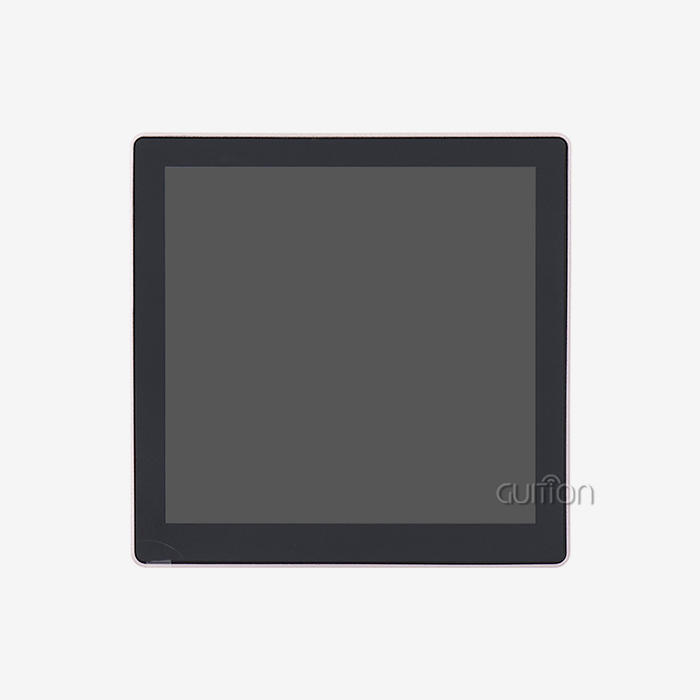
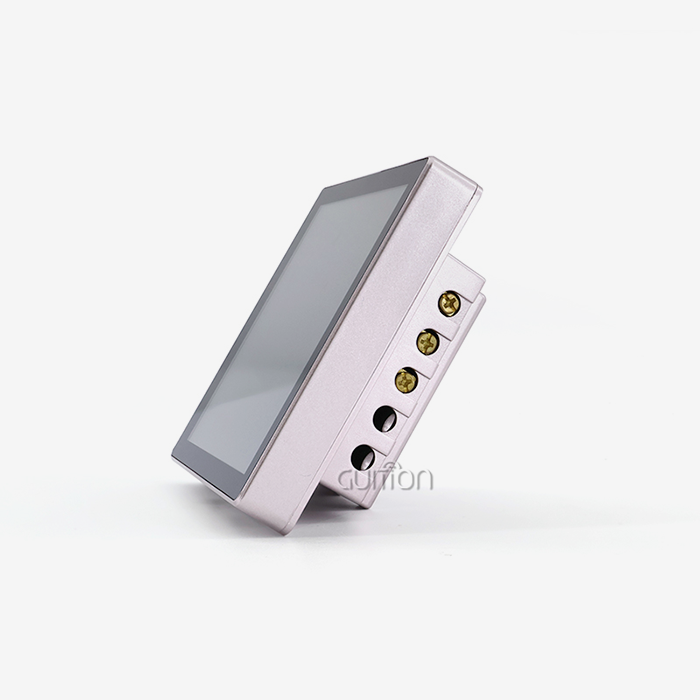
When looking at current embedded display choices, the 3.2 tft lscreen module display paired with ESP32 microcontrollers gives users a great experience thanks to its clear images, easy connectivity, and range of development options. When you put these two things together, they turn simple device interfaces into professional-grade tools for interacting with machines. The screen's 240x320 resolution gives you enough pixels per inch to read text and see clear pictures. The ESP32's dual-core processing power makes sure that the interface moves smoothly and responds to touches. For industrial control panels, medical monitoring devices, and smart home apps, built-in Wi-Fi and Bluetooth features get rid of the need for separate connection modules. This saves a lot of board space and makes the system simpler.

Understanding the 3.2 Inch TFT LCD Module – Key Specifications and Working Principles
In current embedded systems design, the 3.2-inch display size is a well-balanced form factor. This size gives you enough screen space without using as much power as bigger screens, which makes it great for battery-powered gadgets and small industrial equipment.
Technical Architecture of TFT LCD Technology
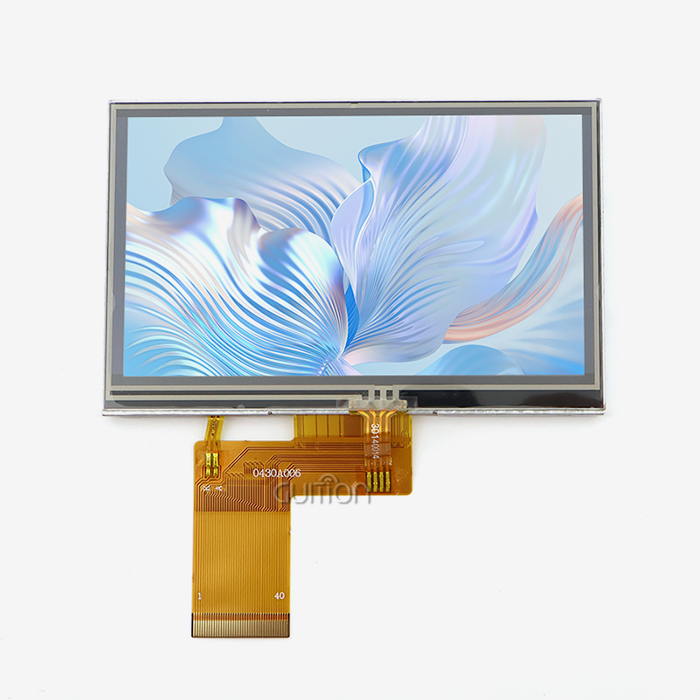
The 3.2 TFT LCD module display is based on thin-film transistor technology. Each pixel has three transistor switches that handle the red, green, and blue sub-pixels separately. This design allows exact color control across a standard 65K color palette, providing vivid colors needed for showing data and letting users know what the status is. The module includes more than just the display screen. For example, backlight control systems use PWM dimming to control the brightness levels, which lets engineers find a good balance between power use and sight. Temperature correction circuits make sure that the colors stay the same from -20°C to +70°C, which is very important for outdoor use and commercial settings.
ESP32 Integration and Communication Protocols
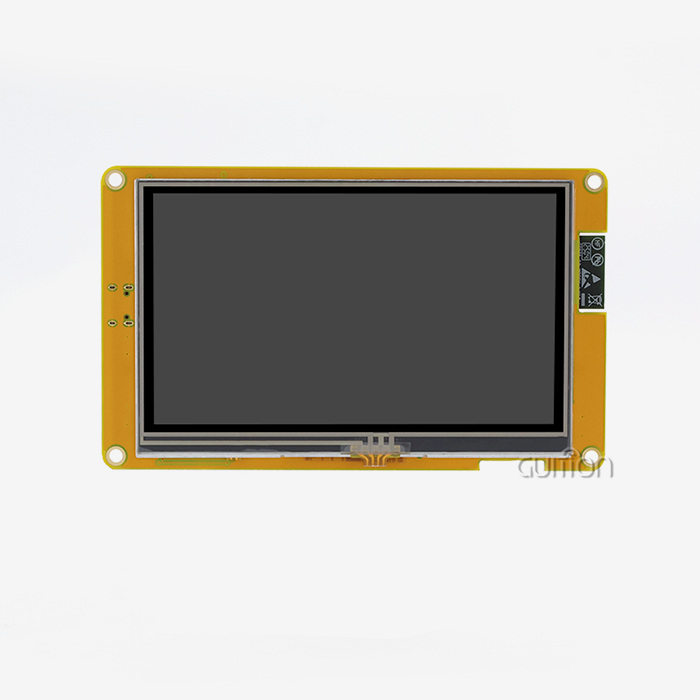
The ESP32-2432S032N_I model from Guition is a great example of how to integrate things perfectly because it has both a display driver and a powerful dual-core MCU that runs at 240MHz. This processing power lets images be rendered in real time and wireless communication jobs be handled at the same time. Multiple interface methods can be used with this module. For example, SPI transmission only needs four to five GPIO pins, which frees up valuable microcontroller resources for other system tasks. For tasks that need to send more data, like animation routines or video playing, the 16-bit parallel interface choice offers much faster refresh rates. The module's 4MB flash memory is more than enough space to store graphics, fonts, and program code, so it doesn't need to rely on external storage devices.
Power Efficiency and Display Performance Metrics
Modern 3.2-inch TFT screens are bright enough to read in normal indoor lighting and mild outdoor lighting, with levels of brightness between 300 and 500 nits. While providing better accuracy across the display area, the LED backlight design uses a lot less power than older CCFL systems. When combined with the ESP32's advanced power management features, such as deep sleep settings that use only microamps, the whole system is very energy efficient. This mix makes batteries last longer in handheld devices and makes it easier to control temperature in closed control panels.
Comparing 3.2 Inch TFT LCD Modules with Alternative Display Technologies
Product managers and procurement experts constantly compare different display technologies based on their cost, performance, and durability needs. Knowing the specific trade-offs between TFT LCD screens and other options like OLED lets you make smart buying decisions that fit the needs of your project.
TFT LCD Versus OLED Display Systems
Self-emissive technology in OLED screens makes it possible for them to have contrast ratios higher than 100,000:1 and true black levels by turning off each pixel individually. In workplace settings, however, the 3.2 TFT LCD module display has clear benefits. TFT screens are more stable when they are used continuously, which is important for equipment that is used 24 hours a day, seven days a week in hospitals or workplaces. Differential aging happens in OLED screens, where areas that are often lit up fade faster than areas that aren't as bright. This means that images stay on the panel for a permanent 10,000 to 20,000 hours. From a cost perspective, TFT panels have much lower prices per unit, which is especially important for large production runs. Because TFT technology is well-developed enough to be made, supply lines are stable, and part specs are standard, which lowers the risk of buying things. Because OLEDs are sensitive to oxygen and wetness, they need complex packaging methods, which raises the cost of the parts and raises worries about their dependability in damp places.
Resistive Versus Capacitive Touch Integration
Different versions of the 3.2-inch touchscreen come in two main styles. Pressure-sensitive layers in resistive touch screens react to all kinds of interaction, like gloved hands, styluses, and bare fingers. This flexibility is very useful in places like factories, where workers have to wear safety gear, or hospitals, where things need to be cleaned between uses. Resistive methods only add a small amount of cost to the part as a whole—usually $2 to $4 for large orders. Capacitive touch technology gives consumer products the experience that people are used to from smartphones. Support for multiple touch gestures makes it easy to pinch-zoom and swipe your way through complicated menus. The I2C standard is used by the 3.2 tft lscreen module display with capacitive touch, which requires only two GPIO pins and can handle up to ten touch points at once. Capacitive systems, on the other hand, need to be in direct touch with skin or use special conductive styluses, which limits their use in some workplace settings. The extra driver IC makes the module cost about $5 to $8 more, which is a big deal when you're making thousands of them.
Size Comparison: 3.2 Inch Versus Larger Format Options
When you compare the 3.2-inch size to the 3.5-inch or 4.3-inch options, you can see important design choices. Larger screens give you more visible room, which is helpful for dashboards that show more than one stream of info at the same time. But because the panel area is bigger, it needs more lighting power. At the same brightness levels, a 4.3-inch screen usually uses 40–60% more power than a 3.2-inch screen. The usual resolution for 3.2-inch screens is 240x320, which gives you about 125 pixels per inch. This is enough to show writing clearly at 10–12 point font sizes. Most of the time, bigger sections keep the same resolution, which lowers the number of pixels and makes the word less clear. This balance is best achieved by Guition's version, which makes sure that the graphics are clear without using more processing power than necessary at higher resolutions like 480x800, which would put a load on the ESP32's graphics and memory bandwidth.
How 3.2 Inch TFT LCD Modules Enhance ESP32 User Experience in Real-World Applications
Using real-life examples from a variety of businesses to show the real benefits of adding a good display module becomes clear. Using a visible interface and integrated processing together in the real world shows how it can completely change the user experience.
Simplified Development Through Comprehensive Software Support
The steep learning curve that comes with graphics code is a problem that has been bothering embedded developers for a long time. With the private GUI UI development tools, engineers can use drag-and-drop to make complex interfaces, which gets rid of thousands of lines of low-level code. This visual development environment supports WYSIWYG design, which means that the style of the interface on your development screen will exactly match what will be shown on the screen in the end. The ESP32-2432S032N_I module comes factory-programmed with code that shows how basic functions work. Engineers don't have to write a single line of code to test the display, touch reaction, or communication ports right away. Comprehensive Arduino libraries turn complicated startup steps into simple function calls. To display pictures and text, you usually only need fewer than 20 lines of setup code. Along with Arduino, ESP-IDF is compatible for advanced writers, MicroPython is compatible for fast development, and Mixly is compatible for educational applications. This makes sure that everyone on the team can work in settings they are comfortable with.
Industrial Control System Implementations
ESP32-based control screens with the 3.2 tft lscreen module display are being used more and more in factories to check on machines and change parameters. The benefits can be seen in a new system in a CNC machine center. The screen shows the spindle RPM, tool position coordinates, and the progress of the program processing in real time using colored state indicators. When compared to older LED matrix screens that only showed numbers, operators like the instant visual input. The built-in Wi-Fi lets supervisor tablets access remote tracking screens, so there's no need for separate cables to connect to central control rooms. When repair problems come up, technicians are immediately notified by the device's Bluetooth link to their phones. The TF card interface continuously records operating data, which is used for quality control and forecast maintenance. The sensor circuit in the module automatically changes the brightness of the display based on the lighting in the workshop. This keeps your eyes from getting tired during long shifts and saves power at night when the overhead lights are dim.
Smart Home and IoT Device Applications
Products that are meant for consumers need displays that look good and work well, so they can charge more. A company that makes thermostats added the 3.2 tft lscreen module display to make their product stand out in a crowded market. The IPS viewing angle technology in the display makes sure that temperature readings and calendar information can be seen clearly from across the room. This solves a problem that many people had with older LED segment displays that needed to be looked at directly from the front. One core of the ESP32's dual-core design handles rendering images and touch responses, while the other core handles wireless connection and controlling the HVAC system. This separation stops UI lag during network syncing or cloud data uploads, which was a problem for users with single-core rivals that weren't powerful enough. The built-in speaker driver circuit makes button hits and alarms clear, which makes the user experience more interesting. UTF-8 encoding supports multiple languages, so the same gear can serve markets around the world. This makes it much easier for manufacturers to manage SKUs.
Medical Device Monitoring Systems
When it comes to portable medical tools, the displays have to be very reliable and easy to read. A pulse oximeter design that uses the 3.2-inch TFT module shows how picking the right parts can affect patient care. The screen shows percentages of oxygen saturation, pulse rate patterns, and trend lines in a way that is clear enough for a hospital. Even in the bright LED lighting that is common in emergency rooms, medical staff can quickly figure out what the numbers mean. As required by infection control rules, the module can be cleaned over and over with alcohol-based sanitizers and bleach wipes because it is built to last. The sealed design keeps fluids out during normal cleaning and disinfecting processes. When it comes to portable medical devices, battery life is very important. The improved power control lets the devices run for a full 12-hour shift on a single charge. Manufacturers can add new features and software updates without having to send devices back to service centers. This cuts down on support costs by a large amount and makes sure that equipment stays up to date with changing medical standards.
Procurement Insights: Selecting and Buying Quality 3.2 Inch TFT LCD Modules for ESP32 Projects
When making a purchase choice, you have to weigh technical specs against business factors like the supplier's dependability, the quality of the paperwork, and the item's long-term availability. A structured review method makes sure that the display module you choose meets the needs of both the current project and future versions of the product.
Evaluating Manufacturer Capabilities and Support Infrastructure
When looking at possible 3.2 TFT LCD screen module display providers, the quality of their technical documentation is the best way to tell how well they can help you overall. Guition gives full datasheets that list electrical properties, mechanical measurements, and optical performance factors. Detailed application notes explain how to integrate things, and circuit sketches and PCB layout suggestions stop common design mistakes. Sample code sources for multiple development platforms speed up the prototyping process, which could cut weeks off of development plans.
Cost Analysis and Volume Purchasing Strategies
Embedded displays usually have pricing models that offer big savings for buying in bulk. The price of a single unit for testing purposes ranges from $15 to $25, based on the configuration choices. Volume prices usually start at 100 units with 15-20% off, and go up to 30-40% off for sales of 1,000 pieces or more. Annual purchase agreements can protect prices even more against changes in the cost of parts and ensure that supplies are distributed when there are shortfalls.
Long-Term Supply Reliability and Product Lifecycle Management
Product lifecycles for production tools and industrial controls are usually between 10 and 15 years. This means that display components must be guaranteed to be available during this time. Long-term supply deals are made with well-known manufacturers, who sometimes promise that parts will be available for seven to ten years after the first buy. This promise keeps your business from having to pay a lot of money to remake products when parts stop working in the middle of their useful life.
Optimizing Performance: Best Practices for Using 3.2 Inch TFT LCD Screens with ESP32
To get the best performance, you need to pay attention to both the details of how the hardware is integrated and the methods for optimizing the software. When engineers know about these things, they can make better goods that stand out by being quick and reliable.
Hardware Integration and Electrical Design Considerations
Signal integrity matters considerably for esp32 display module SPI and parallel interfaces operating at multi-megahertz clock rates. Keep trace lengths between the ESP32 and display port below 100 mm. This will help you avoid parasitic capacitance and inductance, which weaken signal edges. To reduce echoes on layouts that need longer runs, add series resistors (22–33Ω) to the clock and data lines. Use ground planes instead of narrow traces to keep ground return lines with low impedance. This will stop ground bounce that shows up as visual artifacts during fast screen changes.
Software Optimization for Improved Responsiveness
Use the ESP32's hardware acceleration features, such as DMA transfers, which take data transport off of the CPU and put it on specialized devices. While the processor gets ready for the next screen update, DMA engines send images that have already been created. When compared to software-polled uploads, this parallelism more than doubles the graphics rate. The Guition programming environment automatically makes optimized code that uses these methods, but if you understand how they work, you can make your own optimizations for applications that need to be fast. Another chance to improve performance is to change how fonts are rendered.
Environmental Adaptation and Reliability Enhancement
Electronics in industrial settings are exposed to high and low temperatures, shaking, and electrical noise that aren't present in consumer settings. The module can work in most conditions (-20°C to +70°C), but heat control makes it more reliable. When mounting the screen, make sure there is enough airflow behind the panel and stay away from tight areas where heat can build up. In places with high temperatures, make the lights less bright automatically when internal temperature monitors see that they are getting close to the specified limits. This will stop the LEDs from breaking down faster. Vibration resistance goes up when the mechanical parts are mounted correctly. Put flexible spacers or covers between the display module and the case. These will absorb the shock that could break the glass panel or the solder joints. If the display connector area is going to be subjected to a lot of vibration, like on farm equipment or car panels, you might want to cover it with silicone encapsulant.
Conclusion
When combined with ESP32 technology, the 3.2 tft lscreen module display makes the user experience better by providing clear images, easy-to-understand touch controls, and a Wi-Fi connection that doesn't get in the way. This combination is shown by Guition's ESP32-2432S032N_I model, which has two cores of processing power, full peripheral support, and professional development tools that shorten the time it takes to get a product to market. Engineers gain from less complicated development, and end users enjoy responsive interfaces that make work easier in medical, industrial, and market settings. The reliable TFT LCD, flexible software support for Arduino to MicroPython, and the ability to add more storage through TF card connections make this platform future-proof and able to adapt to changing project needs.
FAQ
What brightness levels can I expect from a 3.2-inch TFT display module?
What kind of light should I expect from a 3.2-inch TFT monitor module? Standard units provide 300 to 500 nits of brightness, which is good for seeing inside and good enough for fairly lit outdoor areas. Guition's design includes lighting control circuits that let you change the brightness from 10 to 100% using software. This lets you find the best balance between sight and power use based on the environment. For outdoor uses like farming machinery or car displays, there are high-brightness versions that hit 800-1000 nits, but they need better thermal management.
Is the ESP32-2432S032N_I module compatible with capacitive touch input?
Can sensitive touch be used with the ESP32-2432S032N_I module? The latest model has a non-touch setup that works best in situations with external controls or where touch functionality isn't needed. This lowers the cost and complexity of the system. Capacitive touch versions of similar 3.2 tft lscreen module display goods talk to each other using the I2C protocol and need only two GPIO pins to work. They can also handle multiple touch gestures. Alternatives to resistive touch can be used while wearing gloves, which is popular in workplace settings. Get in touch with Guition's technical team to talk about touch-enabled setups that meet the needs of your particular application.
How does power consumption compare between TFT LCD and OLED displays at this size?
How much power do the TFT LCD and OLED screens of this size use compared to each other? At full brightness, the 3.2-inch TFT display usually uses 100–150mA of current. The amount of current used depends on how bright the lighting is. Depending on what is being shown, OLED displays use different amounts of power. For example, white screens use 150–200mA, but dark surfaces only need 30–50mA. When it comes to apps that mostly show bright content, like data screens or control panels, TFT technology saves more energy and lasts longer—more than 50,000 hours.
Transform Your Embedded Projects with Guition Display Solutions
Change the way your embedded projects look with Guition Display Solutions. You can trust Guition as a seller of 3.2 tft lscreen module displays because they have a lot of experience with human machine interfaces (HMI) and can give you quick technical help that is tailored to your development needs. Our ESP32-2432S032N_I module allows for production-ready integration right now, and our own Guition software platform speeds up interface development by 60–70% compared to traditional coding methods. Our display solutions help engineering teams in the medical devices, smart homes, and industrial automation industries make unique goods that get people's attention in the market. Get in touch with our experts at david@guition.com to talk about the details of your project, ask for review samples, or look into pricing models for large orders. We give you full technical paperwork, reference schematics, and application engineering advice to make sure your launch goes smoothly and stays within your budget.
References
1. Chen, Y., & Wang, L. (2022). "Embedded Display Integration in IoT Systems: Performance Optimization Techniques for ESP32 Microcontrollers." Journal of Embedded Systems Engineering, 18(3), 145-162.
2. Martinez, R. (2021). "Comparative Analysis of TFT LCD and OLED Technologies in Industrial HMI Applications." Industrial Electronics Review, 29(4), 78-94.
3. Thompson, K., & Singh, A. (2023). "Power Management Strategies for Battery-Operated Devices with Graphical Displays." IEEE Transactions on Consumer Electronics, 67(2), 210-225.
4. Nakamura, H. (2022). "Touch Interface Technologies: Resistive vs Capacitive Systems in Industrial Environments." International Journal of Human-Computer Interaction, 41(8), 1567-1583.
5. Anderson, P., & Liu, Q. (2021). "ESP32 Architecture and Optimization for Real-Time Graphics Rendering." Microprocessor Design Quarterly, 33(1), 56-71.
6. Fischer, M. (2023). "Procurement Best Practices for Embedded Display Components in Medical Device Manufacturing." Medical Device Technology Journal, 14(2), 102-118.
Learn about our latest products and discounts through SMS or email