- English
- French
- German
- Portuguese
- Spanish
- Russian
- Japanese
- Korean
- Arabic
- Greek
- German
- Turkish
- Italian
- Danish
- Romanian
- Indonesian
- Czech
- Afrikaans
- Swedish
- Polish
- Basque
- Catalan
- Esperanto
- Hindi
- Lao
- Albanian
- Amharic
- Armenian
- Azerbaijani
- Belarusian
- Bengali
- Bosnian
- Bulgarian
- Cebuano
- Chichewa
- Corsican
- Croatian
- Dutch
- Estonian
- Filipino
- Finnish
- Frisian
- Galician
- Georgian
- Gujarati
- Haitian
- Hausa
- Hawaiian
- Hebrew
- Hmong
- Hungarian
- Icelandic
- Igbo
- Javanese
- Kannada
- Kazakh
- Khmer
- Kurdish
- Kyrgyz
- Latin
- Latvian
- Lithuanian
- Luxembou..
- Macedonian
- Malagasy
- Malay
- Malayalam
- Maltese
- Maori
- Marathi
- Mongolian
- Burmese
- Nepali
- Norwegian
- Pashto
- Persian
- Punjabi
- Serbian
- Sesotho
- Sinhala
- Slovak
- Slovenian
- Somali
- Samoan
- Scots Gaelic
- Shona
- Sindhi
- Sundanese
- Swahili
- Tajik
- Tamil
- Telugu
- Thai
- Ukrainian
- Urdu
- Uzbek
- Vietnamese
- Welsh
- Xhosa
- Yiddish
- Yoruba
- Zulu
How Can Resistive Touch Display Expand Parallel LCD Module Functionality?
When a Resistive touch display and a Parallel LCD module are put together, they turn a silent watching device into a dynamic control interface. The resistive touch overlay adds pressure-sensitive input directly to the LCD surface. This lets workers handle equipment with their fingers instead of using buttons or keyboards that are outside the device. This mix meets the rising need for easy-to-use human-machine interfaces in fields like medical instruments, smart device manufacturing, and industrial automation, where dependability and flexibility are still very important.

Understanding Resistive Touch Display and Parallel LCD Modules
What Makes Resistive Touch Technology Work
There is a simple but efficient way that a Resistive touch display works. The technology is made up of two thin, flexible, and clear electrical layers that are divided by tiny dots of Indium Tin Oxide (ITO). The top layer bends down to touch the bottom layer when pressure is put on it with a finger, covered hand, or pen. This completes an electrical circuit. The controller then figures out the exact positioning of the touch by checking the changes in power along both the X and Y directions. This system works better than capacitive ones because it is based on pressure. The system works with any pointing device, even ones that don't carry electricity. This makes it perfect for places where workers wear heavy gloves or use specific tools. For resistive technology to work, there is no need for a conductive item like with capacitive screens. This is because water droplets, oil residue, or dust buildup can cause fake touches, which can be a problem in factory settings.
Parallel LCD Module Fundamentals
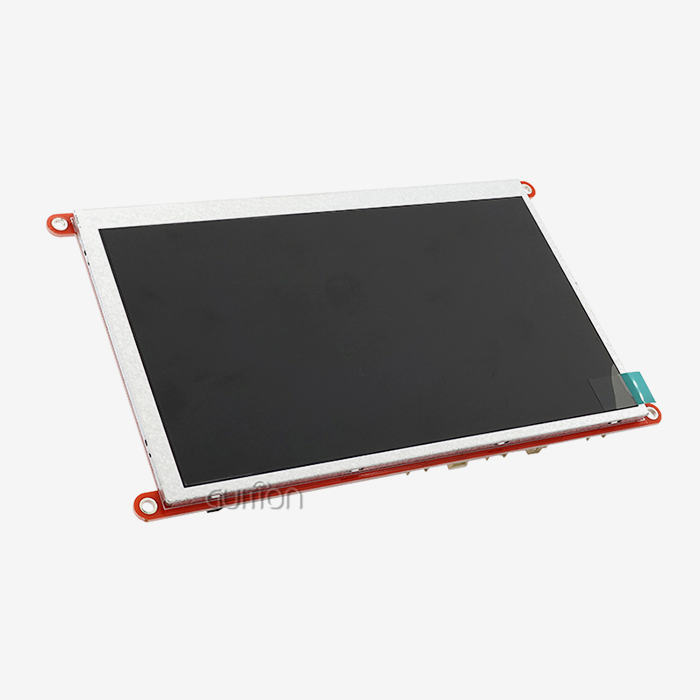
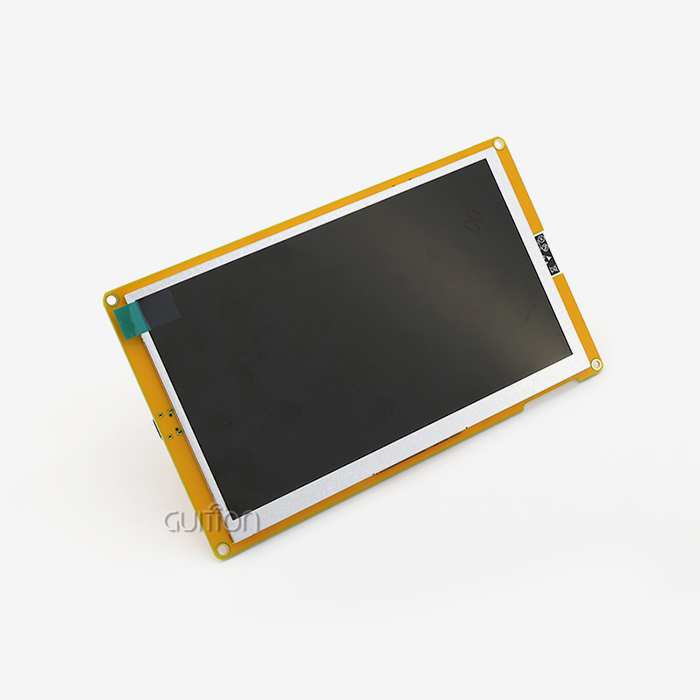
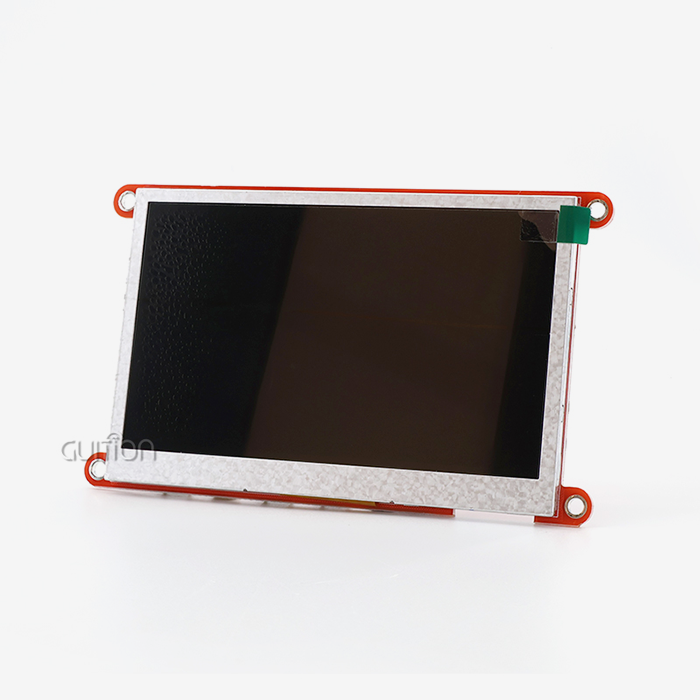
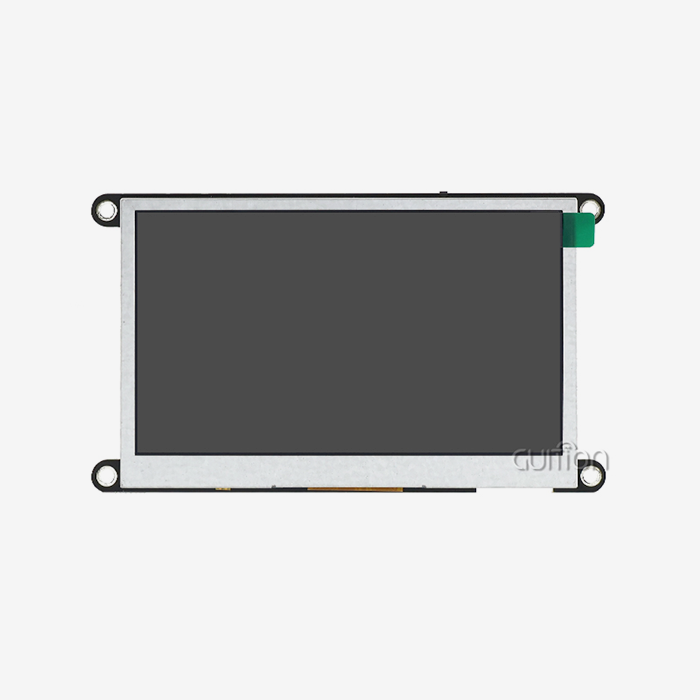
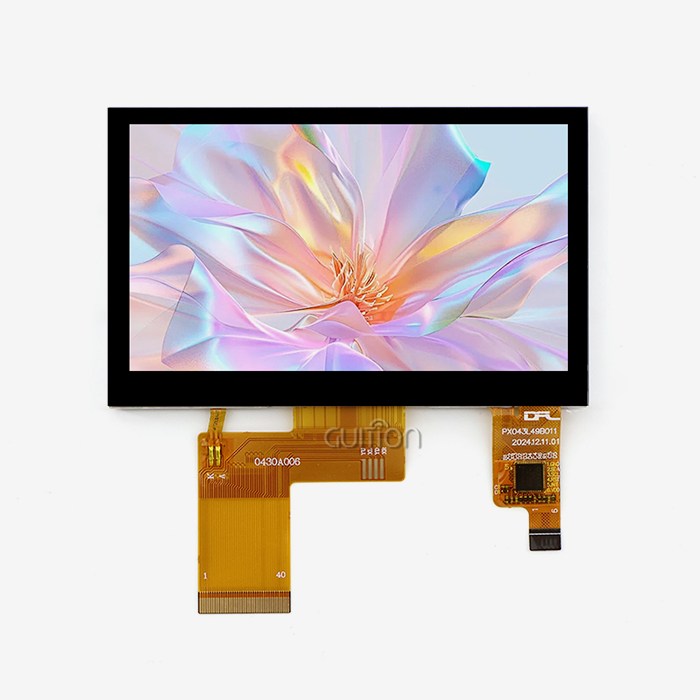
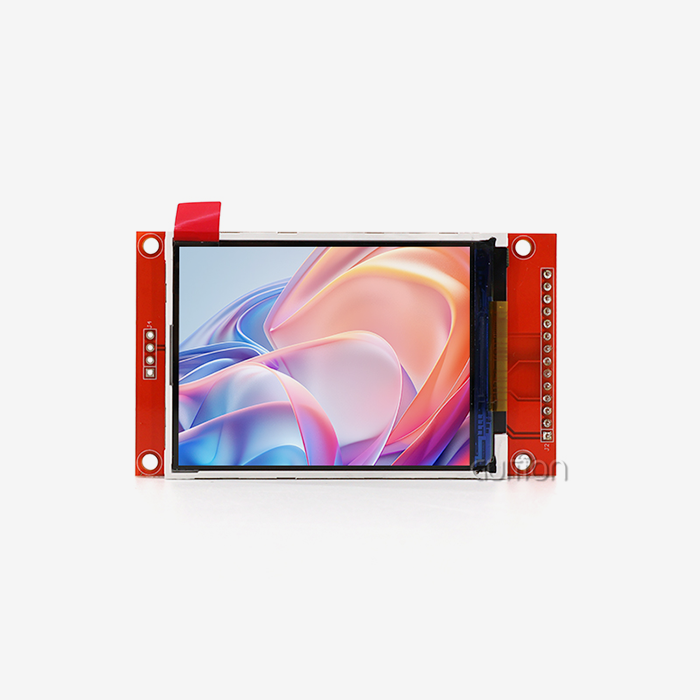
Parallel LCD modules use RGB interface technology to send display data over multiple data lines at the same time. This makes it possible for faster refresh rates and more responsive visual input. Most of the time, these units use TFT (Thin-Film Transistor) technology, which accurately displays colors and allows for wide viewing angles that are good for commercial use. With its 4.3-inch screen powered by the ILI6485 chip, the Guition JC4827B043R is a great example of this technology. The 480x272 resolution gives you clear writing and bright images in 16.7 million colors, and the small size (105.50mm × 67.20mm) makes it easy to fit into equipment housings. The RGB parallel interface makes sure that data moves quickly between the host controller and the display. This makes it possible for industrial control screens to have smooth animations and real-time data viewing.
The Synergy Between Touch and Display
When you mix pressure-sensitive touch with parallel LCD technology, you get a single HMI system that solves several engineering problems at once. The resistive layer is directly attached to the LCD panel, so the display stays clear while adding accurate input features. This architectural method makes it easier to create products because it gets rid of the need for separate control panels. It also lowers the cost of the whole system by combining different parts into one. This unity is liked by engineers because it makes development work easier. Developers don't have to create different input devices and figure out how to make them talk to the display controller; instead, they work with a single module that does everything. This makes things easier, speeds up prototyping, and makes fixing easier, especially when used with development tools like Guition's drag-and-drop UI design software.
Limitations of Traditional LCD Modules and How Resistive Touch Expands Capabilities
The Input Bottleneck in Standard LCD Panels
Traditional Parallel LCD modules are great at showing information, but they don't have any direct ways to interact with the display. Operators have to use separate keypads, rotary encoders, or membrane switches to enter orders. This means that visible feedback and control input are not in the same space. This separation makes it take longer to respond during important activities and makes it harder to plan the layout of the equipment. The lack of built-in touch features also limits the freedom of the interface. To add new control choices, the hardware has to be changed physically. This means drilling holes for buttons, routing wires, and changing the control software. These restrictions make it take longer to make new versions of products and cost more to make, especially for specialized equipment that is only used in small amounts, where the cost of tools has a big effect on the unit economy.
Enabling Multi-Condition Operability
These problems are solved by Resistive touch displays, which turn the whole screen into a dynamic control plane. The pressure-sensitive system works consistently in a wide range of situations that would make capacitive screens useless. In medical device use, doctors and nurses who are wearing latex or nitrile gloves can use diagnostic screens without taking off their safety gear. Even though the surface is dirty, manufacturing workers who work with machines in places where cutting fluids or metal bits are present keep precise control. The working temperature range of -20°C to 70°C ensures that the device works the same way in all kinds of harsh conditions. Outdoor charging stations have equipment that can handle the cold winters, and high-temperature processing plants have industrial control panels that can handle the summer heat. This resistance to the climate directly leads to lower upkeep costs and more uptime for the equipment.
Quantifiable Benefits Across Industries
When standard button-based controls are swapped out for touch-enabled screens, manufacturing automation systems work much more efficiently. Industry case studies show that setting up a production line is about 40% faster when workers use simple graphical tools instead of multi-level menu systems with few buttons to change parameters. Manufacturers of medical beauty devices say that patients are more comfortable when treatment controls can be changed by touching them instead of using mechanical controls that need staff help. The weather-resistant touch screens in agricultural automation tools work even when they are exposed to dust, water, and fertilizer residue. With clear visible interfaces, operators wearing work gloves can handle irrigation systems and keep an eye on crop sensors, which would not be possible with capacitive technology that needs bare finger touch.
Comparing Resistive Touch Displays with Other Touchscreen Technologies for Parallel LCDs
Technology Performance Analysis
Procurement managers have to think about more than just the cost of the original parts when they look at touch technologies for industrial parallel LCD integration. Capacitive touch sensors are better at recognizing multiple touches, and more light can pass through them, but they don't work well in places where gloves are required or where electromagnetic interference is high. The fact that they can't work when they're wet makes it very hard to use tools that will be cleaned or installed outside. Infrared touch frames find the position of your finger by interrupting the light beam. This makes them very durable because the display surface stays clean. But the technology needs frames to hold emitter-detector arrays, which makes the modules bigger and makes designing enclosures more difficult. Surface acoustic wave systems have great visual clarity, but their performance goes down when dirt and dust build up on the screen surface, which is a big problem in industrial settings.
It is possible for Resistive touch display technology to be both cost-effective and useful in a variety of situations. It works with all kinds of operating standards because it can respond to any pressure input, whether it's from a stylus, a gloved hand, a bare finger, or a pointing device. Because it is naturally resistant to electromagnetic interference, it is very useful in high-voltage control screens and motor drive systems where electrical noise would mess up capacitive sensors.
Total Cost of Ownership Considerations
The total cost of ownership includes more than just the initial purchase price. It also includes the difficulty of installation, the need for adjustment, and ongoing upkeep. Adding a simple driver board is usually all it takes to connect Resistive touch displays to parallel LCD systems that are already in use. This keeps engineering costs low during product development. The four-wire and five-wire setups have different levels of toughness. The five-wire design is better at lasting longer in high-cycle uses because it has more structural redundancy. Time-to-market is cut down by a lot for OEM makers when suppliers offer detailed technical paperwork and quick engineering support. GUI's method combines hardware parts with its own UI development software, which lets engineers create interfaces visually instead of writing code for low-level graphics functions. This ecosystem method solves the problem of long development cycles that cause products to come out later than planned and cost more to build.
Stable lead times are another important factor in buying. Established sellers keep an inventory of parts and enough production capacity to keep shipping dates regular. Smaller vendors, on the other hand, may have supply chain fluctuations that make it hard to plan production. Long-term product availability ensures that new parts are available throughout the lifecycle of equipment. This keeps makers from having to pay a lot of money to redesign products when parts stop working.
Practical Considerations for Integrating Resistive Touch Displays into Parallel LCD Systems
Hardware Integration Requirements
To successfully integrate a Resistive touch display, you must first choose controller ICs that work well with both the touch sensor and the parallel LCD driver. The touch controller takes samples of the analog signals from the resistive sensor and turns them into digital coordinates that the host microcontroller can use. Crosstalk between high-frequency RGB data signals and sensitive analog touch signals can't happen if the grounding and signal paths are done right. This makes sure that touch recognition is accurate and there are no display artifacts. This connection is made easier by the Guition JC4827B043R module, which comes with a factory-calibrated unit that lines up the resistive overlay perfectly with the active display area. The ILI6485 driver IC takes care of the time needed for the RGB parallel interface, and the separate touch controller circuitry handles position tracking on its own. This modular design lets engineers connect the monitor to popular platforms like Arduino, ESP32, and STM32 microcontrollers using standard GPIO pins and SPI communication methods.
Calibration and Optimization Techniques
Touch precision depends on how well the sensor numbers are mapped to the monitor pixels during calibration. During the calibration process, target points are usually shown at known places on the screen, and the related touch sensor readings are recorded. Next, transformation coefficients are calculated to turn the raw sensor data into correct screen coordinates. Most industrial uses need to be recalibrated on a regular basis to keep the accuracy as materials wear out and weather conditions change. Mechanical vibrations and electrical noise that could cause fake touch events are filtered out by software debouncing methods. Using the right touch limits and hysteresis stops accidental inputs while keeping the responsive feel for when a user is actively interacting with the device. The Guition development platform has touch handling routines that are already set up and ready to use. This makes the implementation process easier and lets writers focus on application logic instead of low-level driver code.
Maintenance Protocols and Longevity
To keep their visual clarity and touch sensitivity, resistive screens need to be cleaned every so often. It is important to clean the top surface with the right chemicals that won't hurt the ITO coating or the hard coat layer that protects it. When equipment is used in places where strong cleaning agents or process chemicals are present, protective overlays that are rated for chemical protection can help. How long sensitive touch sensors last depends on how much they are used and how well they were built. Five-wire setups can usually handle 35 million touches or more, which makes them good for public terminals with a lot of users or industrial controls that need to be changed often. Understanding the job patterns that are specific to an application helps choose the right technology during the procurement phase, which involves weighing cost against expected operating life.
Customization and Supplier Partnerships
OEM makers often need solutions that are made to fit particular enclosure sizes, wire lengths, or connector types. Working with providers that let you make changes to things like the bezel design, the touchscreen active area layout, and the interface board speeds up product development and lowers the cost of tools. Guition offers extra help with development by giving detailed API instructions and example designs that show how to connect to common microcontroller platforms. Because firmware can be changed, communication methods can be changed, and custom user interface behaviors can be added, standard modules can adapt to specific application needs without having to go through full custom engineering work, which would cost more and take longer to create.
Future Outlook: How Resistive Touch Display Technology Will Continue to Enhance Parallel LCD Modules
Material Science Advancements
More study is being done on new conductive materials that could make next-generation parallel lcd display resistive sensors more durable and better at transmitting signals. Nanomaterial coats could lead to smaller overlay structures that work better optically while still being strong mechanically. These improvements will make the transparency spread between capacitive and resistive technologies smaller. This will make pressure-sensitive touch more appealing for uses where color accuracy and display brightness are very important. Manufacturers are looking into mixed touch options that use both resistive pressure sensing and limited capacitive proximity sensing. These designs could make it possible for context-sensitive UI elements to be hovered over, while still retaining the gloved-operation feature that makes resistive technology essential in industrial settings.
Enhanced Controller Integration
System-on-chip (SoC) designs that put display drivers, touch controllers, and application processors on the same silicon die will make PCB planning easier and cut down on the number of parts needed. These combined solutions will lower power use, which is important for mobile devices that run on batteries, and improve signal integrity by shortening interconnect lengths. Visual programming environments and cloud-based modeling are two new features that are being added to software development tools to help with fast prototyping. Guition's development platform is a good example of this direction because it lets engineers make full HMI apps without having to know a lot about embedded systems. Modern USART-HMI modules have remote upgrade features that let makers make changes to the user interface and software over WiFi or Bluetooth. This lets them extend the life of products by making them easier to update in the field.
Strategic Investment Considerations
For procurement managers and product planners, Resistive touch display integration is more than just an instant way to improve functionality. It's also a way to place themselves strategically in a market that is changing needs. As rules make it more and more necessary for safety-critical tools to have easy-to-use interfaces, touch-enabled screens go from being a nice-to-have to being expected. When something is adopted early on, it creates manufacturing skills and supply chains that give it a competitive edge when the market changes. Because resistive touch technology can be used on displays ranging in size from small 1.28-inch signs to huge 21.5-inch panels, it lets product lines offer the same user experience across all levels of equipment. This consistency makes it easier to make software because similar interface patterns make it easier for operators who work with multiple devices to learn how to use them.
Conclusion
By turning passive screens into engaging control interfaces that work well in harsh industrial settings, adding Resistive touch displays to parallel LCD modules greatly increases their usefulness. When other touch technologies don't work in dirty or high-temperature conditions, the pressure-sensitive system works reliably with gloves, styluses, or bare fingers. When purchasing managers look at different sellers, they should give more weight to partners that offer complete development environments, flexible customization options, and long-term product availability that protects equipment lifecycles. Modern resistive touch modules offer 16.7M color depth, wide temperature tolerance, and easy integration, as shown by the Guition JC4827B043R. These features meet the main needs of makers of industrial automation, medical devices, and smart equipment that want reliable HMI solutions.
FAQ
Why choose resistive touch over capacitive screens for industrial applications?
It is important for industrial, medical, and outdoor settings that Resistive touch displays work consistently even when workers wear heavy gloves. Water, oils, or electromagnetic radiation that messes up capacitive sensors don't affect the pressure-based system. Capacitive technology has better multi-touch gestures, but complex motions aren't often needed in industrial control applications. This is why resistive technology's single-point accuracy and ability to work in harsh environments are more useful than multi-finger support.
How does adding resistive touch impact development timelines?
These days, Resistive touch display modules come pre-calibrated with controls built in, so all they need are standard digital interface links to host microcontrollers. When compared to code-based methods, development tools like Guition's visual UI creator cut interface development time by about 60% because they get rid of the need for low-level graphics programming. For engineers who already know how to use Arduino and ESP-IDF, the availability of compatibility tools speeds up development even more.
What should buyers verify when selecting a resistive touch display supplier?
Check the quality of the technical documents, how responsive the samples are, and how clear the long-term product plan is. Suppliers who offer extra development support, cross-platform debugging tools, and the ability to update products remotely give manufacturers more options throughout the duration of a product. Check that wait times are consistent and that parts can be tracked to make sure the supply chain is stable. This is especially important for goods that are made over a long period of time, since parts going out of style could require expensive redesigns.
Partner with Guition for Reliable Resistive Touch Display Solutions
At Guition, we're experts at sending USART-hmi display modules that use tried-and-true Resistive touch display technology, along with adaptable development tools that are made for quick prototyping and mass production. The JC4827B043R shows our dedication to industrial-grade dependability. It has a resolution of 480x272 pixels, an ILI6485 driver IC, and has been tested and proven to work in a wide range of temperatures in 3D printing systems, medical devices, and EV charging infrastructure. We know that embedded engineers and R&D managers need more than just parts. You need full development platforms that cut down on engineering costs and speed up time to market.
Our GUI UI development software lets you create interfaces with drag-and-drop, test across platforms, and update firmware from afar. These features make development processes for complicated HMI projects more manageable. Our technical team can help you with paperwork, reference designs, and direct engineering advice to make sure your project goes smoothly, whether you're adding screens to industrial control panels or creating the next generation of smart products. We are a resistive touch display manufacturer that values long-term relationships. To protect your product investments, we keep our supply lines stable, and our products can work with older versions of our software. Get in touch with david@guition.com to talk about your specific needs and ask for trial samples that show how our touch-enabled parallel LCD panels can meet the accuracy and durability requirements of your apps.
References
1. Johnson, M. & Chen, L. (2022). "Comparative Analysis of Touch Technologies in Industrial Human-Machine Interfaces." Journal of Industrial Electronics Engineering, 34(2), 112-128.
2. Williams, R. (2023). "Resistive Touch Sensor Design Principles and Applications." IEEE Transactions on Instrumentation and Measurement, 72, 1-15.
3. Anderson, P., Kumar, S., & Thompson, E. (2021). "Environmental Robustness of Touch Interface Technologies for Harsh Operating Conditions." International Journal of Advanced Manufacturing Technology, 117, 2845-2861.
4. Martinez, A. (2023). "LCD Module Integration Strategies for Embedded Systems Development." Embedded Systems Design Magazine, 16(4), 44-52.
5. Zhang, W. & Lee, K. (2022). "Cost-Benefit Analysis of Touch Technologies in Medical Device Manufacturing." Medical Device Technology Journal, 29(3), 78-91.
6. Roberts, D., Singh, J., & O'Brien, M. (2023). "Future Trends in Human-Machine Interface Technologies for Industrial Automation." Automation and Control Systems Quarterly, 41(1), 23-39.
Learn about our latest products and discounts through SMS or email