- English
- French
- German
- Portuguese
- Spanish
- Russian
- Japanese
- Korean
- Arabic
- Greek
- German
- Turkish
- Italian
- Danish
- Romanian
- Indonesian
- Czech
- Afrikaans
- Swedish
- Polish
- Basque
- Catalan
- Esperanto
- Hindi
- Lao
- Albanian
- Amharic
- Armenian
- Azerbaijani
- Belarusian
- Bengali
- Bosnian
- Bulgarian
- Cebuano
- Chichewa
- Corsican
- Croatian
- Dutch
- Estonian
- Filipino
- Finnish
- Frisian
- Galician
- Georgian
- Gujarati
- Haitian
- Hausa
- Hawaiian
- Hebrew
- Hmong
- Hungarian
- Icelandic
- Igbo
- Javanese
- Kannada
- Kazakh
- Khmer
- Kurdish
- Kyrgyz
- Latin
- Latvian
- Lithuanian
- Luxembou..
- Macedonian
- Malagasy
- Malay
- Malayalam
- Maltese
- Maori
- Marathi
- Mongolian
- Burmese
- Nepali
- Norwegian
- Pashto
- Persian
- Punjabi
- Serbian
- Sesotho
- Sinhala
- Slovak
- Slovenian
- Somali
- Samoan
- Scots Gaelic
- Shona
- Sindhi
- Sundanese
- Swahili
- Tajik
- Tamil
- Telugu
- Thai
- Ukrainian
- Urdu
- Uzbek
- Vietnamese
- Welsh
- Xhosa
- Yiddish
- Yoruba
- Zulu
How Do Hmi Human Interface Panels Support Multi-Touch Control?
HMI human interface screens use capacitive or resistive touchscreen technologies along with advanced controller firmware that can identify multiple touch points at the same time for multi-touch control. In industrial automation settings, these systems turn finger movements like pinching to zoom, swiping to move around, and rotating with two fingers into control orders that can be carried out. Multi-touch HMI human interface panels make complicated tasks easier and require less training because they let workers use familiar hand movements to connect easily with machines. They also allow real-time data manipulation across SCADA, PLC, and DCS platforms.

Understanding HMI Human Interface Panels and Multi-Touch Technology
An HMI human interface screen is the visual and physical link between people who are operating machines and the machines themselves. In industrial settings, these panels can be as simple as a row of pushbuttons or as complex as touchscreens that show real-time process data, alarms, and control choices. Industrial HMI systems, unlike consumer screens, have to work continuously and handle high temperatures, vibrations, electromagnetic interference, and a lot of operation cycles.
From single-touch sensitive screens to multi-touch technology is a big step forward. With older systems, you had to press a button once to do something, which slowed down interactions and made them less complicated. Modern capacitive multi-touch screens can pick up on changes in the electrical field caused by touching the skin. Depending on the controller's settings, it can recognize up to ten different touch points at the same time.
Capacitive vs. Resistive Technologies
Capacitive touchscreens are the most popular type of HMI human interface right now because they are more durable and respond faster. They work by putting an electric field across the glass surface and tracking the changes that conductive things, like fingers, make in that field. Gesture detection libraries that understand swipes, taps, and pinches as separate orders can be used with this technology. Even though they are less sensitive, resistive screens are still useful in places where people wear heavy gloves or use styluses because they react to touch instead of conductivity. A lot of high-tech HMI human interface screens now offer hybrid solutions that use both technologies to give you the most operating options.
Gesture Recognition Frameworks
Embedded motion detection algorithms handle raw coordinate data from touch sensors to make multi-touch possible. These frameworks tell the difference between deliberate multi-finger movements and accidental hand contact. This is an important difference to make in industrial settings where workers may lean against panels while wearing safety gear. Leading HMI makers include pre-built gesture libraries that let you zoom, pan, spin, and create your own multi-touch routines that run macro commands or safety locks.
The Evolution and Advantages of Multi-Touch HMI Panels in Industrial Automation
In complicated industrial settings, old single-touch HMI human interface systems caused bottlenecks. To get to nested menus, change settings, or compare data streams, operators had to press several buttons in a row. With multi-touch interfaces, these tasks can now be done with just one motion. In the early 2010s, big names in automation like Siemens and Rockwell Automation started adding multi-touch features to their most popular panel lines. They did this because they saw how efficient consumer electronics were becoming.
As Industry 4.0 projects called for easier, more natural ways for operators to work with control systems that had more and more data, the change sped up. Multi-touch HMI human interface panels let workers change 3D process visualizations, add past trend data to live feeds, and work together with other people who can all see and handle different parts of the same system at the same time. Automation industry groups have found that multi-touch displays lower the number of mistakes made by operators by about 30% compared to controls that use buttons. This is mostly because they provide better visible feedback and use gestures to confirm steps.
Multi-touch technology helps people in modern workplace settings be more aware of their surroundings. With two fingers, operators can zoom in on specific sensor readings while still seeing the general state of the system. On older systems, this would require pressing multiple buttons and switching between menus. This feature is very important in process industries, where quick choices based on detailed data display have a direct effect on the safety and quality of the product.
Core Features and Design Principles of Multi-Touch HMI Panels
Multi-touch HMI human interface designs that work well strike a mix between advanced features and industrial dependability. Software systems should have libraries of gestures that developers can use to connect to their own control routines without having to do a lot of programming. The GUI development environment is a good example of this method because it lets engineers quickly test out complicated control schemes by combining drag-and-drop interface building with built-in multi-touch motion support.
Software Integration Capabilities
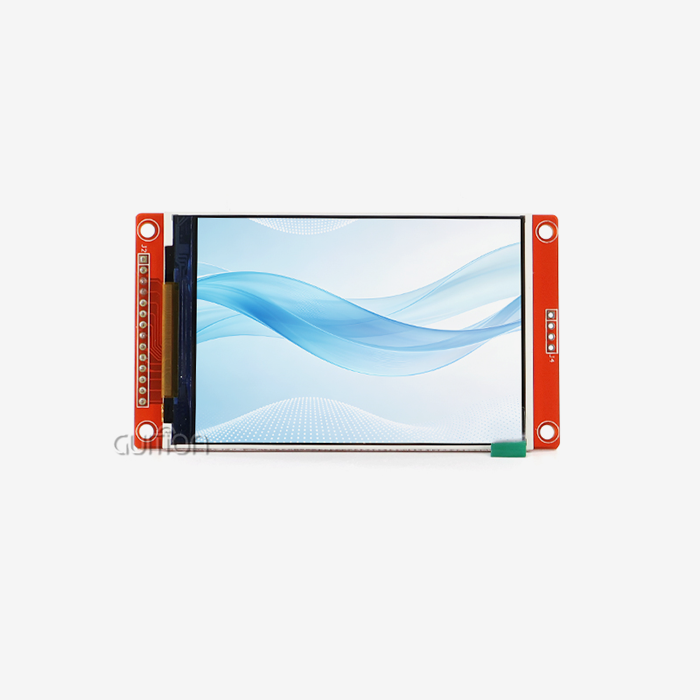
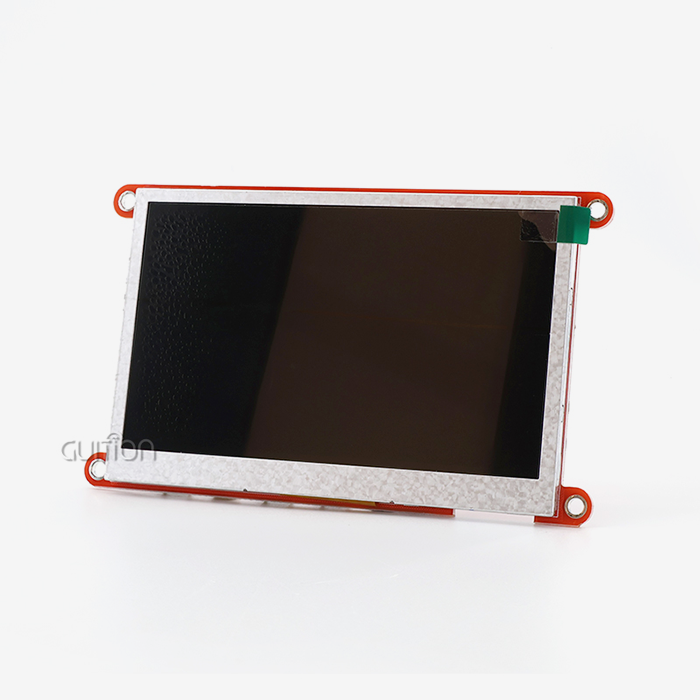
Different automation methods must be able to talk to industrial HMI human interface screens without any problems. Standard industrial protocols like Modbus TCP, EtherNet/IP, and PROFINET let multi-touch systems connect to SCADA platforms. This makes sure that touch movements are translated into the right PLC orders. For advanced applications, OPC UA is supported for safe, standard machine-to-machine communication. This lets workers handle distributed equipment from central control rooms using multi-touch gestures for remote tracking. The GUITION JC1060Q370N_I display module shows how modern HMI human interface solutions put efficiency in creation first. This 7.0-inch module has a 1024x600 IPS screen and is based on the Artinchip D121BBV processor, which runs at 400MHz. It can be used for detailed multi-zone control interfaces. This particular model focuses on visual clarity without built-in touch, but it is the display on which multi-touch features are built. The module works with Arduino, IDF, and Guition development platforms, which is helpful for engineers making touch-enabled systems because it lets them easily add their own multi-touch control logic.
Ergonomic Design Considerations
Industrial multi-touch HMI human interface screens need to be carefully designed to be comfortable so that they don't make operators tired and can work in a variety of environments. The right screen size balances the amount of information shown with how easy it is to reach. For example, touch targets on panels placed at desk height should be at least 15-20 mm in size for gloved hands. Important single-touch controls should not be replaced by multi-touch gestures. This way, operators can still do important tasks even if gesture recognition temporarily fails because of screen contamination or electromagnetic interference. Accessibility features built into multi-touch HMI systems include motion sensitivity that can be changed, different modes for using with one hand, and haptic feedback that lets you know when a touch was registered successfully. These things make sure that workers with different levels of physical ability can use multi-touch tools well during long shifts.
How to Choose the Best Multi-Touch HMI Panels for Your Industrial Needs
When choosing the right multi-touch HMI human interface gear, you need to look at both the technical specs and the buying factors. Display quality has a direct effect on how well an operator does their job. For optimal vision in bright industrial areas, screens should have contrast ratios of at least 1000:1 and brightness levels above 400 nits. Touch sensitivity standards tell you how fast the panel is; industrial-grade systems should register touches within 10 milliseconds and ignore false inputs from things like water droplets or dirt.
Technical Assessment Criteria
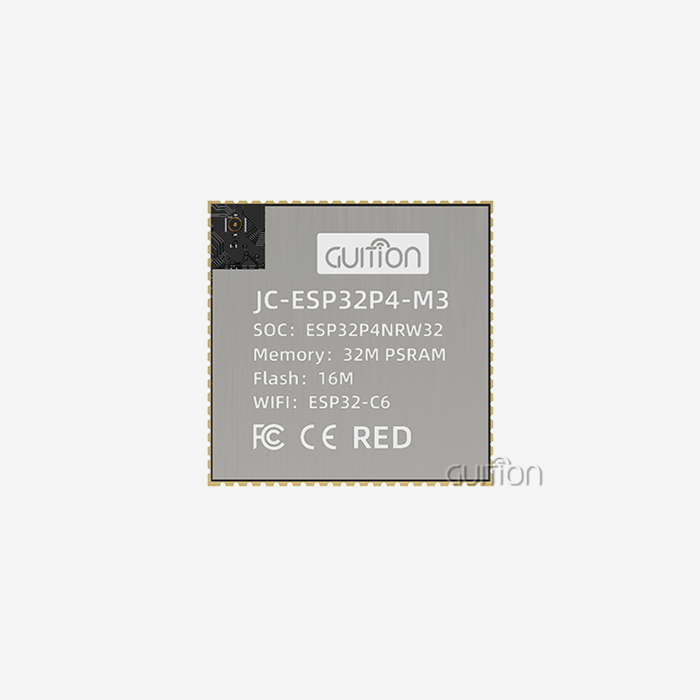
When looking at different multi-touch HMI human interface options, procurement teams should make sure that the controller has enough processing power to handle complicated images while still allowing touch to work properly. The D121BBV controller platform, which is used in modules such as the GUITION JC1060Q370N_I, can handle complex display jobs at 400MHz without any lag. Display size changes data density. 1024x600 is a good starting point for multi-zone process control tools that need to see multiple parameter groups at the same time. The freedom of system integration depends on the connectivity choices. Modern HMI human interface screens should have multiple serial interfaces (RS-232/RS-485), Ethernet ports that can handle industrial protocols, and WiFi and Bluetooth units that can be used for optional wireless connection. These features allow direct contact with the PLC as well as integration into larger Industrial IoT platforms that help with remote diagnostics and predictive maintenance.
Vendor Evaluation and Support
A vendor's technical help skills have a big effect on the total cost of ownership, even more so than the hardware specs. Reputable HMI human interface makers offer detailed instructions, sample code libraries, and quick tech support during the merging stages. The Guition platform is a great example of a developer-friendly method because it has an online GUI development tool that lets you build interfaces with drag-and-drop, debug across platforms, and update remotely, which cuts down on the need for field service. Purchasing managers should look at the promises made by vendors about their roadmaps to make sure that parts will always be available and that software updates will be supported. Multi-touch HMI human interface screens are usually used for seven to ten years. As underlying technologies change, sellers must keep their products backward compatible and offer ways to move to newer versions. Other things that affect the costs of a project when buying things are volume price structures, branding, and I/O configuration choices, and warranty terms that cover both hardware and software components.
Ensuring Optimal Use and Maintenance of Multi-Touch HMI Panels
To make multi-touch hmi display module panels last as long as possible, they need to be maintained regularly, and operators need to be fully trained. Touchscreens should be calibrated every three months or after any kind of weather shock to make sure that the accuracy of motion recognition stays within the standards. Different technologies have different ways of calibrating. For example, capacitive systems usually use automated processes to compare detected touch points against known coordinate grids. On the other hand, resistive screens may need to be physically aligned using targets that are based on styluses.
Manufacturers of HMI human interface panels send out firmware patches that fix security holes, make motion recognition algorithms better, and add more protocol support for new automation equipment. Systems that can be upgraded remotely, like those built on the Guition platform, make this maintenance easier by allowing over-the-air changes that get rid of the downtime needed for human firmware installation. Maintenance teams should set update plans that balance the need for security with the need for working stability. Updates are usually put in place during planned maintenance windows after being tested in test environments to make sure they work.
Correct multi-touch methods should be emphasized in operator training programs to lower screen wear and improve order accuracy. Training modules that cover motion language, common touch recognition problems, and different single-touch fallback methods help operators keep working even when multi-touch features temporarily stop working. Cleaning the screen with allowed solutions in a documented way keeps the layer from wearing off and the touch sensitivity constant over the panel's lifetime.
Conclusion
With multi-touch, HMI human interface screens go from being simple status displays to being easy-to-use control surfaces that match what operators expect from using consumer devices. Gesture-based orders make it possible to combine multiple actions that need to be done in a certain order. This lowers the chance of making mistakes and raises awareness in complex industrial settings. When engineering teams choose multi-touch HMI solutions, they have to weigh technical specs like touch sensitivity and display clarity against buying factors like the quality of seller support and long-term availability promises. Modern display modules, like the GUITION JC1060Q370N_I, provide the high-resolution visual base that successful multi-touch interfaces are built upon. Platforms like Guition, which don't require low-level coding, help with rapid development.
FAQ
What protocols do multi-touch HMI human interface panels use to communicate with PLCs?
Standard industrial interfaces, such as Modbus RTU/TCP, EtherNet/IP, PROFINET, and Siemens S7 communication, let multi-touch HMI human interface screens talk to PLCs. Touch movements send orders to the HMI, which then turns them into protocol-specific data packets that control the registers and coils in the PLC. Advanced screens support OPC UA, which lets different control systems talk to each other safely and without being tied to one provider.
Can operators wearing industrial gloves effectively use multi-touch HMI panels?
Capacitive multi-touch screens don't work well with thick gloves, but current industrial HMI human interface panels have modes that make touch more sensitive when gloves are used. On the other hand, resistive touchscreens work with any glove material because they react to pressure instead of resistance. Hybrid systems offer both technologies and switch between them instantly based on the type of input they receive.
How does screen size affect multi-touch HMI panel usability?
Larger screens can handle more complicated multi-touch movements and contact between multiple users at the same time, but they need to be farther away, which could make operators tired. Screen sizes between 7 and 15 inches are good for industrial desk mounting heights because they combine the amount of information on the screen with how easy it is to access. The 7-inch format of the GUITION JC1060Q370N_I works well for small machinery control uses where panel sizes are limited by available room.
Transform Your Industrial Control with Guition HMI Solutions
Guition is an expert at providing cutting-edge HMI human interface manufacturer solutions that include strong hardware and easy-to-use software tools. Our USART-HMI display modules come in sizes ranging from 1.28" to 21.5", so they can be used in a wide range of industrial settings, from small medical devices to large process control systems. The JC1060Q370N_I model represents our commitment to development efficiency—its 400MHz D121BBV controller delivers crisp 1024×600 resolution while the Guition online development platform eliminates coding complexity through drag-and-drop interface construction.
As a trusted HMI human interface supplier, we understand procurement challenges facing engineering teams. Our modules support Arduino, ESP-IDF, and Guition development environments, ensuring compatibility with your existing workflows. Built-in WiFi and Bluetooth connectivity enable Industrial IoT integration, while remote upgrade capabilities reduce field service costs. UTF-8 encoding and multi-language support facilitate global deployments without regional customization expenses.
Contact our engineering team at david@guition.com to discuss how Guition HMI human interface modules can accelerate your next project. We provide technical consultations addressing your specific automation requirements, sample units for evaluation, and volume pricing structures supporting cost-effective procurement. Partner with Guition to transform operator interaction through reliable, developer-friendly display solutions.
References
1. Smith, J. & Anderson, R. (2022). Industrial Human-Machine Interface Design: Principles and Applications. Manufacturing Technology Press.
2. Chen, L. (2023). Multi-Touch Technology in Process Automation: Performance Analysis and Implementation Strategies. Journal of Industrial Control Systems, 45(3), 178-194.
3. Weber, M. & Schmidt, K. (2021). Capacitive Touchscreen Technologies for Harsh Industrial Environments. Automation Engineering Publishers.
4. Roberts, P. (2023). Evaluating HMI Panel Selection Criteria in Modern Manufacturing Facilities. Industrial Automation Quarterly, 18(2), 56-71.
5. International Society of Automation (2022). HMI Design Guidelines for Industry 4.0 Applications. ISA Technical Report TR88.00.02.
6. Nakamura, T. & Kobayashi, H. (2023). Gesture Recognition Algorithms in Industrial Touch Interfaces: Comparative Analysis and Best Practices. Control Engineering Review, 31(4), 112-128.
Learn about our latest products and discounts through SMS or email