- English
- French
- German
- Portuguese
- Spanish
- Russian
- Japanese
- Korean
- Arabic
- Greek
- German
- Turkish
- Italian
- Danish
- Romanian
- Indonesian
- Czech
- Afrikaans
- Swedish
- Polish
- Basque
- Catalan
- Esperanto
- Hindi
- Lao
- Albanian
- Amharic
- Armenian
- Azerbaijani
- Belarusian
- Bengali
- Bosnian
- Bulgarian
- Cebuano
- Chichewa
- Corsican
- Croatian
- Dutch
- Estonian
- Filipino
- Finnish
- Frisian
- Galician
- Georgian
- Gujarati
- Haitian
- Hausa
- Hawaiian
- Hebrew
- Hmong
- Hungarian
- Icelandic
- Igbo
- Javanese
- Kannada
- Kazakh
- Khmer
- Kurdish
- Kyrgyz
- Latin
- Latvian
- Lithuanian
- Luxembou..
- Macedonian
- Malagasy
- Malay
- Malayalam
- Maltese
- Maori
- Marathi
- Mongolian
- Burmese
- Nepali
- Norwegian
- Pashto
- Persian
- Punjabi
- Serbian
- Sesotho
- Sinhala
- Slovak
- Slovenian
- Somali
- Samoan
- Scots Gaelic
- Shona
- Sindhi
- Sundanese
- Swahili
- Tajik
- Tamil
- Telugu
- Thai
- Ukrainian
- Urdu
- Uzbek
- Vietnamese
- Welsh
- Xhosa
- Yiddish
- Yoruba
- Zulu
HMI Human Machine Interface for IoT Applications Explained
Human workers and complex tools must be able to work together without any problems in today's factories. Human Machine Interface technology has grown over the years and is now an important part of smart manufacturing and automation, especially as companies connect their factories to the Internet of Things. An HMI human interface machine is the key communication link. It turns streams of raw data into insights that can be used, and it also makes complex tools easy to handle and operate. When procurement managers, embedded engineers, and research and development teams look at IoT-ready solutions, they need to know how these interfaces improve connectivity, user contact, and practical control. Automation system developers and companies that make industrial tools are under more and more pressure to cut down on the time it takes to get products to market while keeping reliability high. This guide looks at these problems and how modern display modules can help you make decisions in real time in data-driven settings. It does this by showing you how to choose solutions that meet both your short-term business needs and your long-term digital transformation goals.
What is an HMI Human Machine Interface and How Does It Work in IoT Applications?
The main part of an HMI human interface machine is the graphical and physical interface that workers use to check on and manage industrial systems. IoT-integrated displays have changed into dynamic platforms that allow two-way contact, in contrast to traditional standalone panels that could only show static information. These gadgets take information from capacitive touchscreens, physical buttons, or voice directions and send that information to customizable logic controls, sensors, and actuators all along the production line.
The Architecture of IoT-Enabled Display Systems
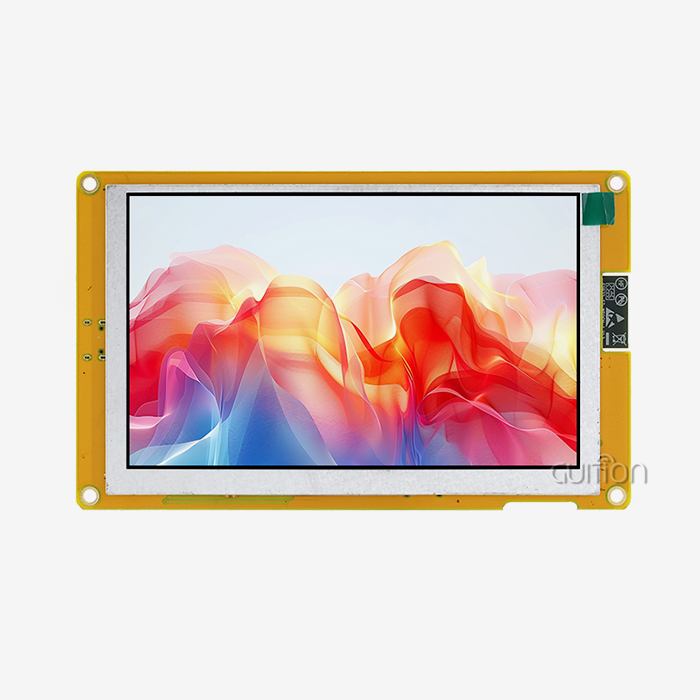
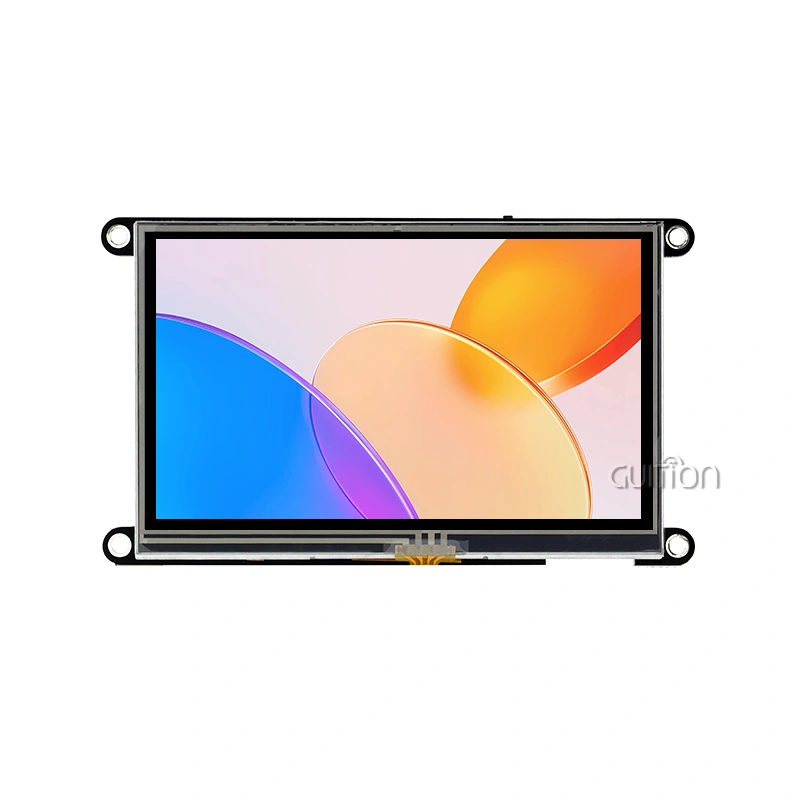
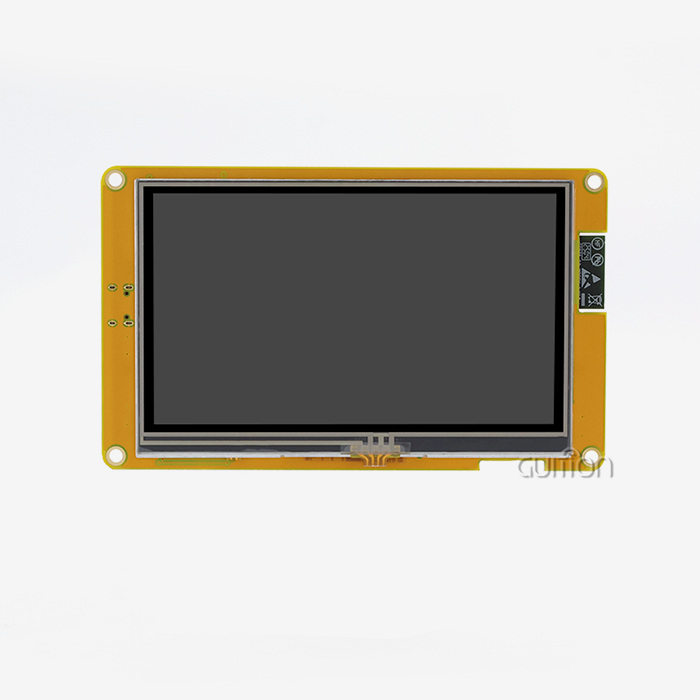
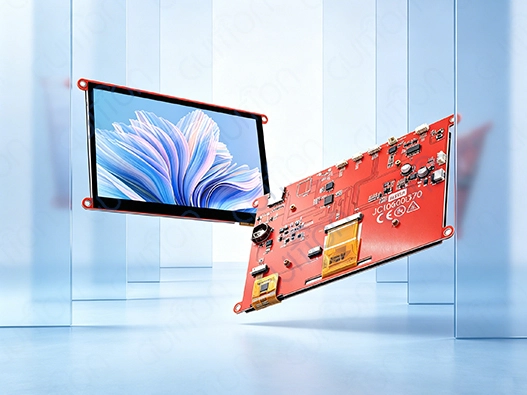
Modern modules have both microcontrollers that work at high frequencies and monitor screens that can show complicated images. The Artinchip D121BBV single-core MCU running at 400MHz is used in the Guition JC1060Q370C_I to show how this design works. This much processing power lets the 7.0-inch IPS screen refresh at speeds that make graphics run smoothly while also handling communication protocols. The capacitive touch interface accurately detects where fingers are placed, so workers can move through multiple choices or change settings without stopping work.
Real-Time Data Visualization and Control
When these interfaces are added to IoT ecosystems, they turn vague sensor data into models that humans can understand. Temperature changes are shown as color-coded trend lines, rates of production are shown by moving gauges, and alarm conditions cause graphic messages. In milliseconds, the device changes the display, handles new data streams, and uses logic that has already been set up. To react, operators can press buttons that send orders back through the network. These commands can change setpoints or start maintenance routines. This constant feedback loop helps predictive repair plans by pointing out problems with tools before they break.
Seamless Integration with Industrial Networks
Modern units handle more than one communication standard to make sure they work with a wide range of tools. Built-in WiFi and Bluetooth units get rid of the need for extra cables and allow tracking from afar through cloud platforms. USART interfaces make links to older devices stable in places where wired stability is needed. The RT-Thread operating system, which is used by devices like the JC1060Q370C_I, handles all of these connections at the same time, giving priority to important data bits and delaying less important ones. This gives system builders more freedom when they're making flexible automation networks that can work with both new machines and machines that have been updated.
Key Benefits and Features of HMI Human Interface Machines for IoT
When you invest in new display technology, you can see changes in all of your operational measures. When industrial companies use IoT-ready platforms, their productivity goes up by 18 to 25 percent on average. This is mostly because operators make fewer mistakes and can respond faster to process changes. Downtime goes down because repair teams are immediately notified of problems as they happen, instead of finding them during routine checks. When leaders can access production dashboards from anywhere and look at performance data that is updated every few seconds, they can make decisions faster. Investing in an HMI human interface machine delivers these measurable improvements.
Enhanced User Experience Through Intuitive Design
New operators don't have to spend as much time learning how to use graphical displays instead of control boxes with lots of buttons. Anyone who has used a smartphone can use touch-based interactions, which makes them easier to learn for people who aren't used to using industrial tools. This benefit is increased by the Guition development software, which has drag-and-drop tools that let UI artists make their own styles without having to write code. Style editors can change the colors and fonts to fit the company's brand or make the screen easier to see in certain lighting conditions. Pre-built tools for charts, sliders, and number displays snap into place.
Scalability Across Manufacturing Environments
A single interface design can be used for everything from small 1.28-inch screens that watch over individual sensors to huge 21.5-inch screens that watch over whole production cells. This modular method makes it easier for OEMs who make tools of different types to keep track of their inventory. Because the basic software design stays the same, technicians who know how to work on one type can work on others without getting any extra training. When production needs rise, more displays can be added to the network using standard methods. This increases access without having to change the whole system.
Here are the core technical capabilities that distinguish professional-grade modules:
High-Resolution Rugged Displays: A 7-inch screen with a 1024x600 pixel resolution has the same level of clarity as a consumer tablet. However, industrial versions have stronger glass and sealed cases that are rated for tough settings. The 400 nits brightness level makes sure that the screen can be read in well-lit plant rooms or outdoor settings. IPS technology keeps colors true across a wide range of viewing angles, so multiple people can watch the same screen at the same time without any distortion.
Versatile Connectivity Options: These devices can join current WiFi networks to sync data with the cloud, and they can also stay connected locally via Bluetooth to sensors or mobile devices that are close. When millisecond time is important, Ethernet ports allow reliable communication. System designers can improve network speed by switching between connection types based on the surroundings or security rules.
All of these features work together to solve the problems that R&D managers have been mentioning as they try to speed up development processes without lowering reliability. Hardware that is reliable and software that can be changed easily work together to support the repeated design processes needed in markets where product differences depend on how well the user interface works.
Types of HMI Human Interface Machines and Their Applications in IoT
The right HMI human interface machine type is chosen based on the program, the surroundings, and how the user interacts with the system. Knowing about these groups helps procurement experts match the features of a gadget with its working needs.
Touchscreen Versus Button-Based Interfaces
Modern designs mostly use capacitive touchscreens because they are easy to use and take up little room. Since there are no mechanical switches, there are no wear spots. This means that the product will last longer in high-use situations. Smooth glass surfaces don't let dirt build up and make cleaning easier, which is very important in medical device use or food processing settings. However, button-based designs are better in some industrial settings where workers wear thick gloves that don't work with capacitive sensors or where tactile feedback is needed to confirm input during processes with a lot of vibration.
Connectivity Architecture Classifications
Ethernet or serial links on wired devices give you predictable latency, which is important for real-time control apps. Cable runs protect signals from electromagnetic interference that happens a lot near big machinery, so data transfer is always reliable. Wireless versions work best in mobile devices that can't manage cables, like farm automation systems or transport vehicles. Hybrid designs use both types of connections and instantly switch to wired links if wireless performance drops. This keeps operations running smoothly.
Environmental Hardening Levels
Standard screens made for offices break down quickly when used in factories. Ruggedized versions can handle changes in temperature and humidity, as well as vibrations that are common in workplaces, utility sites, and outdoor gear. With the IP65 closing standard, dust can't get in, and water jets can't hurt it, so it can be used in washdown settings. Temperature ranges from -20°C to 70°C are longer to suit sites that don't have climate control. These protected devices cost more, but they're worth it because they don't need to be replaced as often and have a lower total cost of ownership over multiple years of use.
Application-Specific Implementations
Larger screens on industrial control panels show complete system overviews with little need for movement. In order to save battery life, smart device interfaces emphasize small sizes and low power use. Medical tracking technology needs displays with high clarity that can show diagnostic images with clinical accuracy. These displays often need to be certified by the government. Energy management systems put a lot of emphasis on being able to log data and see long-term trends. Commercial machines have built-in payment processes and ergonomics for customers. During the design process, the choice of display size, processing power needs, and software feature priority is all affected by the type of application.
How to Choose the Right HMI Human Interface Machine for IoT Projects
When choosing which gadgets to buy, they need to be carefully checked against both technical requirements and real-world use situations. The method for choosing the right HMI human interface machine should take into account both the needs of the current project and the chance to grow in the future.
Display Resolution and Physical Size Considerations
Screen size affects how far away you can see and how much information it shows. Larger screens with bright images are needed in control rooms where workers are watching from several meters away. On the other hand, equipment-mounted panels benefit from having narrow profiles that save enclosure space. Resolution tells you how much information shows up at once without having to move. The 1024x600 resolution gives you enough pixels for detailed charts and numerical readouts on average-sized screens, so you can have complicated layouts without giving users too much information.
Processing Power and Graphics Performance
The microcontroller frequency has a direct effect on how fast the interface is and how smooth the animations are. A 400MHz processor can do many things at once, like updating display elements, handling touch inputs, and controlling network connections, all without any noticeable lag. When creating complicated visualizations, graphics acceleration is important. JPEG decoding at 60fps lets you include video feeds, and PNG support makes sure that icons are clear. Animations that stutter and late reactions can happen when there isn't enough computer power. This can be frustrating for operators and could delay important interventions.
Software Compatibility and Development Environment
The choice of development software affects how quickly a project is finished and how productive the expert team is. Engineers who are already familiar with Arduino can use tools that support that system by using libraries and example code they already know. Teams that use ESP-IDF as their standard like how easily it works with current codebases. There is another way, and the Guition software development platform is very helpful for UI designers who don't know much about embedded code. The drag-and-drop interface builder speeds up the process of making prototypes, which lets stakeholders give feedback earlier in the development process. Multiple development styles make it possible for teams with different skills and project needs to work together.
Connectivity Requirements and Network Integration
By looking at the network hardware, you can figure out what kinds of connection features are needed. Facilities with good WiFi service, like screens that can connect wirelessly, are easier to set up and work with mobile devices. Wired Ethernet or serial links are needed in industrial settings where electromagnetic interference (EMI) is a problem or where security rules don't allow wireless transfers. The ability to pair devices locally for setup or diagnostics without the need for network hardware is made possible by Bluetooth. Updating firmware from afar becomes necessary when devices are spread out in different places. This lets repair teams update software without having to pay for travel.
Vendor Support and Documentation Quality
The amount of technical data affects how quickly problems can be fixed and how quickly growth can be achieved. Specification mistakes that cost a lot of money can be avoided by using detailed datasheets that list electrical properties, communication protocols, and mechanical measurements. It's easier to learn when there are application notes that show how to integrate with popular microcontrollers or industrial protocols.
Procurement Guide: Where and How to Buy HMI Human Machine Interfaces
Source selection affects the total cost of a job, not just the original purchase price. Understanding how to buy an HMI human interface machine and how to work with suppliers can help your business make more money and run more smoothly.
Direct Manufacturer Relationships
There are many benefits to working directly with makers, especially for medium- to large-scale projects. Direct routes get rid of the middlemen, which lowers the cost per unit for large sales. Customization requests are looked at, and standard goods may be changed to fit the needs of a particular application. Technical talks take place with engineers who know the design of the product, which speeds up the process of answering questions about integration. You can get access to roadmap information from machine sources like Guition by building relationships with them. This helps buying teams predict when parts will be available and plan product updates.
Distributor Networks and Regional Support
Authorized wholesalers serve areas where makers don't have a direct presence. They do this by keeping stock locally, which cuts down on lead times for the hmi display module. They often keep ties with sellers of complementary parts, which makes buying whole systems easier because you only have to go to one place. Regional wholesalers know the rules and procedures for getting certified in their area and can help with compliance issues. Their sales teams usually offer application engineering help by recommending the right goods based on how the project is described. The price is a little higher than when you buy directly, but the ease and personalized service make up for it.
Pricing Structures and Volume Discounts
Unit prices go down a lot as the order quantity goes up. Manufacturers offer price breaks at certain number levels, usually 100, 500, or 1,000 units, to encourage customers to make bigger purchases. Custom setups generally come with one-time engineering fees that cover changes to the design and the creation of new tools. These fees are spread out over the production amounts. Knowing about these structures helps project managers figure out the best order size by weighing the costs of keeping supplies against the savings per unit. Companies that have ongoing needs can benefit from negotiating framework deals that set prices that are reliable across multiple projects.
Lead Times and Production Scheduling
When wholesalers keep enough in stock, standard store items ship within days. Custom variants need manufacturing wait times that can be anywhere from weeks to months, based on how complicated the changes are and how long the production queue is. Sometimes, a lack of parts makes delivery dates longer, especially when it comes to custom display screens or microcontrollers. Smart procurement builds extra time into project schedules and stays in touch with providers about the state of production. For important uses, getting long-term supply deals or exchange inventory arrangements lowers the chance of disruptions.
Warranty Policies and After-Sales Support
Standard guarantee terms for problems with the way the product was made usually last between one and three years. Getting clear on guarantee terms, like what kinds of failures are covered, how to return items, and the difference between fix and replacement, stops arguments. Buying an extended guarantee makes sense for sites that are far away and where equipment failures cause expensive service calls. Aside from warranty coverage, checking the availability of expert help is also important. Suppliers with more help platforms, like email, phone, and online tools, can solve problems faster than those with fewer.
Conclusion
When complex display interfaces are added to IoT environments, it changes the way industrial automation works in a basic way. Real-time view and control are now possible thanks to modern HMI (human-machine interface) technology, which was previously impossible. Embedded engineers, product managers, and system builders have to find the right interface options by weighing technical requirements, compatibility with development tools, and long-term vendor support. Modern modules like the Guition JC1060Q370C_I use powerful processing, flexible connections, and easy-to-use development platforms to speed up project timelines without lowering reliability. As industry processes become more linked and data-driven, it's important to keep up with the competition by investing in strong interface technology. Today's purchasing choices set the stage for tomorrow's smart manufacturing capabilities. This is why it's important to carefully evaluate suppliers, goods, and support ecosystems.
FAQ
What distinguishes IoT-ready HMI human interface machine models from traditional display panels?
IoT-enabled HMI human interface machine interfaces have features like wifi connection, cloud integration, and two-way communication methods that older panels don't have. Traditionally, screens were mostly used to show static data from controls that were attached. Modern modules are an active part of data networks; they allow for online tracking, firmware changes, and connection to business systems. They put in place security measures to protect against computer threats that are increasingly aimed at industry networks. Modern units have built-in processing power that lets them handle data and make decisions locally. This lowers the need for network bandwidth while increasing response rates.
Can existing equipment integrate with new IoT-capable HMI systems?
The majority of current connections can work with well-known industrial protocols, such as Modbus, UART, and different serial standards. This lets changes happen in stages, with new displays connecting to both old controls and cloud platforms at the same time. When two protocols aren't directly compatible, gateway devices act as a go-between. The investment in new interface technology doesn't mean that all of the equipment needs to be replaced; instead, it makes the infrastructure more useful. When choosing a product, checking to see if it supports certain protocols makes sure that interaction goes smoothly.
How do manufacturers secure HMI devices against cybersecurity threats?
Some security methods are encrypted communication routes, requiring authentication for access to setup files, and firmware checking that stops code execution without permission. Network separation separates office networks from control systems, making them less vulnerable to attacks. Regular firmware changes fix security holes that are found, which makes the ability to upgrade a security benefit remotely. Changing default passwords, turning off communication ports that aren't being used, and setting up tracking systems to find strange network behavior are all good ideas. When vendors provide security-focused documents and timely fixes, it shows that they care about keeping customer setups safe.
Partner with Guition for Your Next IoT Interface Project
Working with an HMI human interface machine maker who wants your success is the only way to speed up your development plan while keeping reliability high. Guition offers full display options for screens ranging from 1.28" to 21.5", backed by its own creation tools that get rid of the need for complicated coding. Our JC1060Q370C_I module has a 400MHz processing speed and easy-to-use capacitive touch control. It works with drag-and-drop GUI design processes, Arduino, and ESP-IDF. Built-in WiFi and Bluetooth make it easy to connect to the Internet of Things (IoT), and UTF-8 code lets you use it anywhere in the world. We offer full technical documentation, quick engineering help, and the ability to update remotely, all of which lower your costs after the sale. You can talk to our applications team about your project needs at david@guition.com, ask for review samples, or look into volume prices for your next production run.
References
1. Smith, J. and Anderson, K. (2022). Industrial Human Machine Interfaces: Design Principles for IoT Applications. Journal of Manufacturing Technology, 45(3), 178-195.
2. Chen, L., Martinez, R., and Patel, S. (2023). Embedded Display Systems in Smart Manufacturing Environments. International Conference on Industrial Automation Proceedings, 267-281.
3. Thompson, M. (2021). Touchscreen Technology for Harsh Industrial Environments: Materials and Durability Considerations. Industrial Electronics Review, 38(2), 112-128.
4. Wagner, D. and Liu, H. (2023). Communication Protocols for IoT-Enabled Control Panels: A Comparative Analysis. Automation Systems Quarterly, 29(4), 341-359.
5. Roberts, E., Kumar, A., and Davidson, P. (2022). Cybersecurity Frameworks for Connected Industrial Display Systems. Journal of Industrial Information Security, 17(1), 88-104.
6. Nakamura, T. and Schneider, B. (2023). Human Factors in Industrial Interface Design: Optimizing Operator Performance Through Visual Display Engineering. Ergonomics in Manufacturing Technology, 52(2), 201-219.
Learn about our latest products and discounts through SMS or email