- English
- French
- German
- Portuguese
- Spanish
- Russian
- Japanese
- Korean
- Arabic
- Greek
- German
- Turkish
- Italian
- Danish
- Romanian
- Indonesian
- Czech
- Afrikaans
- Swedish
- Polish
- Basque
- Catalan
- Esperanto
- Hindi
- Lao
- Albanian
- Amharic
- Armenian
- Azerbaijani
- Belarusian
- Bengali
- Bosnian
- Bulgarian
- Cebuano
- Chichewa
- Corsican
- Croatian
- Dutch
- Estonian
- Filipino
- Finnish
- Frisian
- Galician
- Georgian
- Gujarati
- Haitian
- Hausa
- Hawaiian
- Hebrew
- Hmong
- Hungarian
- Icelandic
- Igbo
- Javanese
- Kannada
- Kazakh
- Khmer
- Kurdish
- Kyrgyz
- Latin
- Latvian
- Lithuanian
- Luxembou..
- Macedonian
- Malagasy
- Malay
- Malayalam
- Maltese
- Maori
- Marathi
- Mongolian
- Burmese
- Nepali
- Norwegian
- Pashto
- Persian
- Punjabi
- Serbian
- Sesotho
- Sinhala
- Slovak
- Slovenian
- Somali
- Samoan
- Scots Gaelic
- Shona
- Sindhi
- Sundanese
- Swahili
- Tajik
- Tamil
- Telugu
- Thai
- Ukrainian
- Urdu
- Uzbek
- Vietnamese
- Welsh
- Xhosa
- Yiddish
- Yoruba
- Zulu
ESP32P4 Display for Smart Home Control Panels
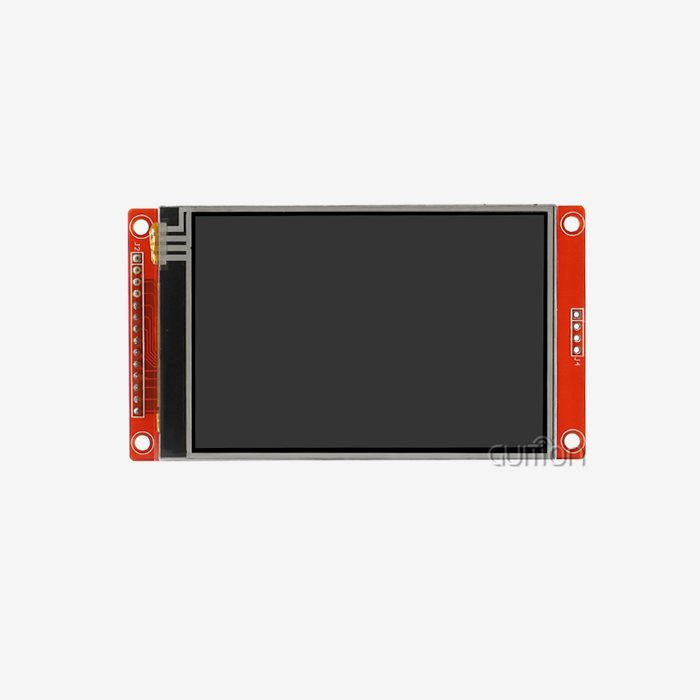
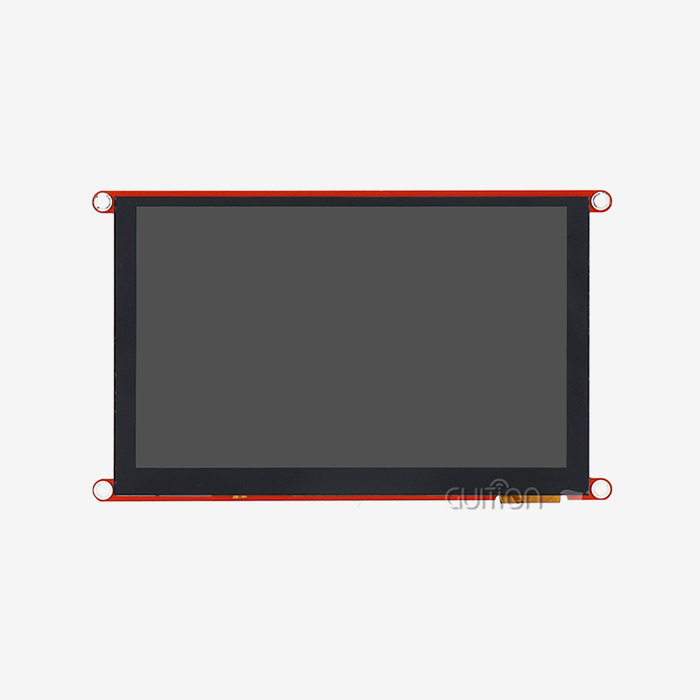
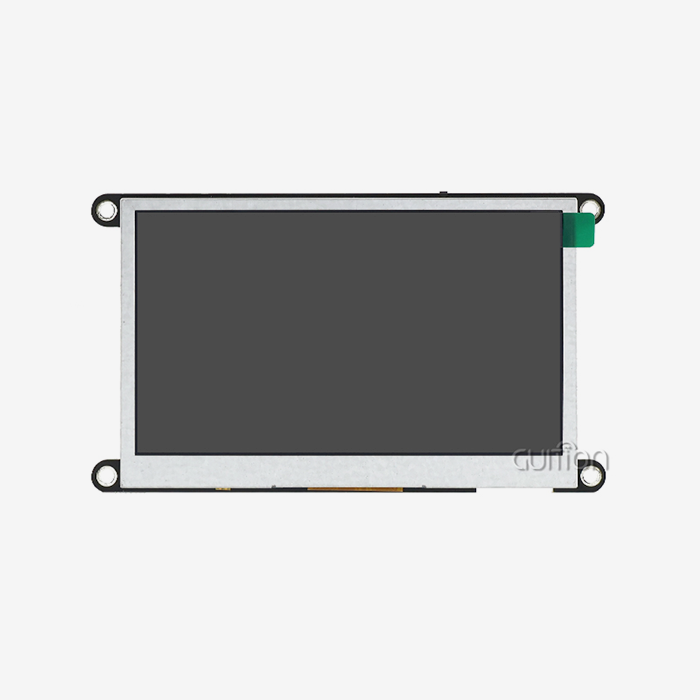
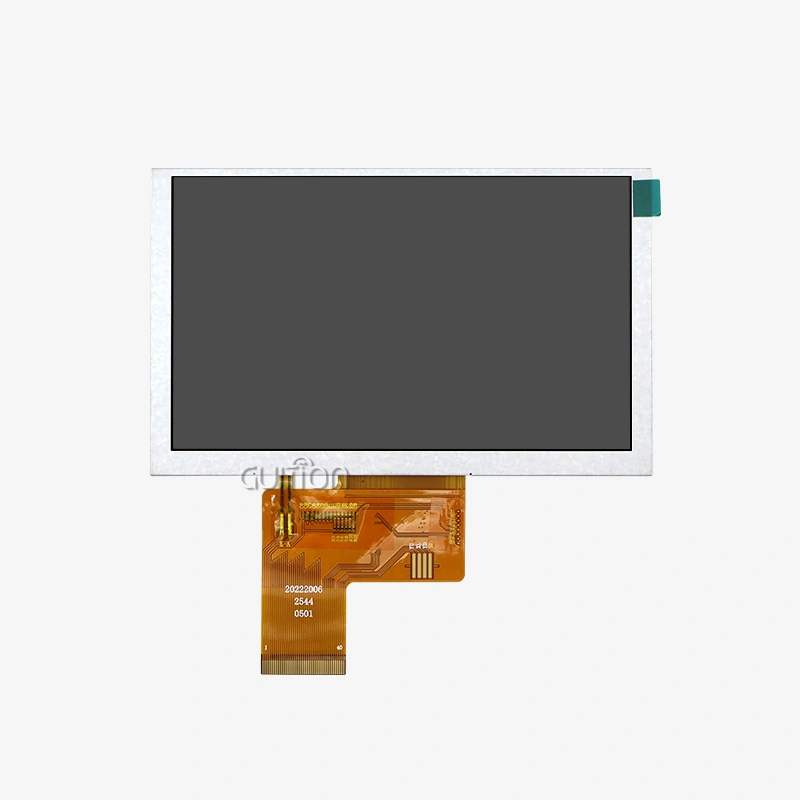
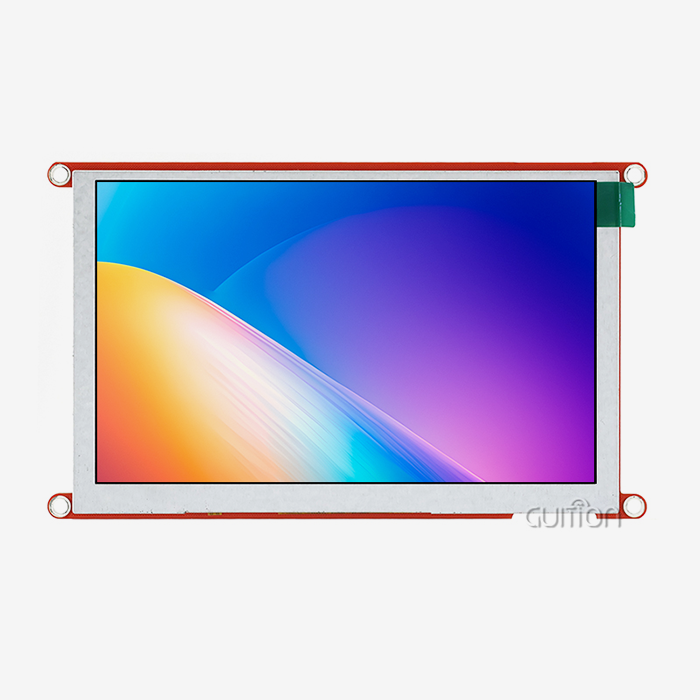
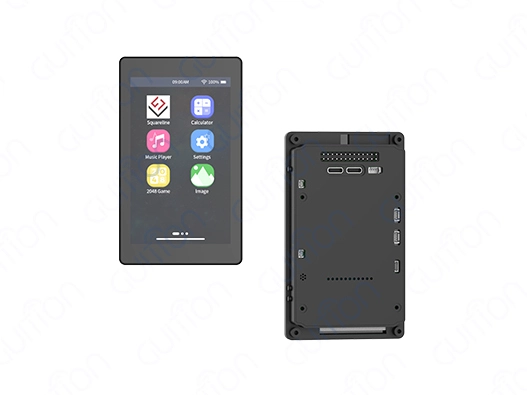
Espressif's powerful dual-core RISC-V MCU design and built-in communication features make the ESP32P4 display a huge step forward in smart home control panel technology. This 4.3-inch module has a capacitive touch screen of 480x800 and works at 360MHz. It also has full Wi-Fi and Bluetooth features. It was made to meet the special needs of demanding HMI applications. It meets the most important needs of industrial equipment makers, IoT solution providers, and embedded system engineers who want to speed up development without losing performance or reliability in their smart home automation projects.
Understanding ESP32P4 Display Technology for Smart Home Applications
Core Technical Specifications
Understanding what the hardware can do is the first step to a good HMI application. Our esp32p4 display module has a dual-core MCU that runs at 360MHz and 768 KB of high-performance L2 memory, 32 KB of low-power SRAM, and 128 KB of high-performance ROM. The 32MB PSRAM and 16MB Flash memory give a lot of extra space for complicated programs that need a lot of graphics and the ability to log data. The capacitive touchscreen with a resolution of 480x800 accurately recognizes input across its 4.3-inch width and supports 16.7 million color depth for vivid visual shows. This resolution is just right for smart home interfaces because it has the right amount of pixels per inch for clear text display and does not require too much memory for frame buffer operations. The IPS panel technology makes sure that viewing angles are always the same, which is very important when control panels are put up in different places in homes or businesses.
Power Consumption and Interface Options
The energy economy is still very important for smart home gadgets that are always on. The ESP32P4 display design has smart power management that lets processing cores and peripherals be turned on and off depending on the needs of the application. The module works with many different input standards, which makes it easy to connect to a wide range of sensor networks and control systems. The reserved TF card port lets you store more multimedia files, history data, and setup files without having to use external memory. Multiple GPIO ports give communication a lot of freedom, so engineers can connect more sensors, actuators, or communication units as needed for the project. The built-in backlight control circuit lets you set the brightness, so it can adapt to different lighting situations and use the least amount of power when you're not using it.
Connectivity Features
With built-in Wi-Fi and Bluetooth, the ESP32P4 display goes from being a simple output device to an all-in-one IoT hub. The Wi-Fi part of the system works with both 2.4GHz and 5GHz networks, so it can join directly to home control hubs, cloud services, and remote monitoring platforms. Local device pairing is made easier by Bluetooth, which lets the control panel talk to smartphones, wearable tech, and close smart products without the need for a network.
How to Integrate and Program the ESP32P4 Display in Smart Home Control Panels
Development Environment Setup
Before you can start working on your ESP32P4 display module, you need to choose the development setting that fits your team's skills and the needs of the project the best. The module works with Arduino IDE, ESP-IDF, MicroPython, and our own Guition software. Each of these has its own benefits for different types of development. The Arduino IDE is the easiest way to get started, and it's especially helpful for teams that are already familiar with the Arduino environment and want to make prototypes quickly. It is easier to learn because it supports a lot of libraries and has a simple syntax. This lets writers focus on application logic instead of low-level hardware handling. ESP-IDF gives you more control over your system and lets you use the advanced features of the ESP32-P4 design for high-performance tasks that need to be fine-tuned.
Guition Software Advantages
By getting rid of standard coding bottlenecks, our Guition development tool completely changes the way HMIs are made. The visual interface maker lets designers make complicated user interfaces by dragging and dropping settings and seeing how they will look on real hardware before they build them. This WYSIWYG method speeds up development processes by a huge amount, so product teams can try many design ideas without having to do a lot of reprogramming. There are buttons, sliders, gauges, charts, and unique images built in to meet the needs of most smart home interfaces. Property tools let you fine-tune things like how things look, how they react to touch, and how data is bound. Cross-platform online debugging lets you watch display actions, variable states, and communication flow in real time, which cuts down on the time it takes to fix problems during development and deployment.
Integration Best Practices
A successful application includes more than just the original programming. It also includes strong error handling, smart memory management, and methods for graceful degradation. Engineers should use watchdog timers to recover from unexpected states when adding the ESP32P4 display to smart home control panels. They should also use hardware events for responsive touch handling and structure code to avoid stopping activities that could make the user experience worse. Communication methods need to be carefully thought out to make sure they work reliably in a wide range of network situations. Adding code for connection retries, handling timeouts, and state feedback makes systems that can still be used when there are temporary connectivity problems. When planning the design, the remote upgrade feature should get extra attention because it lets firmware changes be done after the units have been deployed without physically accessing them.
Comparing ESP32P4 Displays with Market Alternatives for Smart Home Solutions
ESP32P4 vs ESP32-S3 Modules
When you compare ESP32P4 display options to ESP32-S3 alternatives, you can see that they are positioned differently for different types of applications. Both use Espressif silicon, but the P4 version has specialized graphics acceleration and monitor ports with higher resolutions. The S3 series works great for low-cost tasks where a lower resolution is enough, but it has trouble keeping up with the smooth animations and complex graphical changes that people expect from current smart home displays. The processing space is a big difference between these systems. The ESP32P4 display module's 360MHz dual-core design and large PSRAM allocation make it easier to handle multiple jobs at once. It can handle wireless communication, sensor data processing, and fluid user interface changes all at the same time. This feature is very important when control screens need to handle multiple device connections while still allowing responsive local input.
TFT vs Capacitive Touch Considerations
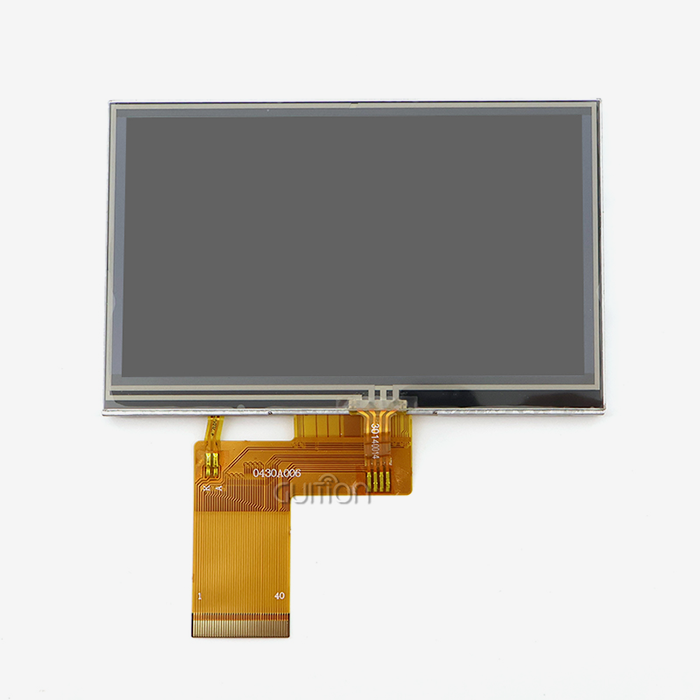
The choice of display technology affects both the user experience and the dependability over time. Our ESP32P4 display uses capacitive touch detection, which is more sensitive and lasts longer than resistive options. Capacitive screens can handle multiple touches, can be used without touching them, and don't break down after a while of use. These traits are perfect for smart home control panels that will be used for years and will be interacting with people a lot every day. The IPS screen technology in our module improves the visual quality and makes sure that colors are shown consistently at all viewing angles. This fixes a common problem with TFT displays that show color shift when looked at from an angle. This feature is especially important for control screens that are placed on the wall and can be reached from different heights and places in the living room.
Raspberry Pi Display Alternatives
Some system architects are interested in Raspberry Pi-based display options for smart home apps because they are familiar with Linux and have access to a lot of software. But this method comes with big trade-offs when it comes to price, power use, boot time, and real-time response. On the other hand, the ESP32P4 display turns on instantly, uses a lot less power, works consistently across a wider range of temperatures, and has much lower bill-of-materials costs. Linux-based systems have more ways to fail and security issues to think about because their architecture is more complicated. Embedded RTOS settings don't have these problems. Because the ESP32P4 display module behaves in a predictable way and has a smaller attack surface, it makes solutions that are more reliable for always-on home control uses that value dependability over processing freedom.
Procurement and Supplier Insights for ESP32P4 Displays in B2B Markets
Bulk Purchasing Strategies
To do good buying, you must first know how much you need at different stages of a product's existence. The ESP32P4 display modules can be used for both prototypes and large-scale production, but there are big cost savings to be had by carefully setting up bulk deals. Getting suppliers involved early on in the design approval process builds relationships that make the switch to larger production runs more smoothly and protect profit margins through price promises. Volume price usually starts at 100, 500, or 1000 units or more, and there is also the option to negotiate for yearly commitment deals. In addition to unit prices, you should also think about the total landed costs, which include shipping, customs taxes, and the cost of keeping goods. The standard packing and strong construction of the module keep it from getting damaged during shipping, which lowers the hidden costs of replacement and repair.
Supplier Evaluation Criteria
To find trusted partners, you need to look at more than just prices. When unexpected problems come up during the merging phase, being able to get technical help quickly is very important. Suppliers who offer detailed paperwork, reference designs, and engineering advice are very valuable because they speed up development and lower risk. Our team is committed to providing expert support for the entire lifespan of your project, from reviewing the original specifications to putting the project into production and providing support in the field. Another important aspect of review is supply chain security, especially in light of recent shortages of parts around the world. Suppliers with smart inventory places and a variety of buying relationships can handle disruptions better, keeping your production plans on track. Warranty terms and return policies protect against broken units, but strict seller quality control systems are better at keeping problems from happening in the first place.
Long-Term Partnership Considerations
The best procurement relationships are more than just transactions; they're smart agreements that help both parties grow. When looking at ESP32P4 display suppliers, you should check to see if their schedule fits with your plans for how the product will change over time, how much they spend on new technology, and how committed they are to making their products available for a long time. When parts become obsolete, they need to be redesigned, which can be expensive. Strategic supplier relationships can help by letting suppliers know early on and planning migrations. Your ability to quickly fix problems in the field depends on your post-sale support system. Suppliers who offer online repair help, quick replacement programs, and field application engineering can help you save money on after-sales service costs and make your customers happier. This support model is expanded by the over-the-air (OTA) update feature built into our ESP32P4 display modules, which lets software problems be fixed remotely without having to send the product back.
Case Studies: Successful Deployment of ESP32P4 Displays in Smart Home Control Panels
Residential Automation Hub Implementation
A major maker of smart home devices put our ESP32P4 display module into their next-generation control hub. This replaced their old system, which had trouble keeping the GUI responsive during peak usage. 5,000 homes in North America were set up with the system, which managed lights, temperature control, security systems, and entertainment devices through a single interface. The application used Guition software for quick UI development, which allowed the maker to finish the interface design in three weeks instead of the eight weeks it took them before. With the visual design tools, the industrial designers could work directly on interface layouts without having to go through a developer all the time. This cut down on iteration cycles and improved the quality of the designs. The two-core design managed Bluetooth devices, synchronized the Wi-Fi cloud, and handled local touch interactions all at the same time without any noticeable lag.
Post-deployment telemetry revealed 99.7% uptime across the installed base, with the remote update capability enabling three feature enhancements and two security patches during the first year without service calls. Compared to their old platform, the maker said that integration engineering hours went down by 40%, and customer support questions about interface response went down by 60%.
Commercial Building Management Integration
An automation systems integrator put ESP32P4 display units in all 200 apartments in an apartment complex. Each apartment had a control panel placed on the wall for lights, HVAC, and entry to shared areas. For the project to be successful, it had to work well in a range of temperatures, have reliable wireless connections, and require little upkeep over ten years. The system integrator chose our module because it can work in harsh environments, has enough memory for complicated graphics, and lets them change the look of the interface to fit the building's brand. ESP-IDF was used for low-level system optimization, and Guition was used for interface building. This allowed for a balance between speed tuning and quick visual development. The TF card interface lets residents store their preferences and usage data locally, and the Wi-Fi connection lets building managers handle everything from one place. After two years of use, the system is still stable, and there have been no hardware problems related to the display units. Residents have given the building management good comments on how easy it is to use and how fast the interface is, which supports the decision to invest in more powerful display technology. The ability to upgrade from afar came in handy when the developer added package delivery messages to the system's features. Within 48 hours, all units got the new features through over-the-air updates.
Conclusion
For smart home control panel uses, the ESP32P4 display module strikes a good mix between performance and cost-effectiveness. It has the performance of more expensive platforms while still being easy for B2B buyers to reach. It meets the needs of industrial equipment makers, IoT solution providers, and system developers by offering powerful dual-core processing, built-in connectivity, large memory spaces, and support for various development environments. Choosing the right hardware is only one part of a successful adoption. Careful integration practices, smart partnerships with suppliers, and a commitment to long-term product evolution are also important. As we looked at the case studies, we saw that the technology really does work in both home and business settings. The buying tips gave us useful information on how to reduce risk and get the best total cost of ownership. As smart home technology grows, solutions that speed up development, guarantee stability, and allow for easy customization will become more and more important for staying ahead of the competition.
FAQ
What is the expected operational lifespan of ESP32P4 display modules?
The module is made to be very reliable in the business world, and it can be used for more than 50,000 hours without stopping. The flexible ESP32P4 display stays sensitive even after millions of touches, and the solid-state design gets rid of the moving parts that usually shorten the life of a device. With an operating temperature range of -20°C to 70°C, it will work well in most home and business settings. Service life is extended by managing temperatures properly and protecting against sudden changes in voltage. Many units that have been installed have been working successfully for more than five years.
Which development libraries are compatible with this display?
The ESP32P4 display works with the LVGL graphics library, which is commonly used for building embedded GUIs. It also has built-in ESP-IDF APIs for controlling the hardware directly. Rapid prototyping is easier with Arduino tools, and script-based development is possible with MicroPython support. Our Guition platform has its own libraries that are specially designed to work with the hardware. These libraries provide higher-level structures that make building interfaces faster. No matter what programming platform is chosen, library integration is made easier by detailed instructions and example projects.
How do bulk order lead times compare to prototype quantities?
Prototype numbers usually ship within three to five business days of order confirmation, which helps with quick testing and development. For orders of 500 or more units, the production and quality control methods take about 15 to 20 working days. It is possible to set up annual blanket orders with planned releases to get the best inventory management and capacity sharing. Talking to our buying team during the planning stages of the project will make sure that shipping dates work with your production needs and the dates you set for launching the product.
Partner with a Trusted ESP32P4 Display Supplier
Guition stands ready to support your smart home control panel development with comprehensive ESP32P4 display solutions engineered for demanding B2B applications. Our modules deliver proven reliability across industrial, commercial, and residential deployments, backed by technical expertise spanning hardware integration, software development, and production scaling. The combination of high-performance processing, intuitive development tools, and flexible customization capabilities positions your products for competitive advantage in rapidly evolving smart home markets. Our engineering team provides dedicated support throughout your project lifecycle, from initial specification consultation through production deployment and field maintenance. The Guition development platform eliminates traditional GUI programming bottlenecks, enabling your designers and engineers to collaborate efficiently while maintaining complete control over interface aesthetics and functionality. Volume pricing structures and reliable supply chain management protect your margins while ensuring production continuity. Contact david@guition.com to discuss your specific requirements, request technical documentation, or arrange evaluation samples. We invite procurement managers, R&D directors, and system architects to explore how our ESP32P4 display manufacturer capabilities can accelerate your development timelines while reducing total project costs and long-term maintenance requirements.
References
1. Espressif Systems. "ESP32-P4 Technical Reference Manual: High-Performance MCU for HMI Applications." Espressif Technical Documentation Series, 2023.
2. Johnson, Michael, and Chen, Wei. "Comparative Analysis of Embedded Display Technologies for IoT Control Interfaces." Journal of Embedded Systems Engineering, vol. 15, no. 3, 2023, pp. 45-62.
3. National Institute of Standards and Technology. "Guidelines for Secure IoT Device Development and Deployment." NIST Special Publication 800-183, U.S. Department of Commerce, 2022.
4. Anderson, Sarah. "Supply Chain Strategies for Electronic Component Procurement in Smart Home Manufacturing." International Journal of Operations Management, vol. 28, no. 2, 2023, pp. 112-135.
5. Rodriguez, Carlos, and Lee, Jennifer. "User Interface Design Principles for Residential Automation Systems." ACM Transactions on Human-Computer Interaction, vol. 19, no. 4, 2023, pp. 78-96.
6. Building Automation Systems Association. "Best Practices for HMI Integration in Smart Building Applications." BASA Technical Report 2023-07, Building Automation Systems Association, 2023.
Learn about our latest products and discounts through SMS or email