- English
- French
- German
- Portuguese
- Spanish
- Russian
- Japanese
- Korean
- Arabic
- Greek
- German
- Turkish
- Italian
- Danish
- Romanian
- Indonesian
- Czech
- Afrikaans
- Swedish
- Polish
- Basque
- Catalan
- Esperanto
- Hindi
- Lao
- Albanian
- Amharic
- Armenian
- Azerbaijani
- Belarusian
- Bengali
- Bosnian
- Bulgarian
- Cebuano
- Chichewa
- Corsican
- Croatian
- Dutch
- Estonian
- Filipino
- Finnish
- Frisian
- Galician
- Georgian
- Gujarati
- Haitian
- Hausa
- Hawaiian
- Hebrew
- Hmong
- Hungarian
- Icelandic
- Igbo
- Javanese
- Kannada
- Kazakh
- Khmer
- Kurdish
- Kyrgyz
- Latin
- Latvian
- Lithuanian
- Luxembou..
- Macedonian
- Malagasy
- Malay
- Malayalam
- Maltese
- Maori
- Marathi
- Mongolian
- Burmese
- Nepali
- Norwegian
- Pashto
- Persian
- Punjabi
- Serbian
- Sesotho
- Sinhala
- Slovak
- Slovenian
- Somali
- Samoan
- Scots Gaelic
- Shona
- Sindhi
- Sundanese
- Swahili
- Tajik
- Tamil
- Telugu
- Thai
- Ukrainian
- Urdu
- Uzbek
- Vietnamese
- Welsh
- Xhosa
- Yiddish
- Yoruba
- Zulu
GUITION ESP32 HMI Screen Selection Guide
David, CEO, GUITION Shenzhen Jingcai Intelligent Co., Ltd.Choosing a GUITION ESP32 HMI is a matter of four numbers and one protocol: pixel count, touch technology, bus bandwidth, and spare pins. Get them correct, and the rest of the project will be OK. And sitting on top of that pile is the Bambu Lab P1touch display question. The P1 series has a 2.7-inch 192x64 screen that is not touch-enabled in any way. This tutorial takes you through each choice in the order that a real project reaches it. I’ve included frame timings, pin budgets, and panel parameters so you can size a module before you spend money on tools.

What Factors Should You Consider When Choosing a GUITION ESP32 HMI?
The vast majority of purchasers begin with “what size do I need.” That's the incorrect door to go through. A screen is a component of a product, and its function is determined by the person in front of it. First the operator, then reverse glass.
A wet bottling hall is one panel for a machine operator with nitrile gloves, another panel for a lab worker tapping a tabletop analyzer. Same GUITION ESP32 HMI hardware, very different front-end options. Four axles carry most of the weight. What does the user have to see at a glance? How do they have to contact it? What compute is beneath the glass? How does the box survive its encasing?
| Selection axis | Question that decides it | Typical answer |
|---|---|---|
| Legibility | How far away does the operator stand, and in what light? | 2.8 to 3.5 inches for arm's length, 4.3 inches and up for two metres |
| Touch type | Gloves, stylus, bare finger, or no contact? | Resistive for gloves and stylus, capacitive for bare finger |
| Compute | Local UI only, or UI plus radio plus storage? | ESP32 for SPI panels, ESP32-S3 once you need RGB bandwidth |
| Integration | Does it drop into an existing housing and harness? | Board outline, connector positions, and 5 V rail headroom |
That table is a filter, not a specification. It tells you which families to sample and which to stop reading about.
Start With the Job the Screen Has to Do
Write down the three things the operator does most often. On a printer, that is start, pause, and check remaining time. On a charging post, it is plug recognition, payment state, and fault code. Each action maps to a control, and each control needs a minimum physical size to stay operable.
A finger target wants roughly 9 mm of glass, which on a 143 PPI panel means a widget of about 50 pixels square. Add a label and a status icon, and you have spent 70 pixels of a 320-pixel width on one button. Three primary actions fit comfortably. Eight do not, and that constraint decides your screen size before any datasheet does.
Reading the Spec Sheet Like a Buyer, Not a Hobbyist
Hobby pages list the MCU clock and stop there. A procurement team needs five more lines: driver IC, touch controller, panel technology, operating temperature, and firmware revision policy. The ESP32-2432S028R uses an ILI9341-compatible driver and an XPT2046 resistive controller, both well documented and widely supported. That matters for one reason. A driver with an open, stable init sequence is a driver your team can debug at eleven at night before a shipment.
Anyone hunting a Bambu Lab P1touch display upgrade hits this wall quickly. The part number on the box tells you almost nothing about whether the host will talk to it. Protocol ownership decides compatibility, and no spec sheet prints that line.
Where Budget Actually Disappears
The module price is the minimum for the project. Integration labor, reworking enclosures, and field returns cost a whole lot more. A 2.8" module to suit an existing DIN cutout provides greater savings than a cheaper panel requiring a new mold.
This is where the money is really spent in a normal build:
- Tooling is dominant for 5000+ units, and a new front bezel, gasket, and FPC exit change may go over the total module price. Select the contour before you paint. Lock in the mechanical drawing with your supplier in writing. Any late modification to the panel size should be considered a complete re-quote, not a minor alteration.
- Firmware porting is a function of team size, not number of units. Typically, moving a mature Arduino sketch to ESP-IDF to get over-the-air updates and secure boot takes two to four engineer-weeks. That number is for every product branch you create. Port the port once and utilize the board support package throughout the family instead of developing drivers for each model.
- Field service is the silent killer, since a panel that has to be re-calibrated after a cold snap creates support tickets long after the invoice is paid. Request the temperature drift curve of the touch controller, not the accuracy at ambient temperature. Before approving the design for volume, test the sample over the true limits of your container.
- Certification is repeated for each hardware revision. Once you have done EMC testing, changing the display flex or backlight driver will cost you the cost of the complete scan again. Freeze the panel until the product reaches the compliance lab. Book the EMC slot late enough to take a firmware upgrade but early enough to hold the launch date.
Those four charges are the reason the cheapest offer generally loses. The module costs around one twentieth of the total cost of a full HMI.
If your team is sizing a panel now, send me the enclosure drawing and the operator task list. Guition builds GUITION ESP32 HMI modules from 1.28 to 21.5 inches. We can tell you within a day whether a 2.8-inch board fits your cutout, or whether you need a Bambu Lab P1touch display class panel. Write to david@guition.com or call +86 186 6584 6730 with your volume, and we will return a spec match, not a brochure.
How Does Screen Size Affect GUITION ESP32 HMI Performance and Usability?
A GUITION ESP32 HMI screen puts glass and compute on a single board; thus, size is two choices clothed as one. The physical area of glass dictates how much information a person can take in. The number of pixels dictates how much the ESP32 has to send across the bus. They tend to move as a pack, and that's the reason too many teams overshoot.
Compare the two displays that are the focus of this discussion. The P1 series printer has a 192x64 panel. 12,288 pixels. The ESP32-2432S028R has a 240×320 panel with 76,800. That is 6.25x the pixel budget, and every one of those pixels traverses the SPI bus on each complete refresh.
The printer screen will accommodate 32 characters across and 8 lines down using a 6x8 bitmap font. The 240x320 module with 12x16 typeface can show 20 characters across and 20 lines down, or 400 text cells compared to 256. And resolution isn’t the only benefit. Now you can build whole UI patterns, like a real-time temperature graph next to a list of jobs.
| Parameter | 192x64 mono panel | 240x320 colour module |
|---|---|---|
| Total pixels | 12,288 | 76,800 |
| Colour depth | 1-bit | 16-bit RGB565 |
| Frame buffer at 16-bit | not applicable | 153,600 bytes |
| Text cells at 12x16 | 256 at 6x8 | 400 |
| Touch layer | none | 4-wire resistive |
The Pixel Budget Behind Every UI Decision
A complete 240x320 RGB565 frame is 153,600 bytes, or 1,228,800 bits on the wire. At a 40 MHz SPI frequency, that frame takes 30.7 ms to get out of the chip. Unless you double - buffer in RAM, nothing is rendered when the bus is busy. But 520 KB of SRAM is not enough to contain two complete frames plus a Wi-Fi stack.
The practical fix is to use a partial buffer. LVGL (Light and Versatile Graphics Library) draws to an area and only updates that area. A 20-line buffer at 320 pixels wide will cost 12,800 bytes and take 2.56 ms to empty the bus (at 40 MHz). That’s the difference between a UI that stutters and one that is instantaneous.
Enclosure Space and Viewing Distance
The ESP32-2432S028R board is around 86 by 50 mm, with an active area of 57.6 x 43.2 mm. Those values determine if the device will fit on a DIN rail module or need a deeper pocket behind the panel. Buyers want a Bambu Lab P1touch display. A larger window frequently costs nothing in depth. Check the FPC fold radius as well. A ribbon that bends tighter than its rating fails in the field, not on the bench.
Viewing distance determines the minimum character height. A practical rule of thumb is to allow 1 mm of glyph height for every 200 to 250 mm of gap. An operator within 600 mm of the glass requires characters of at least 2.5 mm. On a 143 PPI screen, that’s around 20 pixels of text. On a 2.8-inch screen, that prevents crowded tables and makes for four to six huge readouts.
Bambu Lab P1 Touch Display Compatibility: What Should Buyers Know?
Here is the fact that reshapes the whole conversation. The P1 series does not ship a touch display. Bambu Lab's own specification lists a 2.7-inch 192x64 screen, and the control interface is a button, the phone app, and the desktop application. People searching for a Bambu Lab P1touch display are usually describing a wish, not a part number.
That gap is real, and it explains the demand. A 192x64 character LCD shows a filename, a temperature, and a progress bar. It cannot show a camera thumbnail, a filament inventory, or a multi-colour job preview. Owners want the interaction model of the larger enclosed models without replacing the machine.
What the P1 Series Ships With
The stock panel is a compact monochrome unit driven over an internal bus, paired with a rotary encoder and a few membrane keys. Firmware arrives through Bambu's own update channel, and the display protocol is not published. Everything the screen shows is decided by firmware the owner cannot modify.
That architecture is deliberate, and it works well for reliability. It also means the panel is not a peripheral in the PC sense. It is an output device owned by the host firmware, and the host decides what language it speaks.
Why a Drop-In Swap Is Not How This Works
A drop-in replacement needs four layers to agree: mechanical fit, electrical connector and voltage, transport protocol, and host-side driver. Third-party panels routinely clear the opening two and fail on the third. Physical fit is visible and cheap to check, which is why buyers overweight it.
| Layer | What the P1 platform expects | What a third-party panel must supply |
|---|---|---|
| Mechanical | Fixed bezel window and flex exit | Matching outline, window, and fold radius |
| Electrical | Regulated 5 V rail and a defined harness | Correct connector, polarity, and inrush margin |
| Protocol | Private message set over an internal bus | A compatible transport and message grammar |
| Firmware | Signed host firmware, closed update path | A host-side driver the owner can actually install |
Read that bottom row again. Without host cooperation, a Bambu Lab P1touch display replacement cannot exist as a plug-in part, no matter how good the panel is. Any vendor promising otherwise is selling you a board and hoping you never ask about the driver.
The Companion-Panel Path That Does Work
"Build the screen as a network peer, not as a head replacement." ESP32 module on the local network can read printer status, hold its own UI, and never touch host firmware. This approach preserves the guarantee and completely bypasses the protocol difficulty.
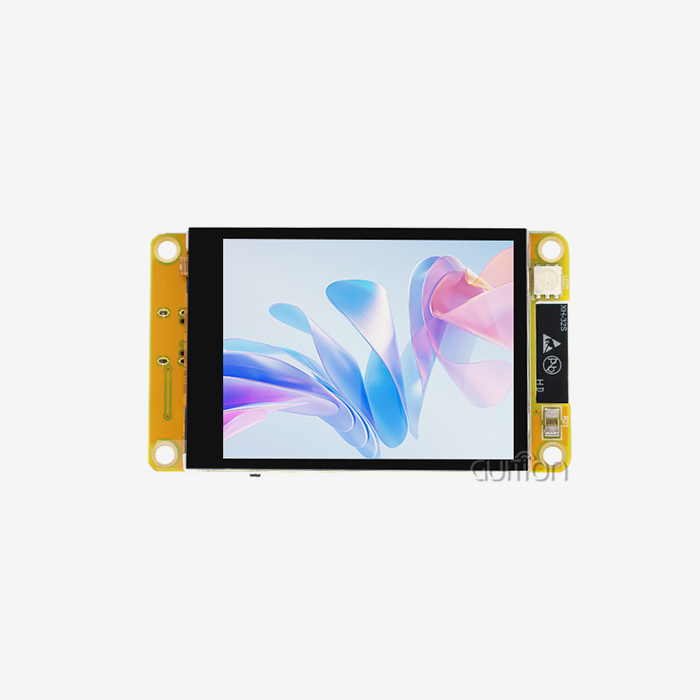
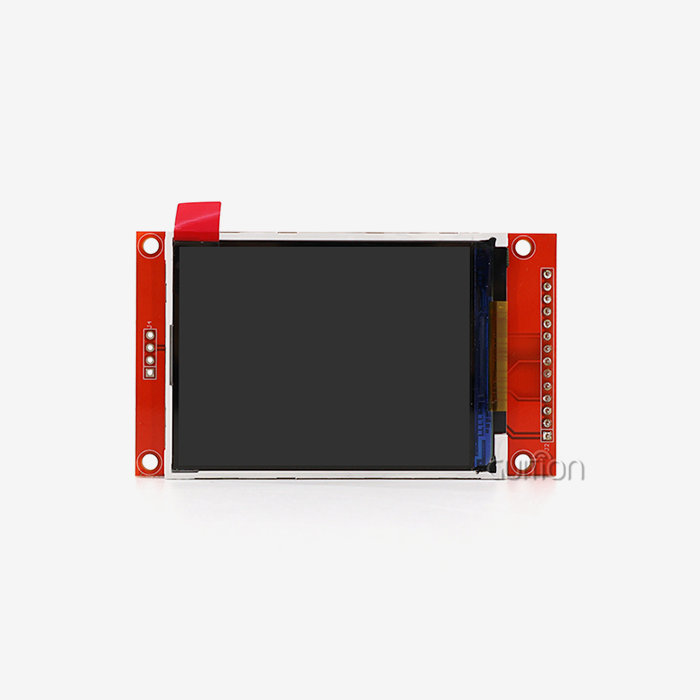
The ESP32-2432S028R does the trick. It has Wi-Fi and Bluetooth onboard, has a TF slot for recording, and powers a 240x320 color LCD on a single 5 V supply. Our clients use it as a shop floor status board for a set of equipment. One panel displays queue depth, remaining filament, and which unit requires maintenance, updated via the local network every few hundred milliseconds.
If you have a Bambu Lab P1touch display, think of it as an integration project, not a parts replacement. Choose the glass once you decide who owns the data source, and the choice of panel is simple.
Resistive vs. Capacitive Touchscreens: Which Is Right for Your HMI Project?
For each of the GUITION ESP32 HMI configurations, the two sensing possibilities are the same, and they fail in various ways. Resistive panels detect pressure. Capacitive panels measure the change in an electric field caused by a conductive finger. Neither is superior in the abstract, and the decision should be left to the hands of the operator.
4-wire resistive layer interface controller with XPT2046 controller with 12-bit analog-to-digital converter. An item applies pressure to complete the circuit between two transparent conductive sheets. A gloved thumb, a plastic stylus, a pen cap all do the same job.
How Each Touch Stack Senses a Finger
The resistive stack consists of two layers of indium tin oxide separated by minute spacers. Press down, and the layers meet. The controller reads a voltage divider on each axis. There is no firmware gesture layer below; therefore, no ghost touches and no wet finger rejection.
A projected capacitive stack is a grid of transparent electrodes behind a glass. The finger is stealing some charge from the grid, and a controller like the GT911 provides coordinates via I2C. Multi-touch and gestures are free as well, and the front has scratch-resistant glass.
Gloves, Coolant, and Dust: The Real Test
Resistive wins when hands are damp or covered. Gloves, splash, cutting fluid, powder, all fail capacitive sensing. The panel requires a conductive channel to a finger. I have seen operators jab at a capacitive panel with a gloved knuckle for 10 seconds and walk away.
Capacitive wins on user expectation. Phone-trained customers are kind and anticipate an answer without pressure. A resistive screen requires around 50 to 100 grams of force, which seems a little old-fashioned to anybody under thirty.
The remainder of the narrative is light transmission. Resistive stacks generally transmit 75 to 85 percent of backlight, capacitive stacks more like 90 percent. That difference is noticeable outside on a 300 nit panel. This is one of the reasons why a resistive device requires a stronger illumination for the same apparent effect.
| Criterion | Resistive (XPT2046) | Capacitive (GT911 class) |
|---|---|---|
| Activation | Pressure, any object | Conductive finger only |
| Multi-touch | Single point | 5 points and gestures |
| Glove and wet use | Works | Unreliable |
| Front surface | Plastic film, wears at hot spots | Glass, scratch resistant |
| Added BOM cost | Near zero | Controller plus bonding |
| Typical transmission | 75 to 85 percent | Around 90 percent |
The table points to a simple rule. Industrial, outdoor, and glove-heavy products take resistive and accept the film wear. Consumer-facing products take capacitive and accept the glove limitation. Anyone evaluating a Bambu Lab P1touch display alternative for a workshop should weigh this row heavily. Print rooms are dusty, and hands are often busy.
How Do Resolution and Display Quality Impact the User Experience?
Resolution sells samples. Perceived quality closes orders. The two diverge because humans judge a panel on contrast, colour stability, and refresh consistency far more than on raw pixel count. That gap is where a GUITION ESP32 HMI earns or loses its place inside a finished product.
The 2.8-inch module resolves 320 pixels across a 57.6 mm active width. That works out to about 141 pixels per inch and a pixel pitch near 0.18 mm. Text stays crisp at 12 pixels and above. Below that, antialiasing turns thin strokes grey and operators lean in.
Pixel Density and the 143 PPI Reality
At 141 PPI, a 1 mm glyph is about 5.5 pixels tall, so anything below 10 pixels of cap height is unreadable at arm's length. Design your type scale around 12, 16, and 24 pixel sizes and the interface will hold together across languages.
Pixel density also sets the ceiling on UI richness. A 240x320 canvas can host a header, four status tiles, and a scrollable log without crowding. Push a fifth column in, and every element shrinks below the touch minimum. The panel is not the limit there. The operator's finger is.
Colour Depth, Viewing Angle, and Sunlight
The panel is a 16-bit RGB565, 65,536 colors. Any gradient that uses more steps than that will band clearly. Use flat fills and hard borders instead of photographic backgrounds. Dithering conceals part of it, at the expense of a little render time on a 240MHz core.
The viewing angle is stated as > 60 degrees. The panel is TN; therefore, contrast declines off-axis. Mount the screen so the operator is standing in the cone. A flat screen mounted into a cabinet that people approach from the side would seem washed out, even if all specifications are followed.
Brightness drops into the 250 to 300 nit range, which is adequate for indoor and shaded setups. 500 nits or higher for direct sun. The honest solution at that point is a transflective panel or a new product class.
ESP32 vs. ESP32-S3: Which Processor Fits Your HMI Requirements?
Both chips are dual-core, and both run at 240 MHz, so the marketing pages look similar. The differences that matter sit in the display peripheral and the pin count, not the clock speed.
The original GUITION ESP32 HMI pairs two Xtensa LX6 cores with 520 KB of SRAM and 448 KB of ROM. It has no dedicated LCD peripheral, so a display is driven by SPI with DMA. The ESP32-S3 pairs two LX7 cores with 512 KB of SRAM and 384 KB of ROM. It adds 45 programmable GPIOs. An onboard LCD peripheral drives RGB panels up to 480x800 in RGB565.
| Feature | ESP32 | ESP32-S3 |
|---|---|---|
| Cores and clock | 2 x LX6, 240 MHz | 2 x LX7, 240 MHz |
| On-chip SRAM | 520 KB | 512 KB |
| Programmable GPIO | 34 in the package, fewer usable | 45 |
| Native LCD interface | None, SPI only | RGB, 8080, SPI |
| Typical panel ceiling | 240x320 over SPI | 480x800 RGB565 |
| Radio | Wi-Fi 4, Bluetooth 4.2 | Wi-Fi 4, Bluetooth 5 LE |
Memory and Instruction Set Differences
SRAM is nearly a wash, which surprises people. The real separation is PSRAM support and what the LX7 can do with it. Octal PSRAM on S3 modules gives you room for full frame buffers and image assets, and the vector extensions help with scaling and alpha blending.
There is a thermal caveat worth knowing. S3 parts fitted with octal PSRAM are rated for a narrower ambient range than the bare chip. Enabling PSRAM error correction widens that range at the cost of roughly one sixteenth of usable memory. For a sealed enclosure in a warm plant room, that trade needs to be on the table early.
Display Peripherals and Bandwidth Maths
A dedicated RGB peripheral changes the economics. An SPI panel spends CPU-visible time on every flush, while an RGB panel streams continuously from a frame buffer and leaves the cores free. On a 480x480 RGB565 panel, that is 460,800 bytes per frame, which no SPI bus on this class of chip can sustain at video rates.
The table below shows full-frame transfer times for the 240x320 module across SPI clocks, along with the flush time for a 20-line partial buffer. The figures follow from the arithmetic above and match our own bench logs within a few percent:
| SPI clock | Full frame transfer | Ceiling for full refresh | 20-line buffer flush |
|---|---|---|---|
| 40 MHz | 30.7 ms | 32 Hz | 2.56 ms |
| 60 MHz | 20.5 ms | 48 Hz | 1.71 ms |
| 80 MHz | 15.4 ms | 65 Hz | 1.28 ms |
Read the last column, not the middle one. A partial buffer is what you will actually ship, and it keeps flush time under 3 ms even at the conservative 40 MHz setting. That headroom absorbs touch polling and radio time without visible lag.
One routing detail decides whether you reach 80 MHz at all. On several Espressif parts, including the C3 family, the SPI peripheral hits its top clock only on the dedicated IO_MUX pins. Route the same signals through the GPIO matrix and the ceiling halves. Check the schematic before you promise a frame rate.
Thermal and Supply-Chain Trade-offs
ESP32 modules are cheap, abundant, and available in dozens of pin-compatible variants. S3 modules cost more and come in fewer alternate sources. For a long-life industrial product, that sourcing question deserves a straight answer from your supplier before you commit a mould.
Anyone sourcing a Bambu Lab P1touch display-style companion panel rarely needs RGB. The workload is a status page refreshing a few times a minute. The original ESP32 handles that with a partial buffer and plenty of spare cycles.
Wi-Fi, Bluetooth, and GPIO: Which Connectivity Features Do You Need?
Connectivity looks free because it is integrated. It is not free in time. The radio and the display compete for the same silicon budget, and the loser shows up as stutter. A GUITION ESP32 HMI board places a 2.4 GHz radio beside the panel bus, so this trade-off is unavoidable and worth designing around.
The ESP32 has one 2.4 GHz radio shared between Wi-Fi and Bluetooth. When both are active, the stack time-slices between them, which introduces jitter of a few milliseconds into any task that competes for the bus. A UI refreshing at 30 Hz has a 33 ms budget per frame. A 5 ms spike is survivable. A 20 ms spike is not.
Radio Coexistence and UI Jitter
Pin the UI task to one core and the network stack to the other. That single decision removes most visible stutter, because the renderer stops waiting behind TCP retransmits. Size the LVGL buffer at 10 to 20 percent of the screen and let the flush run on DMA.
Prefer BLE over Bluetooth Classic where the peer supports it. BLE connection intervals of 30 to 50 ms suit a status panel and leave far more radio time for Wi-Fi. A print-farm dashboard may justify a wired Ethernet option on a larger module. The extra cost pays back when the shop floor is saturated with access points.
Counting Pins Before You Count Features
The module breaks out a small number of spare IO, so build the budget before you add features. A typical allocation for a 2.8-inch build looks like this:
| Function | Pins | Note |
|---|---|---|
| LCD SPI bus | 6 | SCK, MOSI, CS, DC, RST, backlight |
| Touch controller | 2 | CS and IRQ, sharing the SPI bus |
| TF card | 1 | Chip select only, bus already counted |
| Speaker | 1 to 3 | Single pin for a simple buzzer |
| RGB indicator | 1 | Onboard driver |
| DHT11 sensor | 1 | Single wire |
| UART link | 2 | To a host controller or meter |
Add those up, and you land near 15 pins, with the board's own headers carrying the rest. Groups evaluating a Bambu Lab P1touch display companion build usually want a UART or RS-485 link to the machine as well. Reserve two pins for that link and one for a hardware watchdog.
GUITION ESP32 HMI Development: Arduino IDE, ESP-IDF, and MicroPython Support
Toolchain choice is a staffing decision as much as a technical one. The right answer is the one your team can maintain in two years, when the original author has moved on. A Bambu Lab P1touch display companion build is a weekend in Arduino and closer to two weeks in ESP-IDF. The hardware is simple. The infrastructure is not.
The ESP32-2432S028R supports Arduino IDE, ESP-IDF, MicroPython, and Mixly. Each brings a different trade-off between speed to a lit pixel and control at the metal.
What Each Toolchain Is Good At
After an afternoon with the Arduino IDE, the TFT sketch is alive. There are established libraries for ILI9341 and XPT2046; there are LVGL ports and the community answers problems quickly. The price is limited debugging and rougher control over the RAM.
ESP-IDF exposes LCD driver stack, DMA descriptors, and OTA partitions. If you ever require secure boot, signed updates, or predictable timing, then production firmware goes here. Expect a rougher week before productivity returns.
MicroPython is a good choice for low-volume devices and goods with a lot of logic to work through. And you give up rendering speed for development speed. And a 240x320 panel at 30 Hz is only practical with a tight, hand-tuned flush process.
Mixly is for teaching and speedy proof-of-concept. It's not a production route, but it's great to get a non-programmer to a functional panel in a day.
The Guition Drag-and-Drop Layer
Jingcai Intelligence ships its own interface development software alongside the hardware. Controls are dragged onto a canvas, resized, and styled with a what-you-see-is-what-you-get editor, then wired to events. Cross-platform online debugging lets a developer inspect the running panel from a browser instead of a bench.
The features that matter for a shipping product are the quieter ones. Remote upgrade pushes new firmware to installed units without a site visit. UTF-8 and multi-language switching let one build serve several regions. Secondary development interfaces mean your team can add logic without touching the underlying driver.
Debugging Remotely Without a Bench Visit
Field debugging is where small teams lose weeks. A panel that misbehaves only on one customer's network is nearly impossible to reproduce on a desk. Remote inspection turns that into a log review.
Treat the panel as an appliance. Ship it with a version string on a hidden settings page. Add a watchdog that recovers from a hung render loop, and a rollback slot for the previous firmware. Those three habits cost a day to build and save a service trip each time an update goes wrong.
How Can You Evaluate Display Compatibility Before Purchasing?
Sample evaluation is cheap. A redesign after tooling is not. The gap between the two is about two weeks of disciplined bench work on a single unit. Every GUITION ESP32 HMI sample ships with the driver documentation that work depends on.
Start by asking for the driver IC name and the full init sequence in writing. A supplier who cannot produce that document is telling you something useful about the relationship you are about to start. Shenzhen Jingcai Intelligent publishes model-level specifications and a resource pack for the ESP32-2432S028R, which shortens this step considerably.
The Five-Item Bench Checklist
These five tests on the sample should be made before signing a tooling order. Each matches a failure I've seen make it to production.
- Check driver and init sequence. Load a known excellent ILI9341 test pattern and compare the color bars to a reference display. A hidden red-and-blue channel flip, easy to conceal in a phone shot. It still damages brand colors on every unit you send. Ask for the register dump as a file, not a screen capture.
- Check touch controller and calibration drift. Log raw XPT2046 counts at 5, 25, and 45 degrees C. Verify that the corner error is within two percent of screen width. Drift during temperature extremes is the most prevalent reason for returns. It’s never on a bench that stays at room temperature all day.
- Measurement of backlight current and dimming behavior. Sweep the PWM from zero to full and plot the current waveform. "A driver is not acceptable for a night-shift panel below 20 percent duty. The light output on the bench still appears good. Shoot the panel at a slow shutter to capture flutter your eye can't see.
- Check the connection, polarity, and logic levels. Before powering the board, check each pin against the design to validate that it is 3.3V logic. A flipped flex connection will kill a sample quicker than any silicon bug ever would. Have a nice unit with a photo of the harness in the construction kit.
- Thermally soak the device. Cycle between the chilly and hot boundaries of your cage for 24 hours. Verify touch offset, backlight flicker, and bus faults. Thermal flaws take hours, not minutes. Log the coordinates of the touch all the way. A 2-millimeter deviation at the cold extreme is enough to render little buttons non-operational.
The five examinations take a technician two days and cover the faults that withstand a cursory inspection. If you pass all five, you can tool with confidence. If you fail on any one of these, the remedy is in the design, not on the manufacturing line.
Sample Evaluation That Pays for Itself
One client reports that a contract manufacturer constructing benchtop analyzers switched to the ESP32-2432S028R from a 1.8-inch screen mid-project. Their operators need a live trend chart that the smaller screen couldn’t provide. We sent three samples with the init sequence and a resource pack, and their firmware lead completed the above criteria in four days.
Two discoveries led to a redesign. The flex fold needs an extra 1.2 mm of space in the enclosing window. With lighting and Wi-Fi transmit current, their 5 V rail dropped to 4.4 V. Both were laid down before the mold was cut. The production build was sent on time, and the field return rate for the next year was lower than their prior platform. I am referring to the form of the project and not a customer name. Our lab records for the time are accessible to purchasers under NDA.
Choosing the Best GUITION ESP32 HMI for 3D Printers and Embedded Projects
The right module is the smallest one that clears your UI, your bus budget, and your enclosure. Everything past that is margin you pay for in cost and space.
For a 3D printer companion panel, the ESP32-2432S028R is close to ideal. It brings a 240x320 colour panel, Wi-Fi, and a TF slot for job logging. A speaker driver handles alerts. The whole board fits a 90 mm cutout. That combination covers the Bambu Lab P1touch display use case people actually want. It is an extra screen showing status for machines whose stock panels cannot show it.
| Application | Recommended configuration | Why it fits |
|---|---|---|
| Printer farm status board | 2.8 inch SPI, ESP32, Wi-Fi | Reads several machines, sits on a wall, needs no host firmware access |
| Machine control panel | 2.8 to 3.5 inch SPI, ESP32 | Glove-friendly resistive touch, DIN rail outline |
| Medical benchtop device | 3.5 inch SPI, ESP32 or S3 | Larger trend charts, calibrated touch, sealed front |
| Building automation | 4.3-inch RGB, ESP32-S3 | Denser UI, continuous refresh, PSRAM for assets |
| Charging infrastructure | 5-inch RGB, ESP32-S3 | Outdoor brightness, multi-language, remote upgrade |
Print-Farm Dashboards
A fleet dashboard lives or dies on refresh discipline. Poll each machine on a stagger rather than all at once, cache the last good value, and show staleness on screen when a poll fails. Operators trust a panel that admits it lost contact far more than one that freezes silently.
Industrial and Medical Panels
Both markets care about the same three things. They want consistent touch response across temperature, a front surface that survives cleaning agents, and a firmware path that can be validated. Resistive panels handle the cleaning chemistry well. Pair the panel with an IEC 61000-4-2 level 3 front-end design. That means 6 kV contact and 8 kV air discharge tolerance. Document both figures in your test report.
When to Step Up to a Bigger Panel
Step up when the operator task list exceeds six primary actions. A live chart wider than 200 pixels is another reason. So is a viewing distance beyond one metre. At that point, an RGB panel on the S3 makes more sense than fighting SPI bandwidth on a larger screen.
Do not step up for prestige. A well-designed 240x320 interface beats a badly designed 800x480 one every time. The smaller panel also costs less to light, enclose, and power.
Conclusion
Screen choice is a series of four choices. What does the operator have to do? How does he have to connect it? How many pixels can the bus transport, and who owns the panel processor? Answer them in that sequence, and the part number selects itself.
The GUITION ESP32 HMI series goes from 1.28 inch up to 21.5 inch. The ESP32-2432S028R is the practical heart of the SPI-based control panels. The Bambu Lab P1touch display chat is essentially a lesson on protocol ownership. Buy the panel for the job it performs, not for the part it could be replacing.
FAQ
1. Is the ESP32-2432S028R a direct replacement for a Bambu Lab P1touch display?
No, and no third-party panel is. The P1 series uses a 2.7-inch 192x64 screen driven over a private bus by closed firmware. A plug-in swap is not achievable without host cooperation. Use the module as a networked companion panel instead. It can display status for one machine or a whole farm while leaving the printer's warranty and firmware untouched.
2. Can this module run LVGL smoothly at 240x320?
Yes, with a partial buffer. A 20-line buffer removes the 30.7 ms full-frame penalty at 40 MHz and flushes in 2.56 ms. Pin the UI task to one core, keep animations simple, and expect 30 to 50 Hz for typical screens. The GUITION ESP32 HMI sample firmware already drives LVGL, so you start from a working screen rather than a blank one. Full-screen video or heavy alpha blending will not hold that rate on SPI.
3. What happens if my users wear gloves?
Choose the resistive variant and keep it. The XPT2046 layer responds to pressure from any object, so gloves, stylus tips, and even a pen cap work. A capacitive panel needs a conductive finger and will feel broken to a gloved operator, no matter how well it performs on a desk.
4. How much GPIO headroom is left after the display and touch?
Around 15 pins are consumed by the display bus, touch, TF card, speaker, indicator, and sensor interface. A GUITION ESP32 HMI board exposes a small reserved header for the remainder. Plan the UART or RS-485 link to your host controller early, because it is the earliest function to lose a pin.
5. Can I power the module from an existing 5 V rail?
Check the sag under load before anything else. Backlight plus Wi-Fi transmit can pull a modest rail below the regulator's dropout, and a browning display looks like a firmware fault. Measure the rail with the panel at full brightness and the radio transmitting. If it drops under 4.75 V, add bulk capacitance or a dedicated regulator.
6. How long does an OEM order with custom branding take?
Timing depends on whether the change touches tooling. A firmware-only change with your logo, language set, and startup screen typically runs days after approval. A new bezel, connector position, or panel size adds a tooling cycle and a fresh compliance pass. Send the drawing early, and the schedule becomes predictable.
Turning a Spec Sheet Into a Shipped Display Unit
Send us the enclosure drawing, the operator task list, and your target volume. Guition builds GUITION ESP32 HMI modules from 1.28 to 21.5 inches. We match a panel to your cutout instead of pushing the largest screen on the list. Reach david@guition.com or +86 186 6584 6730 for a Bambu Lab P1touch display class companion panel or a custom build. Our engineers reply with a spec match, driver details included, within one working day.
References
1. Espressif Systems, "HMI Smart Displays" product comparison, 2025. https://www.espressif.com/en/node/6447 — Used in the processor comparison for the interface matrix, GPIO counts, and typical panel resolutions per SoC.
2. Espressif Systems, "ESP32 Series Datasheet", 2024. https://documentation.espressif.com/esp32_datasheet_en.pdf — Used for core count, clock, SRAM and ROM figures, and the radio specification.
3. Espressif Systems, "ESP32-S3 Series Datasheet", 2024. https://documentation.espressif.com/esp32-s3_datasheet_en.pdf — Used for the LX7 core specification, 45 GPIO figure, and PSRAM options.
4. Bambu Lab, "P1S Unboxing and Technical Specifications", Bambu Lab Wiki, 2024. https://wiki.bambulab.com/en/p1/manual/unboxing-p1s — Used for the 2.7-inch 192x64 screen, the button and app control interface, and the compatibility discussion.
5. Espressif Systems, "RGB LCD (esp_lcd) Programming Guide", ESP-IDF documentation, 2025. https://docs.espressif.com/projects/esp-idf/en/stable/esp32s3/api-reference/peripherals/lcd/rgb_lcd.html — Used for the frame-buffer and bus bandwidth reasoning in the processor section.
6. LVGL, "Display (lv_display)", LVGL 9 documentation, 2025. https://docs.lvgl.io/master/main-modules/display/index.html — Used for the partial buffer and flush model that underpins the frame-time table.
7. GUITION, Shenzhen Jingcai Intelligent Co., Ltd., "Best 2.8 inch esp32 display module for IoT Projects", 2025. https://www.guition.com/knowledge/best-2-8-inch-esp32-display-module-for-iot-projects — Used for the driver IC, touch controller, brightness range, board dimensions, and supported toolchains.
About the author
David is CEO of GUITION, the display brand of Shenzhen Jingcai Intelligent Co., Ltd. He has spent more than a decade building human-machine interface hardware for industrial, medical, and consumer products. He leads a team that ships ESP32 and USART-HMI modules from 1.28 to 21.5 inches worldwide. David works directly with OEM engineering teams on panel selection, enclosure fit, and firmware architecture. He writes about the trade-offs that decide whether a display ships on time.
Learn about our latest products and discounts through SMS or email