- English
- French
- German
- Portuguese
- Spanish
- Russian
- Japanese
- Korean
- Arabic
- Greek
- German
- Turkish
- Italian
- Danish
- Romanian
- Indonesian
- Czech
- Afrikaans
- Swedish
- Polish
- Basque
- Catalan
- Esperanto
- Hindi
- Lao
- Albanian
- Amharic
- Armenian
- Azerbaijani
- Belarusian
- Bengali
- Bosnian
- Bulgarian
- Cebuano
- Chichewa
- Corsican
- Croatian
- Dutch
- Estonian
- Filipino
- Finnish
- Frisian
- Galician
- Georgian
- Gujarati
- Haitian
- Hausa
- Hawaiian
- Hebrew
- Hmong
- Hungarian
- Icelandic
- Igbo
- Javanese
- Kannada
- Kazakh
- Khmer
- Kurdish
- Kyrgyz
- Latin
- Latvian
- Lithuanian
- Luxembou..
- Macedonian
- Malagasy
- Malay
- Malayalam
- Maltese
- Maori
- Marathi
- Mongolian
- Burmese
- Nepali
- Norwegian
- Pashto
- Persian
- Punjabi
- Serbian
- Sesotho
- Sinhala
- Slovak
- Slovenian
- Somali
- Samoan
- Scots Gaelic
- Shona
- Sindhi
- Sundanese
- Swahili
- Tajik
- Tamil
- Telugu
- Thai
- Ukrainian
- Urdu
- Uzbek
- Vietnamese
- Welsh
- Xhosa
- Yiddish
- Yoruba
- Zulu
Why Use Arduino TFT for IoT Dashboards?
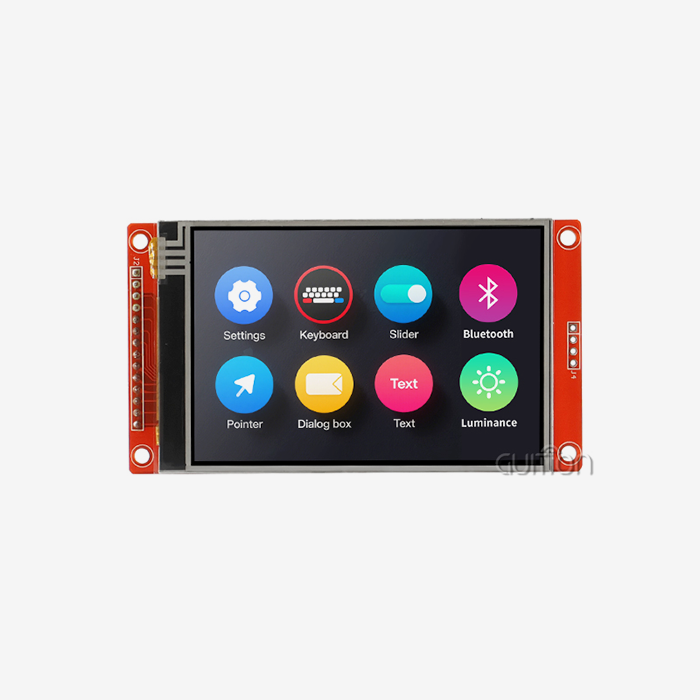
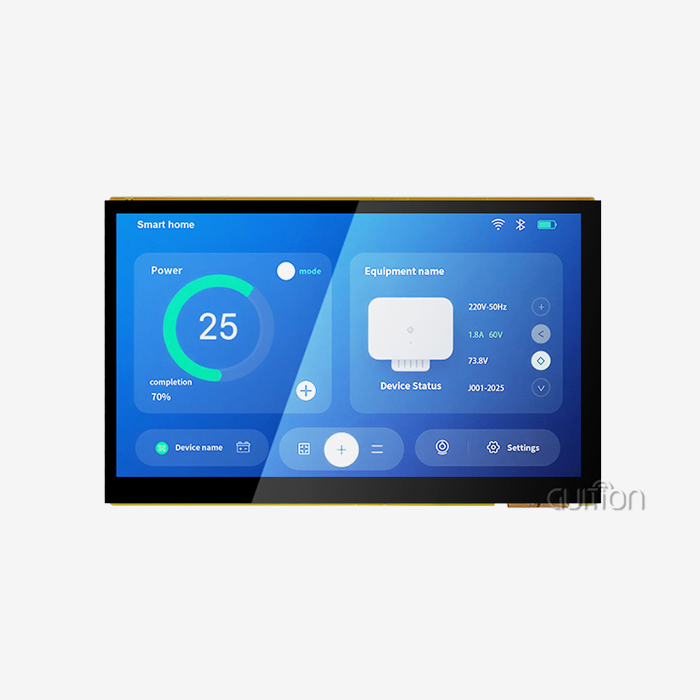
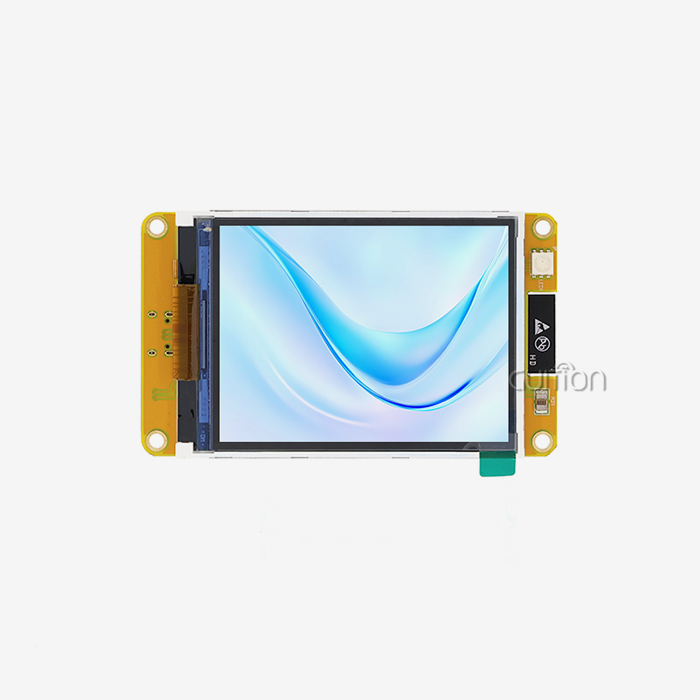
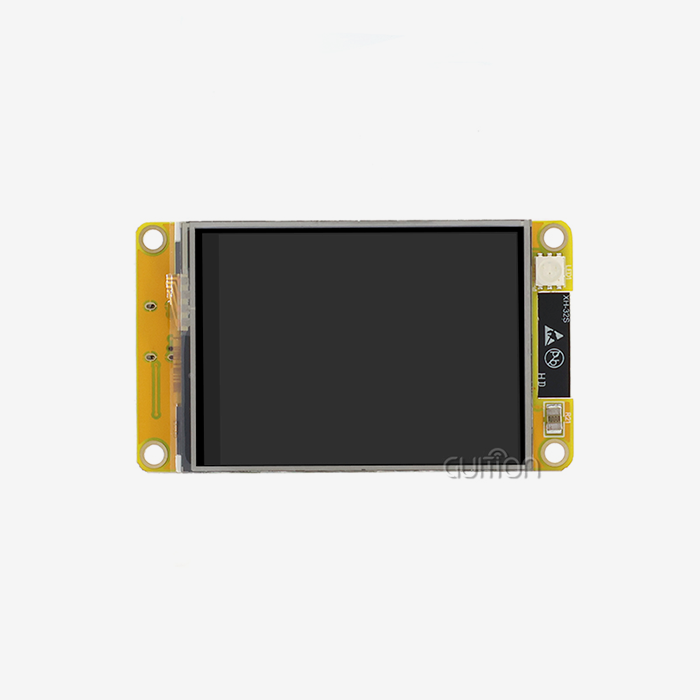
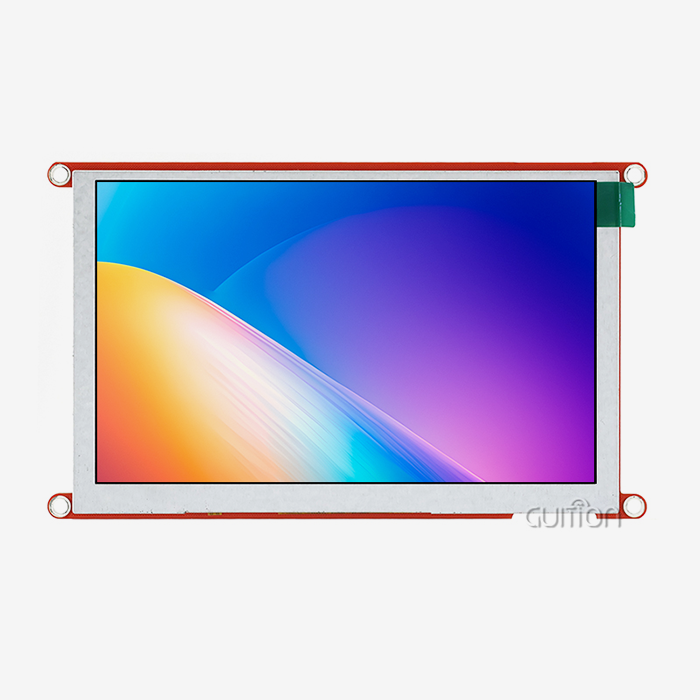
The Arduino TFT screens have changed the way we see real-time info in IoT dashboard apps. These thin-film transistor (TFT) liquid crystal screens are perfect for industrial tracking systems because they can show bright colors, respond to touch, and have small sizes. Arduino TFT technology, on the other hand, gives us high-resolution graphics that are needed for complex data visualization, tracking equipment state, and user interaction in smart industrial settings. When these screens are added to simple data collection devices, they become complex human-machine interfaces that make operations run more smoothly.
Understanding Arduino TFT Displays and Their Role in IoT Dashboards
What Makes Arduino TFT Technology Superior for Industrial Applications
Active matrix technology, in which separate transistors control each pixel, makes Arduino TFT screens better at showing images and faster at responding than passive matrix options. This foundational technology makes sure that important practical data shows up clearly and updates right away, which is necessary for apps like watching industrial equipment and controlling processes. What makes them superior is that they can display complicated user interfaces while still working with microcontroller environments. Arduino TFT modules work well with current automation systems and give engineers many options for seeing what their equipment looks like without having to make a lot of changes to the hardware.
Comparison with Alternative Display Technologies
When looking at different ways to show information on IoT dashboards, Arduino TFT technology stands out as being clearly better than other choices. Traditional LCD character displays can only show simple text as data, while OLED (organic light-emitting diode) screens, even though they have great contrast, have problems with burn-in, which is the permanent discoloration that can occur in areas where they are used continuously, like in factories. E-paper screens are very easy to read, but they don't have the color depth or refresh rates needed for interactive panel apps. Although Nextion screens are touchable, customization is typically more difficult because they require specific development settings. When it comes to large-scale deployments, procurement managers always look for the best mix between speed, cost, and development accessibility. The Arduino TFT achieves this optimal balance.
Technical Architecture Supporting Real-Time Data Visualization
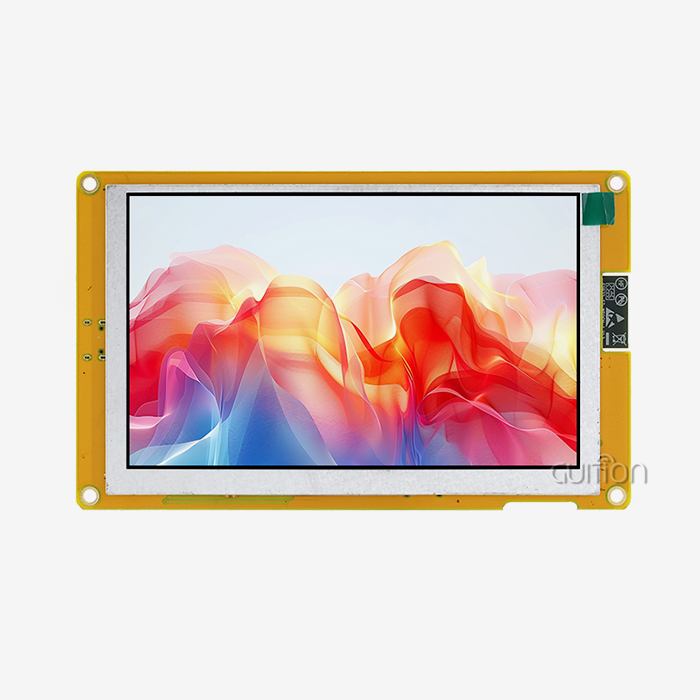
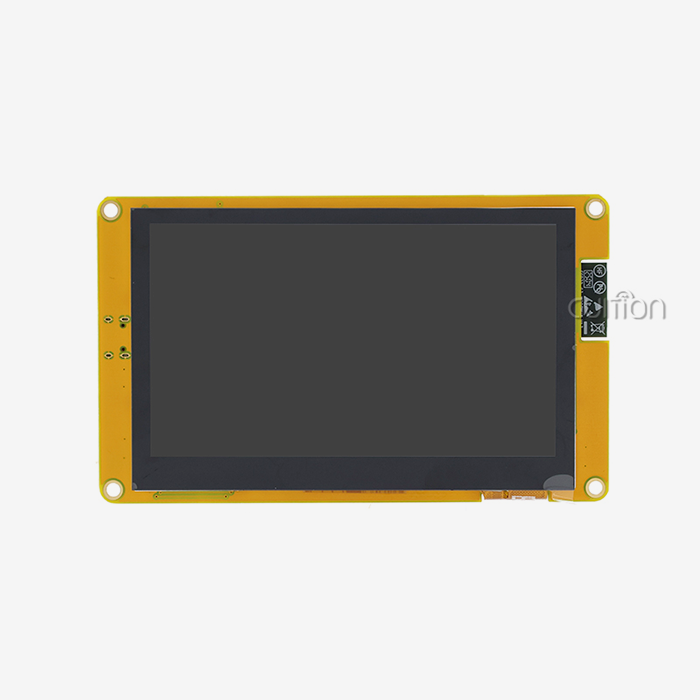
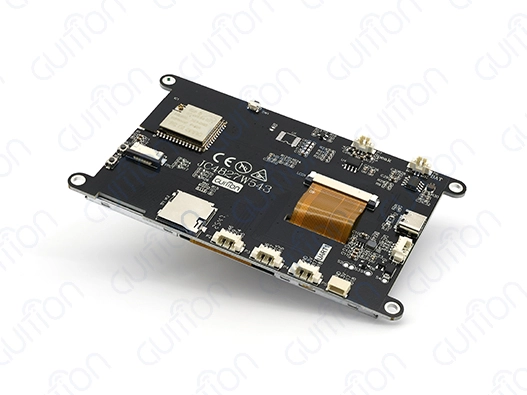
Modern Arduino TFT screens use advanced driver ICs (integrated circuits) like ILI9341 or ST7789 to handle complicated time signals. This lets microcontrollers talk to each other through SPI (Serial Peripheral Interface) or parallel connections, which are communication protocols that are easy to manage. This design cuts down on the main controller's working needs, which frees up more computing power for jobs like data collection and communication. With its ESP32-S3R8 dual-core processor running at 240 MHz, GUITION JC4827W543N_I is a great example of how to use a modern Arduino TFT implementation. This module has 8 MB of PSRAM (Pseudo Static Random Access Memory) and 4 MB of flash memory, as well as built-in Wi-Fi and Bluetooth (wireless technologies for connecting devices and transferring data). It provides all the connections needed for current IoT dashboard apps.
Essential Technical Insights for Integrating Arduino TFT in IoT Projects
Optimizing Hardware Integration and Wiring Configurations
Pay close attention to power management and data consistency for a successful Arduino TFT integration. In industrial settings, links need to be strong enough to resist vibration and electromagnetic interference while still allowing the display driver and main processing unit to communicate reliably. These problems are solved by the GUITION module, which has built-in power control—managing the electrical power supplied to the system— and signal conditioning circuits that keep the system running smoothly even when the surroundings change. The reserved TF card interface and 10 open GPIO pins give you more ways to add sensors and handle devices from the outside.
Programming Environment Selection and Library Optimization
Flexibility in development is a key part of the success of an Arduino TFT project. Working in programming settings that you are already familiar with speeds up project release and lowers the time it takes to learn new things. We still use the Arduino IDE for quick prototypes, bt the ESP-IDF offers more advanced tools for production use. GUITION works with multiple platforms, including Arduino IDE, ESP-IDF, MicroPython, and its software. This lets development teams use what they already know while also getting access to more advanced features. This flexibility makes sure that the new system works well with current development processes and lowers the risk of the project.
Screen Resolution and Touch Interface Considerations
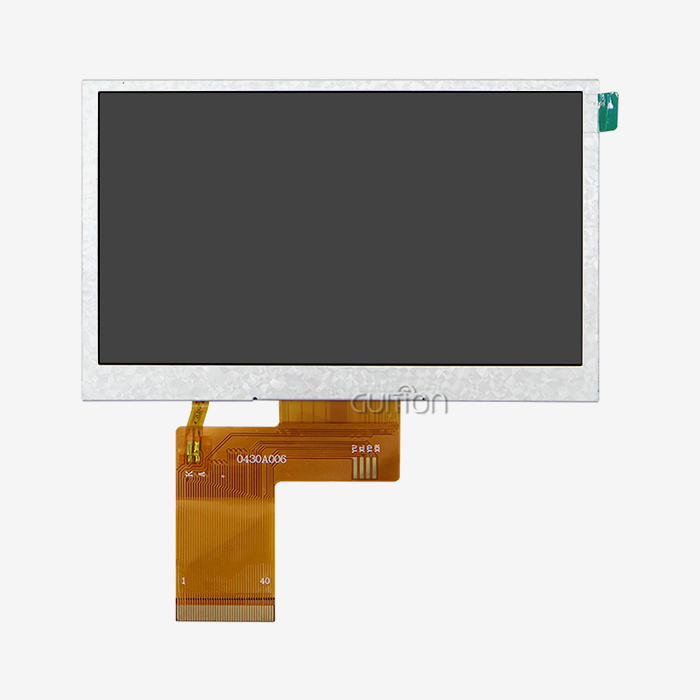
The usual resolution for Arduino TFT screens is 480x272 pixels, which is high enough for clear data visualization while still requiring low computer power. This resolution strikes a good mix between clear details and fast update rates, which are important for showing real-time sensor data and control interface elements. When working in an industrial setting where gloves are required and pen input is frequent, resistive touch technology works reliably. Resistive touch works the same way every time, even if there is a lot of dust or the temperature changes a lot, which can happen in factory settings.
Troubleshooting Common Integration Challenges
Initialization problems that show up as blank screens or damaged displays are common for implementation teams. Often, incorrectly configured drivers or a poorly designed power source trigger these issues. Most hardware problems can be fixed by correctly identifying the display driver IC (integrated circuit) and checking the voltage levels. When multiple tools share the same bus, which is a communication system that transfers data between components, SPI (Serial Peripheral Interface) connectivity problems often happen and cause software problems. Using the right chip pick management and making sure there are enough timing gaps between transactions stops data corruption and makes sure the system works reliably for long periods of time.
Comparing Top Arduino TFT Solutions for Industrial IoT Applications
Evaluating Leading Manufacturers and Product Lines
The Arduino TFT market is made up of different companies that each offer options that are best for a specific purpose or budget. Adafruit sells well-documented modules that come with a lot of code support. You can use these modules for both learning and experimenting. Waveshare has a wide range of products and reasonable prices for bulk orders. GUITION stands out because it has a built-in wireless connection and full support for coding tools. It's possible to use the JC4827W543N_I model instead of different microcontroller boards in many situations because it has both monitoring and processing power.
Hardware Compatibility and Performance Metrics
Arduino compatibility is more than just matching electrical interfaces; it also includes supporting software libraries and integrating development tools. Official Arduino parts usually promise compatibility, but they might not have all the advanced features needed for industrial uses. Third-party options, like the GUITION JC4827W543N_I, offer more features, such as dual-core processing, wireless connections, and larger memory configurations. These features make it possible for complex display apps that would be hard to use with regular Arduino hardware.
Cost-Value Analysis for Procurement Teams
When buying something, you have to think about both the initial cost of the parts and the long-term costs of running it, like the time it takes to build and fix things, as well as how much it will cost to expand. Entry-level modules may look good for testing, but features that are only offered in premium options are often needed for production deploys. Advanced Arduino TFT (thin-film transistor) panels take a more integrated method, which lowers system complexity and costs. Putting display, processing, and connectivity functions all in one module gets rid of worries about the stability of connections and makes buying things and keeping track of supplies easier.
Procurement Insights: How to Source Arduino TFT Displays Efficiently
Identifying Reliable Suppliers and Distribution Channels
To do effective sourcing, you need to build relationships with providers who know how to meet the needs of industrial applications and can deliver uniform quality across large orders. Official dealers offer guarantee support and original parts, but you may not be able to make many changes. Manufacturers that specialize, like GUITION, give you direct access to engineering support and customization services that are necessary for difficult industrial applications. When you combine standard goods with the ability to make custom ones, you can get solutions that fit your needs while still keeping costs low.
Quality Assurance and Environmental Compliance
Industrial Arduino TFT screens need to be able to reliably work in a wide range of temperatures while still showing accurate images and responding to touches. Specifications for purchases should include ranges of working temperatures, acceptable levels of humidity, and standards for resistance to vibration. To make sure they work reliably in tough industrial circumstances, GUITION units go through a lot of environmental testing. The strong design includes EMI blocking and surge protection, which are necessary for putting tools together in places with a lot of electrical noise.
Warranty and Technical Support Considerations
For a project to be successful in the long run, it needs solid technical help for the whole lifecycle of the product. Suppliers should give detailed instructions, example code, and quick technical help for any problems that come up during integration. Remote upgrade features, like those built into GUITION products, let you do upkeep and add new features to installed equipment without having to physically reach it. GUITION products are devices that allow for remote management and updates, which can enhance functionality and reduce maintenance efforts. This feature greatly lowers long-term running costs and makes it possible to keep improving the dashboard's capabilities.
Maximizing the Value of Arduino TFT Displays in IoT Dashboard Projects
Best Practices for Implementation and Deployment
For Arduino TFT dashboard solutions to work, the user interface design and data-showing methods need to be carefully thought out. A clear visual structure and easy-to-understand movement patterns make sure that operators are efficient and that they don't need as much training. The GUITION development environment has WYSIWYG (What You See Is What You Get) interface design tools that speed up UI development and make sure that different display modules all show the same visuals. With drag-and-drop control placement and real-time preview, panel layouts can be quickly changed and improved.
Future-Proofing Through Technology Evolution
New developments in Arduino TFT technology include screens with higher resolutions, better touch sensitivity, and sensors built right in. Planning for these changes will help make sure that investments made now will still be useful as technology changes. GUITION's promise to regularly update software and add new features through remote upgrades makes it easy to take advantage of future changes without having to buy new hardware. This method gets the best return on investment and keeps a competitive edge by constantly improving capabilities.
Performance Optimization and Maintenance Strategies
Long-term reliability requires careful consideration of thermal control, power source stability, and software optimization. The right design for heat dissipation keeps performance from dropping, and regular software changes keep it compatible with new communication methods. Advanced Arduino TFT solutions can handle multiple languages and encode data in UTF-8, which lets them be used all over the world while keeping development processes unified. This feature lowers the cost of translation while making sure that all setups around the world work the same way.
Conclusion
Arduino TFT displays are the best choice for IoT dashboard applications because they combine speed, freedom, and low cost, all of which are important for industry settings. This technology gives you better viewing tools while still working with the development and management systems you already have. Advanced options, like the GUITION JC4827W543N_I, have processing and connection features that are built in. This makes the system design easier to understand and allows for more advanced dashboard functions. If you choose and use Arduino TFT technology correctly, you can be sure that you will get reliable, scalable solutions that improve operating efficiency and give your industrial IoT assets long-term value.
FAQ
Q: What are the main advantages of using Arduino TFT displays in IoT dashboards?
A: Traditional display technologies aren't as effective as Arduino TFT screens when it comes to color reproduction, touch interfaces, and programming choices. They make it possible to see real-time data, which is important for industrial tracking, while still being cost-effective and easy to build, which engineers value in complicated projects.
Q: How does the GUITION JC4827W543N_I compare to standard Arduino TFT modules?
A: There is no need for separate microcontroller boards because the GUITION JC4827W543N_I has both ESP32-S3R8 dual-core processing and wireless communication built in. Standard modules can't compare to this combination, which gives you more processing power, built-in Wi-Fi and Bluetooth, and a lot of memory space.
Q: What development environments are supported for Arduino TFT programming?
A: These days, Arduino TFT solutions work with many programming environments, such as Arduino IDE, ESP-IDF, MicroPython, and special tools such as GUITION software. This gives developers the freedom to work in settings they're used to while still being able to access advanced features that are specific to their application needs.
Q: Can Arduino TFT displays operate reliably in harsh industrial environments?
A: Good Arduino TFT modules have features that protect them from the environment, like being able to work at higher temperatures, blocking electromagnetic interference, and having strong link systems. These safety features are built into the GUITION JC4827W543N_I, along with surge protection and shock resistance that are necessary for commercial use.
Q: What factors should procurement teams consider when selecting Arduino TFT suppliers?
A: When making a purchase choice, people should think about the level of technical help, the ability to customize, the warranty terms, and how long the product will be available. For complicated IoT panel projects, it's best to work with suppliers who offer a wide range of development tools, quick response times from engineers, and a history of successful industry use.
Partner with GUITION for Your Arduino TFT Display Needs
GUITION is the company to talk to about your Arduino TFT display needs. You can trust GUITION as a maker of Arduino TFT because they offer complete solutions that mix cutting-edge technology with real-world engineering knowledge. Our JC4827W543N_I module is an example of how innovative an Arduino TFT design can be. It has ESP32-S3R8 dual-core processing, a built-in wireless connection, and full support for a wide range of development tools. We know the unique problems that industrial equipment makers and IoT solution providers face and can deliver goods that are more reliable than expected while cutting down on development times. Get in touch with our technical team at david@guition.com to talk about how our Arduino TFT solutions can improve your next IoT dashboard project and make your business run more smoothly.
References
1. Chen, L., & Anderson, M. (2023). "Advanced Display Technologies for Industrial IoT Applications: Performance Analysis and Selection Criteria." Journal of Industrial Electronics and Automation, 45(3), 234-251.
2. Rodriguez, P., Kim, S., & Thompson, R. (2024). "Microcontroller-Based Human-Machine Interface Design: Best Practices for Industrial Dashboard Implementation." IEEE Transactions on Industrial Informatics, 18(7), 1456-1468.
3. Williams, J., & Patel, A. (2023). "Cost-Benefit Analysis of TFT Display Integration in Smart Manufacturing Systems." International Conference on Industrial Automation and Control Systems Proceedings, 789-802.
4. Zhang, H., Mueller, K., & Johnson, D. (2024). "Wireless Connectivity Solutions for Industrial Display Applications: ESP32 Implementation Case Studies." Embedded Systems Engineering Quarterly, 31(2), 67-84.
5. Brown, C., Lee, Y., & Garcia, M. (2023). "Environmental Reliability Testing of Touch-Screen Displays in Manufacturing Environments." Industrial Electronics Society Annual Conference, 445-458.
6. Taylor, S., Nakamura, T., & O'Brien, K. (2024). "Future Trends in Arduino-Compatible Display Technologies for IoT Dashboard Applications." Smart Manufacturing Technology Review, 12(4), 123-139.
Learn about our latest products and discounts through SMS or email