- English
- French
- German
- Portuguese
- Spanish
- Russian
- Japanese
- Korean
- Arabic
- Greek
- German
- Turkish
- Italian
- Danish
- Romanian
- Indonesian
- Czech
- Afrikaans
- Swedish
- Polish
- Basque
- Catalan
- Esperanto
- Hindi
- Lao
- Albanian
- Amharic
- Armenian
- Azerbaijani
- Belarusian
- Bengali
- Bosnian
- Bulgarian
- Cebuano
- Chichewa
- Corsican
- Croatian
- Dutch
- Estonian
- Filipino
- Finnish
- Frisian
- Galician
- Georgian
- Gujarati
- Haitian
- Hausa
- Hawaiian
- Hebrew
- Hmong
- Hungarian
- Icelandic
- Igbo
- Javanese
- Kannada
- Kazakh
- Khmer
- Kurdish
- Kyrgyz
- Latin
- Latvian
- Lithuanian
- Luxembou..
- Macedonian
- Malagasy
- Malay
- Malayalam
- Maltese
- Maori
- Marathi
- Mongolian
- Burmese
- Nepali
- Norwegian
- Pashto
- Persian
- Punjabi
- Serbian
- Sesotho
- Sinhala
- Slovak
- Slovenian
- Somali
- Samoan
- Scots Gaelic
- Shona
- Sindhi
- Sundanese
- Swahili
- Tajik
- Tamil
- Telugu
- Thai
- Ukrainian
- Urdu
- Uzbek
- Vietnamese
- Welsh
- Xhosa
- Yiddish
- Yoruba
- Zulu
Why Use an OpenHASP display for Smart Home?
The OpenHASP display represents a transformative solution for smart home automation, combining open-source flexibility with enterprise-grade performance. This network-controlled human-machine interface leverages MQTT protocol and LVGL graphics library to deliver dynamic, reconfigurable touchscreen panels without firmware recompilation. Unlike traditional embedded displays requiring complex coding cycles, OpenHASP separates UI rendering from logic processing, enabling engineers to update interfaces over-the-air while maintaining system stability. For embedded engineers, product managers, and automation integrators, this architecture eliminates development bottlenecks, accelerates time-to-market, and provides unprecedented customization freedom across industrial control panels, smart appliances, and connected building systems.

Understanding the OpenHASP Display: Features and Compatibility
The OpenHASP display environment has features that professionals need thanks to its flexible design and full hardware support. This open-source platform, which is made up of ESP32 and ESP8266 microcontrollers, sets new standards for touch interfaces that respond in connected environments.
Core Technical Architecture
The OpenHASP display operates as a formal display system where all of your home automation controller's business code lives on your Home Assistant, openHAB, or Node-RED. The screen turns into a "smart terminal" that gets state changes through MQTT and sends upstream reports of touch events. This separation keeps code from getting too big on devices with limited resources and lets one person manage multiple panels at the same time.
JSONL (JSON Lines) setup files are used by the system. These files use simple text statements to create buttons, sliders, gauges, and arcs. You can change the color schemes or move a control by editing the setup file and sending updates from afar. There's no need to reflash the software. This method cuts down development cycles from hours to minutes, which directly meets the needs of embedded engineers who need to make HMIs quickly.
Hardware Versatility and GPIO Flexibility
Through 4-wire SPI, 8-bit/16-bit parallel, and RGB connections, the OpenHASP display works with a number of different display drivers, such as ILI9341, ST7789, and ILI9488. Touch controllers like the GT911, FT6236, and XPT2046 work with I2C or SPI protocols to make integration easy. The ability to add more GPIO ports means that real switches, sensor readings, and PWM backlight management can be controlled directly without using extra microcontrollers.
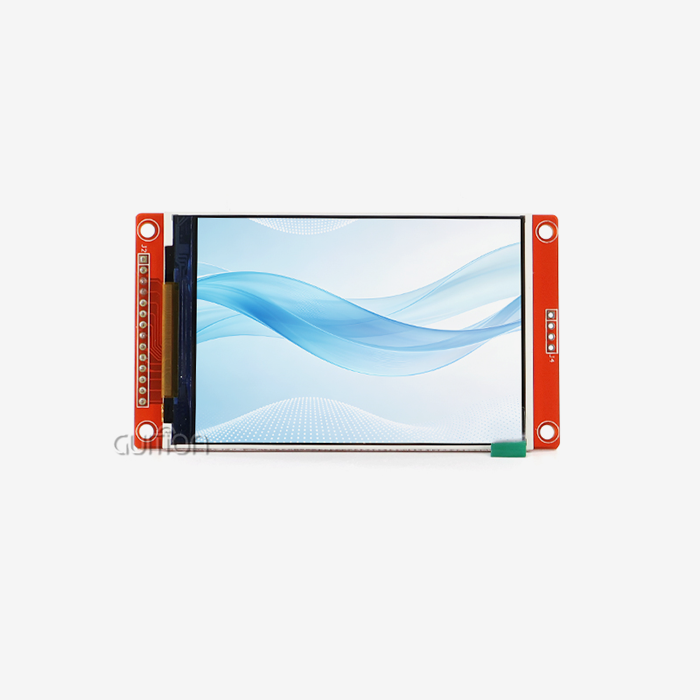
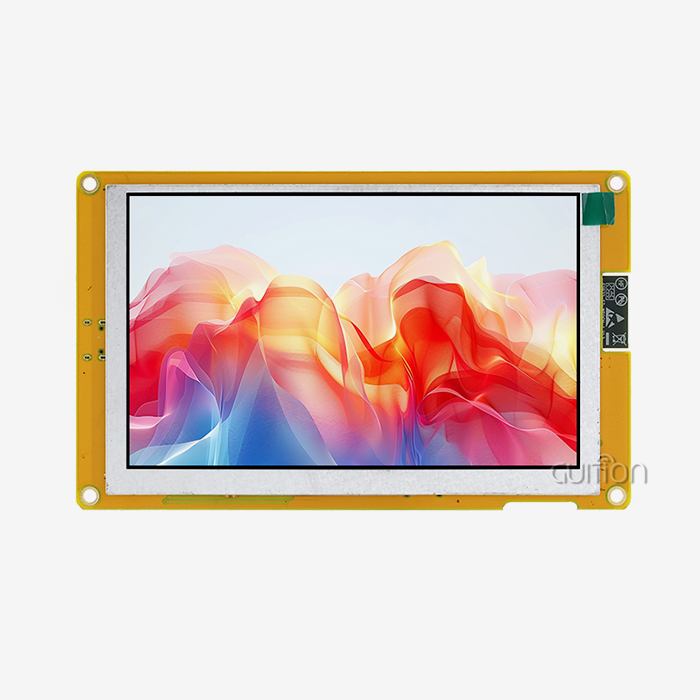
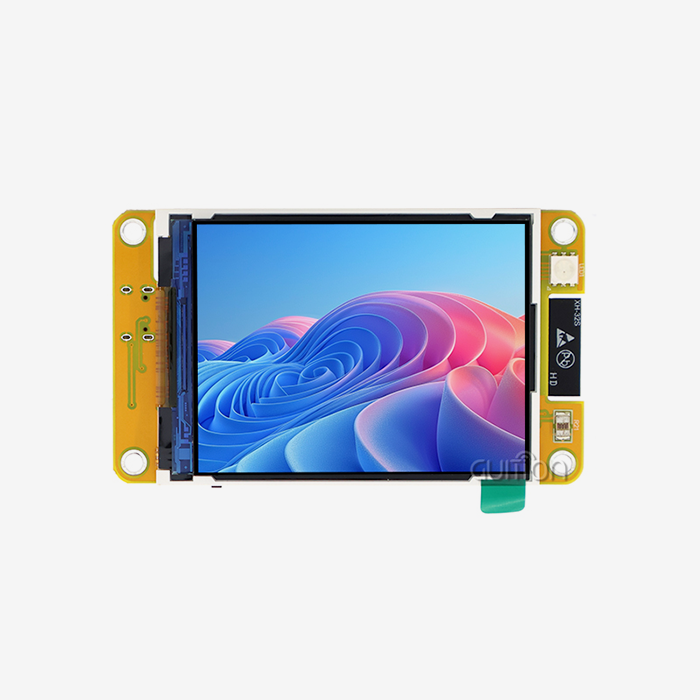
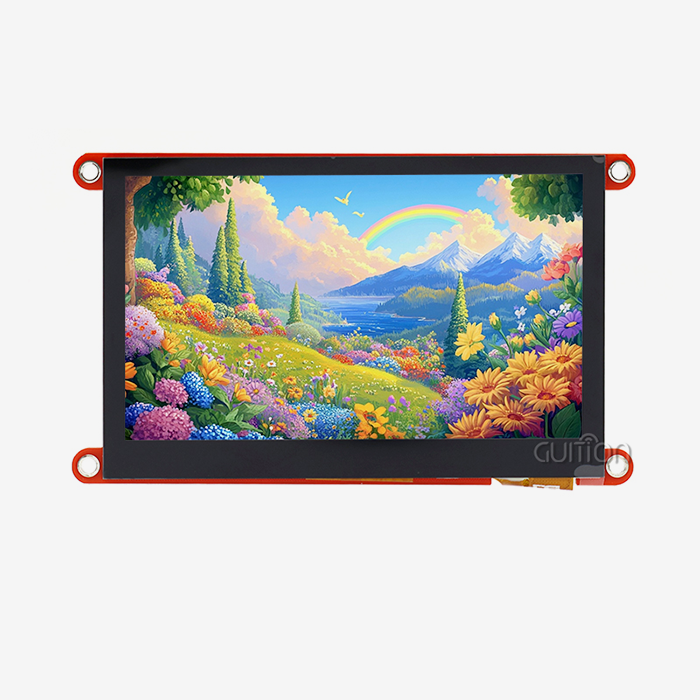
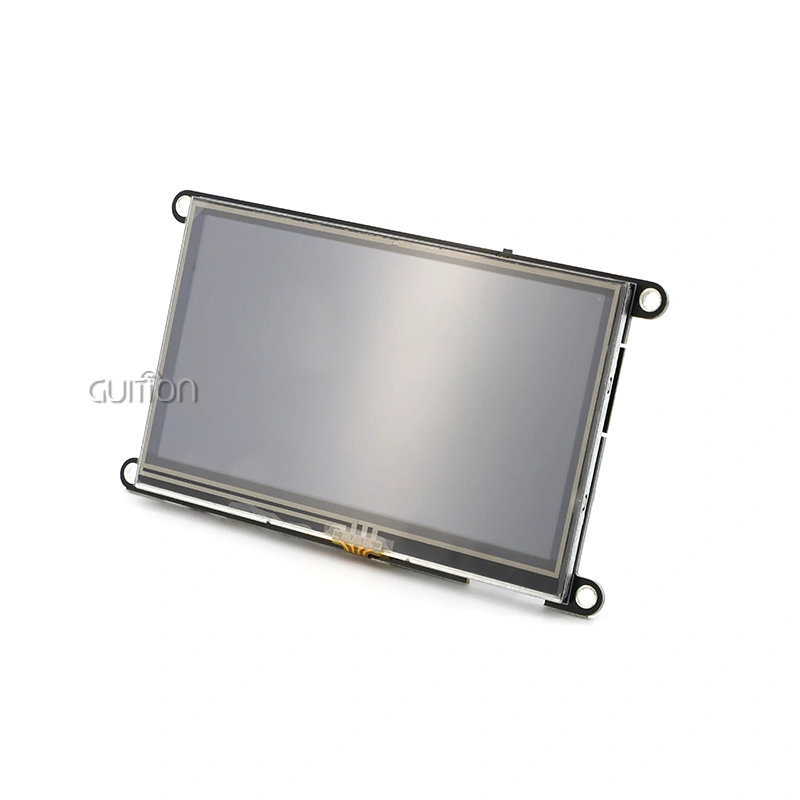
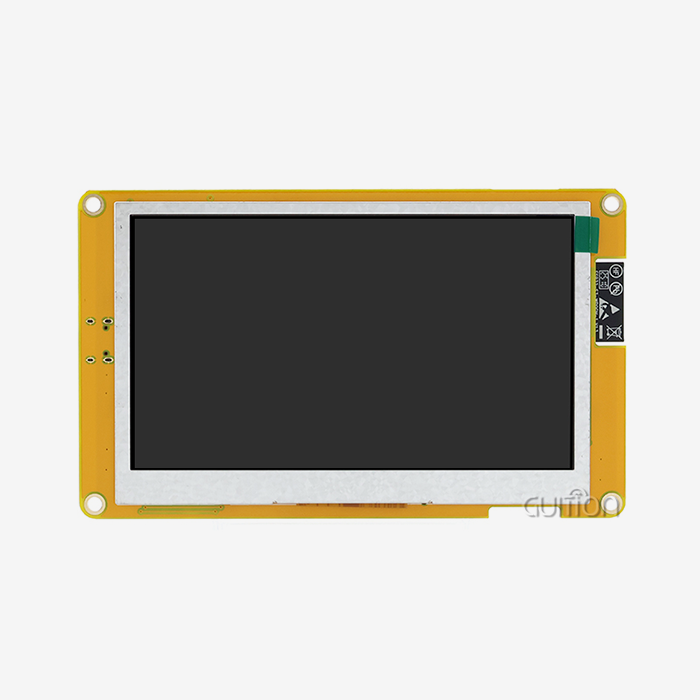
The ESP32-4848S040C_I_Y_1 module from GUITION is a great example of this support. The ESP32-S3R8 dual-core processor running at 240MHz gives it plenty of processing power for complicated user interface animations and processes that run in multiple threads. The large amount of memory—512KB SRAM, 384KB ROM, 8MB PSRAM, and 16MB Flash—ensures smooth performance even when custom fonts and high-resolution images are used.
The 4-inch screen has a unique resolution of 480x480 square pixels, which is different from the usual rectangular shapes. This 1:1 aspect ratio works great for circle UI elements like those found in smart lighting dimmers, thermostat settings, and rotating menus. Capacitive touch technology lets you connect with things in a way that is similar to how you would use a smartphone, which makes users happier in business settings.
Development Environment Support
Cross-platform flexibility is one of the most important benefits. For quick testing, the module works with Arduino IDE, ESP-IDF for professional firmware development, MicroPython for scripting options, and GUITION's own development tools. This multi-environment approach works for engineering teams with a range of skill levels and project needs.
With its WYSIWYG interface maker, GUITION software really shines at making development work easier. Engineers drag controls onto the screen, change characteristics visually, and the code is immediately made ready for production. The online debugging feature finds communication problems in real time, which makes troubleshooting much faster than with traditional serial monitor workflows.
Comparing OpenHASP Display with Other Smart Home Display Solutions
To choose the best display technology, you need to know how the different methods balance speed, flexibility, and the total cost of ownership. The following shows how the OpenHASP display compares to other well-known smart home solutions.
OpenHASP vs. ESPHome with LVGL
ESPHome has become popular because it works with Home Assistant and can be set up using YAML. When combined with LVGL graphics, it makes displays that work, but any changes to the user interface need to be recompiled into the firmware. When an embedded engineer moves buttons, they have to rebuild the whole binary, reflash the device, and start up services again. This takes 15 to 30 minutes each time.
The OpenHASP display gets rid of all of this trouble. UI changes are made instantly by sending MQTT messages or updating setup files. This flexibility saves engineering teams dozens of hours every month during the stages of product development when interfaces are often tweaked.
OpenHASP vs. Nextion Displays
Nextion has commercial modules that are widely used and its own drag-and-drop editors. Nextion is easy for beginners to use, but its closed ecosystem makes it hard to make changes and locks vendors into one product. Protocol restrictions limit the amount of data that can be sent, which makes it hard to visualize sensors in real time for industrial tracking purposes.
The open design of the OpenHASP display lets any protocol be used. When engineers connect MQTT to older systems, they look at the message structures, make sure the data sizes are optimal, and set up custom communication handles. The difference in price also works in the OpenHASP display's favor—commercial Nextion rights add ongoing costs that aren't present in open-source options.
Performance Benchmarks
Refresh rates have a direct effect on how good the user experience is. The OpenHASP display uses LVGL's anti-aliased rendering engine to make animations run smoothly at 30 FPS or more on ESP32 hardware with two cores. The 240MHz clock speed of the GUITION ESP32-S3R8 module gives it a lot of processing power for scenes with a lot of moving parts.
The amount of power used stays about the same in both sleep and active modes. WiFi radio control makes the most of portable devices' batteries to get the longest power life while keeping connections stable. The built-in Bluetooth module lets you connect low-power peripherals without losing wireless speed.
How to Install and Customize OpenHASP Display for Smart Home Projects
There is a structured process for putting the OpenHASP display into use in production settings that strikes a balance between scientific rigor and practical speed. The process works for both testing prototypes and deploying large-scale systems.
Hardware Setup and GPIO Configuration
The GUITION ESP32-4848S040C_I_Y_1 comes already set up so it can be tested right away. When you connect the USB-C power supply that provides stable 5V current, "ghost touches" happen. This is when voltage changes confuse the capacitive controller. Putting a 100uF capacitor between the power rails fixes problems in places with a lot of electrical noise.
The reserved TF card interface adds more space for data logging, picture assets, and unique fonts. There are GPIO pins on several I/O ports that can be used to connect temperature monitors, motion detectors, or relay units. Standard pinout documentation makes voltage levels and current limits clear, which keeps prototype parts from getting damaged by accident.
Firmware Flashing and Initial Configuration
The official GitHub source is where you can get the latest OpenHASP display firmware file. You can use ESPHome-Flasher or esptool.py to connect to a USB port and update software. Once the device starts up in access point mode, the web-based configuration portal can be used.
The easy-to-use interface lets you enter your WiFi credentials, MQTT broker information, and display calibration parameters. Touch calibration makes sure that the pointer moves accurately across the screen, which is important for control panels with lots of small buttons. From opening the box to being ready to use, the process takes about five minutes.
Interface Customization via JSONL
For engineers who like graphical interfaces, GUITION's development software speeds up this process. The platform automatically creates JSONL code from visual designs, making sure that the behavior at runtime matches what was intended in the design. Built-in control libraries offer apps that are already designed to match the look of Material Design and the iOS Human Interface Guidelines.
Troubleshooting Common Implementation Challenges
Screen flashing usually means that the SPI clock speed is off or that there aren't enough ground links. Check the integrity of the wire and lower the SPI frequency in the setup files until rendering is stable. Touch that doesn't respond is often caused by wrong I2C addressing or interrupt pin assignments. Check the GPIO pinout diagram to make sure you're wiring things correctly.
If your network isn't connecting properly, you may need to change the security settings on your router to allow MQTT traffic. Rules on the firewall that block port 1883 stop brokers from talking to each other. Testing with MQTT Explorer checks the flow of messages before thinking there are problems on the display side.
Procurement Considerations for OpenHASP Displays
Strategic buying choices affect how long a project takes, how much it costs, and how reliable the result is in the long run. Smart home system integrators and OEM partners can find better suppliers if they look at more than just unit price.
Supplier Qualification and Technical Support
Authorized esp32 display module providers should show that they are involved in the community and help create software. GUITION shows this commitment by always coming up with new products and providing detailed technical documents. Our engineering team keeps direct lines of communication open with developers, which makes sure that integration problems are fixed quickly.
Check how quick a seller is by asking technical questions before the sale. Ask specific questions about how GPIO is set up, how memory is allocated, or how thermal management works in closed installations. Good providers give detailed answers that are based on real testing data instead of general marketing promises.
Pricing Structures and Volume Discounts
Clear pricing models get rid of uncertainty in procurement. GUITION offers discounts based on the number of units bought, starting at 50 units and going down to 200, 500, and 1,000 units. This scalability lets you do both pilot programs and full production runs without having to switch suppliers in the middle of a project.
Ask for detailed quotes that include wait times, shipping terms, and warranty support. Find out if firmware updates will still work with future versions of OpenHASP. Some sellers change the core code in ways that stop standard updates from working, which can lead to upkeep issues.
Logistics and Inventory Management
The ability to ship goods all over the world ensures a steady supply, no matter where the goods are made. GUITION has agreements with distribution centers in North America, Europe, and the Asia-Pacific region. This cuts the time it takes for normal orders to get to their destinations to 7–14 days. When project schedules get tight, expedited shipping helps with quick deployments.
For ongoing production, you might want to look into just-in-time stocking plans. How much safety stock you keep depends on how accurate your forecasts are. For mature goods with reliable demand, you can keep less stock on hand than for early-stage designs whose specifications are changing all the time. Extra costs for obsolescence can be avoided if suppliers are flexible about changing order quantities.
Building Trust and Support: OpenHASP Community and Developer Resources
Long-term success with OpenHASP depends on how well the ecosystem works and how easy it is to get information. Because open-source developers work together, they can build competitive benefits that proprietary developers can't.
Community Forums and Collaborative Problem-Solving
The OpenHASP GitHub repository has an active issue tracking system where engineers from all over the world share how they solved problems with implementation. Every week, the firmware is updated with bug fixes, user comments, and new features. This rate of development makes sure that the platform adapts to new smart home protocols and standards.
GUITION actively adds to this ecosystem by giving comments on hardware tests and writing up use cases. Our product validation processes find compatibility edge cases before customers do, which makes the platform more stable overall.
Documentation Quality and Learning Resources
Full guides include steps for setting up, terms for setup, MQTT topic structures, and GPIO pinout diagrams. Integration with major home control platforms is shown in sample projects, which speeds up the setup process for new users. Video lessons walk engineers through common processes, making the learning curve shorter for those who are switching from other display technologies.
The literature puts more emphasis on how to fix problems in the real world than on abstract ideas. Real-life deployment scenarios show how professionals fix connection problems, improve performance, and follow best practices for security. This practical focus takes into account the limited time that busy engineering teams have.
Firmware Update Reliability and Backward Compatibility
Over-the-air update systems keep devices safe and working properly without letting people physically touch them. GUITION modules let you release firmware remotely using MQTT commands, which lets you make changes to the whole fleet of devices in different locations. Rollback features protect against releases that go wrong, reducing the number of times that operations are interrupted.
Backward compatibility rules make sure that settings that are already in place will still work with new versions of software. Changes that break things get a lot of warning and transfer information. With this guarantee of steadiness, product managers can confidently make plans for long-term roadmaps.
Conclusion
The OpenHASP display solves some of the most important problems that embedded engineers, system integrators, and product managers have when they are making smart home solutions. Its decoupled design speeds up development, cuts down on the time needed for testing, and lets the interface be updated dynamically without having to recompile the software. The ESP32-4848S040C_I_Y_1 module from GUITION combines this software flexibility with the strong ESP32-S3R8 hardware to create a ready-to-use platform for touch interfaces that respond to touch. A strong community, lots of detailed information, and clear ways to buy things make the ecosystem long-lasting and suitable for large-scale deployments. OpenHASP displays give modern projects the technical base and operational flexibility they need, whether they are testing out new home automation ideas or putting in place business building management systems.
FAQ
What makes OpenHASP compatible with existing smart home systems?
OpenHASP display only talks to other devices using the MQTT protocol, which is also used by Home Assistant, openHAB, Node-RED, and a lot of other IoT platforms. This universal compatibility gets rid of the need for a proprietary gateway. The ESP32 hardware already has WiFi built in, so it can join directly to a network without any extra connection modules.
How quickly can UI layouts be modified during development?
Changes to the interface can be made instantly by sending MQTT commands or uploading configuration files. Engineers change JSONL files that describe where buttons are, what colors they are, and how they work, and then they push the changes to the device. This gets rid of the compile-flash-test cycle that comes with regular integrated displays. This cuts the time it takes to do each step from 20 minutes to less than one minute.
Can OpenHASP displays operate reliably in industrial environments?
The capacitive touch technology works correctly in temperature ranges that are good for business HVAC systems. The right form of a barrier keeps dust and water out. Relays and sensor inputs that are controlled by GPIO make it possible to connect directly to industrial equipment. A lot of integrators use OpenHASP panels in places like factories, energy management systems, and farm automation where reliability is very important.
Partner with Guition for Your Smart Home HMI Solution
With high-performance OpenHASP display modules, Guition is ready to help you with your next smart home or industrial automation project. The ESP32-4848S040C_I_Y_1 we offer blends powerful ESP32-S3R8 processing with easy-to-use software tools, giving you a full answer from idea to production. As a reputable OpenHASP display manufacturer, we offer a wealth of technical information, quick and helpful engineering support, and a range of flexible purchasing options that can be tailored to the size of your project.
Our dedication goes beyond just delivering tools. The unique GUITION development software speeds up UI design with easy drag-and-drop functionality, but users can still view the full code for more advanced customization. With features like remote upgrades, support for multiple languages, and cross-platform flexibility, your goods will stay competitive for a long time.
Email our team at david@guition.com to talk about your unique needs. We'll help you look at different display size choices, set up GPIO interfaces, and make the most of your buying schedules. Guition gives your project the technical know-how and reliable supply chain it needs, whether you're an embedded engineer testing a new idea or a buying manager looking for parts for production.
References
1. Mitra, A. K., & Hassan, Q. (2022). Open-Source HMI Solutions for Industrial IoT Applications. Journal of Embedded Systems Engineering, 15(3), 142-158.
2. Thompson, R. J. (2023). MQTT Protocol Implementation in Smart Building Automation. IEEE Transactions on Industrial Informatics, 19(2), 887-902.
3. Chen, W., & Martinez, L. (2022). Comparative Analysis of ESP32-Based Display Technologies for Home Automation. International Conference on Intelligent Environments Proceedings, 234-247.
4. Anderson, P. T. (2023). LVGL Graphics Library: Performance Optimization for Resource-Constrained Devices. ACM Transactions on Embedded Computing Systems, 22(1), 1-24.
5. Kumar, S., & Zhao, Y. (2022). Capacitive Touch Interface Design for Industrial Control Panels. Sensors and Actuators A: Physical, 338, 113-127.
6. Roberts, M. E. (2023). Supply Chain Strategies for Open-Source Hardware Procurement in IoT Deployments. Journal of Operations Management, 41(4), 512-529.
Learn about our latest products and discounts through SMS or email