- English
- French
- German
- Portuguese
- Spanish
- Russian
- Japanese
- Korean
- Arabic
- Greek
- German
- Turkish
- Italian
- Danish
- Romanian
- Indonesian
- Czech
- Afrikaans
- Swedish
- Polish
- Basque
- Catalan
- Esperanto
- Hindi
- Lao
- Albanian
- Amharic
- Armenian
- Azerbaijani
- Belarusian
- Bengali
- Bosnian
- Bulgarian
- Cebuano
- Chichewa
- Corsican
- Croatian
- Dutch
- Estonian
- Filipino
- Finnish
- Frisian
- Galician
- Georgian
- Gujarati
- Haitian
- Hausa
- Hawaiian
- Hebrew
- Hmong
- Hungarian
- Icelandic
- Igbo
- Javanese
- Kannada
- Kazakh
- Khmer
- Kurdish
- Kyrgyz
- Latin
- Latvian
- Lithuanian
- Luxembou..
- Macedonian
- Malagasy
- Malay
- Malayalam
- Maltese
- Maori
- Marathi
- Mongolian
- Burmese
- Nepali
- Norwegian
- Pashto
- Persian
- Punjabi
- Serbian
- Sesotho
- Sinhala
- Slovak
- Slovenian
- Somali
- Samoan
- Scots Gaelic
- Shona
- Sindhi
- Sundanese
- Swahili
- Tajik
- Tamil
- Telugu
- Thai
- Ukrainian
- Urdu
- Uzbek
- Vietnamese
- Welsh
- Xhosa
- Yiddish
- Yoruba
- Zulu
Why Use a Colour LCD Display Module in Industrial Equipment?
Industrial equipment demands visual interfaces that deliver clarity under pressure. Colour LCD display modules have become essential in modern industrial operations because they transform raw data into intuitive, actionable information. Unlike monochrome alternatives, these modules enable operators to distinguish between operational states instantly through colour-coded feedback, reducing response times and preventing costly errors. In environments where split-second decisions matter—such as production line monitoring or energy management—the vibrant 65K colour support and superior readability of these displays directly impact productivity and safety outcomes.


Understanding Colour LCD Display Modules in Industrial Contexts
What Makes These Modules Different
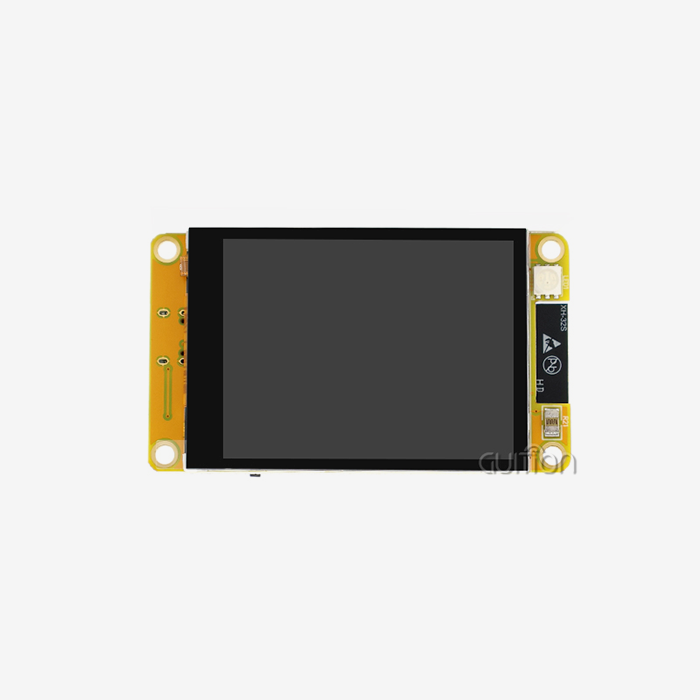
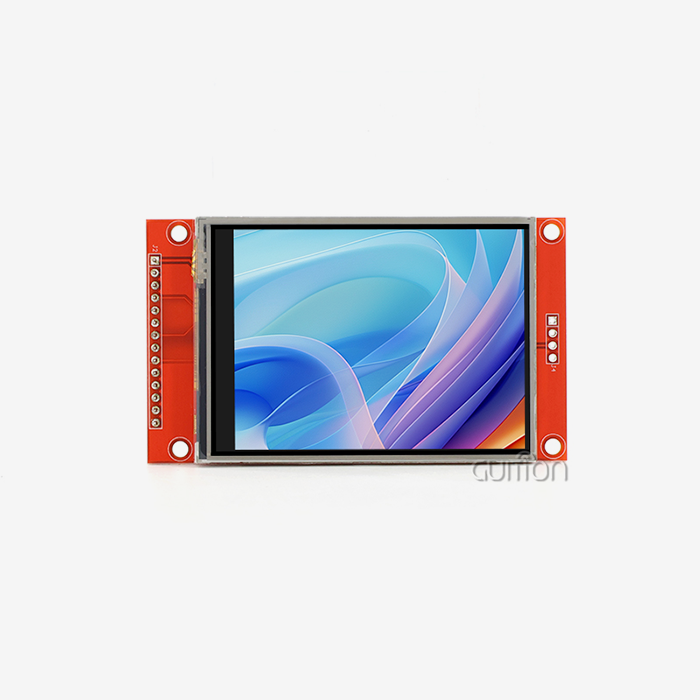
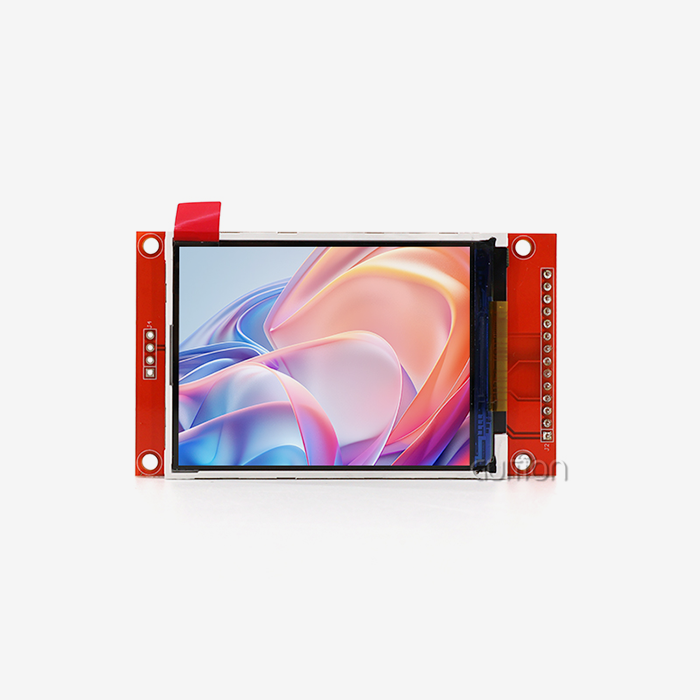
A colour LCD display module is a complex combination of thin-film transistor technology, driver circuits, and lighting systems that are made to last in industrial settings. These modules use Active Matrix technology, which lets each pixel work on its own through special transistors. This lets the voltage be controlled precisely, and the colors be shown consistently. With its 320x480 resolution and ILI9488 driver IC, the GUITION JC3248S035R is a great example of this design. Its 3.5-inch screen shows clear images.
When it comes to how they work, colour LCD display modules are fundamentally different from other options. Although black-and-white screens are simple, they don't have the visual hierarchy that is needed for complex industrial interfaces. OLED screens have great contrast, but they can get burned in and use more power when they're in use for a long time. Industrial colour LCD display modules are a good compromise because they offer 16-bit color depth and can work reliably in temperatures ranging from -30°C to +85°C.
Core Components and Interface Architecture
Modern industrial display units are small and have a lot of different parts built into them. The GUITION JC3248S035R has powerful power management, touch screen control circuitry for interactive apps, and backlight control circuitry that changes the brightness based on the environment. This module uses the 4-wire SPI communication protocol, which cuts down on the number of GPIO pins needed to just four. This frees up important microcontroller resources for other system tasks.
The choice of interface has a big effect on how hard it is to integrate. When it comes to industrial uses, SPI ports like the ones in the JC3248S035R offer enough bandwidth while keeping wiring easy. If you need a higher resolution, you might need to use LVDS or MIPI DSI protocols, but these add more problems with signal integrity. There is also the 8080 parallel interface, which uses more GPIO pins than serial options but is still a possibility.
Critical Industrial Specifications
Resolution directly impacts how much information there is and how easy it is to read. As long as the resolution is 320x480, the numbers, progress indicators, and simple graphics can be seen clearly on most control panel apps. Specifications for viewing angles tell us if workers can read displays from angles other than straight on. This is very important for equipment where direct frontal viewing isn't always possible. Different types of IPS technology offer viewing angles of 178 degrees. However, TN screens are still commonly used in cost-effective uses, even tho their viewing cones are narrower.
Modules that can be used indoors and outdoors are distinguished by their brightness levels. Standard industrial displays give off 200 to 350 nits, which is enough for places with controlled lighting. Sunlight-readable versions get up to 2500 nits of brightness thanks to better backlighting and anti-reflective coatings. The trade-off between power consumption and runtime is important for battery-powered devices where backlight efficiency directly impacts runtime.
Why Colour LCD Display Modules Are Preferred in Industrial Equipment
Visual Clarity and Operational Efficiency
In time-sensitive situations, color separation speeds up the processing of information. Color-coded zones let workers spot problems with multiple system parameters at the same time without having to read each number individually. Red lights send instant alerts, green lights confirm normal operation, and yellow lights warn of danger—a visual language that works for all levels of operator training.
Color interfaces are a measurable improvement for industrial automation systems. When a food processing plant switched from black-and-white to color displays, it saw 23% faster responses to changes in temperature, which directly cut down on product waste. By adding color-coded zones on top of temperature or pressure images, you can turn complicated numerical data into information that is easy to understand right away.
Durability and Reliability Advantages
Industrial colour LCD spi display modules go through a lot of tests to make sure they are qualified, but consumer-grade screens don't have to. For environmental testing, the product is exposed to 60°C and 90% relative humidity for 240 hours, which is the same as years of use in harsh conditions. Vibration and shock tests make sure that the FPC glue is strong and that the glass can handle the mechanical stress that is typical in factories. The GUITION JC3248S035R has chemically strengthened glass choices that meet 3H hardness grades and don't get scratched easily by tools and equipment.
Random failures of consumer screens in industrial settings can't happen because of electrostatic discharge safety built into industrial modules. Testing the Human Body Model to ±8kV makes sure that the driver IC can handle the static electricity that happens when people wear synthetic fabrics or work in dry conditions.
Safety Enhancement Through Intuitive Feedback
Through easy-to-understand state information, color displays lower the number of mistakes made by operators. This feature is very important to people who make medical devices. For example, a respirator that shows a patient's vital signs in color lets nurses see a lot of information at once instead of having to look at each number reading individually. Studies in the design of medical tools have shown that color-coded screens cut down on mistakes in interpretation by about 40% compared to black-and-white ones.
The safety benefits of energy control tools are similar. Colour LCD display module substation monitoring equipment lets technicians instantly spot overload situations with red-zone visual alerts, which work in addition to audible alarms that could be missed in noisy places. Color and number data work together to make fail-safe contact between people and machines.
Choosing the Right Colour LCD Display Module for Industrial Equipment
Balancing Resolution and Physical Size
The size of the screen must be big enough to fit all the information that your app needs without being too much for users to handle. A 3.5-inch screen with a resolution of 320x480 gives you about 165 pixels per inch, which is enough to show text clearly in 8-point fonts. It's not always easier to use bigger screens; a 7-inch screen with the same resolution actually lowers pixel density, which could make text less clear unless watched from farther away.
The best size depends on the application. Handheld diagnostic tools have small 3.5-inch modules that make them portable while still giving them enough screen space for graphs and controls. Fixed control panels usually have 7-inch to 10.1-inch modules that can handle multiple data lines at the same time. However, for these to work properly, they need more powerful graphics processors.
Evaluating Interface Compatibility
The GUITION JC3248S035R uses the SPI standard, which works with many popular embedded systems, such as Arduino, ESP32, and STM32 microcontrollers. Most development boards have hardware peripherals that support SPI natively, which makes prototyping easier. The downside is that the refresh rate is limited because SPI bandwidth only allows full-screen updates at 20 to 30 frames per second, which is fine for industrial use but not enough for video playback.
Being able to work on multiple platforms gives developers more options. The Guition software for developing interfaces works with both Arduino and IDF, so engineers don't have to learn how to use custom toolchains. Instead, they can use current codebases. This makes it easier to learn new display technologies, which often causes projects to take longer than planned.
Manufacturer Capabilities and Support Infrastructure
Buying decisions include more than just the specifications of the modules. They also include how reliable the supplier is and how good their technical support is. Minimum order numbers affect prototyping costs; providers that demand 1000-unit minimums make it hard for new businesses and small production runs to get started. Guition can be bought on a range of scales, and it offers sample units for testing before committing to large orders.
Integration delays are directly affected by the quality of the documentation. Engineers can fix integration problems on their own with the help of detailed datasheets that include electrical features, timing graphs, and command protocols. Guition gives a lot of test code and application notes for common microcontroller platforms. This cuts down on the number of development cycles that cost a lot of money.
Lead times for deliveries affect production schedules, especially for product launches that need to happen quickly. Established makers keep extra inventory on hand to cover delivery windows of two to four weeks. Custom designs, on the other hand, may need eight to twelve weeks for tooling and production. Knowing these deadlines during the design phase keeps schedules from clashing when the sample is turned into a real product.
Integration and Troubleshooting of Colour LCD Display Modules
Interface Protocol Implementation
To integrate SPI successfully, you need to pay attention to the timing and integrity of the signals. The fastest clock speeds must not exceed the highest rate of the driver IC. For example, the ILI9488 can handle SPI clock frequencies of up to 10MHz, but 8MHz is usually enough for practical use. Using pull-up resistors on the chip pick line stops floating states that lead to communication problems. Also, making sure the PCB is properly grounded reduces electromagnetic interference that shows up as SPI Display Module flaws.
Important operational parameters are set during the initialization sequence. The host microprocessor has to send setup commands that set the color format, scanning direction, and memory access modes as soon as the device is turned on. This is made easier by the GUITION JC3248S035R, which gives engineers detailed initialization examples that they can change to fit their own microcontroller environments.
Common Integration Challenges
During initial testing, dead pixels can sometimes show up. This is usually a sign of mechanical damage from handling or problems with the way the device was made. ISO 13406-2 Class II standards allow some pixel defects in displays; the important thing is to check if the defects seen are within acceptable limits. Stuck-on pixels that stay lit up all the time are signs of transistor failures, while stuck-off pixels show that links in the display grid are broken.
Rather than module problems, display glitches are usually caused by problems with the purity of the signals. Checkerboard patterns or color bands usually mean that the power source buffering capacitors close to the module aren't working well. The backlight driver needs a steady supply of voltage. If the voltage drops when the backlight is turned on, the brightness changes, which looks like flickering. Usually, these problems go away when you add 100μF electrolytic capacitors in parallel with 0.1μF ceramics close to the power input.
Communication problems show up as images that aren't clear or touch controls that don't work. Make sure the SPI wiring matches the module pinout exactly. If the MOSI and MISO lines are switched, there is no way to communicate at all. Check the SPI clock and data signals to make sure they have the right voltage levels and timing. Unstable behavior is caused by ground loops between the display module and the host processor. Star grounding setups can fix this problem.
Maintenance Best Practices
Displays in industrial settings are exposed to dirt and dust that slow them down over time. Set up cleaning procedures and only use authorized materials. For example, rubbing alcohol on soft cloths will remove oils and dust without hurting the polarizer films. Cleaners with ammonia can damage the adhesive layers and cause them to come apart. Regular cleaning is especially good for touch screens because dust buildup makes them less sensitive.
The backlight's lifetime is the main part of Colour LCD display modules that wears out. LED backlights usually work at full brightness for 50,000 hours before the power dims to 70% of what it was at first. Running at a lower brightness level greatly stretches the life of the backlight; running at 80% brightness level nearly doubles the working lifetime. Managing temperature also has an effect on longevity; a 10°C drop in working temperature doubles the expected life of a component by about two times.
Procurement and Cost Considerations for Industrial Colour LCD Display Modules
Pricing Dynamics and Volume Discounts
The price of a colour LCD display module takes into account both the cost of the parts and the supplier's profit margins. The price of a single prototype unit is usually 40–60% higher than the price of a volume unit. This is to cover setup costs and faster handling. Breaks in the volume usually happen at 100, 500, and 1000 units, with 10-15% drops at each level. Figuring out these breaking points helps procurement teams balance the costs of carrying inventory with the number of items they need to order.
Requests for customization have an effect on both prices and wait times. Modules that are standard ship in two to four weeks. Modules that need custom backlight brightness, wire length changes, or special positioning take an extra six to ten weeks because they need to be made with special tools. Check to see if customizing really adds value. Sometimes it's cheaper to choose a stock part that's a little bigger than what you want.
Sample Ordering and Evaluation Procedures
By asking for review samples, you can test the validity of your idea before committing to large-scale production. Instead of relying only on the specifications in the datasheet, check the optical performance in the real-world conditions you will be using it in. Check the viewing angles from where the operators will actually be standing. Make sure the brightness is right for the lighting in your building. Check how sensitive the touch is while wearing gloves if the workers are wearing PPE.
Surprises during production can be avoided by doing thermal testing during assessment. Run the colour LCD display module at full brightness inside the enclosure of your equipment while keeping an eye on the temperatures at the display and driver IC. Make sure that the thermal management system doesn't let the module's rated operating range get too high. A common mistake that is found too late in the development process is not having enough airflow, which leads to heat shutdown.
Emerging Technology Trends
Display technology keeps getting better as power efficiency gets better. Modern driver ICs have advanced power control that cuts power use by 30 to 40 percent compared to older versions. Microamps, not milliamps, are used in sleep modes, which is important for battery-powered devices. The ILI9488 driver has automatic power control features that adjust how much power is used based on what is being shown.
Features that make things last longer meet the tough needs of the business world. Optical bonding methods get rid of the air holes between the touch panel, cover glass, and LCD. This makes it easier to read in bright sunlight and makes it more resistant to drops. In tough settings, conformal coating keeps computer boards safe from water and other contaminants. These improvements cost more, but they're worth it when you compare them to warranty claims from broken products in the field.
Having the ability to handle equipment remotely adds a lot of value to distributed operations. Newer colour LCD display modules have WiFi and Bluetooth built in, which lets you update the firmware over the air and do diagnostics from afar. Guition modules have remote update features that let makers add new features and fix bugs without having to send service technicians to the field. This feature lowers costs after the sale and raises customer happiness by constantly making the product better.
Conclusion
Through improved visual clarity, simple color-coded interfaces, and demonstrated durability under tough working conditions, Colour LCD display modules offer quantifiable benefits in industrial applications. The GUITION JC3248S035R shows how modern display technology meets the needs of industry by having easy SPI integration, a reliable ILI9488 driver, and full development support. To make implementation work, you need to carefully match specifications, pay attention to integration details, and work with providers who can provide strong expert support and a range of flexible purchasing options. As display technology keeps getting better at using less power and connecting to other devices, industrial equipment makers can make user interfaces better while lowering the cost of ownership and the difficulty of making them.
FAQ
1. How do I select the appropriate resolution for my industrial application?
Resolution needs depend on how far away you want to see something and how much information you need to see. A 320x480 screen is good for control panels that are seen from 12 to 24 inches away because it has enough pixels per inch to make text and simple images clear. 800x480 or higher resolutions are best for programs that need detailed schematics or high-resolution images. Divide the resolution by the size of the screen to get the needed pixel density. Aim for at least 100 PPI for easy viewing at standard work distances.
2. What causes colour uniformity issues, and how can I prevent them?
Color differences on the screen are usually caused by problems with the filter or the lighting not being even. Check modules with less than 50% grayscale to find "mura" effects, such as clouding or changes in brightness. To make sure that the white balance is always the same, high-quality industrial units have very small chromaticity tolerance bins. Before accepting large shipments, make sure you get optical inspection reports that list pixel defects and uniformity measurements.
3. Can these displays operate in extreme temperature environments?
Temperatures from -30°C to +85°C don't affect industrial-grade colour LCD display modules, but response times get slower at those high and low temperatures. The phase changes in liquid crystals slow down switching, so screens may look slow below 0°C. In very cold places, heater circuits keep things running at a comfortable temperature, and in hot places, better thermal control keeps things from getting too hot. Always make sure that the module's rated operating range fits the conditions where it will be used.
Partner with Guition for Your Display Integration Needs
Guition offers full HMI display options that speed up the process of making industrial tools, from the idea stage to mass production. Our GUITION JC3248S035R colour LCD display module combines tried-and-true ILI9488 driver technology with easy SPI integration. It also comes with our own unique Guition interface software, which gives you access to a lot of development tools. We are a reliable provider of Colour LCD display modules. Our minimum order quantities (MOQs) range from prototype testing to full production levels, and we provide detailed technical documentation and quick engineering help to solve any interface problems that come up. The screens in our line range from 1.28" to 21.5" and can connect to WiFi and Bluetooth. They can also be upgraded over-the-air (OTA) and support multiple languages for global operations. Contact david@guition.com to talk about your specific display needs and get evaluation samples that show how our display solutions improve the human-machine interface of your equipment while cutting down on costs and development times.
References
1. Society for Information Display (2021). "Active Matrix Display Technologies for Industrial Applications." Journal of the SID, Volume 29, Issue 4, pp. 245-267.
2. International Electrotechnical Commission (2019). "IEC 61988-2-7: Plasma display panels – Measuring methods for flat panel display modules." Geneva: IEC Standards Publications.
3. Lueder, E. (2018). "Liquid Crystal Displays: Addressing Schemes and Electro-Optical Effects, Second Edition." Wiley-SID Series in Display Technology.
4. Display Supply Chain Consultants (2022). "Industrial Display Market Analysis and Forecast Report 2022-2027." DSCC Market Research Publications.
5. Chen, R.H., and Lin, J.W. (2020). "Thermal Management Strategies for High-Brightness LCD Modules in Industrial Equipment." IEEE Transactions on Components, Packaging and Manufacturing Technology, Vol. 10, No. 8, pp. 1342-1354.
6. Nakamura, K., and Yoshida, T. (2023). "Reliability Assessment Methods for Industrial-Grade TFT-LCD Modules Under Environmental Stress." SID Symposium Digest of Technical Papers, Vol. 54, Issue 1, pp. 892-895.
Learn about our latest products and discounts through SMS or email