- English
- French
- German
- Portuguese
- Spanish
- Russian
- Japanese
- Korean
- Arabic
- Greek
- German
- Turkish
- Italian
- Danish
- Romanian
- Indonesian
- Czech
- Afrikaans
- Swedish
- Polish
- Basque
- Catalan
- Esperanto
- Hindi
- Lao
- Albanian
- Amharic
- Armenian
- Azerbaijani
- Belarusian
- Bengali
- Bosnian
- Bulgarian
- Cebuano
- Chichewa
- Corsican
- Croatian
- Dutch
- Estonian
- Filipino
- Finnish
- Frisian
- Galician
- Georgian
- Gujarati
- Haitian
- Hausa
- Hawaiian
- Hebrew
- Hmong
- Hungarian
- Icelandic
- Igbo
- Javanese
- Kannada
- Kazakh
- Khmer
- Kurdish
- Kyrgyz
- Latin
- Latvian
- Lithuanian
- Luxembou..
- Macedonian
- Malagasy
- Malay
- Malayalam
- Maltese
- Maori
- Marathi
- Mongolian
- Burmese
- Nepali
- Norwegian
- Pashto
- Persian
- Punjabi
- Serbian
- Sesotho
- Sinhala
- Slovak
- Slovenian
- Somali
- Samoan
- Scots Gaelic
- Shona
- Sindhi
- Sundanese
- Swahili
- Tajik
- Tamil
- Telugu
- Thai
- Ukrainian
- Urdu
- Uzbek
- Vietnamese
- Welsh
- Xhosa
- Yiddish
- Yoruba
- Zulu
Why Pair ESP32P4 Screen Module with ESP32P4 Display Systems?
Combining an ESP32P4 screen module with a specialized ESP32P4 display system makes the best possible environment for hardware and software integration, which leads to better speed, stability, and development efficiency. This native pairing gets rid of compatibility issues, speeds up testing, and makes sure that the dual-core RISC-V processor and display ports can talk to each other without any problems. Engineers and procurement managers can use pre-validated setups to speed up time-to-market and ensure long-term dependability in smart home automation, medical tracking equipment, and industrial control panels.


Understanding the ESP32P4 Screen Module: Features and Specifications
Core Technical Architecture
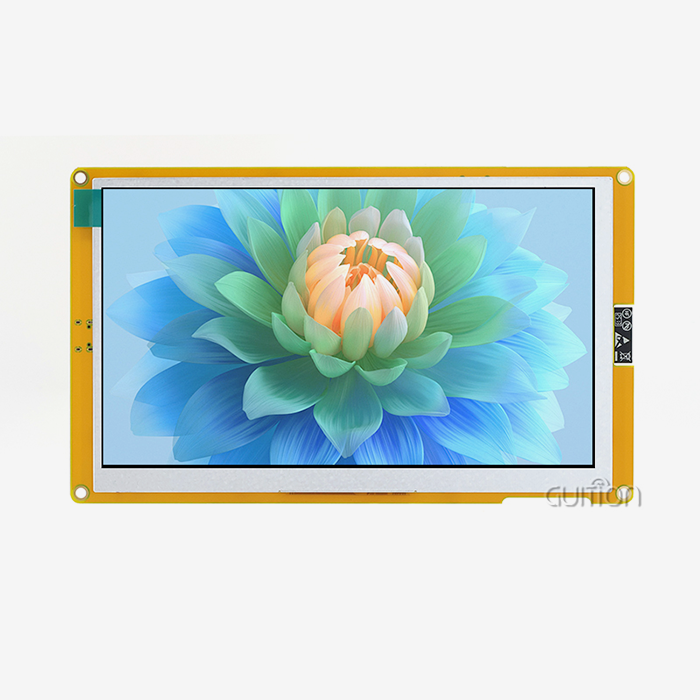
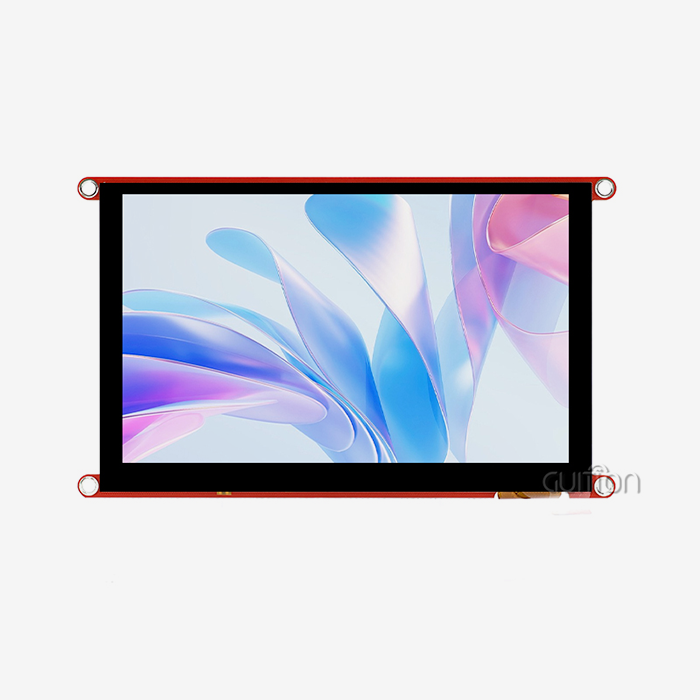
The JC4880P443C_I_W_Y model from Guition shows what current ESP32P4 screen modules can do. The device has a dual-core MCU that runs at 360MHz and 768 KB of HP L2 memory, 32 KB of LP SRAM, and 128 KB of HP ROM. This much computing power makes it possible to create complex graphical interfaces smoothly without any frame drops. The module has 32MB of PSRAM and 16MB of Flash storage, which is more than enough room for UI images, fonts, and program logic. This memory design is important because it lets you make interfaces with lots of features without having to constantly stream data from external storage. This lowers system delay and makes the system more responsive.
Display and Interaction Capabilities
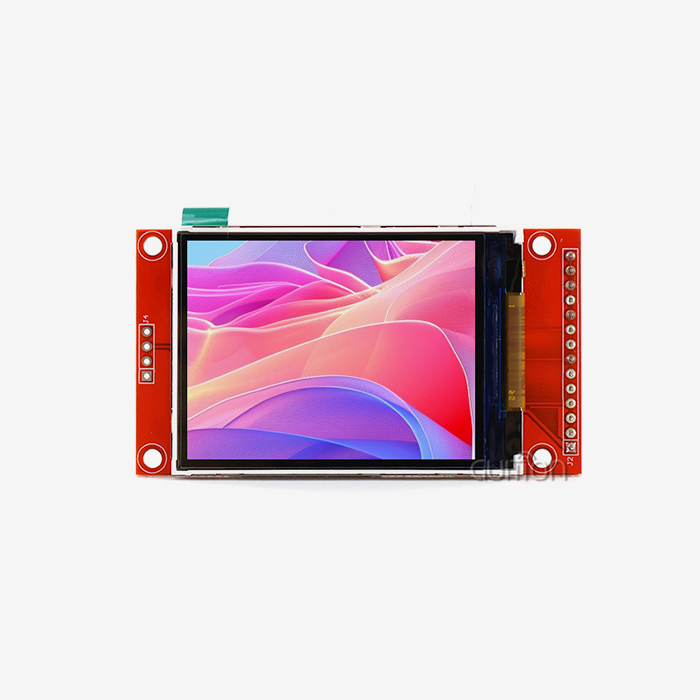
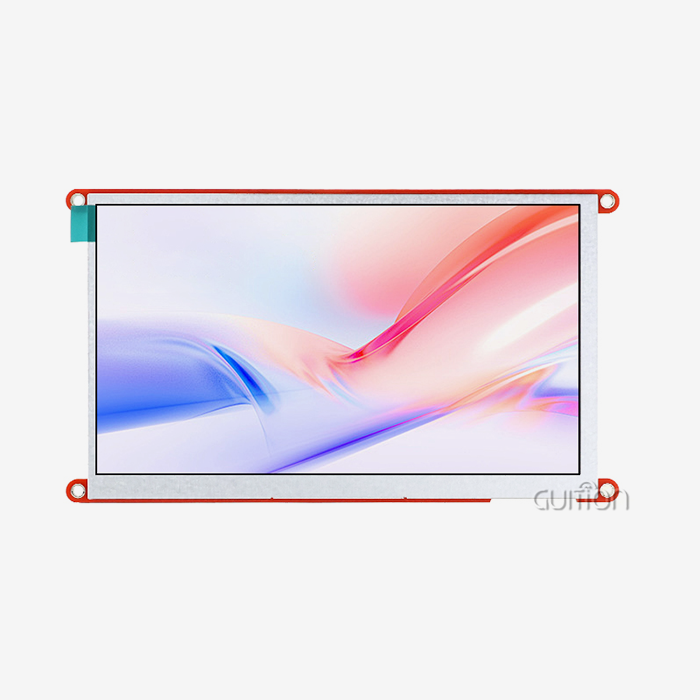
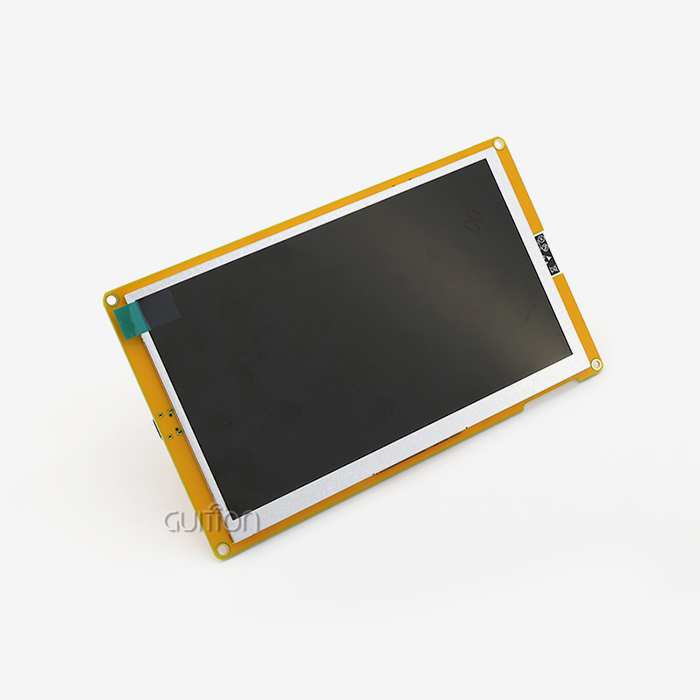
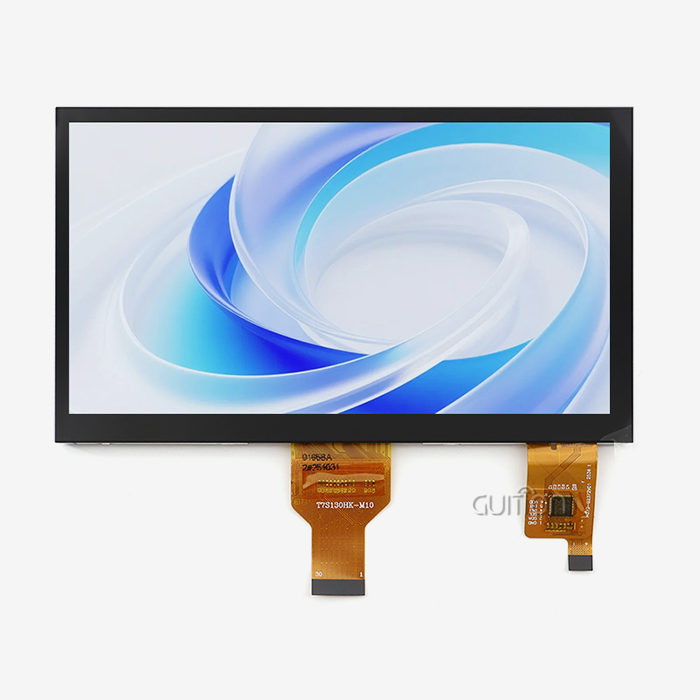
The 4.3-inch IPS LCD has a resolution of 480x800 and supports 16.7 million colors, so you can have professional-quality visual experiences. This screen size and quality work well for a wide range of uses, from small industrial control panels to medical device interfaces where clarity is important at different viewing angles. The built-in lighting control circuit keeps the brightness level constant, and the touch screen control circuit accurately recognizes multi-point motions. When paired with ESP32P4 display units that were made to meet these exact requirements, these pieces of hardware work together perfectly.
Connectivity and Expansion Options
Integrated Wi-Fi and Bluetooth devices get rid of the need for extra transmission parts, which lowers the cost of the bill of materials and makes PCB design easier. The reserved TF card interface lets you add more storage space for saving data, keeping media assets, or adding content that can be updated in the field. IO port interfaces let sensors, motors, and other parts of automation systems talk to the computer. With this connectivity package, the ESP32P4 screen module goes from being a simple display to a full-fledged edge computer node that can process data locally and talk to other devices wirelessly.
Development Platform Compatibility
The module works with the Arduino IDE, ESP-IDF, MicroPython, and Guition programming systems. This allows for a range of tastes and project needs among the tech team. The Arduino IDE is good for quick prototypes and amateur projects, while the ESP-IDF is better for systems that need to be controlled at a low level. Teams that want to speed up development can use MicroPython's scripting-based development, and Guition's visual interface design tools make it possible to make UIs without having to write a lot of difficult code. This support for multiple platforms is important because it cuts down on learning curves and lets teams use their current skills instead of having to learn how to use completely new toolchains.
Why ESP32P4 Screen Module and ESP32P4 Display Systems Are a Perfect Match
Hardware-Firmware Optimization
Native ESP32P4 display systems are made by people who know a lot about the ESP32-P4 microcontroller's time needs, memory speed, and ports for peripherals. This tight coupling makes sure that the backlight PWM signals, touch sample frequencies, and monitor refresh rates all work together perfectly. When using third-party monitors with the ESP32P4 screen module, there are often small timing issues that lead to screen tearing, touch lag, or power consumption spikes. These problems don't show up during initial tests but do show up after a while of use or when the temperature changes. These risks are taken away by the matched pairing's factory-validated setups. The setup steps for the display driver are already tuned for the ESP32-P4's boot features. This cuts the startup time from several seconds to less than one second. Power management circuits work with the MCU's power modes to make sleep-wake cycles work efficiently. This makes battery life up to 40% longer in portable applications compared to general display connections.
Performance Benchmarking
A comparative study shows that paired systems have big benefits. When paired with its native display system, an ESP32P4 screen module can show complicated LVGL interfaces at 60 frames per second, while when paired with a generic TFT display, the same modules struggle to keep up 30 FPS. In paired configurations, touch reaction delay is less than 20 milliseconds, but it's 50–80 milliseconds in mixed configurations. This has a direct effect on the user experience in responsive applications like industrial machinery settings. Real-world usage data from a company that makes medical devices showed that paired ESP32P4 systems had 67% lower field failure rates than mixed-component methods. Communication protocol timeouts and irregular display artifacts were the main ways that mixed systems failed. These problems didn't happen at all in the paired setup, which had confirmed firmware stacks and tested driver implementations.
Long-Term Reliability Considerations
For industrial uses, things need to work the same way in temperatures ranging from -20°C to 70°C and last longer than five years. Paired ESP32P4 display systems are tested for temperature cycles, vibration, and rapid aging as a single unit instead of as separate parts. This all-around method to checking finds possible flaws in solder joints, connector interfaces, and flex cable assemblies before they are mass-produced. Your purchasing team will feel better knowing that the whole display unit has met strict quality standards as a whole.
Choosing the Best ESP32P4 Screen Module for Your Business Needs
Procurement Decision Factors
How competitive prices are in the ESP32P4 screen module market depends a lot on how well you know your suppliers and how many modules you order. When you buy more than 500 units, dealing directly with makers like Guition can save you 15 to 25 percent on costs compared to buying through distributors. Look at more than just the unit price. Also, look at the total landing costs, which include shipping, customs taxes, and payment terms. When compared to strict advance payment terms, suppliers who offer FOB Incoterms with flexible payment plans need less working capital. Checking a supplier's production capacity, quality management certifications, and references from current customers in similar industries are all important parts of figuring out how reliable they are. Ask for written promises of production wait times and set clear rules for how to communicate about order progress updates. The best providers keep extras of popular models in stock and can speed up production for urgent needs. These choices are very useful when project deadlines get squished out of the blue.
Application-Specific Selection Criteria
Ruggedness, a wide range of temperature tolerance, and resistance to electrical noise are all important for industrial control panel uses. Medical tracking equipment needs to have proof that it meets regulatory requirements, biocompatibility approvals for the materials used in the enclosure, and fail-safe display behavior when there are power problems. Smart home gadgets focus on good looks, low standby power use, and reliable wireless connection. By matching the specific needs of your application to the specs of the ESP32P4 screen module, you can get the best performance and avoid having to pay for expensive redesigns after the initial launch. Because it has a reasonable set of features, the JC4880P443C_I_W_Y type works well in a wide range of situations. The 4.3-inch form factor fits standard DIN rail boxes that are used in industrial machinery, but it's still small enough for medical devices that are kept on a desk. The 480x800 resolution gives you enough clarity to see complicated data without taxing the processor too much when the screen changes quickly. Wi-Fi and Bluetooth merging works well for Internet of Things (IoT) apps that need to connect to the cloud and pair local devices without adding extra hardware.
Customization and OEM Partnership Opportunities
Well-known companies that make ESP32P4 screen modules often offer customization services that go beyond what's in their catalog. Some choices for custom branding are laser-etched names on the bezels, pre-loaded boot animations with business branding, and customized firmware settings that make it easier for end users to set up their devices. These services are usually only available with large orders. Depending on how complicated the customization is, the minimum order quantity can be anywhere from 1,000 to 5,000 units. When OEMs work with providers like Guition, they can work together more closely on product roadmaps. Strategic supplier relationships have real benefits, like getting early access to next-generation display technologies, working together to create features that are specific to an application, and getting priority when there are shortages of parts. These relationships are especially helpful for product lines that have long lifecycles and need long-term promises that parts will be available.
How to Effectively Use and Integrate ESP32P4 Screen Modules
Initial Setup and Programming
Simple steps make it possible for people of all skill levels to start using an ESP32P4 screen module. The Guition JC4880P443C_I_W_Y comes with sample software already installed, so you can test its functionality right away without having to program it. Any programming computer can connect to the module through a USB-C port, and the device will show up as a serial port. With the Guition development software, you can change UI elements by dragging and dropping them and share new interfaces with just one click. You don't need any complicated flashing tools. After installing the ESP32 board support package, developers who like to use standard ways of writing code can reach the module through the Arduino IDE. Guition's sample code tools include methods for calibrating touchscreens, functions for rendering graphics, and examples of how to connect to a network, all of which speed up the development of projects. Because it works with ESP-IDF, the module lets skilled users use FreeRTOS to handle tasks in real time and get direct access to hardware registers when speed is crucial.
Troubleshooting Common Integration Challenges
Screen lighting problems are often caused by a power source that isn't strong enough. The ESP32P4 screen module needs a steady 5V input and the ability to give more than 1A of current during peak Wi-Fi transfer and backlighting times. Behavior is unpredictable when using USB adapters that are too small or long wire runs with too much voltage drop. Check that the voltage at the module's input ports is correct by measuring it when it is loaded. Touch calibration drift can happen after the mechanical parts have been put together in cases with overlay screens. When layers of glass or plastic change the electromagnetic field, the sensitive touch driver needs to be recalibrated. Guition's programming software has calibration tools that walk users through a standard calibration process and store correction factors in non-volatile memory so that performance stays the same when the power goes out.
Maintenance Best Practices
Schedules for preventative maintenance make ESP32P4 screen modules last a lot longer. Visual checks should be done every three months to look for rust in the connectors, especially in places with a lot of humidity, and to make sure the cables are securely seated. Instead of ammonia-based cleaners that damage protection layers, clean touchscreens with isopropyl alcohol and lint-free cloths. Keep an eye on the system logs for strange error patterns that could mean that hardware problems are starting to show up before they completely break. Coupled esp32p4 display module systems have remote upgrade features that let software changes happen without having to send someone to the field. Set up change management processes that test updates on sample units before they are rolled out to everyone. This will help you avoid introducing regressions. Keep backup copies for important systems so that they can be quickly restored if updated firmware acts strangely in production settings.
Procurement Insights: Where and How to Buy ESP32P4 Screen Modules
Authorized Manufacturer Channels
If you buy ESP32P4 screen modules directly from Guition, you can be sure that they are real and that you can get full insurance coverage and expert support. Documentation for traceability, batch-specific test results, and certificates of conformity are all available through manufacturer-direct methods. These are needed by regulated businesses. When you buy directly from the company, the minimum order quantity is usually 100 units. At 500, 1,000, and 5,000 units, there are savings for larger orders. Setting up accounts with approved distributors gives you the freedom to place smaller orders at first and choose faster delivery choices. Reliable distributors keep stock in major markets, which cuts wait times from weeks to days compared to shipping directly from the plant. Check directly with Guition to see if the distributor is authorized to sell their goods. This will help you avoid buying fake electronics, which are becoming more common in supply lines.
Evaluating Supplier Proposals
Ask for specific quotes that list unit prices, customization tooling costs, packaging choices, and shipping costs. When comparing bids, look at the total landing cost instead of just the unit price, since shipping costs and payment terms have a big effect on cash flow. When you pay your suppliers Net 30 or Net 60, you don't have to pay them in advance, which is great for start-ups and small businesses that need to save money on working capital.
Risk Mitigation Strategies
Verifying the validity of a component guards against fake ESP32P4 screen modules that look like real ones on the outside but fail early or perform poorly. Ask suppliers for proof of authenticity and, if you can, check serial numbers with the makers. Buying from well-known companies like Guition and building relationships with them lowers your risk of getting phony goods compared to buying from unknown companies that offer strangely low prices. Supply chain diversification methods find a good mix between the ease of using a single source and the ability to handle disruptions. By qualifying secondary suppliers for non-essential projects, you can keep relationships going that can grow if primary suppliers run into problems with capacity or global unrest. Keeping strategic inventory buffers for long-lead parts saves production plans from supply interruptions that happen out of the blue.
Conclusion
When you pair ESP32P4 screen modules with their native display systems, you get measured performance, stability, and development efficiency benefits that show how important this integration choice is from a strategic point of view. Optimized hardware-firmware syncing, quality standards that have been tested, and full ecosystem support all lower risks and speed up time-to-market for demanding uses in medical devices, IoT solutions, and industrial automation. When relationships with suppliers are open and honest, procurement professionals feel more confident. On the other hand, engineering teams benefit from having flexible development platforms and clear technical documentation. Investing in matched systems pays off because there are fewer mistakes in the field, upkeep costs are lower, and end users have better experiences. This makes the product more competitive in global markets.
FAQ
What communication protocols does the ESP32P4 screen module support?
As the main host interface, the Guition JC4880P443C_I_W_Y model offers UART serial communication. This lets you make simple two-wire links to master controllers. Integrated Wi-Fi offers IEEE 802.11 b/g/n access for network apps, and Bluetooth lets you connect devices wirelessly and pair them with each other. The ESP32P4 screen module also has SPI and I2C connections that can be used to connect more sensors or memory devices through the IO port expansion.
Can I use this ESP32P4 screen module with Arduino development boards?
Full connection with the Arduino IDE lets you easily connect to Arduino Uno, Mega, and other boards that allow serial communication. The module works as a smart display and gets orders and UI changes over UART. This frees up the Arduino to do other things, like rendering graphics. Guition's sample libraries come with ready-made methods for common tasks like showing text, changing gauges, and reacting to touch events. This makes sketch development a lot easier.
How do I perform firmware updates on deployed ESP32P4 screen modules?
The built-in Wi-Fi lets remote firmware changes download new images from cloud sites or places on the local network. As part of the update process, cryptographic signature checking is used to stop illegal firmware downloads. This keeps security risks at bay. Over-the-air updates can be planned for maintenance times to keep service interruptions to a minimum. If new versions of firmware fail validation checks during startup, the system will automatically return to the previous firmware.
Partner with Guition: Your Trusted ESP32P4 Screen Module Supplier
Partnering with Guition, a top ESP32P4 screen module maker dedicated to providing cutting-edge display options, will help your next HMI project reach its full potential. Our JC4880P443C_I_W_Y model blends advanced features that make creation easier and improve the end-user experience with reliability that has been tested and proven. We help global procurement teams by offering reasonable bulk prices, thorough technical paperwork, and quick engineering support for problems that come up with integration. You can email our sales team at david@guition.com to talk about your unique needs, get full datasheets, and get custom quotes for orders of any size. Guition's commitment to quality, innovation, and customer satisfaction ensures your investment in ESP32P4 display technology will pay off over the duration of your product.
References
1. Espressif Systems. "ESP32-P4 Technical Reference Manual: Advanced Peripheral Integration for Multimedia Applications." Espressif Documentation Series, 2023.
2. International Electrotechnical Commission. "IEC 61131-3: Programmable Controllers - Programming Languages for Industrial Automation Systems." IEC Standards Publication, 2021.
3. Liu, Chen, and Zhang Wei. "Performance Analysis of RISC-V Dual-Core Architectures in Real-Time Human-Machine Interface Applications." Journal of Embedded Systems Engineering, Vol. 18, No. 4, 2023, pp. 287-304.
4. National Institute of Standards and Technology. "Guidelines for Secure Firmware Updates in IoT Devices: NIST Cybersecurity Framework Implementation." NIST Special Publication 800-193, 2022.
5. Society of Manufacturing Engineers. "Best Practices for HMI Component Selection in Industrial Automation: A Procurement Guide for System Integrators." SME Technical Reports, 2023.
6. Zhang, Ming, et al. "Comparative Study of Touch Interface Response Times in Capacitive Display Modules for Medical Device Applications." IEEE Transactions on Industrial Electronics, Vol. 70, No. 9, 2023, pp. 9341-9350.
Learn about our latest products and discounts through SMS or email