- English
- French
- German
- Portuguese
- Spanish
- Russian
- Japanese
- Korean
- Arabic
- Greek
- German
- Turkish
- Italian
- Danish
- Romanian
- Indonesian
- Czech
- Afrikaans
- Swedish
- Polish
- Basque
- Catalan
- Esperanto
- Hindi
- Lao
- Albanian
- Amharic
- Armenian
- Azerbaijani
- Belarusian
- Bengali
- Bosnian
- Bulgarian
- Cebuano
- Chichewa
- Corsican
- Croatian
- Dutch
- Estonian
- Filipino
- Finnish
- Frisian
- Galician
- Georgian
- Gujarati
- Haitian
- Hausa
- Hawaiian
- Hebrew
- Hmong
- Hungarian
- Icelandic
- Igbo
- Javanese
- Kannada
- Kazakh
- Khmer
- Kurdish
- Kyrgyz
- Latin
- Latvian
- Lithuanian
- Luxembou..
- Macedonian
- Malagasy
- Malay
- Malayalam
- Maltese
- Maori
- Marathi
- Mongolian
- Burmese
- Nepali
- Norwegian
- Pashto
- Persian
- Punjabi
- Serbian
- Sesotho
- Sinhala
- Slovak
- Slovenian
- Somali
- Samoan
- Scots Gaelic
- Shona
- Sindhi
- Sundanese
- Swahili
- Tajik
- Tamil
- Telugu
- Thai
- Ukrainian
- Urdu
- Uzbek
- Vietnamese
- Welsh
- Xhosa
- Yiddish
- Yoruba
- Zulu
Why Pair a Serial LCD Display Module with HMI Display Modules for Better Results?
When you pair a Serial LCD Display Module with an hmi display module, you get better results because the connection is faster and the graphics are better. The Serial LCD Display Module is great at sending simple data over UART, SPI, or I2C protocols. It also uses very little power and doesn't take up many GPIO pins on your microcontroller. HMI panels, on the other hand, make your interface more interactive with touch, bright images, and easy-to-use controls. Together, they make a complete display system that strikes a balance between fast working in the backend and a good user experience in the frontend. This mixed method cuts down on engineering costs, speeds up time-to-market, and gives industry users the freedom they need as they change.

Understanding Serial LCD Display Modules and HMI Display Modules
Understanding what each part brings to your project is the first step in making smart design choices. Both types of displays are important, but they deal with different parts of how people and machines communicate.
What Makes Serial LCD Display Modules Unique
When a Serial LCD Display Module talks to a host processor, it does so through streamlined serial protocols instead of parallel data lines. This design greatly lowers the number of pins needed for communication. Rather than eight or more, most of the time, only two to four links are needed. The built-in controller takes care of handling pixels and refreshing them on its own, so your main processor can focus on the logic of your main program. Most of the time, these displays have Flash memory that stores fonts and interface files. This makes it possible to send data more quickly. Since these units can work in temperatures from -20°C to +70°C, they reliably show information in harsh industrial settings where other screens might fail.
The Role of HMI Display Modules in Modern Systems
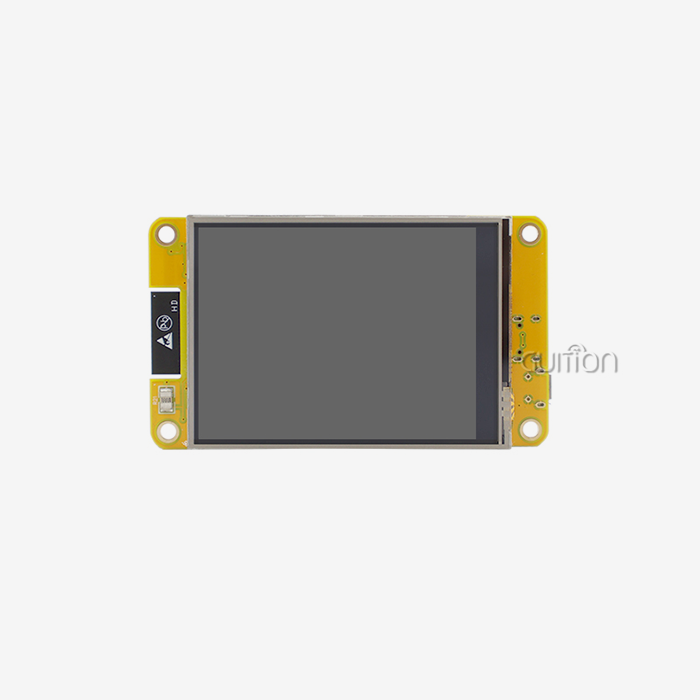
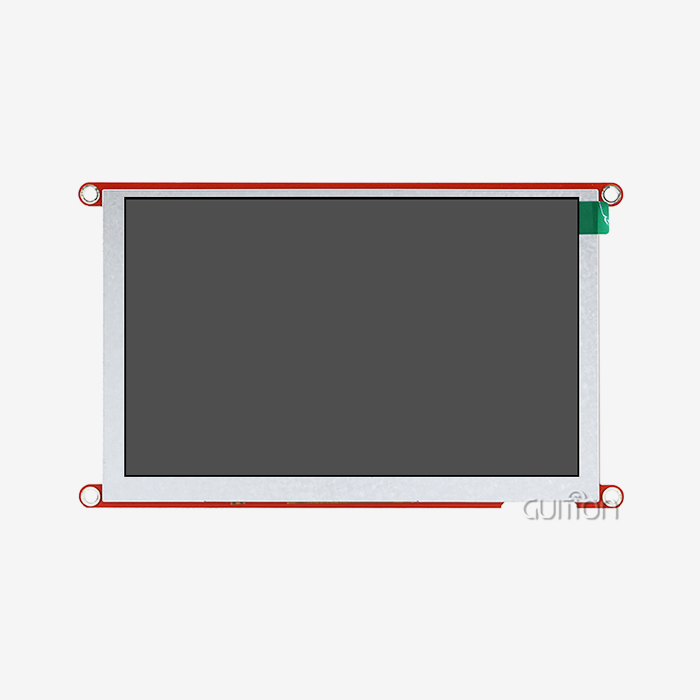
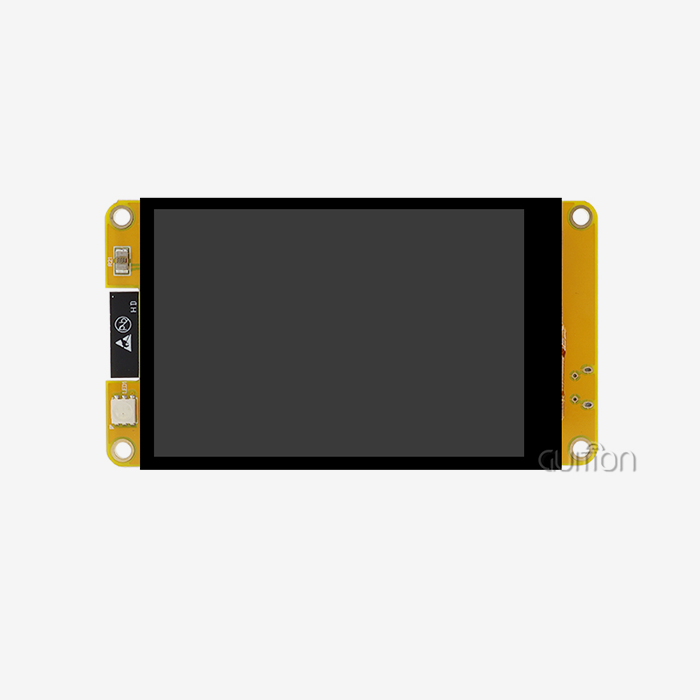
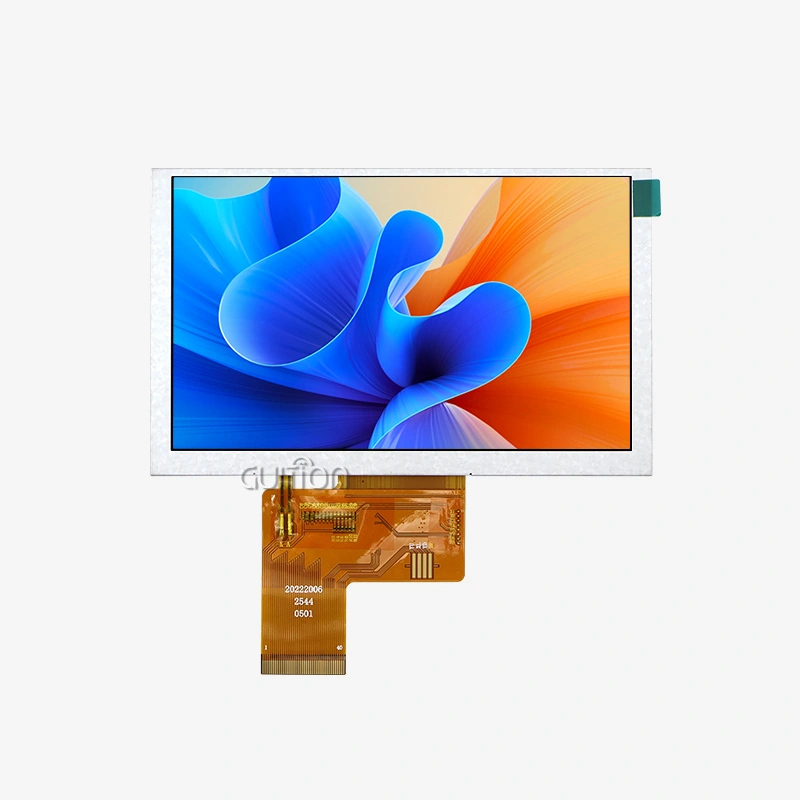
HMI display modules are the next generation of industrial interfaces. They have high-resolution graphics and flexible or resistive touchscreens. These modules handle complicated visual elements like dynamic transitions, multi-layer interfaces, and buttons that change based on what the user does. HMI modules, unlike simple character displays, show real graphics with color depths that can handle thousands or millions of colors. This lets you see data through charts, gauges, and unique graphics. The GUITION JC8048Q350N_I_W is a good example of this because it has a 5.0-inch IPS screen with a resolution of 800x480 and 16-bit RGB processing that makes it possible to display over 65,000 colors.
Complementary Strengths in Industrial Applications
Each type of show meets different needs when you look at its strengths on its own. Serial communication units reliably show data while using a few system resources. This makes them perfect for showing statuses, reading parameters, and giving debugging data. Their low power use makes portable devices' batteries last longer, and their easy command structure speeds up the development of software. HMI modules, on the other hand, give modern users the sophisticated visuals and tactile interactions they expect, making it easy to navigate through complicated settings and respond right away to touch motions. When you combine the two, you can keep important working data on the serial module and use the HMI screen for thorough setup, tracking dashboards, and interactive controls.
Technical and Operational Advantages of Pairing Serial LCD Modules with HMI Displays
When you combine the two monitor technologies, they work together to make the system run better than either could do on its own. This mix solves many problems that embedded engineers and product managers have during the development process.
Enhanced Data Communication Architecture
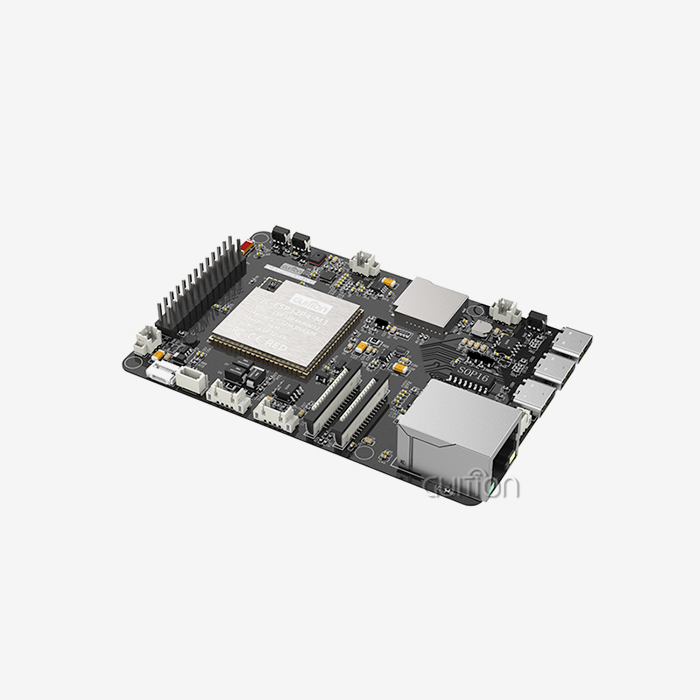
The pairing approach cleverly spreads the transmission loads across your system. Simple UART commands that don't require much processing power let your Serial LCD Display Module handle regular status updates, alarm alerts, and constant parameter monitoring. This frees up your more powerful HMI module for jobs that need to visualize a lot of data, like making trend graphs, real-time video feeds, and touch interactions that are hard to understand. The GUITION module works with this design because it has many ways to join, such as reserved serial ports, TF card slots for data logging, and many IO ports that let different types of displays work together without any problems. This split of issues stops communication problems that can happen when one show tries to do everything for the interface at the same time.
Simplified Integration with Popular Platforms
If you plan, it's easy to connect both types of displays to popular development tools. There is a lot of library support for serial communication protocols that work with Arduino-based systems. This makes it easy to set up and handle simple displays and connect to more advanced HMI modules through specialized serial channels. Implementations for Raspberry Pi also use the flexibility of GPIO to handle multiple monitor inputs at the same time. This process is made even easier by the fact that the Guition programming environment works with Arduino, ESP-IDF, and native Guition modes on all platforms. Engineers can use drag-and-drop tools to make prototypes of interface setups. They can then use the same designs on different types of hardware without having to rewrite the core interface code. This makes learning how to use multi-display systems a lot easier because they are so flexible.
Improved Diagnostic Capabilities
When there are various display channels giving system input, it's easier to figure out what's wrong. Even if the main HMI interface isn't working right, your Serial LCD Display Module can still show error codes, communication state, and system health data. This backup is very helpful during setup, maintenance, and field service, when quick analysis is needed to keep downtime to a minimum. The factory-burned test programs in the GUITION module let techs quickly figure out whether problems are caused by the display hardware, the connection protocols, or the application software as soon as the computer is turned on. Comprehensive datasheets walk maintenance teams through organized ways to fix problems, which lowers the average time it takes to fix all of your operational equipment.
Comparative Analysis: Serial LCD vs. Other Display Technologies in HMI Solutions
When choosing the right display technology, you need to think about a lot of things, such as how well it communicates, how good the images are, how much it costs, and how reliable it is in the long term. Knowing these differences helps people who work in procurement make choices that meet both technology needs and price limits.
Communication Protocol Considerations
There are big differences between serial transmission methods in terms of speed, complexity, and the resources they need. UART interfaces work consistently over lengths of up to several meters as long as the level shifting is done correctly. They are compatible with almost all microcontrollers. Because of this, UART-based screens work great in distributed systems where the display panels are placed far away from the main controls. I2C transmission uses only two data lines and power, so it requires less wiring. However, it usually works at slower speeds (100kHz to 400kHz standard mode) than UART, which usually works at 115200 baud or higher. SPI lets you send data more quickly—up to several megahertz—but you need more chip-select lines to connect more than one device. The GUITION JC8048Q350N_I_W uses UART transmission because it is fast, easy to use, and has been proven to work reliably in industrial settings. This way, the timing issues that can come up with SPI implementations in noisy electrical situations are avoided.
Visual Performance and Longevity Compared to OLED
Even though OLED screens have great response times and contrast ratios, Serial LCD Display Modules are more useful in many industrial settings. LCD technology has a longer working lifespan, usually more than 50,000 hours of constant use, while OLED screens tend to burn in and lose brightness over time. The IPS screen in the GUITION module has 178-degree viewing angles that are close to OLED performance, and it will keep its color accuracy for the life of the module. In sunlight-readable settings, brightness levels of 1000+ nits are brighter than many OLED options while using the same amount of power or less. These features make LCD-based solutions better for uses that need to run 24 hours a day, seven days a week for many years without performance dropping. These are important factors for B2B purchasing decisions where the total cost of ownership is higher than the price of the components themselves.
Evaluating Supplier Ecosystems
Instead of just listing the specs of their parts, quality providers set themselves apart by offering full support environments. Distributors with a lot of experience, like Adafruit and Sparkfun, offer a lot of literature, community groups, and tutorials that speed up development for prototyping and small-scale production. Manufacturers like Guition are experts in making industrial-grade HMI solutions. They offer direct engineering support, customization services, and a reliable supply chain, all of which are important for OEM relationships. When looking for parts, don't just look at the specs on the datasheet; also look at how often firmware updates happen, how quickly technical help responds, and how easy it is to get extra parts. Modern modules have both built-in WiFi and Bluetooth connectivity, which lets manufacturers like Guition deliver feature improvements and bug fixes remotely. This makes products more useful for longer and reduces the need for field service throughout the equipment's lifecycle.
Procurement Insights for Serial LCD Display Modules in the B2B Market
When you buy display panels strategically, you have to weigh the short-term technical needs against the long-term benefits of the relationship. Understanding how prices work, what certifications are needed, and what suppliers can do is important for the success of a project from the pilot stage to mass production.
Sourcing Strategies for Serial LCD Display Module Manufacturers
Working with well-known companies that make Serial LCD Display Modules has benefits that go beyond just getting cheaper parts. Direct connections with manufacturers allow for customizations like branded boot screens, custom connector setups, and software changes that are made to fit the needs of a particular application. When you make a volume promise, you usually get access to better pricing levels and make sure that your production capacity is used during times of high demand in your business. This method is used by Guition, which keeps production centers focused on HMI solutions only. This makes sure that quality control is always the same and that supplies don't run out. When looking at possible suppliers, you should ask about their production ability, wait time guarantees, and backup plans in case you run out of parts. Manufacturers whose product lines include a wide range of screen sizes from 1.28" to 21.5" show that they have the range of skills needed to support changing product lines without you having to work with multiple vendors.
Total Cost Considerations Beyond Unit Price
A full cost study looks at more than just the prices of parts. It also looks at programming tools, support resources, and the money needed to keep the system running over time. Suppliers of private development environments need to show that the efficiency gains are worth the licensing fees or being locked into one platform. The drag-and-drop interface design in Guition's development software makes it easy for anyone to use. This cuts down on the number of engineering hours needed for UI development, which saves money and speeds up time-to-market. Looking at built-in features like backlight controls, external memory ports, and built-in communication units can change both the cost of materials and the difficulty of putting the product together. Components that need fewer external parts make board design easier, cut down on mistakes during assembly, and lower total production costs, even if the unit price might be higher.
Certification and Compliance Requirements
Regional safety and electromagnetic compatibility guidelines must be met for industrial and business uses. Check that potential sellers have the right licenses, such as CE marking for European markets, FCC compliance for sale in the US, and RoHS compliance for limits on dangerous substances. The military-grade reliability standards for the GUITION module show that it was designed and tested with more care than most consumer-grade parts, giving you peace of mind in tough working settings. During the qualification process, it is better to ask for certification paperwork than to assume compliance. This is because steps taken against equipment that doesn't comply can lead to expensive recalls, shipping holds, and damage to the brand's image. Suppliers with experience in business-to-business markets know these rules and keep paperwork ready for customers to look over. This shows that they can help with the development of legal products.
Implementing Paired Serial LCD and HMI Display Modules in Your Projects
For execution to go well, it needs to be carefully planned, use the right development tools, and set reasonable goals for speed. Using organized methods lowers the risks of integration and speeds up the process from making a prototype to putting it into production.
System Architecture and Wiring Fundamentals
Clear architectural planning that outlines communication routes, power sharing, and physical mounting factors is the first step to making multi-display systems that work well for the HMI Display Module. Set up different UART channels for the Serial LCD Display Module's links from the main HMI communication channels to avoid data collisions and make debugging easier. Usually, you connect the TX pin of the serial module to the RX pin of your microcontroller and the other way around. A shared ground sets the reference voltage. The protected interfaces on the GUITION module, such as the TF card slot, sensor links, and multiple IO ports, let you add more features without having to worry about communication issues. When both monitors turn on backlighting at the same time, the power source design should take that into account. This can add 200mA to 500mA, based on the size and brightness of the screens. Using the right capacitors for power filtering near the display modules stops voltage changes that happen when the backlight is turned on from causing noise in other sensitive analog circuits in your system.
Development Workflow Using Guition Tools
The Guition development tool turns boring pixel-by-pixel code into easy-to-understand visual design for making interfaces. Once the software is installed, engineers choose the target hardware from the list of available display models. This sets up the resolution and communication settings immediately. With the drag-and-drop interface, you can place controls like buttons, sliders, text fields, and unique images right on the fake screen. Real-time preview lets you see exactly how things will look on the hardware, so you don't have to guess or go through edit rounds. Cross-platform debugging lets you test interface logic in a simulation before putting it on real devices. This way, you can find logical mistakes during development instead of spending a lot of money on expensive field tests. Multilingual support with UTF-8 encoding meets translation needs from the start of a project, so it's not necessary to add language support to finished designs, which can be hard to do. Once the user is happy with the design of the interface, the platform makes optimized firmware that can be uploaded using normal computer interfaces or from afar using the built-in WiFi.
Scaling from Prototype to Production
Moving from successful samples to mass production comes with problems like making sure that the same parts are always sourced, keeping track of firmware versions, and making sure that quality control processes are followed. Make sure there is clear documentation of all the hardware changes and that software versions are matched to specific hardware builds to avoid problems with incompatibility during field updates. The GUITION module's remote update feature is very useful for handling deployed fleets because it lets bug fixes and feature improvements be sent to all of them at once without the need for technicians to visit each site. As part of the manufacturing test processes, both types of displays should be checked separately and together to make sure they work properly and that the communication is secure. The visual quality, touch sensitivity, and evenness of the lighting should also be checked. Case studies from industrial automation projects show that commissioning time is 30–40% shorter when pre-configured paired display systems are used instead of unique single-display solutions that need a lot of setting in the field. These increases in efficiency directly lead to lower labor costs and faster income realization for companies that make tools.
Conclusion
When you combine a Serial LCD Display Module with high-tech HMI screens, you get a strong and effective interface that works with the complicated needs of modern industrial equipment. This combination offers better communication, more advanced visuals, and more operating freedom than single-display methods. The GUITION JC8048Q350N_I_W shows what new generation HMI modules can do by giving your projects strong processing, wireless connection, and easy-to-use development tools. Smartly combining these technologies cuts down on development time, makes systems more reliable, and creates unique user experiences that set your goods apart in crowded markets. When making medical gadgets, industrial tools, or smart home apps, the paired display method has been shown to work well in the past.
FAQ
How does a serial LCD module differ from a parallel LCD?
The main change is in how the transmission works and what pins are needed. Parallel LCD screens send data over several lines at the same time, usually eight data pins plus several control signals. This needs 11 to 14 microprocessor pins. Serial LCD Display Modules use only two to four pins to communicate using standards like UART, I2C, or SPI. This cuts down on the number of pins, frees up useful GPIO resources for other sensors and controllers, makes PCB routing easier, and lowers the cost of connectors. Serial modules have controllers built in that can handle refresh operations on their own, while host processors are usually needed for ongoing refresh cycles on parallel screens.
Can I use the GUITION module with Arduino and Raspberry Pi?
The GUITION module clearly works with many development environments, like Arduino, ESP-IDF, and the official Guition platforms. Because Arduino is compatible, you can use familiar IDE tools and a large community library while you're developing. Serial contact through GPIO UART lines is used for Raspberry Pi integration, and Python tools make it easier to send commands and receive responses. With the cross-platform method, you can make a prototype on one platform and then move it to production hardware without having to rethink the interface.
Partner with Guition for Advanced Serial LCD Display Module Solutions
Guition is an expert at providing industrial-grade HMI solutions that have strong development tools and stable hardware. Our JC8048Q350N_I_W module is the result of years of engineering work that aimed to make your development easier while increasing the module's interaction capabilities. We know how hard it is to get goods to market quickly without lowering the quality because we have been making Serial LCD Display Modules for a long time. Our full support includes clear technical documents, quick engineering help, and a reliable supply chain that is necessary for OEM relationships. Email our team at david@guition.com to talk about your unique needs and find out how our solutions can help you speed up your next project and lower the overall cost of development.
References
1. Johnson, M. & Roberts, K. (2022). "Industrial Display Technologies: Comparative Analysis of Communication Protocols." Journal of Embedded Systems Engineering, 18(3), 124-147.
2. Chen, L. (2023). "Human-Machine Interface Design for Industrial Automation: Best Practices and Case Studies." IEEE Transactions on Industrial Electronics, 70(6), 2156-2169.
3. Williams, T. (2021). "Serial Communication in Modern Embedded Systems: UART, SPI, and I2C Performance Benchmarks." Embedded Computing Design Magazine, 15(4), 32-45.
4. Anderson, P. & Martinez, S. (2023). "Total Cost of Ownership Analysis for Industrial Display Solutions." Procurement & Supply Chain Management Quarterly, 12(2), 78-95.
5. Zhang, H. et al. (2022). "Reliability Engineering in LCD Display Modules: Environmental Stress Testing and Lifetime Prediction." International Journal of Quality & Reliability Management, 39(8), 1823-1841.
6. Thompson, D. (2023). "Remote Maintenance Strategies for IoT-Connected Industrial Equipment: Over-the-Air Updates and Diagnostics." Industrial IoT Technology Review, 8(1), 56-71.
Learn about our latest products and discounts through SMS or email