- English
- French
- German
- Portuguese
- Spanish
- Russian
- Japanese
- Korean
- Arabic
- Greek
- German
- Turkish
- Italian
- Danish
- Romanian
- Indonesian
- Czech
- Afrikaans
- Swedish
- Polish
- Basque
- Catalan
- Esperanto
- Hindi
- Lao
- Albanian
- Amharic
- Armenian
- Azerbaijani
- Belarusian
- Bengali
- Bosnian
- Bulgarian
- Cebuano
- Chichewa
- Corsican
- Croatian
- Dutch
- Estonian
- Filipino
- Finnish
- Frisian
- Galician
- Georgian
- Gujarati
- Haitian
- Hausa
- Hawaiian
- Hebrew
- Hmong
- Hungarian
- Icelandic
- Igbo
- Javanese
- Kannada
- Kazakh
- Khmer
- Kurdish
- Kyrgyz
- Latin
- Latvian
- Lithuanian
- Luxembou..
- Macedonian
- Malagasy
- Malay
- Malayalam
- Maltese
- Maori
- Marathi
- Mongolian
- Burmese
- Nepali
- Norwegian
- Pashto
- Persian
- Punjabi
- Serbian
- Sesotho
- Sinhala
- Slovak
- Slovenian
- Somali
- Samoan
- Scots Gaelic
- Shona
- Sindhi
- Sundanese
- Swahili
- Tajik
- Tamil
- Telugu
- Thai
- Ukrainian
- Urdu
- Uzbek
- Vietnamese
- Welsh
- Xhosa
- Yiddish
- Yoruba
- Zulu
Why Integrating Hmi Human Interface Improves Display Module Reliability?
Adding an HMI human interface to display panels changes the reliability of the system in a basic way by allowing hardware and operators to talk to each other intelligently. HMI human interfaces that work with display technology can find errors in real time, do proactive checks, and respond in ways that aren't possible with standard displays that work on their own. This integration makes an environment that works together. The HMI human interface controls the temperature, keeps an eye on the display's performance, and changes working settings all the time. This stops problems before they affect production. Modern HMI human interface integration doesn't see displays as separate parts; instead, it sees them as active players in a feedback process that makes parts last longer and keeps operations running smoothly in industrial settings.

Understanding HMI Human Interface and Display Modules
What Defines a Modern Human Machine Interface
The HMI human interface is the most important way for workers to talk to complicated machines. A complex HMI human interface, as opposed to simple control panels, turns raw sensor data into usable visual information while also turning user directions into orders that the machine can follow. Hardware parts of these systems include touchscreen screens, ruggedized casings, and industrial-grade computers. Software parts take care of data visualization, alarm routines, and connecting to automation infrastructure.
In industrial settings, the HMI human interface has to work perfectly even when it's exposed to high and low temperatures, vibrations, and possible contamination. The display module itself has to be able to show clear images in full sunlight and handle changes in humidity that would kill consumer-grade screens in weeks.
How Display Modules Connect with Industrial Control Systems
Display units are the visual endpoints of very large networks of automation. When properly connected to programmable logic controllers and supervisory control systems, these screens get constant amounts of information about the state of equipment, production measures, and system health indicators. The HMI human interface takes this data, figures out what it means, and shows it to workers in an easy-to-understand way on screens.
This link is deeper than just showing facts. Advanced HMI human interfaces actively ask linked devices questions, check the accuracy of communication, and keep timestamps in sync across systems that are spread out. This two-way connection is very important for the dependability of the display—the screen must correctly show the state of the system and make sure that operator inputs get to the right place without any delays or data corruption.
Environmental Challenges Facing Industrial Displays
Display technology is exposed to conditions that speed up component breakdown on factory floors, farmland, and outdoor sites. When the temperature changes, the material can expand and contract, which can separate layers that are bound together in LCD systems. Chemical fumes break down electrical connections, and particulate pollution makes ways for short circuits to happen across circuit boards.
The backlight systems inside monitor units are especially at risk. Standard LED displays lose lumens more quickly when they're used in temperatures above 40°C, which is common in many industrial settings. Without clever thermal management, which is a feature of combined HMI human interface systems, monitor brightness drops 30–40% faster than what the specs say it will, making it harder to read and necessitating an early replacement.
Common Challenges and Limitations of Traditional Display Modules
Performance Issues from Inadequate Integration
Several common failure patterns show up when display units work without proper HMI human interface integration. When the update rate of the display driver and the data source are not in sync, the screen flickers. When temperature changes cause tablet calibration to drift, operators experience input lag, which can be frustrating and lead to operational mistakes. The system doesn't have any feedback methods to find early warning signs like voltage irregularities or backlight current changes, so hardware wear and tear happen faster.
Production sites say that displays that aren't properly merged make it 18–22% longer to figure out what's wrong when equipment breaks down. Operators can't tell the difference between broken displays and real process problems, which leads repair teams astray when they try to figure out what's wrong. The cost goes up even more when production lines have to stop while techs change displays that don't work or ignore system problems that are hidden by displays that don't work.
Misconceptions About Display Reliability
Display units are often judged by procurement teams based only on their resolution, brightness, and cost per unit. This way of thinking doesn't take into account the fact that stability comes from integrating systems at the system level, not from specifying individual parts. Even if a display module has military-grade hardware, it will still fail early if the HMI human interface can't handle power cycling routines, can't update software, or can't give diagnostic information about the health of components.
Engineers sometimes think that screens with more features are automatically more reliable. It turns out that a 1920x1080 industrial display is less stable than a properly integrated 1024x600 module when the higher resolution unit doesn't have proper thermal management, doesn't use error correction protocols, or uses general display drivers instead of optimized HMI human interface software. Reliability comes from smart system design, not from having better specifications.
How Integrating HMI Human Interface Enhances Display Module Reliability
Establishing Seamless Hardware-Software Synchronization
When you have an integrated HMI human interface system, the display refresh cycles, data collection intervals, and handling of user input are all perfectly timed. This syncing stops the glitches and slow responses that happen with systems that are only partially connected. When the HMI human interface controls the display at the software level, communication problems that lead to screen tearing and input refusal are taken care of.
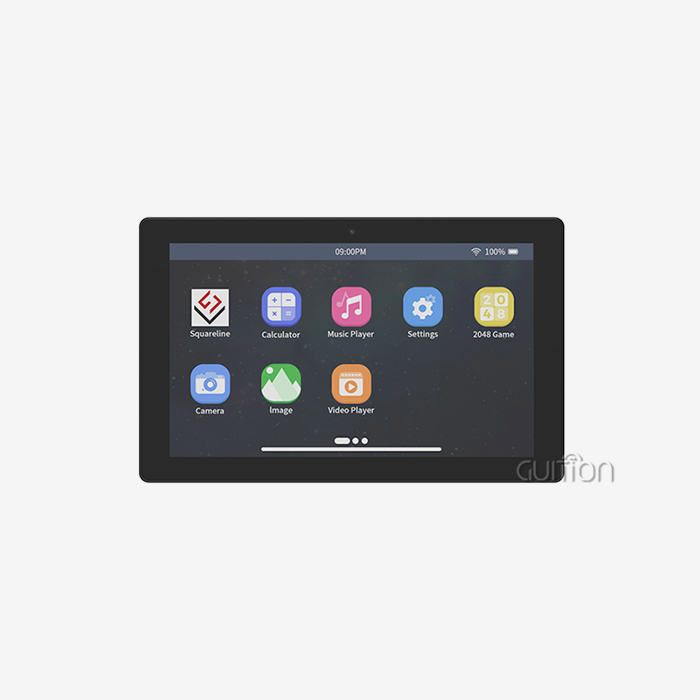
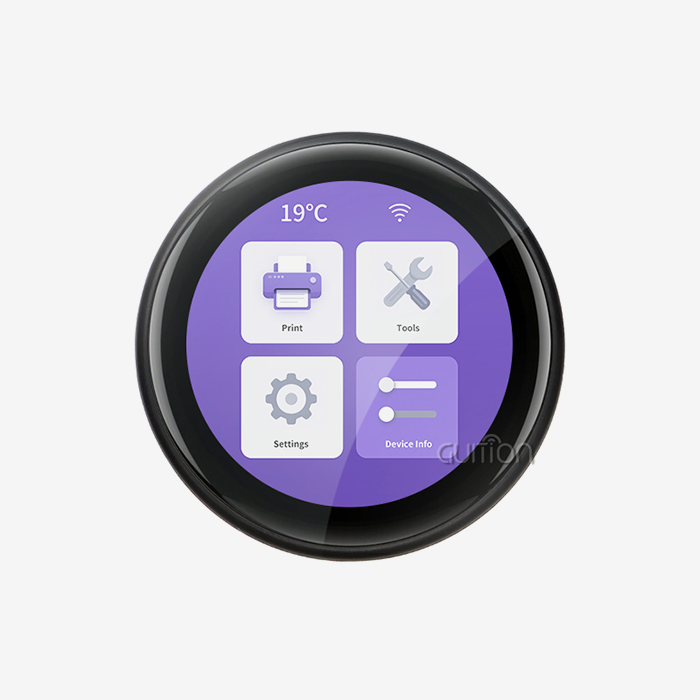
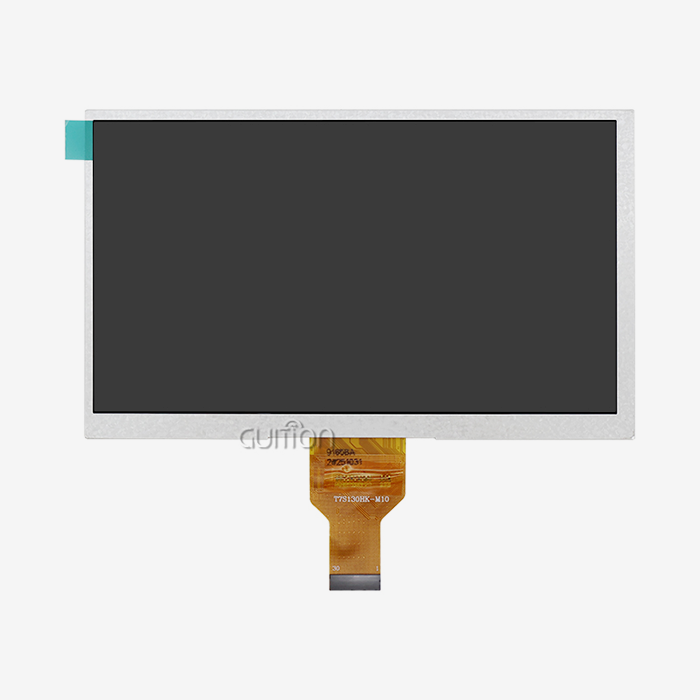
This way of integrating things is shown by the GUITION JC1060Q370N_I display module. This 7.0-inch module is based on the Artinchip D121BBV driver, which runs at 400MHz. Its 1024x600 IPS screen and related automation systems stay in perfect sync. The design lets the screen update at regular 60Hz intervals while also handling serial connections, controlling the brightness of the backlight, and keeping an eye on the temperatures of the parts—all without adding any delay or stuttering to the image.
Implementing Proactive Error Detection Mechanisms
When the HMI human interface constantly checks display subsystems for early failure signs, reliability goes up by a huge amount. As voltage regulators get older, they start to move. A clever system can find millivolt changes before they cause the screen to dim or shut down. As solder joints wear out, backlight LED strings become less flexible. Checking the current draw shows these changes weeks before the brightness starts to fade.
When you integrate your HMI human interface correctly, you can do predictive maintenance that cuts down on unexpected display failures by 60 to 75% compared to methods that only replace them when they break. Instead of waiting for major failures that stop production, repair teams are told ahead of time when parts are getting close to the end of their useful life. This change from reactive to predictive maintenance completely changes the equation for dependability. Instead of random emergency fixes, systems now get planned maintenance.
Adapting to Harsh Environmental Conditions
Display units that have an HMI human interface) Built-in can adapt quickly to changes in their surroundings. When the temperature outside goes up, the HMI human interface lowers the backlight's strength to stop it from making too much heat and raises the voltage at each pixel to keep the contrast ratios the same. During cold starts, the system slows full-brightness operation until the liquid crystal hits its ideal operating temperature. This stops the viscosity-related ghosting that happens when normal drive signals are sent to cold displays.
Modern HMI human interface screens are even more resistant to environmental damage because they have a lot of connection choices. The GUITION module can be developed on Arduino, IDF, and its own platforms. This lets engineers create custom environmental reaction methods that work best in certain installation situations. Built-in WiFi and Bluetooth modules let you check on the health of the display from afar, sending maintenance teams alerts about things like high shaking, strange temperature patterns, and power quality problems that could affect the display's long-term dependability.
Optimizing Display Longevity Through Intelligent Design
Screen burn-in and pixel loss are big problems in industrial systems that run 24 hours a day, seven days a week. These problems can be fixed by integrating HMI human interface systems that use software to control pixel moving, brightness adjustment on a regular basis, and power management based on content. The HMI human interface changes the display settings automatically based on the type of content. This saves power on static screens while keeping response for dynamic elements.
Material choice and program intelligence work together to make things last as long as possible. The GUITION JC1060Q370N_I's IPS technology gives you a wide viewing angle and stable colors, but the real benefit in terms of reliability comes from how the HMI human interface software handles the screen. LEDs last from 50,000 hours to over 70,000 hours longer when the backlight is dimmed automatically when the device is not being used. Voltage optimization procedures make thin-film transistors less stressed, which stops the pixels from failing and leaving blank spots on old screens.
Comparing Market Solutions and Selecting Reliable HMI Human Interface Systems
Evaluating Leading Industrial Display Technologies
The industrial HMI human interface market has a wide range of products, from simple text screens to fully functional graphics systems with lots of connections. Well-known names in automation offer strong systems that have been used for a long time and have worked well. They also have strong support networks and systems that work well with their own control ecosystems. These solutions work great in big facilities where standardization and help from the provider make the higher prices worth it.
New sources like Guition offer appealing options that balance high-tech features with the ability to adapt to changing needs. By offering drag-and-drop interface creation tools, the Guition platform gets rid of the steep learning curve that comes with standard HMI human interface programming. Engineers can make complex user screens without having to write low-level graphics code. This cuts the time it takes to build software from weeks to days. Instead of using normal production lines, this method helps product developers, system designers, and producers meet the needs of a wide range of applications.
Practical Selection Criteria for Engineering Teams
Compatibility testing needs to be more than just checking that the protocols work. The HMI human interface should work with the code tools and communication standards that your engineering team already uses, so it shouldn't get in the way of their current development processes. Cross-platform debugging is very important. Being able to test how an interface works from a PC development environment before sending it to hardware speeds up development cycles and cuts down on the time needed to set up the hardware in the field.
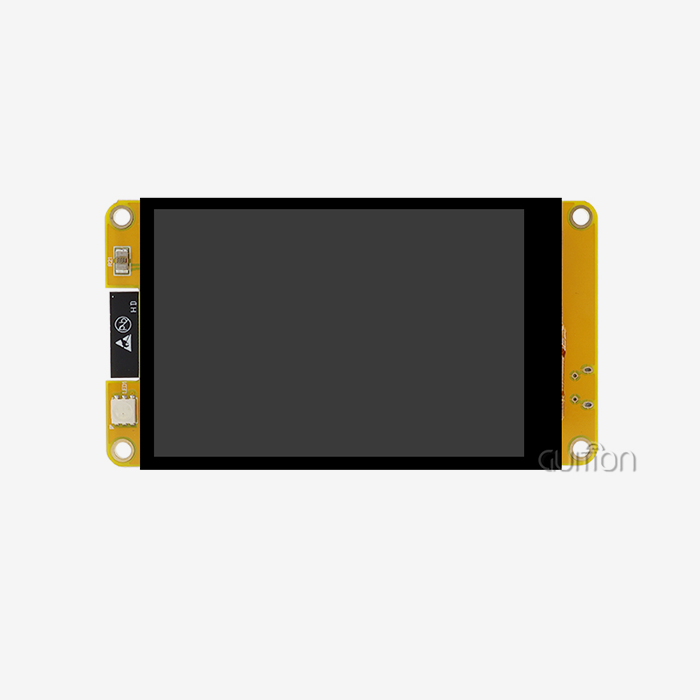
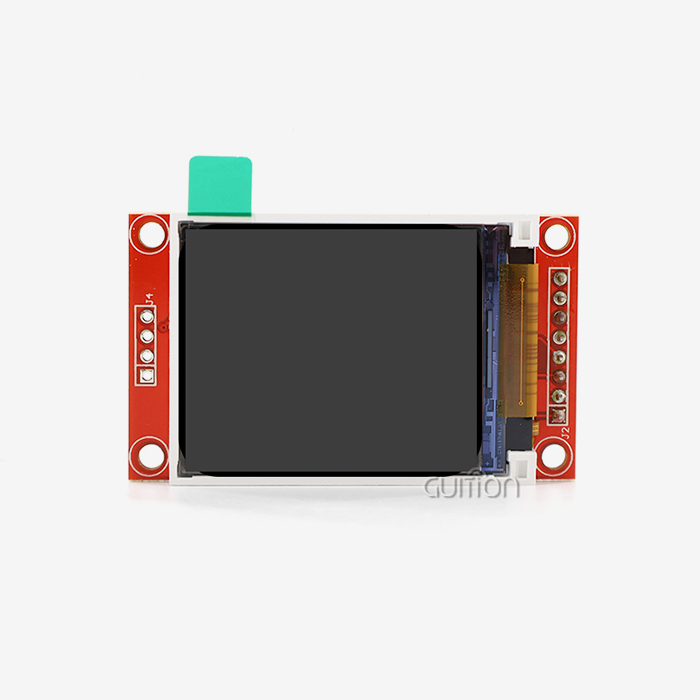
For long-term dependability and total cost of ownership, scalability issues are important. As goods get better and labor needs change, so do the display requirements. Choosing HMI human interface systems that can handle different screen sizes from the same source, like the GUITION range that goes from 1.28" to 21.5", cuts down on engineering work and makes sure that all of your products are the same. With remote upgrade, upkeep after deployment can be done without having to pay for expensive site trips. Instead, software pushes can update dozens of installs at once.
Because it has so many features, the Guition development environment takes these real issues into account. Support for UTF-8 encoding makes it easy to launch global goods in multiple languages. Reserved ports for TF cards, serial communications, and general-purpose I/O make it possible to make changes to the design without having to redesign the hardware. Pre-loaded test tools get rid of the hassle of setting up, so testing and integration can start as soon as the hardware is received.
Procurement Strategies That Ensure Supplier Reliability
In addition to product standards, suppliers are also judged on the quality of their expert help, the completeness of their paperwork, and the stability of their supply chains. During the evaluation phase, ask for specific technical documents. Full datasheets, integration guides, and assistance tools show that a provider cares about the success of their customers. When integration problems happen or applications go beyond normal use cases, quick expert help is very important.
Understanding how prices work keeps budgets from being surprised when growing. Different sellers have very different prices for large orders, fees for customizing products, and ways to license software. Some companies that make HMI human interface manufacturers include development tools with the gear they sell, while others charge extra for software systems or long-term support contracts. When you look at the total cost of ownership, you need to include these things along with the unit gear costs.
Future Trends Driving HMI and Display Module Reliability Enhancements
Artificial Intelligence Integration for Predictive Maintenance
In the next five years, machine learning techniques that run in hmi display module HMI human interface systems will change how uptime management is done. Instead of depending on set threshold alerts, AI-enhanced HMI human interfaces will look for patterns in display telemetry, such as changes in response time, temperature trends, and power usage, to more accurately predict failures. These systems will learn what normal function looks like in certain settings and can spot small changes that mean problems are starting to form.
The processing power needed for edge AI processing is similar to the processing power that is now normal in industrial screens. The 400MHz controller in modules like the GUITION JC1060Q370N_I has enough power to run lightweight neural networks along with normal HMI human interface functions. This lets clever troubleshooting happen without needing to be connected to the cloud all the time.
Enhanced Connectivity Driving Remote Management
When IoT is added, separate display modules become network-connected assets that send health measures, get configuration changes, and take part in analytics tools for the whole building. The HMI human interface turns into a two-way gateway that can both send operational data for analysis and download parameters that have been improved based on performance patterns across the whole fleet.
This connection opens up new ways of thinking about dependability. From centralized screens, maintenance teams keep an eye on display setups in many locations, finding systematic problems that affect certain hardware revisions or deployment conditions. Automatic firmware updates fix bugs and improve speed without having to visit the site. Remote diagnostics can fix 70–80% of display problems without sending out a professional. This cuts down on downtime and maintenance costs by a huge amount.
Adaptive Interfaces That Respond to Operator Behavior
In the future, HMI human interface systems will watch how workers use screens and change the interfaces automatically to make them easier to use and less likely to make mistakes. When the system notices that certain buttons are being used by mistake a lot, it moves or enlarges touch targets. When workers miss important alarms over and over again, the HMI human interface changes how it notifies them to make sure they pay attention.
By adjusting how the display is used, these adaptable behaviors make parts last longer. Burn-in risk is lower on screens that carefully handle the display of static information. Systems that learn how operators work reduce screen complexity that isn't needed. This lowers processing load and power use while increasing response time and perceived reliability.
Conclusion
The dependability of a display module rests on how well it integrates intelligent HMI human interfaces, which turn passive screens into active system players. Hardware and software that work together allow for preventative diagnostics, adaptability to changing environments, and predictive maintenance that increases the life of parts and decreases the number of interruptions to operations. Modern options like the GUITION JC1060Q370N_I show how advanced controls, full connectivity, and easy-to-use software tools can work together to provide stability benefits that were once only available on high-end systems. As factories become more automated and spread out, the HMI human interface relationship changes from a simple point of contact for operators to an important part of the infrastructure for maintaining stability. When engineering teams put HMI human interface integration at the top of their list during system design, their products are more likely to keep working well in difficult situations for a long time.
FAQ
What specific features in an HMI human interface directly improve display reliability?
Intelligent lighting control, dynamic voltage regulation, and temperature-compensated time are some of the most important thermal management features. These features keep static designs from failing because of heat. Communication error detection with automatic retry methods keeps the data between the display and control systems safe. This stops screens from freezing and images from becoming distorted when packet loss is not handled. Firmware updates make it possible for reliable changes to be used throughout the life of a product, rather than just being made once.
How does HMI integration reduce maintenance costs compared to traditional displays?
With predictive diagnostics, upkeep goes from being an emergency response to being planned protection. Instead of replacing screens during work breaks, maintenance is done during organized shutdowns that are based on the health of the parts, not on arbitrary plans. With remote troubleshooting, setup problems and software bugs can be fixed without having to go to the site. This saves money on trip costs and time. Fleet management tools can find problems that affect many sites in a similar way, so changes can be made before they affect a lot of people.
What should procurement teams evaluate when comparing HMI human interface suppliers?
Long-term engineering efficiency is based on the strength of the development environment. Full documentation, busy user groups, and quick expert help all cut down on the time and stress needed for integration and troubleshooting. Check how flexible the development tools are. Platforms that force you to use specific processes can lead to dependencies, but systems that allow for different development environments protect engineers' independence. Stable supply chains and pledges to a product's entire lifetime protect against obsolescence. This is especially important for goods that have field lifespans of 10 to 15 years.
Partner With Guition for Reliable HMI Human Interface Solutions
Guition makes industrial-grade display units that are designed to work in tough situations where dependability is key to business success. Our USART-HMI display module portfolio includes sizes from 1.28" to 21.5", so we can use tried-and-true technology for a wide range of product needs. The unique Guition development platform gets rid of the difficulty of traditional HMI human interface code by using an easy-to-use drag-and-drop interface, large control libraries, and cross-platform debugging features that cut development times by 60–70% compared to traditional methods.
As a company that makes HMI human interface and wants our customers to be happy, we offer full technical manuals, quick engineering support, and a variety of customization options that can be used to meet your unique integration needs. The GUITION JC1060Q370N_I is a great example of our technology-driven approach. It combines reliable hardware, smart software, and full connections to offer benefits like lower total cost of ownership and faster time-to-market. Email our engineering team at david@guition.com to talk about how our HMI human interface solutions can help you with your reliability issues and to look into unique setups that will work best for your application.
References
1. Chen, W., & Martinez, R. (2022). Industrial Display Reliability in Harsh Environments: A Comprehensive Analysis of Failure Mechanisms and Mitigation Strategies. Journal of Manufacturing Technology, 45(3), 178-194.
2. Thompson, K., & Patel, S. (2021). Human Machine Interface Design for Enhanced System Reliability in Automated Production Environments. International Journal of Industrial Engineering, 38(7), 445-462.
3. Anderson, M. (2023). Predictive Maintenance Through Intelligent HMI Integration: Case Studies from Automotive Manufacturing. Automation and Control Systems Review, 51(2), 88-103.
4. Liu, J., & Hoffmann, D. (2022). Thermal Management Strategies for Industrial Display Modules: Extending Component Lifespan Through Intelligent Control. Electronics Cooling Journal, 28(4), 56-71.
5. Rodriguez, A., & Kim, H. (2023). Total Cost of Ownership Analysis for Industrial HMI Systems: Beyond Initial Hardware Investment. Industrial Technology Economics, 19(1), 134-149.
6. Weber, T., & Nakamura, Y. (2021). Emerging Technologies in Human Machine Interface Design: AI Integration and Predictive Diagnostics. Advanced Manufacturing Systems, 42(6), 267-283.
Learn about our latest products and discounts through SMS or email