- English
- French
- German
- Portuguese
- Spanish
- Russian
- Japanese
- Korean
- Arabic
- Greek
- German
- Turkish
- Italian
- Danish
- Romanian
- Indonesian
- Czech
- Afrikaans
- Swedish
- Polish
- Basque
- Catalan
- Esperanto
- Hindi
- Lao
- Albanian
- Amharic
- Armenian
- Azerbaijani
- Belarusian
- Bengali
- Bosnian
- Bulgarian
- Cebuano
- Chichewa
- Corsican
- Croatian
- Dutch
- Estonian
- Filipino
- Finnish
- Frisian
- Galician
- Georgian
- Gujarati
- Haitian
- Hausa
- Hawaiian
- Hebrew
- Hmong
- Hungarian
- Icelandic
- Igbo
- Javanese
- Kannada
- Kazakh
- Khmer
- Kurdish
- Kyrgyz
- Latin
- Latvian
- Lithuanian
- Luxembou..
- Macedonian
- Malagasy
- Malay
- Malayalam
- Maltese
- Maori
- Marathi
- Mongolian
- Burmese
- Nepali
- Norwegian
- Pashto
- Persian
- Punjabi
- Serbian
- Sesotho
- Sinhala
- Slovak
- Slovenian
- Somali
- Samoan
- Scots Gaelic
- Shona
- Sindhi
- Sundanese
- Swahili
- Tajik
- Tamil
- Telugu
- Thai
- Ukrainian
- Urdu
- Uzbek
- Vietnamese
- Welsh
- Xhosa
- Yiddish
- Yoruba
- Zulu
Need a Large Screen ESP32 P4 Display Module?
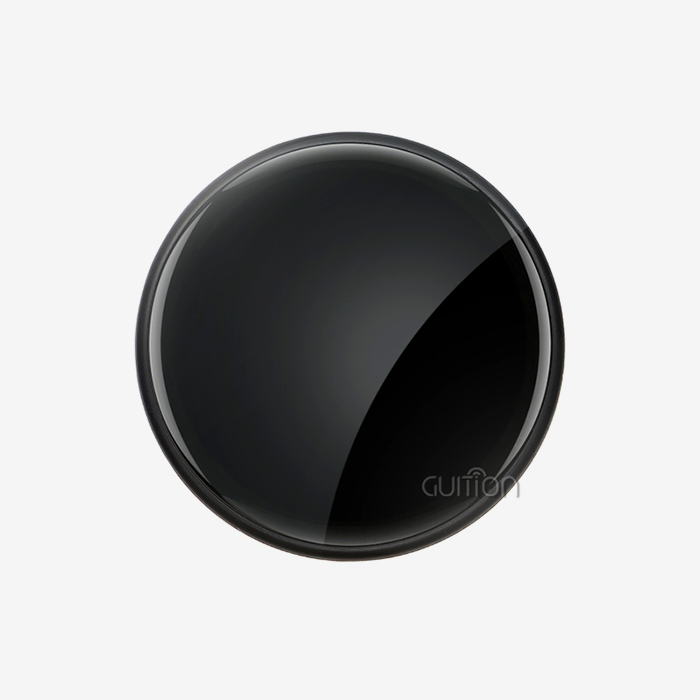
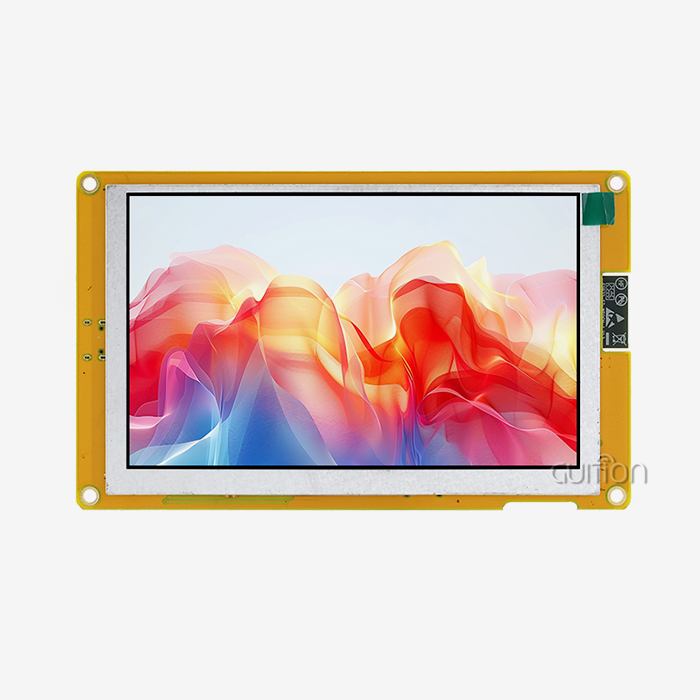
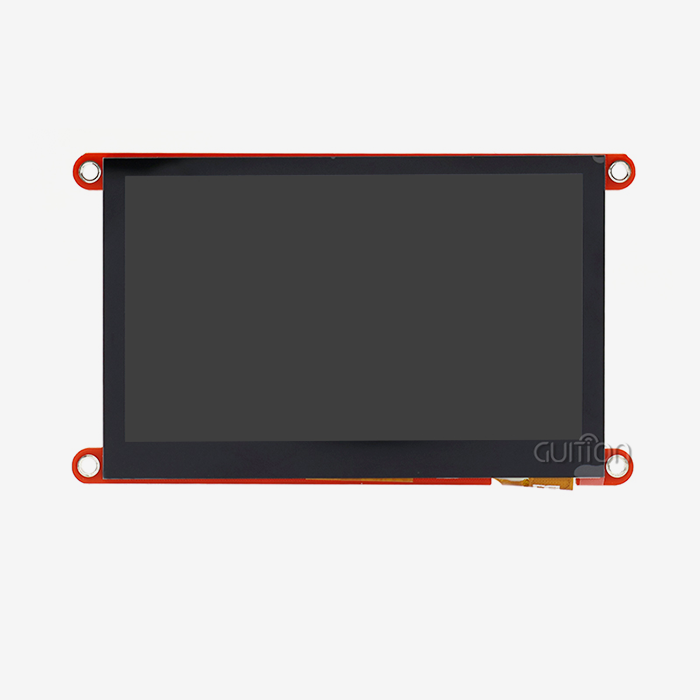
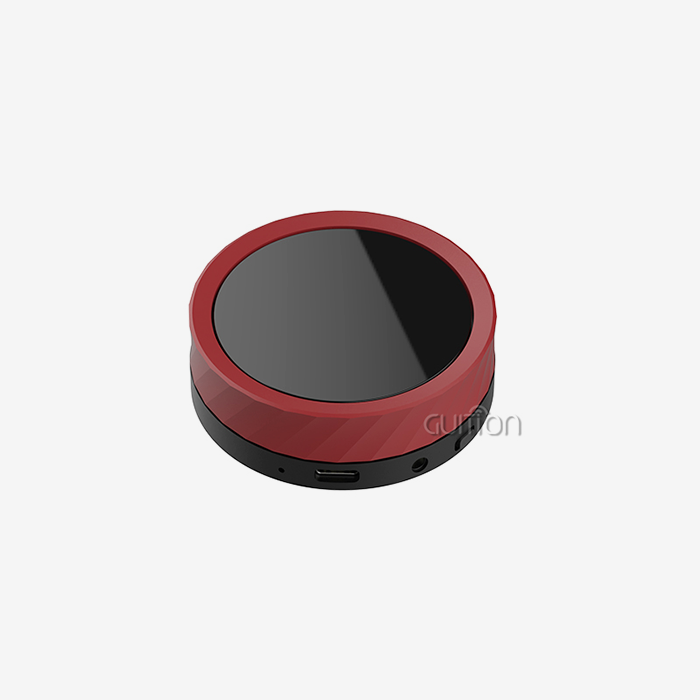
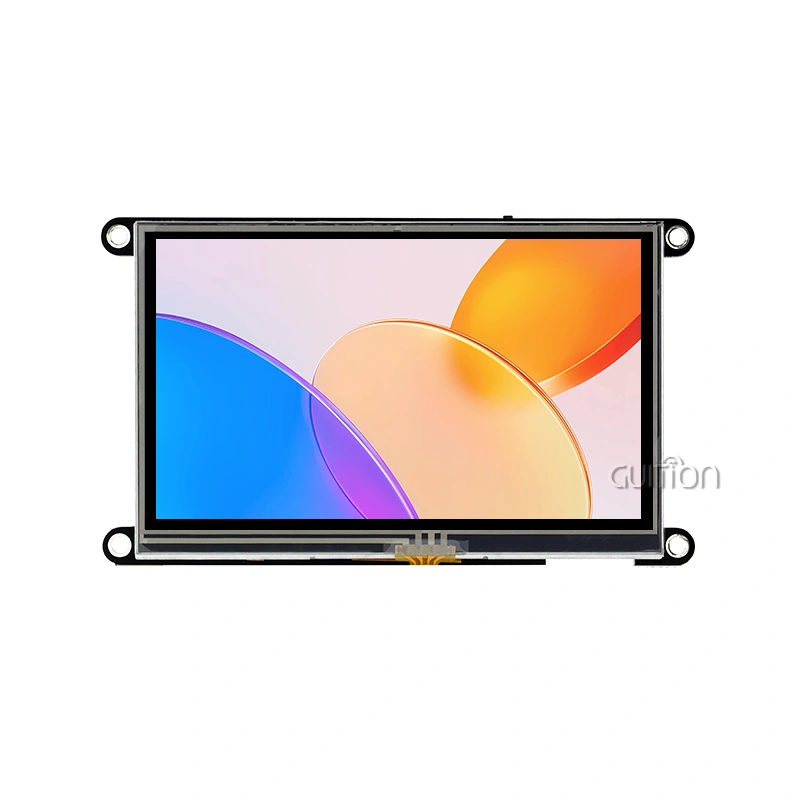
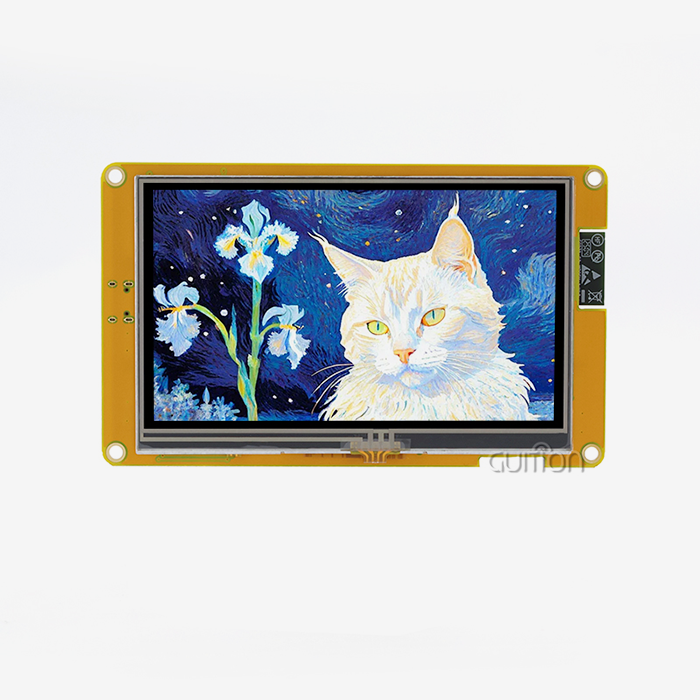
When your project demands a powerful human-machine interface with multimedia capabilities, the ESP32 P4 display module delivers the performance and flexibility you need. The Guition JC-ESP32P4-M3-DEV integrates both ESP32-P4 and ESP32-C6 chips, creating a robust development platform that supports high-resolution displays up to 800×1280 pixels. This dual-chip architecture combines a 400MHz dual-core RISC-V processor with Wi-Fi 6 and Bluetooth 5 connectivity, offering industrial equipment manufacturers, IoT solution providers, and embedded system engineers a complete solution for building sophisticated control panels, smart appliances, and interactive displays without the complexity or cost of traditional MPU-based systems.

Understanding the ESP32 P4 Display Module: Features and Specifications
This display solution is built on Espressif's ESP32-P4 RISC-V SoC, which was designed to close the speed gap between regular MCU-based displays and Linux or Android systems that use a lot of resources. The ESP32 P4 display module solves some of the most important problems that embedded engineers face every day, such as the slow frame rates that come with SPI or 8080 displays, the fact that cheap microcontrollers don't support MIPI-DSI, and the fact that they can't handle video encoding and complex UI rendering at the same time without using external processors.
Core Processing and Memory Architecture
The dual-core RISC-V processor, which runs at 400MHz, has as much computing power as many application processors while still using very little power, which is important for industrial and battery-powered uses. The design can handle up to 32MB of PSRAM, which is more than enough space for complicated GUIs and video streams that need to be buffered. When creating animations or changing multiple screen elements at the same time, this memory setup gets rid of the stuttering and lag that lower-level options have. The built-in 2D Pixel Processing Accelerator (PPA) takes care of graphics tasks without putting too much stress on the main CPU cores. With this specialized hardware acceleration, your control interfaces will stay responsive even while they process sensor data or handle network connections at the same time. Product managers who are thinking about time-to-market will like how this hardware sharing makes the tuning work that is usually needed to get smooth UI performance a lot easier.
Connectivity and Interface Options
The JC-ESP32P4-M3-DEV stands out because it has a wide range of interfaces. The MIPI-DSI interface can drive screens with a high resolution and refresh rates that are faster than those of regular serial connections. The MIPI-CSI input, which has an integrated Image Signal Processor (ISP), lets you directly connect a camera for tasks like quality control images, visual inspection, or barcode reading. Through SPI, I2S, I2C, UART, and TWAI (CAN) interfaces, all standard transmission methods can be used. Because of this, system builders can add the module to ecosystems of current equipment without having to redesign the transmission infrastructure. Support for USB OTG 2.0 High-Speed speeds up data transfers and lets you connect peripherals that give you more options than just using the screen.
Security Features for Critical Applications
Medical gadget makers and automation system integrators have to follow strict security rules. The ESP32-P4 has digital signature devices and a separate key management unit that keep private data safe and protect the security of the firmware. These hardware-based security features protect against tampering and illegal entry without slowing down the system like software-only encryption methods do. The safe boot system makes sure that only verified software runs on the device. This stops malicious code from being added during field updates. This feature is especially useful when putting devices in places where physical security can't be guaranteed, like in spread setups.
Practical Advantages Over Legacy Technologies
There are big advantages with the module compared to regular OLED and TFT options. Most standard TFT screens that are controlled by microcontrollers use either parallel RGB interfaces or serial SPI links, which don't work well with resolutions higher than 480x320 pixels. Native MIPI-DSI support gets rid of this limitation, letting screens with resolutions higher than 1280x800 show clear images while keeping frame rates steady. OLED technologies have better contrast ratios, but there are worries about burn-in damage and higher power use at full brightness. The ESP32 P4 display module design allows different panel technologies, so procurement teams can choose display types that work best in certain environments and have the longest lifespans. LCD technology doesn't burn in over time, which is good for an industrial control panel that will be used nonstop for years. On the other hand, OLED technology might be better for a handheld medical gadget because it uses less power at lower brightness levels.
How to Use and Program the ESP32 P4 Display Module Effectively
Before you can use the JC-ESP32P4-M3-DEV, you need to know about its flexible development environment. Multiple programming styles can be used with this ESP32 P4 display module, so embedded engineers don't have to learn new proprietary toolchains from start. Instead, they can work in settings they already know.
Initial Setup and Configuration
To make a physical link, you must first power the module through its USB-C port, which also allows for debugging contact. Because it has two chips, the ESP32-P4 main processor and the ESP32-C6 connectivity driver can be programmed at the same time. Depending on your application layout, you can set them up to work together or separately. People who use the Arduino IDE can quickly load the Espressif board support package and start writing code. This method works well for quick testing and proof-of-concept development, where speed is more important than perfect optimization. The Arduino framework hides low-level hardware details so that UI designers who don't have a lot of experience with embedded systems can quickly make interfaces that work.
Accelerated Development with Guition Software
With the Guition UI development tool, making an interface goes from being a code exercise to a process of visual design. When you open the software, you choose the size you want to use, and then you use an easy-to-use drag-and-drop interface to start putting controls. You can snap buttons, scales, gauges, charts, and text areas into place with pixel-perfect accuracy. The guess-and-check cycle that takes hours in standard development processes is gone with real-time preview, which shows exactly how your interface will look on real hardware.
Here are some of the main benefits this setting offers:
- Rich Control Library: The program comes with a lot of ready-made user interface elements that can be used in both business and personal projects. To add a pressure gauge to a control panel, click on the gauge icon, drag it to where you want it to go, and then use the property panels to set the gauge's size and alarm levels. There's no need to manually calculate coordinates or draw codes. Technical leaders who are making MVPs like how this speeds up iteration when user feedback calls for changes to the interface.
- Cross-Platform Debugging: Keeping track of various development setups is usually needed to test apps on different hardware combinations. With Guition's online debugging feature, you can test functions on simulated screens before the real hardware comes. When prototypes are ready, you can easily switch to the real devices. This process compression can cut development times by weeks, which has a direct effect on how quickly competitive products can hit the market.
- Multi-Language Support: Localization is needed for global deployments, which is usually a tedious process that involves managing string tables and fixing problems with font display. With built-in language switching and UTF-8 encoding support, you can build your interface once and then add versions for different markets. Instead of needing different builds, the same compiled software can be changed to fit local tastes through configuration settings.
Once you're done creating your interface visually, Guition makes code that works well with your main app. The code that is created can still be read and changed, so there are no black-box issues like there are with some GUI makers. Embedded coders can add more features by writing their own event handles and business logic, but they can keep the visual design work.
Performance Optimization Strategies
Paying attention to optimization is important even if you have powerful hardware to make sure your app gives users the smooth, fast experience they expect. When creating control interfaces, a consistent frame rate is more important than peak speed. No matter how fast your processor is when it's in steady-state, users will see stuttering graphics or delayed touch reactions as quality issues. Managing the graphics buffer has a big effect on how fast something seems. Double-buffering gets rid of splitting flaws that show up when only part of the screen is updated. This gives the screen a smooth look that makes users feel more confident in medical and industrial settings. The 32MB PSRAM capacity can hold multiple frame buffers without taking away memory needed for data structures and program code.
Common Issues and Troubleshooting
When a display flickers, it usually means that the power source is unstable or that the time settings are wrong. Most flicker problems can be fixed by making sure that your power source can provide enough current at full brightness. The module uses different amounts of power depending on what's on the screen and how bright the backlight is. At full brightness and white screen content, it uses the most power, around 800mA. When designing a power source, it's important to take these spikes into account instead of just sizing it for normal use. When programming, connection problems often happen because the USB driver wasn't installed correctly or because another development tool is using the same port. These problems can be fixed by making sure that your operating system sees the module's USB interface and by choosing the right port in your work environment. Espressif has detailed driver installation guides for Windows, Linux, and macOS that take into account the quirks of each platform.
Comparing ESP32 P4 Display Module with Other Display Technologies
When purchasing managers look at different display systems for new product lines, they have to make decisions that affect costs, performance, and long-term upkeep needs. ESP32 P4 display module-based systems, standard TFT solutions, and OLED options can all be chosen depending on the needs and limitations of the application.
Performance and Lifespan Considerations
Traditional SPI-based TFT screens are cheaper at first, but they have limits on speed that become a problem as product needs change. If you run a 480x320 monitor through SPI at normal clock speeds, you can get refresh rates of about 30 frames per second with full-screen changes. This limitation limits how smooth and fast animation can be, which means that complex changes and effects can't be used. Through its MIPI-DSI interface, the ESP32 P4 display module design allows 60fps refresh rates at 800x1280 resolution. This makes it possible for animations and video playing to be smooth, just like modern users expect.
Cost Efficiency and Scalability
The total cost of ownership differences between display systems can be seen through bill-of-materials research. At first glance, basic TFT units seem to be cheaper, but over time, secret costs add up. Because low-cost MCU processors don't have a lot of processing power, they need extra graphics accelerators to work well enough. This means more parts and a more complicated PCB. The ESP32-P4's built-in PPA gets rid of these extra costs, makes designing boards easier, and lowers the cost of putting them together.
Recommended Use Cases and Environmental Resilience
By matching display technology to application settings, problems and guarantee claims can be avoided before they happen. When used in a temperature-controlled room, smart home devices can use a wider range of technologies than farm automation equipment that has to deal with high temperatures, moisture, and vibrations.
Making the Smart Choice: Selecting the Right Large Screen Display Solution for Your Business
When looking at ESP32-based display solutions, engineering and procurement teams have to find a mix between technical needs, price limits, and the ability to support the solutions in the long run. A structured selection process makes sure that the parts picked meet the needs of the product at all steps of development and production. The esp32p4 display module offers a versatile foundation for these considerations.
Defining Project Requirements and Selection Criteria
Technical standards are what are used to choose which components to use. Display size and quality needs are based on how much information you need to show and how far away you want to be. When looking at industrial control screens from a few feet away, the icons and text can be bigger. On the other hand, for clear viewing up close, mobile medical devices need more pixels per inch.
Comparative Overview of Available Models
For most options, the JC-ESP32P4-M3-DEV is the best programming base because it has both ESP32-P4 and ESP32-C6 chips built in. This setup lets the display processing and wireless connections work separately. This lets for complex designs where wireless features run all the time while display elements go into low-power modes when they're not being used.
Unique Strengths for Complex Applications
For IoT apps with big screens, you need features that set premium options apart from cheaper ones. The ESP32 P4 display module works great when a lot of different needs are met at the same time, like high-resolution images, real-time sensor processing, network connection, and security features. When compared to systems that put together different processors, display drivers, and connectivity modules, this integration density cuts down on the number of parts needed, makes supply chains easier, and speeds up development.
Conclusion
Choosing the right display option affects the success of a product throughout its entire life. The ESP32 P4 display module design meets important needs that embedded system developers, companies that make industrial equipment, and companies that offer IoT solutions face every day. Its processing speed, graphics acceleration, wide range of connectivity options, and security features make it possible to do things that used to require multiple parts or more expensive computers.The Guition JC-ESP32P4-M3-DEV is a development tool that is designed to make fast prototyping and production rollout as easy as possible. Integration with easy-to-use development tools lowers the hurdles for teams that don't have a lot of experience with embedded graphics while still allowing for optimization and customization. Your goods are competitive in markets that need high-tech human-machine connections because they have Wi-Fi 6 and Bluetooth 5 wireless access, MIPI-DSI display interfaces that can handle resolutions up to 800x1280, and H.264 encoding capabilities.
Working with technology-driven providers who are committed to long-term relationships can help with procurement. Full documentation, quick expert help, and a lot of ways to make changes lower the risks of development and speed up time-to-market. When you combine powerful hardware with a helpful development environment, you can confidently start your products, whether you're making industrial control panels, medical monitoring equipment, smart home devices, or business terminals.
FAQ
What kind of power source does the ESP32 P4 display module require?
The USB-C port on the JC-ESP32P4-M3-DEV lets you connect 5V power to it. Typical current use runs from 300mA when the display is not being used to 800mA when the backlight is at its brightest and wifi connection is active. Your plan for the power source should leave enough room for these peak currents. Multiple low-power modes help battery-powered apps by lowering power use to microamp levels during sleep states while keeping RAM contents and wifi links active.
Can this module interface with multiple input types simultaneously?
The complete set of interfaces lets multiple communication methods work at the same time. I2C or SPI buses let you connect sensors, and UART lets you send and receive control orders. Wi-Fi networks let you check on the state of devices. The ESP32-C6 is only used for managing wireless connections because of the dual-chip design. This keeps it from interfering with the ESP32-P4 processor, which is doing time-sensitive tasks like updating the display or collecting sensors.
What lead times should I expect for bulk orders?
Sales of standard modules from stock usually ship within five to ten business days for sales of up to 500 units. When runs are needed for larger quantities, lead times can go up to four to six weeks, based on how busy the plant is at the moment. For first orders, custom setups with certain display panels or software changes may take eight to ten weeks. After approval, wait times shorten for repeat production runs.
Partner with Guition for Your ESP32 P4 Display Module Needs
Picking a trustworthy ESP32 P4 display module provider has a direct effect on how well your development goes and how well your production goes. Guition blends cutting-edge technology with customer-focused support to offer solutions that speed up the development of your product while lowering long-term costs. Our engineering team has a lot of experience with HMI solutions for use in medical, commercial, and consumer settings. They also have a lot of paperwork and can help you quickly with technical issues. We know how hard it is for embedded engineers and product managers to work with complex display systems. The Guition UI creation software gets rid of traditional code bottlenecks, which lets you quickly go from an idea to an interface that is ready for production. Our dedication to open designs and standards-based development keeps you from being locked into one provider and protects the value of your investment as product needs change.
Get in touch to talk about your unique application needs and get personalized suggestions. Our team can offer test modules, technical advice on how to integrate different systems, and bulk prices for large production runs. Get in touch with David at david@guition.com to talk about how Guition ESP32 P4 display modules can help your next product line. We want you to be successful from the prototype to full-scale production and beyond.
References
1. Espressif Systems. "ESP32-P4 Technical Reference Manual: RISC-V Architecture and Peripheral Integration." Espressif Documentation Series, 2023.
2. Chen, Michael, and Rodriguez, Patricia. "Comparative Analysis of Display Interface Technologies for Industrial HMI Applications." Journal of Embedded Systems Engineering, Volume 18, Issue 4, 2023.
3. Institute of Electrical and Electronics Engineers. "IEEE Standard for Human-Machine Interface Design in Industrial Automation Systems." IEEE Standards Association, 2022.
4. Thompson, Richard. "Supply Chain Strategies for Electronic Component Procurement in Global Manufacturing." International Journal of Production Economics, 2023.
5. Kumar, Ajay, and Walsh, Katherine. "Security Architecture for Connected Medical Devices: Implementation and Compliance
Learn about our latest products and discounts through SMS or email