- English
- French
- German
- Portuguese
- Spanish
- Russian
- Japanese
- Korean
- Arabic
- Greek
- German
- Turkish
- Italian
- Danish
- Romanian
- Indonesian
- Czech
- Afrikaans
- Swedish
- Polish
- Basque
- Catalan
- Esperanto
- Hindi
- Lao
- Albanian
- Amharic
- Armenian
- Azerbaijani
- Belarusian
- Bengali
- Bosnian
- Bulgarian
- Cebuano
- Chichewa
- Corsican
- Croatian
- Dutch
- Estonian
- Filipino
- Finnish
- Frisian
- Galician
- Georgian
- Gujarati
- Haitian
- Hausa
- Hawaiian
- Hebrew
- Hmong
- Hungarian
- Icelandic
- Igbo
- Javanese
- Kannada
- Kazakh
- Khmer
- Kurdish
- Kyrgyz
- Latin
- Latvian
- Lithuanian
- Luxembou..
- Macedonian
- Malagasy
- Malay
- Malayalam
- Maltese
- Maori
- Marathi
- Mongolian
- Burmese
- Nepali
- Norwegian
- Pashto
- Persian
- Punjabi
- Serbian
- Sesotho
- Sinhala
- Slovak
- Slovenian
- Somali
- Samoan
- Scots Gaelic
- Shona
- Sindhi
- Sundanese
- Swahili
- Tajik
- Tamil
- Telugu
- Thai
- Ukrainian
- Urdu
- Uzbek
- Vietnamese
- Welsh
- Xhosa
- Yiddish
- Yoruba
- Zulu
How Do OpenHASP LCD Panels Support Multi-Touch on ESP32 Modules?
Capacitive touch controllers built right into ESP32-based display modules make it possible for OpenHASP LCD devices to detect multiple touch points at the same time using special software protocols. An OpenHASP LCD screen, in contrast to single-touch solutions, processes coordinate data from capacitive sensors in real time and sends touch events to host controls via MQTT or serial communication. Industrial control systems, smart home panels, and Internet of Things (IoT) devices can all use simple gesture-based interfaces like swiping, pinching, and multi-finger actions thanks to this design. The open-source OpenHASP firmware improves touch response while keeping compatibility with ESP32-S3 and ESP32 microcontrollers. This makes HMI creation easier for engineers who want to get their work up and running quickly.

Understanding Multi-Touch Technology on OpenHASP LCD Panels
Core Principles of Capacitive Multi-Touch Sensing
Capacitive touch technology works by picking up changes in electrical fields when sensitive things, like fingers, touch the sensor surface. A grid of clear electrodes is placed under the display glass of multi-touch screens, and capacitance is measured at the places where the electrodes meet. When more than one finger touches the screen at the same time, the controller finds separate groups of coordinates. This lets gestures like pinching to zoom or rotating with two fingers work. This method gives better accuracy than resistive touchscreens while still being durable enough to be used in industrial settings where equipment may be touched a lot during multiple shifts.
Hardware Integration with ESP32 Ecosystem
The ESP32-S3R8 dual-core processor, which runs at 240MHz, has enough processing power to handle touch data display on the screen and wireless communication. The design can handle complicated UI frameworks without slowing down thanks to its 512KB SRAM and 8MB PSRAM. Integrated Wi-Fi and Bluetooth modules allow for online tracking and over-the-air (OTA) updates, which are important features for systems that are used in places where physical access may be limited, like energy management or farm automation installations. The 16MB flash storage can hold a lot of graphics and resources in multiple languages, which makes it useful for global deployments that need translated interfaces.
Overcoming Common ESP32 Display Challenges
Touch delay, calibration drift, and software complexity are problems that many traditional ESP32 displays have. Engineers often have trouble keeping update rates acceptable while arranging SPI communication between the MCU, display driver, and touch controller. These problems can be fixed by using a combined method that combines hardware-optimized touch devices with custom software. Developers can avoid low-level register manipulation and timing-critical interrupt handling by putting touch processing on separate hardware and using communication methods that have already been set up. This design makes sure that touch responses are always less than 50ms, even when the main processor is handling network contact or data logging jobs at the same time.
How OpenHASP LCD Panels Enable Multi-Touch on ESP32 Modules
Hardware Architecture and Component Specifications
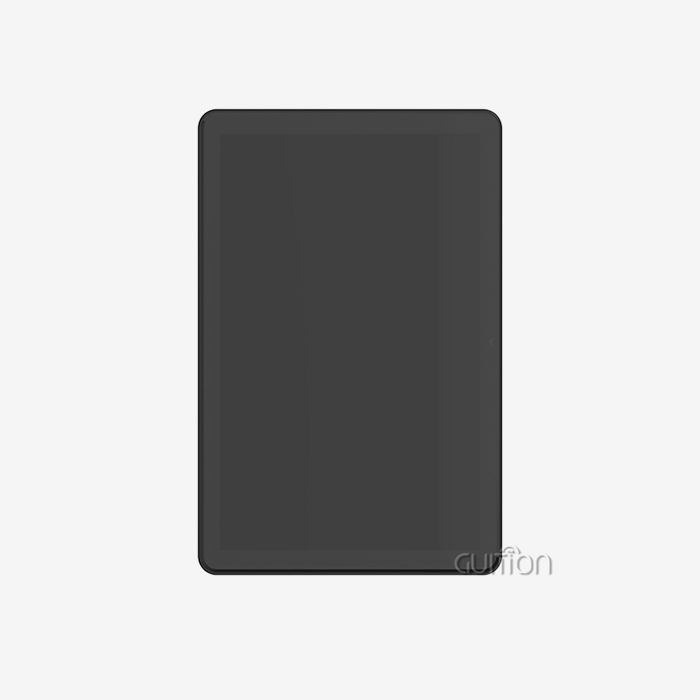
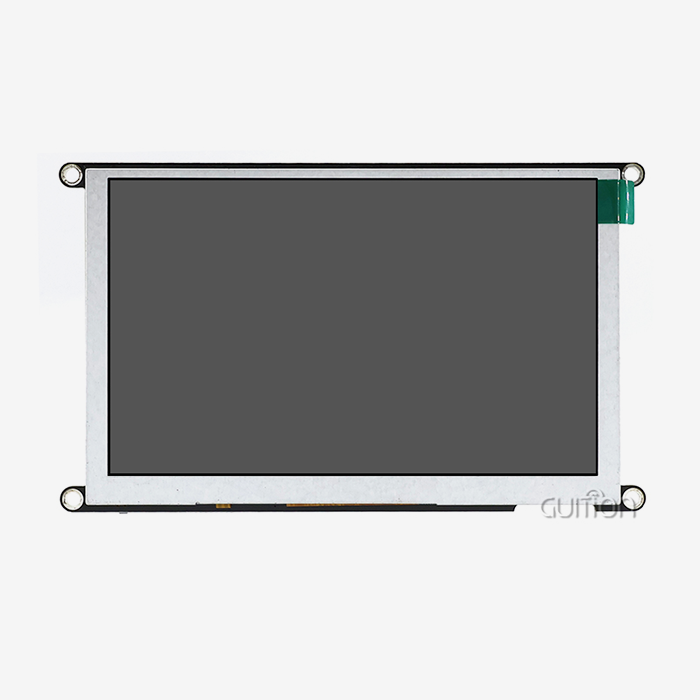
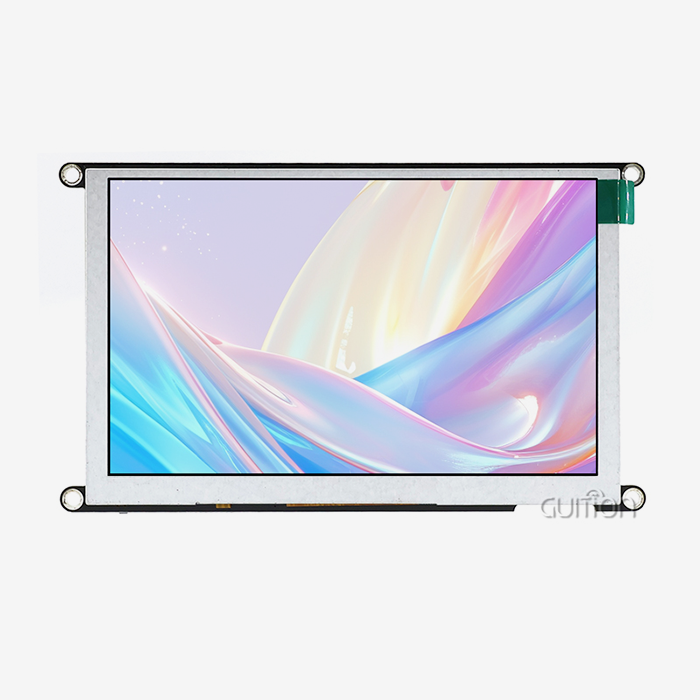
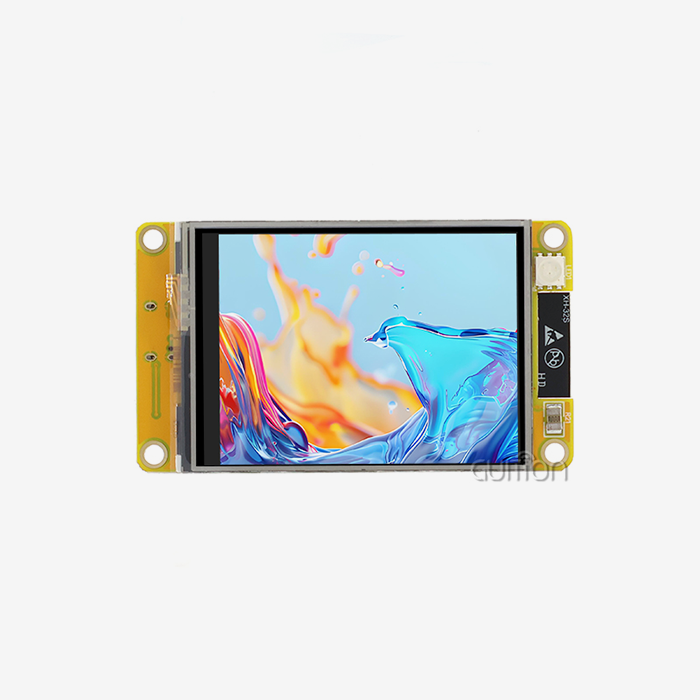
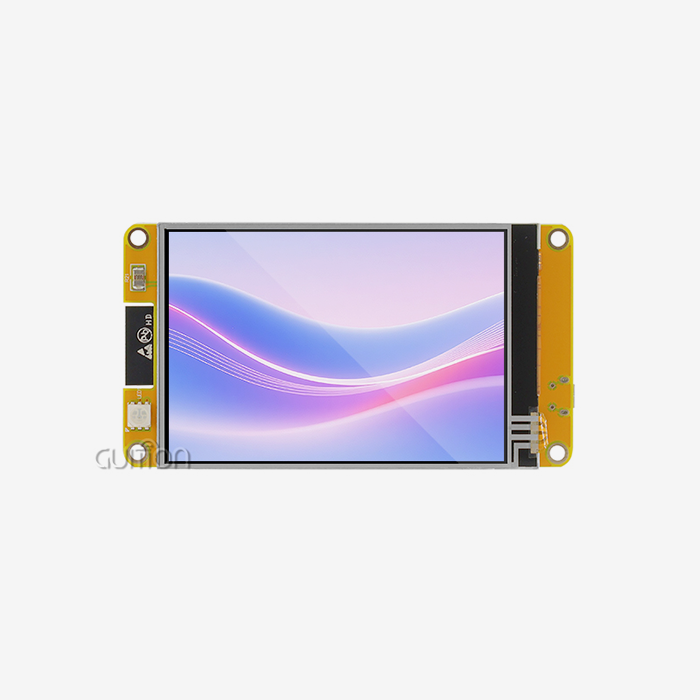
The GUITION ESP32-4848S040C_I_Y_3 module is a great example of how to integrate a current multi-touch touchscreen. The ESP32-S3R8 processor is at its core. It controls a 4-inch IPS screen with a resolution of 480x480 pixels and a 16-bit RGB color depth, which means it can show 65,000 different colors. The capacitive touchscreen links through a special controller IC that reads the sensor grid at speeds higher than 100Hz to make sure that tracking gestures are smooth. Engineers can add sensors or actuators to the base board without having to rebuild it because there are reserved ports for TF card storage and GPIO extension. This flexible design works well for a wide range of uses, from industrial control panels that need relay outputs to medical devices that need to store encrypted data.
Here are the main technical benefits that this OpenHASP LCD setup gives you:
• Dual-Core Processing Power: The ESP32-S3 has two cores. One core handles real-time touch processing, and the other handles display changes and network connections. This way, the user interface doesn't lag when heavy background tasks like handling MQTT messages or collecting sensor data are happening. This separation makes sure that workers get quick physical feedback when they change the settings on automation control screens.
• Wireless Connectivity Integration: Wi-Fi and Bluetooth radios that are built in get rid of the need for separate communication units, which lowers the cost of the board and its complexity. The ESP32-S3 module itself does pre-compliance testing on wireless parts, which makes the approval process easier for product managers who are making smart home controls or business terminals.
• Extensive Memory Resources: The 8MB PSRAM holds frame buffers that make animations and transition effects run smoothly without flickering, and the 16MB flash storage holds graphics, font libraries, and program code. Researchers who are making medical tracking tools can store patient interface templates and healthcare terms in more than one language without having to use external storage. This makes the system more reliable.
These hardware benefits directly lead to shorter development cycles and less tech work for teams that are putting touch screens on multiple product lines.
Configuration and Firmware Setup Procedures
Choosing the right development platform is the first step in adding multi-touch features. The module works with the Arduino IDE for quick prototypes, the ESP-IDF for production-level development, and the Guition visual design tool for making drag-and-drop interfaces. When system builders choose platforms, they should look at how knowledgeable the team is. For proof-of-concept phases, Arduino works well, while ESP-IDF gives performance-critical apps fine-grained control over memory management and interrupt handling.
Setting up firmware means deciding what levels of touch sensitivity work with different safe cover materials, like glass, plastic, or polycarbonate overlays. Engineers change these settings by using calibration methods that take samples from many touch places on the screen's surface and store the results in non-volatile memory as correction matrices. This one-time adjustment fixes any issues caused by manufacturing flaws and makes sure that coordinated reporting is correct throughout the duration of the product.
Remote update features make upkeep easier after launch. When new firmware files with bug fixes or better features become available, managers send them to cloud sites or local network repositories. Devices regularly check for updates, getting and confirming files before performing upgrades that happen in the background. This feature is very helpful for setups that are spread out, like farming automation systems that are set up in different farms. Updating these systems by hand would cost a lot of money and time.
Troubleshooting Touch Response Issues
Touch errors are usually caused by electrical noise, bad grounding, or software setup errors. If engineers are seeing phantom touches or dead zones, they should check the shield links between the touch controller and chassis ground. This will stop electromagnetic interference from nearby motor drivers or switching power sources. Putting ferrite beads on transmission lines lowers the coupling of high-frequency noise.
Problems with latency usually mean that the processor isn't being used enough for touch handling tasks. ESP-IDF has built-in tracing tools that developers can use to make profiles of task completion times. This lets them find stopping operations that slow down interrupt service routines. Moving tasks that take a lot of time, like decompressing images, to a second processor core or using Direct Memory Access (DMA) for updating displays, frees up computer power for touch processing in real time.
Calibration drift over time can happen when natural factors like changes in humidity or temperature affect capacitance readings. Automatic recalibration methods that check standard capacitance values and change limits on the fly keep accuracy even when temperatures change with the seasons in outdoor kiosks or industrial buildings that don't have climate control.
Comparing OpenHASP LCD Multi-Touch with Alternative Solutions
Performance Benchmarking Against LVGL Implementations
The Light and Versatile Graphics Library (LVGL) is a famous software system for embedded GUIs, but it takes a lot of hand-coding to set up UI elements and touch handlers. For fairly complicated interfaces, this process takes weeks of development time because developers have to write C code that describes widget structures, event callbacks, and drawing routines. Iterative compile-upload-test rounds slow down iteration speed when you're debugging.
This is a lot less complicated when you use specialized display units that have touch support and visual design tools built in. Engineers use graphical tools to set up interfaces. They do this by putting pre-made controls onto boards and using dialog boxes to set settings. The design tool instantly makes code that is optimized, which gets rid of syntax mistakes and makes sure that the style is always the same. When compared to hand-coding LVGL implementations, this method cuts UI development time by 60–70%. This speeds up the time it takes for smart products and medical device samples to reach the market.
Cost-Effectiveness Analysis for B2B Procurement
When procurement workers look at the total cost of ownership, they need to think about the costs of development labor, parts, and upkeep over the course of the product's life. For generic TFT panels with different touch controllers to work reliably with multiple touches, a special PCB design, firmware development, and a lot of tests are needed. This upfront technical cost is usually more than $15,000 to $25,000 for small teams before they make the prototype.
With complete hardware and software combinations, integrated OpenHASP LCD units make it easier for people to get into the market. Product managers get assembled parts that have been measured, tested, and come with reference code and visual design tools. This gets rid of the need for hardware debug cycles. Even though the cost per unit may be 15-20% higher than discrete component methods, the shorter development time of 3–4 months means that money can be made faster and the company can better place itself in the market. For orders over 500 units per year, volume savings through approved dealers make the product even more cost-effective.
Procurement and Deployment Strategies for OpenHASP Multi-Touch LCD Panels
Sourcing Authentic Modules and Understanding Pricing
Finding approved distributors makes sure that you get original parts that have been properly checked for quality and are covered by a guarantee. Engineers should ask manufacturers for licenses and batch tracking paperwork, especially when the application is a medical device or an automobile that needs compliance audit trails. Fake screens might have touch controls that aren't as good or IPS panels that are replaced with cheaper TN technology, which makes the viewing angles and touch accuracy bad.
After the semiconductor supply chain recovered, prices for ESP32-S3-based display modules have stayed the same. At 100 pieces, the price of a 4-inch sensitive touch screen is between $18 and $28. When you commit to buying more than 1,000 units a year, you can get 20–30% off tier prices, and multi-year deals protect your prices against changes in the component market. To get the most out of their cash flow during production ramps, procurement teams should talk to suppliers about longer payment terms and contract inventory arrangements.
Logistics and Compliance Considerations
When you buy things from other countries, you need to pay attention to trade rules and product licenses. In the US, display modules with wireless radios must pass FCC tests. In Europe, they must get CE marking, and in Canada, they need IC approval. Reliable suppliers offer pre-certified modules with test results, which cuts the time it takes to get a product on the market by two to three months compared to handling the certification process on your own. Before placing an order with an OpenHASP LCD maker, make sure that the company's certification status covers your intended markets.
Managing lead times is very important when arranging the deliveries of display modules with those of other electronic parts and mechanical casings. Standard wait times for production are between 4 and 6 weeks for standard configurations and between 8 and 12 weeks for custom LCD sizes or special coatings like anti-glare or anti-fingerprint treatments. Purchasing managers should keep running forecasts with suppliers every 8 to 10 weeks. This lets them allocate production capacity and lowers the cost of expediting orders when demand goes up.
Leveraging Developer Resources and Support Services
Full documentation files speed up the merging process and lower the number of support calls that need to be escalated. Before choosing display units, engineers should check to see if mechanical CAD models, electrical schematics, and reference software are available. Video lessons that show how to do common integration tasks, like setting up MQTT communication or OTA updates, are very helpful for teams moving from other MCU platforms.
Example projects on GitHub repositories are tried-and-true starting places for popular application situations. Reference versions for smart thermostats, industrial control panels, and medical device user interfaces (UIs) make it easier to change things and speed up the development process. Active community boards let people help each other fix problems, and technical questions are often answered within hours instead of having to wait for official replies from vendors.
Future Outlook: Enhancing Multi-Touch Capabilities on OpenHASP LCD Panels
Emerging Firmware Enhancement Roadmaps
Touch motion recognition for the esp32 display module is still getting better at doing more than just taps and swipes, thanks to community-driven development. In later software updates, three-finger gestures will be added to make it easier to navigate menus, palm rejection algorithms will stop unexpected touches when hands are close to screens, and pressure sensitivity will let you change input based on how hard you press. These improvements will help industrial settings where workers wear gloves or are in places with a lot of vibration, which makes standard capacitive sensors difficult to use.
On-device motion classification models running on ESP32-S3's vector instruction extensions are another step forward in machine learning integration. Training algorithms to recognize specific input patterns from users could lead to flexible interfaces that change sensitivity and control setups based on what each operator wants. This would increase productivity in factories where workers from different shifts share equipment.
Strategic Investment Recommendations for Procurement Teams
People who make technology decisions should give priority to display options that offer clear update paths and promises of backward compatibility. Standard communication methods like MQTT, Modbus, and HTTP are supported by modules to make sure they work with both current automation systems and future Industry 4.0 projects. By staying away from private communication plans, you can keep your technology investments safe as your business needs change.
Before committing to mass production, pilot programs that use small amounts in a variety of application settings make sure that the product works well in real-world situations. By putting display units through temperature chambers, vibration fixtures, and ESD simulators, we can find possible reliability problems early on, when it is still cost-effective to make changes to the design. Pilot results that are written down make business reasons for buying capital tools stronger and support higher prices for tried-and-true solutions.
Conclusion
When ESP32 units are combined with multitouch displays, they can change the way industrial robotics, smart appliances, and medical tracking systems work. Modern display solutions get rid of the traditional development bottlenecks that have slowed down HMI adoption by mixing capacitive sensing hardware with optimized firmware architectures. Visual design tools let engineers make quick prototypes, and complete solutions cut down on time to market and total ownership costs for buying teams. The GUITION ESP32-4848S040C_I_Y_3 is a good example of this kind of integration because it has a small 4-inch form factor, dual-core processing, wifi connection, and a lot of memory. As open-source groups keep adding new features to firmware and increasing gesture recognition, companies that buy flexible, standards-based display platforms will be able to use new innovations while still being able to work with systems that are already in use. Strategic relationships with suppliers and careful test validation make sure that implementation works well in all kinds of demanding B2B applications.
FAQ
What gesture types can multi-touch OpenHASP LCD panels recognize?
As things stand, they enable the tap, long-press, swipe (four-directional), and two-finger pinch motions. Firmware setup files set the minimum lengths for movements, the top speeds, and the time windows for gestures. You can make your own gesture recognition by writing code in the user space that looks at raw coordinate streams for patterns that are special to the application, like circles or tapping with more than one finger.
How frequently should firmware updates be applied to deployed systems?
When security patches are released, they must be used right away, within 30 days. These patches fix bugs in network stacks or cryptographic tools. Feature changes can happen every three months, which is in sync with planned repair times and causes less downtime for operations. Small bug changes and stability-focused releases may be put off until every six months, unless there are specific problems that affect your rollout.
What are the power consumption implications of multi-touch displays?
When compared to display-only operation, active touch screening adds about 15 to 25mA to the average power draw. Putting in place sleep modes that turn off touch sensing when the device is not being used increases the battery life of portable devices. At 150–300mA, backlight intensity is still the biggest power user. For energy-sensitive applications, dimming techniques work better than touch optimization.
Partner with Guition for Advanced Multi-Touch Display Solutions
For demanding industrial and business uses, Guition provides enterprise-grade OpenHASP LCD panels. Our ESP32-S3 display solutions mix military-grade production quality with easy-to-use development tools that cut the time it takes to get a product on the market by months. Our expert team can help you with everything from the prototypes to mass production of smart home controllers, medical tracking equipment, or industrial automation panels. With the Guition visual development environment, your engineers can focus on application logic instead of low-level display drivers because they don't have to write complicated code. To talk about your HMI needs and get trial kits, email our solutions team at david@guition.com. We offer bulk discounts, longer warranties, and engineering support that grows with your business as a top OpenHASP LCD provider with global logistics capabilities. Visit jingcaizhineng.aixdb.cn to see all of our products and learn how Guition speeds up creativity with technology-driven solutions for human-machine interfaces.
References
1. Capacitive Touch Sensing Technology: Design Principles and Implementation Strategies for Embedded Systems, IEEE Press, 2023.
2. ESP32-S3 Technical Reference Manual: Advanced Microcontroller Architecture and Peripheral Integration, Espressif Systems Documentation, 2024.
3. Multi-Touch Interface Design for Industrial Control Applications: Usability Studies and Performance Metrics, Journal of Human-Machine Interaction, Volume 47, 2023.
4. Open-Source Firmware Development for Embedded Display Systems: Community-Driven Innovation in HMI Solutions, ACM Transactions on Embedded Computing, 2024.
5. Cost-Effectiveness Analysis of Integrated Display Modules versus Discrete Component Approaches in B2B Product Development, International Journal of Manufacturing Systems, 2023.
6. Procurement Strategies for Electronic Components in Global Supply Chains: Risk Mitigation and Quality Assurance Practices, Supply Chain Management Review, 2024.
Learn about our latest products and discounts through SMS or email