- English
- French
- German
- Portuguese
- Spanish
- Russian
- Japanese
- Korean
- Arabic
- Greek
- German
- Turkish
- Italian
- Danish
- Romanian
- Indonesian
- Czech
- Afrikaans
- Swedish
- Polish
- Basque
- Catalan
- Esperanto
- Hindi
- Lao
- Albanian
- Amharic
- Armenian
- Azerbaijani
- Belarusian
- Bengali
- Bosnian
- Bulgarian
- Cebuano
- Chichewa
- Corsican
- Croatian
- Dutch
- Estonian
- Filipino
- Finnish
- Frisian
- Galician
- Georgian
- Gujarati
- Haitian
- Hausa
- Hawaiian
- Hebrew
- Hmong
- Hungarian
- Icelandic
- Igbo
- Javanese
- Kannada
- Kazakh
- Khmer
- Kurdish
- Kyrgyz
- Latin
- Latvian
- Lithuanian
- Luxembou..
- Macedonian
- Malagasy
- Malay
- Malayalam
- Maltese
- Maori
- Marathi
- Mongolian
- Burmese
- Nepali
- Norwegian
- Pashto
- Persian
- Punjabi
- Serbian
- Sesotho
- Sinhala
- Slovak
- Slovenian
- Somali
- Samoan
- Scots Gaelic
- Shona
- Sindhi
- Sundanese
- Swahili
- Tajik
- Tamil
- Telugu
- Thai
- Ukrainian
- Urdu
- Uzbek
- Vietnamese
- Welsh
- Xhosa
- Yiddish
- Yoruba
- Zulu
Why Industrial Control Display Screens Fail in High-Heat Environments
When deployed in high-temperature environments, industrial control display screens suffer from premature failures due to thermal stress on critical components. Heat accelerates the degradation of semiconductor elements, causes liquid crystal instability, weakens solder joints, and compromises seal integrity. These failures manifest as screen blackouts, color distortion, touch malfunctions, and complete operational breakdowns. Understanding these thermal vulnerabilities is essential for engineers and procurement professionals selecting reliable HMI solutions for demanding applications.


Understanding Industrial Control Display Screen Failures in High-Heat Environments
Display interfaces are an important part of industrial automation systems because they let you see what's going on, control machines, and get feedback in real time. Still, these screens are constantly under heat stress in foundries, outdoor kiosks, farm equipment, and energy management systems. In places with a lot of heat, basic flaws in display technology are shown that regular devices can't handle.
Common Symptoms of Heat-Induced Failures
Blackouts on the screen are the most serious type of failure. When the temperature outside goes above the stated operating limits, the backlight LEDs dim or stop working altogether, making the screen useless. As heat is applied for a long time, liquid crystal molecules lose their ability to align themselves, which causes color distortion to appear over time. When resistive or capacitive sensors get too hot and lose their calibration, they lose their usefulness. These signs don't show up all at once; they get worse over time as parts suffer heat damage over weeks or months of use.
Environmental Factors That Amplify Thermal Stress
Heat doesn't usually work by itself. Industrial settings have high temperatures and a lot of humidity, which makes internal electronics corrode faster. When dust builds up on cooling vents, it stops airflow and creates hotspots that heat up parts beyond their safe limits. Vibration from nearby machines makes links even weaker than they were before because of changes in temperature. When outdoor displays are hit by direct sunlight, they give off radiant heat that makes the temperature problems even worse. When these factors work together, they create failure conditions that are much worse than those found in lab tests.
Critical Components and Their Heat Vulnerabilities
The LCD panel itself is made up of liquid crystals that change how they look when they reach certain temperatures. When these limits are crossed, the molecules become isotropic, which means they stop responding to electric fields. This permanently damages the display. When temperatures rise, backlight systems that use LED panels lose a lot of their efficiency and generate a lot of heat inside. Printed circuit boards hold semiconductor parts that have junction temperatures rated to 125°C, which quickly disappear in cases where there isn't enough airflow. Whether they are resistive or capacitive, touch sensors depend on precise electrical qualities that get messed up by temperature changes outside of what is expected. Knowing how Industrial control display screens react to heat stress can help you make better decisions about what to buy. When compared to market models, TFT-LCD screens that use industrial-grade parts like the ILI6485 driver chip are more stable at low temperatures. Modules made for harsh settings have thermal control features that regular screens don't have. This makes the modules last longer in difficult situations.
Root Cause Analysis: Why Industrial Control Displays Fail Under Heat Stress
Thermal breakdowns are caused by normal physical processes that speed up when temperatures rise. The Arrhenius equation in reliability engineering describes a link between temperature and failure rate in semiconductors. It says that for every 10°C rise in temperature, the failure rate nearly doubles.
Semiconductor and Circuit Degradation
Driver chips, microcontrollers, and voltage regulators all have silicon joints that break down more quickly when the temperature rises. The movement of charge carriers changes, threshold voltages move, and leakage currents rise. Over time, these small changes cause circuits to stop working within their normal limits. Parts of the power supply are under a lot of stress because voltage regulators have to get rid of a lot of heat while keeping the output stable. When these controls fail, voltage spikes damage parts further down the line, causing more failures.
Material-Level Changes in Display Elements
At temperatures set by the manufacturer, liquid crystal materials go through phase changes. Long-term exposure close to these limits breaks down the structure of the crystal forever. Organic polymers in anti-reflective coats and polarized films turn yellow and break when exposed to UV light and heat. The optical bonding resin that holds the LCD to the protective glass goes through cycles of thermal expansion and contraction. These cycles cause delamination, which can be seen as cloudy areas that spread across the screen over time.
Mechanical Failures From Thermal Cycling
When the temperature changes, the solder joints that connect parts to circuit boards get bigger and smaller. This constant mechanical stress creates tiny cracks that spread until the connections break completely. When exposed to long-term heat, rubber seals and gaskets thicken and shrink, losing their ability to keep out wetness and other contaminants. Different materials grow at different rates, which causes cable connections to become loose. When the damage from months of normal use reaches critical levels, these mechanical failures often happen all of a sudden.
How to Choose Industrial Control Display Screens for High-Heat Environments
To choose the right display technology for high-temperature uses, you need to look at more than just the screen size and quality. When making decisions about what to buy, it's important to focus on thermal performance metrics that can predict long-term dependability under stress.
Temperature Ratings and Thermal Management Features
The main decision factor is the operating temperature range. Most consumer displays say they can work in temperatures from 0°C to 50°C, but real industrial displays can work in temperatures from -20°C to 70°C or even -30°C to 80°C in the harshest conditions. Ratings for storage temperatures are also important, since equipment may not be used for long periods of time and may sit idle in unmanaged conditions. In addition to standard grades, you should look at how thermal control is implemented. As an example of a passive method, metal heat spreaders move heat away from important parts. Small fans or heat pipes are used in active systems to make it much easier for heat to escape from confined areas.
Industrial-Grade Versus Consumer-Grade Construction
Industrial control display screens are fundamentally different in the parts they use and how they are put together. Instead of standard 85°C parts, automotive-grade capacitors rated for 105°C are used in industrial units. The copper weight on a circuit board goes up from the standard 1oz to 2oz or 3oz, which increases its ability to carry current and get rid of heat. Conformal coating keeps moisture and other contaminants away from circuit boards. With optical bonding, there are no more air gaps between the layers of a display. This makes the contrast better and gives heat better ways to move. These features cost more, but they provide enough reliability to make the investment worth it in important apps.
Evaluating Supplier Capabilities and Support
You can only get part of the picture from technical specs. Long-term success with industrial display implementations depends on how well the supplier can do their job. Look for companies that offer detailed scientific information, such as thermal derating charts that show how long a part should last at different temperatures. Customization options are very important. For example, being able to change the brightness of the backlight, change the parameters for touch sensitivity, or add specific mounting hardware meets the needs of each application. Time-to-market is greatly affected by the quality of the development environment. GUITION offers software that was made by themself and makes making UIs easier by letting you drag and drop elements around. Support for multiple development tools, including Arduino, IDF, and the company's own GUITION platform, makes it easy for engineers with different tastes to work together.
Best Practices for Maintaining Industrial Control Displays in High-Heat Conditions
When installed correctly and regularly maintained, equipment lasts a lot longer, even in places with high temperatures. Failures can be avoided by planning strategically during the design of a system.
Strategic Installation Techniques
More than any other factor, where you are affects your temperature exposure. Place screens away from direct heat sources like heaters, engines, or process equipment that gives off infrared energy. If you have to install something outside, use sun shields or louvers to block direct sunlight while still letting air flow. Orientation is important. When mounted vertically, natural convection currents can move heat up and away from the screen, but when mounted horizontally, hot air gets stuck against the screen surface. Enclosure design critically impacts thermal performance. Sealed cases with IP65 or IP67 ratings keep out dust and water, but they trap the heat that the display and its electronics produce. Specific frames with enough internal space—at least 1.5 times the volume of the component—so that air can flow and keep the temperature from rising too quickly. Ventilation holes at the top and bottom create convection paths, but they lower the rating for ingress protection. Aluminum mounting brackets that carry heat move heat from the screen to the bigger thermal mass of machinery frames or mounting structures.
Routine Monitoring and Inspection Protocols
Monitoring temperatures should be normal for uses that are very important. Embedded thermal sensors or adhesive temperature indicators can warn you early on when problems are starting to happen. During commissioning, take baseline readings of the temperature. Then, set up regular monthly or quarterly readings to look for gradual rises that could mean that ventilation is blocked or parts are failing. A close look shows that dust has gathered on the vents. There are changes in color that mean the machine is too hot, or the seals are swollen, which means the temperature is dropping. Thermal image cameras, which are becoming cheaper for industrial maintenance programs, find hotspots that can't be seen with the naked eye. Scan display setups at their hottest times to find places where the design limits are being exceeded. Include dated pictures of the damage that show how it has changed over time with your findings.
Repair Versus Replacement Decisions
Most display parts get damaged by heat in a way that can't be fixed. When screens have issues with color accuracy, dim lighting zones, or growing groups of dead pixels, it's usually cheaper to replace them than to try to fix them. Find the total cost of ownership, which includes the time it takes to fix problems, the cost of replacement parts, the time the system is down, and regular maintenance. Industrial control display screens from companies like GUITION are very valuable because they last longer and require less maintenance. parallel lcd display solutions can also support reliable multi-screen applications where consistent visual performance and stable operation are required. Instead of reacting, plan repair rounds ahead of time. Displays that are getting close to their maximum working temperatures should be changed at set times so that severe failure doesn't stop operations. Keep extra units on hand for mission-critical uses where downtime would be too expensive.
Future Trends and Innovations in Heat-Resistant Industrial Control Display Screens
New technologies offer big gains in thermal resilience. This is because businesses that work in harsher environments are pushing for it.
Advanced Materials for Enhanced Thermal Performance
The operating ranges are greatly increased by research into high-temperature liquid crystal formulas. Normal materials can only keep the nematic phase aligned up to 70–80°C, but new crystal compounds can do it up to 100°C or higher. In the long run, transparent ceramics could take the place of organic polarizers, getting rid of the need for temperature-sensitive polymer screens. The efficiency of quantum dot backlight technologies is higher, which means they produce less waste heat and improve color gamut and brightness. These improvements in efficiency directly lead to lower operating temperatures for displays that work just as well.
Intelligent Thermal Management Systems
Active temperature control is getting smarter all the time. Thermoelectric cooling elements that use the Peltier effect can cool specific areas without using moving parts or coolants. Even tho they use a lot of power, they allow displays to work in environments that weren't possible before. Artificial intelligence programs look at data from temperature sensors to guess when parts will break before they do, which sets off alerts for preventive maintenance. Smart fan controls change the amount of cooling based on the task and the environment, balancing how well the system cools against how loud it is and how much power it uses.
Market Drivers and Application Evolution
As sites grow into harsh environments, they need more heat for things like oil and gas research, mining, and installing solar panels. Electric vehicle charging stations need outdoor displays that can work all year, even when the weather is very cold or very warm. Because these uses are so tough, component makers have to come up with stronger solutions. The market for high-temperature Industrial control display screens is expected to grow a lot until 2030, which will push people to keep coming up with new ideas.GUITION shows its dedication to thermal performance by constantly improving its products. Built-in WiFi and Bluetooth make it possible to check on the health of the display, including the temperature inside, from afar. Support for multiple languages through UTF-8 encoding helps with global rollout situations where equipment is used in different temperature zones. Because of these features, GUITION units are ready for the future to meet changing industry needs.
Conclusion
Industrial control display screens are subject to thermal breakdowns due to well-known physical processes like semiconductor degradation, material phase changes, and mechanical stress from thermal cycles. To successfully deploy in high-heat areas, you need to carefully choose the parts you use, giving extra-high temperature ratings, heavy-duty construction, and built-in thermal management the most weight. Correct installation methods, proactive tracking, and planned upkeep greatly increase operating life. New technologies promise that temperature resistance will keep getting better, which will help businesses grow in places that are getting harder to work in. People who make purchasing decisions need to think about how much something costs up front compared to how much it costs to own in the long run. They should also know that high-quality industrial displays like those made by GUITION are more reliable, including solutions such as Parallel LCD Display, which makes the investment worth it because they require less downtime and maintenance.
FAQ
What maximum operating temperature should I specify for industrial control displays?
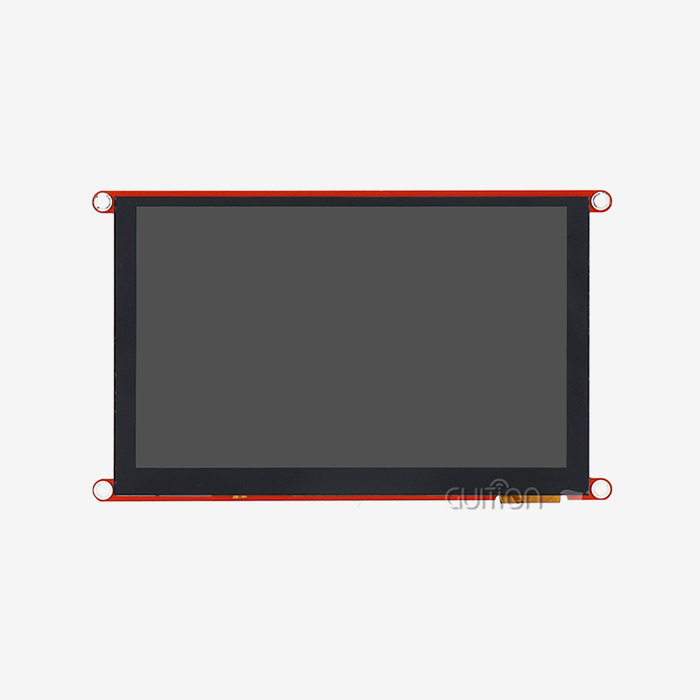
Standard industrial screens work effectively from -20°C to 70°C, which is cool enough for most controlled settings. Extreme uses, like kiosks outside in the desert or equipment close to furnaces, need displays that can handle temperatures between 80°C and 85°C. Always check the working and storage temperature ranges, because heat that isn't being used during shipping or yearly shutdown can damage equipment that isn't being used. The GUITION JC4827B043N can work in temperatures ranging from -20°C to 70°C, which is enough for most commercial uses.
How do industrial-grade screens differ from consumer displays regarding heat resilience?
Industrial control display screens use parts made for cars that can handle higher junction temperatures, heavier copper circuit boards that let heat escape better, and conformal coatings that keep the screen clean from outside contaminants. Optical bonding gets rid of air holes that keep heat in and lower contrast. As part of quality control, long burn-in tests at high temperatures are used to find early problems. These features make it more expensive, but they give much longer operational life in environments with high temperatures than consumer electronics.
Can routine maintenance significantly extend display lifespan in high-heat applications?
Of course. Cleaning the paths that air flows through keeps dust from building up, which stops airflow and raises temperatures inside. Thermal imaging is done on a regular basis to find developing hotspots before they damage a component. By replacing screens that are getting close to the end of their useful life based on their history of being exposed to high temperatures, you can avoid sudden failures during important operations. Compared to "run-to-failure" methods, these planned steps usually add 30 to 50 percent more useful life.
Partner with GUITION for Reliable Industrial Display Solutions
Having trouble with displays not working in your high-temperature commercial settings? GUITION offers customized HMI solutions that are built to withstand high temperatures and work well for a long time. Our JC4827B043N Industrial control display screen has a long working range (-20°C to 70°C), a bright LED backlighting system that works best in harsh settings, and proven ILI6485 driver technology. Our modules give your projects the durability they need, whether you're making charging stations, medical equipment, or automation systems. We help you with your development by giving you easy-to-use GUITION software, cross-platform debugging tools, and detailed technical documentation. Contact our engineering team at david@guition.com to talk about your unique thermal issues and find out how working with an experienced Industrial control display screen provider can help you get your product to market faster and more reliably. Let us help you make systems that always work perfectly, even when things go wrong.
References
1. Smith, J. & Anderson, K. (2021). Thermal Management Strategies for Industrial Display Systems. Journal of Electronic Packaging and Cooling, 45(3), 112-128.
2. Chen, L., Zhao, M., & Wang, R. (2020). Reliability Analysis of LCD Components Under Thermal Stress: A Comprehensive Study. IEEE Transactions on Device and Materials Reliability, 20(2), 345-359.
3. Industrial Automation Standards Committee (2022). Guidelines for HMI Display Selection in High-Temperature Environments. International Society of Automation Technical Report ISA-TR77.
4. Martinez, D. (2019). Failure Modes and Effects Analysis for Industrial Touch Screen Displays. Reliability Engineering & System Safety, 189, 276-284.
5. Thompson, R. & Liu, Y. (2023). Emerging Technologies in Heat-Resistant Display Materials for Harsh Environment Applications. Advanced Materials & Interfaces, 10(8), 2201456.
6. Global Market Insights (2023). Industrial Display Market Analysis: Temperature-Hardened Segments and Growth Projections 2024-2030. Technology Market Research Series, Report ID GMI-7832.
Learn about our latest products and discounts through SMS or email