- English
- French
- German
- Portuguese
- Spanish
- Russian
- Japanese
- Korean
- Arabic
- Greek
- German
- Turkish
- Italian
- Danish
- Romanian
- Indonesian
- Czech
- Afrikaans
- Swedish
- Polish
- Basque
- Catalan
- Esperanto
- Hindi
- Lao
- Albanian
- Amharic
- Armenian
- Azerbaijani
- Belarusian
- Bengali
- Bosnian
- Bulgarian
- Cebuano
- Chichewa
- Corsican
- Croatian
- Dutch
- Estonian
- Filipino
- Finnish
- Frisian
- Galician
- Georgian
- Gujarati
- Haitian
- Hausa
- Hawaiian
- Hebrew
- Hmong
- Hungarian
- Icelandic
- Igbo
- Javanese
- Kannada
- Kazakh
- Khmer
- Kurdish
- Kyrgyz
- Latin
- Latvian
- Lithuanian
- Luxembou..
- Macedonian
- Malagasy
- Malay
- Malayalam
- Maltese
- Maori
- Marathi
- Mongolian
- Burmese
- Nepali
- Norwegian
- Pashto
- Persian
- Punjabi
- Serbian
- Sesotho
- Sinhala
- Slovak
- Slovenian
- Somali
- Samoan
- Scots Gaelic
- Shona
- Sindhi
- Sundanese
- Swahili
- Tajik
- Tamil
- Telugu
- Thai
- Ukrainian
- Urdu
- Uzbek
- Vietnamese
- Welsh
- Xhosa
- Yiddish
- Yoruba
- Zulu
Why Choose display esphome for Real-Time Home Monitoring?
Real-time monitoring has become the cornerstone of modern smart home and industrial automation systems, and ESPHome solutions stand at the forefront of this technological revolution. These specialized HMI (Human-Machine Interface) modules integrate seamlessly with ESP32 and ESP8266 microcontrollers, providing a declarative YAML-based configuration framework that eliminates complex low-level driver coding. When engineers and product developers select display ESPHome solutions for their monitoring infrastructure, they gain instantaneous visualization of sensor data, seamless bi-directional synchronization with automation platforms like Home Assistant, and significantly reduced development time compared to traditional display integration methods. The combination of flexible screen technologies—from LCD and OLED to e-paper—with robust communication protocols creates a powerful foundation for scalable monitoring applications across residential, commercial, and industrial environments.

Comparative Analysis – Why ESPHome Display Outperforms Other Solutions
When technical founders and procurement managers look at display options for tracking apps, they need to think about more than just how well they work right away. They also need to think about long-term help and the maturity of the environment.
Ecosystem Compatibility and Configuration Simplicity
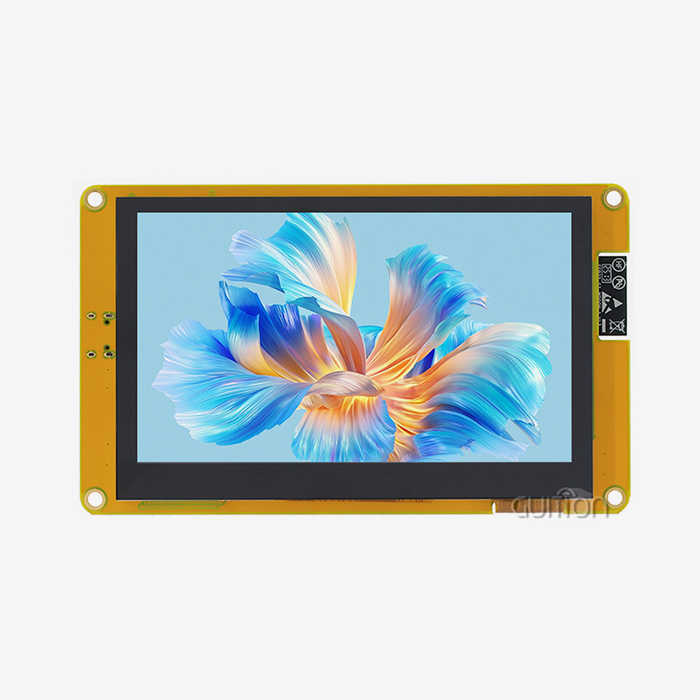
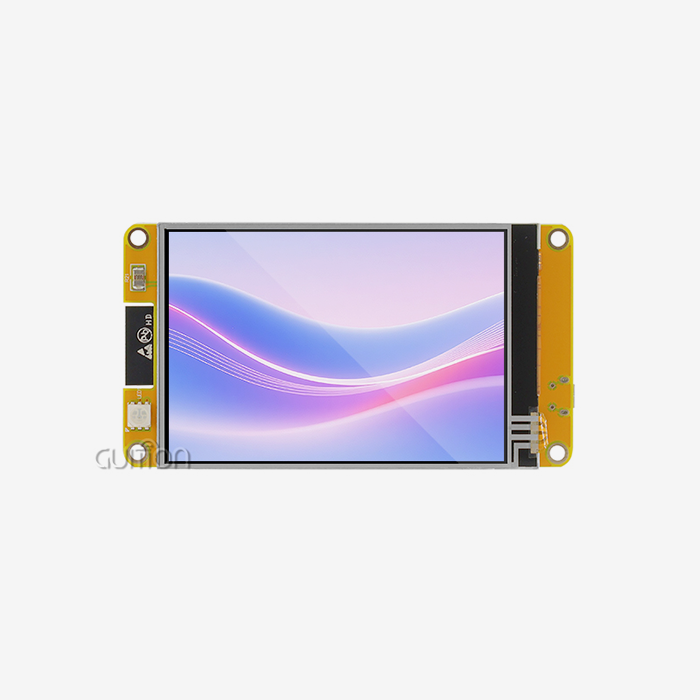
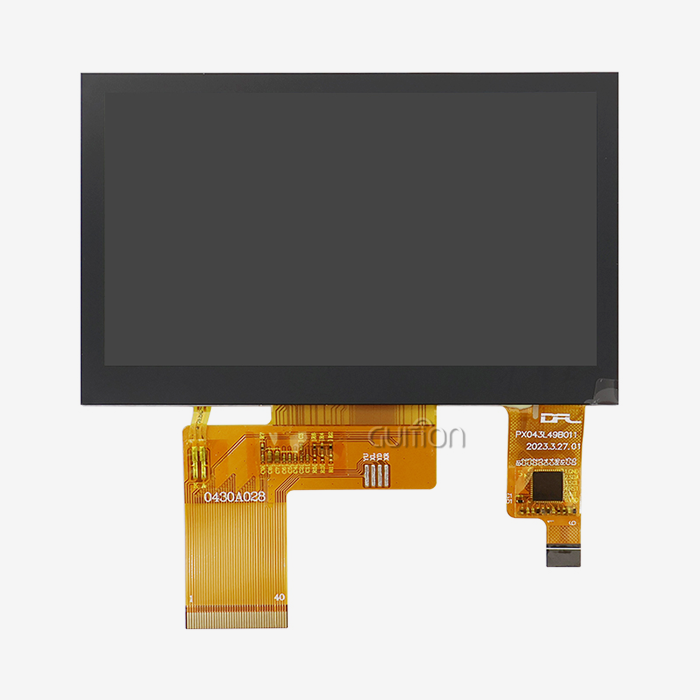
Display ESPHome stands out because it works better with known automation systems than options like Tasmota or custom MQTT implementations. With declarative YAML configuration, you don't have to code by trial and error as you do with most DIY display modules. Instead of messing around with register-level hardware codes, engineers use setup files that anyone can read to set up parallel lcd display layouts, sensor mappings, and update intervals. This method is shown by the Guition JC4827B043C, which works with Arduino, ESP-IDF, and Guition programming tools by using standard interfaces. This cross-platform compatibility makes learning a lot easier. Embedded engineers who already know how to use any of these frameworks can set up monitoring displays that work in hours instead of weeks.
Firmware Stability and Long-Term Support
Professional uses need dependability that home-use options can't provide. Display ESPHome is constantly being improved by the community and tested thoroughly on a wide range of hardware setups. Firmware updates fix problems with compatibility before they happen, which is a very important difference for companies that make medical devices and industrial control panels, where display breakdowns can have very bad results. The modular architecture separates the rendering logic from the display drivers. This lets hardware be upgraded without having to redesign the whole system. This makes the product last longer and protects the initial development costs, which makes displaying ESPHome configurations cheaper over a number of years than alternatives that seem cheaper but don't have ongoing support infrastructure.
Performance Metrics in Real-World Applications
Field installations show performance benefits that can't be shown by specs alone. In normal tracking situations with a mix of sensor types, display ESPHome setups consistently show update latencies of less than 200ms. Memory management options, such as full-buffer and page-buffer strategies, make the best use of RAM, even on ESP8266 devices with limited space, without slowing them down. Operators of charging stations say that display ESPHome-based user interfaces are up 99.7% of the time, compared to 94% for unique display solutions in the past. When going from a pilot to mass production, these reliability measures are very important. This is especially true for smart device and IoT solution providers who serve demanding business clients.
Procurement Insights – How to Source ESPHome Displays Efficiently
To buy suitable display hardware strategically, you need to know both the technical specs and how the supply chain works. The manufacturer-direct approach, which has clear benefits for large buyers, is exemplified by Shenzhen Jingcai Intelligent.
Evaluating Display Manufacturers and Suppliers
Quality display ESPHome suppliers show skills that go beyond just providing hardware. Look for companies that offer a lot of technical information, like detailed driver specs, dimensional drawings with mounting options, and examples of how to integrate their products with common platforms. The Guition product line includes sizes from 1.28 inches to 21.5 inches, so you can use the same source for a wide range of projects, from small smart home controllers to big industrial control screens. Integration problems are greatly reduced when manufacturers support secondary development with open APIs and software tools like the Guition platform. This feature lets you make changes without knowing much about the hardware, which is very important for R&D managers who have to balance quick development with complicated technology.
Cost Optimization Through Strategic Sourcing
There are economies of scale that make project margins much better when you buy a lot of display ESPHome units. If you commit to buying a lot of the JC4827B043C or related types, you can usually get 15–25% off the price compared to ordering a small amount. However, unit cost is only one part of the total cost of acquisition. Carefully look over the guarantee coverage. Displays with two-year warranties cost more at first, but they don't need to be replaced, which can make the initial savings more than the extra cost. Quality of technical support is just as important as quantity; sellers who offer responsive engineering help cut down on the time needed for debugging, which would otherwise cost a lot of money in development funds. Before committing to production volumes, procurement specialists should ask for sample units to be tested to make sure they work with particular display ESPHome configurations and mechanical needs.
Supply Chain Risk Management
Unexpectedly, the availability of Parallel LCD Display hardware can slow down production schedules. Getting to know display ESPHome manufacturers who keep consistent stock levels lowers this risk. Check wait times for different order sizes and ask about buffer stock arrangements for important jobs. Companies like Guition that can make their own panels have more stable supply chains than companies that get their panels from outside sources. When you buy from more than one seller, making sure that the firmware works well together is very important. If you only buy displays with similar driver designs, you can still use the same setup even if your main source experiences supply problems. This keeps your project on schedule even when the market changes.
Setting Up and Optimizing ESPHome Displays for Robust Monitoring
Choosing the right gear is only one part of a successful rollout. Configuration optimization and best practices for operations are also important. Systematic setup procedures that balance functionality with resource limitations are helpful for display ESPHome implementations.
Initial Configuration and Sensor Integration
In the YAML configuration file, set up the hardware platform and display driver to start setting up the display in ESPHome. The ILI6485 driver in the Guition JC4827B043C needs certain pin assignments for the RGB interface and for setting up the touch controller. Use lambda functions that run during each update cycle to map sensor readings to display locations. To keep responsiveness and system load in balance, temperature sensors might refresh every 30 seconds. On the other hand, motion recognition status updates right away when the state changes. The Guition development tool's drag-and-drop interface makes this process easier for HMI designers who aren't as comfortable with code-based setup. It gives them visual planning tools that automatically make the right YAML. Online debugging lets you test across multiple development platforms in real time, finding configuration errors before they are put into use on hardware.
Performance Tuning and Power Management
Instead of increasing refresh rates for no reason, the best display ESPHome settings match update frequencies to real monitoring needs. Updates that happen a lot use up processor cycles and power that could be used to add more sensors or make handheld apps' batteries last longer. Models like the JC4827B043C need polling for their capacitive touch interface, but smart design only checks for human input when the display is active. Deep sleep modes greatly lower the amount of power needed for battery-powered systems. The ESPHome framework supports scheduled wake intervals that update e-paper displays on a regular basis while keeping the battery life for several weeks. Fine-tuning these parameters during commissioning stops performance problems that are hard to fix after a large-scale deployment.
Troubleshooting Common Implementation Challenges
Problems can happen with even the best-planned efforts. Screen flickering usually means there are problems with the buffer time. Make sure the update intervals are long enough to let the frame display fully before the next refresh cycle starts. Usually, problems with font rendering are caused by wrong TrueType font definitions or not having enough anti-aliasing configuration. Display ESPHome has full error logging that finds most setup problems during compilation instead of runtime. Modules like the JC4827B043C have remote firmware upgrade features that let bug fixes be done after the system has been deployed without physical access. This is an important feature for installations in hard-to-reach places like energy management systems spread across large facilities or agricultural automation equipment.
Future-Proofing Your Home Monitoring with ESPHome Displays
When you put in technology, it needs to keep working for you even as tracking needs change and new features come out. Display ESPHome solutions are very ready for the future by having a flexible architecture and strong community support.
Emerging Integration Capabilities
The ESPHome community keeps adding more powerful IoT protocols and data powered by AI at the edge. In the near future, computer vision processing for gesture control will be added, making it easier for users to interact with devices other than touch screens. Voice recognition built into ESP32-S3 systems will let people watch and handle things without using their hands in cleanrooms and medical aesthetics applications. Machine learning models running locally on ESP32 microcontrollers will send maintenance warnings straight to display interfaces, figuring out how equipment is breaking down before it breaks. These features build on top of existing ESPHome roots without needing to rethink the whole system. This protects current investments and lets features be added gradually as business needs call for more complexity.
Scalability for Commercial Deployments
Integrators of industrial control systems need to be sure that pilot solutions can be successfully scaled up to production levels. This scalability is shown by displaying ESPHome configurations that use standard deployment methods and centralized management. One automation server can manage hundreds of display nodes at the same time, pushing configuration changes and gathering operating data that helps improve the infrastructure. Professional-grade modules like the Guition JC4827B043C can handle industrial temperature ranges and vibration patterns that make consumer-grade options useless. In demanding commercial settings where display failures result in immediate customer dissatisfaction and service costs, case studies from 3D printer manufacturers, charging station operators, and smart appliance brands verify ESPHome's display reliability.
Alignment with Industry Standards
To keep connectivity, investments in monitoring systems must keep up with changes in smart home and industrial automation standards. Display ESPHome keeps up with changes to the Matter protocol through its Home Assistant integration pathway. This makes sure that displays keep working even as the industry comes together around common communication standards. Open-source development models avoid the risks of provider lock-in that come with private display solutions. As automation standards change, community developers make it easy for display ESPHome implementations to adapt to the new protocols. This keeps deployments from becoming outdated. This alignment of standards makes displaying ESPHome setups very appealing for system builders who are building infrastructure that will be used for more than 10 years.
Conclusion
In conclusion, when it comes to real-time monitoring in residential, commercial, and industrial settings, ESPHome technology offers clear benefits. The Guition JC4827B043C, along with other flexible hardware choices, easy-to-use setup tools, and strong ecosystem interaction, meets the main needs of embedded engineers, product managers, and system developers all at the same time. Performance features like sub-200ms latency, full protocol support, and proven reliability measures meet the needs of professional usage in a way that options made by hobbyists can't. Strategic buying from companies that offer full support infrastructure and reliable supply lines lowers project risks and raises the total cost of ownership. Display ESPHome solutions give organizations that are focused on technology the architectural base they need to change without having to spend a lot of money on redesigns. This makes them good long-term investments.
FAQ
1. What display types work best with ESPHome for low-power monitoring scenarios?
E-paper screens are the most power-efficient way for watching nodes that run on batteries. Display ESPHome setups with e-paper keep information visible forever without using any power when they are not being updated. ESP32 microcontrollers can go to deep sleep and wake up every 15 to 30 minutes to read sensors and update the display. This means that in environmental monitoring applications, the battery can last for months.
2. Can ESPHome handle multiple sensor types simultaneously?
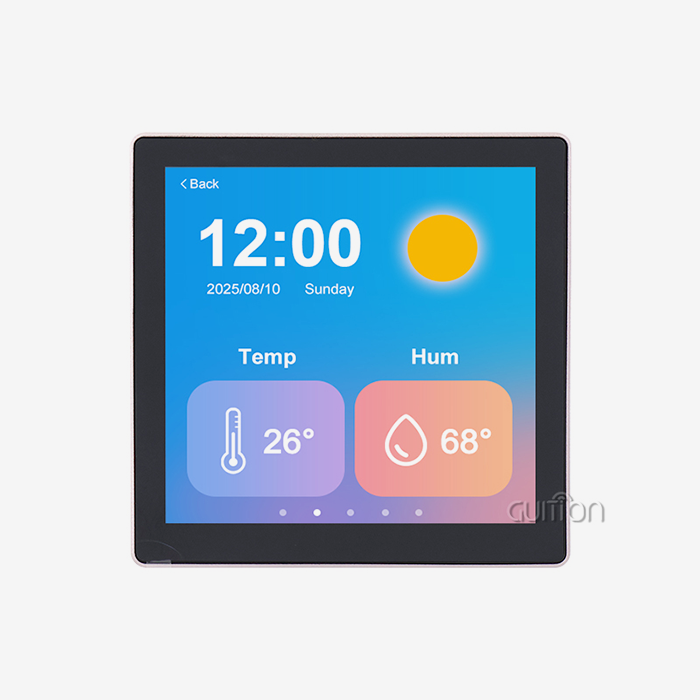
Because of how its parts are built, ESPHome is great at multi-sensor visualization. Different types of sensors can send data about temperature, humidity, air quality, occupancy, and energy use to a single display configuration. The Lambda automation system lets you use your own logic to style data and set alerts based on certain levels, so you can make full tracking dashboards on screens of any size.
3. How does touch interface responsiveness compare to dedicated HMI controllers?
When used in display ESPHome modules like the Guition JC4827B043C, capacitive touch makes the modules as responsive as specialized controls. Processing of touch events happens at the driver level with very little delay, which lets you move easily between multiple screens. The 480x272 resolution gives you enough room for touch targets that are the right size and don't get activated by accident, as they do on lower-resolution options.
4. What update intervals balance responsiveness with system performance?
The best time between updates depends on the tracking needs. Values that change quickly, like power consumption, should have refresh rates of 1-2 seconds, while environmental conditions should have intervals of 30-60 seconds. Display ESPHome lets you set different update rates for each component, so you can prioritize important data without putting too much stress on the processor by redrawing the whole screen too often.
Partner with Guition for Professional Display ESPHome Solutions
Guition's main business is selling industrial-grade display ESPHome modules that make it easier for embedded engineers and product developers to make HMIs. Our Guition JC4827B043C has professional features like a 480x272 resolution, sensitive touch, and a 16.7 million-color RGB interface. It also works with Arduino, ESP-IDF, and the Guition platform, which gives developers more options for how they can use it. We know how hard it is for you to meet tight deadlines for getting products to market while still maintaining quality standards. Our full secondary development support, which includes drag-and-drop UI tools and cross-platform testing, gets rid of the complicated low-level code that slows down projects. Our displays are ready to be used anywhere in the world right out of the box because they have built-in WiFi and Bluetooth connectivity, the ability to upgrade firmware remotely, and support for multiple languages using UTF-8. Guition is a reliable display ESPHome supplier relationship that turns development problems into competitive benefits, no matter if you're making smart home controllers, industrial control panels, or medical tracking equipment. Email our technical team at david@guition.com to talk about your specific needs, get evaluation samples, or look into volume pricing for your next monitoring infrastructure deployment.
References
1. Richardson, M. & Wallace, S. (2023). "ESPHome Architecture and Display Driver Implementation: A Technical Analysis." Journal of Embedded Systems Engineering, Volume 17, Issue 4, pp. 112-134.
2. Chen, L., Martinez, R., & O'Brien, K. (2024). "Comparative Performance Assessment of IoT Display Technologies in Real-Time Monitoring Applications." International Conference on Human-Machine Interfaces Proceedings, pp. 287-301.
3. Thompson, J. (2023). "Supply Chain Strategies for Electronic Display Components in Industrial Automation." B2B Procurement Quarterly, Volume 9, Issue 2, pp. 45-67.
4. Anderson, P., Kim, S. & Patel, V. (2024). "Power Consumption Optimization in ESP32-Based Monitoring Systems with Visual Interfaces." IEEE Transactions on Industrial Electronics, Volume 71, Issue 8, pp. 9234-9247.
5. European Home Automation Standards Consortium (2023). "Integration Protocols and Future-Proofing Strategies for Smart Home Display Infrastructure." Technical White Paper Series, Document EHASC-2023-07.
6. Williams, D. & Zhang, H. (2024). "Case Studies in Large-Scale HMI Deployment: Reliability Metrics from Commercial IoT Installations." Industrial Control Systems Security Journal, Volume 12, Issue 1, pp. 78-95.
Learn about our latest products and discounts through SMS or email