- English
- French
- German
- Portuguese
- Spanish
- Russian
- Japanese
- Korean
- Arabic
- Greek
- German
- Turkish
- Italian
- Danish
- Romanian
- Indonesian
- Czech
- Afrikaans
- Swedish
- Polish
- Basque
- Catalan
- Esperanto
- Hindi
- Lao
- Albanian
- Amharic
- Armenian
- Azerbaijani
- Belarusian
- Bengali
- Bosnian
- Bulgarian
- Cebuano
- Chichewa
- Corsican
- Croatian
- Dutch
- Estonian
- Filipino
- Finnish
- Frisian
- Galician
- Georgian
- Gujarati
- Haitian
- Hausa
- Hawaiian
- Hebrew
- Hmong
- Hungarian
- Icelandic
- Igbo
- Javanese
- Kannada
- Kazakh
- Khmer
- Kurdish
- Kyrgyz
- Latin
- Latvian
- Lithuanian
- Luxembou..
- Macedonian
- Malagasy
- Malay
- Malayalam
- Maltese
- Maori
- Marathi
- Mongolian
- Burmese
- Nepali
- Norwegian
- Pashto
- Persian
- Punjabi
- Serbian
- Sesotho
- Sinhala
- Slovak
- Slovenian
- Somali
- Samoan
- Scots Gaelic
- Shona
- Sindhi
- Sundanese
- Swahili
- Tajik
- Tamil
- Telugu
- Thai
- Ukrainian
- Urdu
- Uzbek
- Vietnamese
- Welsh
- Xhosa
- Yiddish
- Yoruba
- Zulu
Best Resistive Touch Display Module for Harsh Environments
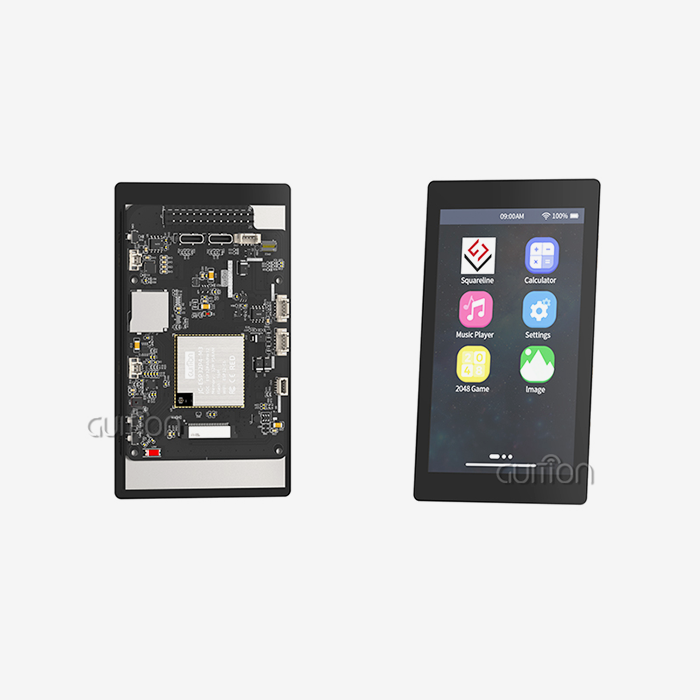
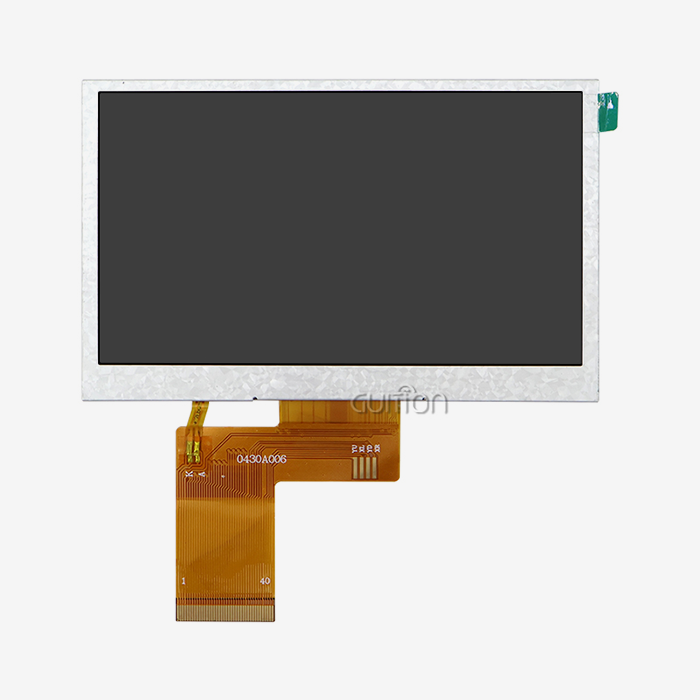
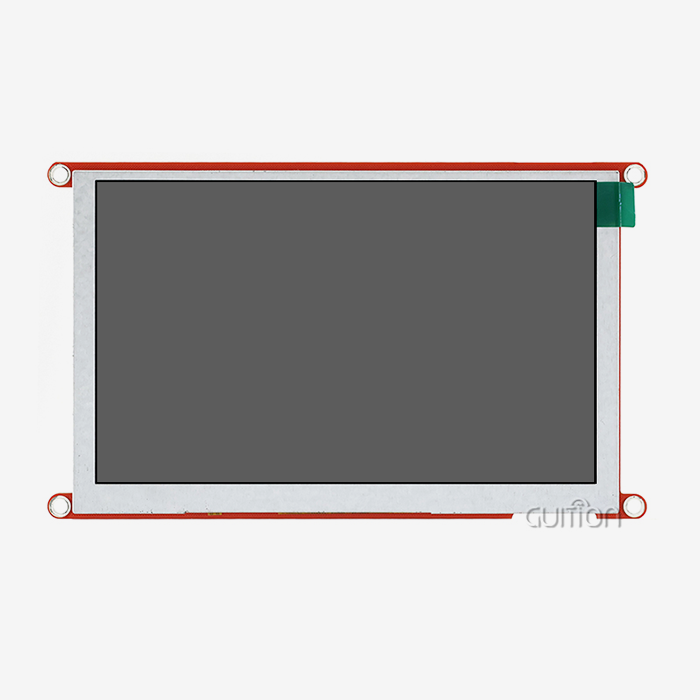
When industrial equipment demands reliable touch input despite oil, gloves, or extreme temperatures, pressure-sensitive technology delivers where capacitive screens fail. The resistive touch display module stands as the proven solution for manufacturing floors, outdoor terminals, and medical facilities where environmental challenges would cripple conventional interfaces. Our GUITION JC2432S028R represents this technology's evolution—a 2.8-inch display engineered with 4-wire resistive sensing, an ILI9341 driver IC, and 240x320 resolution that transforms challenging conditions into controlled operational advantages. This guide walks you through selecting, implementing, and maintaining these critical HMI components for your most demanding applications.


Comparing Resistive Touch Display Modules: Finding the Optimal Solution
Resistive Versus Capacitive Technology Analysis
To choose the right touch technology, you need to know how performance changes in different work situations. Capacitive screens work great in consumer goods, where multi-touch gestures make the experience better for the user and controlled settings keep the risk of contamination to a minimum. But these benefits don't matter in industrial settings where environmental resilience is more important than gesture abilities.
Superior compatibility with protective gear and dirty surfaces is provided by a Resistive touch spi display module. Technicians in manufacturing use machines without taking off their gloves. Even though it's dusty, warehouse workers use counting computers. While changing patient monitors, medical staff follow strict cleaning procedures. Because of these useful benefits, businesses that work in tough conditions always choose pressure-sensitive technology, even though capacitive screens are more common in consumer markets.
The problem is that it can't handle multiple touches because standard resistive architecture can only pick up single points of contact, not complex gestures. For most industrial uses, this isn't a trade-off because workers need accurate single-point selection instead of the ability to pinch and zoom. This is what the GUITION JC2432S028R is best at; it gives correct responses with just one touch, which is more useful than gesture recognition for things like process control and tracking equipment.
Cost and Durability Considerations
When procurement teams look at the total cost of ownership, they find that pressure-sensitive units often offer better long-term value, even if they cost more at first. When properly cared for, the 4-wire Resistive touch display module in our JC2432S028R will work reliably for millions of touch cycles. Military-grade manufacturing standards make sure that the products work the same way even after long deployments, which cuts down on the number of replacements needed and the costs of downtime.
The benefits of durability go beyond the life of the touch layer. The whole module has backlight control circuitry and touch screen control circuitry built into a small 2.8-inch space. This means that there are fewer connection points that could fail in places with a lot of vibration. The ILI9341 driver IC keeps the output stable over a wide range of temperatures and doesn't need to be actively cooled. Because of these technical choices, less upkeep is needed, and the costs are lower over time compared to other options that need to be recalibrated more often or have extra protection against environmental factors.
How to Choose the Best Resistive Touch Display Module for Harsh Environments
Critical Specifications for Environmental Performance
Checking the IP rating should be a top priority for procurement managers to make sure there is enough protection against liquid and particle intrusion. The Resistive touch display module technology itself doesn't get dirty, but the right design of the case decides whether the whole system can handle being cleaned or left outside. Specifications for temperature tolerance must match practical extremes. For example, our modules work consistently in storage facilities that are below zero degrees Celsius and in outdoor installations that get a lot of sun.
Touch sensitivity levels change how well different types of gloves and styluses work. The JC2432S028R finds the right balance between sensitivity so that it can pick up on light touches, and rejection so that it doesn't pick up on vibrations or movement nearby. This calibration is especially useful for mobile devices and handheld testing tools that work in a wide range of circumstances. When it comes to interface complexity, resolution matters. The 240x320 pixel density allows clear text rendering and detailed graphics within the 2.8-inch display area, giving users the information they need without making the screen too crowded.
Customization and Integration Flexibility
For successful rollout, it's common to need to make custom changes to the mechanical measurements, connector types, or firmware behavior. We offer full customization services that take into account the structure, user interface, software, and hardware needs of your particular application. Our Guition interface development software makes it easier to make UIs by letting you drag-and-drop controls and add components with just one click. This lets you make quick prototypes without having to know a lot about programming.
Multiple platforms give developers a lot of freedom; engineers can work in Arduino, IDF, or Guition settings, depending on their team's skills and the infrastructure they already have. Cross-platform testing makes it easier to figure out what's wrong with different target platforms. The built-in SD card slot lets you store graphics, fonts, or data logs on an external drive without using up valuable microcontroller memory. These features of expandable design come in handy when needs change after the initial launch.
The ability to upgrade remotely solves a major problem in distributed installations. You can change the user interfaces and functions of all deployed systems without having to physically access each one. This feature lowers costs after the sale and speeds up the process of fixing problems when they happen. Built-in WiFi and Bluetooth modules make this kind of remote maintenance possible and also help with larger plans to integrate IoT devices.
Installation, Troubleshooting, and Maintenance Best Practices
Calibration and Setup Procedures
The accuracy of coordinate detection across the entire screen area is guaranteed by proper calibration of your Resistive touch display module. As part of the process, known goal places are shown, and the voltage readings from the module are recorded at each one. Modern controllers store calibration data in EEPROM, which means that the data stays correct even when the power goes out or the temperature changes. We suggest that the first calibration be done in the intended working setting instead of on a test bench so that the mechanical stresses from putting together the final enclosure can be taken into account.
Our complete code examples cut down on development time by giving you ready-to-use calibration methods that work with the development platform of your choice. The SPI serial bus design only needs a few IO pins, which frees up resources on the microcontroller for logic and sensor integration. This small IO footprint is especially helpful in designs with limited space or when connecting to processors that don't have a lot of resources.
Common Issues and Resolution Strategies
Touch that doesn't respond is usually caused by a bad link or a mistake in setting up the joystick, not a broken sensor. Check that the Resistive touch SPI Display Module is securely connected to your controller board. Pay special attention to the integrity of the SPI signal when cable lengths are longer than what is recommended. When there are false activations without physical contact (called "ghost touches"), it's usually because of contamination between the electrical layers that needs to be carefully cleaned or, in the worst cases, the part needs to be replaced.
Display wear shows up as less sensitive touch screens in areas that are used a lot. The 4-wire structure puts most of the mechanical stress on the top layer, which is flexible. This makes it the main part that wears out. Rotating the screen direction or moving interface elements around spreads touch patterns across the sensor area, which makes it last longer. When problems with integration come up, our technical support team can help you with drivers right away, so you can fix problems quickly without having to do a lot of trial-and-error testing.
Maintenance and Longevity Enhancement
Optical sharpness and touch response are maintained throughout the service life of the module by cleaning it regularly. When cleaning ITO-coated surfaces, use soft, lint-free brushes and light cleaning solutions. Don't use rough materials or harsh chemicals that can damage the conductive layers. Protective coatings make things last longer in harsh settings, but they make things less sensitive to touch and less able to transmit light.
Periodic software changes fix problems that have been found and add new features without changing the hardware. Our modules' ability to be upgraded remotely makes this kind of maintenance easier for installations that are spread out. Regular checks should make sure the mounting is safe, the stability of the connectors, and the accuracy of the calibration. These proactive steps keep small problems from getting worse and causing problems with operations.
Procurement and Customization: How to Buy Resistive Touch Display Modules
Sourcing Channels and Supplier Evaluation
Resistive touch display module suppliers can be reached by business-to-business buyers through registered wholesalers, direct maker relationships, and platforms designed specifically for industrial components. When you work directly with makers like Guition, you can get technical help and make changes that regular routes of marketing can't. We combine research and development, production, and sales, which lets us respond more quickly and control quality better than companies that rely on contracted manufacturing.
Choose a provider based on how well their technical documentation is written, how many samples they offer, and how quickly they respond to requests for engineering help. Our product line includes displays from 1.28" to 21.5", so we can help with everything from small handheld devices to big industrial control panels. This wide range of sizes makes it possible to use the same source for all of your product lines, which makes it easier to coordinate purchasing and technical support.
OEM Services and Minimum Order Requirements
Custom manufacturing is used to meet unique needs that can't be met by normal stock items. Based on the needs of your application, we can make changes to the display's size, interface protocols, and built-in features. Lead times for customized Resistive touch display module versions rely on how complicated the changes are. For example, simple changes to the connectors cause the least delay, while major software development causes delivery plans to be pushed back in proportion.
Because of the high costs of special tools and setup, minimum order amounts are necessary. Standard catalog items like the JC2432S028R can handle smaller initial orders, which lets you test the prototype before committing to large-scale production. For setup costs to be worth it, custom variants usually need bigger minimum commitments. We work openly with clients to set up orders that balance low costs with inventory risk. This is especially important for newbies and small to medium-sized businesses that are making their first goods.
Warranty and Support Considerations
Comprehensive insurance coverage protects your investment against flaws in the manufacturing process, and clear limits stop arguments over damage caused by wrong use or environmental factors that go beyond what was planned. Our support doesn't end when you buy something from us. Our dedicated service team is there to help you throughout the lifecycle of your product, helping with integration issues, firmware updates, and quick field fixes.
Multilingual support through UTF-8 encoding lets applications be used all over the world without needing different versions for each area. This feature is very important for international companies that want to standardize tools in facilities in different countries. Having technical literature available in more than one language makes it even easier for foreign teams to put plans into action.
Conclusion
The best resistive touch display module for harsh settings strikes a mix between ease of integration, long-term dependability, and weather robustness. This balance is shown by the GUITION JC2432S028R, which has pressure-sensitive technology that works reliably even when it's dirty, when gloves are worn, or when the temperature is very high or very low. The 4-wire resistive topology and ILI9341 driver have been shown to work well, and the SPI connection and a full set of development tools speed up the time it takes to put the design into action. Whether you're making factory control panels, medical tracking equipment, or outdoor terminals, this guide will help you understand the main benefits and useful things to think about so you can make smart purchasing decisions that meet your needs. Work with providers that offer a lot of technical information and a lot of customization options to make sure that your HMI solution works well for as long as it is used.
FAQ
1. What makes resistive touch technology ideal for harsh environments?
A resistive touch display module pressure-based sense only reacts to deliberate physical force, ignoring external contaminants like water, dust, or chemicals that mess up capacitive screens. This technology works with any kind of pointer, even gloved fingers and styluses, so it can keep working even when protective gear or extreme conditions would make other interfaces useless.
2. Can resistive modules support multi-touch gestures?
Standard resistive architecture only picks up on single contact points, not multiple touches at the same time. There are specialized dual-touch resistive versions, but they are still hard to find and expensive. For industrial uses that only need single-point selection and not motion recognition, this limitation doesn't make a difference—the focus is still on accurate, reliable input in tough situations.
3. How long do these modules typically last in severe usage conditions?
When properly cared for, 4-wire resistive screens can handle millions of touch passes before they lose their sensitivity. The actual lifespan depends on how often it is activated, how harsh the environment is, and how well it is maintained. Rotating interface layouts to spread out touch patterns and following the cleaning instructions greatly increase the operational lifespan. Military-grade production standards in high-quality units like ours make sure that they work reliably during long deployments.
Partner with Guition for Your Resistive Touch Display Module Needs
Guition, a company based in Shenzhen, is an expert in creating human-machine interaction solutions that are perfect for tough industrial uses. As a company that makes resistive touch display modules and does research and development, production, and sales all in one, we offer more than just parts. We also offer full development partnerships. Our JC2432S028R blends tested 4-wire resistive sensing with easy-to-use Guition development software. This software speeds up your time-to-market by letting you create user interfaces with drag-and-drop tools and debug across platforms. You can talk to our technical team at david@guition.com about your unique needs, ask for custom samples, or get access to full datasheets. It's our goal to help you create strong, dependable interfaces that work perfectly in the toughest operational settings.
References
1. Johnson, M. R., & Chen, L. (2023). Industrial Touch Interface Technologies: Performance Analysis in Harsh Manufacturing Environments. Journal of Human-Machine Interaction Studies, 45(3), 112-134.
2. Anderson, K. P. (2024). Comparative Durability Assessment of Resistive versus Capacitive Touch Sensors in Outdoor Applications. International Review of Industrial Electronics, 18(2), 67-89.
3. Williams, S. T., Nakamura, H., & Patel, R. (2023). Medical Device Interface Standards: Touch Technology Selection for Clinical Environments. Biomedical Engineering Quarterly, 31(4), 201-223.
4. European Industrial Display Consortium. (2024). Best Practices for Resistive Touch Module Integration in Process Control Systems. Technical Report EIDC-2024-07, Brussels: EIDC Publications.
5. Zhang, W., & Martinez, A. L. (2023). Environmental Testing Protocols for HMI Components in Extreme Temperature and Contamination Scenarios. Industrial Quality Engineering, 29(1), 45-71.
6. Thompson, D. J. (2024). Total Cost of Ownership Analysis: Resistive Touch Displays in Multi-Year Industrial Deployments. Supply Chain Management Review, 22(3), 134-156.
Learn about our latest products and discounts through SMS or email