- English
- French
- German
- Portuguese
- Spanish
- Russian
- Japanese
- Korean
- Arabic
- Greek
- German
- Turkish
- Italian
- Danish
- Romanian
- Indonesian
- Czech
- Afrikaans
- Swedish
- Polish
- Basque
- Catalan
- Esperanto
- Hindi
- Lao
- Albanian
- Amharic
- Armenian
- Azerbaijani
- Belarusian
- Bengali
- Bosnian
- Bulgarian
- Cebuano
- Chichewa
- Corsican
- Croatian
- Dutch
- Estonian
- Filipino
- Finnish
- Frisian
- Galician
- Georgian
- Gujarati
- Haitian
- Hausa
- Hawaiian
- Hebrew
- Hmong
- Hungarian
- Icelandic
- Igbo
- Javanese
- Kannada
- Kazakh
- Khmer
- Kurdish
- Kyrgyz
- Latin
- Latvian
- Lithuanian
- Luxembou..
- Macedonian
- Malagasy
- Malay
- Malayalam
- Maltese
- Maori
- Marathi
- Mongolian
- Burmese
- Nepali
- Norwegian
- Pashto
- Persian
- Punjabi
- Serbian
- Sesotho
- Sinhala
- Slovak
- Slovenian
- Somali
- Samoan
- Scots Gaelic
- Shona
- Sindhi
- Sundanese
- Swahili
- Tajik
- Tamil
- Telugu
- Thai
- Ukrainian
- Urdu
- Uzbek
- Vietnamese
- Welsh
- Xhosa
- Yiddish
- Yoruba
- Zulu
Why Choose an OEM HMI Human Interface Machine?
When your production line depends on split-second operator decisions, the quality of your human-machine interface is non-negotiable. An OEM HMI human interface machine delivers purpose-built control and visualization that generic display solutions simply cannot match. Unlike off-the-shelf panels, OEM HMIs integrate directly with your existing PLCs, SCADA systems, and communication protocols, reducing compatibility friction and accelerating deployment. Companies across industrial automation, medical device development, and smart home manufacturing consistently report lower lifecycle costs and faster iteration cycles after adopting dedicated OEM HMI solutions. The right HMI (human-machine interface machine is not an accessory — it is the operational backbone of your product.

How to Choose the Right OEM HMI Human Interface Machine for Your Factory
Key Evaluation Criteria Every Engineer Should Apply
The size of the display is only one factor to consider when choosing an HMI human interface machine for your factory. You need to look at the whole working environment, including the temperature ranges, electromagnetic interference (EMI) exposure, communication protocol needs, and the software tools that your team will use every day.
When engineers and R&D managers screen vendors, these are the most important things they should look for:
- Processing performance: The MCU can handle real-time graphics rendering with no latency if the clock speed is at least 400MHz. The Artinchip D121BBV single-core processor runs at 400MHz, and the RT-Thread OS keeps the GUITION JC1060Q370C_I running smoothly even when it's rendering at high resolutions and decoding JPEGs at 1024x768@60fps.
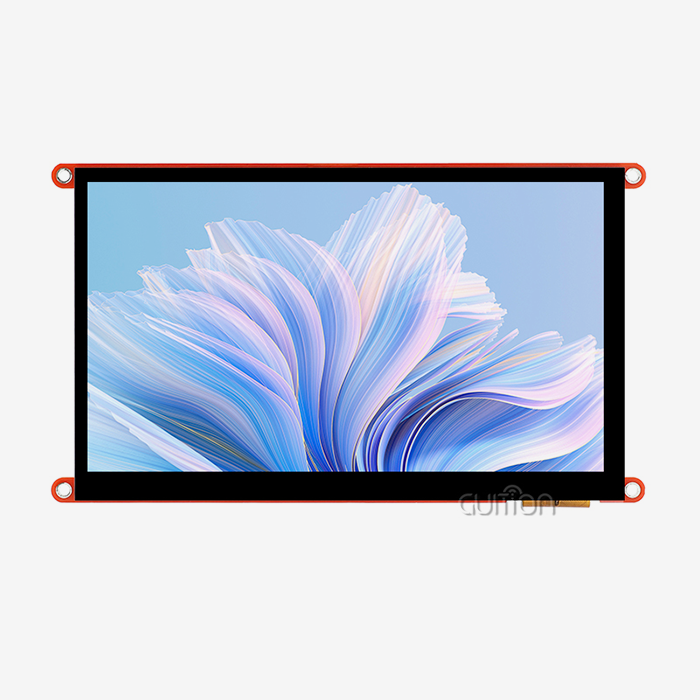
- Display clarity and touch accuracy: IPS panels with wide viewing angles and capacitive multi-touch input are much easier to use than resistive panels when it comes to display clarity and touch accuracy. The JC1060Q370C_I has a 7.0-inch IPS sensitive touchscreen with a resolution of 1024x600 and a brightness of 400 nits. This makes the images clear in a variety of lighting conditions.
- Cross-platform development compatibility: Your HMI display module platform needs to work with the stack you already have. Look for parts that work with Arduino, ESP-IDF, and your own custom GUI toolchains all at the same time. This will make it easier for engineers with different backgrounds to get started.
- Connectivity and remote capability: WiFi and Bluetooth built-in mean you don't need any extra hardware to connect IoT devices or make OTA project upgrades, which is a key feature for lowering field service costs.
These factors don't have the same weight in all fields. In a food processing plant, IP-rated enclosures might be the most important thing, but in a farm automation team, wireless connection and support for multiple languages on the screen might be the most important things. When you connect criteria to practical context, you can make more solid procurement choices and avoid expensive changes that need to be made after deployment.
Comparing OEM HMI Machines with Other Industrial Interface Options
When Touchscreen HMI Outperforms Traditional Button Panels
In settings where safety is important, or gloves are worn a lot, button-based control panels can still be used. However, touchscreen Hmi human interface machines have clear benefits in terms of UI flexibility, layout reconfigurability, and total wiring reduction. A dynamic touchscreen panel can combine many physical buttons into a single customizable interface. This makes the system easier to put together and cheaper to maintain over time.
Compared to integrated SCADA terminals and stand-alone PLCs, OEM HMIs are in a different category. As the layer that the user sees, they turn raw register data into visible dashboards, alarm panels, and trend plots that can be used. If you choose a separate OEM HMI module instead of building the display logic directly into a PLC, you can upgrade each part separately. This makes the system last longer and lowers the risk of it becoming obsolete.
Communication latency is always the same with wired hmi display module screens, which works well for production lines with a lot of cycles. Built-in WiFi and Bluetooth make wireless HMI solutions ideal for mobile equipment, displays on AGVs, and remote monitoring stations where cables wouldn't work. The GUITION JC1060Q370C_I has built-in connectivity modules that support both paradigms. This lets system architects use the same hardware platform in a variety of installation settings.
Key Features and Innovations in OEM HMI Technology
How the GUITION JC1060Q370C_I Embodies Modern HMI Engineering
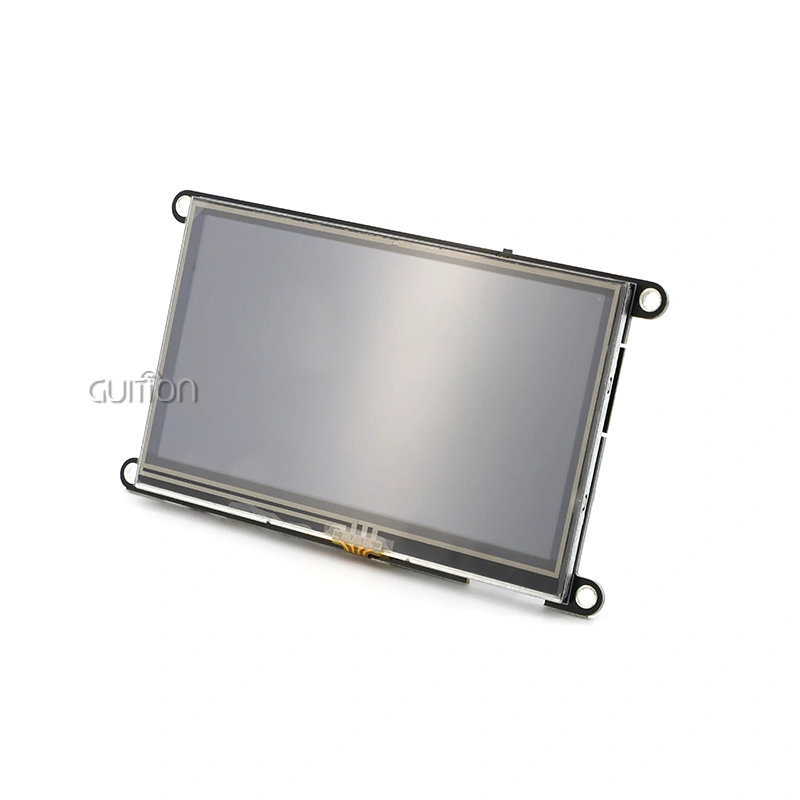
The GUITION JC1060Q370C_I is a small 7.0-inch HMI human interface machine that combines the best of today's processing power, display quality, and developer ease. Its D121BBV processor works at 400MHz with the RT-Thread RTOS, giving it a fast and predictable runtime environment that is good for industrial control tasks.
The Guition drag-and-drop GUI development platform is what really sets this module apart. Engineers don't have to write low-level graphics code to make full UI layouts. Controls like buttons, gauges, sliders, and waveform displays drop right onto the canvas and can be moved and styled in real time. This method cuts the time it takes to build a user interface from weeks to days, which is a clear benefit for product teams that need to get their products to market quickly.
Because the module supports UTF-8 and multiple languages, it can be used in North America, Europe, and Asia without having to change the firmware. With its over-the-air (OTA) remote update feature, this HMI display module lets you add new features after the system has been installed without sending out field techs. This directly lowers the costs of running the system after the sale.
The product line from Jingcai Intelligent goes from 1.28" to 21.5", which means that engineering teams can use the same Guition software ecosystem for all sizes of screens without having to rewrite application logic. This ability to grow is a sign of a mature OEM HMI supplier.
How to Procure OEM HMI Human Interface Machines Efficiently
Matching Supply Capability to Project Scale
A clear application brief, including the display size, operating environment, communication protocols, and expected unit volume, should be the first step in the procurement of an HMI human interface machine. Small businesses and new businesses can benefit from providers who offer standard catalog modules with full documentation. On the other hand, big OEM programs may need custom touchscreen setups with set production times.
Before placing large orders with HMI human interface machine suppliers, make sure to ask for datasheets, check published certifications, and use evaluation kits to confirm the software's claimed capabilities. As experienced buying teams know, Guition's full technical documents, secondary development APIs, and cross-platform debugging support are all signs of a mature and reliable supply chain partner.
OTA upgrade support terms and after-sales reaction SLAs should be talked over during the hiring process. These promises tell you how much the product will really cost you over its three- to five-year lifecycle, which is different from the unit price on the purchase order.
Conclusion
A strategic engineering choice, not a straightforward purchase, is making the best OEM HMI human interface machine. The GUITION JC1060Q370C_I shows what purpose-built HMI hardware should have: a 400MHz processor, a 7.0-inch IPS capacitive display with a resolution of 1024x600, WiFi and Bluetooth connection, over-the-air (OTA) update support, and a drag-and-drop GUI toolchain that shortens the time it takes to make apps. This platform works with a wide range of products and has a strong technical support system from Jingcai Intelligent. It can be used with industrial panels, medical monitors, smart appliances, and commercial kiosks.
FAQ
1. What makes an OEM HMI human interface machine different from a standard display module?
A monitor screen, MCU, touch controller, communication interfaces, and application-layer software are all put together in an HMI human interface machine to make a tested and ready-to-use unit. To get similar functionality from standard display modules, a lot more engineering work needs to be done.
2. Does the GUITION JC1060Q370C_I support Arduino development?
Yes. The JC1060Q370C_I works with Arduino, IDF, and the custom Guition development mode. This lets engineers use the toolchain they prefer without any hardware limitations.
3. Can I upgrade firmware on deployed units without physical access?
The module allows for over-the-air (OTA) remote project upgrades, which means that bug fixes and new features can be added over WiFi without anyone having to be on-site.
4. Is multi-language support built into the hardware?
Native support for UTF-8 encoding means that material can be shown in almost any language. For multi-region deployment, no extra hardware or firmware changes are needed.
5. What display sizes does Guition offer beyond the 7.0-inch model?
The sizes of Guition's screens range from 1.28" to 21.5", which lets design teams choose the best screen size for each application while keeping the software development setting uniform.
Ready to Source a Reliable HMI Human Interface Machine Supplier? Contact Guition Today
For industrial, medical, and smart device uses, Guition provides tried-and-true HMI human interface machine solutions. The GUITION JC1060Q370C_I has a 400MHz processor, a 7.0-inch IPS capacitive display, and built-in WiFi and Bluetooth. Our drag-and-drop Guition software tool lets you access all of these features. Our technical team is ready to help you with your project, whether you need a single evaluation unit or a partnership for mass production. To get product information and samples, email David at david@guition.com.
References
1. Markets and Markets. Human Machine Interface (HMI) Market — Global Forecast to 2028. MarketsandMarkets Research, 2023.
2. Harrington, Craig. Industrial Touchscreen Interfaces: Design and Implementation. ISA (International Society of Automation), 2021.
3. Patel, Ravi, and Susan Liang. Embedded Systems Design for Industrial Automation. IEEE Press, 2022.
4. Siemens AG. SIMATIC HMI — System Manual: WinCC Flexible. Siemens Industry Online Support, 2020.
5. Rockwell Automation. FactoryTalk View Machine Edition User Guide. Rockwell Automation Publication, 2022.
6. IEC Standard 61131-3. Programmable Controllers — Part 3: Programming Languages. International Electrotechnical Commission, 2013.
Learn about our latest products and discounts through SMS or email