- English
- French
- German
- Portuguese
- Spanish
- Russian
- Japanese
- Korean
- Arabic
- Greek
- German
- Turkish
- Italian
- Danish
- Romanian
- Indonesian
- Czech
- Afrikaans
- Swedish
- Polish
- Basque
- Catalan
- Esperanto
- Hindi
- Lao
- Albanian
- Amharic
- Armenian
- Azerbaijani
- Belarusian
- Bengali
- Bosnian
- Bulgarian
- Cebuano
- Chichewa
- Corsican
- Croatian
- Dutch
- Estonian
- Filipino
- Finnish
- Frisian
- Galician
- Georgian
- Gujarati
- Haitian
- Hausa
- Hawaiian
- Hebrew
- Hmong
- Hungarian
- Icelandic
- Igbo
- Javanese
- Kannada
- Kazakh
- Khmer
- Kurdish
- Kyrgyz
- Latin
- Latvian
- Lithuanian
- Luxembou..
- Macedonian
- Malagasy
- Malay
- Malayalam
- Maltese
- Maori
- Marathi
- Mongolian
- Burmese
- Nepali
- Norwegian
- Pashto
- Persian
- Punjabi
- Serbian
- Sesotho
- Sinhala
- Slovak
- Slovenian
- Somali
- Samoan
- Scots Gaelic
- Shona
- Sindhi
- Sundanese
- Swahili
- Tajik
- Tamil
- Telugu
- Thai
- Ukrainian
- Urdu
- Uzbek
- Vietnamese
- Welsh
- Xhosa
- Yiddish
- Yoruba
- Zulu
Why Choose an OEM HMI Display Screen for Your Machine?
I recommend an OEM HMI display screen when your machine needs a display that fits its cutout, control system, environment, and brand from the first prototype. A standard panel can work for simple jobs, but it often forces you to redesign the enclosure, add wiring, or accept a generic interface. An OEM HMI display screen gives operators one clear point for monitoring, control, alarms, and diagnostics, and it gives your team a stable part to build around. In this guide, I explain how it works, when it pays off, how to choose one, and how Guition supports engineers.

How an OEM HMI Display Screen Fits Your Machine
What an OEM HMI Display Screen Includes
OEM HMI displays give you all the information you need to run a machine or a group of machines. Usually it comes with a screen, touchscreen, processor, memory, software platform, ports to communicate, power supplies and a way to mount it. OEM means Original Equipment Manufacturer. When a company makes equipment, they choose things like brand, size and location of connectors. It's not the same to get a standard panel and fit your design around it. The screen is the personality of your product. People are using your interface every day. They judge the whole machine on how it is set up, how fast it runs, and how it looks. Thus, experts have to make fewer decisions at the start of a job.
How the HMI Works with PLCs and SCADA
Field sensors and other devices send alarms to a PLC, an industrial PC or a controller. The controller executes the logic, and the HMI displays information about the machine and reacts to commands from the operator. The most popular links are CAN bus, Profinet, Ethernet/IP, OPC UA, Modbus RTU over RS-485 or RS-232 and Modbus TCP over Ethernet. Above this level is the SCADA system. The HMI shows what is happening at the machine but also looks at other machines or locations and logs what has happened. When addressing how to build and maintain operator interfaces in the ISA-101 standard, make sure the screens are clear and consistent. This means that the HMI and the controller can talk to each other.
Why Standard HMI Displays May Not Match
Off-the-shelf displays typically work well but can make an OEM machine more expensive. Fixed sizes might not work for the hole in your panel. You might need more adapters if there are not a lot of ports. The design might not care about your company or the way you do things. Sometimes products just vanish, which is a pain when you’ve been building the same machine for years. Each mismatch requires more work to be done, such as redesigning the container, adding more wires, taking longer to set up, or training operators more. I think customisation is worth it when the machine needs to be built to last, have it's own name, work with a certain PLC, be a certain shape, or have a steady supply. Sometimes a regular unit is still faster than all of them.
Key Benefits of Choosing an OEM HMI Display Screen
Customisation That Matches Your Machine
There are four ways OEM designs can work with your machine. The machine lets you select the 7- or 10 inch screen size and how it will be fixed. You decide what power to use, how to communicate and where the connectors go. Standard electricity: You can select between sensitive or capacitive touch and change the lights and logos. You can track versions of software so that every machine that goes out is the same. These choices help the machine look better, last longer and be set up more quickly. This is also better for the production line, because the HMI display screen is already assembled and does not have to be changed at the last minute. The workers are trained to use the same screen on all the units .
OEM Compared with Tablets and Panel PCs
These computers may look cheap on paper, but they are designed for homes and businesses. Machines are noisy and dirty and cause big temperature changes and are used every day for years. Tablet models are so frequently updated that spare parts may not be available. Most of the time, panel PCs cost more than they need to and take up more space. The other side is the embedded display modules. These are small and flexible and work best when the logic is done by your own controller. In the middle is a standard HMI, which does not change in size or function. You can OEM the HMI display screen and private label it. You can make systems that work with more than one model, and you can make more than one.
Lifecycle Planning and Total Cost of Ownership
Unit price is only a small part of the total cost. A good HMI display screen can reduce the need to redesign the enclosure, to hire more people to install it, to take longer to set up, to train users, to have more downtime, and to raise the likelihood that it will need to be replaced. The better course is to plan for the whole life. Changes to parts should be communicated to you by the seller before they occur. This will help your approved design to be valid longer. If you work on tools in the field for a long time, spare parts should be easy to come by. Bulk sales can help with pricing and consistency of supply after validation, but you have to weigh up the savings against the risk of running out of stock, long wait times and demand you can’t be sure of. People who are shopping should not be looking at price per screen but price per machine setup and ready-to-use.
How to Choose and Evaluate an OEM HMI Display Screen
Define the Machine, Environment, and Operator.
The first consideration in selecting a screen for an HMI display is the machine, how the operator will use it, and where it will be installed. Write down how much dust, water, oil, chemicals, vibrations, changes in temperature, sunlight and other things make you feel when cleaning. A way to do this is to use Ingress scores. That's according to IEC 60529. The rating IP65 means that the case is able to keep out dust and jets of water. In the US, NEMA 250 lists different types of enclosures based on threats such as corrosion, water and dust. The screen size and resolution should be appropriate for the viewing distance and the complexity of the page. You can choose the touch technology for your gloves and the amount of moisture in the air. The capacitive technology provides smooth gestures and clear visibility, while the resistive technology can be used with thick gloves. Check power, comms, grounding and connectors are all okay before you build the lid.
Follow a Clear Development and Procurement Process
A good OEM HMI display screen project needs the understanding of needs, technology review, prototype development, machine level suitability, robustness testing, pilot run and then mass production. On the first day, you should give your seller models of the machine, information about the surroundings, the control system, the target markets, an estimate of the number of people who will buy it and your goals for its lifetime. A good model should be a good fit, visible and feelable, speak well, not get too hot, start up properly and be easy to use. We also need to check for static discharge because IEC 61000-4-2 tells us how to test for safety against electrostatic discharge. Before hardware, firmware, artwork, packaging, quality standards and engineering change rules are implemented into mass production, all parties should reach agreement on the changes. Advance planning will help minimise the possibility that international shipments to US plants will be late.
Evaluate the Supplier and Run a Final Checklist
A quote doesn't tell you who will come and fix your machine in 3 years. If you want to find an HMI display screen supplier, you should ask them about their technical skill, experience in the field, software support, incoming inspection, touchscreen testing, burn-in, traceability, and how they deal with obsolescence. Please take a look at the instructions, response times, warranty, export assistance and change notes. Then check again one last time. Technology-related things like size, resolution, type of touch, protocols, brightness, viewing angle, temperature range, IP protection, weight, power and more. Industry related details are various kinds of customisation, engineering fees, sample approval, minimum order number, wait time and guarantee. If you write down your answers to each question, you may not have to worry quite so much about redesigning and buying things on time.
Applications for Custom and Rugged HMI Display Screens
Factory, Energy, and Medical Uses
Factories use HMI display screens for robots, motion control, energy, HVAC, water treatment and material handling. Typical tasks include machine status monitoring, recipe handling, alarm viewing, production data access, pump and valve control, axis diagnosis and operator job enablement. For safety, those working in CNC and robotic cells should wear thick gloves when they are in the vicinity of oil mist. In other words, resistive touch and sealed fronts are often used. Some places, like hospitals and drug labs, use projected capacitive touch to make precise movements, and the housings need to be able to handle being cleaned a lot. With each setting, the right touch type, colour, and covering are different.
Rugged and Outdoor Configurations
If you want your gear to last, make sure it can handle dust, splashes, noises, oil, changes in temperature, and sunlight. For outdoor products like solar inverters and electric vehicle charging stations, a high-brightness HMI display screen is typically needed. Many types used outside start at around 1000 nits. The air gap between the cover glass and the LCD is filled when optical bonding is used. This stops condensation and reflection inside the body. The life of the backlight is also important. There are a lot of industrial panels that can last close to 50,000 hours, but to be sure, check the datasheet for your type. Every one of these options costs extra, so only add them when you need to. Before you lock the specification, read the site's rules.
OEM Replacement Projects
Screens should only be replaced after a certain amount of time, and a machine that works well shouldn't have to be built all over again. An OEM replacement HMI display screen can keep the same cutout sizes, wiring, PLC compatibility, and operating steps, so people who work with the screen will see something that looks like the one they're used to. The unit is changed, the job is put on and the machine is put back into work. This way the installed base is safe and the need to retrain it is minimised. You can also add newer touch screens or better remote controls without changing how the control system operates.
GUITION JC8048Q350C_I: A Display Module Built for Faster Development
Core Specifications at a Glance
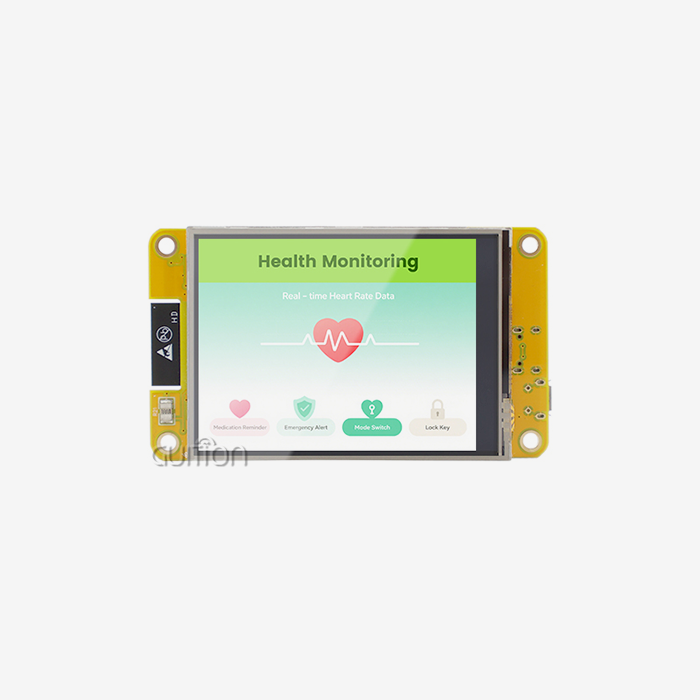
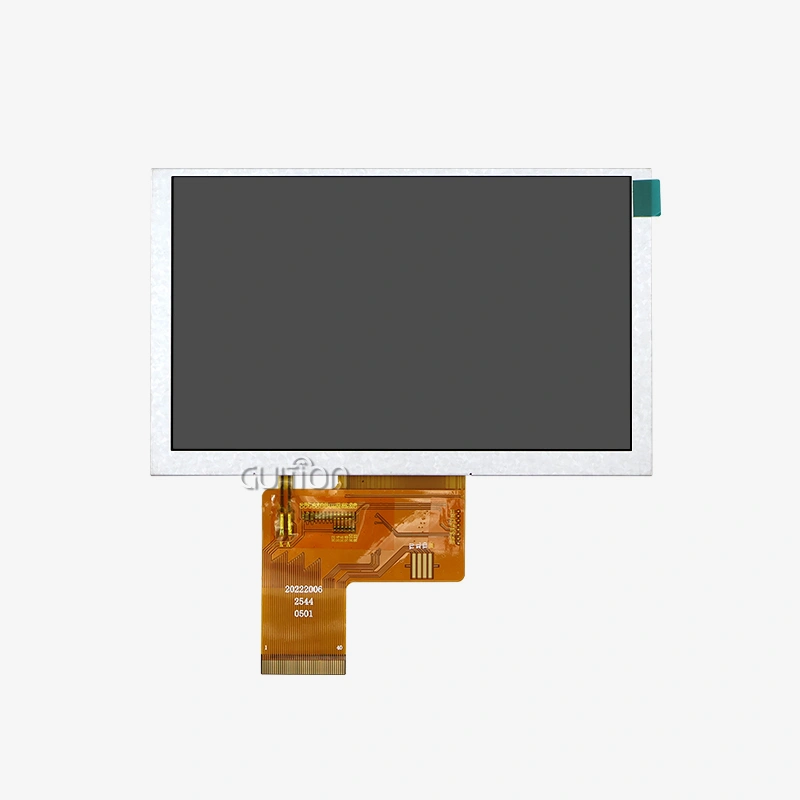
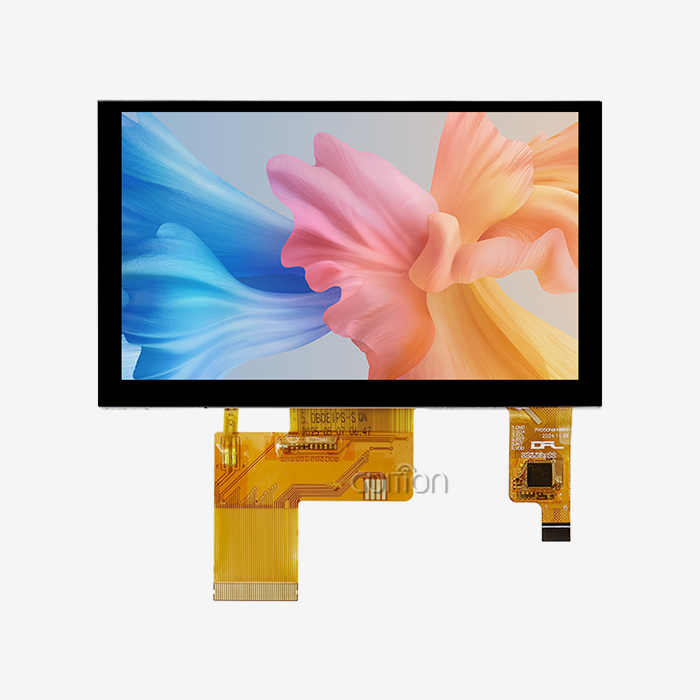
The JC8048Q350C_I is a 5-inch LCD panel. It features an 800x480 IPS screen and sensitive touch. Its main controller is the Arsinchip D121BBV. It is a single-core MCU which can run at up to 400MHz. It has an LCD, an IO port input and a circuit for controlling the lighting. The IPS panel is great for TVs because it has 65K colours and a wide viewing angle. The chip can play video files of 1024x768 JPEG at 60 frames per second and 1024x768 PNG at 30 frames per second. It has an SD card slot, USB ports, sensor links and extra IO ports so you can add features as your project evolves.
Guidance UI Tool and Development Modes
The company behind Guition, Jingcai Intelligence, also sells its own UI software and USART-hmi display modules from 1.28" to 21.5". You can drag and drop stuff in the web tool. You can easily add controls and change their position, size and style with a single click. You don’t need to code at a low level to get a WYSIWYG result. Cross-platform live testing helps your team find bugs faster and saves you time. You can make things in Arduino, IDF or Guition modes for engineers who like to work differently. When you plug in the test programs which the company made before, you can start testing immediately. You can also create your own features through secondary development interfaces with technical documentation.
Connectivity, Remote Upgrades, and Applications
With this HMI display screen module, you can connect to networks and devices via WiFi and Bluetooth. You can do changes to launched projects without going to the site; you can do it from afar. It’s cheaper to help people after the sale. As NIST SP 800-82 reminds operators to plan for controlling who can connect to a remote network. UTF-8 encoding and language change let you spread all over the world. The product info discusses how it can be used in medical devices, smart home panels, car dashboards and EV charging stations, business equipment, tracking the environment and hardware for getting money. If the product is restricted or will be used outside, you should have verified first that the module meets your own legal and environmental standards.
Conclusion
When a machine needs a certain cutout, protocol set, environmental grade, brand look, or steady supply for a long time, the best OEM HMI display screen is the one that meets those needs. Standard panels and consumer screens that don't match can work for simple tasks, but they usually mean changing the enclosure, wiring it, training staff, and having downtime. The best decisions about what to buy start with the machine, the person who will be using it, and the site's conditions. After that, they move on to the prototype, proof, and supplier review. Cost per unit is not as important as cost to own as a whole. This is true for a lot of different scenarios, from workrooms to outdoor tools and repair projects. A 5.0-inch IPS capacitive touch module and a drag-and-drop user interface tool can help speed up development in the GUIDE JC8048Q350C_I.
FAQ
Q: How does an OEM HMI display screen differ from a standard HMI?
A: The hole, ports, software, and markings on an OEM version are the same as on yours. An HMI doesn't change in size or how it works, so your machine can fit the screen.
Q: Should I choose capacitive or resistive touch?
A: Capacitive is the way to go if you want clear pictures and simple gestures. People who work in dirty places or with thick gloves should choose robust. Test both with real people before making a choice.
Q: Which communication protocols should I check?
A: Check to see if that standard is already supported by your device, such as OPC UA, Profinet, Modbus RTU, or Modbus TCP. If it is, make sure the seller helps you get it.
Q: What development options does the JC8048Q350C_I support?
A: You can use Arduino, IDF, or Guition to develop your projects. It also has an online drag-and-drop UI tool, online debugging, and the ability to update user projects from afar.
Q: What details should I send for a quotation?
A: Please send drawings of the machines, information about the environment, branding needs, estimated volume, screen size, PLC and protocol information, and dates for delivery.
Request a Guition HMI Display Screen Proposal for Your Machine
Are you looking for a company that can help your team with everything from the first sample to the finished product? Guition comes in sizes from 1.28" to 21.5", comes with the Guition UI tool, works with Arduino and IDF, has WiFi and Bluetooth, and lets you update from away. Send information about your machine to david@guition.com, or check out the products at https://jingcaizhineng.aixdb.cn/. For your HMI display screen project, we'll get back to you with a helpful suggestion.
References
1. International Society of Automation, ANSI/ISA-101.01 Human Machine Interfaces for Process Automation Systems, 2015.
2. International Electrotechnical Commission, IEC 60529 Degrees of Protection Provided by Enclosures (IP Code), 2013.
3. National Electrical Manufacturers Association, NEMA 250 Enclosures for Electrical Equipment (1000 Volts Maximum), 2020.
4. National Institute of Standards and Technology, NIST Special Publication 800-82 Revision 3 Guide to Operational Technology (OT) Security, 2023.
5. Modbus Organization, Modbus Application Protocol Specification V1.1b3, 2012.
6. International Electrotechnical Commission, IEC 61000-4-2 Electromagnetic Compatibility (EMC) – Testing and Measurement Techniques – Electrostatic Discharge Immunity Test, 2008.
Learn about our latest products and discounts through SMS or email