- English
- French
- German
- Portuguese
- Spanish
- Russian
- Japanese
- Korean
- Arabic
- Greek
- German
- Turkish
- Italian
- Danish
- Romanian
- Indonesian
- Czech
- Afrikaans
- Swedish
- Polish
- Basque
- Catalan
- Esperanto
- Hindi
- Lao
- Albanian
- Amharic
- Armenian
- Azerbaijani
- Belarusian
- Bengali
- Bosnian
- Bulgarian
- Cebuano
- Chichewa
- Corsican
- Croatian
- Dutch
- Estonian
- Filipino
- Finnish
- Frisian
- Galician
- Georgian
- Gujarati
- Haitian
- Hausa
- Hawaiian
- Hebrew
- Hmong
- Hungarian
- Icelandic
- Igbo
- Javanese
- Kannada
- Kazakh
- Khmer
- Kurdish
- Kyrgyz
- Latin
- Latvian
- Lithuanian
- Luxembou..
- Macedonian
- Malagasy
- Malay
- Malayalam
- Maltese
- Maori
- Marathi
- Mongolian
- Burmese
- Nepali
- Norwegian
- Pashto
- Persian
- Punjabi
- Serbian
- Sesotho
- Sinhala
- Slovak
- Slovenian
- Somali
- Samoan
- Scots Gaelic
- Shona
- Sindhi
- Sundanese
- Swahili
- Tajik
- Tamil
- Telugu
- Thai
- Ukrainian
- Urdu
- Uzbek
- Vietnamese
- Welsh
- Xhosa
- Yiddish
- Yoruba
- Zulu
Why Choose an IoT Development Screen for Your Project?
Choosing an IoT development screen transforms how your connected devices interact with end users. These specialized display modules deliver seamless integration between hardware and software, reducing development complexity while accelerating time-to-market. Unlike conventional LCD panels requiring extensive low-level coding, modern display solutions handle graphics rendering internally and communicate via simple serial protocols. This architecture allows engineering teams to focus on core product functionality rather than wrestling with pixel-level display drivers, making rapid prototyping and deployment achievable across industrial controls, medical equipment, and smart home applications.
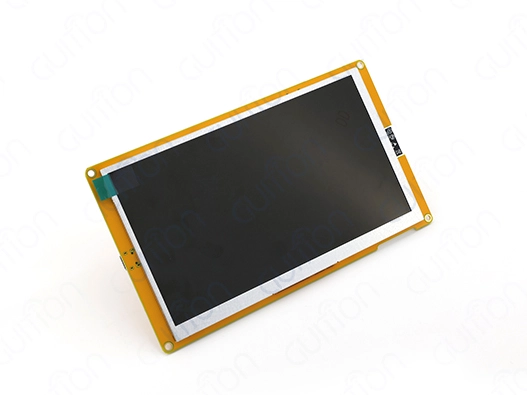
Understanding IoT Development Screens: Key Concepts and Benefits
Modern connected devices demand intelligent display solutions that go beyond traditional screens. An IoT development screen combines a TFT LCD panel, microcontroller unit, and communication interfaces into a unified module designed specifically for embedded applications. These displays differ fundamentally from raw panels by offloading graphics processing from your main controller, enabling lightweight communication through UART, SPI, or RS485 protocols.
What Makes These Displays Specialized
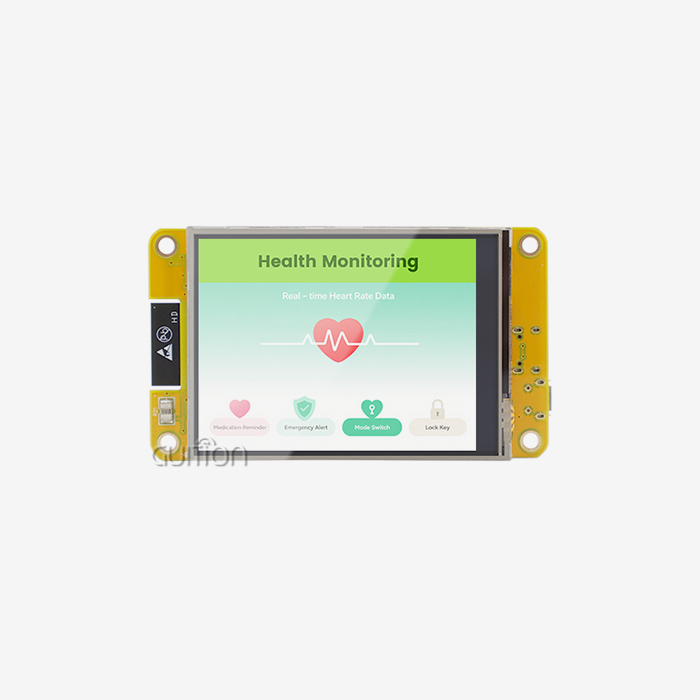
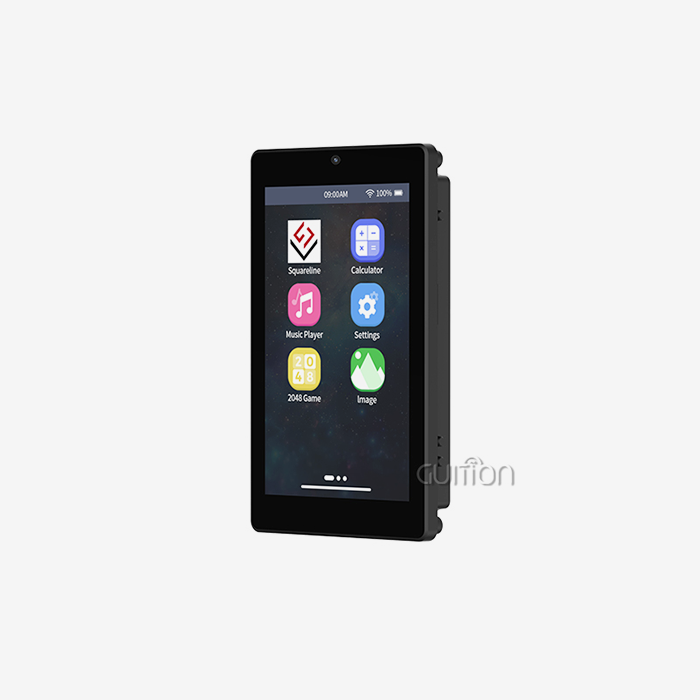
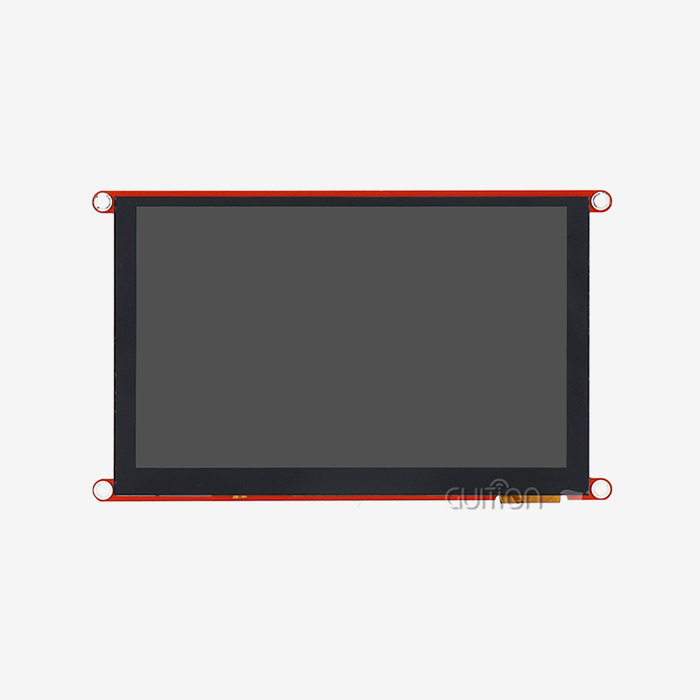
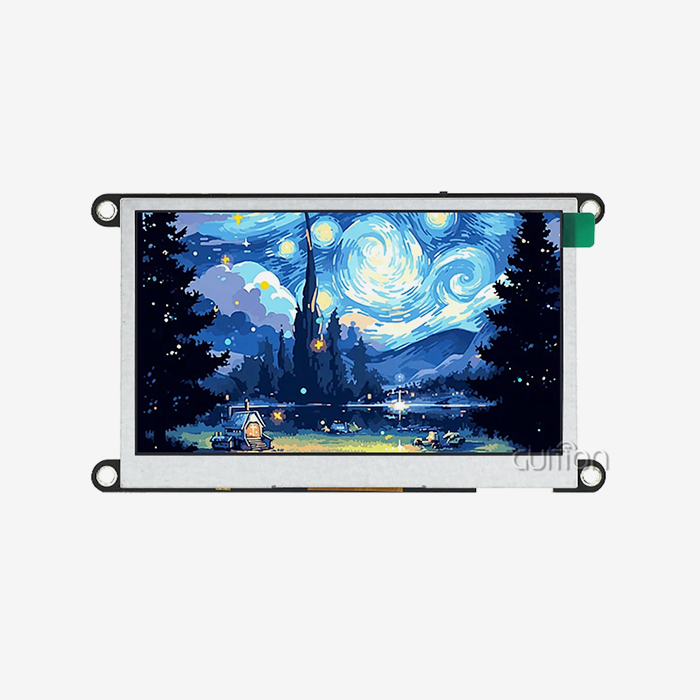
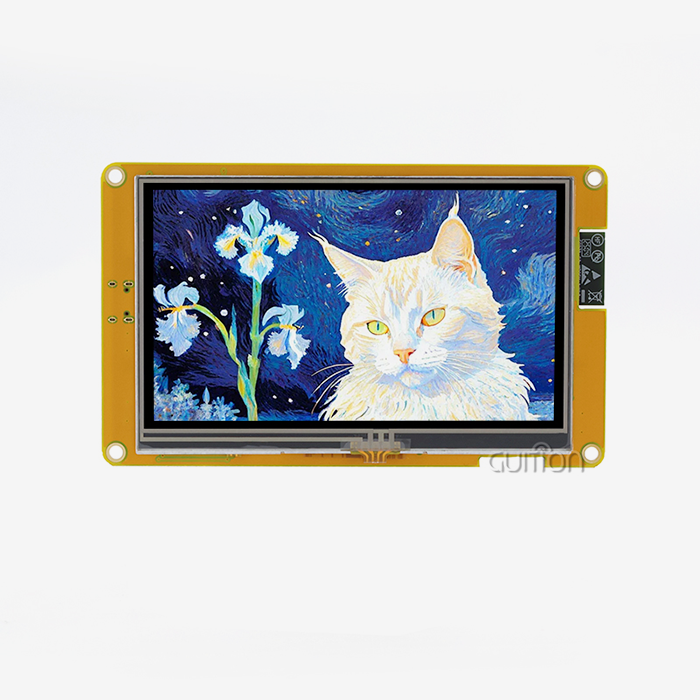
The ESP32-8048S070N from Guition exemplifies contemporary display architecture. Built around the ESP32-S3-WROOM-1 dual-core processor running at 240MHz, this 7-inch module delivers 800×480 resolution with integrated Wi-Fi and Bluetooth connectivity. The device incorporates 512KB SRAM, 8MB PSRAM, and 16MB Flash storage, providing substantial resources for complex graphical interfaces without burdening your primary system controller.
Core Advantages for Engineering Teams
Embedded processor display modules solve development challenges. The core microcontroller no longer updates screens, freeing CPU time for sensor data, network communication, and application logic. Debugging firmware is easier with separate concerns. Parallel development reduces project time since teams can build UIs separately from the backend code. Multiple-platform Arduino IDE, ESP-IDF, MicroPython, and Mixly devices provide engineering choices. The same hardware fits your workflow without toolchain changes, whether your team favors Arduino's simplicity or ESP-IDF's power.
How do you develop an effective IoT screen interface for your solution?
Creating compelling user interfaces requires balancing aesthetic design with technical constraints. Display interface development encompasses hardware selection, software architecture, and user experience optimization—each element influencing project success.
Addressing Common Development Challenges
Display solution implementation often presents challenges for engineering teams. Traditional methods require display driver, touch controller, and graphics library competencies. These requirements delay development and raise production bugs. Pre-integrated hardware and streamlined connection protocols let modern display modules overcome these issues. Guition shows how low-code tools speed up interface building. Visual designers offer drag-and-drop component placement, avoiding coordinate calculations. Inbuilt widget libraries offer buttons, sliders, gauges, and data visualization elements for quick use. Instead of writing significant initialization codes, engineers configure component behavior using property panels.
Step-by-Step Development Roadmap
Beginning with requirements analysis ensures your display solution meets user expectations and hardware capabilities. Determine interaction patterns, data visualization demands, and ambient variables before choosing components. Brightness, viewing angles, and touch sensitivity vary greatly across medical monitoring devices and industrial control panels. Prototyping verifies design choices early in development. TF card interface modules provide rapid iteration by storing numerous interface versions on removable media. Actual hardware testing of layouts and interaction patterns shows usability flaws that simulations cannot. Expandable storage lets the ESP32-8048S070N run many tests without reflashing firmware. Cross-platform debugging speeds troubleshooting. Real-time monitoring of variable states, communication traffic, and system events identifies fundamental problems fast. Online debugging tools display touch coordinates, memory utilization, and protocol messages in real time.
Real-World Application Insights
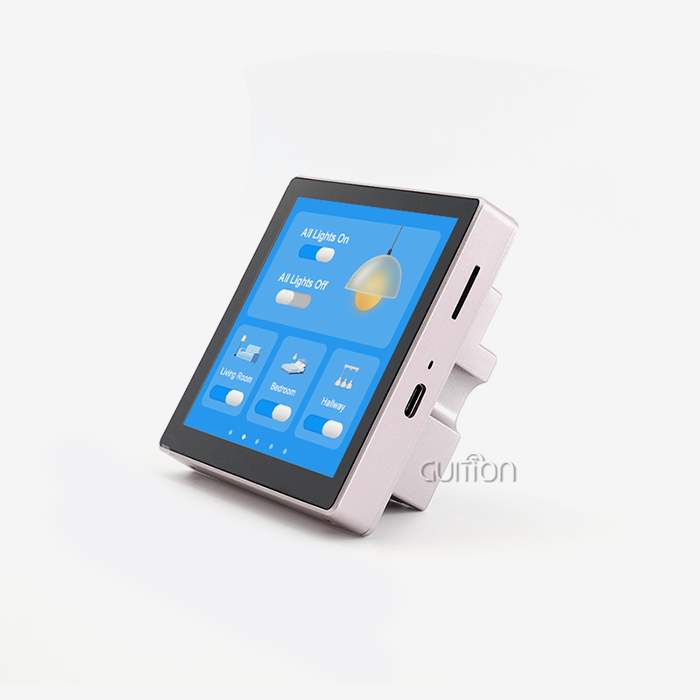
High-resolution screens show different device states on smart home control panels. The 800×480 screen displays floor plans, interactive controls, climatic data, and security camera feeds. A direct connection for home automation protocols without a gateway is possible with integrated Wi-Fi. HMI applications in industry emphasize dependability and environmental resilience. In industrial facilities with fluctuating temperatures, display modules work. Automatic brightness adjustment by backlight control circuits ensures readability under different lighting conditions. Healthcare gadgets need accurate touch and data security. Capacitive touch displays with correct tuning algorithms reduce clinical false activations by distinguishing intended inputs from inadvertent contact. Communication between display and backend systems is encrypted to secure patient data.
Comparing IoT Development Screen Solutions: Making an Informed Decision
Selecting appropriate display hardware balances technical specifications against project constraints. Display quality, processing power, connectivity options, and development ecosystem compatibility all influence long-term success.
Evaluation Metrics That Matter
Information density and readability depend on screen resolution. Lower resolutions limit menu depth and navigation, while 800×480 displays offer more data. Text rendering clarity improves with higher pixel density, especially for technical or multilingual applications. Processing power controls interface responsiveness. The ESP32-S3's dual-core architecture renders graphics on one core and handles network connectivity and application logic on the other. Parallel processing eliminates interface lag during data logging and wireless transmission. Power consumption impacts battery-operated devices. Display modules with efficient lighting control and CPU sleep modes last longer between charges. Total power budget impact is calculated from active display, idle, and deep sleep current demands.
Platform Comparison Considerations
Standalone display modules with built-in processors have clear benefits compared to displays that need constant support from a main controller. The embedded approach simplifies system architecture and reduces bill-of-materials costs by eliminating the need for high-performance graphics controllers on your primary board. Development environment flexibility accommodates team expertise and project requirements. Arduino compatibility provides accessible entry points for rapid prototyping, while ESP-IDF support enables advanced customization for performance-critical applications. MicroPython adds scripting convenience for iterative development, and Mixly brings graphical programming to teams preferring visual logic construction.
Total Ownership Cost Analysis
Procurement costs are initial investments. Evaluation of lifespan costs includes development time savings, maintenance, and scalability. Display modules with detailed documentation and example code save fundamental integration engineering hours, speeding time-to-market and saving development expenses. OEM agreements offer application-specific customization. Standard modules become unique with firmware, hardware, and enclosure changes. Bulk procurement agreements guarantee supply reliability and competitive cost for production planning.
Where and How to Procure IoT Development Screens for B2B Projects?
Establishing reliable supply chains ensures consistent product quality and delivery schedules. Understanding procurement channels and supplier evaluation criteria protects against disruptions while optimizing costs.
Identifying Trusted Manufacturing Partners
The Guition technology company does research, development, and manufacturing. Vertical integration allows rapid customization and quality control throughout manufacturing. Complete product lines from 1.28 to 21.5 inches show manufacturing adaptability and accommodate different application portfolios. Competitive vendors differ in technical support. Manufacturers with thorough documentation, reference designs, and responsive engineers help integrate. Industry-specific application engineers speed up issue solving and improve design.
Procurement Channel Options
Direct manufacturer relationships offer advantages for volume production. Negotiating pricing, customization terms, and delivery schedules directly with suppliers provides flexibility unavailable through intermediary channels. Technical discussions with engineering teams clarify capability limits and identify optimization opportunities. Distribution networks serve projects requiring smaller quantities or rapid fulfillment. Established distributors maintain inventory for immediate shipment, reducing lead times when project schedules compress. However, customization options typically diminish when purchasing through distribution channels.
Effective Supplier Communication
Detailed queries simplify supplier evaluation and quotation. Include display size, resolution, touch technologies, communication interfaces, operational temperature ranges, and certifications. Provide application context, production volumes, and timelines. Clear communication eliminates quotation iterations and ensures solutions meet needs. Request samples from an IoT development screen supplier for compatibility testing before ordering. Real-world testing with your firmware and mechanical integration reveals challenges standards cannot predict.
Best Practices for Integrating IoT Development Screens into Your Product
Successful integration extends beyond physical mounting and electrical connections. Firmware architecture, communication protocols, and security considerations determine long-term reliability and maintainability.
Hardware Compatibility Essentials
Make sure your main controller and display module have compatible voltage levels. The ESP32-8048S070N uses 3.3V logic like many modern microcontrollers. Interface mismatches require level shifters for harm prevention and reliable communication. Reserved I/O port interfaces allow sensors, actuators, and communication channels to be added without using display control pins. Mechanical integration takes display alignment, viewing angles, and environmental protection into account. Selection of mounting options reduces circuit board stress during assembly and operation. Applications exposed to moisture, dust, or mechanical trauma benefit from IP-rated enclosures.
Firmware Architecture Considerations
Establishing clear communication protocols between your controller and the display prevents data corruption and synchronization issues. Define message formats, error handling procedures, and retry mechanisms before writing production code. Testing communication reliability under stress conditions such as rapid updates, simultaneous commands, and error injection reveals edge cases requiring attention. The Guition UI development tool separates interface design from application logic, enabling non-programmers to modify screen layouts without firmware changes. This separation accelerates iteration and reduces the risk of introducing bugs when updating visual elements. UTF-8 encoding support ensures multi-language deployment without character set limitations.
Scalability and Future-Proofing
Designs for remote firmware updates enhance device longevity and lower maintenance expenses. Over-the-air upgrades offer bug repairs, feature improvements, and security patches without device access. Secure boot procedures and encrypted update packages prevent firmware tampering. IoT protocols like MQTT streamline device-cloud data sharing. MQTT's publish-subscribe architecture saves bandwidth and electricity over polling. Lightweight implementations work well on resource-constrained processors without sacrificing functionality. Security prevents unwanted access to connected devices. Securing network connections with TLS avoids eavesdropping and man-in-the-middle attacks. Strong authentication checks device authenticity before enabling configuration changes or sensitive data access.
Performance Optimization Techniques
Display update frequency reduction saves power and computation. Instead of refreshing, update screens when data changes. Reduces transmission time and processor burden by updating specific parts instead of the entire screen. Efficient power management extends battery life. Automatic backlight dimming depending on ambient light or user activity saves power without compromising usability. Deep sleep reduces standby current draw during inactivity. Graphical asset optimization saves storage and speeds rendering. Image compression, color depth selection, and graphical element reuse reduce memory footprint. PSRAM allows fast access to commonly used objects without Flash read latency.
Conclusion
Implementing capable display solutions accelerates product IoT development screens while reducing technical complexity. Modern modules with integrated processors, wireless connectivity, and comprehensive development tools address the core challenges facing embedded system designers. The ESP32-8048S070N exemplifies this approach by combining substantial processing power, versatile communication options, and multi-platform development support in a compact 7-inch package. Evaluation criteria encompassing technical specifications, ecosystem compatibility, and supplier capabilities guide informed procurement decisions. Adopting best practices during integration ensures reliable operation, maintainable firmware architecture, and future-proof designs adaptable to evolving requirements. Organizations prioritizing these considerations position their products for success in competitive connected device markets.
FAQ
Which programming environments work best for display interface development?
Selection depends on team expertise and project complexity. Arduino IDE provides accessible entry with extensive community resources, ideal for prototyping and straightforward applications. ESP-IDF offers advanced control and optimization capabilities required for performance-critical or resource-constrained designs. MicroPython enables rapid scripting and iteration during development phases. Guition's visual development platform accelerates interface creation through drag-and-drop design, reducing coding requirements for UI implementation.
How do embedded display modules differ from standalone touchscreens?
Embedded modules incorporate processors handling graphics rendering and touch event processing locally. Communication with the main system controller occurs through simple serial protocols transmitting high-level commands rather than raw pixel data. Standalone touchscreens require the host processor to manage all display operations, increasing firmware complexity and consuming substantial processing cycles. The embedded approach simplifies integration and reduces the main controller's computational burden.
What criteria distinguish reliable display suppliers?
Manufacturing capability breadth indicates resource depth and production flexibility. Comprehensive technical documentation, including datasheets, integration guides, and example code, demonstrates commitment to customer success. Responsive technical support with application engineering expertise accelerates problem resolution. Long-term product availability commitments protect against obsolescence disrupting production. Customization services enable differentiated products meeting specific market requirements.
Partner with Guition for Your Next Display Integration Project
Guition provides complete solutions for how people interact with machines by combining advanced USART-hmi display modules with strong development Our ESP32-8048S070N is a cutting-edge display technology that features dual-core processing, wireless connectivity, and support for various development platforms, making it ideal for industrial controls Reaching our engineering team at david@guition.com connects you with specialists ready to discuss your specific requirements, whether you need OEM customization, volume pricing as an IoT development screen manufacturer, or technical guidance on integration challenges. We support secondary development with complete interfaces and documentation, enable remote upgrades for deployed products, and provide multi-language capabilities for global markets. Our Guition UI development software transforms interface creation through visual design tools that eliminate complex coding while maintaining professional results. Contact Us to explore how our display solutions accelerate your product roadmap.
References
1. Zhang, Y., & Liu, M. (2022). Embedded Display Systems for Industrial IoT Applications: Design Principles and Integration Strategies. Journal of Embedded Systems Engineering, 15(3), 187-204.
2.Roberts, K., & Patel, S. (2023). Human-Machine Interface Design for Connected Medical Devices: Regulatory Compliance and User Experience Optimization. International Journal of Medical Device Technology, 8(2), 56-73.
3. Chen, W., & Anderson, P. (2021). ESP32 Microcontroller Architecture and Applications in IoT Display Solutions. IEEE Transactions on Consumer Electronics, 67(4), 412-425.
4. Thompson, R., & Kumar, A. (2023). Low-Code Development Platforms for Embedded GUI Design: Comparative Analysis and Industry Adoption Trends. Software Engineering for Embedded Systems Quarterly, 19(1), 34-51.
5. Martinez, L., & Schneider, H. (2022). Power Management Strategies for Battery-Operated IoT Devices with Active Displays. Journal of Energy-Efficient Computing, 11(4), 289-307.
6. Williams, D., & Chang, T. (2023). B2B Procurement Best Practices for Electronic Components in IoT Manufacturing: Supply Chain Resilience and Supplier Evaluation Frameworks. International Journal of Supply Chain Management, 28(2), 145-162.
Learn about our latest products and discounts through SMS or email