- English
- French
- German
- Portuguese
- Spanish
- Russian
- Japanese
- Korean
- Arabic
- Greek
- German
- Turkish
- Italian
- Danish
- Romanian
- Indonesian
- Czech
- Afrikaans
- Swedish
- Polish
- Basque
- Catalan
- Esperanto
- Hindi
- Lao
- Albanian
- Amharic
- Armenian
- Azerbaijani
- Belarusian
- Bengali
- Bosnian
- Bulgarian
- Cebuano
- Chichewa
- Corsican
- Croatian
- Dutch
- Estonian
- Filipino
- Finnish
- Frisian
- Galician
- Georgian
- Gujarati
- Haitian
- Hausa
- Hawaiian
- Hebrew
- Hmong
- Hungarian
- Icelandic
- Igbo
- Javanese
- Kannada
- Kazakh
- Khmer
- Kurdish
- Kyrgyz
- Latin
- Latvian
- Lithuanian
- Luxembou..
- Macedonian
- Malagasy
- Malay
- Malayalam
- Maltese
- Maori
- Marathi
- Mongolian
- Burmese
- Nepali
- Norwegian
- Pashto
- Persian
- Punjabi
- Serbian
- Sesotho
- Sinhala
- Slovak
- Slovenian
- Somali
- Samoan
- Scots Gaelic
- Shona
- Sindhi
- Sundanese
- Swahili
- Tajik
- Tamil
- Telugu
- Thai
- Ukrainian
- Urdu
- Uzbek
- Vietnamese
- Welsh
- Xhosa
- Yiddish
- Yoruba
- Zulu
Why Choose an IoT development screen for Industrial Applications?
Industrial settings need display options that go beyond regular screens. An IoT development screen combines smart processing, wireless connections, and strong human-machine interface features, all designed to work in harsh industrial environments. Standard displays need a lot of CPU power and complicated driver code, but these special units handle rendering images locally and talk to each other using simple serial protocols. This design makes development a lot easier, speeds up rollout times, and makes sure that systems work reliably in places like factories, energy plants, and automation systems where downtime means lost money.

Understanding IoT Development Screens in Industrial Settings
What Makes an Industrial Display Solution Different?
Industrial-grade display panels are the most important way for workers to interact with complicated machines. When you use a traditional LCD screen, your main controller has to keep refreshing every pixel, which uses up important processing power that is needed for core control functions. These days' smart displays take this load off by building specialised graphics engines right into the screen module.
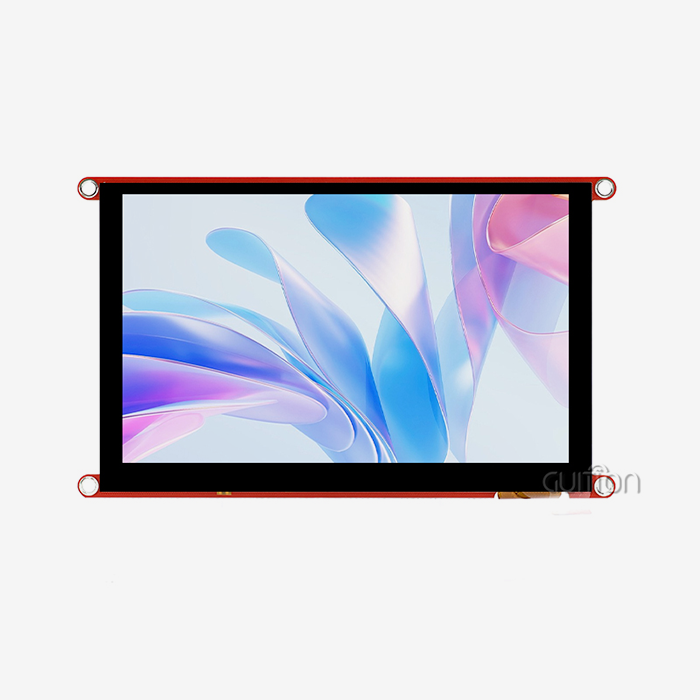
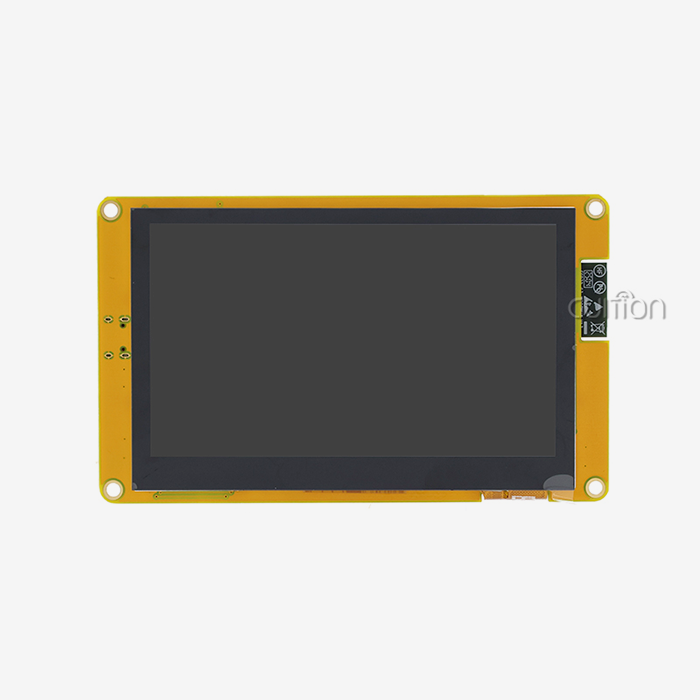
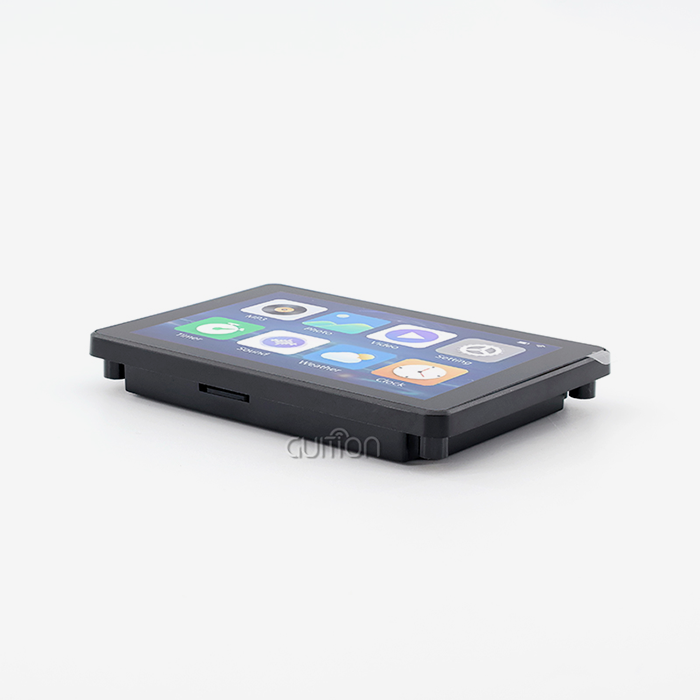
The ESP32-8048S070N from Guition is a particularly strong example of this change. Based on the ESP32-S3-WROOM-1 dual-core processor that runs at 240MHz, this 7-inch module has 512KB SRAM, 8MB PSRAM, and 16MB Flash storage built in. The 800x480 resolution makes it easy to see control screens clearly, and the processor renders the user interface without relying on the main system driver.
Core Technologies Behind Intelligent Display Modules
The new workplace screen is all about connectivity. Integrated Wi-Fi and Bluetooth get rid of the mess of cables that older setups cause. Your workers can check on the state of the equipment from afar, and repair teams can get quick reports without having to connect to a hardwired network. With this wireless feature, you can turn previously separate tools into networked assets that feed real-time data to your tactical intelligence systems.
Storage flexibility is just as important. The ESP32-8048S070N has a reserved TF card port that can hold setup files, data logs, and graphic images without using up memory on the main processor. When your HMI design gets more complicated, being able to add more storage space keeps you from having to buy expensive new hardware.
Display Types and Their Industrial Applications
Different manufacturing settings require different monitor features. Standard TFT LCD panels have great colour reproduction and viewing angles that are good for control rooms. High-brightness versions stop washout in places with windows or outside installations. The lighting control circuit in good modules, like Guition's ESP32 line, lets you change the brightness, which saves power and makes night shifts easier on the eyes.
Temperature tolerance is what sets industrial modules apart from consumer-grade ones. Parts that can work in temperatures ranging from -20°C to +70°C can handle freezing stores and machinery areas that produce heat. At these extremes, the circuit design has to keep the signal clean so that display glitches don't hide important problems with the process. An IoT development screen engineered for these conditions ensures operational continuity.
Comparison: IoT Development Screens vs. Traditional Industrial Screens
Processing Architecture and System Integration
As inactive terminals, traditional factory screens work. Your main PLC or microcontroller has to make all the graphics, handle touch events, and keep the screen file refreshed all the time. This method uses up 40 to 60 per cent of processing cycles in graphics-heavy programs, leaving control algorithms with few computing resources.
Intelligent display units turn this idea on its head. The ESP32-S3 engine on board handles all UI drawing, touch coordinate processing, and screen changes by itself. Simply type "update temperature value" or "change button colour" into the UART to send simple serial commands from your main controller. This decoupled design lets your control system focus exclusively on machine code while the IoT development screen handles presentation separately.
Development Workflow and Time-to-Market Impact
Embedded engineers write low-level display drivers, fix SPI timing problems, put in place touch calibration methods, and find the best frame refresh rates for the standard development path. Before UI design even starts, this background work takes weeks to finish. Testing finds bugs that must be fixed by detailing how the registers are set up and how the signals are timed.
The Guition development method completely removes this level of difficulty. The custom design program allows you to place controls by dragging and dropping them, see what the final product will look like, and launch it with just one click. Because it works with Arduino IDE, ESP-IDF, MicroPython, and Mixly, your team doesn't have to learn how to use new toolchains. Instead, they can work in familiar settings. Display integration processes used to take two months for projects, but now they can get to the pilot stage in just a few days.
Cost Analysis Across Product Lifecycle
The initial price does not reflect the entire financial picture. At first, traditional screens seem cheaper, but they quickly incur hidden costs. For every software update, you need trained techs and special programming tools. Changes made in the field need to be inspected, work must stop, and revisions must be tracked across multiple installs.
Smart display units that can connect over-the-air (OTA) change this situation. Remote software changes fix bugs and add new features without having to travel or take time off. GUI modules' support for UTF-8 encoding lets you make one set of hardware that can serve markets all over the world. For example, your factory in Spain and your factory in China could both use the same hardware with localised interfaces uploaded from afar. These practical savings are much bigger than the differences in prices at the start of the business year.
Choosing the Best IoT Development Screen for Your Industrial Project
Critical Technical Specifications to Evaluate
The viewing distance and information quantity affect the choice of screen size. 7-inch or bigger screens are best for control panels that need to show detailed process diagrams because they have enough resolution for small text and complex images. In the ESP32-8048S070N, the 800x480 pixel array strikes a reasonable mix between readability and the limited frame buffer memory of embedded systems.
How fast the interface is and how well it can handle multiple tasks depend on the processor. One core of a dual-core design like the ESP32-S3 is used for communication, and the other core renders the user interface. This parallel processing stops the interface lag that makes workers frustrated when they need to make quick changes. The 240MHz clock frequency makes sure that animations run smoothly and touches respond instantly, even when multiple data streams are being managed at the same time. This is why selecting the right IoT development screen is crucial for performance.
Platform Compatibility and Development Flexibility
Open development tools help you avoid vendor lock-in. Modules that work with the Arduino IDE use the giant environment of community tools and examples. Engineers who know how to use Arduino's easy-to-understand code can start writing displays right away, without needing any extra training.
Support for ESP-IDF gives advanced coders direct access to hardware for improving efficiency. MicroPython compatibility allows rapid testing with Python's simple syntax before committing to compiled languages. Guition's ESP32 modules have this multi-platform feature built in, so they can work with teams with a range of skill levels and project needs on a single hardware platform.
Vendor Evaluation Beyond Specification Sheets
The quality of a manufacturer's technical paperwork shows how much they care about their customers' success. Your tech team will learn a lot faster if you give them detailed datasheets, interface guides, and worked examples. Guition offers full Arduino libraries and test programs showing proper initialisation steps, communication protocols, and error handling approaches.
Support after the sale sets sellers apart when they scale up production. When your overnight manufacturing run encounters unexpected display behaviour, quick expert support prevents production delays that can be very costly. Established companies like Guition have engineering teams that can be reached by email at david@guition.com and offer fixing advice based on a lot of field rollout experience in a wide range of industries.
Implementing IoT Development Screens: From Installation to Optimisation
Integration Best Practices for Industrial Environments
The right form of the power source is the first step to a successful installation. Voltage changes, ground loops, and electromagnetic radiation that don't happen in the lab happen in industrial settings. Good display modules have voltage control and filtering circuits that can handle changes in the input, but extra security from the outside makes them more reliable. Ground potential differences can't send noise into serial transmission lines because of isolated power sources.
Physical building factors affect long-term dependability. Over thousands of hours of use, vibrations from nearby machines can wear down solder joints and connecting pins. Panel-mount bezels with shock-absorbing gaskets prevent movements in the structure from affecting screens. Modules like the ESP32-8048S070N should have locking connectors on their IO port connections so that cables don't come loose while repair work is being done on the system. Integration of an IoT development screen requires these mechanical considerations.
Performance Monitoring and Proactive Maintenance
Connected screens create operating data that is useful for more than just controlling things. Monitoring the current in the backlight can tell you how long an LED will last, so you can change it when it's time for repair instead of having to call for help in an emergency. Communication mistake rates show when cable problems are starting to happen before they completely stop output.
Guition's ESP32 modules have built-in Wi-Fi, which allows centralised tracking panels to work. Your system for managing maintenance checks the displays that are already in place and keeps track of problem logs and reaction times. Anomaly detection algorithms identify units that are breaking down, allowing for their replacement before they fail. This turns maintenance from reactive defence into planned, repeatable activities.
Scalability and Future-Proofing Strategies
Industrial projects don't usually stay the same. Interface updates are necessary for a long time after the original release, as production grows, processes change, and rules change. Display panels with a lot of storage space built in can add new features without having to update the hardware. The ESP32-8048S070N has 16MB of Flash memory and 8MB of PSRAM. These memory sizes allow for advanced multi-screen user interfaces and data logging features that you may not use at first but will find useful as your system grows.
How straightforward it is to change software depends on its design. With modular UI designs and abstracted data layers, you can change the look of the screen without changing the control code underneath. The Guition development software supports this separation by handling visual files separately from communication methods. When the market needs interface localisation or accessibility improvements, changes can be sent through a TF card slot or wirelessly so the production line doesn't have to stop.
Real-World Industrial Use Cases and Success Stories
Manufacturing Automation and Quality Control
Manufacturers of automotive parts are constantly pressured to cut down on defects and boost output. One of the biggest suppliers replaced their old resistive touch screens with ESP32-based HMI displays that required less frequent calibration. Now, operators can keep an eye on cycle times, melt temperatures, cavity pressures, and more using simple graphics displays that update in real time.
The wireless connection provided process insight that had never been available before. Production managers can see real-time data on performance from their office desks, so they can find bottlenecks without having to walk around the shop floor. When quality problems happened during the night shifts, engineering teams looked at logged data from afar to figure out what the root causes were. Within six months, the number of defects declined by 23%, and new hires needed 40% less training to become operators, thanks to the IoT development screen interfaces that were easy to understand.
Energy Sector Monitoring and Predictive Maintenance
Operators of solar farms are responsible for thousands of transformers spread out in different locations. In the past, diagnostic data had to be retrieved on-site, which slowed down problem-solving and decreased output uptime. By adding intelligent screens with Wi-Fi, these once-isolated transformers became network-connected assets that continuously report on performance.
The TF card storage was very useful for keeping thorough records of events. When problems happened in spurts, past data recorded temporary conditions that went away before a technician arrived. By looking at these logs, we found links between sudden increases in humidity and certain part failures, which let us plan maintenance ahead of time. Generation supply went up by 4.2% yearly, which meant that the facility's 50MW potential made a lot more money.
Logistics and Warehouse Management Systems
Distribution centres improve productivity through exact inventory tracking and material flow planning. A large e-commerce fulfilment company put industrial display panels on mobile robots that could move around the warehouse halls on their own. Pick lists, route maps, and the state of the system are shown on the screens to human workers while they work together on tasks.
Bluetooth connection made it easy for robots to talk to infrastructure without having to deal with the hassles of managing cables. As the shift goes on, the displays get new routing directions as the order goals change on the fly. Because it was driven by batteries, it had to use as little power as possible. The adjustable backlight control used 35% less power than fixed-brightness options while keeping the screen visible in a variety of warehouse lighting conditions.
Conclusion
Industrial applications demand display solutions balancing technical complexity with operating ease. These days, intelligent modules come in ruggedised packages made for harsh settings and include processing power, wireless connections, and open development platforms. Moving from passive displays that depend on the CPU to smart screens that work on their own speeds up development, simplifies the system, and makes online control possible that wasn't possible with older methods. Choosing an IoT development screen with strong specs, support for multiple platforms, and a history of industrial stability sets the stage for effective, scalable, and future-proof human-machine interfaces.
FAQ
Which fields can use clever display technology the most?
Advanced HMI screens give companies in manufacturing automation, energy management, medical device development, and smart building systems a competitive edge. Intelligent screens that are linked make operations much better in any setting that needs to see real-time data, watch things from afar, or update the interface often.
How do these screens make the way these factories work more efficient?
Taking image processing away from the main controller's work makes the control loop run faster and the automation quicker. Wireless connection lets you see what's going on without having to spend money on infrastructure, and remote update features let you make changes that affect many sites at once without having to coordinate the process of manually updating firmware.
What should buying teams focus on when they buy in bulk?
A stable supply over the long term, detailed technical documentation, quick engineering help, and a variety of customisation choices are more important than small price differences. Vertically integrated vendors, who do everything from hardware design to software tools, make it easier to coordinate between multiple vendors and make sure that all of your displays will work together.
Partner with Guition for Your Industrial Display Needs
Guition offers industrial-grade display options that use the ESP32-8048S070N's powerful dual-core processing and easy-to-use software tools to cut time-to-market by a huge amount. Our wide range of products, from 1.28" to 21.5", can be used for a wide range of applications. Our own Guition UI software simplifies low-level programming by using visual design processes to remove unnecessary complexity. As an experienced maker of IoT development screens, we offer full secondary development support, flexibility with multiple platforms, and the ability to upgrade remotely so you can be sure that your investment can keep up with changing business needs. Email our engineering team at david@guition.com to talk about custom configurations, bulk prices, and technical execution plans that are made to fit your needs for industrial automation.
References
1. Johnson, M. & Peterson, R. (2022). "Human-Machine Interface Design for Industrial IoT Applications." Journal of Manufacturing Systems Engineering, 44(3), 287-301.
2. Chen, L. (2023). "Embedded Display Technologies in Smart Manufacturing Environments." International Conference on Industrial Automation Proceedings, IEEE Press.
3. Williams, D. & Kumar, S. (2021). "Cost-Benefit Analysis of Intelligent Display Systems in Process Industries." Industrial Engineering Research Quarterly, 18(2), 156-174.
4. Thompson, A. (2023). "Wireless Connectivity Standards for Industrial Human-Machine Interfaces." Automation Technology Review, 31(4), 445-462.
5. Martinez, C. & O'Brien, K. (2022). "Predictive Maintenance Enabled by Connected Industrial Displays." Journal of Quality in Maintenance Engineering, 28(1), 89-107.
6. Lee, H. & Zhang, W. (2023). "Development Platform Selection for Embedded Display Applications. " Embedded Systems Design Magazine, 16(2), 34-51.
Learn about our latest products and discounts through SMS or email