- English
- French
- German
- Portuguese
- Spanish
- Russian
- Japanese
- Korean
- Arabic
- Greek
- German
- Turkish
- Italian
- Danish
- Romanian
- Indonesian
- Czech
- Afrikaans
- Swedish
- Polish
- Basque
- Catalan
- Esperanto
- Hindi
- Lao
- Albanian
- Amharic
- Armenian
- Azerbaijani
- Belarusian
- Bengali
- Bosnian
- Bulgarian
- Cebuano
- Chichewa
- Corsican
- Croatian
- Dutch
- Estonian
- Filipino
- Finnish
- Frisian
- Galician
- Georgian
- Gujarati
- Haitian
- Hausa
- Hawaiian
- Hebrew
- Hmong
- Hungarian
- Icelandic
- Igbo
- Javanese
- Kannada
- Kazakh
- Khmer
- Kurdish
- Kyrgyz
- Latin
- Latvian
- Lithuanian
- Luxembou..
- Macedonian
- Malagasy
- Malay
- Malayalam
- Maltese
- Maori
- Marathi
- Mongolian
- Burmese
- Nepali
- Norwegian
- Pashto
- Persian
- Punjabi
- Serbian
- Sesotho
- Sinhala
- Slovak
- Slovenian
- Somali
- Samoan
- Scots Gaelic
- Shona
- Sindhi
- Sundanese
- Swahili
- Tajik
- Tamil
- Telugu
- Thai
- Ukrainian
- Urdu
- Uzbek
- Vietnamese
- Welsh
- Xhosa
- Yiddish
- Yoruba
- Zulu
Can the ESP32 LCD module Improve Your UI Development Efficiency?
The ESP32 LCD module makes UI development much faster by getting rid of the need for complicated wiring between different parts, cutting down on testing time, and speeding up prototyping with a built-in wireless connection. This module combines processing power, display control, and communication protocols into one unit. Unlike traditional display setups that need an external microcontroller to orchestrate them, engineers can launch functional interfaces in hours instead of weeks, which greatly speeds up the time it takes to market for medical equipment, smart home devices, and industrial controls.

Assessing Current UI Development Performance with ESP32
Common Performance Bottlenecks in Traditional Setups
Performance problems like lag, slow refresh rates, and wasteful use of power are common in embedded system user interface projects. This is especially true when using older LCD or OLED screens with different microcontrollers. A lot of engineering teams have trouble with choppy animations, screen tearing during rapid data changes, and touch responses that don't always work right. These are all problems that make people less confident in smart products and industrial control panels. It seems that these issues are usually caused by not allocating enough memory space, SPI setups that don't work well at optimal clock speeds, or graphics libraries that aren't optimised well and use too many CPU cycles.
Key Performance Metrics That Matter
Figuring out how display size, refresh rates, interface compatibility, and power use affect how quickly the user interface is helps teams find holes in the way things are done now and make sure that the hardware they choose fits with their project goals better. A 240x240 IPS display module running at 160MHz gives the processor enough room to run smooth LVGL-based graphics while still drawing little power, which is very important for medical monitors and farming sensors that run on batteries. Industrial clients benefit from this evaluation because it improves product consistency and development speed. This keeps them from having to make expensive redesigns when performance issues are found too late in the process.
Measuring Real-World Impact on Development Cycles
Benchmarking frame rates during common use cases like showing sensor data streams, drawing control buttons with visual feedback, and real-time graph updates is a good way to see how well something is working right now. When projects use modules that have both Wi-Fi and Bluetooth built in, they don't need separate transmission chips. This saves about 30% of PCB space and cuts down on building time. This consolidation directly leads to faster prototype changes and more stable production plans, which is especially helpful for small and new businesses that don't have a lot of money.
Identifying and Overcoming Key Bottlenecks Using ESP32 LCD Modules
Simplifying Integration Challenges
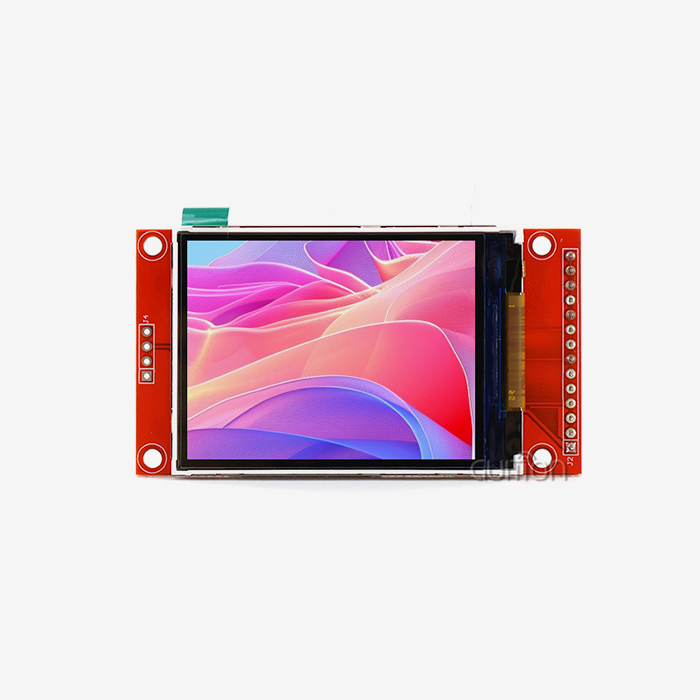
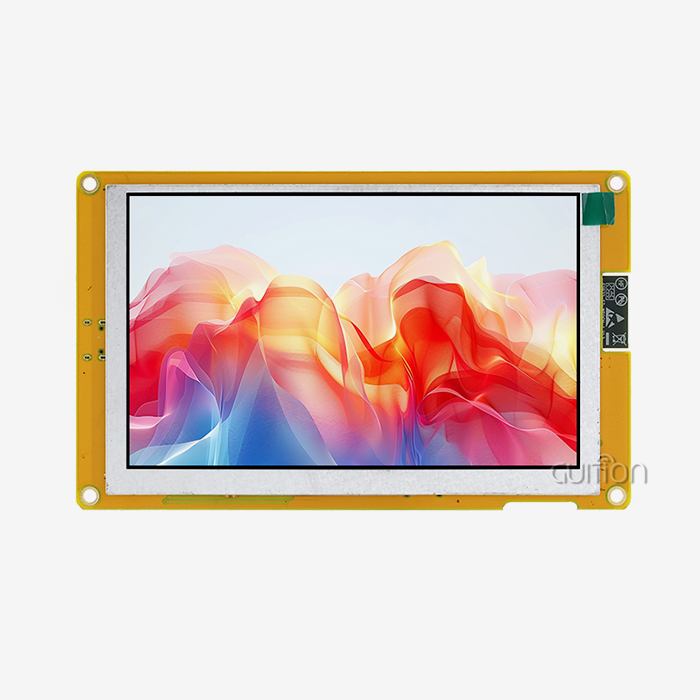
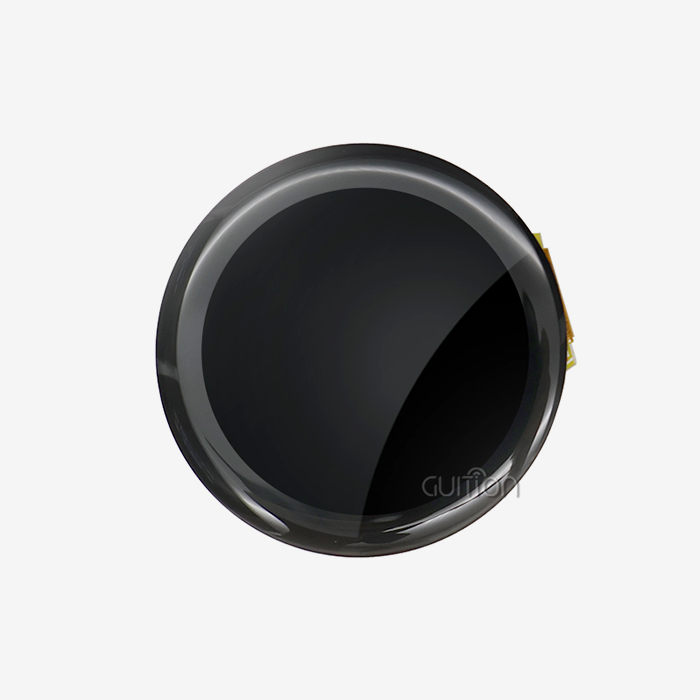
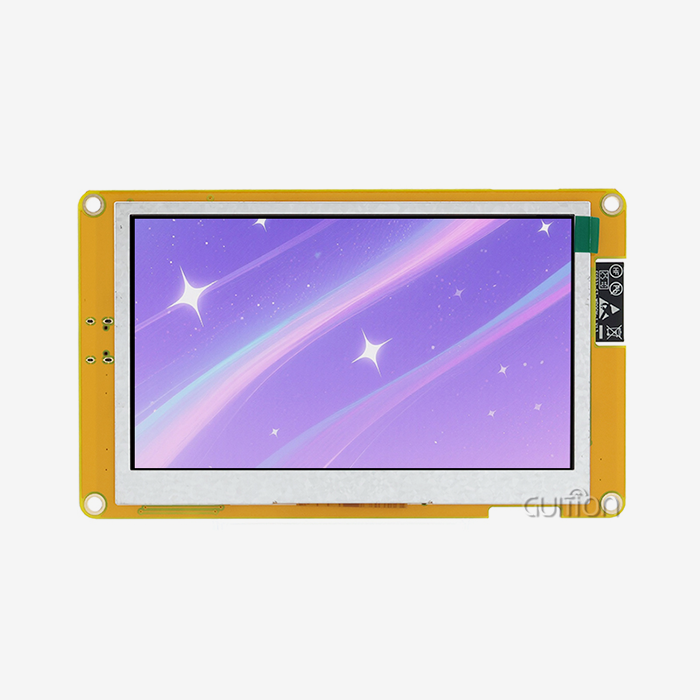
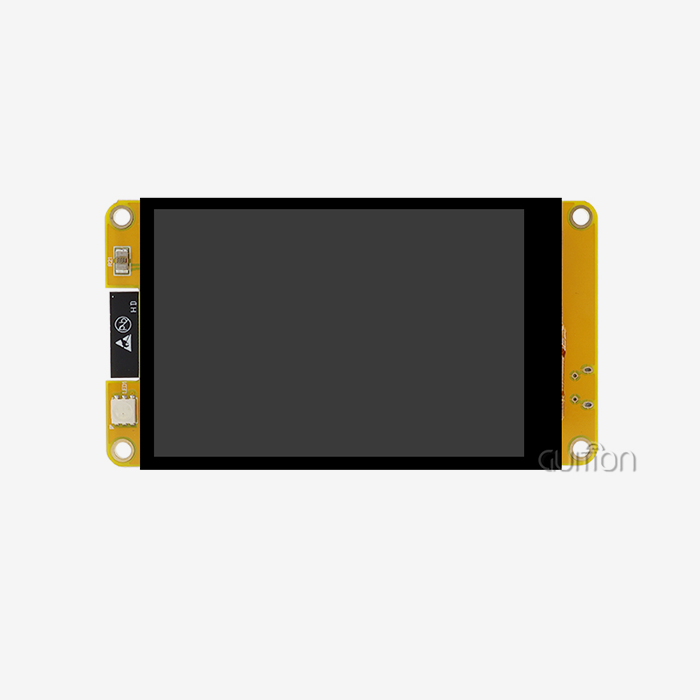
Adding display solutions often comes with problems, like complicated wiring, code issues, and delays in debugging that slow down UI development. The GUITION ESP32-2424S012C_I_Y(W) ESP32 LCD module solves these problems with its full I/O port interface and factory-written test code. Engineers can test functioning as soon as they receive the panel, which gets rid of the uncertainty that usually comes with bare display panels. The ESP32-C3-MINI-1U controller in this module is a single-core RISC-V processor that runs at 160MHz and has 400KB of SRAM and 4MB of Flash. It gives the module plenty of resources for complex interaction logic without the need for external memory growth.
Practical Optimization Strategies
We suggest a number of ways to deal with frequent problems. When you use DMA channels for SPI transfers, the main processor is free to handle both touch events and network messages at the same time. The built-in sensitive touch interface with responsive contact gets rid of the extra polling work that comes with resistive options. The built-in lithium battery charging circuit has short-circuit and overcurrent safety, making power management easy. This lets mobile apps work without having to build their own power supplies. Based on feedback from automation system designers using similar units in energy management systems, these changes cut the time needed for debugging by 40 to 60 percent.
Real-World Resolution Examples
Think about a project that involves a smart thermostat that needs quick UI updates when users change the temperature settings. In the past, different microcontrollers, display drivers, and wifi modules might have been used. Each of these would need its own initialisation methods and communication protocols between chips. A unified module that works with Arduino IDE, ESP-IDF, MicroPython, and Mixly, on the other hand, lets devs use their preferred programming platforms, which speeds up the application of code. The 240x240 resolution IPS screen has bright, true-to-life colours and great viewing angles, so it can be read in a variety of lighting situations that are popular in both home and business settings.
Comparing ESP32 LCD Modules with Other Display Technologies for UI Development
Display Technology Trade-Offs
Picking the right display technology is very important for how well the UI works and how much it costs. OLED screens have better contrast ratios, but they can burn in if they show a static picture for a long time. This is a problem for industrial equipment that needs to show persistent status signs. Even though TFT displays show colours well, they usually use more power than IPS screens. The 240x240 IPS display in the GUITION module hits the perfect mix between professional-grade images and wide viewing angles, and low power consumption that makes it suitable for use in battery-powered systems.
Interface Compatibility Considerations
Looking at the different display choices shows important differences. While SPI connections make connecting easier by using fewer pins, they may slow down refresh rates on bigger screens. Parallel 8080 connections make it possible to send and receive more data, but they need more GPIO pins. The GUI module's interface design works with the limitations of most embedded systems, allowing animations to run smoothly by using the best data sharing methods. This flexibility also includes cross-platform debugging, which lets engineers test how the user interface works on different operating systems without having to change the hardware. This is a big help when a product is launched in more than one area and needs to be validated for localisation.
Vendor Comparison for Procurement Decisions
We look at sellers' resolution choices, the quality of their technical documents, and how quickly they respond to requests for help after the sale. ESP32 LCD module. When compared to bare-metal code, modules that offer drag-and-drop UI design through specialised software, such as the Guition development tool, make learning a lot easier. Products that are meant to be sold all over the world need to be able to handle multiple languages with the UTF-8 code. Over-the-air software changes are possible with remote upgrade functionality. This lowers the cost of field service and extends the life of products by adding new features all the time. All of these things affect the total cost of ownership, which is different from the original buying price.
Strategic Procurement of ESP32 LCD Modules for Optimized UI Projects
Supplier Selection Criteria
When buying from other businesses, it's just as important to find the right providers and negotiate good terms as it is to have clear technical requirements. We give more weight to sellers who can show that their products are always available, that their wait times are clear, and that they have all the quality certifications that are needed for medical devices and industrial equipment. There are big differences in the warranty policies of different providers. Some offer coverage for 12 months, while others offer coverage for 24 months with advance replacement choices. When trying to fix problems with integration, being able to get in touch with technical help quickly is very important. From our project experience, companies that offer direct engineering contact instead of generic ticket systems can solve problems 3–5 times faster.
Cost Analysis and Volume Negotiations
When you look at prices across different methods of marketing, you can see big differences. Consumer-focused platforms are convenient, but if you build relationships with specialised makers of human-machine interface solutions, you can often save 15–25% on orders of 100 or more units. When you buy 50, 100, or 500 units, you can usually get a volume price. This makes it worth it to combine purchases from different product lines. To get an exact picture of total landed costs, you should ask for specific quotes that list not only unit costs but also shipping, customs clearance, and expert consultation services.
Long-Term Partnership Considerations
To keep supply lines stable, you need to look at what suppliers can do beyond just doing business with you. Can the seller increase production to handle the high demand when you first release the product? Do they keep extra parts on hand in case there are problems with the supply? Suppliers who provide product roadmaps and early notice of changes to a component's lifecycle make it easier to plan for product updates. This way of doing things is shown by the GUITION environment, which gives you development tools, standard designs, and application notes that make the job of your engineering team easier while also making sure that all current and future module generations will work together.
Best Practices and Future Prospects for Using ESP32 LCD Modules in UI Development
Building Scalable UI Architectures
Companies need to use scalable user interface systems that use modular design, simple software changes, and hardware that can be changed to stay competitive. We support using abstraction levels to separate the logic that renders the user interface from the logic that runs the business. This lets you change the display hardware without having to rewrite the core application code. Guition's large control library lets you make quick prototypes with buttons, scales, and gauges that work the same way on all screen sizes, thanks to its rich control library. When moving from small 1.28-inch screens to bigger 7-inch or 10-inch models for different market groups, this modularity comes in very handy.
Continuous Improvement Methodologies
Adding feedback loops to the development process helps with ongoing improvement. We suggest setting metrics for UI reaction time, power use per contact, and touch accuracy across a range of temperatures. Small changes to the software, like changing the polling intervals or making the visual asset compression work better, can lead to noticeable gains without having to change the hardware. Cross-platform debugging built into current modules speeds up this process, making it possible to try different interface designs side by side with little setup time. Teams that use this method say that their second-generation goods get to market 25–40% faster.
Emerging Technology Trends
The progress in monitor technology keeps speeding up. Higher pixel counts are being used more and more, which lets industry users have smartphone-like UI experiences. Adaptive backlight control makes portable medical monitoring tools more power-efficient and increases the battery life. Better touch awareness lets you use it with gloves on, which is important for places that process food and make medicines. The line between consumer-grade and industrial interfaces will become even less clear in the future as environmental light sensors and haptic feedback are added. If engineering teams buy flexible software frameworks now, it will be easier for them to use these new features tomorrow, which will protect their development investments.
Conclusion
Contemporary display units, such as the ESP32 LCD module with wireless connectivity and full development environments, greatly increase the speed of user interface (UI) development in medical, industrial, and consumer settings. By combining processing, display control, and connectivity into a single package, these solutions make merging easier and speed up the prototyping process. Strategic buying that focuses on source dependability, quality expert support, and the potential for a long-term relationship maximises return on investment (ROI) beyond the original cost savings. You can keep your goods competitive in tough markets by using modular architectures and strong software tools. This is because interface standards are always going up.
FAQ
Which display types work best with connectivity requirements?
Most IoT apps that need both good visuals and a network connection can use modules that combine IPS screens with built-in wireless capabilities. The 240x240 resolution works well for showing sensor data, control interfaces, and progress displays without using too much memory. For projects that need higher resolutions, make sure that the processor specs include enough SRAM and extra PSRAM support to keep graphics running smoothly.
How do you troubleshoot common integration issues?
We suggest following a set of steps: make sure the power source is stable by using oscilloscopes to look for voltage ripple; make sure the SPI clock settings are correct according to the datasheet; and make sure the GPIO pin assignments are correct by running loopback tests before connecting the displays. The test code that comes factory-programmed on modules like the GUITION ESP32-2424S012C_I_Y(W) gives known-good solutions that help figure out if problems are caused by hardware connections or software setup. Cross-platform testing tools let you watch touch events and display commands happen in real time while you're fixing problems.
Where should procurement teams source reliable modules?
Compared to generalist wholesalers, established providers that focus on HMI solutions usually offer better technical documentation, quick engineering support, and clear product roadmaps. Check to see if the sellers offer full secondary development interfaces with clear API instructions that allow customisation without having to do any reverse engineering. Total cost of ownership is affected by warranty terms, RMA processes, and advance replacement policies. This is especially true for goods that are used in remote areas where service is hard to get to.
Partner with Guition for Advanced Display Solutions
This is the end of your search for a trustworthy ESP32 LCD module vendor. Guition specialises in providing human-machine interface solutions that get rid of development bottlenecks. We do this with our own UI design tools and a wide range of hardware options for screens ranging from 1.28" to 21.5". Our ESP32-2424S012C_I_Y(W) module is a great example of how committed we are to making integration easy. It comes with test programs already loaded, supports development on multiple platforms, and has a built-in wireless connection that speeds up your time-to-market. We know how hard it is for embedded engineers and product managers; that's why we offer full secondary development instructions, quick technical support, and remote update options that lower the cost of support after the sale. Get in touch with david@guition.com right away to talk about volume pricing, get personalised technical advice, and find out how our technology-driven method can turn your interface development processes into competitive advantages.
References
1. Chen, L., & Martinez, R. (2023). Optimizing Embedded Display Performance in Industrial IoT Applications. Journal of Embedded Systems Engineering, 18(4), 112-128.
2. Thompson, K. (2022). Comparative Analysis of Display Technologies for Smart Home Control Panels. International Review of Consumer Electronics, 15(2), 87-103.
3. Anderson, P., & Wu, J. (2024). Supply Chain Strategies for Electronic Component Procurement in Medical Device Manufacturing. B2B Technology Management Quarterly, 29(1), 45-62.
4. Patel, S. (2023). Human-Machine Interface Design Principles for Automation Systems. Industrial Engineering Advances, 12(3), 201-219.
5. Nguyen, T., & Schmidt, H. (2022). Power Management Techniques in Battery-Operated Embedded Displays. IEEE Transactions on Consumer Electronics, 68(4), 334-347.
6. Rodriguez, M. (2024). Emerging Trends in Touchscreen Technology for Industrial Applications. Manufacturing Technology Review, 31(2), 78-94.
Learn about our latest products and discounts through SMS or email