- English
- French
- German
- Portuguese
- Spanish
- Russian
- Japanese
- Korean
- Arabic
- Greek
- German
- Turkish
- Italian
- Danish
- Romanian
- Indonesian
- Czech
- Afrikaans
- Swedish
- Polish
- Basque
- Catalan
- Esperanto
- Hindi
- Lao
- Albanian
- Amharic
- Armenian
- Azerbaijani
- Belarusian
- Bengali
- Bosnian
- Bulgarian
- Cebuano
- Chichewa
- Corsican
- Croatian
- Dutch
- Estonian
- Filipino
- Finnish
- Frisian
- Galician
- Georgian
- Gujarati
- Haitian
- Hausa
- Hawaiian
- Hebrew
- Hmong
- Hungarian
- Icelandic
- Igbo
- Javanese
- Kannada
- Kazakh
- Khmer
- Kurdish
- Kyrgyz
- Latin
- Latvian
- Lithuanian
- Luxembou..
- Macedonian
- Malagasy
- Malay
- Malayalam
- Maltese
- Maori
- Marathi
- Mongolian
- Burmese
- Nepali
- Norwegian
- Pashto
- Persian
- Punjabi
- Serbian
- Sesotho
- Sinhala
- Slovak
- Slovenian
- Somali
- Samoan
- Scots Gaelic
- Shona
- Sindhi
- Sundanese
- Swahili
- Tajik
- Tamil
- Telugu
- Thai
- Ukrainian
- Urdu
- Uzbek
- Vietnamese
- Welsh
- Xhosa
- Yiddish
- Yoruba
- Zulu
Why Choose a Knob Display Module for HMI Design?
The appropriate choice of input control may make or break your HMI project. Knob display module provides a feature that most other interface components don’t have: tactile rotation and real-time visual feedback, all in a small package. This combination saves panel area, shortens development time and provides end-users with a natural and gratifying method to engage with your product, aiding engineers designing industrial panels, smart appliances or medical devices. If you desire precise control and yet want to keep display quality, then a knob display module should be at the heart of your design.

Understanding Knob Display Modules and Their Role in HMI Design
What Is a Knob Display Module?
A knob display module incorporates a rotary encoder and a circular LCD or OLED display within or immediately below the knob cap. As you turn the knob, the screen refreshes in real time, presenting values, options, or status information. This bidirectional feedback loop is what differentiates a knob display module from a simple rotary encoder or a single button.
Digital vs. Analog Knob Controls
A varying voltage is sent to the host MCU via analog potentiometers. Digital rotary encoders provide A/B phase pulses for accurate step counting. Modern knob display modules nearly usually employ digital encoders , since they have better resolution , longer service life and cleaner output signal . Magnetic Hall-effect variations can withstand over one million rotation cycles, which makes them very suitable for industrial situations where mechanical wear is a major problem.
Where These Modules Are Used Today
You’ll find knob display modules in HVAC wall controls, audio mixers, coffee makers, CNC machine panels, and medical infusion pumps. According to a 2023 study by MarketsandMarkets, the worldwide HMI market is estimated to grow to $7.2 billion by 2028. That increase is the kind of need that tiny, multi-function controllers meet.
Why Knob Display Modules Outperform Other HMI Input Options
Precision That Touchscreens Cannot Match
Capacitive touchscreens have poor performance in damp or gloved-hand settings. The knob display module utilizes physical rotation, allowing it to perform consistently whether the user is wearing gloves, working close to water, or in situations of poor visibility. Rotary input techniques have been proven to lower operator mistake rates in industrial settings compared to flat panel touch input in research published in the IEEE Transactions on Industrial Electronics.
Comparing Against Standard Button Arrays
A row of buttons needs the designer to identify each one, teach users and accept that panel real estate quickly evaporates. A single knob display module with a central screen rotated through the menu selections, without the need for several buttons. The user knows precisely what each phase of the rotation picks, reducing training time and labeling expense.
Cost-Benefit Perspective for B2B Buyers
A button-plus-separate-display configuration needs at least two source lines, separate mounting hardware and extra wiring. All of this is integrated into a single knob display module. Consolidation immediately correlates into cheaper BOM cost, fewer solder connections and less assembly labor for production runs over a few thousand units – all important points for product managers and procurement leaders alike.
How to Select the Best Knob Display Module for Your HMI Design
Technical Specifications to Prioritize
Technical Specs to Focus On Resolution and display type are most important for reading. A 1.28″ to 2.1″ 360×360 IPS panel keeps text and icons crisp in a tiny footprint. Ensure the communication interface (UART, SPI or I2C) fits your host MCU. Check working temperature range, industrial grade modules should span at least -20°C to +70°C. Flash storage limits the number of UI assets that may be stored locally in the module.
Meet the GUITION JC3636W518C_I_Y
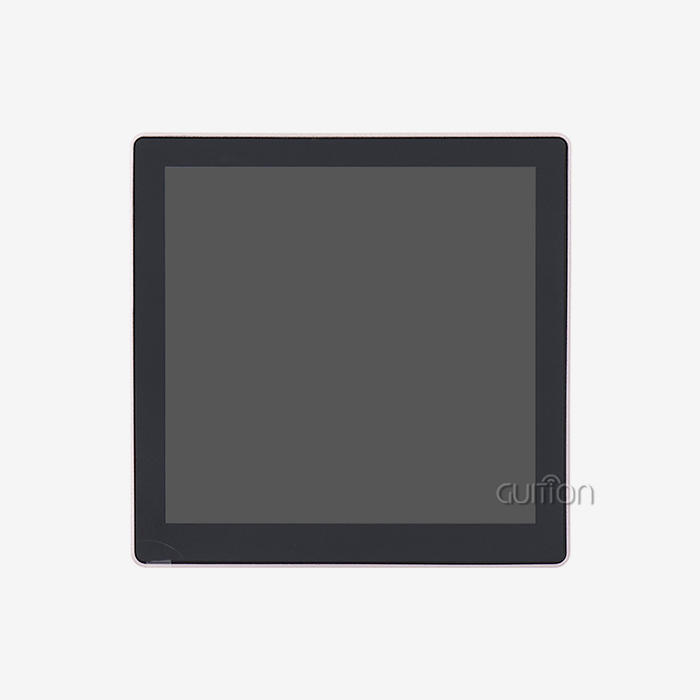
The GUITION JC3636W518C_I_Y is a knob display module built around the ESP32-S3 dual-core processor running at up to 240 MHz. It carries 8 MB PSRAM, 16 MB Flash, and a 360×360 IPS capacitive touch panel inside a 58×58 mm housing. Built-in WiFi and Bluetooth mean you can connect this knob display module to your IoT network without adding external radio chips. A reserved TF card slot supports local data logging or UI asset storage.Here are the core technical advantages of this device:
- Quad-platform development support: Arduino IDE, ESP-IDF, MicroPython, and the Guition GUI tool all work with this module, so your team is never forced into a single toolchain.
- One-click OTA upgrades: Push firmware or UI changes remotely without touching the hardware, which cuts after-sales service costs significantly.
- Wireless QI charging support: Cable-free power delivery suits sealed enclosures where connector ports create ingress risks.
- 18 AIDA64 PC secondary screen styles, spectrum audio visualization, 320K MP3 playback, MJPEG video, digital photo frame, and real-time weather display are all pre-built into the firmware, giving developers a ready-made feature set.
These advantages directly address the most common pain points in HMI development: long iteration cycles, complex low-level coding, and restricted cross-platform compatibility.
Evaluating Supplier Reliability
Beyond specifications, ask potential knob display module suppliers about documentation depth, lead time consistency, and long-term product availability. Guition maintains a full-range product line from 1.28″ to 21.5″ and provides the Guition UI development software at no extra cost. Multi-language UTF-8 encoding support makes global deployment straightforward. Verified supplier contact: david@guition.com.
Installation and Troubleshooting of Knob Display Modules
Pre-Installation Preparation
Before mounting, confirm your power supply meets the module's rated voltage and current. Download the latest firmware and Guition project files from the official support repository. Have a USB-to-UART adapter ready for initial flashing if OTA is not yet configured. Verify PCB footprint clearance matches the module's 58×58 mm outline.
Common Wiring and Calibration Issues
Incorrect SPI clock polarity is the most frequent cause of a blank screen on first power-up. For an esp32 display module, double-check CPOL and CPHA settings in your driver configuration. Touch calibration errors usually stem from a mismatched touch controller address in the I2C bus scan. Running the built-in calibration routine in the Guition software resolves this in under two minutes.
Preventive Maintenance and Testing Protocols
For long-term deployments, log rotation cycle counts and compare them against the encoder's rated service life. Schedule periodic display brightness checks because backlight degradation is gradual and easy to miss. Apply conformal coating to the PCB if the unit operates in a humid environment. These steps keep your knob display module performing consistently across its full product lifespan.
Future Trends and Innovations in Knob Display Modules for HMI
IoT Integration Is Becoming Standard
For standard knob display modules, WiFi and Bluetooth connectivity are no longer premium features, they are expected. The JC3636W518C_I_Y has an internal ESP32-S3 radio stack for native remote diagnostics, cloud UI updates, and real-time sensor data feeds.
Higher Resolution and AMOLED Adoption
Display innovation within knob modules is shifting away from ordinary TFT to IPS and AMOLED screens. The higher contrast ratios and reduced power consumption make AMOLED desirable for battery driven portable devices. Expect resolutions to be pushed toward 480×480 in the 2.1″ class by 2026.
Scalable UI Development Tools
There’s a growing push to drag-and-drop GUI building tools like Guition. Engineers want to make a professional HMI without coding pixel-level rendering. The vendors that survive for the remainder of this decade will be defined by tools that output straight to the knob display module’s flash storage.
Conclusion
A knob display module gives engineers a compact, precise, and visually capable control point for almost any HMI application. The GUITION JC3636W518C_I_Y demonstrates what a modern rotary display module can do: ESP32-S3 processing power, dual wireless radios, a sharp 360×360 IPS touch screen, and flexible development across four platforms. As an advanced ESP32 Display Module, it provides reliable performance for engineers building interactive control solutions. Whether you are designing an industrial control panel or a smart home appliance, this knob display module shortens your development cycle and improves the end-user experience. Guition's broad product range and dedicated software support make it a dependable long-term partner.
FAQ
What communication interface does the GUITION JC3636W518C_I_Y use?
The module communicates via UART/SPI and connects over WiFi or Bluetooth through its onboard ESP32-S3 chip. This makes integration with Arduino, ESP-IDF, or MicroPython projects straightforward without additional interface hardware.
Does the display rotate with the knob?
No. In professional knob display module designs, the screen remains fixed to the PCB while the outer ring rotates around it. This protects the flexible printed circuit from twisting and keeps the UI correctly oriented at all times.
Can I update the UI without physical access to the device?
Yes. The JC3636W518C_I_Y supports OTA firmware and project updates over WiFi. This is particularly valuable for deployed units in industrial or remote locations where on-site service is expensive.
What development environments are supported?
The module supports Arduino IDE, ESP-IDF, MicroPython, and the Guition GUI development tool. Each environment is fully documented, so teams can choose whichever matches their existing workflow.
Is multi-language support available?
Yes. UTF-8 encoding is built in, allowing the interface to display text in any language without custom font solutions, which simplifies global product deployment.
Ready to Build Smarter HMI Interfaces? Contact Guition Today
Guition offers a complete range of knob display module products from 1.28″ to 21.5″, backed by the Guition UI software and full technical documentation. As a trusted knob display module manufacturer, we support Arduino, ESP-IDF, MicroPython, and proprietary development workflows. Reach our engineering team directly at david@guition.com to discuss specifications, sample orders, or bulk pricing for your next project.
References
1. MarketsandMarkets. Human-Machine Interface (HMI) Market — Global Forecast to 2028. 2023.
2. IEEE Transactions on Industrial Electronics. Comparative Study of Rotary and Touch Input Methods in Industrial Control Environments. 2022.
3. Espressif Systems. ESP32-S3 Technical Reference Manual. 2023.
4. IPC Association. IPC-A-610: Acceptability of Electronic Assemblies. 2020.
5. Grand View Research. Smart Display Market Size, Share & Trends Analysis Report. 2023.
6. UL Standards & Engagement. UL 60950-1: Safety for Information Technology Equipment. 2021.
Learn about our latest products and discounts through SMS or email