- English
- French
- German
- Portuguese
- Spanish
- Russian
- Japanese
- Korean
- Arabic
- Greek
- German
- Turkish
- Italian
- Danish
- Romanian
- Indonesian
- Czech
- Afrikaans
- Swedish
- Polish
- Basque
- Catalan
- Esperanto
- Hindi
- Lao
- Albanian
- Amharic
- Armenian
- Azerbaijani
- Belarusian
- Bengali
- Bosnian
- Bulgarian
- Cebuano
- Chichewa
- Corsican
- Croatian
- Dutch
- Estonian
- Filipino
- Finnish
- Frisian
- Galician
- Georgian
- Gujarati
- Haitian
- Hausa
- Hawaiian
- Hebrew
- Hmong
- Hungarian
- Icelandic
- Igbo
- Javanese
- Kannada
- Kazakh
- Khmer
- Kurdish
- Kyrgyz
- Latin
- Latvian
- Lithuanian
- Luxembou..
- Macedonian
- Malagasy
- Malay
- Malayalam
- Maltese
- Maori
- Marathi
- Mongolian
- Burmese
- Nepali
- Norwegian
- Pashto
- Persian
- Punjabi
- Serbian
- Sesotho
- Sinhala
- Slovak
- Slovenian
- Somali
- Samoan
- Scots Gaelic
- Shona
- Sindhi
- Sundanese
- Swahili
- Tajik
- Tamil
- Telugu
- Thai
- Ukrainian
- Urdu
- Uzbek
- Vietnamese
- Welsh
- Xhosa
- Yiddish
- Yoruba
- Zulu
Why Are OEMs Choosing a 10.1 inch display module?
OEMs are increasingly choosing the 10.1 icnh display module because it offers the best mix between screen space and small size. When building industrial controls or medical equipment, this size is important because it lets you use complicated HMI dashboards without taking up too much panel room. The 10.1-inch display module has a resolution of 800x1280 or 1024x600, which is good enough to show precise process data, multi-zone controls, and diagnostic data. This format is more flexible than smaller 7-inch screens that make it harder to fit a lot of information on them or big 15-inch panels that raise the cost of the enclosure. It can be used in robotics, healthcare, smart home systems, and embedded computer settings.

Overview of the 10.1 Inch Display Module in Modern OEM Applications
The 10.1 icnh display module is an important part of current product design. Its size—about 217 mm × 136 mm—makes it fit into normal industrial enclosures, and its resolution is good enough for touch-based displays. 16:10 and 16:9 are two common aspect ratios that work with standard video output types and embedded controller architectures.
Critical Specifications That Matter to Engineers
Usability is directly affected by resolution. For industrial automation, most OEMs choose 1280x800 WXGA panels because this resolution strikes a good mix between clarity and processing load. There are many different types of interfaces. Traditional RGB parallel interfaces are good for low-cost apps, while MIPI-DSI links let more data flow for more animated user experiences. HDMI ports make it easier to connect media players and computers with only one board. For gloved workers in plants, resistive screens are an option. For customer-facing booths, capacitive multi-touch panels are a better choice. The temperature ranges for operation are commercial-grade (0°C to 50°C) and industrial-grade (-20°C to 70°C), which makes them suitable for setups in the field.
Application Scenarios Across Industries
The biggest group of applications is industrial control screens. Graphical user interfaces make it easy for operators to see real-time machine data, change setpoints, and respond to alarms. The 10.1-inch display module has enough room for trend graphs, machine state indicators, and emergency stop controls without being too much for the user to see. These units are built into patient tracking systems and diagnostic tools by companies that make medical devices. When showing imaging data or bodily patterns, it's important to have high color consistency. Meeting the electricity safety standards set by EN60601 and being resistant to hospital-grade disinfectants become very important factors in the selection process.
The small size is good for smart home master controls. A 10.1-inch display module placed on the wall can control lights, HVAC, security cams, and entertainment systems all from one place. The screen size is comfortable for family members of all ages, and it doesn't look too big or too small. Instrument clusters are used in tractors, building vehicles, and charging points for electric cars, among other things. Sunlight viewing specs, which are measured in nits, become very important. Surface techniques that reduce glare and display settings that reflect light make it easier to see outside.
Ergonomic and Spatial Advantages
The 10.1-inch form factor has clear benefits for ergonomics. Large touch targets (at least 10 mm square) can help cut down on input mistakes in high-stress situations. It's still possible to handle the amount of information; artists can show 15 to 20 separate data areas at the same time without using tiny fonts. In panel-mounted uses, making the best use of space becomes very important. A 10.1-inch cutout takes up less panel space than two 7-inch screens, which makes designing the case easier and lowers the cost of making it. Depth shapes are usually between 5 mm and 15 mm, so they can be used for both thin business setups and tough industrial housings.
Technical Advantages Driving OEM Preference for 10.1 Inch Display Modules
Professional-grade 10.1 icnh display modules are different from regular screens in how well they work technically. OEMs put a lot of weight on standards that make sure products work reliably for 5 to 10 years.
Display Technology and Visual Performance
Because it can be seen from 178 degrees in all directions, IPS (In-Plane Switching) technology is used a lot in medical and commercial settings. From an angle, operators can read important information without seeing changes in color or contrast. Professional rendering needs a color gamut spread of at least 72% NTSC. There are different amounts of brightness, from 250 nits for indoor use only to 1000 nits for outdoor use. CCFL technology has been completely replaced by LED lights, which use less energy and have no mercury in them. At room temperature of 25°C, the backlight now lasts longer than 50,000 hours. Refresh rates of 60 Hz get rid of the feeling of jitter and make motion smooth. Response times below 25 ms stop ghosting effects from showing up when you show moving objects or text that scrolls. Text can be read in a variety of lighting situations with contrast ratios of 800:1 or higher.
Power Efficiency and Electrical Parameters
Power use has a direct effect on systems that are driven by batteries or the sun. Basic black-and-white units use about 2.5 watts of power, while high-brightness color screens use 8 watts. Most voltage inputs can handle 5V or 12V DC, which is the same as the usual power lines for embedded systems. When the screen goes into sleep mode, it uses only a few milliwatts of power. Pulse Width Modulation (PWM) backlight dimming lets you change the brightness on the fly, saving power when there isn't much action but still letting you see when you need to.
Interface Compatibility and Integration Flexibility
These days, 10.1-inch display modules work with several different interface standards. LVDS (Low-Voltage Differential Signaling) connections can handle images of up to 1920x1200 and are very good at blocking noise, so they can be used in places where electromagnetic interference is common. MIPI-DSI connections cut down on the number of pins needed and allow for faster refresh rates, which are desired in consumer goods. Embedded DisplayPort and HDMI ports make it easier to connect to graphics drivers and application processors. I2C touch devices only need four wires: power, ground, data, and clock. This makes the cables easier to understand. For screens that are controlled by microcontrollers and cost is more important than speed, SPI links work well.
Real-World Integration: GUITION JC8012P4A1C_I_W_Y
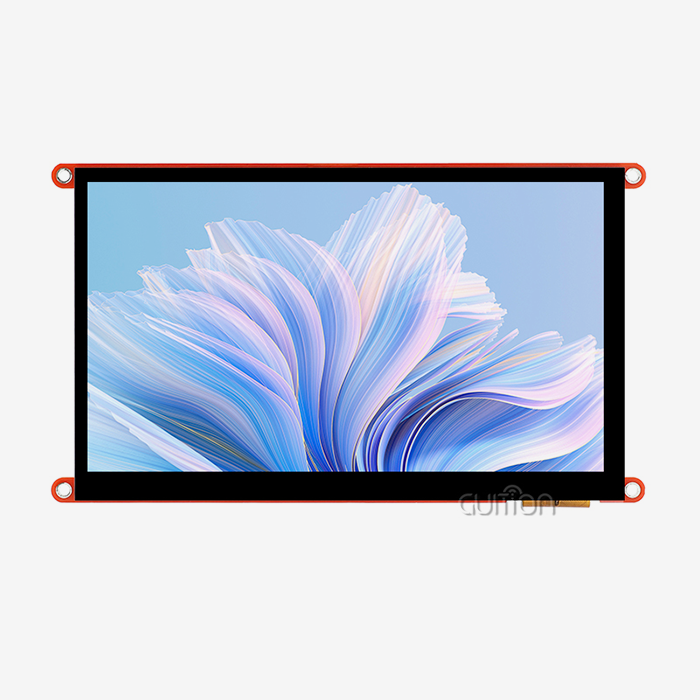
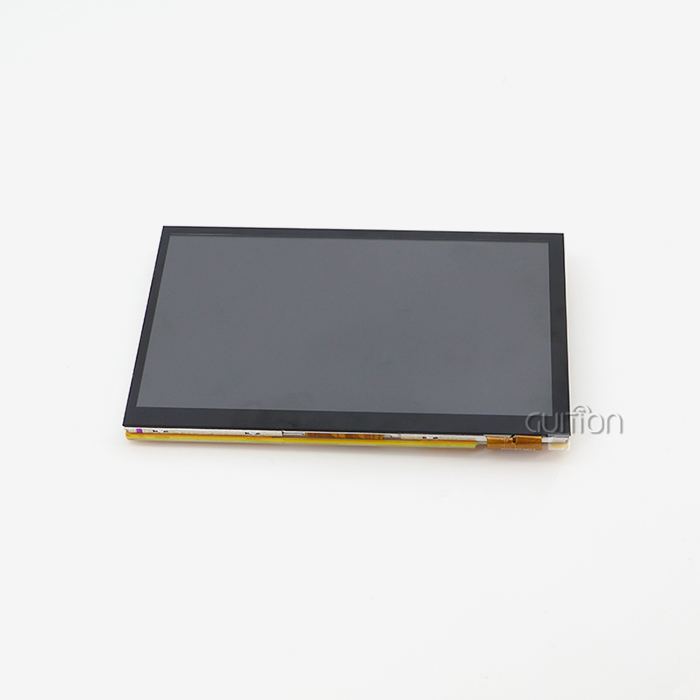
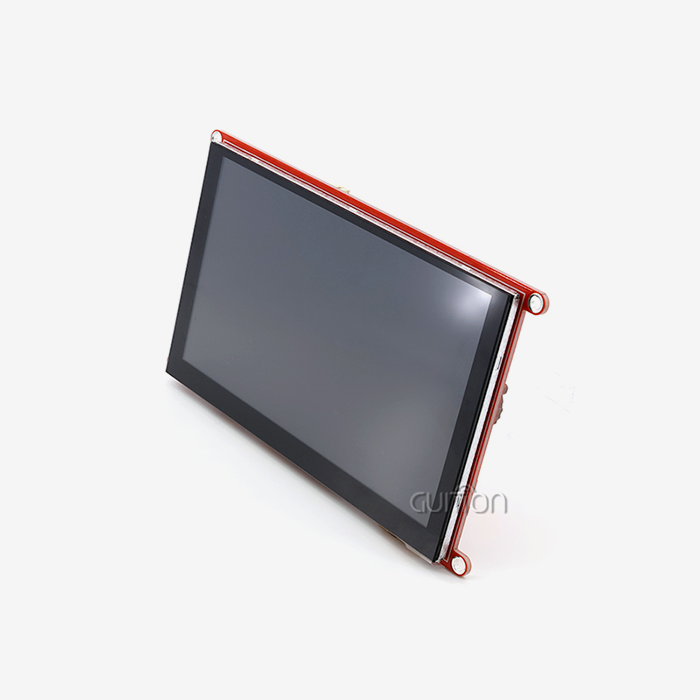
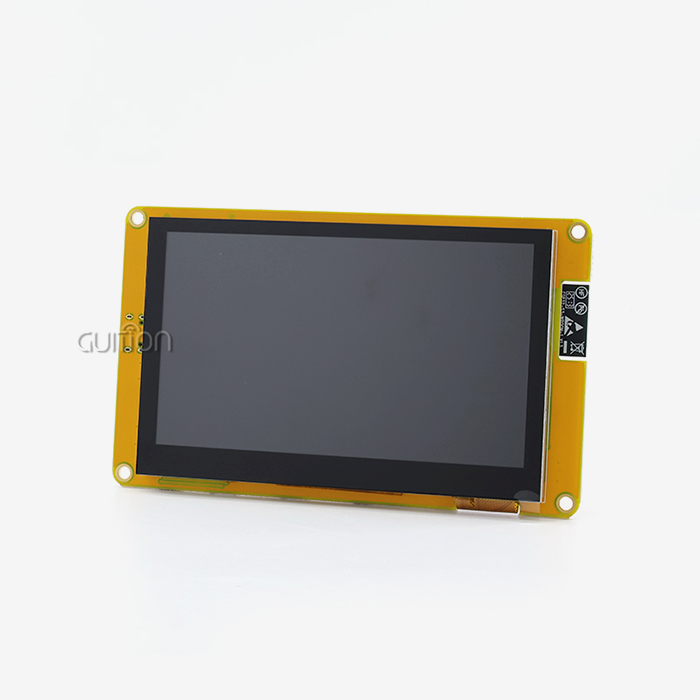
Advanced integration is shown by the GUITION JC8012P4A1C_I_W_Y. With its ESP32-P4 dual-core processor running at 360 MHz, this module gets rid of the need for different application processors in a lot of designs. The 32 MB PSRAM and 16 MB flash memory built in make it possible for advanced user interfaces to work without the need for extra memory chips. For industrial instruments, an 800x1280 resolution gives you great detail. Engineers like that it comes with WiFi and Bluetooth, which lets them watch from afar and change the code over-the-air without having to add extra radio modules. The capacitive touch device lets you use multiple touches to connect with it, which makes it easier for users to do things.
There is a lot of freedom in development. The Arduino IDE makes it easier to learn how to make prototypes, and ESP-IDF access lets you handle things at a low level to make production run more smoothly. The proprietary GUI development tool lets you create a GUI with drag-and-drop, which cuts the time it takes to make an interface from weeks to days. Reserved I/O ports and TF card connections add to the device's capabilities. Keeping track of data, playing video, and adding unique sensors become easy. The pre-programmed test application lets you check the functionality right away after receiving it, which lowers the project risk.
Comparing the 10.1 Inch Display Module to Alternative Solutions
To pick the right 10.1 icnh display module and technology, you need to know how to balance speed, cost, and the type of use you want it for.
Size Comparison: 10.1 Inch Versus 7 Inch Modules
When it comes to small handheld gadgets, weight and battery life are the most important design factors. But in commercial settings, the limits of information density become clear. The number of pixels that can be used is limited when showing a process flow picture with 12 control buttons and sensor readings that go with them. There is 78% more screen area on the 10.1-inch display module than on a 7-inch panel. This extra space cuts down on scrolling and page browsing, which makes the user more productive. Minimum text heights are often required by regulations. For important alarms, these are usually 3.5 mm, which limits how much information can fit on smaller screens.
LCD Versus OLED Technology Within the 10.1 Inch Class
Because it is reliable and cheap, LCD technology is used a lot in commercial settings. TFT-LCD screens work effectively across a wide range of temperatures and don't retain images even when they show the same thing for a long time. Backlight consistency makes sure that the screen is always bright. OLED displays have better contrast ratios—they can have an endless number of them because each pixel emits light—and faster reaction times. But organic materials break down over time, especially when they are used in bright conditions. Concerns about lifespan and higher costs keep OLED from being widely used in industrial settings where 10-year service life standards are usual.
Touchscreen Versus Non-Touch Configurations
Displays that don't have touch screens connect to real buttons, rotating encoders, or remote input devices. This method works well in harsh settings where gloves, moisture, or other contaminants could mess up capacitive touch detection. Not only do non-touch units cost less, but they are also easier to seal for IP65 or IP67 grades. Touchscreen modules make panels simpler by getting rid of a lot of separate switches and lights. These days, capacitive controls can tell the difference between real and fake touches from water drops and can be used with thin gloves. Resistive touchscreens can be used with any pen or covered hand, but they need more force and can't handle multiple touches.
Durability and Brightness in IPS Modules
Industrial-grade IPS screens go through a lot of tests to make sure they are qualified. Following MIL-STD-810 guidelines for shock and vibration protection ensures life during transport and installation in the field. Surface treatments include chemically strengthened glass with Mohs hardness scores above 6H and anti-glare coatings that cut down on shadows when artificial lighting is used. High-brightness models get up to 800 to 1000 nits, which is needed for reading outside. By using clear glue to stick the cover glass directly to the LCD panel, optical bonding gets rid of internal shadows and raises the contrast when the screen is in direct sunlight. This method also makes it more resistant to pressure and keeps dust and water out.
Procurement Insights: Navigating the Market for 10.1 Inch Display Modules
Strategic buying of 10.1 icnh display modules strikes a mix between technology needs and business concerns. Knowing how the market works can help you get a steady supply at a price that is competitive.
Pricing Structures and Volume Considerations
Prices for display modules vary a lot depending on their features. Simple commercial-grade units with a resolution of 1024x600 and sensitive touch start at $25 to $35 each when bought in groups of 1,000. Modules made for industry that have 1280x800 IPS screens, sensitive touch, and wider temperature ranges cost $60 to $90 each. After 500 pieces, volume prices start to make a difference. For evaluation quantities (1 to 10 units) at the list price, many makers give tiered pricing. For small production runs (50 to 500 units), there is a 15% to 20% discount, and for high-volume production (1,000 units or more), there is a 30% to 40% reduction. Extra discounts can be negotiated through annual buying deals.
Supplier Evaluation Criteria
Quality approvals from well-known sources show that they can make things. The ISO 9001 quality management system and the ISO 14001 environmental management system show that a process is mature. Industry standards like UL, CE, FCC, and RoHS compliance make sure that products meet the rules in the places they're meant for. The level of technical help is what sets value-added providers apart from commodity brokers. Engineers who are quick to respond can help solve problems with integration, make driver options work better, and fix problems in the field. Having access to thorough datasheets, CAD engineering drawings, and reference schematics speeds up the development process.
Authenticity Verification and Quality Assurance
Fake displays get into supply lines, especially through wholesalers who aren't supposed to be there. Genuine modules have marks from the maker on the PCBs, serialized labels, and uniform packing. Requesting proof of conformance papers and inspecting arriving products for key parameters like uniform brightness, touch sensitivity, and interface signal integrity lowers the risk of fakes. It is common practice to test an esp32p4 display module sample before committing to a large amount. It is important to test the mechanical fit, electrical compatibility, thermal performance, and monitor clarity in real-world settings. Burn-in testing, which involves running units repeatedly at high temperatures for 48 to 72 hours, finds problems with infant mortality before they are put into production.
How OEMs Optimize Project Success With 10.1 Inch Display Modules
For a 10.1 icnh display module project to go well, specification consistency, integration design, and long-term support needs must all be carefully thought out.
Specification Selection Best Practices
The choice of resolution relies on how complicated the content is and how far away you are from the screen. Higher pixel density is better for text-heavy apps; 1280x800 panels make it easy to read smaller fonts. Graphics-based systems can handle 1024x600 resolution as long as the parts are the right size. Figure out the pixel pitch, which is the actual size divided by the resolution, to make sure that the text can be read at a distance of 400 mm to 600 mm. The choice of interface affects both the speed and complexity of the gear. Parallel RGB interfaces need 20 to 30 signal lines, but they reduce the load on the processor because the graphics driver runs the screen directly. MIPI-DSI greatly lowers the number of pins needed, but it requires processors that are compatible and have built-in MIPI drivers. The ESP32-P4 in GUITION modules already supports running displays efficiently, which makes designing boards easier.
Integration Strategies for Reliability
Mechanical placement shortens the life of the monitor. Gaskets are needed to seal the bezel-to-enclosure contact in panel-mount setups so that dust and moisture can't get in. Mounting screws should spread out the stress widely. Tightening them too much near the sides of the LCD can warp the image or even crack the panel. Managing thermal issues makes parts last longer. Backlights are the main source of heat in display units. Temperatures above 50°C can hurt touch controls and speed up the degradation of LEDs. Safe working temperatures are kept by holes for ventilation, backplates that conduct heat, or active cooling. Processors and power sources that produce heat should be placed away from the display as much as possible.
Long-Term Support and Future-Proofing
Warranty coverage protects you financially against problems with the way the product was made. Most guarantees last between 12 and 24 months. For an extra fee, you can get warranties that last for 3 to 5 years. Make the warranty's terms clear: does it cover return shipping? Are new units given out when the fix is done? What failure rate means that there is a problem with the quality of the batch that needs wider corrective action? Support after the sale is important for the whole span of a product. Technical help for fixing problems in the field, new parts, and repair services are all things that keep deployed equipment working. Depot repair services from suppliers are a cost-effective option to replacing all of the modules.
Conclusion
Without a doubt, the 10.1 icnh display module offers the best mix of clear images, small size, and a wide range of uses. OEMs can improve their business by carefully choosing specifications, knowing the main technical differences between display technologies, and working with dependable providers who offer full support. The fact that the format is used in a lot of different areas, like medical devices, smart home systems, transportation, and industrial automation, shows that it is useful. Multi-platform compatibility, pre-integrated processing, and wireless connections are development-friendly features that engineers like because they speed up time-to-market and lower project risk and complexity throughout the lifecycle of a product.
FAQ
What operating voltage do 10.1 inch display modules typically require?
Most 10.1 icnh display modules work with 5V or 12V DC power sources, which are the same as normal embedded system rails. Some built-in options, like the GUITION JC8012P4A1C_I_W_Y, have onboard controllers that can handle a variety of input voltages. This makes designing power systems easier. The current draw ranges from 400 mA at 5V for low-brightness uses to 1.5A at 12V for outdoor screens that need to be very bright to be read. It is important to always check the electrical specs in product datasheets to make sure they work with your power source and case.
How do I interface a 10.1-inch display module with Arduino or Raspberry Pi?
How the interface works depends on the display driver. Simple devices with SPI ports can link straight to Arduino SPI pins, but high-resolution graphics may not work as well. The Raspberry Pi's DSI connector works straight with MIPI-DSI screens, so it can show full HD video. The GUITION module's ESP32-P4 processor lets you create with the Arduino IDE without the need for an external microprocessor. Sample code and tools make setting up the first time easier.
Should I choose LCD or OLED for industrial environments?
LCD technology works better in business settings. TFT-LCD screens can be used continuously to show static material without burning in, can work in a wide range of temperatures, and are less expensive than OLED panels of the same type. OLEDs' better contrast is good for consumer products, but the deterioration of organic materials during long periods of high brightness operation goes against the 10-year service life standards for industrial products. Reliable performance in harsh environments is possible with LCD panels from well-known makers, and the total cost of ownership is also low.
Partner With a Trusted 10.1 Inch Display Module Manufacturer
GUITION has the best display options in the business and is ready to speed up your next HMI project. Our JC8012P4A1C_I_W_Y 10.1 icnh display module has a powerful ESP32-P4 dual-core processor, a stunning 800x1280 resolution, and a lot of different connections all in one ready-to-use box. The Arduino IDE, ESP-IDF, and our own Guition platform all offer flexible development options that make sure your team works well together, no matter what skills they already have. With multilingual help and the ability to upgrade remotely, your goods will be ready for markets around the world while also lowering their long-term maintenance costs. Email our engineering team at david@guition.com to talk about your particular needs, get full datasheets, and look into options for group pricing. Whether you're a company that makes industrial equipment and needs reliable HMI solutions or a system developer that's making IoT devices, GUITION has the technical performance, supply reliability, and quick support that your project needs. Find out why major OEMs choose GUITION as their top seller of 10.1-inch display modules.
References
1. Society for Information Display (2023). Display Technology Standards and Best Practices for Industrial Applications. SID International Symposium Proceedings.
2. Electronic Industries Alliance (2022). Interface Standards for Embedded Display Modules: LVDS, MIPI-DSI, and RGB Specifications. EIA Technical Publication.
3. International Electrotechnical Commission (2021). IEC 61000-6-2: Generic Standards for Immunity in Industrial Environments. IEC Standards Database.
4. Embedded Computing Design (2023). HMI Development Trends: Balancing Display Size, Resolution, and System Cost. Industry Analysis Report.
5. DisplaySearch (2022). Medium-Format Display Module Market Analysis: 7-Inch to 12-Inch Segments. Quarterly Market Research Publication.
6. Institute of Electrical and Electronics Engineers (2023). IEEE Guide for Touch Screen Interface Design in Safety-Critical Applications. IEEE Standards Association.
Learn about our latest products and discounts through SMS or email