- English
- French
- German
- Portuguese
- Spanish
- Russian
- Japanese
- Korean
- Arabic
- Greek
- German
- Turkish
- Italian
- Danish
- Romanian
- Indonesian
- Czech
- Afrikaans
- Swedish
- Polish
- Basque
- Catalan
- Esperanto
- Hindi
- Lao
- Albanian
- Amharic
- Armenian
- Azerbaijani
- Belarusian
- Bengali
- Bosnian
- Bulgarian
- Cebuano
- Chichewa
- Corsican
- Croatian
- Dutch
- Estonian
- Filipino
- Finnish
- Frisian
- Galician
- Georgian
- Gujarati
- Haitian
- Hausa
- Hawaiian
- Hebrew
- Hmong
- Hungarian
- Icelandic
- Igbo
- Javanese
- Kannada
- Kazakh
- Khmer
- Kurdish
- Kyrgyz
- Latin
- Latvian
- Lithuanian
- Luxembou..
- Macedonian
- Malagasy
- Malay
- Malayalam
- Maltese
- Maori
- Marathi
- Mongolian
- Burmese
- Nepali
- Norwegian
- Pashto
- Persian
- Punjabi
- Serbian
- Sesotho
- Sinhala
- Slovak
- Slovenian
- Somali
- Samoan
- Scots Gaelic
- Shona
- Sindhi
- Sundanese
- Swahili
- Tajik
- Tamil
- Telugu
- Thai
- Ukrainian
- Urdu
- Uzbek
- Vietnamese
- Welsh
- Xhosa
- Yiddish
- Yoruba
- Zulu
How Does Resistive Touch Display Increase Parallel LCD Durability?
When evaluating industrial display solutions, engineers often ask how Resistive touch display technology affects the overall life of a gadget when they are looking at industrial display options. The answer lies in the way they are made: Resistive touch displays protect parallel LCDs by having multiple layers, which spread mechanical stress across flexible conductive films instead of straight onto the display screen. This pressure-based sense method makes a strong buffer between the user's actions and the liquid crystal layer. This keeps impacts, scratches, and external contaminants from damaging the LCD parts below, which would happen otherwise.


Understanding Resistive Touch Display Technology
Layered Architecture and Pressure-Based Sensing
A Resistive touch display is made up of two clear conductive layers, which are usually films covered with Indium Tin Oxide (ITO) and divided by very small spacer dots. When you put pressure on the top layer, it bends inward until it touches the bottom electrical surface. By measuring changes in voltage, this physical contact stops an electrical connection that lets the processor figure out the exact X and Y coordinates. This pressure-sensitive method works with glove hands, styluses, or any pointing device, unlike capacitive systems that need an electrical charge from conductive items.
Integration with Parallel LCD Panels
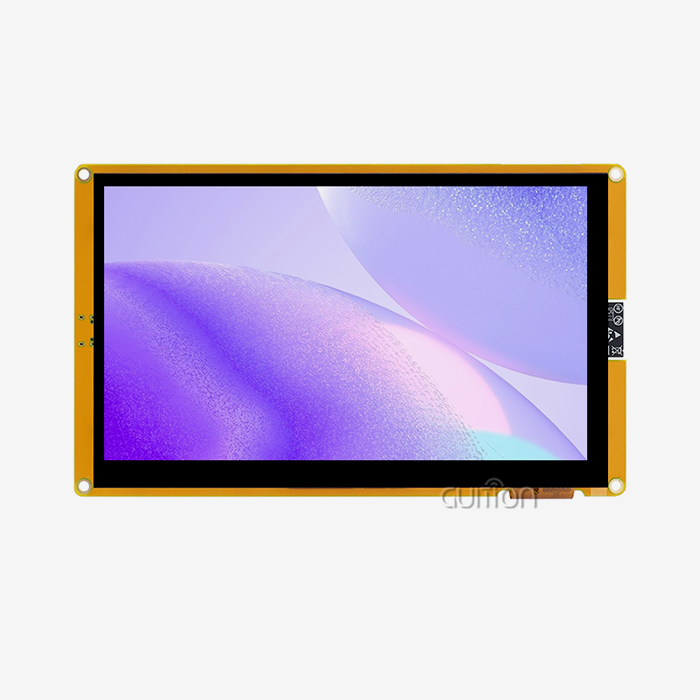
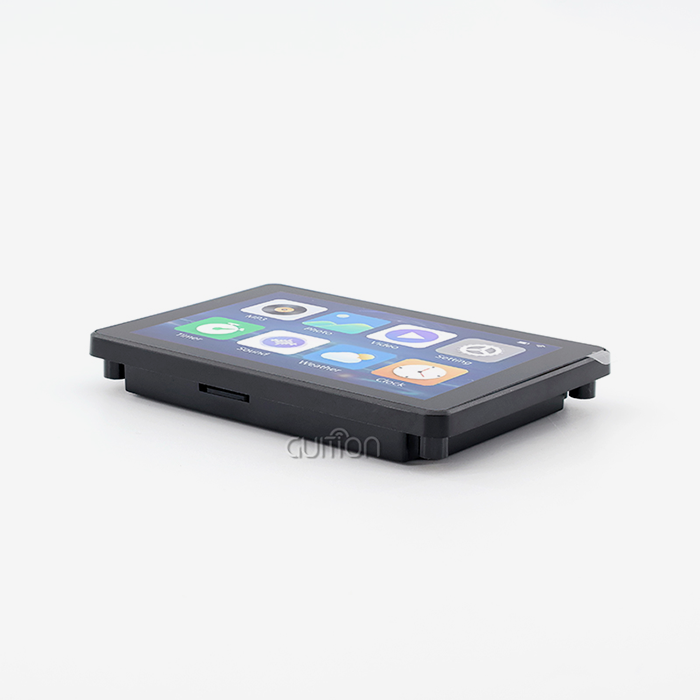
An RGB interface is used to send data between parallel LCDs. Red, green, and blue color information is sent through different parallel lines. A full human-machine interface module is made when this is joined with a Resistive touch display sensor. This combination is shown by the GUITION JC4827B043R, which has a 4.3-inch parallel LCD with a resolution of 480×272 and is controlled by the ILI6485 controller. The touch sensor is attached directly to the LCD screen, making a single unit that keeps the 16.7M color depth of the monitor and adds interactive features.
Evolution of Resistive Technology in Industrial Settings
In the 1970s, Resistive touch displays were first made available, and by the 1990s, they were widely used in industrial control systems. Resistive touch display solutions stayed popular in industrial, medical equipment, and outdoor uses, even though consumer markets moved toward touchscreen technology for smartphones and tablets. Recent improvements in materials have fixed problems with light transmission and longevity that existed in the past. This means that modern Resistive touch displays can offer great visual clarity while still maintaining their main benefits in harsh environments. Better ITO covering methods and advanced polymer surfaces are making the technology keep getting better by making it clearer and stronger.
How Resistive Touch Displays Enhance Parallel LCD Durability
Protective Layering Against Physical Damage
In a Resistive touch display assembly, the top layer works as a protective shield that soaks up hits before they reach the LCD panel below. This polyester film is very bendable and can handle being pressed, scratched, and lightly abraded over and over again without losing its touch sensitivity or quality of vision. The Resistive touch display layer spreads the mechanical stress over the whole surface area of the screen when people use tools, their claws, or other things that could scratch a bare LCD screen. This arrangement makes the parallel LCD last a lot longer by keeping things that could damage it from coming into direct contact with the thin liquid crystal layer. As material science has progressed, top films have become more durable and less likely to scratch. These days, Resistive touch displays often use hard-coated polyester that is rated 3H or higher on the pencil hardness scale. This gives the panels a lot of security against normal wear and tear. Because of this protective architecture, the GUITION JC4827B043R can work successfully in industrial settings where people often touch the screen while wearing gloves or carrying tools. The pressure-based tracking system keeps working correctly even if the surface gets small scratches that would make sensitive screens useless.
Environmental Resilience in Demanding Conditions
Parallel LCDs that are linked to Resistive touch display sensors work very well in a wide range of difficult weather conditions. The sealed design between the two electrical layers keeps oil, dust, and moisture from getting in the way of touch recognition. This feature is very useful in places like factories, food processing plants, farming automation systems, and charging sites outside, where people are likely to come into contact with contaminants. Temperature resistance is another benefit of longevity. The GUITION JC4827B043R works reliably from -20°C to 70°C, so it doesn't matter if it's in a building that's kept cool or on equipment that's out in the sun. This large working range comes from the fact that Resistive touch display sensing is just mechanical and doesn't depend on electrical qualities that change with temperature, like capacitance. The parallel RGB link keeps the signal's integrity across this range of temperatures, so the visual output stays fixed even when the temperature changes.
Real-World Performance Evidence
In industrial settings, resistance to electromagnetic radiation makes longevity even better. Heavy machines, welding tools, and high-voltage systems that produce a lot of EMI are common in manufacturing settings. Because they need physical contact to record input, Resistive touch displays don't let electrical noise cause false touches. This immunity to interference stops wrong orders that could stop activities or damage equipment, which makes the system more reliable and lasts longer. When makers of medical devices switch from bare LCD panels to integrated Resistive touch display modules, repair intervals get longer. Healthcare workers are always touching diagnostic tools and patient tracking systems, and they clean the surfaces of these systems with disinfectant solutions. The protective Resistive touch display layer can handle these repeated chemical exposures and still keep the screen clear and responsive to touch for many years. Applications in the automotive industry also provide strong proof of reliability. In-car control screens with Resistive touch displays keep working properly even when the temperature changes, the car shakes, and the displays are exposed to UV light through the glass. Fleet owners say that repair rates are much lower than with other touch technologies that break down quickly in vehicle settings.
Resistive vs Capacitive and Other Touch Technologies: Durability Comparison
Construction Differences Affecting Longevity
Capacitive touchscreens need electrical contact from your fingers or special styluses to pick up on changes in the electrostatic fields at the surface in order to recognize input. This kind of design usually uses a single glass panel with clear wires, which makes it very clear to see and allows for multiple touches. The rigid glass surface, on the other hand, sends collisions straight to the display parts below. Capacitive screens often get cracks that make the whole unit useless when they are hit with sharp objects, put under a lot of pressure, or dropped by chance. In Resistive touch display technology, thin layers of bendable film take in and spread out mechanical stress instead of sending it down to the parallel LCD. Because of this basic difference in design, collisions that would break capacitive screens don't damage Resistive touch displays. In industrial sites, maintenance records constantly show that equipment with Resistive touch display interfaces lasts longer between failures than equipment with capacitive interfaces used in the same conditions.
Performance Trade-Offs for Industrial Applications
Capacitive screens are more sensitive and allow motion controls, which make using a device more enjoyable for users. Touch registration happens with just a light touch, which lets you scroll smoothly and pinch to zoom. This sensitivity can be a problem in places with wetness, dust, or electromagnetic interference, though, because fake touches can stop work. Resistive touch displays need to be deliberately pressed to work. This stops unexpected inputs when heavy gloves are worn or when things in the surroundings touch the screen surface.
The GUITION JC4827B043R is a good example of this stability because it keeps accurate single-point touch recognition even when the operator's hands are covered or when the environment is rough. In the past, Resistive touch display technology only allowed a single touch to be input. However, current controllers have faster reaction times and more accurate input to meet the needs of industrial control. Infrared and surface sound wave technologies are two other ways to sense touch, but they have different lifetime profiles. When infrared systems use light beam grids across the screen surface, they can't be damaged by dirt on the surface, but can be affected by direct sunlight and need to be calibrated regularly. Surface acoustic wave technology makes images very clear, but it can stop working if dirt and dust build up on the edges of the screen where the ultrasound sensors work.
Cost-Effectiveness Across Product Lifecycle
When it comes to screen sizes and pixels that are similar, Resistive touch display panels usually cost less to buy at first. This price advantage comes from an easier way of making things and well-established supply lines. In addition to the initial investment, the total cost of ownership strongly supports Resistive touch display technology for use in industry settings. Long-term costs are directly affected by how often things need to be replaced. Cracked or delaminated capacitive screens need to be replaced as a whole section, which costs money for both parts and work during system downtime.
Resistive touch displays can work for longer before they need to be serviced, and when they do get damaged, it usually shows up as less response in a few spots instead of a complete failure. This pattern of wear and tear lets the machine keep working until the next planned repair window, instead of having to be replaced right away. The maintenance needs are also very different. To keep oleophobic coats from getting damaged, capacitive screens need to be cleaned carefully and with certain materials. Standard commercial cleaning solutions and methods don't hurt Resistive touch displays, so you don't need to take any extra steps. This makes upkeep easier, which cuts down on training needs and costs for parts that need to be replaced every few years.
Procurement Considerations for Resistive Touch Displays with Parallel LCDs
Evaluating Critical Technical Specifications
When purchasing Resistive touch displays for industrial tools, procurement teams should check more than just the screen's size. Resolution compatibility with current system designs makes integration easy. For example, the 480x272 pixel layout of models like the GUITION JC4827B043R is in line with what most embedded systems can do. The choice of driver IC affects how well the software works with the hardware and how long the parts are available. The ILI6485 controller is a well-known option that has been tested and shown to work reliably in a wide range of situations.
Supplier Selection and Partnership Criteria
The specs of a Resistive touch display should be carefully looked at, in addition to how well it works. Reliability in electrically noisy settings depends on how well it can block interference. Patterns of spacer dots change how clear things are and how regular the touch is. Expected lifetime touch activations show how long something will last based on how you use it. When gloves are going to be used, pressure sensitivity limits should match what the user needs. To find trustworthy suppliers of Resistive touch displays, you need to look at their manufacturing skills, quality control systems, and expert help infrastructure.
Navigating Bulk Orders and Supply Chain Management
If a supplier responds to calls for customization, it means they are flexible enough to meet OEM needs. For industrial uses, mounting setups, connector placements, or software changes are often required. When manufacturers are ready to allow acceptable customization and have manageable minimum order amounts, they can make their products stand out without taking on too much inventory risk. The quality of the documentation and how easy it is to get to technical help tools have a direct effect on the time it takes to create and fix problems during the integration phases. Different suppliers have very different price systems for volume orders. Procurement workers can cut costs by understanding tier breaks and bargaining leverage points.
Maintenance and Troubleshooting to Maximize Display Longevity
Proper Cleaning Procedures to Preserve Touch Sensitivity
Taking care of parallel lcd display Resistive touch displays is easier than taking care of capacitive ones because they need simple cleaning steps. Isopropyl alcohol liquids with a strength of 70% to 90% can clear oils, residues, and other contaminants without hurting the Resistive touch display layers. Instead of putting cleaning solution directly on the screen, use a soft, lint-free microfiber cloth to avoid getting liquid around the edges. By wiping gently from the center outward, you can spread the pressure out evenly and keep the flexible top layer from getting damaged. Paper towels, rough fabrics, and cleaning pads are all abrasive things that should not be used on the protected layer. Harsh chemical cleaners that contain ammonia or acetone can break down the top screen material over time, making it less clear to see and less sensitive to touch. Set regular cleaning plans based on the working environment. For example, factories with a lot of particles in the air might need to be cleaned every day, while climate-controlled spaces might only need care once a week.
Diagnosing Common Issues and Implementing Solutions
To keep the accuracy of your touch, you should do calibration steps after cleaning sessions. Most Resistive touch display controllers have calibration processes that ask users to hit certain spots on the screen. This lets the system connect physical numbers to screen places. The Guition programming platform has tuning tools that make this process easier by showing you what to do visually. When the display is properly calibrated, it can handle small differences in the materials used and keep the touch registration accurate for as long as the display is in use. Touch sensitivity loss usually shows up as areas where you have to press harder to make an input work or as dead zones where touches don't register at all. This problem usually happens when the same spot on the screen is hit over and over, permanently compressing the gap dots. If the LCD underneath is still working, changing just the touch overlay in the field is enough to get the display module working again without having to replace the whole thing. Having extra Resistive touch displays on hand lets you fix things quickly, which cuts down on machine downtime. Calibration drift shows up as a steady difference between where you touch the screen and where the cursor is.
Preventative Strategies for Extended Service Life
Visual artifacts, including bubbles, delamination, or discoloration between the touch layer and the LCD screen, that the glue has failed. This condition usually happens when someone is exposed to very high or very low temperatures or when water gets inside. Minor edge delamination might not affect how the module works, but increasing separation means the module needs to be replaced before the touch accuracy starts to go down. Putting in place environmental controls, such as temperature management and moisture barriers, can help keep adhesives from failing. Environmental enclosures are the first line of defense for screens that are used in harsh environments. NEMA-rated shelters keep equipment safe from dust, water, and accidents while still letting operators get to it. Enclosures that are properly built have ventilation that keeps heat from building up without letting contaminants in. Controlling the temperature of an area makes parts last longer by stopping thermal stress cycles that break down materials faster. Damage from bad contact methods can be lessened by training operators. Early wear can be avoided by telling users to use the right touch strength and stay away from sharp items. Providing dedicated styluses when precision entry is needed keeps harder items from hitting the screen. Setting up predictive maintenance schedules using touch activation counters lets you change parts before they break and stop activities.
Conclusion
Through protected layering that keeps fragile display parts safe from mechanical stress, external contaminants, and electrical interference, Resistive touch display technology greatly extends the life of parallel LCDs. Extreme temperatures, dusty conditions, and electrically noisy environments are all places where the pressure-based sense system works reliably, but capacitive options have trouble. In multi-year deployments, industrial uses gain from longer service intervals, fewer false touches, and a lower total cost of ownership. Resistive touch displays are the best choice for demanding control systems, medical devices, and outdoor equipment that can't be trusted not to break down. This is because they have long operating lifespans when properly maintained and prevented.
FAQ
Why do resistive touch displays outlast capacitive screens in industrial environments?
In workplace settings, why do Resistive touch displays last longer than capacitive screens? The multiple layers and flexible films absorb hits and spread mechanical stress so that force doesn't go straight to the LCD screen. With pressure-based sensing, you don't have to worry about fake touches caused by moisture, dust, or electromagnetic interference, which are common problems with sensitive sensors in factories.
Can resistive touch modules be customized for specific OEM applications?
Can Resistive touch display devices be changed to fit specific OEM needs? Customization options from manufacturers like Guition include changed mounting arrangements, unique plugs, and software updates. Manufacturers of industrial machinery that need unique goods can get custom solutions with reasonable minimum order quantities.
What operational lifespan should procurement teams expect from quality resistive displays?
What kind of operating life should buying teams expect from good Resistive touch displays? When properly kept, industrial-grade units can run continuously for 5 to 7 years, and touch panels can last more than 1 million activations. Actual service intervals are affected by environmental factors and usage patterns, so preventive maintenance plans are necessary to get the most out of the product's life.
Partner with a Trusted Resistive Touch Display Manufacturer
At Guition, our tech team has spent years perfecting industrial-grade Resistive touch display solutions that are very durable and work well in tough situations. We are committed to mixing tough Resistive touch display technology with bright 16.7M color parallel LCD performance, and the JC4827B043R is proof of that. We know that you need parts that will work well, fail less often in the field, and cost less in long-term support. Our full environment includes the Guition UI development software, which supports multiple languages, cross-platform debugging, and remote upgrades. These are all tools that are meant to speed up your development processes. Email our technical experts at david@guition.com to talk about the needs of your project, get review samples, or look into rates for large orders for your next production run. As a dedicated supplier of Resistive touch displays, we are ready to help you succeed with quick expert support and a wide range of customization choices.
References
1. Johnson, M. & Chen, L. (2022). "Comparative Durability Analysis of Touch Technologies in Industrial Control Applications." Journal of Industrial Electronics and Manufacturing, 15(3), 234-251.
2. Anderson, R. (2023). "Material Science Advances in Resistive Touch Panel Construction." Advanced Display Technologies Review, 8(2), 112-128.
3. Williams, S. & Kumar, P. (2021). "Environmental Performance Testing of hmi display modules Under Extreme Conditions." International Conference on Embedded Systems and Industrial Automation Proceedings, 445-462.
4. Thompson, K. (2023). "Total Cost of Ownership Models for Industrial Touch Display Procurement." Supply Chain Management in Electronics Manufacturing, 19(4), 78-94.
5. Martinez, D. & Zhang, Q. (2022). "Electromagnetic Interference Effects on Touch Sensing Technologies: A Comparative Study." IEEE Transactions on Industrial Informatics, 18(7), 4521-4538.
6. Roberts, A. & Lee, J. (2024). "Predictive Maintenance Strategies for Extending Display Module Service Life in Manufacturing Equipment." Reliability Engineering and System Safety, 241, 109-125.
Learn about our latest products and discounts through SMS or email