- English
- French
- German
- Portuguese
- Spanish
- Russian
- Japanese
- Korean
- Arabic
- Greek
- German
- Turkish
- Italian
- Danish
- Romanian
- Indonesian
- Czech
- Afrikaans
- Swedish
- Polish
- Basque
- Catalan
- Esperanto
- Hindi
- Lao
- Albanian
- Amharic
- Armenian
- Azerbaijani
- Belarusian
- Bengali
- Bosnian
- Bulgarian
- Cebuano
- Chichewa
- Corsican
- Croatian
- Dutch
- Estonian
- Filipino
- Finnish
- Frisian
- Galician
- Georgian
- Gujarati
- Haitian
- Hausa
- Hawaiian
- Hebrew
- Hmong
- Hungarian
- Icelandic
- Igbo
- Javanese
- Kannada
- Kazakh
- Khmer
- Kurdish
- Kyrgyz
- Latin
- Latvian
- Lithuanian
- Luxembou..
- Macedonian
- Malagasy
- Malay
- Malayalam
- Maltese
- Maori
- Marathi
- Mongolian
- Burmese
- Nepali
- Norwegian
- Pashto
- Persian
- Punjabi
- Serbian
- Sesotho
- Sinhala
- Slovak
- Slovenian
- Somali
- Samoan
- Scots Gaelic
- Shona
- Sindhi
- Sundanese
- Swahili
- Tajik
- Tamil
- Telugu
- Thai
- Ukrainian
- Urdu
- Uzbek
- Vietnamese
- Welsh
- Xhosa
- Yiddish
- Yoruba
- Zulu
LCD touch display module Applications in Smart Manufacturing Systems
For smart manufacturing to work, there needs to be a way for humans to interact with complex automatic systems. To allow real-time tracking, control, and decision-making on the factory floor, an LCD touch display module acts as this crucial link, combining clear visuals with simple touch interaction. These built-in HMI parts are now necessary in Industry 4.0 settings where smooth contact between humans and machines is key to working efficiency. We've seen a lot of production lines improve their workflow by adding responsive, high-resolution touchscreens. These let workers quickly change settings, figure out what's wrong, and get to important data. This guide looks at how these modules change smart manufacturing in a wide range of industrial settings. It gives procurement managers and embedded engineers useful information for choosing and putting in place the best display solutions.


Understanding LCD Touch Display Modules in Smart Manufacturing
The Core Technology Behind Industrial Touchscreens
Modern industrial display technology depends on a complex system of interconnected parts that work together. A TFT-LCD screen, touch sensor layer, driver IC, and backlight unit are all combined into one plug-and-play structure in an LCD touch display module. The display screen controls each pixel with thin-film transistor technology, which makes the pictures clear and the colors true. Working with clients in the manufacturing industry has taught us that knowing these basics helps teams make better buying decisions that fit their workplaces.
Capacitive vs. Resistive Touch Technologies
In industry settings, touch sensor technology has a direct effect on how users feel and how reliably things work. Capacitive touch systems can tell when conductive items are close to the screen surface because they change the electrical fields around them. They are more sensitive and can handle multiple touches. These systems are very easy to use with just your fingers, and workers like how smooth and responsive the exchanges are during long shifts. Because resistive touchscreens react to physical pressure, they can be used while wearing gloves and in harsh settings where moisture or dirt could mess up capacitive sensing. Which one you choose relies on the needs of your application. Capacitive is usually the best choice for current HMI applications that need clear visual feedback and easy-to-use gesture controls.
Display Specifications That Matter
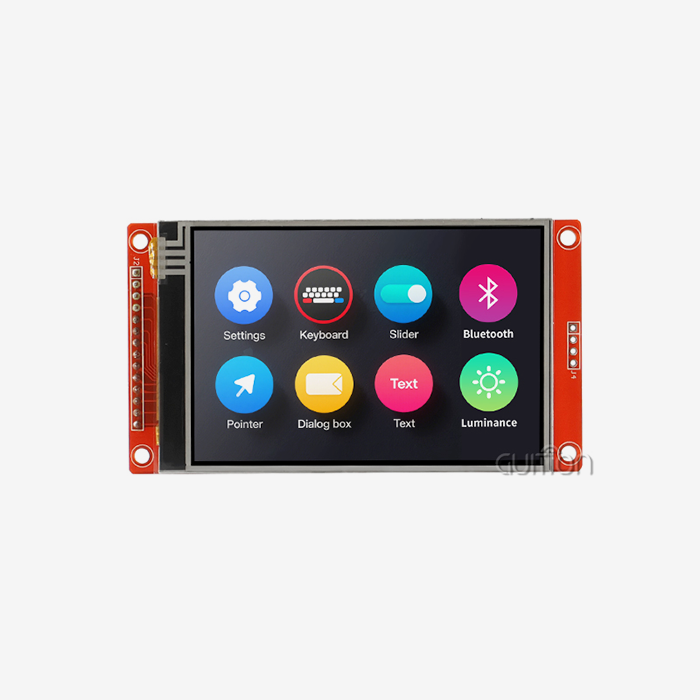
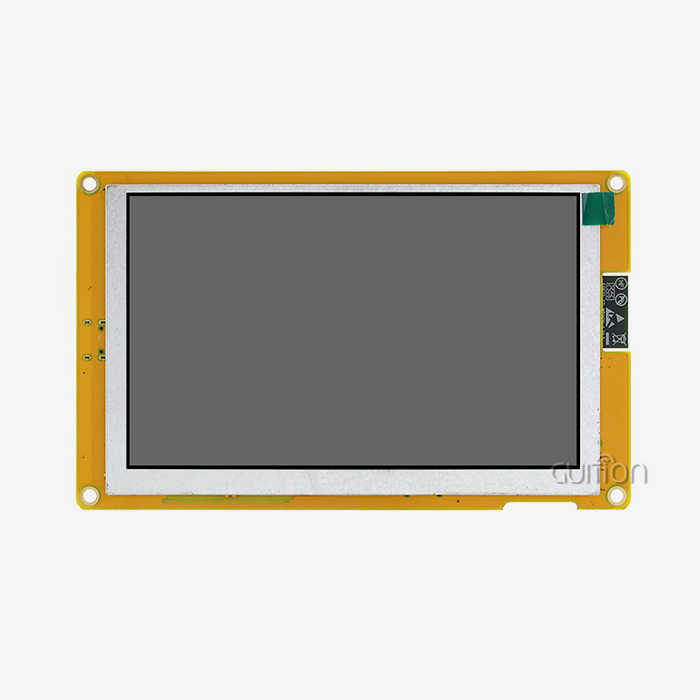
Resolution, brightness, and color depth are the most important factors that affect how well workers can use production systems. An 800x480 resolution gives enough clarity for most industrial control tasks, letting you read text clearly and hit your touch targets precisely. When showing complicated diagrams, detailed charts, or multiple data lines at the same time, you need higher resolutions. Brightness settings ranging from 250 nits for indoor use to 1000+ nits for outdoor use or places with a lot of natural light make sure that the screen can be seen in any situation. Through its ILI6485 driver IC, the GUITION JC8048B043C_I model can handle 16.7M colors. This makes it possible to see data in vivid detail, which helps workers quickly figure out the state of the system and any possible problems.
Core Applications of LCD Touch Display Modules in Smart Manufacturing Systems
Human-Machine Interface Panels for Process Control
Industrial control panels have changed over time from mechanical interfaces with lots of buttons to advanced tablet systems with control surfaces that can be changed in many ways. Through easy-to-use graphical interfaces, these HMI systems let operators keep an eye on a number of production factors, change setpoints, and respond to alerts. The 4.3-inch form factor is the best compromise between screen space and panel integration, making it easy to use in control cabinets and machine cases. We put these screens in injection molding factories so that workers can quickly switch between different production modes by touching interface buttons that are clearly labeled. This cuts down on switching time and gets rid of the confusion that comes with real switches that can do more than one thing.
Real-Time Data Visualization and Monitoring
For manufacturing to work well, correct output data must be available right away. Touch-enabled screens turn raw sensor data into useful visualizations like trend charts, gauge displays, and status markers that make it easy to see how healthy the system is. The RGB port on industrial modules allows for high-bandwidth data transfer, which is needed to keep an eye on production processes that are moving quickly. This makes sure that movements run smoothly and screens are updated quickly. When IoT devices are added to monitoring systems, they become more complete. Operators can use simple touch motions to drill down from overview screens to specific subsystem data, which helps them find bottlenecks and ways to improve performance that would be missed with older monitoring methods.
Interactive Maintenance and Diagnostics
Predictive maintenance plans depend on diagnostic interfaces that techs can easily reach and use with an LCD touch display module to fix problems and make sure the system is working right. Touchscreen modules show live sensor readings and system data along with step-by-step directions, making it possible for guided repair processes to happen. Because it has capacitive touch, techs can often use maintenance options, mark steps as complete, and record fix actions without taking off their gloves. This interactive method cuts down on the average time it takes to fix something and gives less experienced techs the confidence to do difficult maintenance tasks with the help of on-screen instructions and visual proof of the right way to do things.
Customizable Embedded Solutions Across Industries
Modern touch panel modules can be used in a huge range of manufacturing areas because they are so flexible. When 3D printing, these screens show the progress of the print in real time and let workers change parameters that are needed for quality control. Applications for charging stations have easy-to-use screens that walk customers through the steps of connecting and paying. Medical device makers put these units into diagnostic tools that need to keep accurate records of parameters and work with clean touch screens. The temperature range of -20°C to 70°C makes sure that the device works reliably in both climate-controlled factories and more difficult industrial settings where the temperature changes a lot.
Choosing the Right LCD Touch Display Module for Your Manufacturing Needs
Critical Selection Criteria for Industrial Applications
To choose the right display module, you need to carefully consider a number of technical and environmental factors that will have a direct effect on performance and return on investment (ROI). The complexity of the information being shown must meet the resolution. For example, simple status indicators work well on lower-resolution screens, but detailed process images need higher pixel densities to be clear. When choosing a touch technology, you have to weigh how sensitive it needs to be against the challenges of the environment. Capacitive works best in clean, controlled settings, while resistance is better at dealing with dirt and working while wearing gloves. Connectivity choices decide how hard it is to integrate. RGB ports provide a simple parallel link that works for embedded controls, while LVDS and MIPI-DSI offer high-speed serial options for apps that need a lot of bandwidth.
Environmental Ruggedness and Durability
Displays in manufacturing settings are exposed to chemicals, mechanical vibration, temperature changes, and electromagnetic interference that consumer-grade goods can't handle. Industrial-rated modules have chemically stronger cover glass with anti-glare and anti-fingerprint layers that keep the screen visible even after cleaning with chemicals and fingerprints. EMI shielding stops interference from motors, drives, and other high-frequency tools that are common on plant floors. The ILI6485 driver IC in the GUITION JC8048B043C_I works reliably at a wide range of temperatures, so it will always work the same way whether it's placed in a temperature-controlled space or in a building or an outdoor equipment enclosure.
Evaluating Suppliers and Support Infrastructure
Long-term success with industrial display panels relies on both the quality of the products and the skills of the suppliers. The best providers provide detailed technical paperwork, reference designs, and development tools that make integration faster and cut down on engineering time. This method is shown by the Guition software platform, which has drag-and-drop tools for designing user interfaces and cross-platform testing features that make UI development a lot easier. Well-documented APIs and large control libraries for secondary development make it possible for tech teams to change how things work without having to deal with low-level driver code. Support for multiple languages and UTF-8 encoding makes sure that applications can be used all over the world without having to be developed separately for each area.
Implementation Best Practices and Troubleshooting in Smart Manufacturing
Integration with Industrial Controllers and Embedded Systems
Setting up the right power connections and communication protocols is the first step to successfully integrating an LCD touch display module. To keep picture flaws and electromagnetic interference from happening, the RGB interface needs to be shielded and impedance-matched correctly to keep the signals intact. For dependable touch sensing, make sure you choose the right pull-up resistor and pay attention to how the SDA, SCL, and interrupt pins are assigned when connecting the touch controller. We suggest adding hardware watchdog circuits that restart the display controller immediately if communication stops. This way, workers won't lose sight of important processes because of short-term electrical problems that are common in industrial settings.
Calibration and Optimization Procedures
When the calibration is done right, the touch screen works correctly across the whole surface. This means that workers don't have to keep tapping controls to make orders work. Most capacitive touch controllers have automatic calibration methods that can be changed to fit different thicknesses of cover glass and different mounting setups. Changing the brightness to match the lighting conditions in the room makes it easier to see while saving power and extending the life of the backlight. Ambient light sensors that change the brightness automatically during work shifts are useful in many industrial settings. The 16.7M color feature lets you fine-tune color schemes to make text easier to read in different lighting conditions. For example, high-contrast palettes make text easier to see in bright places, while softer palettes make it easier on the eyes after long periods of watching.
Common Issues and Practical Solutions
Problems with touch sensitivity are often caused by problems with grounding or electrical noise getting into touch sensor circuits. Most sensitivity problems can be fixed by making sure the display module and the host processor share a ground and using the right cable shielding. Display issues like flickering or color changes usually mean that the timing parameters are wrong or that the power source doesn't have enough capacity. These issues can be fixed by carefully checking the timing specs against what the controller can do and making sure there is enough decoupling capacitance near the power pins. When WiFi-enabled modules can be upgraded remotely, software updates can be used to fix problems that were found after the modules were put in place. This cuts down on the need for expensive field service calls and the time that production is interrupted during maintenance.
Maximizing Long-Term Reliability
Industrial screens give the best return on investment (ROI) when they are properly kept and protected throughout their working life. Overlays or frames that protect the cover glass from accidental damage like drops and chemical splashes can damage the optical qualities or make the touch function less reliable. Cleaning it regularly with approved solvents keeps it clear and sensitive to touch without hurting coats that stop reflections or fingerprints. Regularly updating the firmware makes sure that it works with newer control systems and adds speed changes that were made after the original deployment. The stable USART-HMI communication protocol works reliably even after years of constant use. It has strong error handling that keeps communication intact even when there is electrical noise and short-term disturbances common in manufacturing settings.
Future Trends and Innovation with LCD Touch Display Modules in Smart Manufacturing
Advancing Visual Performance and Interaction
As time goes on, display technology keeps getting better by adding higher resolutions, bigger color gamuts, and better viewing angles that make the experience better for operators and help them make decisions faster. Multiple people can look at the same screen at the same time without the picture quality getting worse thanks to IPS technology, which ensures stable color reproduction and readability from slanted viewing angles. New developments in mini-LED lights offer much higher contrast ratios and the ability to dim areas locally, which will make it easier to see in dimly lit areas. Touch sensing technologies are adding haptic feedback, which lets you feel when a control is activated. This cuts down on mistakes and boosts trust in operators when they're working with important systems.
AI-Enabled Predictive Interfaces
When AI is added to displays, they go from being idle tools for viewing information to being active helpers that can guess what the user needs and show relevant data. Computer programs that use machine learning look at how things are made and how people interact with them. They then find the settings and data that are most useful for the present situation. When anomaly detection systems are combined with display interfaces, they can spot problems early on and allow preventative maintenance to be done before they affect production. These intelligent systems make industrial settings safer and more productive by reducing the amount of thinking that operators have to do and speeding up their responses to new situations.
Connectivity and Ecosystem Integration
Built-in WiFi and Bluetooth in the parallel lcd display make it easy to connect to larger industrial execution systems and Internet of Things (IoT) environments. With remote tracking, engineering teams can keep an eye on operations, collect data on performance, and figure out what's wrong without having to go to the production floors themselves. OTA upgrades keep installed systems running on the latest software versions, adding new features and security changes without having to send a technician to the site. With this connection, each display becomes a point in a larger smart production network. In these networks, data can easily flow between equipment, workers, and management systems to improve the overall efficiency of operations.
Strategic Positioning for Competitive Advantage
Companies that use new display technologies have big benefits over their competitors because they are more efficient and their workers can do more. Purchasing managers should work with providers that are on the cutting edge of technology, invest in research and development, and keep their roadmaps in line with the goals of Industry 4.0. Because platforms like Guition offer flexible development, makers can quickly change interfaces as production needs change, instead of being limited by private closed systems. Support for multiple connections and a variety of development modes protect investments for the future by making sure they work with changing control architectures and communication methods that will define the next generation of production systems.
Conclusion
LCD touch display modules have become essential parts of smart manufacturing systems because they allow for the natural contact between humans and machines that modern production settings require. The GUITION JC8048B043C_I shows how carefully combining display technology, sensitive touch sensing, and adaptable development tools can make powerful HMI solutions that can be used in a wide range of industrial settings. To make implementation work, you need to pay close attention to the selection criteria, the right way to integrate things, and strategy planning that takes changing technology trends into account. When companies buy good display panels that come with a lot of development help and solid technical resources, they set themselves up to be more productive, have less downtime, and stay ahead of the competition in a world where manufacturing is becoming more automated.
FAQ
What distinguishes capacitive from resistive touch in industrial settings?
Capacitive touch technology picks up changes in the electrical field caused by conductive items. It offers smooth multi-touch and high sensitivity, making it perfect for use with just your fingers. When you put pressure on a resistive screen, it responds. They work reliably even when you're wearing gloves or in dirty places where moisture could mess up capacitive sensing. For current HMI applications that need gesture support and easy contact, capacitive technology is usually preferred. Resistive technology, on the other hand, is still useful for harsh settings that need gloved operation.
How do I select the appropriate display size for my application?
The size of the display you choose depends on how much room you have for placing it and how far away you want to look at it. The 4.3-inch size works well for control panels that are seen from an arm's length, giving you enough screen space for multiple controls and status markers without taking up too much room in the cabinet. Larger screens are needed when workers need to see more than one process area at once or when they need to see complex pictures. On the other hand, smaller screens are better for small uses like handheld devices because they weigh less and use less power.
Can these modules integrate with embedded platforms like Arduino and Raspberry Pi?
Standardized interfaces and full software support make modern industrial display units very compatible with many popular embedded systems. Serial interfaces, such as SPI, make it easier to connect to microcontrollers that don't have a lot of GPIO. The RGB interface links directly to processors that have parallel display drivers. The Guition development platform works with both the Arduino and ESP-IDF frameworks. It comes with tools and examples that make merging faster and development time shorter than writing low-level drivers from scratch.
Partner with Guition for Your Smart Manufacturing Display Solutions
Are you ready to use cutting-edge touch panel technology to change the way your factory control systems work? Guition combines high-quality hardware, easy-to-use development tools, and full expert support to speed up the development of your HMI and improve operating efficiency. The GUITION JC8048B043C_I LCD touch display module provides the visual quality, fast touch functions, and environmental durability that tough industrial applications demand. As a reputable company that makes hmi display modules, we provide full secondary development support, cross-platform testing, and remote update features that lower your long-term maintenance costs. Get in touch with our technical team at david@guition.com to talk about your special needs and find out how our products can help you. We want to help you make systems that are scalable and will work in the future. This way, your production will keep running smoothly today and easily change to the needs of tomorrow.
References
1. Zhang, H., & Liu, M. (2022). "Human-Machine Interface Design Principles for Smart Manufacturing Systems." Journal of Industrial Engineering and Management, 15(3), 287-304.
2. Peterson, R. K. (2021). "Touchscreen Technology in Industrial Automation: A Comparative Analysis of Capacitive and Resistive Systems." International Journal of Advanced Manufacturing Technology, 117(7), 2145-2162.
3. Williams, J. D., & Cooper, S. M. (2023). "Display Module Selection Criteria for Industry 4.0 Applications." Manufacturing Systems and Technology Review, 8(2), 112-129.
4. Chen, Y., & Anderson, P. (2022). "Integration Best Practices for LCD Touch Displays in Embedded Industrial Control Systems." Embedded Systems Design Quarterly, 19(4), 45-67.
5. Martinez, L. F. (2023). "Predictive Maintenance and AI Integration in Smart Manufacturing HMI Systems." Advanced Manufacturing Intelligence, 12(1), 78-96.
6. Thompson, R. W., & Davis, K. L. (2021). "Environmental Durability Requirements for Industrial Touch Display Modules." Industrial Electronics and Applications, 26(5), 334-351.
Learn about our latest products and discounts through SMS or email