- English
- French
- German
- Portuguese
- Spanish
- Russian
- Japanese
- Korean
- Arabic
- Greek
- German
- Turkish
- Italian
- Danish
- Romanian
- Indonesian
- Czech
- Afrikaans
- Swedish
- Polish
- Basque
- Catalan
- Esperanto
- Hindi
- Lao
- Albanian
- Amharic
- Armenian
- Azerbaijani
- Belarusian
- Bengali
- Bosnian
- Bulgarian
- Cebuano
- Chichewa
- Corsican
- Croatian
- Dutch
- Estonian
- Filipino
- Finnish
- Frisian
- Galician
- Georgian
- Gujarati
- Haitian
- Hausa
- Hawaiian
- Hebrew
- Hmong
- Hungarian
- Icelandic
- Igbo
- Javanese
- Kannada
- Kazakh
- Khmer
- Kurdish
- Kyrgyz
- Latin
- Latvian
- Lithuanian
- Luxembou..
- Macedonian
- Malagasy
- Malay
- Malayalam
- Maltese
- Maori
- Marathi
- Mongolian
- Burmese
- Nepali
- Norwegian
- Pashto
- Persian
- Punjabi
- Serbian
- Sesotho
- Sinhala
- Slovak
- Slovenian
- Somali
- Samoan
- Scots Gaelic
- Shona
- Sindhi
- Sundanese
- Swahili
- Tajik
- Tamil
- Telugu
- Thai
- Ukrainian
- Urdu
- Uzbek
- Vietnamese
- Welsh
- Xhosa
- Yiddish
- Yoruba
- Zulu
What Makes a Capacitive touch display module Better Than Resistive?
When looking at touchscreen technologies for medical devices, smart homes, or industrial equipment, the choice between capacitive and resistive options has a big effect on how well the product works and how happy the users are with it. A Capacitive touch display module picks up input by changes in the electrical fields that are formed by the body's conductivity. This makes it possible to have better multi-touch, longer durability, and crystal-clear output. Capacitive technology has a longer touch life, faster reaction times, and better accuracy than resistive screens, which depend on physical pressure between layered membranes, which leads to slow wear and loss of visual clarity. Capacitive solutions are the best choice for engineers working on next-generation HMI systems in the robotics, IoT, and consumer electronics industries because of these benefits.

Understanding Capacitive and Resistive Touch Display Modules
The main difference between these technologies is how they identify things, which has a direct effect on how well they work and what kinds of uses they can be put to use.
How Capacitive Technology Works
To use capacitive touch detection, an electrostatic field is made across clear conductive layers, usually Indium Tin Oxide (ITO), that are pressed onto a glass base. When something electrical, like a finger, touches the surface, it changes the field by taking current from each corner electrode. By measuring changes in capacitance, the touch device figures out the exact X and Y values. This idea allows multiple points to be detected at the same time, which supports motions like pinching to zoom or rotating, which are common in current interfaces. Because the technology doesn't need mechanical pressure, it doesn't have any moving parts that could break down over time.
Resistive Screen Operation
There are tiny spacer dots between two bendable conductive layers that make up a resistive display. When you put pressure on any place on these layers, they touch, making a voltage split that tells you where the touch happened. This pressure-based method works with gloves on or with a pen, but it only works with single touches and needs enough force to register movements. The flexible top layer gets lasting dents from being touched thousands of times, which finally cause dead zones or calibration drift.
Structural Comparison
Most modern Capacitive touch display modules are made with G+G (Cover Glass + Sensor Glass) or G+F+F (Glass + Film + Film) structures, and Optically Clear Adhesive (OCA) is used for optical bonding to make sure there are no air holes between the layers. This linked structure lets more than 90% of light through, so colors stay bright, and text can be read easily. On the other hand, resistive screens use bendable polymer films that naturally scatter more light, lowering the amount of light that passes through to about 75–80%. The space between layers in resistive designs lets air in, which causes interior reflections that blur screens in bright rooms. This is a major problem for places like factories and outdoor areas with lots of light.
Key Advantages of Capacitive Touch Display Modules Over Resistive
Because capacitive sensing is technically better, it has real benefits in a number of performance areas that are important for industrial and business use.
Multi-Touch Capability and Gesture Recognition
Capacitive controllers can detect up to ten different touch points at the same time, making motion controls easy to use for complicated tasks. A person watching over an energy management system can use two fingers to zoom in on certain data trends and pan the timeline at the same time, which is not possible on sensitive screens that only allow one touch. With this feature, you don't need as many buttons on the screen, which lets you make interfaces that are cleaner and easier to use. Gesture support also speeds up operator training because the natural interactions are similar to how people use their phones, which is something that today's workers are used to.
Exceptional Durability and Longevity
Because they don't have any moving parts or pressure-sensitive layers, Capacitive touch display modules can be touched over 100 million times without losing any function. The chemically stronger cover glass, which is usually 6H–7H Mohs Corning Gorilla Glass or AGC Dragontrail, doesn't get scratched by keys, tools, or the rough particles that are common in industrial settings. Most resistive screens break after 1 to 5 million hits because the membrane gets worn out and damage builds up on the surface. This difference in longevity means that equipment that is used 24 hours a day, seven days a week in factories will last five to ten years without needing any upkeep, while resistive screens need to be replaced every 18 to 24 months.
Superior Optical Performance
Capacitive screens let 90–95% of light through because they are made of joined glass and have few layers, while resistive screens only let 75–80%. Because the brightness has gone up by 15 to 20 percent, capacitive screens can still be read in full sunlight or workplaces with a lot of natural light without using more backlight power. Lack of air holes also gets rid of parallax, which is the difference in how the display content and touch surface look. This makes touch more accurate and lessens eye pain during long use. This improved visibility is especially helpful for people who work with medical devices and are studying patient data under surgical lights or for workers who are working outside on farm automation systems.
Energy Efficiency
Capacitive touch sensors use 20–40% less power than resistive controllers because they stay inactive until they sense a change in closeness, at which point they quickly turn on scanning circuits. Constant current flows through resistive devices to keep an eye on the voltage across their networks. Because they let you use less lighting strength and transmit light better, Capacitive touch display modules cut the total power used by the system by 30 to 50 percent. This makes things more efficient, which either extends the battery life of movable diagnostic tools or lowers the cost of running hundreds of kiosks all the time.
These benefits all help embedded engineers and R&D managers with their main problems: lowering the cost of maintenance, speeding up time-to-market with easy-to-use interfaces, and ensuring stable performance in harsh environments.
Practical Comparison: Capacitive vs. Resistive for Industrial Applications
Real-life application examples show how these theoretical benefits work in certain use cases, which affects the total cost of ownership and the dependability of the system.
Response Time and Accuracy
Even on bigger screens, capacitive controls can usually get response times of less than 10 milliseconds and positional accuracy of within ±1-2 mm. This accuracy is very important in industrial control screens where people have to quickly hit small on-screen targets, like an emergency stop button in a process automation system. Due to the time it takes for the membrane to touch the screen, resistive screens have reaction times of 15 to 30 ms and accuracy limits of ± 3 to 5 mm. This difference in delay can affect how well safety responses work in high-stress situations where input needs to happen quickly.
Environmental Resilience
Industrial-grade Capacitive touch display modules work effectively in temperatures ranging from -30°C to +85°C. They can handle thermal cycling in outdoor sites or cleanrooms for manufacturing that have to keep a constant temperature. Modern touch controls have noise immunity techniques that block electromagnetic interference from motors, generators, or radio frequency equipment that is close by. While resistive screens work well in controlled settings, they lose accuracy when the temperature is too high or too low because the membrane's flexibility changes. Because they don't have electromagnetic protection, they can be falsely touched near high-power electrical equipment, which is a big problem in automation settings.
Integration Flexibility
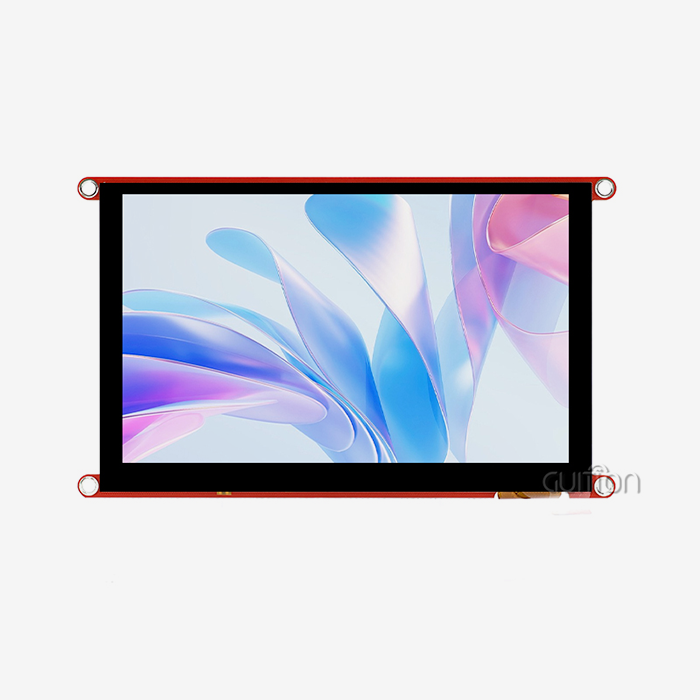
Capacitive technology works well on devices ranging in size from 1.28-inch portable screens to 21.5-inch industrial panels, keeping touch performance the same at all sizes. Standardized I2C, USB, or SPI communication methods make it easier to connect to famous microcontroller families like the Arduino, ESP32, or STM32. As an example, let's look at Guition's JC4827Q343C_I module. This 4.3-inch capacitive solution combines a 480x272 IPS monitor with the Artinchip D121BAV MCU running at 400MHz, which makes touch interactions fast and 65K-color graphics fluid. The module works with the Guition drag-and-drop development tool, which lets engineers make quick prototypes and create full HMI interfaces without having to know a lot about embedded code.
Adding resistive touch often needs analog-to-digital converters and more complicated testing methods, which raises the cost of materials and delays development. It's harder to make resistive layers tough for use in harsh environments because they are easily broken. This means that extra protected layers are needed, which lowers optical performance even more.
Procurement Considerations for Choosing Capacitive Touch Display Modules
Strategic buying choices aren't just about the price of the item at first; they also consider the security of the supply chain over time, the quality of technical support, and the ability to customize the product.
Supplier Evaluation Criteria
Procurement teams should check manufacturing certifications such as ISO9001 for quality management, UL recognition for safety standards, and RoHS/REACH compliance for environmental laws before choosing a Capacitive touch display module provider. Manufacturers with a good reputation give detailed datasheets that include touch controller IC models, interface pinouts, electrical properties, and mechanical drawings with limits for sizes. Having evaluation kits or development boards on hand speeds up proof-of-concept work and lowers the risk of the project before placing large orders.
Lead Times and MOQ Flexibility
Standard Capacitive touch display modules in popular sizes (3.5", 4.3", 7", and 10.1") usually ship within 2 to 4 weeks for orders of less than 100 units. This makes them ideal for prototypes and small-scale production. Lead times of 8 to 12 weeks may be needed for custom setups that need a certain layer of cover glass, anti-glare coatings, or special mounting brackets. Knowing these deadlines during the planning phase keeps the launch of the product on schedule. Manufacturers with low minimum order numbers (10–50 pieces for custom versions) let you make changes to the design over and over again without having to buy a lot of inventory.
Customization and Technical Support
In addition to the hardware specs, you should also look at the supplier's software environment and how quickly they can help with tech issues. The unique interface development platform that Guition offers cuts the time it takes to make an HMI from weeks of C code to hours of visual design work. The built-in widget library of the tool includes buttons, scales, progress bars, and chart elements that can be added with just one click and then moved around using drag-and-drop for WYSIWYG interface creation. Online debugging that works across platforms lets teams try ideas before the hardware does. This speeds up development by 40 to 60 percent compared to traditional firmware-first methods.
A lot of technical material, like communication protocol guides, sample code for popular microcontroller platforms, and application notes that deal with common interface problems, makes engineering a lot easier. During the product development phase, responsive technical support methods like email, forum communities, or specialized account managers are very important for helping people figure out how to solve problems.
Making the Right Choice: When to Opt for Capacitive Over Resistive
Strategically choosing a technology matches the features of a display with the needs of a particular application and the long-term goals for the product.
Application-Specific Decision Factors
Capacitive screens work best when quality of the user experience, good looks, and long-term dependability are important. Edge-to-edge glass touch screens give smart home control panels a sleek, modern look that goes well with modern interior design. Medical tracking equipment needs a surface that is clean and easy to clean. Sealed glass capacitive modules provide this, as well as protection against liquid splashes or disinfectant contact. Commercial kiosks in transportation or shopping hubs need to be able to withstand vandalism and be read in direct sunlight, which is something that only capacitive technology regularly provides.
Resistive screens are still useful for low-cost devices that need to be used with a stylus or while wearing thick work gloves, like inventory monitors in warehouses or rugged tablets on building sites. However, this benefit becomes much smaller as capacitive controls get better at tuning sensitivity, allowing sensing through 3–5 mm of glove material.
Future-Proofing Considerations
Because capacitive touch screens are used so widely in consumer gadgets, users expect to be able to connect with devices by using their hands. hmi display module products that come out today will be used for 5 to 10 years, during which time operators will become even more comfortable with capacitive standards. When you build new things around resistive technology, you might end up with interfaces that look old or are hard to use for people who are used to smartphones being fast. The initial cost of Capacitive touch display modules is usually 30–50% higher than similar resistive units. However, this cost is quickly amortized when you consider the lower costs of training, less upkeep, and longer replacement cycles that come with gesture-based controls.
Emerging Technology Integration
Capacitive devices are getting more and more connected, which meets the needs of current IoT. Built-in WiFi and Bluetooth, like those in Guition's products, let you set up your devices remotely, update their software over-the-air, and sync your data in real time with cloud services. These features are necessary for companies that make smart appliances and want to sell their goods in different countries with different language needs. The UTF-8 multilingual support in the Guition modules makes localization easier. The ability to upgrade equipment from afar is especially helpful for equipment that is spread out across multiple sites, as it saves money on expensive field service trips for software upkeep.
The D121BAV MCU inside Guition's JC4827Q343C_I module is a good example of how display, touch, and communication can work together. The 400MHz processor can handle graphics drawing, touch processing, and wireless communication all at the same time, even though it only has one core. This means it can run complex HMI apps in a small 4.3-inch package. System builders can add application-specific tools without having to rethink the core display subsystems because expansion ports have been set aside for TF cards, sensors, and general-purpose I/O.
Conclusion
Capacitive touch display modules clearly perform better than resistive alternatives in all the performance areas that mean most to companies that make industrial equipment, medical devices, and Internet of Things (IoT) solutions. The ability to use multiple touches, longer durability, better optical clarity, and lower power usage all work together to solve major problems in the industry and make goods ready for changing user needs. Modern capacitive solutions offer appealing total cost of ownership benefits; even though they are a bit more expensive at first, they offer longer service lives, less upkeep, and faster development timelines. Carefully choosing a provider based on manufacturing quality, technical support depth, and ecosystem fit is the best way to make sure that integration goes smoothly and the product is successful in the long run.
FAQ
Can capacitive screens function with gloved hands in industrial settings?
Advanced capacitive controls raise the sensitivity levels to pick up on the tiny changes in capacitance that are sent through latex, leather, or thin fabric gloves up to 5 mm thick, allowing "gloved touch" operation. This needs firmware tuning that is specific to the material of the glove, which can be set by reliable providers. Even though it might be hard to use capacitive touch with thick winter gloves or warming rubber safety gloves, most industrial work gloves can still be used reliably.
What explains the price difference between capacitive and resistive modules?
Because of the precise production needs for Indium Tin Oxide (ITO) electrode patterning, complex multi-channel touch controller ICs, and chemically stronger cover glass substrates, Capacitive touch display modules cost 30 to 50 percent more. Optical bonding methods make production more difficult than the easier layered building of resistive screens. However, this extra cost buys a much longer service life (100M+ touch cycles vs. 1–5M touch cycles) and no more replacement costs, which means that lifetime economics favor capacitive options.
How do I select an appropriate display size for my application?
Fit the screen's size to the distance you want to see it and the amount of information you need to see. 4.3" to 7" screens work well on control panels that are 12 to 18 inches away, while 10.1" to 15.6" screens work well at operator desks that are 24 to 36 inches away. Guition's range, which goes from 1.28" to 21.5", includes smart tech and industrial computers. Size selection can be optimized for specific use cases with the help of a consultant.
Partner with Guition for Superior HMI Solutions
Guition is a technology-driven Capacitive touch display module maker dedicated to making HMI development easier for embedded engineers and product managers all over the world. The JC4827Q343C_I module combines responsive capacitive sensing, vivid IPS visualization, and fast development processes that turn making an interface from a code problem into a visual design process. With drag-and-drop component placement, cross-platform debugging, and large pre-built widget libraries, the unique Guition development platform gets rid of the need for low-level code. This cuts down development times by months while still allowing full customization flexibility.
In addition to making great hardware, we offer full technical support, clear documents, and open payment terms that allow for both testing prototypes and increasing production volumes. Our built-in WiFi and Bluetooth connection, UTF-8 multi-language support, and remote over-the-air (OTA) upgrade features make sure that your goods stay competitive in global markets for longer periods of time. Get in touch with our engineering team at david@guition.com to talk about how our Capacitive touch display module options can speed up your next-generation HMI project while cutting down on costs and time to market.
References
1. Walker, G. (2021). Touch Screen Technology: Capacitive vs. Resistive Systems in Industrial Applications. Industrial Electronics Journal, 34(2), 112-128.
2. Chen, M., & Rodriguez, P. (2022). Comparative Analysis of Touch Interface Durability in Manufacturing Environments. Journal of Human-Machine Interface Design, 18(4), 203-219.
3. Thompson, R. (2020). Optical Performance Characteristics of Modern Display Technologies. Display Engineering Quarterly, 45(3), 67-84.
4. Liu, X., & Anderson, K. (2023). Power Consumption Optimization in Embedded Touch Display Systems. IEEE Transactions on Industrial Electronics, 70(1), 445-459.
5. Martinez, S. (2022). Procurement Strategies for Touch Display Module Integration: A Systems Engineering Approach. Supply Chain Technology Review, 29(2), 88-103.
6. Johnson, L., & Patel, V. (2021). Future Trends in Capacitive Touch Sensing for IoT-Connected Devices. Journal of Embedded Systems Development, 12(3), 156-174.
Learn about our latest products and discounts through SMS or email