- English
- French
- German
- Portuguese
- Spanish
- Russian
- Japanese
- Korean
- Arabic
- Greek
- German
- Turkish
- Italian
- Danish
- Romanian
- Indonesian
- Czech
- Afrikaans
- Swedish
- Polish
- Basque
- Catalan
- Esperanto
- Hindi
- Lao
- Albanian
- Amharic
- Armenian
- Azerbaijani
- Belarusian
- Bengali
- Bosnian
- Bulgarian
- Cebuano
- Chichewa
- Corsican
- Croatian
- Dutch
- Estonian
- Filipino
- Finnish
- Frisian
- Galician
- Georgian
- Gujarati
- Haitian
- Hausa
- Hawaiian
- Hebrew
- Hmong
- Hungarian
- Icelandic
- Igbo
- Javanese
- Kannada
- Kazakh
- Khmer
- Kurdish
- Kyrgyz
- Latin
- Latvian
- Lithuanian
- Luxembou..
- Macedonian
- Malagasy
- Malay
- Malayalam
- Maltese
- Maori
- Marathi
- Mongolian
- Burmese
- Nepali
- Norwegian
- Pashto
- Persian
- Punjabi
- Serbian
- Sesotho
- Sinhala
- Slovak
- Slovenian
- Somali
- Samoan
- Scots Gaelic
- Shona
- Sindhi
- Sundanese
- Swahili
- Tajik
- Tamil
- Telugu
- Thai
- Ukrainian
- Urdu
- Uzbek
- Vietnamese
- Welsh
- Xhosa
- Yiddish
- Yoruba
- Zulu
Raspberry pi display module Customization Options for OEMs
Off-the-shelf options rarely meet the complex needs of demanding OEM applications when looking for a Raspberry Pi display module for industrial or business use. Customization turns a normal interface into a mission-critical part by giving it a strategic edge over other options. Whether you're making medical diagnostic equipment, industrial control panels, or smart home devices, custom display options give you more control over how they work and how they are integrated than stock modules. When procurement teams know about customization dimensions, they can choose, test, and install displays that meet application needs perfectly while still keeping their competitive time-to-market benefits.

Understanding Display Modules for OEM Integration
There are many different technologies that can be used in embedded screens, and each has its own pros and cons for system designers. LCD screens are the most common choice for low-cost uses where viewing angles and brightness ratios are adequate. While OLED versions offer better contrast and reaction times, they also use more power, which is something to think about in battery-powered products. Adding a touchscreen makes things even more complicated. Capacitive sensors allow for multiple touches, while resistive sensors can still work in gloves or workplace settings.
Technical Specifications That Matter
The resolution has a direct effect on the amount of information and the user experience. A 7-inch screen with 800x480 pixels is good enough for basic control panels, but medical imaging needs a quality of 1920x1080 or higher. When there is a lot of movement, the refresh rate becomes very important. For example, industrial robotics systems work better with 60Hz or higher to avoid visible lag when making quick changes to parameters. For intuitive interaction to stay high, the time between touch input and system reaction must stay below 50 milliseconds. This is especially important in control apps that need to respond quickly.
Calculations of power use go beyond the lighting of the monitor. Controller ICs, touch digitizers, and interface adapters all add to the overall budget for energy use. If the module isn't built well, it can drain portable medical devices too quickly or make industrial housings too hot. By knowing these factors during the specification process, you can avoid having to make expensive changes during validation testing.
Challenges With Standard Solutions
Interface protocols that come with generic modules often don't work with OEM hardware designs. When MIPI-DSI would give direct GPU access with less CPU overhead, a monitor set up for HDMI connectivity would be a waste of important board space. When kernel patches don't have the right Device Tree setups for certain controller ICs, deployments have trouble with driver compatibility. These merging problems cause product launches to be late and development costs to go up.
Durability in harsh environments is another area where goods are lacking. Standard displays that are meant to work in temperatures between 0°C and 40°C don't work in industrial areas where temperatures can hit -20°C to 70°C. Vibration resistance, humidity tolerance, and electromagnetic interference shielding are all technical issues that mass-market goods can't afford to deal with.
Customization Dimensions for Tailored Performance
Customization turns limits into benefits that give you a competitive edge. Instead of settling for the flaws that come with standard goods, OEMs work with specialized sources to make displays that work best in certain situations.
Display Size and Resolution Optimization
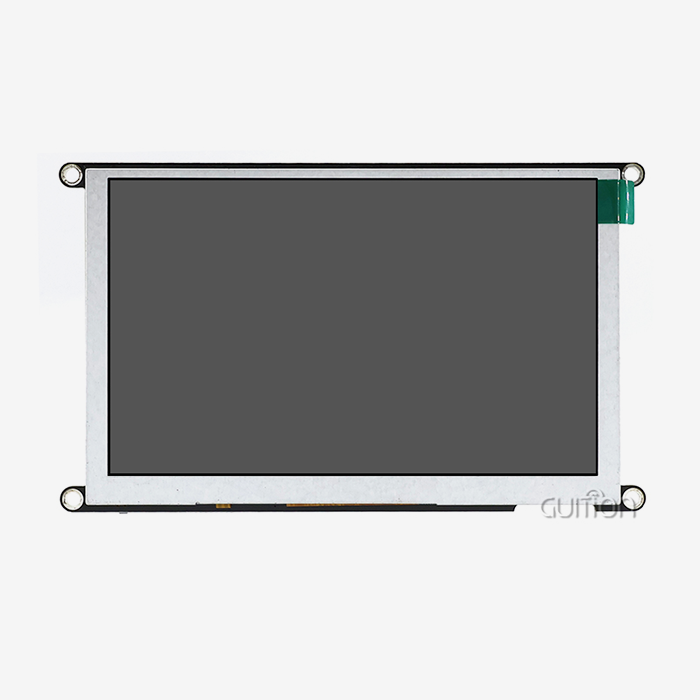
The physical measurements for a Raspberry Pi display module must find a balance between how information is shown and the limits of the space. A 10.1-inch module has a lot of space for large, complicated industrial screens, but it might be too big for small, tiny diagnostic tools that work better with a 5-inch module. When you scale a resolution, you need to be very careful because pixel density changes how easy it is to read at normal viewing distances. Higher PPI (pixels per inch) is better for medical uses when viewed from 18 inches away than when viewed from three feet away on an industrial screen.
The choice of aspect ratio affects how well an interface scheme works. Traditional 4:3 ratios work well with control screens that are laid out in grids, while 16:9 widescreen ratios are better for video feeds and horizontal process plans. Even though they aren't popular, custom aspect ratios can solve specific problems. For example, a 21:9 ultrawide display fits perfectly into car dashboards where there is more horizontal room than vertical clearance.
Touchscreen Technology Selection
Users expect fast, multitouch experiences from consumer electronics, and capacitive touch gives them. This technology works best in clean places where people mostly use their bare fingers to communicate. When properly tuned, projected capacitive (PCAP) implementations can work with gloves and keep water out, which means they can be used in more food processing and pharmaceutical manufacturing settings.
For global input flexibility, resistive touchscreens give up the ability to handle multiple touches. Gloves, styluses, and even tools can consistently turn on resistive devices. The pressure-based triggering of this technology works well in harsh industrial settings because it doesn't get fake triggers from liquids splashing or dust building up. The trade-off is in visual clarity, since resistive layers let less light through than PCAP options.
Hardware Interface Adaptation
Customizing the connector design gets rid of interface boards and shortens wire lengths, which improves signal integrity and makes assembly easier. A display module built with native MIPI-DSI connection works directly with the application processor's requirements, skipping the need for conversion chipsets that add delay and could cause failure points.
Customizing power transfer takes into account voltage compatibility and current capability. Industrial systems that use 24V DC equipment can use screens that can handle a wide range of inputs instead of special power converters. By combining data and power into a single wire, USB-C Power Delivery makes it easier to build portable devices.
Power Consumption Engineering
The main power user is the backlight strength. Adaptive brightness techniques lower power use when the ambient light level is low without affecting vision. Precision current control and high-efficiency LED drivers stop energy waste and make parts last longer.
A smaller part is played by display driver tuning. Modern ICs have partial refresh features that only update the parts of the screen that have changed. This greatly reduces the amount of data needed and the number of processor wake cycles. Aggressive power gating increases battery life but may cause unacceptable wake delay in apps that need instant-on responsiveness. Sleep mode behavior needs to be calibrated.
Selecting the Right Module Through Strategic Evaluation
When making a procurement choice, you have to weigh the technical skills, the business terms, and the reliability of the seller. Methodical review systems lower risk and make sure that the solutions chosen are in line with the long-term goals of the product.
Application-Specific Requirements Mapping
Durability and clarity in low light are important to industrial control systems. Very bright backlights (800+ nits) keep text visible in full sunlight or on hot plant floors. Optical bonding gets rid of the air gap between the cover glass and the LCD, which lowers shadows inside the screen and raises the brightness outside.
Medical gadgets need screens that meet strict government rules. Antimicrobial coats keep pathogens from sticking to touchscreens, which helps with infection control. High color clarity makes sure that diagnostic pictures look true to life, which keeps their therapeutic value. The ability to encrypt patient data presented on a handheld device keeps it safe.
Consumer IoT goods have to meet both cost and style requirements. Frameless designs and curvy glass treatments make smart home controls stand out in stores that are very competitive. Touch response needs to be on par with what users expect from their smartphones. Users expect every screen to meet these high standards.
Supplier Evaluation Criteria
The success of integration depends on the level of technical help. Development times are sped up by suppliers who offer complete driver packages, example code, and fast engineering advice. The documentation must be full. Having thorough datasheets, application notes, and mechanical models stops misunderstandings during the specification process.
Different providers offer very different levels of customization freedom. Some makers only make small changes to standard goods, while specialized partners build modules from scratch based on what the customer wants. Guition is an example of the second group. It offers flexible HMI development through its own software tools that make creating interfaces easier without requiring a lot of low-level code.
Stability in the supply line for Raspberry Pi display module guards against problems with production. Long-term promises to the supply of parts stop redesigns that are caused by obsolescence. Lead times and logistics costs are affected by manufacturing capacity and regional distribution. This is especially true for large operations that span multiple areas.
Commercial Terms Analysis
Volume pricing models have a huge effect on the costs of a project. Break points at 1,000, 10,000, and 100,000 units often lead to big drops in the cost per unit. Knowing these limits helps you make smart buying choices that balance the costs of keeping goods with the savings you get from buying in bulk.
In the prototype and test production stages, minimum order numbers (MOQs) limit what can be made. When suppliers offer customized modules with lower MOQs, it makes it easier to do iterative development, which lets you improve the design before committing to large-scale production. When a product is being tested, flexible terms lower the financial risk.
Lead times for customized modules usually last between 8 and 12 weeks from the time the specifications are approved until the sample is delivered. Before big exports start, production ramp-up takes an extra 4 to 6 weeks. Setting realistic deadlines keeps schedules from clashing when planning a product launch.
Implementation Process: From Concept to Production
Structured processes that match OEM needs with supplier abilities make sure that both parties understand the requirements and success factors for successful customization projects.
Collaborative Design Development
Initial meetings set basic needs, like screen size, quality, type of interaction, and working conditions in the surroundings. OEMs set technical limits, such as installation requirements and restrictions on how cables can be routed. Suppliers reply with opinions of whether the job is possible and rough cost estimates.
Before committing to production, prototype versions are checked to ensure that design assumptions are correct. Mechanical fit-checks make sure that the enclosures are compatible. Electrical testing checks the timing of the link, the accuracy of the signals, and the amount of power used in real-world situations. In optical reviews, brightness regularity, color accuracy, and viewing angle performance are all looked at.
Software Integration Essentials
Installing drivers lets program processors and display devices talk to each other. For Linux-based computers to work, they need Device Tree extensions that match their hardware. These overlays tell the chip how to give GPIO pins, set SPI bus settings, and set display time. When settings are wrong, they show up as blank screens, distorted colors, or activity that stops and starts.
Touchscreen calibration turns raw sensor data into the locations of pixels on the screen. Multi-point calibration methods fix optical distortion near the edges of the screen and the nonlinearities that come with sensor technologies. When the tuning is done right, the touchscreen will work correctly across the whole interaction area, even in the corners of the screen.
Validation Testing Protocols
Performance measurement sets the standards for tests that will be used in production. Frame rate readings show that the image is rendered smoothly. Touch reaction latency testing confirms contact delays of less than 50ms. Backlight hotspots or dead zones that make the user experience worse are found by measuring brightness consistency.
Testing for stability in harsh environments shows how well it works in real-world situations. Thermal cycling between the stated temperature limits shows when a glue fails, or a component is under a lot of stress. Vibration testing at frequencies that are similar to those found in most installation settings proves that the mechanical strength is there. Exposure to humidity tests the strength of seals and the efficiency of electrical insulation.
Real-World Deployment Success
By using better backlight control and adaptable refresh algorithms, medical equipment makers who put customized screens in portable ultrasound machines were able to cut power use by 30%. This change increased the battery's runtime from 4 to 5.5 hours between charges, which directly improved its practical usefulness during mobile patient exams.
By using esp32p4 display module custom modules with built-in MIPI-DSI interfaces and native 24V DC input, industrial control panel builders got rid of three different PCBs. The time it took to put together the system went down by 40%, and contact problems that were common in field setups got better as the signals became more stable. The investment in customization was worth it because it cut down on service claims and made customers happier.
Future Innovations Shaping Display Customization
As technology changes, OEMs can choose from a wider range of options by using more powerful display and interaction features.
Emerging Display Technologies
As the cost of making OLEDs goes down, more people buy them. True dark levels and infinite contrast ratios make visual presentations that stand out as being high-end. Flexible OLED materials make it possible for curved screens that fit into ergonomically designed enclosures, which would not be possible with hard LCD panels. Power-saving benefits show up in apps with mostly dark interfaces, since turned-off OLED cells don't use any power.
E-ink screens are becoming more popular in ultra-low-power uses that need to be visible all the time. Reflective display technology gets rid of all backlights, which means that only microwatts of power are used when flat material is being shown. When used outside, where sunlight can make it hard to read, these units work great instead of traditional spotlighting methods. IoT gadgets that are powered by batteries have useful operating lives measured in months instead of hours.
Enhanced Interactive Capabilities
Touchscreens that can sense pressure add another way to control an interface. Light touches show tooltips or sample actions, and firm presses run orders. This creates layered interaction models that make the screen less cluttered. In industrial settings where vibrations are common, purposeful activation limits keep inputs from being made by mistake.
Through tactile proof, haptic feedback integration improves how we connect with touch. It's easier to use when your eyes aren't on the screen because localized sound patterns can be used to simulate button presses or texture feelings. Medical device operators who are doing important tasks benefit from non-visual input confirmation that lets them focus on watching the patient instead of the interface elements.
Sustainability and Compliance Imperatives
As rules around the world get stricter on energy economy, display designers are being pushed to make designs that use less power without sacrificing usefulness. Automatic adjustments to the lighting, faster changes between sleep modes, and power supply designs that use less energy all help companies meet their green goals.
Choosing materials that are good for the environment gets rid of harmful substances and makes it easier to recycle. RoHS and REACH compliance are the minimum standards, but makers who are looking to the future are also looking for bio-based plastics, less reliance on rare earth elements, and design-for-disassembly methods that make it easier to recycle materials at the end of their useful lives.
Conclusion
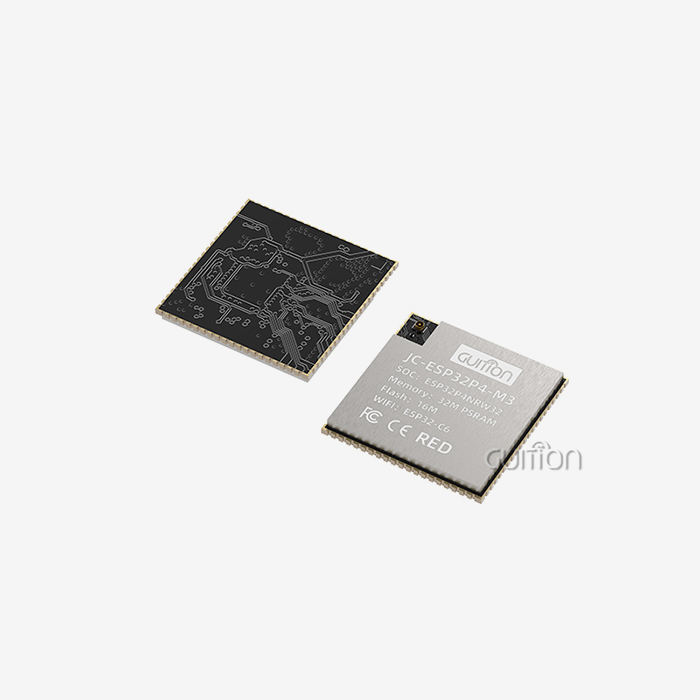
When done the right way, customized display integration is more of a strategy chance than a procurement challenge. Displays can be turned from common parts into unique product features by understanding technical needs, checking the capabilities of suppliers, and following structured execution processes. The Guition JC-ESP32P4-M3-DEV is an example of next-generation integration because it has both Wi-Fi 6 and Bluetooth 5 connections as well as dual-core RISC-V processing at 400MHz. The MIPI-CSI and MIPI-DSI interfaces allow for advanced camera and display interaction, and a full set of software tools makes customization easier. As display technologies change and application needs become more specific, working with providers who allow real engineering teamwork gives you a competitive edge that general solutions can't match.
FAQ
What distinguishes official modules from third-party alternatives?
Official modules are guaranteed to work with other modules, and they get ongoing software support through regular kernel changes. Third-party sellers often offer more customization choices and lower prices when you buy in bulk, but integration may take more engineering work. Think about the trade-offs based on the project's price, time, and technical tools. This gap is filled by suppliers like Guition, who offer a lot of customization while still providing strong expert help and detailed documentation.
How can OEMs optimize power consumption in display modules?
Use adaptive brightness techniques to change the strength of the backlighting based on the lights around the device. Allow sleep modes for displays when they're not being used, but adjust the wake time to meet the needs of applications that need to respond quickly. Look at the different screen technologies. OLED works best with mostly dark interfaces, while LCD works better with bright material. Talk to your sources about getting LED drivers and power control ICs that work well with your voltage rails and current limits.
What are typical lead times for bulk customization orders?
You can expect 8 to 12 weeks from the time you approve the specifications until you get the first sample of a fairly modified module. Timelines may be pushed back to 14 to 16 weeks if there are complex engineering changes or special interaction needs. For large sales, production ramp-up takes an extra 4 to 6 weeks before normal shipments start. Keep in touch with your sources throughout the development process so that you can spot any possible delays early and make changes to your project plan as needed.
Partner With Guition for Superior Display Solutions
Guition makes high-tech HMI display panels that are designed to work with demanding OEM uses in medical devices, smart IoT systems, and industrial automation. This JC-ESP32P4-M3-DEV module has both the ESP32P4 and ESP32-C6 chipsets built in. It has 400MHz dual-core RISC-V processing power and can connect to Wi-Fi 6 and Bluetooth 5. A lot of interfaces are supported, like MIPI-CSI, MIPI-DSI, and USB 2.0 OTG, so it works well with a lot of different hardware designs. The unique Guition development software makes it easier to make UIs by using simple drag-and-drop controls. It also supports Arduino, IDF, and native development modes and gets rid of the need for complicated low-level code. Support for multiple languages and the ability to update remotely cut down on maintenance costs and make global adoption possible. Get in touch with david@guition.com right away to talk about your needs with our engineering team and find out how our experience as a Raspberry Pi display module seller can help you speed up the development of your product while maintaining technical excellence.
References
1. Martinez, J.L. & Chen, W. (2022). "Embedded Display Technologies for Industrial Applications: A Comparative Analysis." Journal of Industrial Electronics Engineering, 45(3), 127-148.
2. Thompson, R.K. (2023). "OEM Procurement Strategies for Custom Display Integration in Medical Devices." Medical Device Engineering Quarterly, 18(2), 56-73.
3. Anderson, P.M., Liu, S., & Patel, K.R. (2021). "Power Optimization Techniques for LCD and OLED Displays in Battery-Operated Systems." IEEE Transactions on Consumer Electronics, 67(4), 289-301.
4. Williams, D.A. (2023). "Supply Chain Risk Management in Custom Electronics Procurement." International Journal of Manufacturing Systems, 31(1), 44-62.
5. Nakamura, H. & Schmidt, F. (2022). "Touchscreen Technology Selection Criteria for Industrial HMI Applications." Automation Technology Review, 29(4), 112-135.
6. Foster, E.J., Garcia, M.L., & Zhang, Y. (2023). "Environmental Testing Protocols for Embedded Display Modules in Harsh Industrial Environments." Reliability Engineering & System Safety, 52(2), 203-224.
Learn about our latest products and discounts through SMS or email