- English
- French
- German
- Portuguese
- Spanish
- Russian
- Japanese
- Korean
- Arabic
- Greek
- German
- Turkish
- Italian
- Danish
- Romanian
- Indonesian
- Czech
- Afrikaans
- Swedish
- Polish
- Basque
- Catalan
- Esperanto
- Hindi
- Lao
- Albanian
- Amharic
- Armenian
- Azerbaijani
- Belarusian
- Bengali
- Bosnian
- Bulgarian
- Cebuano
- Chichewa
- Corsican
- Croatian
- Dutch
- Estonian
- Filipino
- Finnish
- Frisian
- Galician
- Georgian
- Gujarati
- Haitian
- Hausa
- Hawaiian
- Hebrew
- Hmong
- Hungarian
- Icelandic
- Igbo
- Javanese
- Kannada
- Kazakh
- Khmer
- Kurdish
- Kyrgyz
- Latin
- Latvian
- Lithuanian
- Luxembou..
- Macedonian
- Malagasy
- Malay
- Malayalam
- Maltese
- Maori
- Marathi
- Mongolian
- Burmese
- Nepali
- Norwegian
- Pashto
- Persian
- Punjabi
- Serbian
- Sesotho
- Sinhala
- Slovak
- Slovenian
- Somali
- Samoan
- Scots Gaelic
- Shona
- Sindhi
- Sundanese
- Swahili
- Tajik
- Tamil
- Telugu
- Thai
- Ukrainian
- Urdu
- Uzbek
- Vietnamese
- Welsh
- Xhosa
- Yiddish
- Yoruba
- Zulu
Why Are Hmi Human Interface Panels Critical for Embedded HMI Systems?
Human-machine interface panels are the most important way for operators to talk to embedded control systems in automation settings. In order to allow real-time tracking, control adjustments, and alarm reactions, an HMI human interface converts complex machine data into visual formats. Without this translation layer, embedded systems are still hard to understand because important process variables only appear as raw register numbers that operators can't see. This lack of visibility makes it take longer to respond to problems, makes troubleshooting harder, and lowers working efficiency in areas like healthcare, consumer electronics, and industrial electronics, where quick choices affect safety and productivity.

Understanding the Role of HMI Human Interface Panels in Embedded Systems
The Architecture Behind Human Machine Interfaces
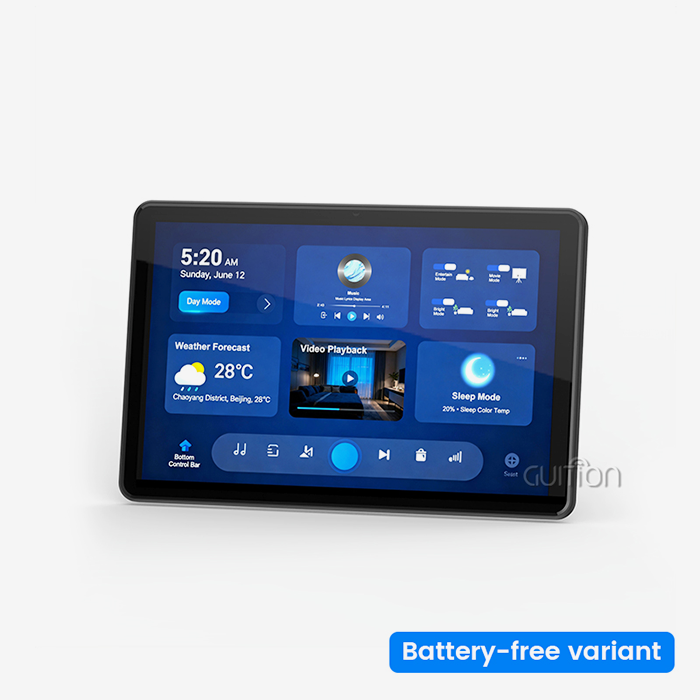
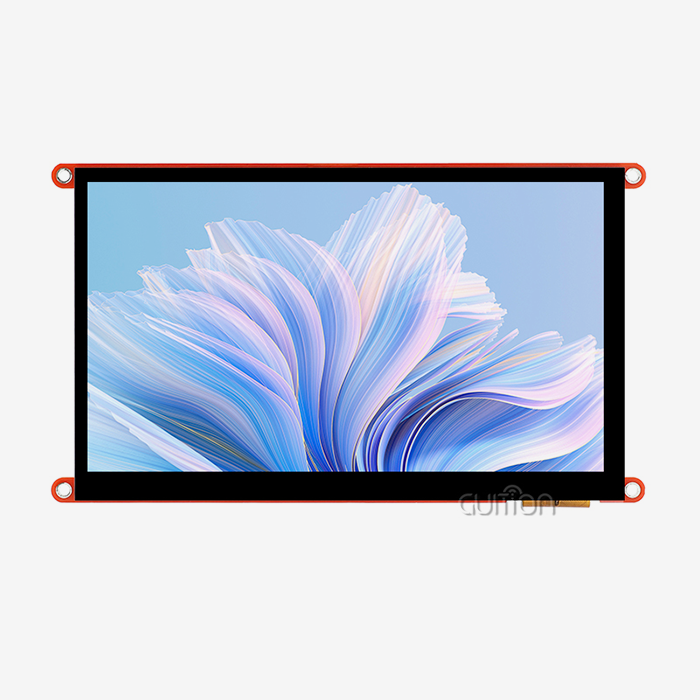
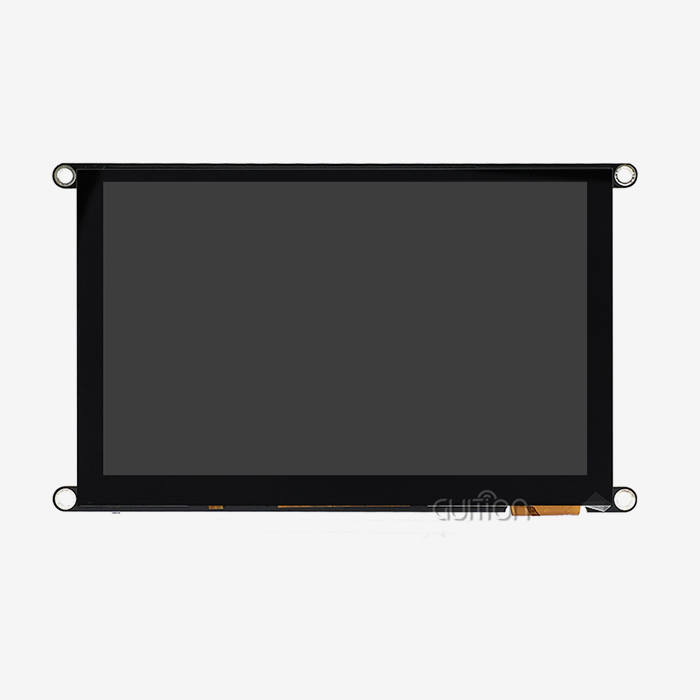
Display screens, touch sensors, and lighting circuits are just a few examples of the hardware components that make up an HMI human interface. Software layers control how data moves between the visual interface and embedded computers. Modern display units, such as the GUITION JC1060Q370N_I, have a 400MHz D121BBV single-core MCU built in, along with a 7.0-inch IPS screen with a resolution of 1024x600. The backlight control circuit changes the brightness on the fly, so it stays visible even when the lighting conditions change. Interfaces that are reserved for TF cards, serial ports, and IO links let sensor data and actuator orders get in. Protocol stacks handle how software talks to PLCs and RTUs through USART, SPI, or Ethernet links. This difficulty is made easier by the Guition development platform's drag-and-drop GUI building, which gets rid of the need for low-level coding. Engineers set alarm levels, create screen layouts, and give data tags to visual widgets, all without having to write code to manipulate registers. This split of interface design and embedded code speeds up development and cuts down on the time needed for bug fixes.
Types of Interface Technologies in Embedded Applications
Embedded systems are mostly used with three main types of interfaces. In tough industrial settings where workers wear heavy gloves, resistive touchscreens are still common. Pressure-based input works no matter what gloves are worn. It's easier to use gestures and multiple touches with capacitive touch screens, which makes them perfect for medical devices and smart home apps that need easy contact. When used with physical buttons, non-touch display screens are the most reliable in places with wide temperature differences and a lot of vibration, like farm automation equipment. The GUITION JC1060Q370N_I has an IPS monitor that doesn't allow touch input. This is because it cares more about visual clarity and reliability in harsh environments than touch input. This design choice is made for situations where control inputs come from buttons, rotating encoders, or remote directions instead of touching the screen directly. With 65K color depth, you can make detailed process graphics, trend charts, and graphs with multiple variables that don't have the weak spots that touch-sensitive layers do.
Core Benefits of Integrating HMI Panels in Embedded Systems
Real-Time Data Visualization Enhances Operational Awareness
On the factory floor, workers keep an eye on dozens of process factors at the same time, such as temperature zones, pressure limits, flow rates, and batch counts. This amount of info can't be shown well with traditional warning lights and analog gauges. Number streams are turned into color-coded trend graphs, animated process maps, and structured warning lists by display modules. This visual processing makes it easier to think and recognize patterns that text-based systems can't. With 400MHz processing power, the JC1060Q370N_I can handle complicated graphics changes with no frame lag. As soon as a sensor returns a number that is outside of its range, the associated screen element changes color, and an animation sequence starts. Instead of looking through status logs, operators can see right away which zone is affected. This responsiveness cuts down on Mean Time To Repair by making problem areas visible instead of needing diagnostics to navigate through menu trees.
Protocol Compatibility Ensures Seamless System Integration
These days, embedded computers rarely work by themselves. A smart home energy management system needs to share information with solar inverters, battery management systems, and HVAC controls, and each of these systems may use its own communication standards. If the HMI human interface works well, it can translate between protocols and talk Modbus RTU to older equipment while also sending data to cloud platforms over WiFi via MQTT. Because GUITION display units have built-in Wi-Fi and Bluetooth, you don't need any other connection bridges. Through USART connections that can be set up, the Artinchip D121BBV base supports a number of different serial protocols. In the GUI development environment, engineers choose the right protocol driver, and the display module takes care of handshake sequences, error checking, and data buffers on its own. This built-in flexibility cuts down on bill-of-materials costs and makes wiring harnesses easier to use in spaces with limited room.
Case Example: Automotive Diagnostic Improvements
A company in the Midwest that makes farming tools replaced text-only LCD screens in tractor diagnostic systems with display panels. Technicians used to find numerical error codes by pressing a series of buttons and then looking up information in written instructions. On top of the engine diagrams, the new graphical interface shows sensor data and suggested fixes. Fault areas are marked in red. When graphic fault representation was used instead of code-based debugging, diagnostic time dropped by 40% and first-time fix rates went up by 28%.
Common Challenges and How Modern HMI Panels Solve Them
Overcoming Development Complexity and Time Constraints
Writing display drivers, creating touch calibration algorithms, and managing frame buffer memory are all jobs that need weeks of engineering work for traditional embedded interface development. As the time to market goes down, product managers are under a lot of pressure to make sure that all features are included. This strain often leads to systems that are too simple and hard to use. With WYSIWYG screen design, the Guition web programming tool gets around this problem. Drag and drop dropdown lists are used by engineers to connect gauge widgets, trend chart components, and button groups to data variables on canvas layouts. Automatically improved display code is made by background processing. Cross-platform coding lets you test the interface on desktop computers before the hardware prototypes come. This way, you can find layout mistakes quickly, when they are easiest to fix, and don't take days to fix.
Enabling Remote Maintenance Without Field Visits
After the sale, it can be hard for companies that make consumer goods and ship smart home devices around the world. Firmware changes need either expert help from the end user, which often means support calls, or expensive visits from field service technicians. When new communication standards come out or security holes are found, products that can't be updated remotely become useless. GUITION units have built-in WIFI connection that lets them do over-the-air (OTA) upgrades. Update packages that have been verified, downloaded to onboard flash storage, and are then applied during controlled shutdown processes. Manufacturers of devices push bug fixes, better user interfaces, and new features to units that are already in use without planning the logistics. This feature stretches the lifecycle of a product and lowers the guarantee costs that come with it becoming obsolete too soon.
Addressing Multi-Language Requirements for Global Markets
When making medical devices for foreign markets, the screen text has to work in dozens of languages. In the past, different firmware files were kept for each area, or special character rendering engines were built. This is not a problem because the D121BBV platform supports UTF-8 code. If you want to show English directions, Simplified Chinese warning messages, or Arabic configuration marks, you can use Unicode text strings. Instead of recompiling display drivers, regional customization only requires changing string tables. This cuts down on the time needed for translation from months to weeks.
How to Choose the Right HMI Human Interface Panel for Your Embedded System
Matching Display Specifications to Application Requirements
Indirectly, the HMI human interface screen size and quality affect how easy it is to use. Larger displays—10 inches or more—on control screens that are placed at user workstations make it possible to see more than one process area at the same time. For handheld diagnostic tools to stay portable, their screens need to be small, less than 5 inches. The JC1060Q370N_I's 7.0-inch form factor works well for medium-sized uses, as medical devices that sit on a table or dashboard retrofit in cars, where the viewing distance is between 18 and 36 inches. Resolution tells you how much information there is. At 480x272, simple status screens that show whether equipment is on or off work fine. For process control that needs trend charts with 100 or more data points, pixel counts of 1024x600 or higher keep line charts easy to read. With 178-degree viewing angles, the IPS panel technology in GUITION modules makes sure that screens can be read even when workers aren't looking at them straight on.
Evaluating Development Ecosystem Compatibility
Different embedded engineers have different software tastes. Arduino fans like tools that are easy to use and communities that share a lot of examples. ESP-IDF writers need to be able to directly handle FreeRTOS primitives and control low-level peripherals. Either product teams have to stick to a single development environment, which makes it harder to hire people, or they have to pay to support various toolchains, which makes training more expensive. The JC1060Q370N_I has unified hardware interfaces that let you use Arduino, ESP-IDF, and Guition development modes. Teams can switch between settings without having to rethink the hardware. Engineers who know how to use Arduino can quickly sketch out structures to make prototypes, while system builders can use ESP-IDF's advanced memory management to improve speed. This gives engineering teams the ability to use a wide range of skills and speeds up the training process for new employees from different backgrounds.
Assessing Long-Term Supply Stability and Support
Industrial machinery lasts for many years. When you choose to show components with short production lives, you have to do expensive redesigns when the parts stop being available. Before agreeing to plans, procurement managers look at vendor roadmaps, manufacturing capacity, and strategies for getting parts. GUITION keeps information clear about product lifecycles and the supply of parts. Vertical integration, in which the company controls both making hardware and developing software, makes the business less reliant on third-party display panel providers that might stop making models without warning. Technical paperwork includes reference diagrams, communication protocol standards, and GUI development guides. These help future engineers keep systems running even after they were first put in place years ago.
Future Trends Shaping Embedded HMI Panel Technology
Artificial Intelligence Integration for Predictive Interfaces
Machine learning systems look at process data from the past to figure out when equipment will break down before it does. Next-generation hmi display module human machine interfaces will show these statements clearly, which will shift the focus of operators from fixing problems after they happen to planning maintenance before they happen. Display panels could show which parts are getting close to the end of their useful life, suggest the best times for maintenance based on production plans, and create work orders instantly when trust levels rise above certain levels. Edge inference of lightweight neural network models is possible with 400MHz processors because they have extra computing power. Instead of sending all sensor data to the cloud to be analyzed, which would add delay and depend on connection, processing it locally produces insights that can be used right away. Instead of being dumb screens for showing information, display units become smart ends that can understand patterns.
Cloud Connectivity and Data Analytics Expansion
Industry 4.0 models stress making decisions based on data at all levels of an organization. Metrics at the equipment level help with planning output, managing quality, and improving the supply chain. More and more, display units are used as entry points for collecting data, combining sensor readings and user inputs before sending them to cloud analytics platforms. When WIFI and Bluetooth are built into GUITION units, they become IoT edge nodes. Secure MQTT connections send process data with timestamps to AWS IoT Core or Azure IoT Hub without the need for separate gateway hardware. Dashboards that plant managers can view show how equipment is being used across all sites in real time, revealing bottlenecks that individual machine operators can't see.
Adaptive User Interfaces Based on Operator Context
Smartphones change the color of the screen based on the lighting in the room and change how notifications work based on calendar events, which shows how useful context-aware interfaces can be. The adaptive actions of industrial systems will be similar. Display modules could make screens easier for new users to understand while giving advanced diagnostic data to expert techs who have the right login information. No matter what screen is currently showing, high-priority alarms could instantly get bigger and move to the middle of the screen. The D121BBV platform supports UTF-8 encoding and multiple languages, which lets interfaces change languages immediately when an operator badge is swiped. This makes it possible for multilingual teams to work together without having to do any human setup. This personalization cuts down on the time needed for training and the mistakes that happen when people are using interfaces they aren't used to.
Conclusion
Embedded systems are usually dark control boxes. Human-machine interface screens turn them into clear, manageable automation parts. The GUITION JC1060Q370N_I is a great example of a modern display module because it has powerful processing, flexible work settings, and full connectivity all in a strong 7.0-inch IPS package. These interfaces make development easier, speed up time-to-market, and extend product lifecycle by letting users update products remotely. They can be used in industrial control screens, medical tracking equipment, or smart home devices. Choosing display modules with proven stability, extensive protocol support, and easy-to-use software tools will become more important as Industry 4.0 and the Internet of Things (IoT) become more established. This is because staying ahead of the competition in markets with a lot of automation depends on it.
FAQ
What distinguishes an HMI panel from a standard touchscreen display?
Standard consumer touchscreens put an emphasis on recognizing gestures and playing visual media. Industrial HMI human interface panels have tough enclosures that can withstand high and low temperatures, vibrations, and electromagnetic interference. Consumer goods don't have protocol stacks for industrial communication standards like Modbus and CAN bus, but display units made for embedded systems do. Backlight circuits keep the brightness constant even when the voltage changes, which happens a lot with factory power sources. The difference is not just in screen technology, but also in how well it works with other devices and how well it protects against weather damage.
Can modern HMI modules communicate with legacy PLCs from the 1990s?
Yes, through backward support in serial signaling. A lot of older devices use serial protocols like RS-232 or RS-485, which are still supported by modern display units. The GUITION JC1060Q370N_I has USART ports that can be set up to work with different baud rates and data frame types. Engineers use the Guition development environment to choose the right protocol drivers, which lets them talk to equipment that is decades old without having to update the PLC. This bridge tool adds new visualization features to old systems while extending their useful life.
How do non-touch display panels accept operator input?
In non-touch setups, external input devices that are tied to dedicated IO ports are used. The display module has GPIO pins that are wired to membrane keypads, rotary encoders, and separate push buttons. Engineers can use the Guition development environment to connect these hardware inputs to orders for moving around on the screen and entering data. This design works well in places where gloves make it impossible to connect with the screen by touch, or where physical buttons with tactile feedback help operators do their jobs more accurately when they're doing the same thing over and over.
Partner with a Trusted HMI Human Interface Supplier
To shorten the time it takes to make a product, you need more than just good hardware. You also need a partner who can respond quickly and knows the difficulties of embedded systems. Guition makes USART-HMI display units that are designed to work with industrial equipment makers, smart device developers, and North American automation system installers. Our JC1060Q370N_I display module pairs the D121BBV 400MHz controller with easy-to-use GUI development software. Drag-and-drop GUI building saves weeks of interface coding time. Our expert team offers personalized advice, flexible bulk order options, and thorough paperwork to ensure the long-term success of your project, whether you're prototyping medical tracking equipment or putting in place energy management systems. Email david@guition.com to talk about the needs for your product and set up evaluation samples. Learn why top HMI human interface makers choose Guition for dependable, future-proof display options.
References
1. Anderson, M. & Roberts, T. (2021). Industrial Human-Machine Interface Design: Principles and Applications. Automation Press.
2. Chen, L. (2022). "Protocol Integration Challenges in Modern Embedded HMI Systems." Journal of Industrial Electronics, 48(3), 112-128.
3. Fitzgerald, K. (2020). Embedded Systems Architecture for IoT Applications. Technical Publications International.
4. Liu, W. & Patel, R. (2023). "Comparative Analysis of Display Technologies in Harsh Industrial Environments." IEEE Transactions on Industrial Informatics, 19(2), 455-467.
5. Morrison, J. (2021). "Reducing Time-to-Market Through Rapid HMI Prototyping Tools." Embedded Computing Design Magazine, 15(7), 22-29.
6. Zhang, H. (2022). Future Trends in Human-Machine Interaction for Industry 4.0. Springer International Publishing.
Learn about our latest products and discounts through SMS or email