- English
- French
- German
- Portuguese
- Spanish
- Russian
- Japanese
- Korean
- Arabic
- Greek
- German
- Turkish
- Italian
- Danish
- Romanian
- Indonesian
- Czech
- Afrikaans
- Swedish
- Polish
- Basque
- Catalan
- Esperanto
- Hindi
- Lao
- Albanian
- Amharic
- Armenian
- Azerbaijani
- Belarusian
- Bengali
- Bosnian
- Bulgarian
- Cebuano
- Chichewa
- Corsican
- Croatian
- Dutch
- Estonian
- Filipino
- Finnish
- Frisian
- Galician
- Georgian
- Gujarati
- Haitian
- Hausa
- Hawaiian
- Hebrew
- Hmong
- Hungarian
- Icelandic
- Igbo
- Javanese
- Kannada
- Kazakh
- Khmer
- Kurdish
- Kyrgyz
- Latin
- Latvian
- Lithuanian
- Luxembou..
- Macedonian
- Malagasy
- Malay
- Malayalam
- Maltese
- Maori
- Marathi
- Mongolian
- Burmese
- Nepali
- Norwegian
- Pashto
- Persian
- Punjabi
- Serbian
- Sesotho
- Sinhala
- Slovak
- Slovenian
- Somali
- Samoan
- Scots Gaelic
- Shona
- Sindhi
- Sundanese
- Swahili
- Tajik
- Tamil
- Telugu
- Thai
- Ukrainian
- Urdu
- Uzbek
- Vietnamese
- Welsh
- Xhosa
- Yiddish
- Yoruba
- Zulu
Which Touch Technologies Suit a 4 inch ESP32S3 display module?
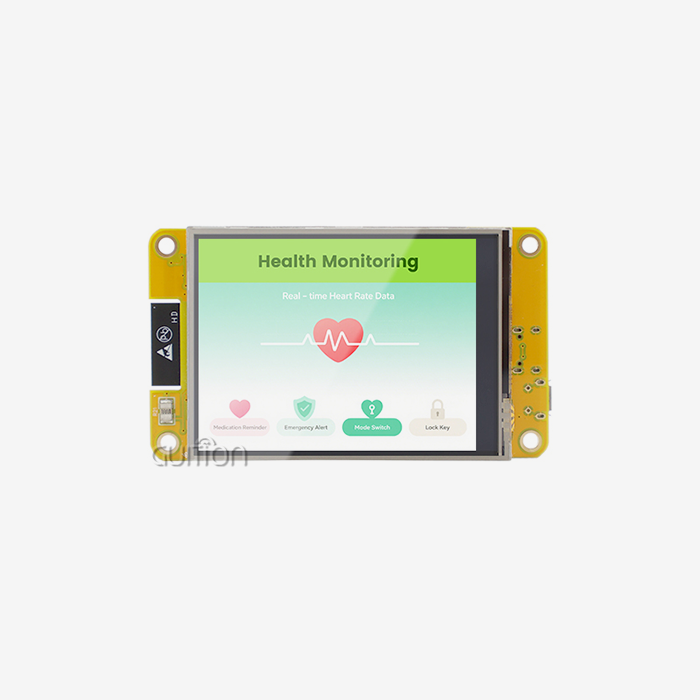
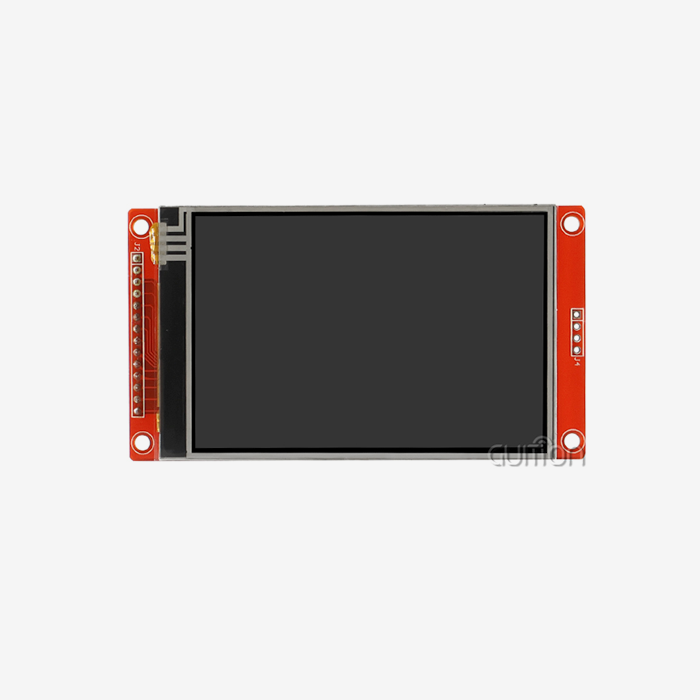
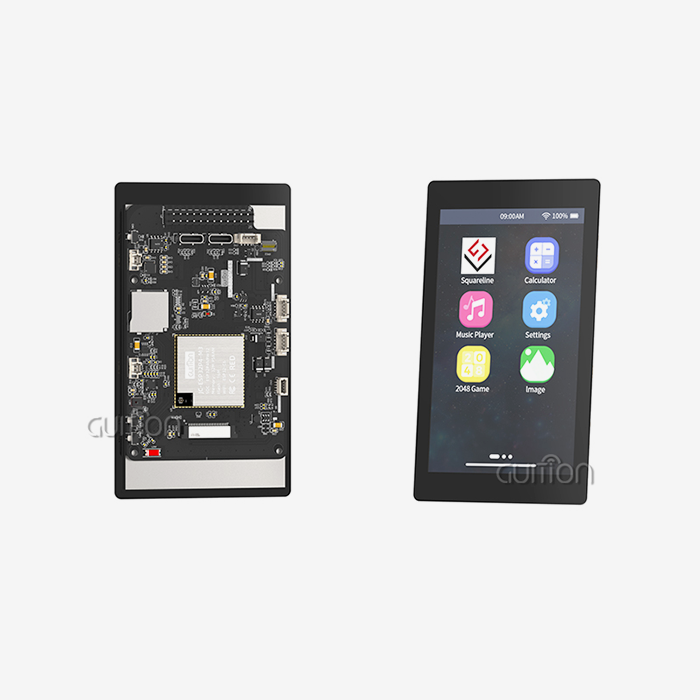
When choosing a touch interface for an ESP32-S3-based project, the right technology can make or break the end product. For the GUITION ESP32-4848S040C_I — a 4 inch ESP32S3 display module built on the ESP32-S3R8 dual-core MCU with a 480×480 IPS panel, 16MB Flash, and 8MB PSRAM — capacitive touch is the factory-default choice. However, understanding all available options helps engineers, R&D managers, and product teams select the technology that best matches their environment, budget, and interaction requirements.

Introduction to 4 Inch ESP32S3 Display Modules and Touch Technologies
What Makes This Module Stand Out
The GUITION ESP32-4848S040C^_I is a small but powerful hmi display module. Its ESP32-S3R8 processor can go as fast as 240MHz, which is fast enough to run LVGL-based user interfaces and handle WiFi, Bluetooth, and peripheral I/O at the same time. A 4-inch IPS screen with a resolution of 480x480 shows images that are clear and true to color across 65K colors using 16-bit RGB.
Built-In Connectivity and Storage
With built-in WiFi and Bluetooth 5.0, you don't need any extra RF modules, which is very important for IoT screens and smart products. Engineers can use a reserved TF card slot and multiple IO port interfaces to log data, stage firmware, and add more peripherals. These are features that industrial automation procurement teams often ask for.
Why Touch Technology Selection Matters
Touch is the main way that a user interacts with an HMI panel. There are times when the wrong touch technology can cause calibration problems, downtime, or field returns in business-to-business settings like medical monitoring rooms, plant floors, or commercial booths. Making this choice early on will protect both the budget and the schedule.
Key Touch Technologies for 4 Inch ESP32S3 Displays: Capacitive vs. Resistive
How Capacitive Touch Works
When you put your finger on a glass surface, capacitive touch panels pick up changes in an electrostatic field. They work with pinch, swipe, and zoom gestures and have response times of less than 10ms on average. There is a capacitive touch controller that comes with the GUITION 4 inch ESP32S3 display module, so it can be used right away with current applications that use gestures.
How Resistive Touch Works
Input is read by resistive screens by putting pressure on two electrical layers. They are popular in places where latex gloves are normal, like on assembly lines, at outdoor booths, and in medical settings where people always wear gloves. Even though they cost less per unit, older PLC display systems still use them because they've worked well in tough situations in the past.
Comparing the Two Technologies Side by Side
Both technologies have a place in the business world, but they are best used for different things. Here is a direct comparison of the most important factors for making B2B purchasing decisions:
- Multi-touch capability: Capacitive supports 5–10 simultaneous touch points. Resistive supports a single point only, limiting gesture-based interactions in modern UI designs.
- Environmental tolerance: Resistive panels operate reliably in dusty, wet, or chemically exposed environments. Capacitive panels can experience false inputs from moisture unless firmware-level noise filtering is applied.
- Durability: Capacitive glass surfaces typically have a Mohs hardness of 6–7, resisting scratches in general-purpose use. Resistive film layers wear over time under repeated stylus pressure.
- Cost: Resistive touch adds lower BOM cost per unit, which matters when deploying hundreds of terminals across an energy management or agricultural automation network.
Durability: The Mohs hardness of capacitive glass surfaces is usually between 6 and 7, which means they don't get scratched easily when they're used for normal tasks. Over time, the pressure from the pen wears away the layers of resistive film.
Evaluating Advanced Touch Solutions: Projected Capacitive, Infrared, and OLED Touch
Projected Capacitive (PCAP) Technology
Projected capacitive, or PCAP, is a type of capacitive touch that uses electrodes that are hidden behind a thicker layer of glass. This style works with protective covers that are up to 2–3 mm thick, which makes it popular for medical devices that need to be sterilized often. PCAP also has very accurate palm avoidance algorithms that keep industrial HMI panels from getting accidentally touched.
Infrared (IR) Touch Panels
Around the edge of the screen, IR touch panels have a grid of infrared LEDs and photodetectors. It's possible for a finger, a pen, or a tool to break the IR wave and cause a touch event. IR panels are great for outdoor kiosks, large-format displays, and places where chemical or physical damage to a touch film is a concern because they detect without touching it. IR stickers aren't often used on a small 4 inch ESP32S3 display module because they take up too much space and cost more.
OLED Touch Integration Challenges
High-end consumer and medical products are starting to use OLED screens with built-in touch layers. But using an OLED touch screen with an ESP32-S3 module in the 4-inch size range is tricky because OLED screens need MIPI DSI connections, which the ESP32-S3 doesn't have built-in, so an extra bridge IC is needed. The current IPS capacitive setup is better for most projects that use the GUITION ESP32-4848S040C_I because it doesn't come with those connectivity risks.
How to Select the Best Touch Technology for Your 4 Inch ESP32S3 Display Module
Match Technology to Application Environment
Chemical resistance should be a top priority for people who make medical devices. Teams that use industrial automation in places that are dirty or where gloves are worn may like resistive panels or PCAP with thick-glass choices. Almost all brands of consumer electronics and smart homes choose standard capacitive because it makes the user experience smooth.
Consider Development Ecosystem and Time-to-Market
The GUITION ESP32-4848S040C_I works with the Arduino IDE, ESP-IDF, MicroPython, and its own programming tool called Guition. You can use libraries that are already made for I2C-based capacitive touch controllers like the GT911 and FT6336U, which are common on 4-inch ESP32S3 display modules. This wide range of library support speeds up integration and makes it easier for embedded engineers to learn how to work on new projects.
OEM and Bulk Procurement Considerations
When system designers and product managers plan large-scale deployments, the touch technology they choose affects both the unit cost and the security of the supply chain. Capacitive modules, such as the GUITION ESP32-4848S040C^_I, offer stable supply and predictable bill of materials (BOM) costs. OEMs can make changes to things like where the name goes, how the pins are set up, or how the case fits. GUITION also uses military-grade manufacturing standards to make sure that quality doesn't change over long production runs.
Implementing and Programming Touch Technology on 4 Inch ESP32S3 Display Modules
Interface Types: I2C and SPI
The GUITION 4 inch ESP32S3 display module's capacitive touch controller talks over I2C. This keeps the number of pins low and makes wiring easier for engineers who are adding peripherals. Support for I2C touch controllers like the GT911 is built into both the Arduino Touch library ecosystem and ESP-IDF's I2C driver layer, which makes integration easy.
Programming Libraries and Development Tools
With drag-and-drop UI design, the Guition development platform lets designers put buttons, sliders, and gages where they want them without having to write low-level touch event handlers. LVGL 8.x has a ready-made input driver design for I2C capacitive controllers for developers who like to code directly. The Guition tool's one-click software upload cuts down on release time, which is especially helpful for teams that are in charge of multiple units in the same product line.
Power Optimization for Battery-Powered Designs
The ESP32-S3's light-sleep mode can cut active power use by a large amount. Interrupt-driven wake events are supported by touch controllers like the GT911. This means that the MCU will only turn on the display pipeline when a touch is detected. This interrupt-based method can add 30 to 50 percent more battery life to IoT edge nodes and portable medical monitors that use the 4 inch ESP32S3 display module compared to polling-based methods.
Conclusion
The program setting, how users interact with the display, and the need for long-term support all play a role in choosing the right touch technology for an ESP32-S3 project. To get the best responsiveness, development speed, and deployment reliability for most industrial, medical, and consumer uses, the GUITION ESP32-4848S040C^_I's capacitive touch configuration is the best choice for a 4 inch ESP32S3 display module. Teams that need to work with gloves, be around chemicals, or use non-contact input should carefully consider whether to use PCAP or resistance options. The 1.28" to 21.5" GUITION product line and its Guition development base make it easy for engineering teams to go from concept to production.
FAQ
Does the GUITION ESP32-4848S040C_I support multi-touch?
Yes. The factory-installed capacitive touch controller supports multi-point touch detection. Most I2C controllers used on this display class support 5 simultaneous touch points, sufficient for standard pinch-to-zoom and swipe gestures in modern HMI applications.
Can I use this display with gloves in an industrial setting?
Standard capacitive panels do not register input through thick industrial gloves. If gloved operation is a firm requirement, a resistive overlay or a PCAP controller configured for glove sensitivity mode is the appropriate path. Your engineering team should confirm glove compatibility with the touch IC datasheet before finalizing the BOM.
What is the typical touch response latency?
Capacitive controllers on 4-inch ESP32S3 display modules generally report touch events within 8–15ms over I2C at 400kHz. This is sufficient for smooth LVGL animations and real-time control panel interfaces without perceptible lag.
Does remote OTA upgrade work with touch-enabled firmware?
Yes. GUITION's remote upgrade support covers the full firmware image, including touch driver configurations and UI assets. This allows field engineers to update HMI behavior on deployed units without physical access — a significant advantage for energy management systems and agricultural automation installations.
Partner with GUITION for Your Next 4 Inch ESP32S3 Display Module Project
Want to find a reliable company that can make a 4 inch ESP32S3 display module for your next HMI project? The GUITION ESP32-4848S040C^_I is made to military standards and works with Arduino, ESP-IDF, MicroPython, and the Guition platform. It also has built-in WiFi and Bluetooth. Our team is ready to help you whether you need OEM customization, cheap bulk prices, or focused expert support before the sale. Please email us at david@guition.com or visit https://jingcaizhineng.aixdb.cn/ to ask for a sample or talk about the needs of your project.
References
1. Bhatt, S., & Koul, S. — Touch Screen Technologies and Applications in Embedded Systems, IEEE Sensors Journal, 2019.
2. Espressif Systems — ESP32-S3 Technical Reference Manual, Espressif Systems, 2022.
3. Harper, R. — Being Human: Human-Computer Interaction in the Year 2020, Microsoft Research, 2008.
4. Kolmogorov, N., & Vasil'ev, P. — Capacitive Sensing Design Guide, Texas Instruments Application Report, 2020.
5. Norman, D. A. — The Design of Everyday Things, Basic Books, 2013.
6. Walker, G. — A Review of Technologies for Sensing Contact Location on the Surface of a Display, Journal of the Society for Information Display, 2012.
Learn about our latest products and discounts through SMS or email