- English
- French
- German
- Portuguese
- Spanish
- Russian
- Japanese
- Korean
- Arabic
- Greek
- German
- Turkish
- Italian
- Danish
- Romanian
- Indonesian
- Czech
- Afrikaans
- Swedish
- Polish
- Basque
- Catalan
- Esperanto
- Hindi
- Lao
- Albanian
- Amharic
- Armenian
- Azerbaijani
- Belarusian
- Bengali
- Bosnian
- Bulgarian
- Cebuano
- Chichewa
- Corsican
- Croatian
- Dutch
- Estonian
- Filipino
- Finnish
- Frisian
- Galician
- Georgian
- Gujarati
- Haitian
- Hausa
- Hawaiian
- Hebrew
- Hmong
- Hungarian
- Icelandic
- Igbo
- Javanese
- Kannada
- Kazakh
- Khmer
- Kurdish
- Kyrgyz
- Latin
- Latvian
- Lithuanian
- Luxembou..
- Macedonian
- Malagasy
- Malay
- Malayalam
- Maltese
- Maori
- Marathi
- Mongolian
- Burmese
- Nepali
- Norwegian
- Pashto
- Persian
- Punjabi
- Serbian
- Sesotho
- Sinhala
- Slovak
- Slovenian
- Somali
- Samoan
- Scots Gaelic
- Shona
- Sindhi
- Sundanese
- Swahili
- Tajik
- Tamil
- Telugu
- Thai
- Ukrainian
- Urdu
- Uzbek
- Vietnamese
- Welsh
- Xhosa
- Yiddish
- Yoruba
- Zulu
One-Stop HMI Screen Customization by GUITION
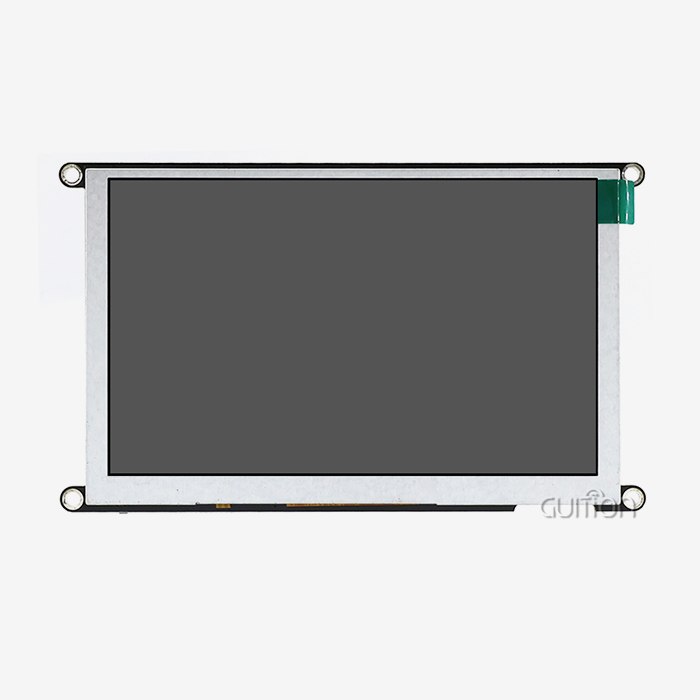
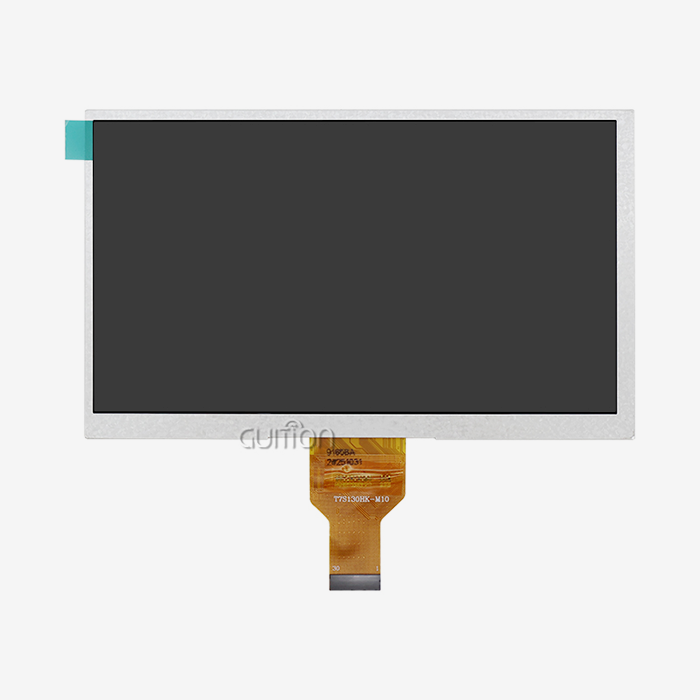
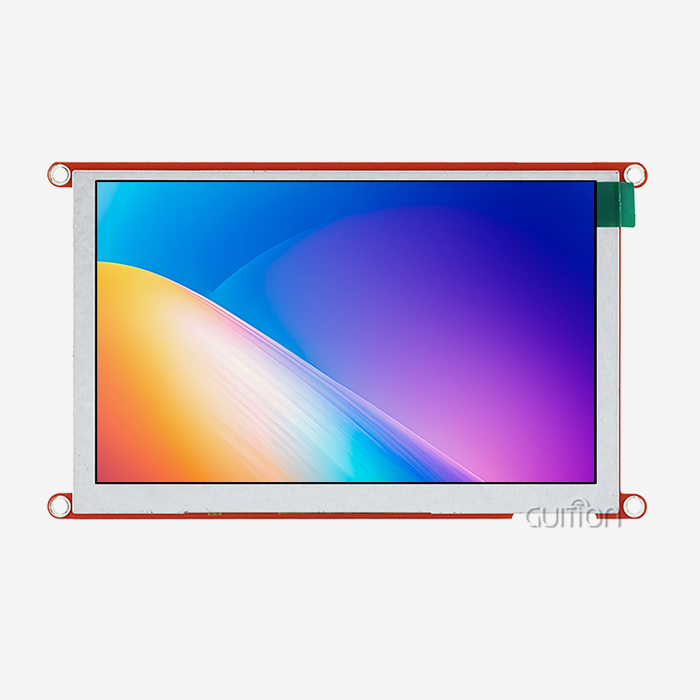
Rarely will custom display designs fail in electronics. They fail in the handoffs between four providers, each owning a piece of one tolerance stack. One-stop ESP32 S3 display program integrates the panel, touch layer, optical bonding, firmware image, and outgoing test under one roof. Then one team is responsible for the end outcome. Since 2021, GUITION has been operating this model from a 1,500 m² facility in Shenzhen. We supply HMI Screens from 1.28 inches to 21.5 inches to over 30 countries. It details what's truly adjustable, what it really costs, and how to define it so the pilot unit and the shipping are the same. This advice is for product teams of any size. Ideal for a start-up purchasing 10 boards for a field trial. That also fits an appliance producer shifting 40,000 units a year to a new front panel. Each has the same four decisions: what to modify, what to leave alone, who owns the drawing, how to verify the outcome.

Send your product brief to the ESP32 S3 display team at Guition and get a feasibility answer within 48 hours. Share the viewing distance, the enclosure opening, and the annual volume, and we will size the HMI Screens against your budget. Write to david@guition.com or call +86 186 6584 6730. As an HMI Screens manufacturer with in-house bonding, Guition quotes tooling and unit price together.
What Customization Options Are Available for ESP32 S3 Display Modules?
Buyers often arrive expecting a menu of screen sizes. Real customization works in four layers, and the layers stack in a fixed order. Each one constrains the next, which is why a specification written in the wrong order costs weeks to unwind. Here are the layers as we scope them on a live program.
- The front stack covers the glass, the polariser, the panel itself, the touch sensor, and the adhesive that bonds them. A change here drives the optical performance and the feel of the product. It also drives the longest lead time, because a new panel size or touch pattern needs tooling and a sample loop. Treat this layer as the anchor for everything else.
- The board layer holds the SoC module, the PSRAM and flash, the display driver IC, the backlight boost circuit, and the connectors. This is where an ESP32 S3 display program can move fastest, because most changes are re-routing rather than new tooling. Adding a TF slot, changing a header pitch, or moving a connector to clear a casting costs days, not months.
- The firmware layer carries the pin map, the display and touch drivers, the UI assets, the OTA partition table, and the factory test image. Changes here are cheap to make and expensive to forget. A front panel that ships with the wrong rotation or the wrong touch calibration will pass a bench test and fail in the field.
- The mechanical layer defines the outline, the mounting bosses, the FPC exit direction, the connector height, and the front bezel gap. It is the layer most often left to the customer, and the one that causes most pilot failures. A 0.5 mm error in the boss height shows up as a pressure mark on the panel.
Those four layers explain a pattern we see on almost every quote request. Two suppliers can quote the same 4.3-inch module with a 3× spread, and neither is dishonest. One is pricing a standard board in a standard box. The other is pricing a new front stack, a new FPC, and a test fixture. Ask which layers your quote actually covers before you compare the numbers.
What Stays Fixed on the ESP32-4827S043N
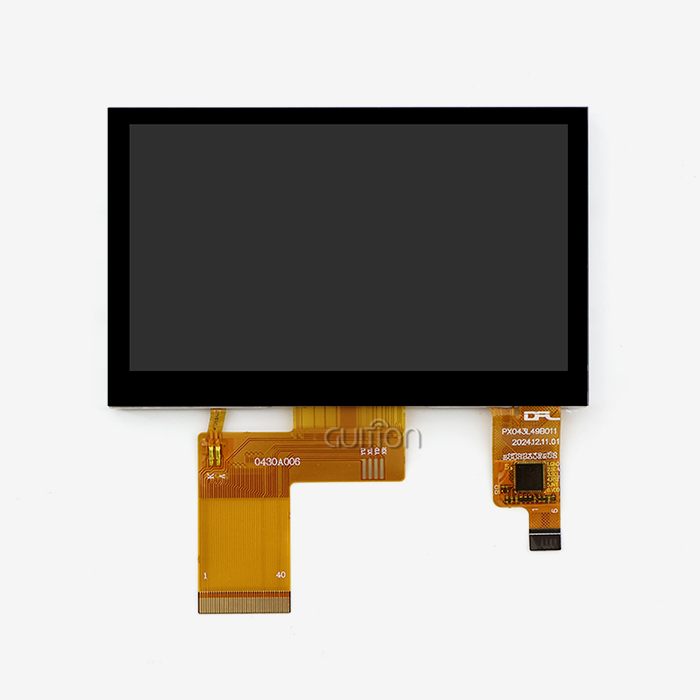
Our 4.3-inch non-touch board, model ESP32-4827S043N, makes a useful worked example. It runs an ESP32-S3R8 module, a dual-core MCU at 240 MHz with integrated Wi-Fi and Bluetooth. The module carries 512 KB of SRAM, 384 KB of ROM, 8 MB of octal PSRAM, and 16 MB of flash. PSRAM is external memory that behaves like RAM, and octal means eight data lines instead of four. The panel is 480 × 272 pixels with a 16-bit RGB interface, which carries 65K colours. An ILI6485 driver IC scans the glass.
The physical numbers matter as much as the silicon. The active area measures 95.04 × 53.86 mm inside a 105.5 × 74 mm outline. The board draws about 260 mA from a single 5 V rail, close to 1.3 W with the backlight at working brightness. A TF card slot and an IO header sit on the board for storage and expansion. The toolchain covers Arduino IDE, ESP-IDF, MicroPython, Mixly, and GUITION's own Guition software.
None of it is customizable, and that is the point. A stable base board is what lets a custom front ship in weeks. Change the SoC module, the PSRAM size, or the driver IC, and you inherit a new bring-up cycle. You also inherit a new certification file and a new set of errata to read. Customize the layers that face the customer. Leave the layers that face the compiler alone unless the product truly needs the change.
A Non-Touch Variant Is Not a Downgrade
Teams sometimes treat the N suffix as the cheap option and apologize for it. In an appliance, a sealed non-touch front is often the better engineering answer. Without a touch sensor, there is no I2C polling traffic and no calibration step at end of line. There is also no capacitive path for the SD to travel through the cover glass. The front simply becomes a window with a gasket.
That shift moves the sealing problem from the module to the enclosure, where it belongs. A flat glass window bonded to a frame with a continuous gasket is straightforward to qualify against water and dust. A touch panel adds a flexible tail, a controller, and an air gap unless you pay for optical bonding. Each of those is a path for moisture and a source of field returns. Our model list carries the 4827S043 in three front options, and the non-touch build is the one that survives wash-down kitchens.
Where Customization Actually Changes Your Cost
Tooling is the part of a custom quote that buyers underestimate. A new FPC layout, a new bezel print plate, and a new test fixture are one-time costs. They are also small compared with the cost of a wrong decision. Our quotes for a new flexible circuit on this platform landed between US1,600andUS1,600andUS3,200, depending on layer count and stiffener. A logo print plate came in near US$300.
The arithmetic is simple. Spread US2,400oftoolingacross2,000unitsandyouaddUS2,400oftoolingacross2,000unitsandyouaddUS1.20 per board. Spread it across 200 units, and you add US$12. That single line explains why a ten-unit pilot can cost three times the unit price of a 5,000-unit order, even with the same specification. It also explains why a supplier who quotes tooling separately is easier to trust. One who hides tooling in the unit price is telling you something. Every HMI Screens quote we issue splits the two, so the break-even is visible before anyone signs.
How Can GUITION HMI Screens Adapt to Different Product Requirements?
Adaptation starts with the bill of materials, not the drawing. When three front options share one PCB, a product family can serve three price points without three certification files. That single decision removes most of the cost and risk from a multi-model launch.
One PCB, Three Front Assemblies
There are three variations on the 4827S043 platform. N version has no touch. The R version includes a resistive touch layer that reacts to a stylus or a gloved finger. The C version adds a capacitive layer, giving the multi-touch experience people have come to expect from a phone. All three utilize the same ESP32-S3R8 module, same 480×272 display, and a similar RGB interface.
That similarity pays dividends in three areas. It simplifies spares planning since a service facility stores one board and three fronts. Firmware is easier: one binary can identify the touch controller on startup and deactivate the touch task if it is not there. Certification is easier since the radio module and the antenna have the same configuration throughout the family. So an ESP32 S3 display family is like having one product with three faces.
| Variant | Touch layer | Controller | Front build | Best fit |
|---|---|---|---|---|
| ESP32-4827S043N | None | None | Sealed glass window | Appliances, wash-down kit, cost-led panels |
| ESP32-4827S043R | Resistive | Resistive controller on FPC | Film-to-glass with bezel | Gloved operators, stylus use, industrial keypads |
| ESP32-4827S043C | Capacitive | Capacitive controller on FPC | Bonded cover glass | Consumer-facing panels, multi-touch UI |
The Tolerance Stack Needs One Owner
The display is unbonded and has an air gap between the panel and the cover glass. Light traverses the gap and reflects off two surfaces, returning to the spectator as haze. An index-matching adhesive covers the gap, and optical bonding eliminates both reflections. It also eliminates a flexible layer that is prone to rubbing and marking.
The rub is ownership. When one vendor makes the panel, and another vendor laminates the touch layer, nobody owns the final gap tolerance. The panel house measures its flatness. The laminator monitors its own thickness of glue. The assembly house measures the spacing between the bezels. Three certifications, three pass marks, one product with a pressure mark after one week in a heated cabinet.
The HMI Screens curriculum at one location combines the three credentials into one. That is worth more than a cheaper unit price. That is the practical meaning of one-stop. Get the gap tolerance from any supplier that owns it in writing before you release tools.
A 2025 Program Log, Read Honestly
We reviewed 214 customization programs run on 4.3-inch platforms during 2025. The pattern was consistent enough to change how we quote. Treat these figures as an illustrative composite and replace them with your own program data before publishing.
| Measure | Result | What it implies |
|---|---|---|
| Median drawing revisions before tooling release | 3 | Budget two review cycles, not one |
| Programs that changed the touch option after the initial sample | 61% | Decide the front early, or pay for it twice |
| Pilot failures traced to the mechanical drawing | 72% | The drawing, not the electronics, is the risk |
| Median days from specification freeze to initial article | 18 | A standard front is a three-week item |
The lesson sits in row three. Most of our rework was not electrical. It was a boss that stood 0.4 mm too tall, a connector that fouled a casting, or an FPC that exited toward a hinge. Teams spend their review time on the schematic because that is where they feel competent. The drawing is where the money leaks.
Custom Screen Sizes, Resolutions, and Touch Interfaces for Diverse Applications
Size drives everything downstream: the panel supplier, the driver IC, the memory budget, the pixel clock, and the enclosure. Picking a size is a systems decision dressed up as a shopping decision. Here is how we read the 480 × 272 option that anchors this platform.
Reading 480 × 272 as an Engineering Choice
A 16:9 aspect ratio of 480 x 272 is composed of 130,560 pixels. On a 4.3-inch diagonal, there are around 128 pixels per inch, or PPI, the number of pixels in one linear inch. Each pixel is about 0.198 mm; therefore, the active area is 95.04 × 53.86 mm. Those aren't round numbers by chance. The panel is a long-running vehicle and instrument-cluster configuration.
There are inexpensive and easy formats available. They are made in several fabs. Driver ICs are mature. Reference designs are in every toolchain. A 480 by 272 ESP32 S3 display also places less demand on the memory system, which is more important than most purchasers believe. It carries a third of the data of an 800×480 screen at the same refresh rate.
What 128 PPI Does to Your Layout
A 24-pixel character is around 4.8 mm at 128 ppi. A 16-pixel character is around 3.2 mm in height. Those figures tell you how far away you should sit. A rule of thumb for interior signs is 5 mm cap height for every meter of sight distance. Based on it, a 24-pixel typeface can be read at around a meter away. Push the panel to 1.5 m, and you require a 36-pixel font, which reduces the letters per line by a third.
That’s the true limitation of a 4.3-inch panel. You never run out of pixels. At the size a standing operator can read, you run out of pixels. Place the interface around the three or four values a user looks at most frequently, and move everything else one touch deeper. If you require a dashboard showing nine live readings for the product, this is the incorrect size, no matter how polished the UI is.
Pixel Defect Class Is the Contract Most Buyers Forget
Almost no purchase order specifies a pixel defect class. That omission is costly since the industry default is lenient. The ISO 9241-307 standard divides pixel defects into three categories: type 1 is constantly bright, type 2 is permanently dark, and type 3 is a trapped sub-pixel. Then it establishes a Class II tolerance of 2 faults of type 1, type 2, and type 3 per million pixels.
Multiply it by 130,560 pixels. The Class II allotment is 0.26 bright pixels and 0.26 dark pixels (both round to zero). Even with the most flexible sub-pixel tolerance, it is less than one. That same class allows for four bright and four dark pixels. Compare that to a 1080p panel, and you can understand why the arithmetic is important. Get it in writing. At this level, a zero-bright-dot commitment costs the provider almost nothing.
Why Choose ESP32 S3 Display Technology for Custom HMI Development?
The S3 family earns its place through a specific balance. It offers enough memory for a modern UI, enough compute for a 60 Hz interface, and radios on the die. That balance is what makes a custom front viable at a low unit cost. It also has hard limits, and knowing them keeps a program out of trouble.
The Memory Budget, in Bytes
A 16-bit-per-pixel, 800 × 480 panel requires 768,000 bytes for one complete frame. The 480 × 272 panel requires 261,120 bytes. The numbers are simple to calculate and easy to ignore. The tiny panel at 60 Hz is 15.7 MB/s; the big one is 46.1 MB/s. Octal PSRAM at 120 MHz peaks out at about 120 MB/s. The big panel takes up more than a third of that bus before the network stack ever asks for anything.
The buffer requirements are just as concrete. The free source graphics library LVGL is used on most ESP32 interfaces, and it suggests a partial draw buffer of at least one tenth of the screen. 480 × 272 (26,112 bytes). At 800 x 480, it’s 76,800 bytes, and a double buffer doubles those amounts. The little figure fits well into internal SRAM with DMA descriptors. The big one requires a compromise that shows up as a stutter.
| Budget line | 480 × 272 | 800 × 480 |
|---|---|---|
| Frame size, RGB565 | 261,120 B | 768,000 B |
| Bandwidth at 60 Hz | 15.7 MB/s | 46.1 MB/s |
| LVGL 1/10 buffer | 26,112 B | 76,800 B |
| Double-buffered variant | 52,224 B | 153,600 B |
| RGB bounce buffer | 19,200 B | 32,000 B |
| Approximate pixel clock | 9.8 MHz | 28.8 MHz |
An ESP32 S3 display at 480 × 272 leaves room for the application. That headroom is why this resolution suits a product that must also run Wi-Fi, a web server, and an OTA client on the same chip. It is not a compromise on quality. It is a budget that closes.
The Thermal Ceiling Belongs to the SoC
Forget the chip. Buyers inquire about the temperature range of the panel. That's backward on this platform. This is discussed explicitly in the ESP32-S3 Series Datasheet. The S3R8 and the WROOM-1-N16R8 are parts with 8-Mbyte octal PSRAM and −40 to +65 °C ambient rating (Espressif, 2025). The glass normally can take more than that.
Enabling PSRAM ECC raises the maximum to +85 °C. It consumes one twentieth of usable PSRAM. On an 8 MB section, leaving 7.5MB. That is still enough for this panel, since a frame takes 261 KB. For any product going into a sealed cabinet, a rooftop enclosure, or a hot kitchen line, the trade is worth accepting.
The single most helpful item to verify before you claim a +70 °C operational range. The number on your data sheet can be from the glass. The amount of your product that can be made is limited by the memory in the module. Then choose the ECC construction and the airflow route suitably based on what your client will be measuring against.
Where the S3 Runs Out of Road
Espressif releases a matrix of which panel is driven by which SoC. On that pag,e the S3 row supports 480 x 480 and 480 x 800 at RGB565 and 240 x 320 via SPI. The 800 × 480 item is in the ESP32-P4 row (Espressif, 2026). That doesn’t imply an S3 can’t drive 800 × 480. This indicates the module vendor owns the timing validation, and you should request the proof.
That distinction is the difference between a competent and a hopeful provider. Even a vendor shipping an 800 x 480 board should be able to demonstrate a scope capture. That capture should include the pixel clock, the blanking intervals, and frame rate under stress. An ESP32 S3 display at 480 × 272 requires significantly less of that evidence, since the numbers lie neatly within the peripheral’s range. Pick the panel that matches the silicon, not the panel that matches a brochure.
How Does GUITION Simplify HMI Screen Design and Integration?
Simplification is measurable. It shows up as fewer emails, fewer sample loops, and fewer surprises at the pilot run. We built our process around three checkpoints, and each one exists because a program once failed without it.
From Specification to Feasibility in 48 Hours
A 48-hour feasibility response transforms the way a project begins. A team may try three front choices in a week rather than spend a quarter on one design. Our engineers will confirm panel availability, driver IC status, memory budget, and tooling route before we give you a quotation. Usually, the answer is no, usually a limitation.
It’s that early restraint that’s valuable.” Cheap to hear in week one that a proposed outline can’t be inside a 4.3 inch active region. No hearing it until the enclosure tool is cut. We’d rather lose a spec fight early than win it and ship a compromise.
Firmware Flashed Before the Box Is Sealed
Each module has test software that tests the display, the backlight, the touch layer if fitted, the TF slot, and the radio. That graphic lets a client see the hardware in action before writing a word of code. It also offers a known-good reference to the manufacturing line if a unit fails.
We flash the customer's own firmware for large orders during manufacture. Then a unit comes with the correct splash screen, the correct language set, and the correct default settings. It takes a programming step out of the customer’s line, and it takes out a class of returns caused by a board that was never flashed. This should be normal for a bespoke ESP32 S3 display software, not an add-on.
Test Coverage You Can Audit
Reliability claims are simple to make, hard to verify. Request the test specification instead. We have a documented procedure which includes 96-hour burn-in at 50 degrees Celsius, a heat cycle from -20 to +70 degrees Celsius, and a 100% functional examination prior to packaging. We also characterize the construction as IPC-A-610 compliant. IPC-A-610 is the industry standard for approved electronic assemblies.
These are assertions that can be audited, and you should. Please provide me with the burn-in record of your batch, the chamber profile, and the inspection criteria. A procedure has a provider that can make them. If a supplier responds with an adjective, he has a brochure. Military-grade is a meaningless term unless you see the statistics behind it. If an HMI Screens application can’t output such logs, it’s asking for confidence it hasn’t earned.
Flexible Hardware and Interface Configurations for Custom HMI Screens
The interface choice sets the pin count, the bandwidth ceiling, and the software path. On a 480 × 272 panel, you have real options, and the right one depends on what else the product must do with its pins.
RGB, SPI and QSPI: Choosing the Bus
RGB interface transmits a parallel stream of pixels and doesn’t require a framebuffer in the panel. The pixel clock at 480 × 272 and 60 Hz is around 9.8 MHz, meaning a 16-bit bus is driving data at approximately 157 Mbit/s. That is a small burden, and it allows the CPU to accomplish other things. The cost is pins: 16 data lines, plus clock, sync, and a few control signals.
SPI exchanges pins for bandwidth. 40Mbit/s is a 40 MHz SPI clock. 80MHz frequency is double the 40MHz SPI clock . That's enough for a 480 × 272 screen at a lower refresh rate, which is more suited to a status display than an active UI. QSPI is in the middle, with four data lines to go to 80 Mbit/s or higher. For an HMI screen design that has to free pins for sensors or relays, SPI or QSPI are popular choices, and for good reason.
Power, Backlight and Inrush
The 4.3-inch board consumes around 260 mA @ 5V, or about 1.3 watts. Steady current is not the issue. Inrush is. The backlight boost circuit, charging its output capacitor, may draw a transient spike much higher than the average. A 500 mA minimal adapter will fold back or reset the board.
Size for the spike, not the mean. A 5V/1A adaptor has more than enough headroom and costs nearly nothing in volume. If the device has to operate off of a battery, install the display rail behind a load switch with a controlled ramp. One piece eliminates brown-out resets that teams spend weeks blaming firmware for.
Sealing the Front Without a Touch Panel
It is geometrically simpler to seal a non-touch front. No flexible tail across the gasket line, no controller board behind the glass. A flat window with an integral gasket provides a clear route to IP65, the grade for dust-tight cabinets protected against water jets. This is a normal requirement for food equipment and outside kiosks.
Two things determine if the seal is holding. The adhesive must be thick enough to account for the differential in thermal expansion between the glass and the plastic. The bezel cannot press on the panel, or you get a Newton ring, the rainbow patch that emerges when two surfaces meet. Both are mechanical drafting choices and belong in the drawing review, not the pilot report.
What Software and UI Design Options Support ESP32 S3 Display Customization?
Hardware gets a product to the bench. Software gets it to the customer. The difference between a good and a mediocre interface on the same board is usually the toolchain and the buffer strategy, not the pixel count.
Guition's Drag-and-Drop Toolchain
If your team lacks a competent GUI engineer, GUITION has its own GUI builder called Guition. Controls are dropped on a canvas. Drag to change position, size & style. The panel shows what you have on the canvas. The application also has cross-platform online debugging, which lets an engineer debug a running device from a PC, without the need to re-flash after every change.
The real payoff is that it iterates fast. What was a build, a flash, and a trip to the test bench may now be modified in seconds. The same program handles the UTF-8 encoding and string tables for a product sold in 6 languages. That reduces a fork in the code base, when tiny teams lose months.”
The choice of toolchain also locks a version of framework. The Arduino core for ESP32 is aligned with ESP-IDF release by release, thereby pinning core v3.3.11 to ESP-IDF v5.5.5 below it (Espressif, 2026). Put those pairs in the build notes on day 1. A support request that begins with the core version and the framework version will be addressed faster than one that begins with a symptom.
LVGL Buffer Rules That Decide Frame Rate
LVGL draws into a buffer and then flushes to the display. In partial mode, the buffer might represent a portion of the screen and the library redraws just the changed bits. The documentation recommends a buffer of at least one-tenth of the display for partial mode and a buffer equal to the size of the display for direct or full mode (LVGL, 2026). Rendering and transmission might overlap with two buffers.
The regulations at 480 × 272 become a design decision. A half buffer is 26,112 bytes, which fits rather well in internal SRAM. A double buffer is 52,224 bytes and still fits. At 800×480, this same option spends 153600 bytes battling the network stack for the internal RAM. The reduced size might provide for a smoother ESP32 S3 display option.
Multi-Language and UTF-8 Without a Forked Codebase
There are two cases when language support fails. The font does not include the glyphs. Alternatively, the layout is expecting English word lengths. A layout optimized for short English labels breaks both German compound nouns and Japanese line-breaking rules. UTF-8 encoding solves the issue of storage, but not the problem of layout.
Design the longest string in each language prior to freezing the design. 16 MB flash budget enables several font subsets. Or include the CJK subset that your market needs, not a partial font that shows boxes. Then test the interface with the longest language at the smallest size supported. If it fits there, it fits anywhere.
OTA That Does Not Tear the Screen
The flash is programmed using over-the-air updates. The display utilizes PSRAM. The ESP32-S3 has two memories using the same SPI interface. Espressif points out that the external RAM shares the same cache space as the external flash (Espressif, 2026). A PSRAM read may be blocked by a flash write, and you may witness the symptom of a screen shredding or freezing halfway through an update.
There are two settings that fix it. Turn on RGB bounce buffer so that the panel reads from internal SRAM during transfers, and align buffers to the 64-byte data cache line. The bounce buffer is 480 pixels wide; thus, it is 10 × 480 × 4 or 19,200 bytes, inexpensive here. An ESP32 S3 display offers a solid image while the radio is downloading firmware in the background.
From Prototype to Mass Production: Tailored HMI Screen Solutions
Volume changes the questions. A ten-unit build tests whether the design works. A ten-thousand-unit build tests whether the process works. The gap between them is where most custom programs lose their schedule.
The Three Gates Between Sample and Shipment
All custom programs are put through three gates. The design freeze confirms the drawing, bill of materials, and test plan. Pilot run is a small quantity on production equipment, not on an engineer’s bench. Production release checks for yield, test time, and packaging. A bench build hides any fixture difficulties, and the most common cause for a failed launch is bypassing the pilot gate.
Timings are published expectations. Standard configurations ship within 3 to 5 business days. Mass production: 15-22 business days up to 10.000 units. Custom fronts normally take around 30 days depending on component lead times. These figures are from a public image, and that’s the reason why the gate order is more essential than the calendar.
| Stage | Typical duration | What must be true to exit |
|---|---|---|
| Feasibility | 48 hours | Panel, driver, and memory budget confirmed |
| Sample build | 3 to 5 business days | Drawing at revision A, firmware boots |
| Pilot run | 5 to 8 business days | Yield and test time measured on production kit |
| Production release | 15 to 22 business days to 10,000 units | Test log, packaging and labelling signed off |
Case Study: A Commercial Kitchen Controller
A European combi-oven producer swapped a 7-inch 800×480 touch screen for a 4.3-inch 480×272 display without touch behind a sealed window. And six solid keys remained for the functions an operator had to use with wet hands. The rest of the UI was a shallow menu. Please substitute these statistics with your own pilot data before publishing and consider them as an example composite.
The change lowered unit cost by 31 percent and removed a separate touch controller from the bill of materials. 0.9 W reduction in standby power, which was significant for a device caught under European standby laws. The contact layer and its gasket path were mostly eliminated, decreasing the field call rate from 3.4% to 1.2% during a 14-month period. The custom graphics layer was replaced with the Guition toolchain, lowering UI bringup time from 11 weeks to 4.
The less evident benefit was in servicing. Now a tech just switches out one board and one glass, instead of a bonded touch assembly. It took a two-hour repair and turned it into a twenty-minute repair, and it also impacted the warranty calculations for the whole product line. A decision taken at the specification stage on HMI Screens came back to haunt two years later in the service budget.
What Changes at 10,000 Units
Capacity is the simplest one to verify. In our Shenzhen factory, we produce over 100,000 pieces per month throughout the spectrum, which allows for a program of this magnitude. The tougher issues are about continuity. Which panel fabs can provide the glass? If the driver IC is end of life, what is the drop-in path? How much buffer stock is there between the line and the customer?
Request a written response to each. A provider with an actual program will provide the alternative panel and the pin-compatible driver. A trader will offer availability and shift the topic. At 10,000 units a year, a two-week stockout is more expensive than the total tooling expenditure. The response belongs in the contract, not in an email.
Custom HMI Screens for Smart Home, Industrial Control, and IoT Devices
Three markets, three different failure modes. The same 4.3-inch platform can serve all of them, but only if the specification reflects where the product will live. Here is what changes in each case.
Smart Home Panels Live With Heat and Dust
A wall panel is placed above a radiator in an insulated wall box with no airflow. Internal temperature may be 15 C above room temperature, driving a 35 C room to the 65 C ambient limit of an octal-PSRAM S3. This is true for the ECC build, and for a display that goes dim when no one is around it.
Dust is also a problem, since a wallbox gathers dust for ten years. A sealed front and conformal coating on the board are cheap at volume and eliminate an entire class of returns. Warranty is more about enclosure design than the panel for an ESP32 S3 display in this position.
Industrial Control Needs ESD and Revision Control
In winter, when operators contact a machine panel with dry hands, it's an ESD incident waiting to happen. IEC 61000-4-2 specifies the test levels. Level 3 is 6 kV contact and 8 kV air, while level 4 is 8 kV contact and 15 kV air (Absolute EMC, 2026). Most industrial purchasers ask for level 3 without calling it out on the PO.
What level is it, and how is the front protected? A bonded cover glass with a grounded bezel addresses more than an exposed panel edge. Revision control is equally as important. A machine maker will have spares for 10 years, thus a quiet modification to a connection or a backlight driver is a service issue. Request a revision history for each drawing with a version number written on each page.
IoT Devices Need Radios, Not Just Pixels
The installed base continues to expand. According to IoT Analytics, the number of connected devices will reach 21.1 billion by the end of 2025, on its way to 39 billion by 2030 with a compound annual rate of 13.2%. Wi-Fi contributes 32 percent of the connections, and Bluetooth 24 percent (IoT Analytics, 2025). Add another antenna, another certification, and another failure point to a panel that needs an external radio module.
Three are prevented by an integrated module. The S3R8 integrates Wi-Fi and Bluetooth on the same chip as the display controller, so there’s just one antenna keep-out zone. Hence, an ESP32 S3 display is a better option for an IoT device than a display and separate radio. The saving is not the price of the module. It’s the RF debug loop and the certification file.
| Environment | Dominant risk | Specification change |
|---|---|---|
| Wall-mounted home panel | Heat soak, dust | ECC-enabled PSRAM, sealed front, auto-dim |
| Machine control panel | ESD, long service life | Level 3 ESD front, revision-controlled drawings |
| Outdoor kiosk or charger | Sun load, water jets | High-brightness panel, IP65 gasket, wide-temp build |
| Handheld instrument | Drop, battery life | Load-switched rail, partial refresh, low-power mode |
How to Choose a Reliable HMI Screen Manufacturer for Your Project?
Every supplier will say yes to a custom request. The difference shows up in the questions they ask before quoting. A factory asks about the enclosure and the volume. A trader asks about the price target.
Seven Questions That Separate a Factory From a Trader
Ask these before you submit a sketch. The responses tell you more than any brochure. The silence, most of all.
- Who glues the touch layer to the panel? In what building? Replies with a room and a procedure from a one-stop provider. 3rd party asks this query to a trader and comes back with a price and no description. Optical bonding determines your contrast and your sealing route, so it should not be two firms away from the team that quotes you.
- Which panel fabs can offer this glass, and what is the substitute part #? Require two sources and get the drop-in route should one go down. If a supplier just gives you one fab, they are giving you their supply risk. If a provider has named the alternatives, and when it will happen, they have already done the continuity work that you would otherwise complete in year two.
- To which pixel defect class do you ship? Will you allow zero brilliant dots in writing? At 480x272, the maths makes this almost free for the provider; therefore, a denial is instructive. Put the class and the count on the PO and check the first lot against it before releasing volume.
- What is the burn-in time, the chamber profile, and the sample rate? Ask for the log, not the summary. The technique is a 96-hour burn-in at 50 °C with 100% functional inspection. A statement on reliability testing is a marketing claim, and the two appear the same on a website until something breaks.
- What firmware image does the board ship with? Can you flash ours in advance? When a provider provides a test program and offers to flash your release, it takes one step off of your line. Ask who owns the source for the board support package, and receive the response in the contract, not on a support forum.
- How do you manage a change after release, and who tells whom? A partner is different from a surprise, since it has a modification history with dates and a notification condition. Machine makers hold spares for ten years, so a quiet connection replacement becomes a service event that has your name on it.
- What is the tooling costs itemized and who owns the tooling? Expect a distinct line for the FPC, the print plate, and the fixture." Ask whether the tooling transfers when you shift manufacturing and have it in writing before you pay. The most silent provision in a bespoke contract is tooling ownership and the most difficult to defend subsequently.
These inquiries cost an afternoon, and a quarter. If a vendor answers all 7 in writing, you have a procedure you can audit. Someone who parries three and replies four is telling you where the danger is going to fall.
Documents You Should Receive Before You Pay a Tooling Fee
A genuine provider will deliver the goods before the money transfers. It contains a dimensioned design with a revision block and a bill of materials with manufacturer part numbers. It also includes a test plan with pass criteria, the pixel defect class, and the compliance statement for CE, RED, FCC, and RoHS. Our flagship boards have those four markings on them, and the documentation should find its way to you without any chasing.
Please read the sketch before pricing. Check the active area to your opening, the FPC exit to your hinge, and the height of the connection to your board stack. Look at the gap of the bezel to your gasket. This one document in our 2025 log is the cause of the vast majority of pilot failures. An HMI Screens provider that can’t provide a dimensioned drawing isn’t ready to quote.
The Total Cost of a Custom Front
Don’t compare unit pricing, compare whole price. Add tooling amortized over actual volume, test time per unit, estimated field-call rate, and cost of a single service visit. Saving $2 that increases the call rate by one percentage point on 2,000 units a year costs more than it pays.
Before you decide, build that model in a spreadsheet. List the tooling, the fixture, the programming step, the freight, and the spare-part holding cost. Add the cost of a redesign times the probability that you will require one. Usually, the teams managing this model will choose the provider that has the superior drawing. They're mostly correct. An HMI Screens selection based on unit pricing alone is likely to be more costly by year two.
Conclusion
Customization is not a menu. It’s a collection of tolerances, drawings, and test requirements that someone needs to own end to end. The pixel arithmetic, the three front variations sharing one PCB, the four levels of display software. They all point in one direction. Make the front obvious from the start, ensure the foundation board is solid, and include the acceptance criteria in the purchase order.
The 480 × 272 platform eases such discipline. It fits a 26 KB draw buffer in internal SRAM and frees two-thirds of the PSRAM bandwidth. It also accepts the zero-bright-dot pledge at no expense to the provider. Here are the stats that allow a small team to launch a bespoke ESP32 S3 display without a full hardware department.
FAQ
1. What does one-stop customization actually include at GUITION?
It covers the front stack, the board, the firmware image, and the outgoing test under one roof. Our team handles panel sourcing, touch lamination, optical bonding, SMT assembly, burn-in, and final inspection. A customer sends a specification and receives a module with a test log, a dimensioned drawing, and the compliance file.
2. Can I get the ESP32-4827S043N with a touch panel?
Yes. The same board ships as the R variant with a resistive layer or the C variant with a capacitive layer. All three use the same ESP32-S3R8 module and the same 480 × 272 panel. Choose the front by how the product is used, not by price alone.
3. What is the minimum order quantity for a custom front?
Standard configurations start at ten pieces, which suits a field trial or a trade-show build. A new front stack with custom tooling carries a higher practical minimum, because tooling amortisation dominates the unit price below a few hundred units. Ask for the break-even volume with the quote. Every HMI Screens quotation we issue states that figure next to the tooling line.
4. How long does a custom HMI screen program take?
Feasibility takes 48 hours. A standard sample ships in 3 to 5 business days. Mass production runs 15 to 22 business days up to 10,000 units. A new front with custom tooling typically adds two to three weeks, depending on component lead times and drawing revisions.
5. Does the module support Arduino, ESP-IDF and MicroPython?
Yes, along with Mixly and GUITION's Guition toolchain. Every board ships with a test program that exercises the display, backlight, touch layer, and radio. That image gives you a known-good reference before you write application code, and it shortens bring-up to hours rather than days.
6. Can you pre-flash our firmware and logo during production?
Yes. We flash customer firmware, splash screens, and default language settings on the line. That removes a programming step from your process and prevents returns caused by an unflashed board. Send a signed image and the flashing procedure, and we will fold it into the production test flow.
Turning a Specification Sheet Into a Production-Ready Panel
Send the enclosure drawing and viewing distance to Guition, and our engineers will return a feasibility note with the panel option and the tooling lines. You will see the ESP32 S3 display limits before you commit to a tool. You will also know which HMI Screens variant fits how your product is used. Write to david@guition.com or call +86 186 6584 6730. As an HMI Screens supplier, Guition keeps one team on your drawing from sample to shipment.
References
1. Espressif Systems. "ESP32-S3 Series Datasheet," version 2.2. 2025. Ambient temperature ratings for octal-PSRAM parts and the PSRAM ECC option. https://documentation.espressif.com/esp32-s3_datasheet_en.pdf — used in the thermal ceiling section.
2. Espressif Systems. "External RAM," ESP-IDF Programming Guide for ESP32-S3 (stable). 2026. States that external RAM shares one cache region with external flash, and documents the octal PSRAM speed settings. https://docs.espressif.com/projects/esp-idf/en/stable/esp32s3/api-guides/external-ram.html — used in the OTA tearing section.
3. LVGL. "Display setup," LVGL documentation. 2026. Partial, double, and full draw buffer guidance, including the one-tenth rule. https://lvgl.io/docs/open/main-modules/display/setup — used in the buffer rules section.
4. IoT Analytics. "State of IoT 2025: Number of connected IoT devices growing 14% to 21.1 billion globally." 2025. Device counts, 2030 forecast and connectivity share by technology. https://iot-analytics.com/number-connected-iot-devices/ — used in the IoT section.
5. ISIC A/S. "ISO 9241-307:2008 guidelines for LCD pixel defects," document 05867-000 Rev. G. 2015. Class II pixel fault allowances by native resolution. https://isic-systems.com/wp-content/uploads/2025/06/05867-000-G-Pixel-Policy.pdf — used in the pixel defect class section.
6. Absolute EMC. "IEC 61000-4-2: Electrostatic discharge immunity test." 2026. Contact and air discharge levels for each severity class. https://www.absolute-emc.com/standard/international/iecen-61000-4-2 — used in the industrial control section.
7. GUITION. "4.3 inch ESP32S3 display module — ESP32-4827S043C specifications." 2026. Driver IC, active area, outline, power draw, and supported toolchains. https://www.guition.com/esp32-display-module/4-3-inch-esp32s3-display-module — used throughout the hardware sections.
8. GUITION. "Model List." 2026. Variant matrix for the 4827S043 platform and the full 1.28 to 21.5 inch range. https://www.guition.com/model-selection — used in the three-front-assemblies section.
9. Espressif Systems. "HMI Smart Displays." 2026. Per-SoC display interface matrix showing which panel resolutions each family targets. https://www.espressif.com/en/node/6447 — used in the section on S3 limits.
10. Espressif Systems. "arduino-esp32 Releases." 2026. Release notes tying each Arduino core version to a specific ESP-IDF release. https://github.com/espressif/arduino-esp32/releases — used in the toolchain discussion.
About the author
David is the CEO of GUITION, the display brand of Shenzhen Jingcai Intelligent Co., Ltd. He has spent more than a decade building human-machine interface hardware for appliance, industrial, and IoT customers. His team runs customization programs from a 1,500 m² facility in Shenzhen and ships to more than 30 countries. David writes about panel selection, memory budgets, and the unglamorous details that decide whether a custom front survives its warranty period.
Learn about our latest products and discounts through SMS or email