- English
- French
- German
- Portuguese
- Spanish
- Russian
- Japanese
- Korean
- Arabic
- Greek
- German
- Turkish
- Italian
- Danish
- Romanian
- Indonesian
- Czech
- Afrikaans
- Swedish
- Polish
- Basque
- Catalan
- Esperanto
- Hindi
- Lao
- Albanian
- Amharic
- Armenian
- Azerbaijani
- Belarusian
- Bengali
- Bosnian
- Bulgarian
- Cebuano
- Chichewa
- Corsican
- Croatian
- Dutch
- Estonian
- Filipino
- Finnish
- Frisian
- Galician
- Georgian
- Gujarati
- Haitian
- Hausa
- Hawaiian
- Hebrew
- Hmong
- Hungarian
- Icelandic
- Igbo
- Javanese
- Kannada
- Kazakh
- Khmer
- Kurdish
- Kyrgyz
- Latin
- Latvian
- Lithuanian
- Luxembou..
- Macedonian
- Malagasy
- Malay
- Malayalam
- Maltese
- Maori
- Marathi
- Mongolian
- Burmese
- Nepali
- Norwegian
- Pashto
- Persian
- Punjabi
- Serbian
- Sesotho
- Sinhala
- Slovak
- Slovenian
- Somali
- Samoan
- Scots Gaelic
- Shona
- Sindhi
- Sundanese
- Swahili
- Tajik
- Tamil
- Telugu
- Thai
- Ukrainian
- Urdu
- Uzbek
- Vietnamese
- Welsh
- Xhosa
- Yiddish
- Yoruba
- Zulu
Which Arduino TFT Display Size Is Best for Your Project?
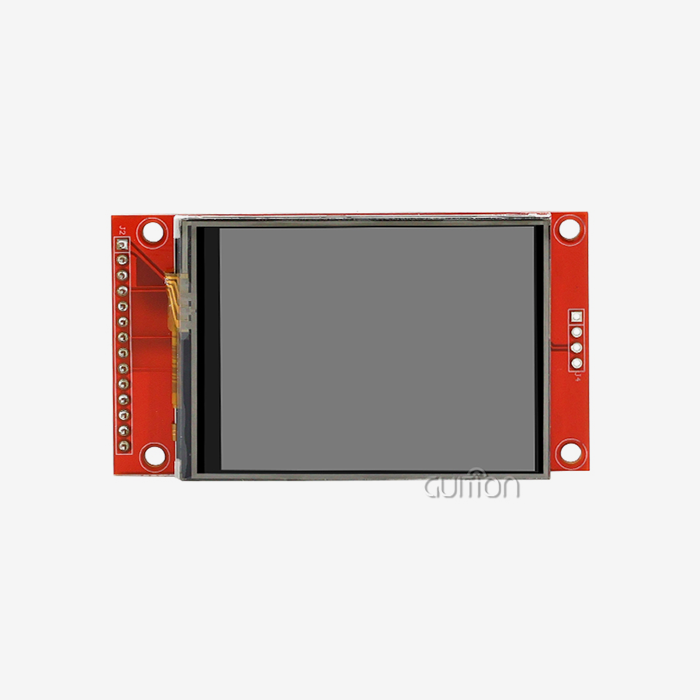
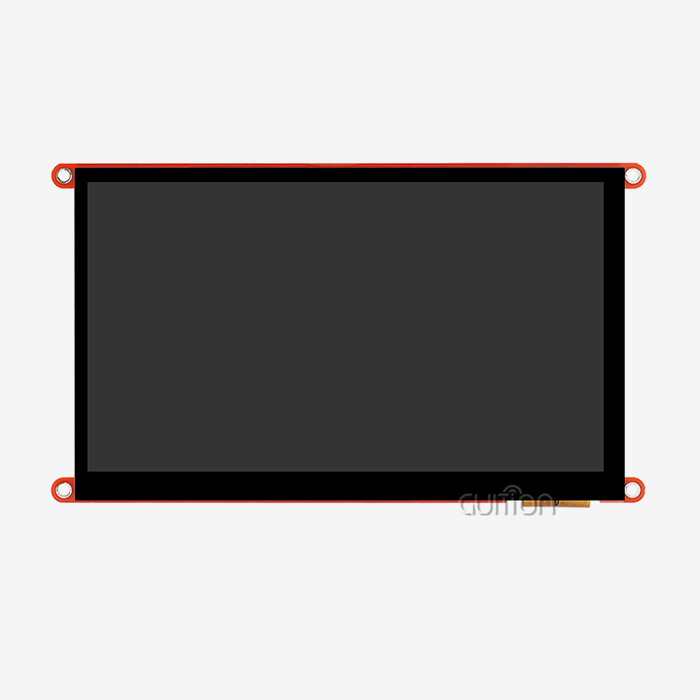
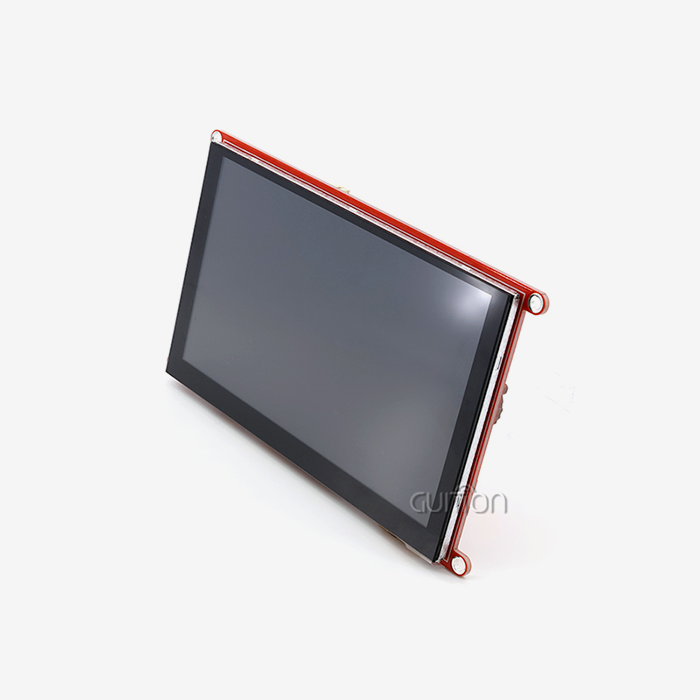
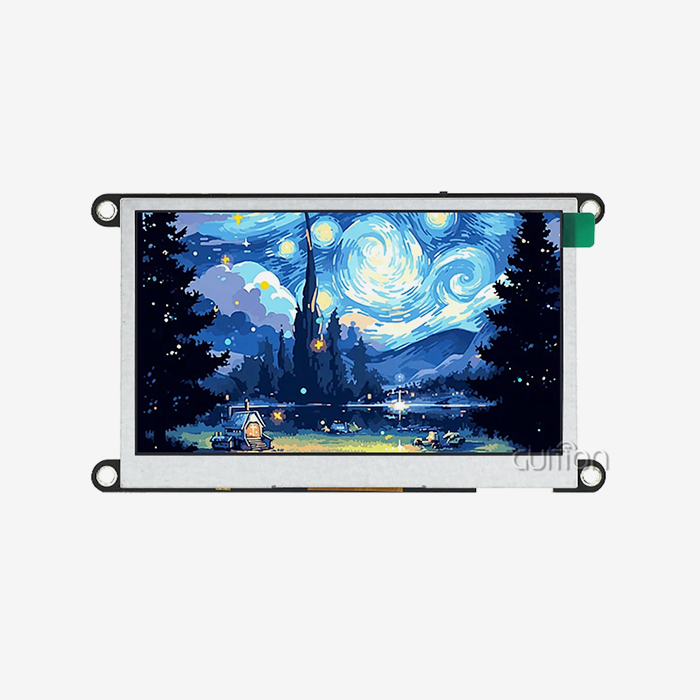
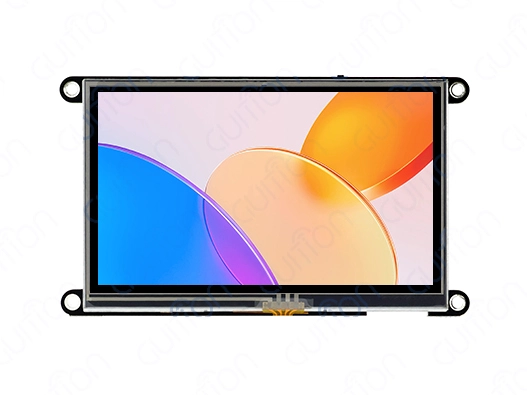
Choosing the right display size directly impacts your project's usability, development efficiency, and long-term reliability. When evaluating Arduino TFT modules, size determines not just what fits physically—it shapes how users interact with your interface, how much information displays clearly, and whether your control panel operates effectively in its environment. For industrial HMI projects, medical equipment, or smart home dashboards, a 4.3-inch module like the Guition JC4827W543R_I is a great choice: it's big enough for clear visuals but small enough to fit into panels easily, and its 480×272 resolution gives sharp images without using too much power or over
Introduction
Industrial automation, IoT gateways, and medical monitoring systems use Arduino TFT screens, which were once hobbyist peripherals. Selecting the right display size is crucial for embedded systems with increasingly complex human-machine interactions. Display size effect firmware resource allocation, wire harness complexity, and readability under poor lighting.
This tutorial covers the realities of B2B procurement teams, embedded engineers, and product managers specifying production displays. We evaluate technological qualities that matter in real-world deployments—not just datasheets but integration problems. Understanding how display size affects resolution, driver architecture, and connection will simplify your decision process for glove-compatible touch input industrial control panels or battery-efficient portable diagnostic equipment. We'll examine established decision frameworks, compare technology across application situations, and highlight procurement best practices that lower TCO and ensure supply chain stability.
Understanding Arduino TFT Displays: Key Dimensions and Features
What Makes TFT Technology Essential for Embedded Projects?
Thin-film transistor technology uses active-matrix addressing to control pixels, resulting in greater contrast ratios and faster refresh rates than passive displays. This design is essential for fluid animations, real-time data presentation, and multi-color status indicators. Arduino tft modules turn data loggers into interactive dashboards by rendering rich visuals, icons, and charts. Integrated driver ICs like ILI9341 or ST7789 manage timing issues, allowing your microcontroller to connect using SPI or parallel interfaces instead of dealing with basic panel controls.
Physical Size Versus Resolution: The Critical Balance
Display size is only part of the tale. A 2.4-inch and a 4.3-inch 320x240 pixel screen offer distinct user experiences. Pixel density affects small text legibility and button touch. A 3.5-inch display with 480×320 resolution offers easy readability without eye strain for industrial applications requiring viewing distances of 12–18 inches. The Guition JC4827W543R_I has a 4.3-inch screen and a resolution of 480×272, which gives it 128 pixels per inch, making the interface clear
Touch Input: Resistive Versus Capacitive Considerations
Touch functionality fundamentally changes how operators interact with equipment. Resistive touchscreens respond to pressure from fingers, gloves, or styluses, making them ideal for factory floors where workers wear protective gear or for outdoor installations exposed to moisture. They require calibration but offer precise single-point input and lower costs. Capacitive variants provide multi-touch gestures and superior optical clarity since they lack the resistive overlay that slightly dims the display. Your environment dictates the choice: pharmaceutical cleanrooms favor capacitive screens that sanitize easily, while agricultural automation benefits from resistive panels that function with muddy gloves.
Color Depth and Viewing Angle Specifications
Standard TFT modules operate at 16-bit color depth (RGB565 format), rendering 65,536 distinct colors—sufficient for most industrial interfaces where functional clarity trumps photographic accuracy. Viewing angle specifications matter when multiple operators need to see the display simultaneously or when mounting positions can't achieve perpendicular sightlines. IPS (In-Plane Switching) panels keep colors looking the same even when viewed from up to 178 degrees, avoiding the color changes and loss of contrast that happen with cheaper TN (Twisted Nematic)
Core Criteria for Choosing the Best Arduino TFT Display Size
Application-Specific Space Constraints and Mounting Requirements
Begin by auditing your physical environment. Panel cutouts in existing enclosures define maximum dimensions, while minimum sizes ensure controls remain operable. A CNC machine retrofit might accommodate only a 2.8-inch display within legacy control boxes, whereas a new smart thermostat design could optimize around a 3.5-inch module for bedroom wall mounting. Depth matters too—modules with protruding SD card slots or bulky backlight inverters may not fit shallow enclosures. Please document your three-dimensional space budget before shortlisting candidates.
Information Density and User Interaction Patterns
Calculate how much data appears simultaneously onscreen. A simple temperature controller displaying two numeric values operates fine on a 2.4-inch panel. A multi-zone HVAC system showing six temperature readings, fan speeds, and mode icons needs at least 4.3 inches to avoid cluttered interfaces that frustrate users. Touch target sizing follows Fitts's Law—smaller displays require fewer, larger buttons spaced adequately to prevent mistouches. The 10mm minimum touch target guideline means a 2.8-inch screen accommodates perhaps 6-8 primary controls, while a 4.3-inch unit handles 12-15 comfortably.
Microcontroller Resources and Communication Bandwidth
Larger displays demand more processing power and memory. A 480×320 display requires a 307,200-byte frame buffer (at 16-bit color), exceeding the RAM capacity of basic Arduino Uno boards with only 2KB SRAM. The ESP32-S3R8 processor in the Guition JC4827W543R_I solves this issue with 512KB SRAM and 8MB external PSRAM, enabling smooth graphics without constant redrawing. Communication speed matters equally—SPI interfaces at 40MHz struggle with full-screen updates on large panels, causing visible tearing. Evaluate whether your MCU supports hardware SPI, DMA transfers, or parallel buses that accelerate data throughput.
Environmental Durability and Operating Conditions
Industrial environments expose screens to severe temperatures, vibration, chemicals, and EMI. Outdoor agricultural sensors need wide-temperature LCDs with durable backlights to stay bright in -20°C winters and +60°C summers. Machine vibration can break poorly placed panels or loosen cable connections; use modules with screw-mount holes instead of glue. Sunlight readability requires high backlight intensity (500+ cd/m²) and anti-reflective coatings, sometimes lacking in hobbyist goods but essential for field use.
Knowing these criteria helps you create a weighted choice matrix. Assess each factor's importance for your project and rank candidate displays. Medical devices may prioritize viewing angle and color fidelity, whereas pump controllers prioritize temperature range and glove-compatible touch.
Comparing Arduino TFT Display Sizes and Technologies for Optimal Selection
Small Displays: Wearable and Compact Applications
Miniature Arduino TFT screens suit battery-powered portable instruments where weight and power consumption dominate concerns. A 1.8-inch 128×160 display draws approximately 20 mA during operation, enabling months of runtime from coin cells. These dimensions work well for handheld diagnostic tools technicians carry in tool belts or wrist-mounted interfaces for warehouse workers. The constrained screen area limits them to simplified menus and single-function displays. Touch input becomes impractical below 2.4 inches due to finger size—rotary encoders or physical buttons handle navigation better at this scale.
Mid-Range Displays: The Industrial Sweet Spot
This category highlights stationary control panel cost-performance excellence. The 4.3-inch Guition JC4827W543R_I shows why this scale dominates industrial automation: 8–12 discrete controls, legible at 18 inches, without the power and processor demands of larger panels. Its 480×272 resolution supports line graphs for process monitoring or multi-zone climate control. The module's SPI interface needs just four GPIO pins and power connections, and its ESP32-S3 dual-core processor can handle graphics on its own, making it easier to integrate.
This module's WiFi and Bluetooth capabilities eliminate communication boards, saving enclosure space and wiring harnesses. BOM consolidation and fewer assembly stages please production buyers. 4.3-inch displays offer smartphone-like interfaces without smartphone expenses for smart home thermostats, building automation controls, and retail point-of-sale terminals.
Large Displays: Multimedia and Multi-User Interfaces
When applications need to show multiple types of data at the same time—like factory dashboards that display production goals, machine status, and quality measures—bigger screens are needed. Seven-inch 800×480 displays accommodate information-rich layouts resembling desktop software interfaces. These prove valuable in stationary kiosks, equipment setup wizards with detailed instructions, or medical infusion pumps displaying drug libraries. The tradeoff involves increased power consumption (150+ mA just for backlighting), higher costs, and greater MCU processing requirements. Parallel 16-bit interfaces become preferred over SPI to maintain responsive touch interaction and animation frame rates.
OLED Alternatives: When to Consider Different Technology
OLED displays offer superior contrast (perfect blacks since pixels turn completely off) and wider color gamut, appealing for premium consumer products where visual impact justifies higher costs. However, OLED panels suffer from burn-in when static UI elements display continuously—problematic for industrial HMIs showing fixed status icons. They also cost 2-3x more than equivalent TFT modules and have shorter lifespans (20,000 hours versus 50,000+ for LCD backlights). Reserve OLED for applications valuing aesthetic appeal and viewing in complete darkness over longevity and cost efficiency.
Procurement Considerations: Where and How to Buy the Right Arduino TFT Display?
Evaluating Supplier Reliability and Technical Support
Component sourcing for production volumes requires more than finding the lowest price. Supplier consistency ensures each batch matches specifications—color temperature variations or touch sensitivity inconsistencies cause warranty returns and customer dissatisfaction. Established suppliers like Guition provide documentation for batch traceability and qualification testing required for ISO 9001 compliance. Technical support capability matters enormously when integration issues arise: can the supplier provide initialization code examples, explain driver timing parameters, or assist with EMI troubleshooting? Email response times and engineering staff accessibility separate professional suppliers from commodity resellers.
Pricing Structures Across Display Sizes and Features
The screen area will affect pricing non-linearly. Buying a 2.4-inch module costs $8, a 3.5-inch $15, and a 4.3-inch $22, while doubling screen surface costs 60–80% more. Touch overlays cost $3-7, depending on tech. WiFi/Bluetooth controllers like the ESP32-S3 cost $5-10 more than dumb displays with MCUs. Volume prices break at 100, 500, and 1000 units, reducing by 20–30% each time. During semiconductor shortages, essential components may have 12-16 week manufacturing cycles. Request official quotes with lead times.
Future-Proofing and Component Lifecycle Management
Industrial products often ship for 5-10 years, but display models may discontinue in 18-24 months. Negotiate last-time-buy notifications in supplier agreements so you can stockpile critical components before obsolescence. Alternatively, design with flexibility—use standard mounting holes and connector pinouts so alternative displays can substitute with minimal PCB changes. The Guiton development ecosystem supporting Arduino IDE, ESP-IDF, and MicroPython provides migration paths if hardware changes become necessary, since firmware ports across compatible modules with minimal recoding.
Certification and Compliance Documentation
B2B purchase demands credentials hobbyist providers don't offer. UL/CE marks verify electrical insulation and flammability testing. Since FCC/CE EMC reports confirm electromagnetic compatibility, your display won't interact with other equipment or breach regulations. RoHS documentation ensures European hazardous chemical limitations are met. Medical applications need IEC 60601 certification. Request these documents during supplier evaluation—getting them afterward slows product launches by months and costs thousands in testing.
Troubleshooting and Optimizing Your Arduino TFT Display Setup
Resolving Common Initialization and Communication Issues
White screen syndrome—the most reported issue—typically stems from incorrect driver initialization. Each display controller IC requires specific initialization sequences with dozens of register writes configuring voltage levels, timing parameters, and pixel format. Verify your library matches your hardware: using an ILI9341 library with an ST7735 display produces blank screens. Check SPI clock speeds; exceeding 40MHz on breadboarded connections with long jumper wires causes signal integrity problems. Parallel interfaces require careful attention to setup and hold timing—scope the data lines if corruption appears.
Touch Calibration Techniques for Accurate Input
Resistive touch panels need mapping raw ADC values from the touch controller to pixel coordinates. Run calibration routines prompting users to touch corner targets, then calculate transformation matrices converting touch space to screen space. Environmental factors affect calibration—temperature changes alter resistive layer spacing slightly. Implement automatic recalibration checks detecting consistent offset errors. Capacitive screens require less frequent calibration but suffer from ghost touches near grounded metal enclosures; proper shielding and grounding eliminate most issues.
Power Management and Backlight Optimization
Backlights use 60–80% of display power. In indoor contexts, PWM dimming lets users adjust brightness from 100% to 50%, saving power without affecting visibility. Ambient light sensors can lower in gloomy spaces and raise in sunlight. The Guiton module's lighting control circuit is simpler, with one PWM input for intensity modification. Display only critical notifications and turn off backlights during idleness for battery uses. The LCD draws less power even without backlight.
Library Selection and Performance Tuning
Rendering speeds vary greatly among graphics libraries. Adafruit_GFX supports much hardware but uses generic code, sacrificing performance. Complex animations benefit from hardware acceleration and efficient rendering algorithms in LVGL. TFT_eSPI optimizes DMA for ESP32/ESP8266 devices, speeding screen updates 2-3x. Guition's optimized drivers and drag-and-drop UI builders generate efficient code automatically, decreasing development time from weeks to days while retaining professional performance.
Conclusion
Selecting the appropriate display size for your Arduino TFT application requires balancing technical specifications with practical deployment realities. We've looked at how the size of the display affects its clarity and how it works with the microcontroller's processing power and memory needs, as well as ways to ensure you can reliably get the parts you need. Mid-range displays from 3.5 to 4.3 inches offer compelling value for industrial applications, providing sufficient screen area for complex interfaces without excessive resource consumption. The addition of wireless connectivity, touch input, and strong development tools in modern modules like those from Guition makes it easier to develop products and lowers overall system costs. Careful attention to environmental requirements, supplier qualifications, and long-term component availability protects your product investment throughout its commercial lifecycle.
FAQ
What display size works best for industrial control panels?
Most industrial applications benefit from 4.3-inch displays offering 480×272 or higher resolution. This size accommodates 8-12 touch controls with adequate spacing for gloved operation while remaining readable from typical viewing distances of 12-18 inches. Smaller 3.5-inch options suit space-constrained retrofits but limit interface complexity.
Can I upgrade to a larger Arduino TFT display without redesigning my circuit board?
Upgrading depends on your existing interface type. SPI connections remain pin-compatible across sizes, but larger displays demand more processing power and memory. Verify your microcontroller has sufficient SRAM for the new frame buffer size. Parallel interfaces may require PCB layout changes due to additional data lines. Mounting hole patterns vary between manufacturers, often necessitating mechanical redesign.
How do I ensure compatibility between my Arduino board and a TFT display module?
Check three critical factors: logic voltage levels (3.3V versus 5V), available communication interfaces (SPI, I2C, or parallel), and GPIO pin count. Many modules require level shifters when connecting 3.3V displays to 5V Arduino boards. Confirm your board has sufficient free pins after accounting for display control signals. Review library compatibility—some displays need specialized drivers not supporting all Arduino variants.
Partner with Guition for Your Next HMI Display Solution
Selecting the right Arduino tft display manufacturer determines not just component quality but your entire development experience and long-term product support. Guition specializes in delivering complete USART-hmi display modules engineered specifically for industrial, medical, and smart device applications demanding reliability beyond hobby-grade components. Our JC4827W543R_I module exemplifies our commitment to integration simplicity—arriving with pre-loaded test programs and comprehensive Arduino libraries that accelerate your prototyping phase. The dual-core ESP32-S3R8 processor handles graphics rendering independently while providing WiFi and Bluetooth connectivity, eliminating separate communication modules from your BOM.
We support your entire development lifecycle with our proprietary Guition software, offering drag-and-drop UI design, cross-platform debugging, and remote firmware update capabilities. Whether you're an embedded engineer facing tight deadlines, a product manager evaluating suppliers, or a procurement professional seeking reliable Arduino TFT suppliers for volume production, our technical team provides responsive support addressing your specific integration challenges. Contact david@guition.com today to discuss your project requirements and request sample modules with customized firmware demonstrating our capabilities in your exact application scenario.
References
1. Smith, J. and Williams, R. (2022). "Display Technologies for Embedded Systems: A Comparative Analysis of TFT-LCD, OLED, and E-Ink Solutions." Journal of Embedded Computing, 18(3), 145-162.
2. Anderson, M. (2023). "Human-Machine Interface Design Guidelines for Industrial Automation." Industrial Electronics Engineering Quarterly, 41(2), 78-94.
3. Chen, L., Kumar, S., and Zhao, Y. (2021). "Touch Screen Technology Selection for Harsh Environmental Applications." IEEE Transactions on Industrial Electronics, 68(7), 6234-6245.
4. Roberts, K. (2023). "Microcontroller Selection Criteria for Graphics-Intensive Applications." Embedded Systems Design Magazine, 36(5), 22-31.
5. Thompson, D. and Martinez, A. (2022). "Supply Chain Risk Management in Electronic Component Procurement." International Journal of Production Economics, 234, 108-119.
6. Wagner, P., Jensen, T., and O'Connor, B. (2023). "Power Optimization Techniques for Battery-Powered Display Applications." ACM Transactions on Embedded Computing Systems, 22(1), 1-24.
Learn about our latest products and discounts through SMS or email