- English
- French
- German
- Portuguese
- Spanish
- Russian
- Japanese
- Korean
- Arabic
- Greek
- German
- Turkish
- Italian
- Danish
- Romanian
- Indonesian
- Czech
- Afrikaans
- Swedish
- Polish
- Basque
- Catalan
- Esperanto
- Hindi
- Lao
- Albanian
- Amharic
- Armenian
- Azerbaijani
- Belarusian
- Bengali
- Bosnian
- Bulgarian
- Cebuano
- Chichewa
- Corsican
- Croatian
- Dutch
- Estonian
- Filipino
- Finnish
- Frisian
- Galician
- Georgian
- Gujarati
- Haitian
- Hausa
- Hawaiian
- Hebrew
- Hmong
- Hungarian
- Icelandic
- Igbo
- Javanese
- Kannada
- Kazakh
- Khmer
- Kurdish
- Kyrgyz
- Latin
- Latvian
- Lithuanian
- Luxembou..
- Macedonian
- Malagasy
- Malay
- Malayalam
- Maltese
- Maori
- Marathi
- Mongolian
- Burmese
- Nepali
- Norwegian
- Pashto
- Persian
- Punjabi
- Serbian
- Sesotho
- Sinhala
- Slovak
- Slovenian
- Somali
- Samoan
- Scots Gaelic
- Shona
- Sindhi
- Sundanese
- Swahili
- Tajik
- Tamil
- Telugu
- Thai
- Ukrainian
- Urdu
- Uzbek
- Vietnamese
- Welsh
- Xhosa
- Yiddish
- Yoruba
- Zulu
Industrial HMI Panel Communication Protocols Guide
It's very important to pick the right transmission interface for an Industrial HMI panel. It could make or break your automation project. These screens are the most important link between workers and machines. They turn streams of raw data into insights that can be used and allow precise control over complicated industrial processes. The choice of protocol has a direct effect on how fast a system is, how easy it is to integrate, and how much it costs to run in the long run. This guide tells you everything you need to know about Industrial HMI panel connection standards. This will help you make smart choices whether you're replacing old systems or starting from scratch to create new automation solutions.
Understanding Industrial HMI Panel Communication Protocols
Learning about the communication protocols for Industrial HMI panels. Communication standards tell your Industrial HMI panel how to talk to programmable logic controls, sensors, drives, and other automation parts and how to send and receive data. You can think of these protocols as common languages that keep devices from different makers from not being able to talk to each other properly.
The Role of Protocols in Industrial Automation
Protocols take care of everything, from organizing data to checking for errors, so your human-machine link gets correct information at the right time. When a user presses a button on the screen to change the speed of a motor, the protocol tells the motor controller what to do and shows proof on the screen. This two-way contact happens all the time, often hundreds of times per second, making sure that your whole automation network is always in sync with the present.
Synchronous vs Asynchronous Communication Methods
There are two main ways that data is usually exchanged in industrial settings. For synchronous communication to work, devices must arrange their timing so that they send and receive data at set times. This method makes sure that response times are reliable, which is very important for time-sensitive systems like motion control or emergency stop systems. Asynchronous communication, on the other hand, lets devices send data whenever they need to without having to strictly coordinate time. This adaptability works well for tracking tasks where short delays won't hurt safety or output. Modern Industrial HMI panel designs often support both ways, choosing the best one instantly based on the type of device being attached.
How Advanced Protocols Enhance System Performance
Protocol standards today include advanced features that older systems did not have. Built-in error recognition finds data bits that aren't working right before they cause problems. Automatic retry methods get back in touch with each other after short contact problems without any help from a person in charge. With device diagnostics, your Industrial HMI panel can show you specific health data about connected equipment. This lets you plan preventative maintenance that keeps your equipment from breaking down when you least expect it.
Core Industrial HMI Communication Protocols Explained
Knowing the technical details of the main groups of protocols can help you find the right communication standards for your needs. Each protocol was created to meet the needs of a different business, and based on your application, each has its own set of benefits.
Modbus and Modbus TCP/IP
Modbus is still the most popular standard for simple control projects. When it was first created in 1979, its ease and open design made it easy for everyone to use. Serial communication over RS-485 wire is used by traditional Modbus. Up to 247 devices can be connected to a single network section. The protocol sets out four basic message types that can read or write data registers. These message types cover the majority of control situations. Modbus TCP/IP updates this base by enclosing Modbus messages inside normal Ethernet packets. This greatly speeds things up while still working with software that is already in use. This makes Modbus TCP/IP a great choice for connecting an Industrial HMI panel to networks that already have Ethernet infrastructure. The protocol's flaws are that it doesn't have any built-in security features, and its error checking isn't as advanced as newer options.
PROFIBUS and PROFINET
These procedures were created by Siemens and are used in most industrial settings in Europe and in process industries around the world. When PROFIBUS is used with special cables, it provides a reliable connection that ensures fast reaction times. This consistency is very important on high-speed production lines where dozens of devices need to work together in milliseconds. PROFINET brings the idea of PROFIBUS to Ethernet. It works with standard networking hardware and keeps real-time speed up by using smart methods for prioritizing packets. If your facility already has Siemens controls, picking an Industrial HMI panel that supports PROFINET directly will save you time and effort on protocol conversion and make debugging easier. The most important thing to think about is the licensing standards and the need for certified training to make sure these practices are used properly.
Ethernet/IP and CIP-Based Solutions
Ethernet/IP mostly caught on in North American markets, especially in places that used Rockwell Automation equipment. Ethernet/IP is based on the Common Industrial Protocol and uses normal Ethernet gear that hasn't been changed. This lowers the cost of the infrastructure. The protocol is great at sending large amounts of data, which makes it perfect for use when your Industrial HMI panel needs to show detailed process visualizations or manage recipes for complicated production routines. The CIP specification's device profiles standardize how different types of equipment show off their features. This makes it easier to integrate systems from different vendors.
OPC UA for Industry 4.0 Integration
When it comes to industry communication methods, OPC Unified Architecture is the cutting edge. OPC UA is different from the above-mentioned device-level protocols because it works at a higher concept level and defines not only how data is sent but also what it means. With this semantic feature, your Industrial HMI panel can instantly figure out that a certain number is a temperature in Celsius and not just a random number. OPC UA is the best protocol for Industry 4.0 projects that need to connect to the cloud and use advanced analytics because it works on any platform, has a strong security design, and has information modeling built in.
Specialized Protocols for Niche Applications
CAN Bus protocols are used in apps like cars and mobile devices, where strong vibrations and electromagnetic radiation make other standards difficult to use. DeviceNet makes connecting easier in situations where there are a lot of simple devices, like light sensors or warning lights. Due to its extremely low power consumption and effective bandwidth utilization for wireless apps, MQTT has become the most popular protocol for IoT sensor networks that send data to an Industrial HMI panel.
How to Choose the Right Communication Protocol for Your Industrial HMI Panel
When choosing a protocol, you have to think about a lot of technical and business factors. Making the wrong choice early on in a project can lead to redesigns that cost a lot of money or speed problems that you don't notice until after the fact.
Assessing Your System Requirements
First, make a map of your network's structure. How many devices do you need to talk on? How far away are they physically? Are you going to use wired or wireless? A simple Modbus RTU solution works well for an application with three PLCs within 100 feet, but Ethernet-based protocols are needed for a facility-wide system that spans multiple buildings. The standards for data processing rates are very important. Your Industrial HMI panel only needs a small amount of bandwidth to show basic process values. However, it needs a lot more bandwidth to stream video from inspection cameras or handle complicated batch recipes.
Evaluating Performance and Reliability Factors
How fast your system reacts to events is called its latency. Safety systems or motion coordination need response times less than 10 milliseconds, but applications that watch processes can handle delays measured in seconds. The choice of protocol has a direct effect on the lag that can be reached. Reliability includes both the ability to find errors and the ability to fix them. Strong error checking in protocols stops damaged data from leading to wrong actions, and automatic restart features keep things running smoothly when communication fails temporarily.
Ensuring Scalability and Legacy Compatibility
There will be changes to your automated network over time. By choosing methods that can be expanded in the future, you can avoid having to replace expensive equipment. Think about whether you could someday connect your Industrial HMI panel to business systems to get information about production or to new technologies like AI for predictive quality control. Just as important, make sure it works with the tools you already have. It usually doesn't make financial sense to replace working old devices just because of a different protocol. Instead, look for options that offer protocol translation gateways or support for multiple protocols in a single interface.
Leveraging Supplier Expertise for Informed Decisions
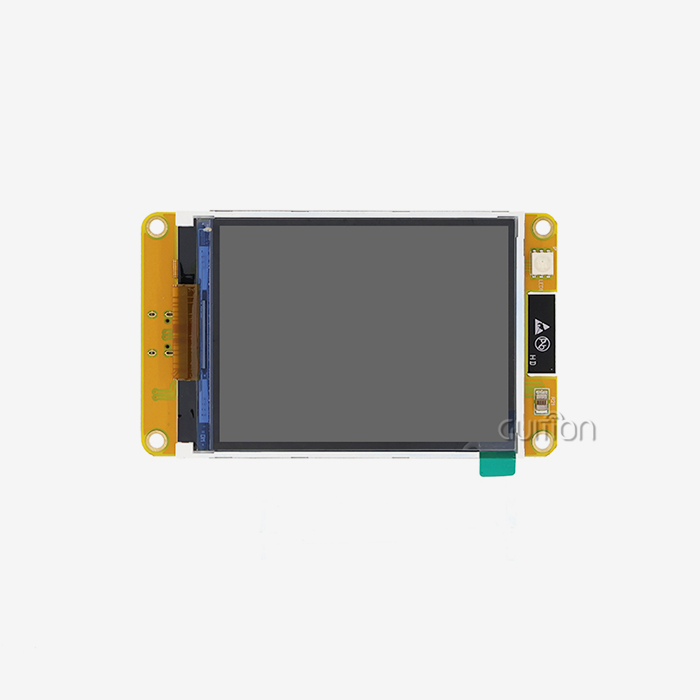
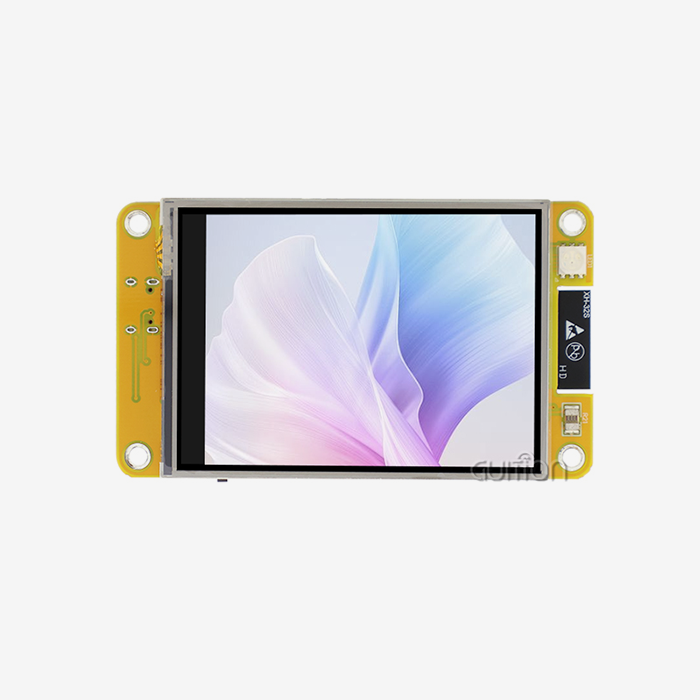
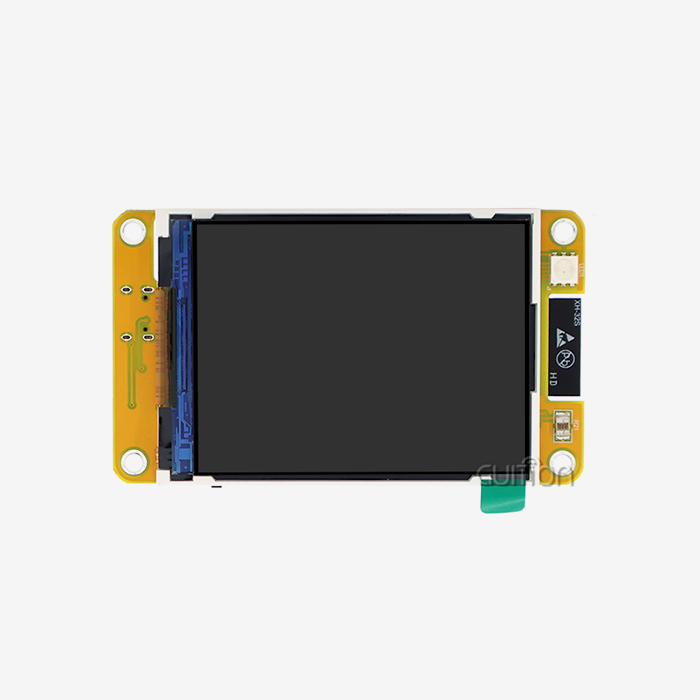
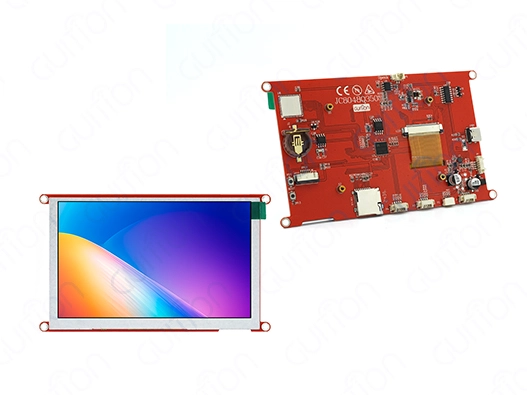
The best makers offer thorough documentation for protocol support and help with application building. Not only should you look at the technical specs of an Industrial HMI panel, but you should also see how good the implementation guides, example projects, and expert help are. This dedication is shown by Guition's detailed instructions for our JC8048Q350N_I display module, which has the powerful D121BBV single-core MCU running at 400MHz. This 5-inch screen has an 800x480 IPS resolution and works with several development tools, such as Arduino and ESP-IDF. This gives you options for how to apply protocols. Our online development tool Guition makes it easier to make unique interfaces by letting you drag and drop elements. This makes it much faster to set up protocol-specific display screens.
Troubleshooting Common Industrial HMI Panel Communication Issues
Fixing Common Communication Problems in Industrial HMI Panels. Communication troubles can happen with even the best-designed tools from time to time. Knowing how to find problems in an organized way and recognizing common failure patterns can help reduce downtime and anger.
Diagnosing Connectivity Failures
Problems at the physical layer or setup mismatches are often the cause of complete connection loss. On serial networks, check the quality of the cables, the way the connectors are seated, and the way the termination resistors are installed. Make sure that all of the devices have the same baud rates, parity settings, and data bit sets. For Ethernet-based systems, make sure that the Industrial HMI panel and all the devices that are linked to it are on the same subnet and that the necessary ports are not blocked by any firewall rules. Modern displays have network monitoring tools that can ping faraway devices and show connection data. This helps you figure out if the problem is with the network infrastructure or the way the device is set up.
Addressing Data Transfer Delays and Timeouts
Communication that comes and goes with timeouts is often a sign of a crowded network or poor signal quality. Too many devices trying to send data at the same time or polling cycles asking for more data than the network speed can handle are bad for serial networks. Lower the number of times non-critical data points are polled so that more important data can safely be sent. Packet capture tools should be used to look at Ethernet networks for broadcast storms or too many retransmissions. Using VLANs to separate traffic and setting aside network parts just for Industrial HMI panel contact is sometimes the best way to solve the problem.
Implementing Best Practices for Protocol Configuration
Many problems can be avoided at the start by making sure the setup is correct. Keep track of device addresses, register mappings, and scale factors, and write down all protocol details in a structured way. When connecting your hmi display module to a new system, start by connecting only one or two devices. Once you're sure everything is working properly, slowly add more devices. This step-by-step method makes troubleshooting a lot easier than trying to figure out what's wrong with dozens of devices that are all linked at the same time.
Maintaining Firmware Currency and Security
Manufacturers regularly release software patches that fix bugs in communication and security. Set up a regular way to check for changes for your Industrial HMI panel and any devices that are linked to it. Guition goods let you update the firmware from afar, so you can keep systems running without having to go to the spot in person. This feature is especially useful for handling setups that are spread out across different areas. Before putting updates on live systems, they should be tried in non-production settings to make sure that protocol communication stays stable after the upgrade.
Future Trends in Industrial HMI Panel Communication Protocols
Innovations in new technologies and shifting business needs are driving the fast changes in industrial automation. Keeping up with trends in protocol growth helps you make smart business choices for the future.
Convergence Toward Unified Standards
Industry 4.0 projects aim to create unified communication systems that get rid of fragmented protocols. As more makers see the value of semantic interoperability, Industrial HMI panel systems can instantly understand data from devices they haven't worked with before without specialized code. Along with OPC UA, MQTT is becoming more popular for communicating between sensors, especially in wireless settings where its small size saves battery life and frequency data. These two protocols work well together, with OPC UA giving organized access to that data for Industrial HMI panel visualization and analysis, and MQTT collecting data from edge sensors.
Wireless and IoT-Enabled Communication Solutions
Wireless technologies get rid of the need for cables and allow tracking in places where fixed installations would not work. As shown in our JC8048Q350N_I module, more and more modern Industrial HMI panel designs include WiFi and Bluetooth connections. This built-in wireless feature makes it easier to connect to mobile devices for maintenance jobs or to wireless sensor networks without having to use extra connections. The task is to make sure that dependability and security are good enough in industrial settings where cyber threats and radio frequency interference are real dangers. Careful site studies, the right placement of access points, and strong authentication methods are all needed to put wireless solutions into action.
Enhanced Cybersecurity Protocols
Cyberattacks are possible on Industrial HMI panel systems when they connect to business networks and cloud services. In the future, protocol development will focus on security-by-design principles, building encryption, identification, and permission rights into communication standards. OPC UA is ahead of this trend because it has full security profiles that allow all kinds of verification methods, from simple username and password to more complex certificate-based mutual authentication. Adding these security features takes more configuration work, but they protect important systems from hackers and other people who shouldn't be able to access or change data, which could stop operations or put private data at risk.
Impact on Procurement and Partnership Strategies
The way smart buyers deal with vendors has changed because of these changes in technology. Instead of just buying hardware, successful businesses form relationships with sellers who show a long-term dedication to improving protocols and raising knowledge about cybersecurity. When looking for Industrial HMI panel providers, you should look at how often they update their software, how quickly they respond to security alerts, and whether they are involved in organizations that create standards. Companies like Guition that invest in flexible development platforms make it possible for customers to change as new protocols come out. This keeps automation investments from becoming useless too soon.
Conclusion
The communication interface you choose has a big impact on how well your Industrial HMI panel system works, how hard it is to integrate, and how long it will last. By learning about the technical details and possible uses of major protocols, you can make choices that are in line with your unique operational needs. Whether you're using simple Modbus connectivity or more complicated OPC UA architectures for Industry 4.0 projects, making sure that the protocol features fit your automation goals is the key to reliable and efficient human-machine interaction. As protocols keep changing to become more open, secure, and semantically capable, choosing providers that are committed to ongoing development will make sure that your systems stay up-to-date and capable for as long as they are used.
FAQ
Which communication protocol offers the highest reliability?
Implementation is more important for reliability than having a better system inherently. Deterministic protocols, such as PROFINET and EtherCAT, ensure the fastest reaction times. This makes them very reliable for applications that need to work quickly. When networks are set up correctly, with enough speed and little interference, Modbus TCP/IP works very well for general Industrial HMI panel setups. OPC UA has strong security and error-handling features that make it more reliable in complicated, linked settings.
Can a single Industrial HMI panel support multiple protocols simultaneously?
A lot of modern screens can work with more than one protocol, which means they can act as translators between robotic islands that use different communication standards. This adaptability is useful in places where different kinds of tools are kept. The Guition JC8048Q350N_I works with different development modes, such as the Arduino and ESP-IDF frameworks, which let you use different protocol stacks by writing your own code. Check with your provider about specific combinations of protocols, as running them at the same time may affect speed based on the processing needs.
How do I verify existing equipment compatibility with new protocol standards?
Look for lists of approved protocols and version information in the datasheets and communication guides that came with the controllers and devices you already have. A lot of sellers offer online compatibility tools that let you compare device models to Industrial HMI panel goods. If the documentation isn't clear, give model numbers to technical help teams. Before making a purchase decision, compatibility testing should happen, ideally with demo units or return policies that let you check in your own setting.
Partner with Guition for Advanced Industrial HMI Panel Solutions
Guition provides cutting-edge technology for interacting between humans and machines that is made especially for tough industrial uses. Our JC8048Q350N_I Industrial HMI panel has strong hardware with a fast 400MHz D121BBV MCU and an easy-to-use 800x480 IPS display. This gives you a clear picture of your control systems. What makes us different is our full-featured Guition development platform, which lets you make interfaces quickly with simple drag-and-drop tools and without having to know a lot about low-level programming. Multiple development tools are supported, WiFi and Bluetooth are built in, and cross-platform testing is possible. These features speed up project timelines and lower development costs. Our engineering team is ready to help you succeed, whether you need help choosing the right communication protocols for your application or need unique setups. Find out why top makers of industrial HMI panels choose Guition for display solutions that are reliable and won't break in the future. Get in touch with david@guition.com right away to talk about your project needs and get expert advice that fits your automation goals.
References
1. Chen, M., & Rodriguez, A. (2022). Industrial Communication Protocols: A Comprehensive Technical Analysis. New York: Automation Press.
2. Hoffman, P. (2021). Ethernet-Based Industrial Networks: Implementation and Best Practices. Chicago: Manufacturing Technology Publishers.
3. Industrial Automation Standards Committee. (2023). OPC UA Security Guidelines for Industrial Applications. Geneva: International Electrotechnical Commission.
4. Kumar, S., & Zhang, L. (2023). Protocol Selection Criteria for Industry 4.0 Human-Machine Interfaces. Journal of Industrial Automation, 47(3), 156-174.
5. Thompson, R. (2022). Troubleshooting Industrial Networks: A Practical Field Guide. Boston: Technical Engineering Press.
6. Williams, J., & Nakamura, K. (2021). Wireless Communication Protocols in Manufacturing Environments: Performance Analysis and Reliability Assessment. International Journal of Advanced Manufacturing Technology, 89(5-8), 2341-2359.
Learn about our latest products and discounts through SMS or email