- English
- French
- German
- Portuguese
- Spanish
- Russian
- Japanese
- Korean
- Arabic
- Greek
- German
- Turkish
- Italian
- Danish
- Romanian
- Indonesian
- Czech
- Afrikaans
- Swedish
- Polish
- Basque
- Catalan
- Esperanto
- Hindi
- Lao
- Albanian
- Amharic
- Armenian
- Azerbaijani
- Belarusian
- Bengali
- Bosnian
- Bulgarian
- Cebuano
- Chichewa
- Corsican
- Croatian
- Dutch
- Estonian
- Filipino
- Finnish
- Frisian
- Galician
- Georgian
- Gujarati
- Haitian
- Hausa
- Hawaiian
- Hebrew
- Hmong
- Hungarian
- Icelandic
- Igbo
- Javanese
- Kannada
- Kazakh
- Khmer
- Kurdish
- Kyrgyz
- Latin
- Latvian
- Lithuanian
- Luxembou..
- Macedonian
- Malagasy
- Malay
- Malayalam
- Maltese
- Maori
- Marathi
- Mongolian
- Burmese
- Nepali
- Norwegian
- Pashto
- Persian
- Punjabi
- Serbian
- Sesotho
- Sinhala
- Slovak
- Slovenian
- Somali
- Samoan
- Scots Gaelic
- Shona
- Sindhi
- Sundanese
- Swahili
- Tajik
- Tamil
- Telugu
- Thai
- Ukrainian
- Urdu
- Uzbek
- Vietnamese
- Welsh
- Xhosa
- Yiddish
- Yoruba
- Zulu
What Should You Know Before Choosing a Touch screen HMI with PLC?
It is important to carefully consider technical specs, development flexibility, and long-term operating reliability when choosing an industrial HMI-PLC system. Touch screen HMI with PLC integration enables easy control, while programmable controllers handle logic functions, bridging human workers and automation systems. This mix makes machine operation easier in fields like medical devices, smart equipment, and manufacturing, where fast interface development and stable connection are important. Knowing about things like protocol compatibility, processing power, display quality, and software platforms can help engineers avoid expensive delays in merging and make sure that the product goes from prototype to production without any problems.


Understanding Touch Screen HMI with PLC: Basics and Benefits
What Is a Touch Screen HMI with PLC?
An HMI is the visual interface that lets workers interact with automatic machinery. It shows data in real time and lets users give orders through tactile interfaces. The PLC makes decisions by following logic processes, keeping an eye on sensors, and controlling actuators based on directions that were written into it. When these technologies come together, either through hardware integration or strong communication standards, you get centralized control that makes wiring easier and requires less cabinet room. Modern systems talk to each other using industrial protocols like Modbus RTU, RS485, or UART. These protocols protect data integrity even in places with a lot of electrical noise. The PLC takes in signals and changes outputs within milliseconds, while the HMI displays graphs of temperature trends, pressure readings, or production counts. Predictive maintenance alerts, remote diagnostics, and adaptable process control are all made possible by this synchronization, which is not possible with manual systems.
Core Advantages of Integrated Systems
When you combine show and control logic, you can speed up development by a lot. You don't have to work with different sellers for the screens and controllers, which cuts down on the hassles of buying things and checking their compatibility. Operators benefit from easy-to-use touchscreens that replace groups of real buttons. This cuts down on training time and mistakes made when shifts change. Having real-time tracking tools changes how visible operations are. The screen changes instantly as production variables change, so managers can see trends before they become quality problems. Data logging features keep track of performance data over weeks or months, which helps with ISO compliance paperwork and efforts to keep getting better. When something goes wrong with the equipment, monitoring screens show which sensors or motors are causing the problem. This cuts the time it takes to fix the problem from hours to minutes. Precise control methods make energy use more efficient. The PLC changes things like motor speeds, heating cycles, and valve positions based on what's needed, not on set plans. By optimizing function, you cut down on waste, lower energy costs, and make parts last longer. With remote upgrade capabilities, firmware updates can reach installed units without the need for a worker to visit the site. This protects your investment as technology changes.
Key Considerations When Choosing a Touch Screen HMI with PLC
System Requirements and Compatibility
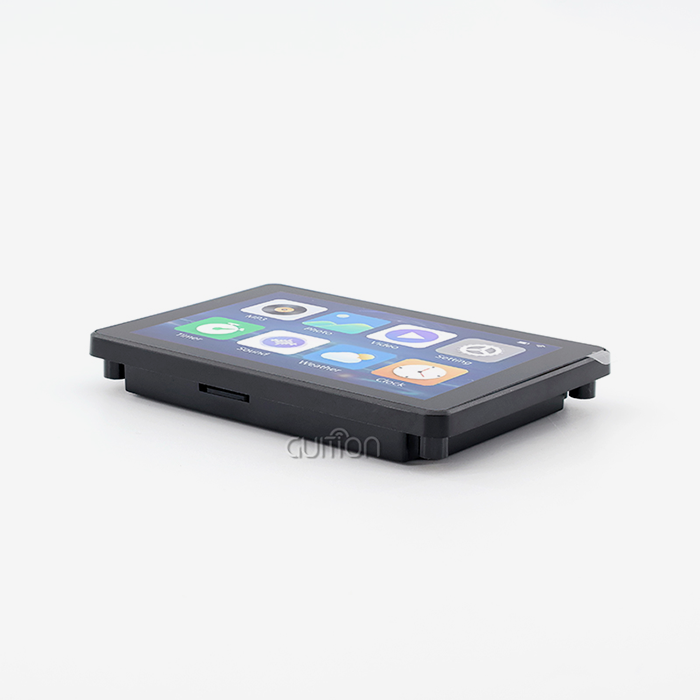
Set the basic limits of your project before you look at specific models. Find out how many digital and analog I/O points your application needs. For example, conveyor systems may need dozens of separate inputs, while temperature tanks need analog channels with a high resolution. Check to see if the devices you're interested in support the connection protocols you want to use, such as RS232 for older equipment or Ethernet for current IoT integration. Screen specifications have a direct effect on how well a person does their job. A 5-inch screen is good for small equipment cases, but bigger screens are better for control rooms. When showing complex graphs or writing in more than one language, resolution is important. The GUITION JC8048Q350C_I has an 800x480 IPS screen with great viewing angles, so it can be read in a variety of lighting situations. Older resistive screens needed hard pressure to work, but capacitive touch technology works consistently even when people wear gloves. How fast the system is and how many tasks you can do at once depend on how well the processor works. At 400MHz, the Artinchip D121BBV single-core MCU can handle GUI rendering, connectivity tasks, and logic operations all at the same time without any lag. Screen freezes or delayed command replies happen when there isn't enough processing power, which is unacceptable in safety-critical apps. It's also important to pay attention to how memory is allocated: 8MB PSRAM and 16MB Flash leave room for complicated interfaces, data buffers, and new features in the future.
Development Flexibility and Software Ecosystem
If you want your tech team to be more productive, software tools are just as important as hardware specs. Drag-and-drop GUI makers let designers place buttons, scales, and gauges visually instead of having to write low-level code for weeks. The Guition development tool supports this easy-to-use process, so engineers who aren't good at embedded programming can still make excellent user interfaces. With pre-built control libraries, testing is faster—adding a trend chart or alarm sign only takes a few clicks instead of writing custom code. Cross-platform support keeps you from being locked into one seller and lets engineers use different styles. Modules that work with the Arduino IDE are good for training and fast prototyping projects, and ESP-IDF integration is good for teams that use Espressif chipsets all the time. Guition's multi-mode support connects these ecosystems so you can pick the working setting that works best for your team. Online debugging makes fixing easier by letting you see changing states and make changes to settings without having to reflash software. Secondary development platforms make it possible to customize things. With open APIs, you can connect to online data tools, use third-party sensors, or build your own algorithms. Supportable goods are distinguished from annoying dead ends by the quality of their documentation. Full datasheets, code examples, and application notes lower the risks of integration. Touch screen HMI with PLC solutions from Guition give engineers specific technical tools that help them solve implementation problems on their own.
Industrial-Grade Durability and Environmental Tolerance
Electronics in factories are exposed to high and low temperatures, vibrations, wetness, and electromagnetic pollution. IP grades show the amount of ingress protection. For example, IP65 enclosures keep dust and water jets out and are good for food processing or outdoor setups. When equipment is near boilers or in buildings that aren't heated, the temperature ranges it can work in are important. Devices that can work in temperatures ranging from -20°C to +70°C do so reliably no matter the season. Vibration resistance keeps machines that are always moving from breaking down too soon. PCBs with a conformal layer are safe from damp and corrosive vapors that are common in chemical plants. Electrostatic discharge (ESD) safety keeps sensitive parts safe from shocks caused by operators, which could damage memory or input circuits. Ask for test certificates that show a product meets IEC standards for electromagnetic compatibility and outdoor stress screening when you are examining it. Total cost of ownership is affected by how long a display lasts. Most LED backlights last 50,000 hours, but cheaper versions break down quickly in high-temperature settings. Capacitive touchscreens last longer than resistive ones by millions of touches, which means they don't need to be replaced as often. The JC8048Q350C_I's IPS screen keeps its color accuracy and contrast over years of constant use, while poor TN displays lose their clarity over time.
Comparative Analysis: Types and Brands of Touch Screen HMI with PLC
Understanding Device Categories
Embedded HMI-PLC units put the display, processor, and I/O all in a small case that is perfect for uses with limited room. Compared to spread designs, these all-in-one devices make installation easier and cut down on wiring mistakes. Panel-mount designs fit into standard holes in control cabinets and hide electronics behind the mounting surface, giving operators a clean view of the controls. PC-based options use Windows or Linux operating systems and cost more but offer better multitasking and connections. These platforms are good for supervisory control apps that need powerful analytics, database interaction, or web server features. As a trade-off, the system becomes more complicated, with updates, antivirus needs, and longer boot times that might not work with simple machine control needs. In modular systems, the display is different from the controller, but they are still linked by transmission lines. This design gives you placement options when the operator station needs to be mounted away from the control hardware. You can mix and match parts from different makers, but checking for interoperability is very important. Integrated solutions, such as the GUITION module, make adoption easier by getting rid of the interface issues that come with using parts from more than one provider.
Brand Positioning in the Global Market
Big names in automation like Siemens, Allen-Bradley, and Schneider Electric control big industrial projects thanks to their wide range of products and service networks around the world. Their gadgets work perfectly with their own ecosystems, but they often charge a lot and force customers to use certain development environments. When it comes to mission-critical infrastructure, where downtime costs are high enough to justify buying backup systems and lots of technical help, these names really shine. New technology companies like Guition, Weintek, and Advantech focus on low-cost uses that need current features without the extra work that comes with legacy systems. These businesses stress tools that are easy for developers to use, customization options that are flexible, and quick technical help that is hard for bigger companies to match. Rapid product development cycles add new connection options like WiFi, Bluetooth, and cloud integration more quickly than traditional companies update product lines that are already well-known. Brand choices are affected by regional tastes. In Europe, buyers usually choose systems that are IEC 61131-compliant and allow structured text writing. In North America, on the other hand, buyers are very loyal to environments that use ladder logic. Asian companies get a big part of the market by offering low prices and being ready to make hardware work better for certain uses. When buying teams understand these positioning factors, they can better balance the image of the brand with the needs of the project.
Practical Guide: How to Select, Program, and Troubleshoot Touch Screen HMI with PLC
Selection Criteria for Your Specific Application
Display size should be matched to eye distance and information quantity needs. For operators standing two meters away, screens need to be bigger and have more high-contrast features. On the other hand, desk devices need to be small. Make a list of all the sensor inputs and device outputs you need to figure out how many I/Os you need, then add 20% for future growth. Communication speed needs rely on how often the data is updated. For example, simple on-off controls can handle slower baud rates, but motion control needs restart cycles that last milliseconds. Environmental review keeps fields from failing. Check the temperature outside during the hottest and coolest times of the summer and winter, making note of how close it is to heat sources or cooling equipment. Check to see if the person will be exposed to chemical splashes, washdown processes, or explosive environments that need ATEX approval. Keep track of electromagnetic noise sources that need protected wiring or separated I/O, such as VFDs, welders, or radio transmitters. A budget study looks at more than just the buy price. Find the total cost of ownership, which includes the time saved on development by using simple software, the time saved on troubleshooting by using remote diagnostics, and the money saved on goods when using a single platform. The factory-installed test apps on the GUITION JC8048Q350C_I let you check performance right away, which shortens the time it takes to set up new equipment and starts making money faster.
Programming Best Practices
Start by making clear functional specs that list every screen, how the user will interact with it, and how the system will respond. Before starting design tools, sketch out interface layouts on paper. Planning this way saves time later on. Organize screens in a way that makes sense by grouping functions that are similar and keeping the same browsing patterns. To keep operators from getting frustrated when they are in a hurry, they should be able to reach any button with three touches. Use tools that have already been built to speed up development. You can drag and drop buttons, scales, number inputs, and trend charts on the Guition platform to change where they appear. Change the labels, colors, and styles to match the company's name or make them easier to read. Write text that is clear and direct—"Start Pump" is better than "Pump Status" for practical clarity. Add visual proof that the order was received: when you press a button, it should change color, and for important actions, there should be confirmation dialogues to keep them from being accidentally activated. Before finalizing designs, test interactions with real users. Engineers often miss usage problems that production staff can see right away. Test fault conditions to make sure that alarm displays and error messages lead users to the right steps to take to fix the problem. Cross-platform debugging lets you make changes to code without having to flash software over and over again, which saves hours during iterative development processes. With remote update features, you can send improvements to units that are already in use, making them work better based on feedback from users.
Common Issues and Solutions
Problems with communication are the first thing that needs to be fixed. Look for bent pins or corroded ends when checking the links between the cables. Make sure that both devices have the same baud rates, parity settings, and protocol setups. To find out if the trouble is with the Touch screen HMI with PLC, the PLC, or the cables, use loopback tests. Make sure there is only one point of grounding and use isolated communication ports when linking devices with different electrical potentials to avoid behavior that isn't consistent. Most of the time, a touchscreen that won't respond is caused by calibration drift or actual damage. Run the built-in calibration methods to get the touch coordinates and monitor pixels back in sync. When wetness or conductive particles get between sensing elements on capacitive screens, they stop working. To fix this, clean the displays with solvents that have been cleared and lint-free cloths. Protective layers make touch less sensitive. Scratched or yellowed films should be replaced to get the response back. Performance loss shows up as slow screen changes or late reactions to commands. Check the processor's use—graphics that are too complicated or code that doesn't work well can overwork even simple CPUs. Improve refresh rates so that they only update changing parts of the screen instead of drawing whole displays again. Custom code with memory leaks crashes after a while of use; add watchdog timers and regular restarts if stability problems keep happening. The JC8048Q350C_I's 400MHz processor and large amount of memory keep these problems from happening in most situations.
Buying Guide: Making an Informed Procurement Decision
Evaluating Total Value Beyond Price
The initial buying price is a small part of the total costs over its lifetime. Find out how much time you can save on development by comparing visual design tools to traditional ways of writing code. A two-week drop in engineering work is often a good reason to charge more for software. Pay attention to the cost of training. Platforms that are easy to use cut down on the time it takes to train new team members, while layouts that are hard to understand require expensive outside help. Warranty coverage and good expert support help protect against problems that might not be expected. Check the reaction times for major problems, especially when sending tools to other countries. Some suppliers have hotlines that are open 24/7 and offer support in the customer's local language, while others only offer help during work hours in faraway time zones. Guition's dedication to customer-centered service makes sure that engineers get quick advice throughout the lifecycles of their products, from the initial design phase to when they are deployed in the field. Planning for scalability keeps things from becoming obsolete as output needs rise. Make sure that the platform you choose works with bigger screens, more input and output devices, and more ways to join within the same software environment. Using the same working setting for all projects makes maintenance easier, cuts down on the need for extra parts, and lets engineers share what they know between projects. Backward-compatible software updates protect investments when new features come out that are better than the ones that were already available.
Avoiding Common Procurement Pitfalls
Not paying attention to licensing standards leads to costly redesigns. Medical equipment must meet FDA or CE-MDR standards, and dangerous places must have ratings that say the products are fundamentally safe. Before you commit to a site, make sure that the certifications match the people you want to reach. Global deployments are harder to do when multiple languages aren't supported. UTF-8 encoding and translation tools should be built in, not expensive add-ons. Failures happen too soon when environmental demands are not taken into account. A gadget that is meant to work in an office won't last on a plant floor where there are changes in temperature, vibrations, and electrical noise. Instead of depending on vague marketing claims, ask for particular environmental specs. Before full production agreements are made, weaknesses are found by testing samples in real-world situations. Ignoring supplier reliability could leave goods without a home. Established businesses like Guition show they are investing in technology by constantly improving their platforms and adding new products to their lines. Start-ups that offer prices that seem too good to be true may go out of business, leaving you without new parts or software changes. When looking at Touch screen HMI with PLC options, look into their history, customer references, and financial health before giving important jobs to vendors you don't know much about.
Conclusion
hmi display module: When picking industrial HMI-PLC technology, you have to weigh the needs of the current project against the goals for the long run. Look at processing power, screen quality, longevity in harsh environments, and software communities through the lens of the needs of your particular application. Give more weight to providers who can show they are innovative with technology, quick to respond, and dedicated to customer success. The GUITION JC8048Q350C_I is a current take on human-machine interfaces. It has 400MHz processing, flexible connectivity, and easy-to-use software tools that cut down on time to market. If you carefully think about these things, you can be sure that your investment in automation will give you consistent performance, easy upkeep, and the ability to grow as production needs change.
FAQ
How does an HMI differ from a SCADA system?
HMIs let operators run machines locally through touchscreens that are attached directly to the machinery. They can handle instant operator input and show real-time process data. SCADA systems keep an eye on many HMIs and PLCs in different buildings, collecting data for big-picture tracking, looking at trends over time, and giving one person control over everything. HMIs are great for operating things by hand, but SCADA tools let you control things from afar and do analytics across multiple sites.
Can different HMI brands communicate with any PLC?
Compatibility depends on the types of transmission methods that can be used. Interoperability between brands is possible with industry-standard interfaces such as Modbus RTU, RS485, and Ethernet IP. However, private methods may make it harder for devices to talk to each other. The GUITION module's UART communication and adaptable software design make it easy to link to open environments like Arduino, ESP-based controllers, and others, which lowers worries about being locked into one vendor.
What environmental factors matter most in harsh industrial settings?
The biggest dangers come from vibrations, high temperatures, water getting in, and electromagnetic interference. Make sure the IP grades fit the amount of exposure you're dealing with. For example, IP65 is good for most production settings, and IP67 is good for short-term immersion. Make sure that the working temperature ranges take into account changes in the seasons and the closeness of heat sources. Motors and drives can make electrical noise, but shielded casings and separated I/O keep that noise out.
Partner with Guition for Advanced HMI Display Solutions
HMI Display Module: Are you ready to use cutting-edge human-machine interfaces to speed up your automation projects? Guition specializes in USART-HMI display units that make development easier and offer stability that is good enough for industrial use. Our JC8048Q350C_I model has strong processing, easy-to-use software tools, and a variety of connectivity options. It's great for makers who want to make prototypes quickly without sacrificing durability in the long term. Our focus on technology and customer service helps you get your goods to market faster, whether you're making medical tools, smart home devices, or industrial control panels. Email us at david@guition.com to talk to our tech team about the needs of your project. Check out jingcaizhineng.aixdb.cn to see our full selection of touchscreen HMI with PLC solutions from reliable makers and learn why creators around the world choose Guition for their display integration needs.
References
1. Zhang, L., & Williams, R. (2022). Industrial Human-Machine Interface Design: Principles and Applications. CRC Press.
2. Thompson, M. J. (2021). "Communication Protocols in Modern PLC-HMI Systems," Journal of Manufacturing Systems, 58, 214-229.
3. European Committee for Electrotechnical Standardization (2020). IEC 61131-3: Programmable Controllers – Programming Languages, 3rd Edition.
4. Anderson, K., & Patel, S. (2023). "Evaluating Touchscreen Technologies for Industrial Environments," IEEE Transactions on Industrial Electronics, 70(4), 3892-3904.
5. Industrial Automation Institute (2021). Best Practices for HMI-PLC Integration in Smart Manufacturing. Technical Report Series, Volume 12.
6. Martinez, C. D. (2022). "Total Cost of Ownership Analysis for Industrial Display Systems," International Journal of Production Research, 60(8), 2567-2583.
Learn about our latest products and discounts through SMS or email