- English
- French
- German
- Portuguese
- Spanish
- Russian
- Japanese
- Korean
- Arabic
- Greek
- German
- Turkish
- Italian
- Danish
- Romanian
- Indonesian
- Czech
- Afrikaans
- Swedish
- Polish
- Basque
- Catalan
- Esperanto
- Hindi
- Lao
- Albanian
- Amharic
- Armenian
- Azerbaijani
- Belarusian
- Bengali
- Bosnian
- Bulgarian
- Cebuano
- Chichewa
- Corsican
- Croatian
- Dutch
- Estonian
- Filipino
- Finnish
- Frisian
- Galician
- Georgian
- Gujarati
- Haitian
- Hausa
- Hawaiian
- Hebrew
- Hmong
- Hungarian
- Icelandic
- Igbo
- Javanese
- Kannada
- Kazakh
- Khmer
- Kurdish
- Kyrgyz
- Latin
- Latvian
- Lithuanian
- Luxembou..
- Macedonian
- Malagasy
- Malay
- Malayalam
- Maltese
- Maori
- Marathi
- Mongolian
- Burmese
- Nepali
- Norwegian
- Pashto
- Persian
- Punjabi
- Serbian
- Sesotho
- Sinhala
- Slovak
- Slovenian
- Somali
- Samoan
- Scots Gaelic
- Shona
- Sindhi
- Sundanese
- Swahili
- Tajik
- Tamil
- Telugu
- Thai
- Ukrainian
- Urdu
- Uzbek
- Vietnamese
- Welsh
- Xhosa
- Yiddish
- Yoruba
- Zulu
What makes the Graphic LCD display module a Preferred Engineering Choice?
Graphic LCD display modules have earned their position as the cornerstone of modern industrial interface design because they solve a critical challenge: delivering complex visual information reliably in demanding environments. Engineers choose these pixel-based displays over traditional character screens because they can render detailed graphics, customizable fonts, and dynamic data visualizations that transform how users interact with industrial equipment, medical devices, and smart appliances. The flexibility to design sophisticated user interfaces without sacrificing reliability makes these modules indispensable for projects ranging from 3D printers to charging stations.


Understanding the Graphic LCD Display Module
Pixel-based display technology's main benefit is that it can show any kind of visual material that your program needs. Character-based options only let you use established symbols, but graphic modules let you change every pixel on the screen. This change in architecture makes it possible to do things that regular screens just can't do.
What Defines a Modern Display Solution
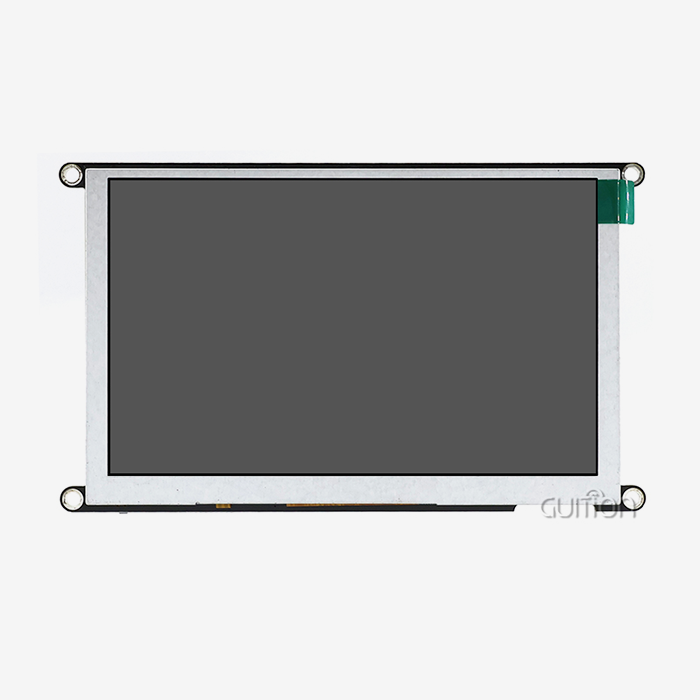
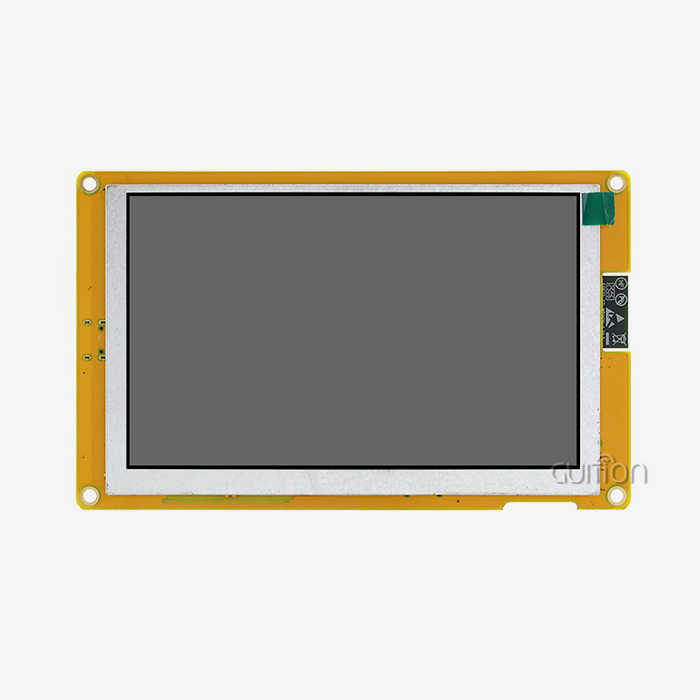
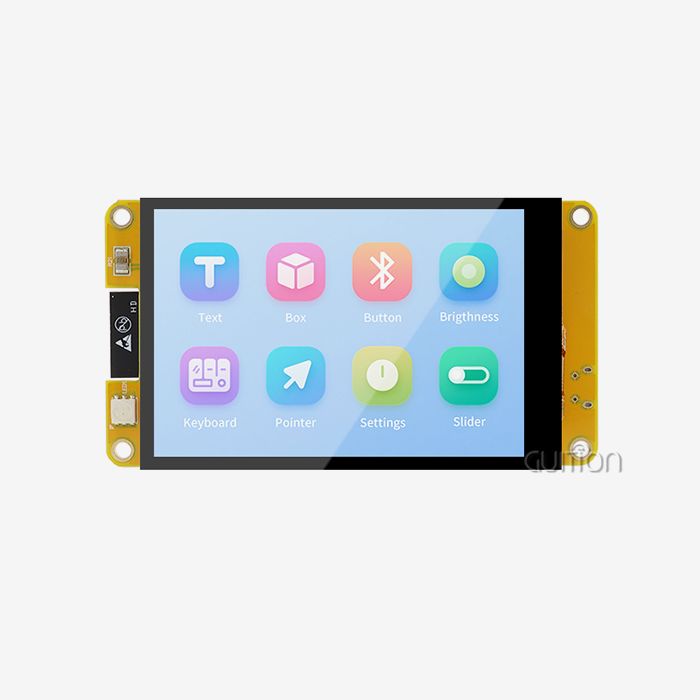
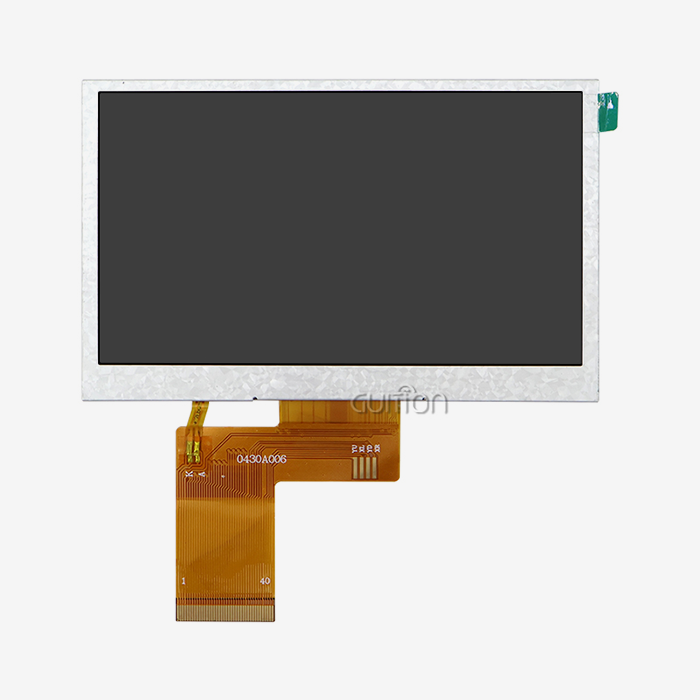
These days, modules talk to host processors through a variety of interface standards and advanced driver ICs. The RGB interface is very popular in manufacturing settings because it lets data flow quickly without having to deal with complicated standards. This method is shown by the GUITION JC8048B043N, which has an ST7265 driver chip that handles an 800x480 color array through a simple RGB link. This 4.3-inch module shows 16.7 million colors, which is enough to show accurate state indicators, keep an eye on processes, and help operators in industrial settings. The design of these units is the result of many years of improving engineering. Modern designs use IPS technology, which keeps colors accurate even from wide viewing angles. This solves a common problem in workplace settings where people look at screens from different places. Temperature stability has gotten a lot better. Modules like the JC8048B043N can safely work from -20°C to 70°C, so they'll always work well whether they're used in cold stores or hot factory floors.
Interface Technologies and Integration Considerations
Choosing the right interface protocol has a big effect on how hard it is to build and how well the system works. The RGB interface works great for programs that need to update the screen quickly with little impact on the processor. Your microcontroller sends info about pixels straight to the display driver, which takes care of refresh cycles on its own. This design makes firmware less complicated and frees up processor power for other jobs. During testing, integration problems can be avoided by knowing how pins are configured and what electrical needs need to be met. Modern modules come with detailed datasheets that explain how much power they need, when signals should be sent, and how they should be connected. These specs tell you how to properly integrate things, so you don't run into problems like signal noise and power fluctuations that lower the quality of the monitor.
Core Advantages of Graphic LCD Display Modules in Engineering
These display solutions have been accepted by engineers because they solve real-world problems that have an effect on project timelines, product reliability, and user happiness. There are more benefits than just technical specs. There are also useful benefits that lower development costs and speed up time-to-market.
Superior Visual Capabilities Transform User Experience
Engineers like being able to make platforms that make it easy to share knowledge. Modules like the JC8048B043N have a 16.7-million-color palette that lets you make color-coded progress signs, detailed charts, and photorealistic product pictures that are easier to use. In industrial settings, resolution is very important. The 800x480 pixel array gives enough information for small text, complicated graphs, and multi-parameter displays without taking up too much screen space. There are big changes in what graphic units and character displays can do. Character screens only let you use set fonts and simple designs for images. Graphic parts make unique fonts look good at any size, show company names, trend graphs, and photos. This freedom is very helpful when making machines that need to give complicated information to people who don't know much about computers.
Reliability Under Industrial Conditions
Graphic LCD display module Graphic LCD module. Harsh settings need parts that are strong enough to keep working even when temperatures change a lot, there is shaking, and the machine is used for a long time. Industrial-grade units are put through a lot of tests to make sure they work in a certain range of temperatures. The large working temperature range of -20°C to 70°C makes sure that the display works well in places like cold storage, outdoor installations, and hot industrial settings, where temperature changes could affect other displays. Power economy makes a big difference in how reliable something is over time and how much it costs to run. Modern modules use the least amount of power possible thanks to smart lighting control and driver circuits that work well. This efficiency is very important for battery-powered devices and setups where the total amount of power available is limited by the need to cool down. Over the years, LED lighting technology has mostly replaced older electroluminescent choices because it is brighter, lasts longer, and uses less energy.
Accelerated Development Through Modern Tools
The software environment for integrating displays has grown a lot, which has taken away some of the old problems that used to stop people from making quick prototypes. Guition has made special software for interface development that gets rid of the need for low-level coding. This lets engineers focus on designing interfaces instead of writing driver code. This tool greatly cuts down on development time by letting you drag and drop controls into place, preview in real time, and release with just one click. Cross-platform compatibility solves a major problem for tech teams that use a variety of working environments. Support for Arduino makes the prototypes easier to make, and support for ESP-IDF and other expert systems makes the switch to production hardware smooth. This makes it easier for new team members to learn and adapt to changing project needs without having to make changes to the tools.
How to Choose the Best Graphic LCD Display Module for Your Project
To choose the best device, you need to carefully think about your technical needs, the surroundings, and your long-term support needs. The choice has an effect on not only the initial creation, but also the manufacturing, field service, and evolution of the product over its entire lifetime.
Matching Specifications to Application Demands
The amount of information your program needs to show determines the resolution standards. Higher resolutions that can fit complex layouts without being too crowded are good for control panels that show a lot of process factors. The 800x480 resolution on 4.3-inch modules is a great compromise for many industry uses; it gives enough pixels for complicated displays while still being affordable. Modules are often chosen based on their physical size, but viewing distance is also important. Larger modules are better for situations where workers need to see screens from several feet away, while smaller versions work better in equipment enclosures that don't have a lot of room. The 4.3-inch form factor can be used in medical devices, charging stations, and other places where information needs to be shown without taking up too much space on equipment faces.
Interface Selection Impacts Both Hardware Complexity and Software Development Effort
Choosing an interface affects both how hard it is to make hardware and how hard it is to make software. RGB interfaces work best for programs that need to update the screen quickly, which makes them perfect for dynamic displays that show real-time data visualization. Compared to more complicated protocols, the simple electrical link makes circuit board planning easier and cuts down on the number of parts needed.
Evaluating Supplier Capabilities and Support
Long-term success of a product rests on how reliable the supplier is, how good the technical help is, and how easy it is to get parts. Well-known companies offer thorough instructions, sample designs, and quick technical support that speed up development and quickly fixes any problems that come up with integration. This method is used by Guition, which helps customers get past technical problems by giving them detailed datasheets, application notes, and direct engineering support.When standard parts don't exactly meet needs, customization choices become important. Suppliers who offer changes to the hardware, unique places for connectors, or software updates make integration possible without sacrificing design goals. Being able to place bulk orders and having a steady supply ensures that production keeps going, so there are no expensive delays caused by missing parts.
Practical Implementation: Programming and Integration Tips
Paying attention to both hardware links and software initialization is necessary for module integration to go smoothly. Common mistakes that take a lot of time to fix and push back project goals can be avoided by following established best practices.
Hardware Integration Fundamentals
Display artifacts and unstable performance can be avoided by designing the power source correctly. These units need a power that is clean, stable, and within certain limits. High-frequency noise that can cause vision problems can be blocked by putting enough decoupling capacitors near the power pins. To keep signal integrity problems on high-speed data lines to a minimum, use the circuit schemes suggested in the datasheets.The pin settings on both your controller and the display module must be exactly the same. Sensitive driver circuits are kept safe by double-checking connections before adding power. Using labeled or color-coded connectors or wire makes it easier to put things together during testing and production. The RGB interface makes this process easier by separating color data, synchronization signals, and control signals into clear signal groups.
Software Development Approaches
When compared to older methods that involved manipulating registers at the register level, modern development tools make display programming a lot easier. In the Guition software suite, you can use a visual design environment to make interfaces by dragging controls onto a surface and setting up features using simple dialogue boxes. This method gets rid of the need to code pixel positions and color values, which speeds up the process of improving the interface.Cross-platform testing speeds up development by making it easier to find problems quickly. Monitoring the connection between the controller and the display in real time finds timing issues, wrong data patterns, and signal quality problems before they become field failures that are hard to figure out. When adding displays to complicated systems with many parts that are all fighting for processing power, these diagnostic tools come in very handy.
Common Integration Challenges and Solutions
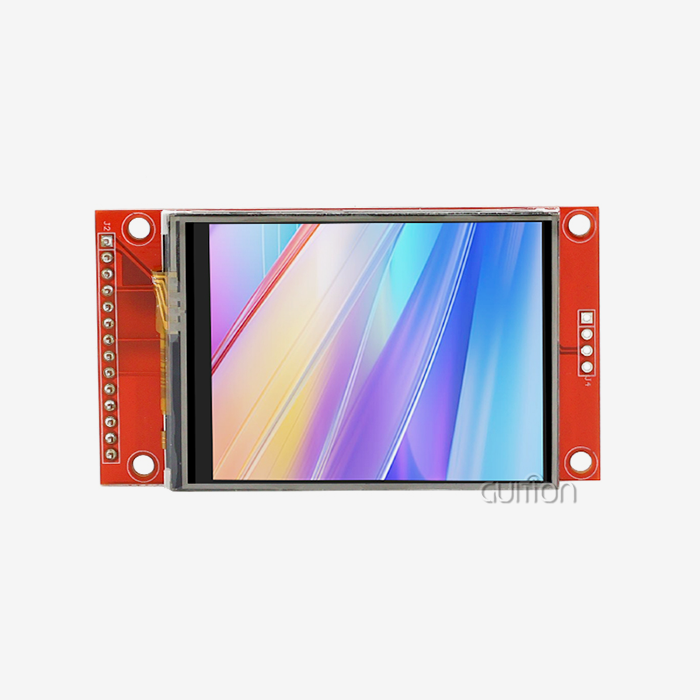
SPI LCD Display Displays that flash, are missing pixels, or have color confusion are all signs of signal integrity problems. Most of the time, these problems are caused by cables that are too long, ground links that aren't strong enough, or electromagnetic interference from nearby parts. These issues can be avoided by keeping data lines short, using the right protection, and moving signals away from sources of noise. In places with a lot of electrical noise, it may be necessary to add series termination resistors to high-speed data.Timing mistakes have similar effects, but they are caused by wrong program setup instead of electrical problems. Each display controller has exact time rules for setting up data and synchronization messages. Reviewing the datasheet specs carefully and making sure that the driver software settings match these needs is the only way to make sure that the device works reliably across a range of temperatures and production tolerances.
Future Outlook: Trends and Innovations in Display Technology
Display technology is still changing quickly because more and more people want smarter tools, better efficiency, and better connection. Knowing about these trends can help you make choices that protect the long-term success of your product and its place in the market.
Enhanced Integration and Connectivity
When wireless connection is built in, displays go from being inactive output devices to being smart system points that can be monitored remotely, have their settings changed, and send diagnostic reports. Built-in WiFi and Bluetooth modules get rid of the need for extra connection gear, which makes the system simpler and cheaper. This trend is shown by Guition modules, which have wireless features that allow for over-the-air software updates, online troubleshooting, and easy inclusion into IoT ecosystems.One problem that field-deployed equipment always has is how to update software without sending workers out or sending units back to the factory. Remote upgrade capability solves this problem. This feature lowers upkeep costs and lets the product keep getting better by adding new features and improving performance long after it was first deployed. This means better customer happiness and lower care costs for companies that make equipment.
Software Ecosystems and Development Efficiency
As interface development tools get more advanced, the specialized knowledge that is needed for display interaction keeps going down. Rich control sets give developers pre-made interface elements like buttons, sliders, gauges, and charts that they can use with little to no code. Because display programming is now more open to everyone, smaller tech teams can make professional user interfaces without having to hire dedicated GUI experts.Support for multiple languages and UTF-8 encoding make global rollout possible without having to keep separate software versions for each market. This feature is especially useful for companies that make tools for foreign markets where information needs to be shown in user interfaces in those languages. Supporting character sets from Latin alphabets to Asian ideographs in a single software picture makes it easier to make things and help people in the field.
Environmental Considerations and Sustainability
Component choices and product designs are affected by the push from the industry to have less of an impact on the world. Modern modules use a very small amount of power thanks to smart backlight control and improved driver designs. Less power use lowers running costs and makes battery-powered and solar-powered systems possible that weren't possible with older technology.Environmental rules like RoHS and REACH are now required, not just recommended, for companies around the world that make tools. If you buy modules from companies that are committed to environmental compliance, you won't have to pay a lot of money to remake them when rules change or markets set new standards. This forward-looking method keeps product lines safe from going out of style and problems with regulations.
Conclusion
Choosing the right display technology has a huge effect on how well a product does, how quickly it can be developed, and how competitive it will be in the long run. SPI LCD Display have become the best choice for industrial, medical, and consumer uses because they provide the advanced visuals that modern interfaces need while still being reliable enough to work in difficult conditions. The GUITION JC8048B043N strikes this balance by mixing strong hardware with fast creation tools that cut down on time to market. The 4.3-inch RGB interface module has an 800x480 resolution, 16.7 million colors, an IPS screen, and a temperature range of -20°C to 70°C. These are all real-world specs that make it easy to use in a variety of situations. Display technology is always changing to become more integrated, more connected, and more environmentally friendly. Working with providers who offer complete solutions will help your goods be successful in the market for a long time.
FAQ
How does a graphic LCD module differ from a character display?
Character displays only let you use standard font sets and simple symbols that are set up in grids that are always the same size (16x2 or 20x4 characters). Graphic modules give you full control over each pixel, so you can make your own fonts, pictures, charts, and logos. This adaptability is very important for current interfaces that need more than just text messages for visible communication.
What advantages does the RGB interface provide over SPI or parallel connections?
RGB connections work better for programs that need to update the screen often because they send pixel data straight to the display driver, skipping any middle-layer protocols. Compared to SPI's serial communication or parallel interfaces that need a lot of GPIO pins, this design cuts down on processor overhead and makes it easier to build firmware. The simple electrical link makes designing the circuit board easier and cuts down on the number of parts needed.
Can these modules operate reliably in outdoor installations or extreme temperatures?
Industrial-grade units like the JC8048B043N can work in a wide range of temperatures, from -20°C to 70°C, so they can be used in most industrial and outdoor settings. The right form of an enclosure keeps screens safe from direct sunlight, water, and physical damage while keeping them at the right temperature for operation. When direct outdoor reading is needed, reflective display technologies make it even easier to read in direct sunlight.
Partner with Guition for Your Next Display Integration Project
Guition makes complete display options that are designed to work with medical equipment, smart devices, and industrial control systems. Our JC8048B043N Graphic LCD display module blends tried-and-true ST7265 driver technology with up-to-date RGB interfaces and IPS screens that keep the quality of the image even when viewed from afar. Our engineering teams really like how the Guition UI design tool makes development easier by getting rid of complicated low-level code and working with Arduino, ESP-IDF, and other well-known development platforms. We provide the technical paperwork, quick support, and reliable supply chain that speeds up your project from prototype to production, whether you're making 3D printers, charging stations for electric vehicles, or medical tracking equipment. Our manufacturing skills allow us to make prototypes, small runs, and large batches. We also offer customization choices that let you change common modules to fit your needs. As a company that focuses on technology-driven innovation, we are always adding new features to our product line. For example, our products now have built-in WiFi and Bluetooth connections, remote firmware updates, and support for multiple languages. These features make sure that your ideas will work in the future. Email our engineering team at david@guition.com to talk about your application needs and find out how our display solutions can cut down on development time and make products more reliable.
References
1. Smith, J. & Anderson, T. (2022). Industrial Display Technologies: Engineering Handbook for Embedded Systems. Technical Publishing Group, Boston.
2. Williams, R. (2023). "RGB Interface Standards and Implementation Best Practices for LCD Controllers," Journal of Embedded Systems Engineering, Vol. 18, No. 3, pp. 127-145.
3. Chen, L., Martinez, S., & Patel, A. (2021). Human-Machine Interface Design for Industrial Automation. Manufacturing Technology Press, Detroit.
4. European Embedded Systems Association (2023). Temperature Qualification Standards for Industrial Display Modules, Technical Report TS-2023-04, Brussels.
5. Thompson, K. (2022). "Evolution of Graphic LCD Technology in Medical Device Applications," Biomedical Engineering Review, Vol. 29, No. 2, pp. 89-106.
6. International Display Technology Consortium (2023). Power Efficiency Guidelines for Embedded Display Systems, Industry White Paper, Tokyo.
Learn about our latest products and discounts through SMS or email