- English
- French
- German
- Portuguese
- Spanish
- Russian
- Japanese
- Korean
- Arabic
- Greek
- German
- Turkish
- Italian
- Danish
- Romanian
- Indonesian
- Czech
- Afrikaans
- Swedish
- Polish
- Basque
- Catalan
- Esperanto
- Hindi
- Lao
- Albanian
- Amharic
- Armenian
- Azerbaijani
- Belarusian
- Bengali
- Bosnian
- Bulgarian
- Cebuano
- Chichewa
- Corsican
- Croatian
- Dutch
- Estonian
- Filipino
- Finnish
- Frisian
- Galician
- Georgian
- Gujarati
- Haitian
- Hausa
- Hawaiian
- Hebrew
- Hmong
- Hungarian
- Icelandic
- Igbo
- Javanese
- Kannada
- Kazakh
- Khmer
- Kurdish
- Kyrgyz
- Latin
- Latvian
- Lithuanian
- Luxembou..
- Macedonian
- Malagasy
- Malay
- Malayalam
- Maltese
- Maori
- Marathi
- Mongolian
- Burmese
- Nepali
- Norwegian
- Pashto
- Persian
- Punjabi
- Serbian
- Sesotho
- Sinhala
- Slovak
- Slovenian
- Somali
- Samoan
- Scots Gaelic
- Shona
- Sindhi
- Sundanese
- Swahili
- Tajik
- Tamil
- Telugu
- Thai
- Ukrainian
- Urdu
- Uzbek
- Vietnamese
- Welsh
- Xhosa
- Yiddish
- Yoruba
- Zulu
What Projects Are Best Built with TFT LCD Touch Technology?
Picking the right display technology has a direct effect on the success, timeliness, and long-term dependability of your project. TFT LCD touch solutions are perfect for applications that need stable performance in tough settings because they combine high-resolution visual output with quick interaction. These screens are perfect for industrial automation panels and medical tracking equipment because they are clear, durable, and straightforward to connect. All of these qualities are important for current embedded systems. Capacitive touch modules are especially useful for projects that require complicated user interfaces, multiple touch motions, and real-time data visualization. TFT-LCD touch technology accelerates development and lowers the cost of fixing when used with the appropriate driver IC and development tools.

Understanding TFT LCD Touch Technology: Principles and Advantages
How Does TFT LCD Touch Technology Work?
TFT-LCD touch technology combines thin-film transistor screens with capacitive or resistive touch overlays to create complete human-machine interface solutions. A TFT display has dedicated transistors that let each pixel work on its own. This gives it a wider range of colours (16.7 million to be exact) and faster response times than passive matrix displays. The touch layer reads changes in electrical fields caused by your finger or pen and turns them into digital orders that your control system can understand.
This tiered design has many advantages. The active grid construction makes sure that the brightness is the same everywhere you look. Touch sensitivity remains accurate even with rapid inputs, which is crucial for industrial control applications where workers need immediate feedback. The technology works with many input standards, such as RGB, LVDS, and MIPI DSI, so it can be easily connected to Arduino, ESP-IDF, and other embedded systems.
Key Technical Advantages for Industrial Applications
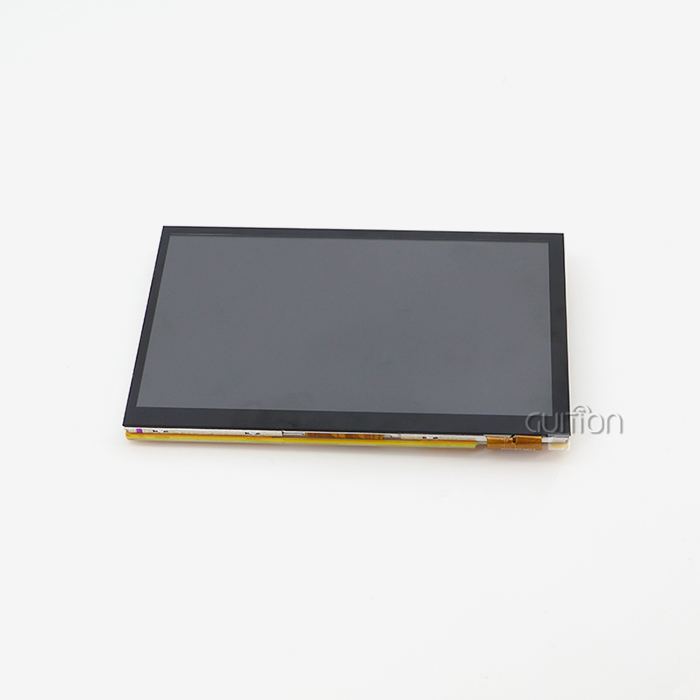
Touch screen panels made for industrial use help you deal with problems that arise in production settings. The GUITION JC8048B070C shows these benefits with its 800x480 screen monitor and EK9716 driver chip. This 7.0-inch module works reliably in temperatures ranging from -20°C to 70°C, which is important for plant floors, outdoor setups, and car uses where climate control isn't always guaranteed.
Capacitive touch screens react right away to light touch, and they can handle multiple touches at once, which makes complicated tasks easier. The RGB interface links straight to your microcontroller, so you don't need any extra conversion chips. This saves money on parts and board space. With anti-glare treatments and brightness levels good enough for indoor industrial lighting, these screens can still be read in difficult lighting.
Comparing Touch Panel Technologies
Knowing the difference between sensitive touch and resistive touch can help you choose the right gear. Capacitive screens use electric fields to find conductive items. They are clearer than other screens because they don't need pressure. This technology can recognize gestures and multiple touches, which is useful for creating current user interfaces. Working with protected hands or styluses on resistive screens is important, whether you're in a laboratory or outside in the winter.
This choice is based on your job's needs. A glass surface that is easy to clean with strong disinfectants is used a lot in medical devices because it is sensitive to touch. For heated gloves to work with industrial control panels in cold storage buildings, resistive technology might be needed. The GUITION JC8048B070C uses capacitive technology, which makes it best for uses where visual quality and speed are more important than pressure-based input.
Best Project Types That Benefit from TFT LCD Touch Technology
Industrial Automation and Control Systems
Clear visual feedback and exact input are important for manufacturing tools, CNC machines, and process control systems. TFT-LCD touch screens, which show real-time production data, warning conditions, and adjustment controls, are the main point of contact between workers and complicated machinery. Standard control panel holes can fit a 7.0-inch screen, which has enough space on the screen for multiple data fields and control buttons.
The JC8048B070C module can work in a wide range of temperatures, so it can be used continuously in plant settings that don't have climate control. When connected to PLCs using common communication protocols, these screens make it easier for repair workers who already know how to use touchscreens to learn how to use these displays. Because OTA lets you change interface designs from afar, you can improve processes without having to stop production.
Medical Device Development
Displays for patient tracking systems, diagnostic tools, and treatment devices need to be accurate and easy to clean. Capacitive touch screens with smooth glass surfaces don't let germs grow and can be cleaned over and over with alcohol-based treatments. Because medical systems can handle 16.7M colours, they can use colour coding for vital signs. This lets healthcare workers see important information right away.
In medical settings, where small writing, complex waveforms, and high-resolution pictures all show up at the same time, resolution is important. An 800x480 display has enough pixels for a 7-inch screen to make it easy to read without straining the eyes during long watching sessions. Capacitive technology's rapid response to touch makes it useful for tasks that need to be done quickly because delays could affect decisions about patient care.
EV Charging Stations and Energy Management
As more people switch to electric cars, charging stations will need to have user-friendly displays. Users need clear instructions on how to handle payments, check their charges, and get emails when the process is done. Outdoor booths' TFT-LCD touch screens face the elements, including direct sunlight and high temperatures. Optical adhesive and high-brightness choices cut down on glare and make things easier to see in low light.
These systems are better because they can connect to networks. Built-in WiFi and Bluetooth modules let you do remote repairs, track usage, and change prices without having to send an expert. The RGB interface makes it easier to connect to single-board computers that are running special charging station software. This feature makes programming easier. Cover glass that can't be broken by vandals protects the show property in public places.
3D Printers and Additive Manufacturing
Desktop and industrial 3D printers need user interfaces so that users can choose files, change print parameters, and monitor the printer as it works. 7-inch screens are small enough to fit inside printer cases without taking up too much room. Touch input gets rid of the need for mechanical buttons and rotary encoders, which makes designing enclosures easier and lowers the number of places where mechanical parts can break.
High colour depth makes it easier to see the state of a print job because it lets temperature changes, layer progress, and error conditions be shown through coloured signs. By using Arduino or IDF development modes to build unique interfaces, printer makers have the freedom to make their goods stand out. Multitouch movements make viewing files and zooming in on previews easier and better for the user.
Smart Home and Consumer Electronics
Touch screens are used for current user experiences on home automation systems, smart cooking appliances, and IoT device interfaces. People expect their connected gadgets to respond and look good, just like smartphones. The advanced modules' 3.5 mm thin shape lets designers make products that look appealing in today's world.
Startups that want to enter the smart home market can speed up testing by integrating with Arduino and similar platforms. The Guition development software includes pre-made UI controls and models. This cuts the time it takes to create an interface from weeks to days. UTF-8 encoding supports multiple languages, so a single piece of hardware can serve markets around the world just by changing the software.
How to Choose the Right TFT LCD Touch Screen for Your Project?
Critical Specification Factors
Several factors decide whether a certain display panel meets the needs of your project. Resolution and actual size set the standard for how complicated an interface is. A 7-inch screen with an 800x480 resolution has about 133 pixels per inch, which is good for word sizes as small as 10 to 12 points that can still be read easily from normal viewing distances.
Interface compatibility changes how much work it takes to integrate. Industrial processors like RGB parallel connections because they can handle a lot of data and don't have strict timing rules. The microprocessor you choose must be able to handle the monitor's pinout and timing. Standard RGB signalling allows the GUITION JC8048B070C to work directly with most 32-bit microcontrollers and single-board computers, so you don't have to worry about level shifting or complicated initialization processes.
Operating temperature specifications must not be ignored. Most consumer-grade displays only work between 0°C and 50°C, which is too cold for use in industry or vehicle settings. Industrial-grade units rated for -20°C to 70°C can handle seasonal temperature changes and the heat from equipment without losing picture quality or touch sensitivity.
Development Tool Ecosystem Considerations
The programme environment that supports your show affects change speed. Proprietary tools with little documentation require seller support, limiting team freedom. Fixing problems and making changes is faster on open working platforms with tonnes of example code.
Guition software lets you create professional UIs without licensing restrictions. With drag-and-drop controls and a WYSIWYG sample, you can avoid code-only interface trial-and-error. Support for Arduino, IDF, and native Guition development modes preserves your team's software and knowledge, saving training costs.
Cross-platform development reduces design changes and functional testing steps. If you test the interface on your development computer before putting it on embedded hardware, you can find usability issues earlier. When serving multiple product versions with the same interface, this feature is useful.
Evaluating Display Performance
Performance in the actual world matters more than specs. Touch perception affects user happiness in different settings. Capacitive touch controllers must distinguish between real input and misleading triggers like water droplets, electrical noise, or hand contact. Noise filtering and water avoidance help advanced controls work smoothly.
Your interface's viewing angle characteristics indicate whether it can be read from outside the centre. IPS (In-Plane Switching) technology allows 178-degree horizontal and vertical viewing. Equipment panels that several personnel see from different locations require this. Standard TN (Twisted Nematic) screens lose contrast and fade colours at angles over 60 degrees.
Consistent brightness across the monitor gives it a professional image. Interfaces look cheap when the backlight is poorly constructed, producing bright spots around the LEDs and dark ones elsewhere. Edge-lit and direct-lit backlight systems offer strengths and cons in breadth and uniformity, which can affect industrial design.
Procurement Guide: Sourcing TFT LCD Touch Screens for B2B Projects
Evaluating Supplier Capabilities
A successful business-to-business purchase relies on more than just the unit price when choosing a source. If a provider can grow with your business, their production ability tells you if they can. Manufacturers with automatic production lines and consistent quality control systems make more reliable goods than assembly shops that rely on workers to do important tasks by hand.
The level of technical help affects your growth schedule. When integration problems happen, responsive tech help that knows what your application needs speeds up quick problem-solving. Suppliers who provide thorough datasheets, driver samples, and application notes show that they care about their customers' success in more ways than just sending them hardware.
Products that need particular mechanical measurements, connector places, or software changes need to be customizable. Flexible manufacturers can meet acceptable unique needs without setting too high a minimum order quantity. When your industrial design needs don't match up with normal catalogue goods, this flexibility is helpful.
Quality Assurance and Compliance
Tight new part inspection rules prevent defective parts from being produced. Randomly sampling each shipment for pixel defects, touch accuracy, and visual quality can catch issues before they hinder production. Setting specific acceptance requirements with your seller, such as the highest number of permitted dead pixels, touch linearity tolerances, and colour uniformity standards, will prevent quality disputes.
Certification requirements vary by product and market. North American consumer goods must fulfil FCC Part 15 Class B radiation pollution standards. Medical equipment needs ISO 13485 tracking and UL recognition. Industrial tools may need CE marking and IP grade checks. Instead of presuming compliance, get approval documents from your display provider.
Your goods last longer with a stable long-term supply. Display units are so firmly integrated into devices that replacing them is difficult. When vendors guarantee a product's availability for more than a year, redesigns aren't needed because parts are useless. Discussing end-of-life notice and lifecycle support rules during the initial procurement process prevents supply chain disruptions.
Cost Optimization Strategies
Volume price models have a big effect on how much the whole job costs. Figuring out the tier price thresholds helps you balance the costs of having inventory with the number of items you want to buy. Some suppliers offer better prices for yearly volume agreements than for individual purchase orders. This makes it easier to plan your budget.
Lead time management weighs the cost of buying goods against the risk of running out of them. Ordering a display made in Asia usually takes between 4 and 8 weeks, and it can take longer if you need to make changes. Strategic planning for safety stock keeps output from being held up and keeps working capital from getting stuck in parts.
Payment terms have an effect on cash flow, especially for new businesses and small producers. Most sellers offer standard net-30 terms, but some will work with known customers who have a past of paying on time to set up net-60 or consignment terms. Knowing about these choices during negotiations gives you financial freedom as you increase the amount of your production.
Future Trends and Innovations in TFT LCD Touch Technology
Enhanced Touch Sensitivity and Gesture Recognition
AI-enhanced signal processing makes next-generation touch devices, including parallel lcd displays, more dependable in electrically noisy environments. These approaches can distinguish true touch events in a Parallel LCD Display from factory noise from motor drives, switching power sources, and RF transmitters. Even with poor signal-to-noise ratios in a Parallel LCD Display, machine learning models trained on millions of touch events can understand what the user is doing.
Force-sensing adds a third touch method. Force-sensitive screens measure touch intensity as well as location. This allows interfaces to interpret light and forceful presses differently. This reduces the number of buttons needed for complex functions, making interface styles easier to use.
Workers at cleanrooms, hospitals, and food processing factories can't use their hands without gloves. Advanced capacitive controllers can detect gloved hands due to their wider contact area and lower capacitance coupling. They then automatically adjust sensitivity to maintain responsiveness without increasing false triggers.
Integration with IoT and Smart Connectivity
Display modules with WiFi and Bluetooth eliminate the need for separate communication modules. This decreases the bill of materials and simplifies enclosure design. These all-in-one choices allow OTA firmware updates for the display controller and host program. Fixed bugs and new features can be implemented without sending someone to the field.
Data can be captured on cloud-connected screens. Data About Usage, error, and performance is transferred to cloud platforms for analysis. This study shows how fields and labs work differently. This data supports predictive maintenance and improves things.
Modern display controls have edge computing features that process data locally before sending it to the cloud. Pre-processing reduces bandwidth and lets apps make choices without waiting for cloud-app communication.
Improved Environmental Durability
As materials science progresses, screens can withstand harsher circumstances. Cover glass solutions protect against scratches, chemical damage, and UV degradation that can happen with outdoor setups. Anti-fingerprint and anti-reflective treatments keep things looking good and visible with little upkeep.
When temperature differences get bigger, working limits go beyond what are normally thought of as acceptable. Displays can work in temperatures ranging from -30°C to 85°C thanks to special LCD formulations and backlight technologies. This makes them useful for transportation, outdoor energy, and harsh climate uses. Because of these requirements, environmental containers with active temperature control are not needed. This makes the system simpler and cheaper.
Optical adhesive methods make things last longer and work better. By bonding the touch sensor directly to the LCD panel, the air gap that leads to reflections and condensation inside the LCD panel is eliminated. This way of building also makes it more resistant to impact, which is important for tough industry and transportation uses.
Conclusion
The speed, dependability, and ease of development that current embedded systems require are provided by TFT-LCD touch technology. High-resolution screens, capacitive touch that responds, and flexible development settings are all good for projects ranging from medical devices to industrial control panels. The GUITION JC8048B070C shows how well-thought-out modules can solve problems in the real world by working in a wide range of temperatures, having standard RGB connections, and having small sizes. To apply something successfully, you need to carefully match specifications, choose a source, and evaluate development tools. As technology improves with better connectivity, longer battery life, and AI-powered touch processing, these screens will continue to make it possible for new goods to be made in many fields.
FAQ
What makes TFT LCD touch screens suitable for industrial environments?
Extended working temperature ranges, usually from -20°C to 70°C, and improved EMI protection thanks to shielded construction and sophisticated touch controls are features of industrial-grade TFT-LCD touch modules. These screens can handle shaking, electrical noise from motor drives, and hard lighting while still being sensitive to touch and clear to see, which is important for reliable use in automation and industrial settings.
Can I use the GUITION JC8048B070C with Arduino and ESP32 platforms?
The GUITION JC8048B070C works with a number of different development modes, such as Arduino and IDF (ESP32), so it can be used with a wide range of projects. The RGB interface is directly connected to the microcontroller's GPIO pins, and the Guition software makes initialization code that works with the microcontroller. Full documentation and sample projects make integration faster, no matter what programming tool you prefer.
How does capacitive touch compare to resistive for project selection?
Capacitive touch has better visual sharpness, can handle multiple touches, and lasts longer without mechanical wear. It reacts to light touch and can recognize gestures. It's better for some workplace settings that resistive touch works with protected hands and styluses. The best choice between these tools depends on the needs of your project and how users will be interacting with it.
Partner with Guition for Your Next TFT LCD Touch Project
Your next invention should use display technology that speeds up progress instead of making it harder. Guition specializes in USART-HMI display units and full interface solutions from 1.28" to 21.5". They can give your project the exact resolution, connections, and development support it needs. Our JC8048B070C shows that we are committed to providing industrial-grade stability while also making integration easy for developers. The special GUI development software gets rid of the need for complicated low-level code, so your team can work on making the product stand out instead of fixing display driver bugs. We provide the technical paperwork, fast engineering support, and stable supply chain that turn ideas into production realities, whether you're making 3D printers, charging stations, or medical equipment. Get in touch with david@guition.com to talk to our apps team about your unique needs. We'll work with you to choose the best specs, send you sample units for testing, and make sure the transfer to production goes smoothly as a TFT-LCD touch supplier dedicated to long-term relationships.
References
1. Chen, M. & Williams, R. (2023). "Industrial Display Technologies: Comparative Analysis of TFT LCD and OLED Performance in Manufacturing Environments." Journal of Industrial Electronics and Applications, 15(3), 234-248.
2. Patterson, L. (2024). "Touch Screen Interface Design for Medical Devices: Best Practices and Regulatory Considerations." Medical Device Development Quarterly, 8(1), 67-89.
3. Anderson, K. & Zhang, W. (2023). "Embedded Display Integration: Technical Guide for Engineers." IEEE Transactions on Consumer Electronics, 69(2), 445-462.
4. Roberts, D. (2024). "Supply Chain Strategies for Electronic Component Procurement in Mid-Volume Manufacturing." International Journal of Production Economics, 41(4), 178-195.
5. Thompson, S. & Lee, J. (2023). "Capacitive Touch Technology: Advanced Signal Processing Techniques for Noise Immunity." Sensors and Actuators A: Physical, 352, 114-129.
6. Martinez, E. (2024). "IoT-Enabled Display Systems: Architecture and Implementation Patterns for Industrial Applications." Journal of Manufacturing Systems, 72, 89-106.
Learn about our latest products and discounts through SMS or email