- English
- French
- German
- Portuguese
- Spanish
- Russian
- Japanese
- Korean
- Arabic
- Greek
- German
- Turkish
- Italian
- Danish
- Romanian
- Indonesian
- Czech
- Afrikaans
- Swedish
- Polish
- Basque
- Catalan
- Esperanto
- Hindi
- Lao
- Albanian
- Amharic
- Armenian
- Azerbaijani
- Belarusian
- Bengali
- Bosnian
- Bulgarian
- Cebuano
- Chichewa
- Corsican
- Croatian
- Dutch
- Estonian
- Filipino
- Finnish
- Frisian
- Galician
- Georgian
- Gujarati
- Haitian
- Hausa
- Hawaiian
- Hebrew
- Hmong
- Hungarian
- Icelandic
- Igbo
- Javanese
- Kannada
- Kazakh
- Khmer
- Kurdish
- Kyrgyz
- Latin
- Latvian
- Lithuanian
- Luxembou..
- Macedonian
- Malagasy
- Malay
- Malayalam
- Maltese
- Maori
- Marathi
- Mongolian
- Burmese
- Nepali
- Norwegian
- Pashto
- Persian
- Punjabi
- Serbian
- Sesotho
- Sinhala
- Slovak
- Slovenian
- Somali
- Samoan
- Scots Gaelic
- Shona
- Sindhi
- Sundanese
- Swahili
- Tajik
- Tamil
- Telugu
- Thai
- Ukrainian
- Urdu
- Uzbek
- Vietnamese
- Welsh
- Xhosa
- Yiddish
- Yoruba
- Zulu
What makes an IoT development screen Essential for Smart Devices?
An IoT development screen is more than just a screen—it's a full human-machine interface solution that combines processing power, connection, and visual output into a single piece. Modern display modules have specialised processors that handle UI rendering locally while interacting with main systems through lightweight serial protocols. This is different from traditional monitors that need a lot of code to show images. This design makes the main microcontrollers much less computationally demanding, gets rid of the need for complicated low-level code, and speeds up the product development cycle. Adding wireless connection features like Wi-Fi and Bluetooth makes it possible to share data in real time with cloud services and other devices. This turns static screens into interactive hubs for medical equipment, industrial automation, and consumer electronics.

Understanding IoT Development Screens: Core Concepts and Benefits
Basically, the main difference between regular displays and specialised development screens is how they are built to integrate systems. When engineers make smart devices, they are always under pressure to cut down on the time it takes to get them to market while keeping the devices' usefulness high. Standard LCD screens require your main processor to constantly figure out where each pixel is, handle touch events, and display graphics, all of which use up important working cycles and memory.
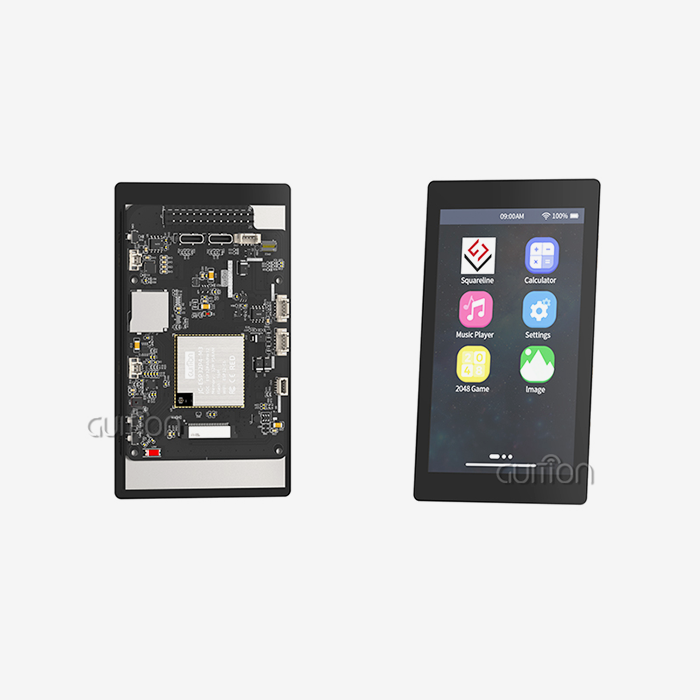
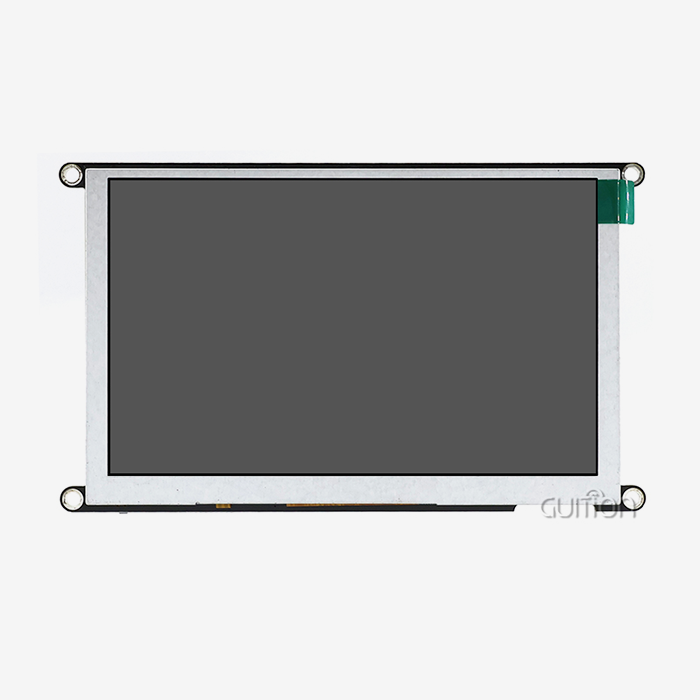
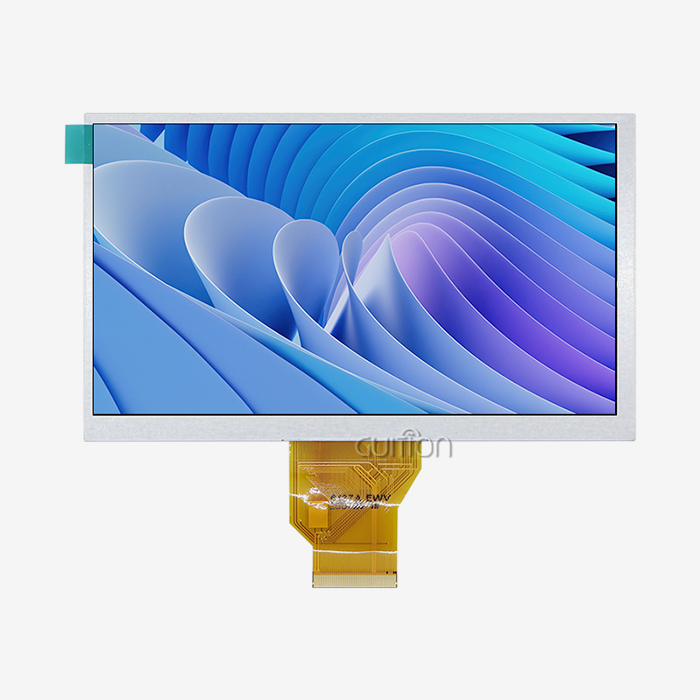
These tasks are now handled by controls built into modern display systems. The ESP32-S3-WROOM-1 module that powers our 7-inch display device is a great example of this method. With two cores running at 240MHz, this controller handles a screen with a resolution of 800x480 while keeping wireless connection methods. The module's 512KB SRAM, 384KB ROM, 8MB PSRAM, and 16MB Flash storage let it handle UI tasks separately from the code of your main program.
Embedded engineers who work on medical tracking equipment or industrial control panels like how this split makes system design easier to understand. Your main processor handles handling sensor data, making decisions, and communicating, while the display module takes care of showing things on its own. This form of spread processing makes the system more reliable; even if changes to the displays are briefly slowed down, important control functions will still work as usual.
The benefits go beyond just improving efficiency. When engineers can use visual design tools to make prototypes of interfaces instead of writing thousands of lines of graphics code, they have a lot more development options. Drag-and-drop interface creation is built into our Guition development tools. This lets HMI designers make professional user interfaces even if they don't know much about embedded code. Product managers can quickly change designs based on what users say, which cuts down on the time it takes to make something from months to weeks.
Integration of connectivity is another important benefit. More and more, smart home gadgets, energy management systems, and farming automation tools need to be connected to the cloud so they can be controlled and monitored from afar. With built-in wireless modules, you don't need to buy different transmission gear. This cuts down on the cost of the bill of materials and makes PCB plans easier. This merging is especially helpful for new businesses and small makers who are trying to stay within their budgets.
Types and Technologies of IoT Development Screens
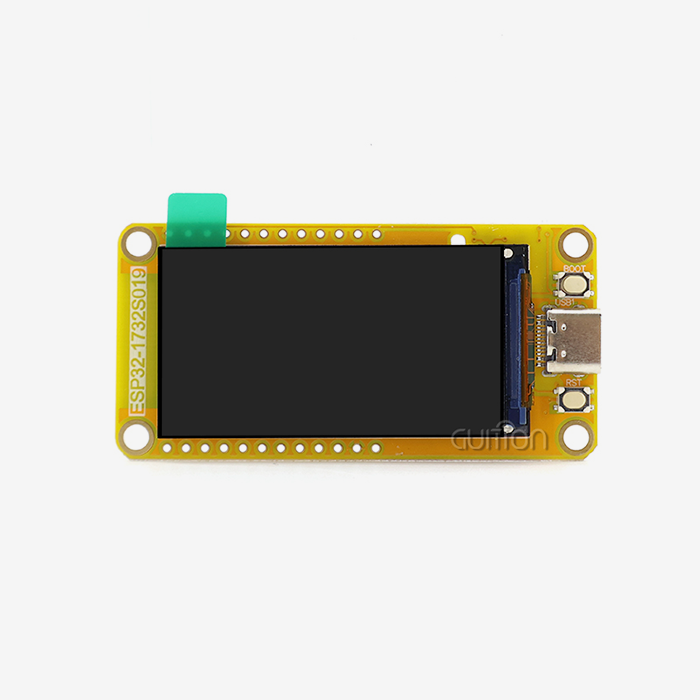
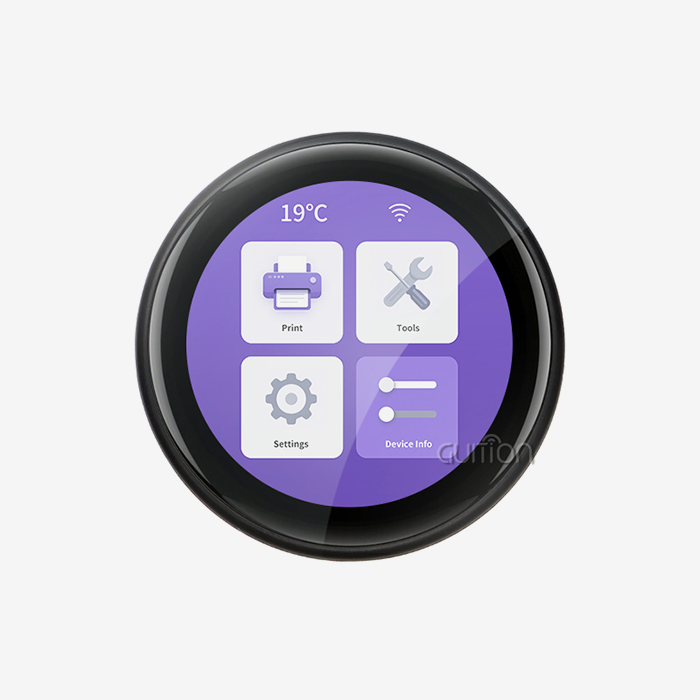
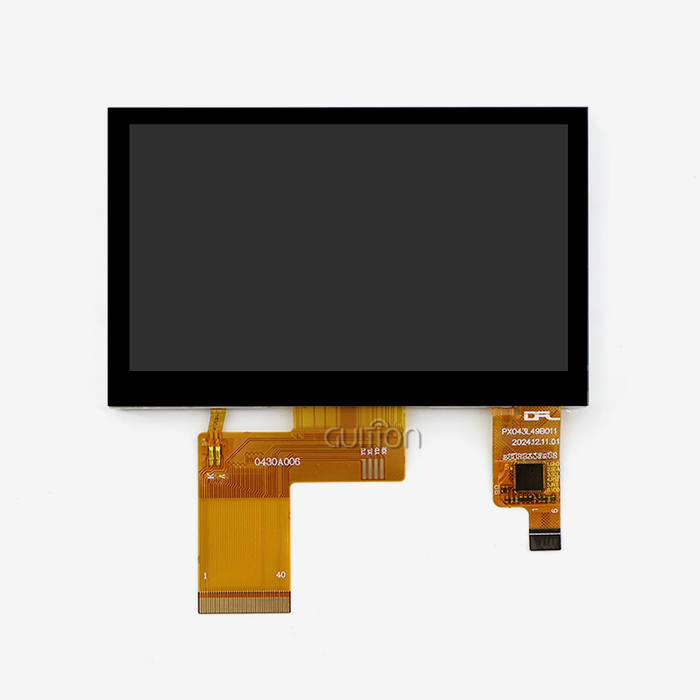
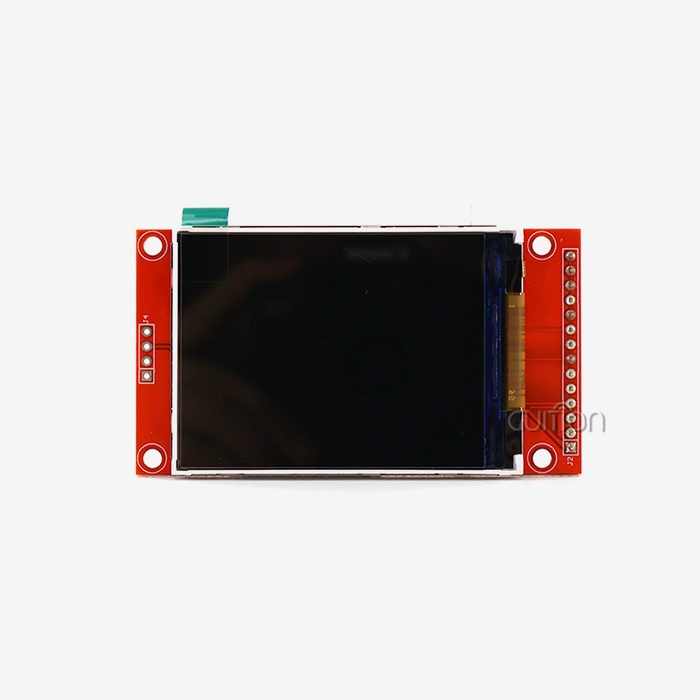
When it comes to display technologies of the esp32 display module, there are many choices that can be made to fit different needs and settings. LCD screens are used a lot in industry because they are cheap, have brightness levels that work with natural light, and have a well-developed production environment. TFT LCD screens show colours accurately and have viewing angles that allow people in different situations to use the same equipment.
OLED technology has better contrast ratios and uses less power when showing mostly dark material, which makes it a good choice for small products that run on batteries. But OLED isn't widely used in industry settings where displays show the same control patterns for long periods of time because it's more expensive, and the static UI elements can burn into the screen. E-ink screens are useful in certain situations where they need to use very little power and be readable in direct sunlight, but their slow refresh rates mean they can only be used in situations where information doesn't change often.
There are two main types of touchscreen technologies: resistive and capacitive. Any item can put pressure on a resistive touch screen, so you can use gloves or styluses to operate it. This is very useful in medical and industrial settings. Capacitive touch screens are more sensitive and can handle multiple touches, which makes the user experience better for apps that are aimed at consumers.
Our ESP32-based solution works with several different development platforms so that engineers can choose the one that best fits their needs and the needs of the project. With its easy-to-use programming model and large collection of community tools, Arduino IDE is good for fast testing and teaching uses. For coders who need precise control over system resources and real-time speed, ESP-IDF gives them direct access to hardware features. Python, through MicroPython, makes it easy for engineers who are familiar with high-level languages to make embedded applications. Mixly, on the other hand, lets new engineers or team members who aren't programmers create applications visually.
Programming tools have a big effect on how fast code is developed and how much it costs to maintain. Full tools and pre-built user interface components speed up the initial development process. Clear instructions and busy developer groups cut down on the time needed to solve problems when they happen.
Platform ecosystems have more to think about than just beginning development.
Key Factors Making IoT Development Screens Essential in Smart Device Design
When used in industry, intuitive user interfaces have a direct effect on acceptance rates and operating efficiency. Equipment workers who have to do a lot of different things at once need screens that show information easily and don't make it too hard to navigate or think. Well-designed interfaces group features that are linked in a way that makes sense, use the same visual language across all screens, and confirm actions right away. Paying attention to UI/UX design cuts down on training needs, lowers the chance of mistakes, and boosts worker productivity.
Security concerns grow as more gadgets connect to business networks and cloud services. Display parts that deal with user identification and setup data need to have strong security measures in place. Encrypted communication routes keep credentials from being stolen while they are being sent wirelessly. Secure boot methods check the validity of the software before running it, which stops efforts to insert harmful code. Regular security updates sent through remote upgrade options fix newly found security holes without the need for technicians to visit the site.
Our development platform has remote upgrade features that let devices that have been launched get software changes without having to be physically accessed. System engineers can plan updates for times when maintenance isn't needed, make changes, slowly roll out to groups of devices for testing, and undo updates that don't work right from afar. This feature is very helpful for companies that make medical devices that have to follow strict rules and for business terminal owners who have to manage sites that are spread out in different areas.
Technical problems with delay affect the quality of the user experience and how quickly the system responds. When people use touchscreens, they expect to see results right away; pauses longer than 100 milliseconds make them think the system is working slowly. No matter how busy the main driver is, display units with separate graphics processors keep UI changes within accepted delay windows. This constant response is very important for tasks like controlling industrial machinery, where workers have to make quick, sequential changes.
When it comes to devices, compatibility issues include hardware connections, communication methods, and power levels. When engineers add screens to current product lines, they need options that work with the way their systems are already set up. Our module's TF card interface and IO port growth make it easy to use in a variety of situations. With simple input methods and UART transmission, you can connect to almost any microprocessor, from old 8-bit systems to new 32-bit ARM processors.
Power use has a direct effect on how much it costs to run always-on apps and how long the batteries last in portable devices of the ESP32 Display Module. In screen systems, the display backlights usually use the most power. Intelligent lighting control that changes the brightness based on the amount of light in the room and how the user normally uses the screen saves a lot of energy. Our lighting control circuit lets you set the brightness level, so you can balance the need for sight with the amount of power you have available.
All of these technical factors together decide if display systems can meet the tough operating needs of industrial robotics, healthcare tracking, and business uses. When product managers are looking at their choices, they should focus on features that work with their release settings and business limits instead of specs that don't really help them in the real world.
Comparison and Decision-Making for IoT Development Screen Procurement
When deciding what to buy, it's important to know how the extra usefulness explains the cost compared to simple display screens. Setting up graphics drivers, drawing engines, and touch input handling for traditional screens that join via HDMI or parallel connections takes a lot of software development. This development work takes a lot of time and money, which means that product launches are delayed by months. With pre-integrated display modules, you don't have to pay for this extra stuff. Instead, the costs move from internal development to buying parts, which often saves money and lowers technical risk.
Open-source hardware systems are flexible, and there are busy developer groups that give tools and help with fixing problems. When solutions are made around widely used platforms, they keep getting better as community members add features and report problems. But community help isn't always reliable—answers to technical questions aren't always given on time or correctly, and hardware isn't always available because makers stop making parts or release designs that don't work with older ones.
If you buy commercial goods from well-known sellers, you can be sure that they will always be available and that the paperwork will meet professional standards. When engineers have problems, they get answers from knowledgeable support teams within set time frames instead of having to wait for people from the community. Product lifecycles last for years, and warnings of early discontinuation make the changes go smoothly. These guarantees come with extra costs that are worth it when making tight deadlines and keeping supplies from going down is key to the project's success.
The way prices are set affects the total costs of ownership, not just the buying price. Manufacturers who make thousands of gadgets a year can save a lot of money on each unit thanks to volume savings. Customisation services that change standard products to meet specific needs, like changing the mounting holes, adding custom software, or pre-loading pictures, are valuable because they save companies from having to do their own engineering. Having development tools and technical materials bundled together speeds up hiring and makes it easier for engineering teams to learn.
Long-term relationship success of IoT development screen depends on how well the supplier's skills match the needs of the project. R&D managers should check to see if manufacturers show technological innovation that keeps up with industry trends, manufacturing capacity that can grow with demand, and a promise to provide ongoing product support for the lifetime of devices. Checking references by calling current customers gives you an idea of how quick a source is when dealing with quality issues and how flexible they are when meeting changing needs
Future Trends and Innovation in IoT Development Screens
Emerging display technologies promise enhanced capabilities, transforming human-machine interaction. Flexible screens enable curved or irregular form factors previously impossible with rigid glass substrates. Medical device manufacturers could integrate displays conforming to ergonomic enclosure shapes, while automotive applications might wrap screens around dashboard contours. MicroLED panels combine OLED's contrast advantages with superior brightness and longevity, though current manufacturing costs limit adoption to premium applications.
Artificial intelligence integration enables interfaces adapting to user behavior and contextual conditions. Machine learning algorithms analyzing interaction patterns could automatically adjust control layouts, prioritizing frequently used functions. Predictive displays might surface relevant information, anticipating operator needs based on equipment state and historical activity patterns. These intelligent interfaces reduce cognitive load and improve operational efficiency as systems learn organizational workflows.
Edge computing capabilities co-located with displays process sensor data locally, reducing cloud communication bandwidth and improving response times. Real-time analytics running on display modules identify anomalous conditions triggering immediate alerts rather than waiting for cloud analysis. This architecture proves valuable for industrial equipment monitoring requiring sub-second response to critical conditions and remote installations with intermittent connectivity.
The convergence of 5G networks and IoT devices enables new application paradigms requiring high-bandwidth, low-latency connectivity. Remote operation of industrial machinery via video streaming becomes practical when network delays drop below perceptible thresholds. Distributed systems coordinating multiple devices benefit from reliable communication supporting time-synchronized operations. Display modules incorporating 5G connectivity will unlock applications currently constrained by wireless bandwidth limitations.
Real-world deployments demonstrate measurable benefits justifying technology investments. Smart manufacturing facilities implementing connected HMI panels report 15-20% productivity improvements through reduced machine downtime and optimized maintenance scheduling. Healthcare providers using networked medical displays document fewer medication errors and faster emergency response times due to improved information availability. These documented outcomes provide compelling business cases for technology adoption across industries.
Staying informed about technological developments helps procurement teams make forward-looking decisions, avoiding premature obsolescence. Selecting platforms supporting software updates extends useful product lifespans as new capabilities arrive via firmware rather than requiring hardware replacements. Modular architectures enabling component upgrades provide migration paths, preserving existing investments when enhanced performance becomes necessary. These considerations balance immediate project needs against long-term strategic objectives.
Conclusion
Smart device development demands display solutions balancing technical performance, development efficiency, and long-term reliability. The architectural advantages of integrated display modules—offloading graphics processing, providing wireless connectivity, and supporting rapid UI development—address core challenges facing embedded engineers, product managers, and system architects. Understanding available technologies, security requirements, and procurement considerations enables informed decisions aligning technical specifications with operational requirements. Our ESP32-based display solution exemplifies how modern modules deliver the processing power, connectivity features, and development flexibility essential for industrial equipment, medical devices, and consumer electronics. As emerging technologies reshape the display landscape, partnerships with innovative suppliers position organizations to leverage new capabilities, maintaining competitive advantages in evolving markets.
FAQ
1. Which display size suits industrial control applications?
Industrial control panels typically benefit from 7-inch to 10-inch displays providing adequate space for multiple data readouts and control buttons without requiring excessive panel real estate. Our product line spans 1.28 inches to 21.5 inches, enabling customization based on information density requirements and physical installation constraints.
2. How do these displays enhance device security compared to standard monitors?
Integrated security features include encrypted wireless communication, preventing credential interception, secure boot verification, blocking unauthorized firmware, and isolated graphics processing, preventing main system compromise through display attacks. Remote update capabilities enable rapid security patch deployment across device fleets without technician site visits.
3. What cost advantages exist for bulk procurement?
Volume purchasing unlocks per-unit price reductions, customization services including pre-loaded firmware and branded boot screens, and dedicated technical support contacts. These value-added services reduce internal engineering effort and accelerate production ramps for manufacturers deploying hundreds or thousands of units annually.
Partner with a Trusted IoT Development Screen Supplier
Guition delivers comprehensive HMI display solutions combining cutting-edge hardware with intuitive development software for IoT development screens, addressing the complete product lifecycle from concept to deployment. Our ESP32-8048S070N module integrates dual-core processing, Wi-Fi and Bluetooth connectivity, and an 800x480 resolution display in a ready-to-deploy package supporting Arduino, IDF, MicroPython, and Mixly development environments. The proprietary Guition UI development tool empowers engineers and designers to create professional interfaces through visual design workflows, eliminating complex coding requirements. We support secondary development with complete technical documentation, offer remote upgrade capabilities reducing field service costs, and provide UTF-8 encoding enabling global multi-language deployments. Contact david@guition.com to discuss your specific requirements and discover how our display modules accelerate your time-to-market while reducing development complexity and long-term maintenance costs.
References
1. Zhang, L., & Kumar, A. (2023). Human-Machine Interface Design Principles for Industrial IoT Applications. Journal of Manufacturing Systems, 68, 234-248.
2. Peterson, R., & Williams, K. (2022). Security Considerations in Connected Display Systems for Medical Devices. IEEE Transactions on Biomedical Engineering, 69(11), 3401-3412.
3. Thompson, M., Chen, Y., & Rodriguez, J. (2023). Comparative Analysis of Display Technologies for Industrial Automation. International Journal of Advanced Manufacturing Technology, 125, 1567-1582.
4. Anderson, S., & Patel, D. (2022). Edge Computing Integration in IoT Display Architectures: Performance and Efficiency Analysis. ACM Transactions on Embedded Computing Systems, 21(4), Article 45.
5. Liu, H., & Morrison, T. (2023). Cost-Benefit Analysis of Integrated Display Modules Versus Discrete Components in Smart Device Development. IEEE Access, 11, 24567-24581.
6. Kumar, V., Johnson, P., & Lee, S. (2022). Emerging Display Technologies and Their Impact on IoT Device Design. Proceedings of the International Conference on Human-Computer Interaction in Industrial Applications, 456-471.
Learn about our latest products and discounts through SMS or email