- English
- French
- German
- Portuguese
- Spanish
- Russian
- Japanese
- Korean
- Arabic
- Greek
- German
- Turkish
- Italian
- Danish
- Romanian
- Indonesian
- Czech
- Afrikaans
- Swedish
- Polish
- Basque
- Catalan
- Esperanto
- Hindi
- Lao
- Albanian
- Amharic
- Armenian
- Azerbaijani
- Belarusian
- Bengali
- Bosnian
- Bulgarian
- Cebuano
- Chichewa
- Corsican
- Croatian
- Dutch
- Estonian
- Filipino
- Finnish
- Frisian
- Galician
- Georgian
- Gujarati
- Haitian
- Hausa
- Hawaiian
- Hebrew
- Hmong
- Hungarian
- Icelandic
- Igbo
- Javanese
- Kannada
- Kazakh
- Khmer
- Kurdish
- Kyrgyz
- Latin
- Latvian
- Lithuanian
- Luxembou..
- Macedonian
- Malagasy
- Malay
- Malayalam
- Maltese
- Maori
- Marathi
- Mongolian
- Burmese
- Nepali
- Norwegian
- Pashto
- Persian
- Punjabi
- Serbian
- Sesotho
- Sinhala
- Slovak
- Slovenian
- Somali
- Samoan
- Scots Gaelic
- Shona
- Sindhi
- Sundanese
- Swahili
- Tajik
- Tamil
- Telugu
- Thai
- Ukrainian
- Urdu
- Uzbek
- Vietnamese
- Welsh
- Xhosa
- Yiddish
- Yoruba
- Zulu
What Industries Benefit Most from HMI display screen Technology?
Human-Machine Interface (HMI) display screen technology revolutionizes how operators interact with industrial machinery across multiple sectors. An HMI display screen serves as the digital command center, translating complex machine data into intuitive visual interfaces that enable real-time monitoring, precise control, and instant decision-making. Industries ranging from manufacturing to medical device development gain substantial competitive advantages through HMI implementation—reducing operational errors by up to 40%, accelerating time-to-market for new products, and enabling remote diagnostics that cut maintenance costs significantly. The technology bridges the gap between human operators and automated systems, delivering measurable improvements in productivity, safety compliance, and process optimization across diverse industrial applications.


Understanding HMI Display Screens and Their Industrial Value
An HMI display screen acts as a pass-through for direct contact between people operating automated machinery and the equipment itself. Most of the time, these gadgets have high-resolution screens with touch-sensitive surfaces that show real-time data, control settings, and system information in easy-to-understand ways.
Modern HMI systems include a number of important parts that decide how well they work. There are different kinds of display panels, from simple black-and-white screens to more modern IPS technology with an 800x480 resolution, 65K color depth, and wide viewing angles. Different touch technologies include resistive surfaces that can be used with gloves in hard conditions and responsive screens that let you use multiple touches for precise control. It's very important to have powerful processing power. Devices with 400MHz processors, like the D121BBV chip used in advanced modules, work quickly and smoothly during complicated tasks.
The value offer goes beyond the specs of the hardware. When operators can get to important information quickly instead of having to read written instructions or figure out how to use complicated control panels, operations run more smoothly. Immediate visualisation of alarms and mistake protection features built into the interface logic make things safer. Controlling a process more accurately is possible when workers change settings using simple touch controls instead of mechanical switches. Because of these benefits, HMI display screens are must-haves for any business looking to update its human-machine contact system.
Top Industries That Gain the Most from HMI Display Screen Technology
A lot of different industries use human-machine interface technology to solve specific problems and make clear improvements in performance.
Manufacturing and Industrial Automation
To keep an eye on assembly lines, coordinate robotic systems, and keep track of quality metrics throughout the manufacturing process, production centers use HMI display screen technology. Operators can see right away how much is being produced, what the state of the equipment is, and what repair needs to be done. By letting teams know about possible machine problems before they happen, predictive maintenance cuts down on unplanned downtime. Real-time process observations let changes be made right away that increase productivity and decrease waste. Centralized control interfaces are better than old panel-mounted buttons and analog gauges for CNC machining centers, injection molding equipment, and automatic packing systems.
Medical Device Development and Healthcare Equipment
HMI technology is built into patient tracking systems, testing tools, and therapeutic devices by companies that make medical equipment. The technology meets strict regulatory standards and gives doctors and nurses clear, useful information during important treatments. Capacitive touch screens let you control things precisely without using real buttons that could harbor germs in clean rooms. Support for multiple languages makes sure that the gadget can be used in all global healthcare areas. With remote upgrades, makers can put out software updates and security patches without having to send technicians to the site. This cuts down on maintenance costs while keeping gadget performance up to date.
Smart Home and IoT Solution Providers
Smart thermostats, home security panels, and device control interfaces all have HMI display screens built in by companies that make consumer gadgets. These devices can talk to each other in smart environments that are linked together thanks to their built-in WiFi and Bluetooth connections. The tech makes complicated functions easier to use by giving non-technical users visible tools that are easy to understand and use. Support for UTF-8 encoding makes it easier to launch in multiple languages across a wide range of regional markets. Platforms that support Arduino and IDF compatibility make development more flexible. This speeds up product iteration cycles and helps brands react quickly to changing customer tastes.
Energy Management and Renewable Systems
HMI interfaces are used in power plants and renewable energy sites to keep an eye on distributed generation assets, manage energy storage systems, and make the most of how the grid works together. Remote tracking skills cut down on the need for staff to be on-site at solar farms or wind sites that are spread out geographically. Visualizing data in real time helps workers balance how much energy they produce with how much they use. Alarm control systems make sure that problems that could damage equipment or put people in danger are dealt with quickly. When it comes to EV charging stations, where owners need clear state information and payment processing all in one user interface, this technology really shines.
Food and Beverage Processing
To keep track of batches, make sure temperature controls are followed, and plan cleaning-in-place (CIP) cycles, food production plants use HMI display screen systems. When designing something that is sanitary, you should think about things like covered front panels that can handle being washed and chemicals. Visual tools for managing recipes cut down on the time needed to train operators and cut down on formulation mistakes. When the HMI system records all process factors and human actions during production runs, it automatically creates the paperwork needed to meet regulatory requirements.
How to Choose the Right HMI Display Screen for Your Industry Needs
To choose the right human-machine interface technology, you need to carefully look at the technical specs that match the needs of the process.
Technical Specifications That Matter
Display quality has a direct effect on how well an operator does their job. For most industrial uses, an 800x480 IPS screen is clear enough to see detailed images and text. You can choose a screen size based on how far away you want to look at it and how much information you need to see. Screen sizes range from small 1.28-inch displays for handheld devices to large 21.5-inch panels for control rooms. How quickly a system responds depends on how much processing power it has, especially when dealing with multimedia material or complex graphics. Serial ports, Ethernet, USB, and wireless features are just a few of the connectivity choices that make integration with current infrastructure possible.
Environmental Durability Considerations
When equipment is used in harsh situations, the temperature range it can work in is very important. Industrial-grade units usually work well from -20°C to +70°C. Ingress protection grades show how well a product keeps out dust and water. For example, IP65 front panels are good for places where water sprays are used for cleaning. Chemical resistance is important in pharmaceutical and food preparation settings where disinfectants often come into contact with machine surfaces. Tolerating vibrations is important for mobile equipment or sites close to heavy machinery that causes constant mechanical stress.
Development Platform Compatibility
The Guition platform is an example of how current development methods can cut down on the time it takes to get an HMI project to market. Drag-and-drop interface design gets rid of the need for complicated low-level writing, so coders can focus on the user experience instead of the syntax of the code. Cross-platform online debugging lets teams try and improve interfaces from afar, which speeds up development and lowers the cost of debugging. Secondary development help through detailed APIs and technical documents lets you make changes without needing to know a lot about embedded systems. Multi-mode development that works with Arduino, ESP-IDF, and custom systems makes sure that engineers with different skill sets can work together.
Procurement and Implementation Best Practices for B2B Clients
Strategic methods for buying things get the best return on investment for human-machine interface technology while lowering the risks of adoption.
Supplier Evaluation Criteria
Technology-driven suppliers show their dedication by always coming up with new products and providing quick expert help. Integrated solutions that make the whole implementation process easier are offered by companies like Jingcai Intelligence, which makes its own software platforms and hardware products. The evaluation should look at the quality of the documents, the availability of samples for testing, and the ability to make changes to meet the unique needs of the project. For long-term product lines that need to get the same parts over multiple years of production, supply chain security is important.
Total Cost of Ownership Analysis
The initial buying price of an hmi display module is only one part of the total cost of an HMI system. Development time has a big effect on project costs. Platforms with pre-built test programs and easy-to-use interface makers cut down on engineering hours compared to systems that need to be programmed from scratch. Maintenance issues include the ability to change software remotely, which cuts down on the cost of sending technicians to do software updates. The cost of rollout is affected by how much training is needed. Easy-to-use interfaces help operators learn quickly and keep them productive while the system is being introduced. Long-term running costs are affected by the quality of after-sales support, which includes help with fixing problems and the availability of new parts.
Integration Planning and Operator Training
For HMI solutions to work, they need to be carefully connected to current control systems. Protocol compatibility with PLCs and SCADA systems makes sure that data can be sent and received easily and that control logic works with both. The configurations of the IO ports must allow for the sensor inputs, actuator outputs, and data connections that the program needs. Not only should basic operation be emphasized in operator training classes, but so should troubleshooting steps and jobs related to system upkeep. Long-term system sustainability is helped by documentation like user manuals, wiring diagrams, and software setup guides. This is because processes change and people change jobs.
Future Trends and Innovations in HMI Display Screen Technology
New features keep making human-machine interface options more valuable in a wide range of workplace settings.
Enhanced User Interaction Modalities
Multitouch movements make control easier to understand, letting users zoom in on details, swipe between screens, and change graphic elements in ways that are similar to how you would use your phone. When voice control is added, workers will be able to use the machine without using their hands, which is useful when their hands are busy with other jobs or when they need to be clean. Using proximity sensors for gesture recognition could allow control without touching, which would lower the risk of contamination in sterile settings and increase the life of equipment by removing mechanical wear on touch surfaces.
IoT and Edge Computing Integration
More and more, connected HMI systems act as edge computing nodes that handle sensor data locally before sending the compiled data to cloud platforms. This design cuts down on the amount of network data needed while still allowing real-time control reactions that systems that depend on the cloud can't provide. Edge devices that run predictive maintenance algorithms look at working factors, temperature trends, and patterns of vibration to predict when parts will fail. HMI display screens go from being simple tools for visualizing information to smart systems that help people make decisions by suggesting ways to improve processes based on how they have worked in the past.
Sustainability and Energy Efficiency
Energy-efficient display technologies cut down on costs while also helping companies with their environmental efforts. Optimizing the LED lighting makes the device last longer (more than 50,000 hours) while using less power. Using industrial-grade parts in a durable build cuts down on electrical waste by extending the time between replacements. Modular designs make it easier to fix things instead of replacing them, so you can change parts of the backlight or touch screen without throwing away whole systems. As companies try to meet their carbon reduction goals and follow the ideals of the circular economy, these environmental factors become more important in their purchasing choices.
GUITION JC8048Q350C_I: Advanced HMI Display Screen Solution
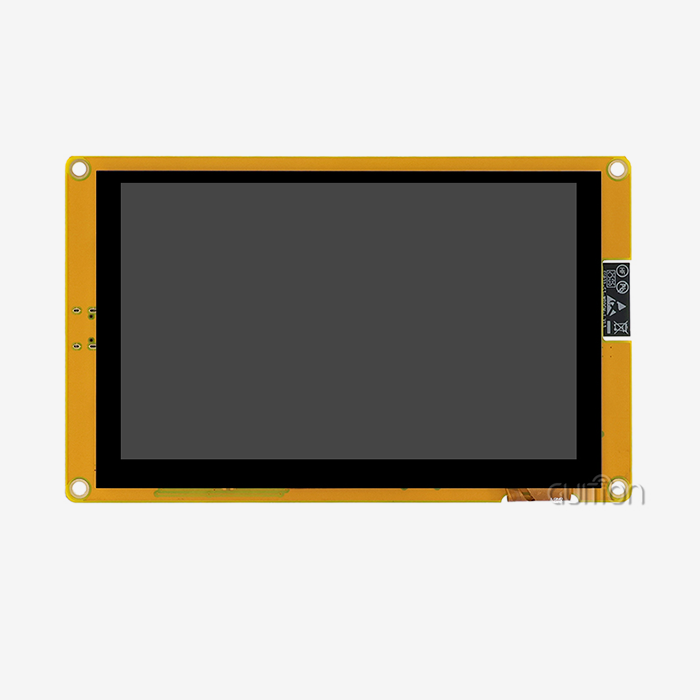
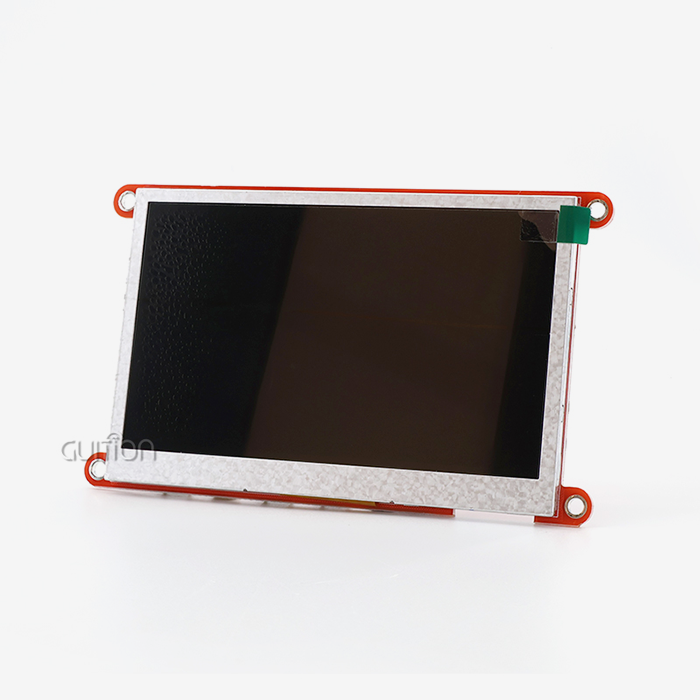
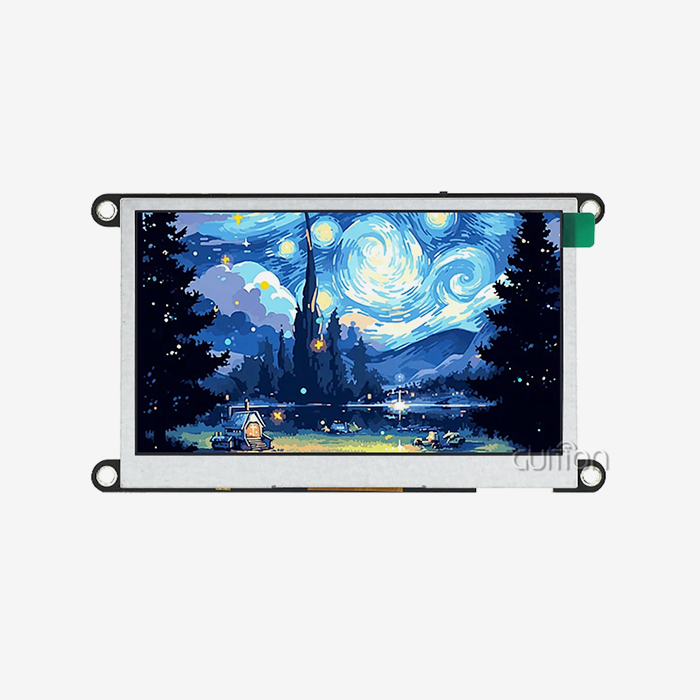
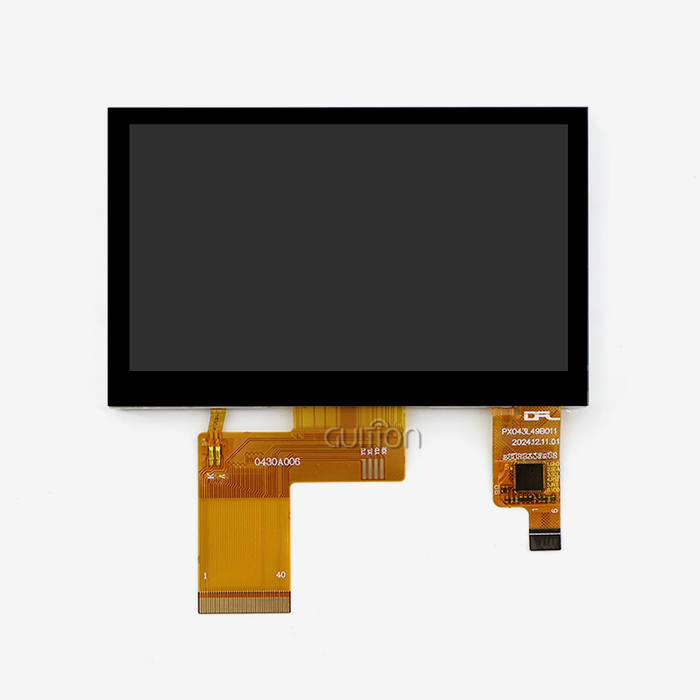
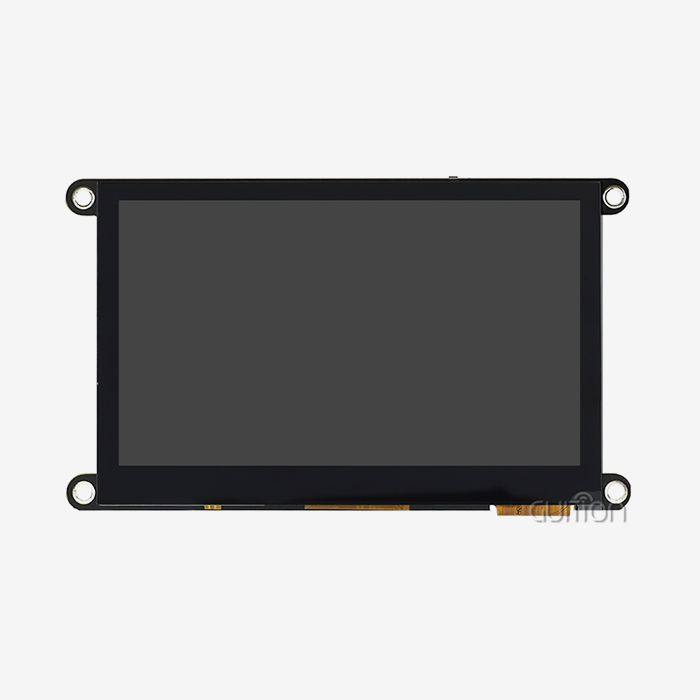
The GUITION JC8048Q350C_I is an example of cutting-edge HMI display screen technology made for tough industrial and IoT uses. This 5.0-inch module has an 800x480 IPS display with sensitive touch, which provides excellent visual quality with 65K color depth and wide viewing angles that make the interface easy to read from a variety of user positions.
The heart is made up of the Artinchip D121BBV controller, a 400MHz single-core MCU that can handle both complex interface logic and multimedia material with ease. When it comes to resolutions, JPEG can handle up to 1024x768 at 60 frames per second, and PNG can handle up to 1024x768 at 30 frames per second. This means that even in apps that use a lot of graphics, animations will run smoothly and user interactions will be fast.
Connectivity options meet a range of integration needs with built-in WiFi and Bluetooth units that let you connect to networks and talk to other wireless devices. With expandable IO ports, serial interfaces, TF card slots, and sensor links, you can change the hardware to meet the needs of a specific project without having to rebuild it. The full package comes with the LCD screen, the backlight control circuit, and a variety of input choices. This makes it easier to buy and easier to integrate.
One of the best things about this tool is how flexible it is for development. Based on the skills of the team and the needs of the project, engineers can choose between Arduino, ESP-IDF, and the custom Guition development environment. The drag-and-drop interface maker on the Guition platform gets rid of the need for complicated code, which lets prototypes be made quickly and interfaces be improved. Factory-built test programs let you check for performance as soon as you get them, which cuts down on project timelines.
Remote upgrade is especially useful for deployed devices because it lets you add new features and update software without having to physically access the equipment that is already in place. Support for multiple languages through UTF-8 encoding makes it easier to sell global products in a wide range of regional markets. Cross-platform online testing cuts down on development costs by letting teams that work in different places work together effectively, no matter where they are located.
Industrial control panels, 3D printing interfaces, medical device displays, smart home control systems, car dashboards, business point-of-sale terminals, environmental tracking stations, and financial payment kiosks are just some of the many uses for this flexible technology. This range shows how flexible the platform is when it comes to different operating needs and environmental situations.
Conclusion
Human-machine interface Hmi display screen technology has huge benefits for many industries because it makes operations more visible, controls more accurately, and makes contact between humans and machines easier. Automation in many fields, from manufacturing to making medical devices, has measurable benefits, such as less downtime, faster product creation, and lower running costs. To choose the right HMI solutions, you need to carefully look at their technical specs, how long they will last in different environments, and how well their development platforms match the needs of the specific application. Platforms like the GUITION JC8048Q350C_I show how current HMI technology can solve a wide range of industrial problems by combining strong processing, flexible connections, and easy-to-use software tools. When companies buy things, they should think about the total cost of ownership, the skills of the suppliers, and the needs for integration. This way, companies can get the most out of their robotic investments and set themselves up for future technological advances.
FAQ
What distinguishes an HMI display screen from standard consumer tablets?
Industrial HMI display screens are built to last and can work in a wider range of temperatures. They also use industrial connection methods that consumer devices don't have. They offer approved reliability for mission-critical uses where failure would have unacceptable risk levels. Some of the things they do are avoid electromagnetic interference, work with industrial solvents chemically, and keep dust and moisture out.
Can HMI systems integrate with existing PLC infrastructure?
Modern HMI display screen options work with common industrial protocols like Modbus RTU/TCP, Profinet, EtherNet/IP, and OPC UA. This means they can be used with a wide range of PLC brands and older control systems. Serial and Ethernet connectivity choices work with a variety of communication designs, and when needed, they can convert between protocols to connect systems that don't work with each other.
What development expertise do teams need for HMI implementation?
Visual development tools with drag-and-drop interface building on modern platforms like Guition make it less necessary to know how to code in a specific way. Engineers who know the basics of embedded systems can make interfaces that work without having to learn a lot of complicated code. Technical barriers are also lowered by secondary development help and detailed instructions. However, experienced embedded software experts may be needed for advanced customization.
Partner with Guition for Your HMI Display Screen Needs
Guition provides cutting-edge HMI display screen solutions for embedded engineers, product managers, and system builders looking for dependable, development-friendly human-machine interfaces. Our GUITION JC8048Q350C_I module has a strong D121BBV processor running at 400MHz and a great 800x480 IPS-sensitive touch display. This gives your industrial automation, medical device, or smart home projects the performance and visual quality they need.
We know what you're going through as a specialized HMI display screen manufacturer: tight development plans, strict technical requirements, and the need for long-term supply relationships. Our own Guition development platform gets rid of code problems with an easy-to-use drag-and-drop interface, cross-platform debugging, and remote update features that speed up your time to market and lower the cost of development.
For more information on how our wide range of displays, from 1.28" to 21.5", can meet your unique needs, please contact our expert team at david@guition.com. Throughout the lifetime of your project, we offer full secondary development support, help with implementation in multiple languages, and responsive expert advice.
References
1. Smith, J. & Martinez, R. (2022). Industrial Human-Machine Interface Design: Principles and Applications. Technical Publishing Group.
2. Chen, L. (2023). "Evolution of Touch Screen Technologies in Industrial Automation Systems," Journal of Manufacturing Systems Integration, 45(3), 234-251.
3. Anderson, K. et al. (2021). HMI Best Practices for Medical Device Development: Regulatory Compliance and User Experience. Healthcare Technology Press.
4. Williams, P. (2023). "IoT Integration Strategies for Next-Generation HMI Displays," Industrial Automation Review, 18(2), 67-82.
5. Thompson, M. & Garcia, S. (2022). Cost-Benefit Analysis of Modern HMI Systems in Process Industries. Industrial Economics Institute.
6. Liu, Y. (2023). "Comparative Study of HMI Development Platforms: Efficiency Metrics and Industry Applications," Embedded Systems Quarterly, 31(4), 112-128.
Learn about our latest products and discounts through SMS or email