- English
- French
- German
- Portuguese
- Spanish
- Russian
- Japanese
- Korean
- Arabic
- Greek
- German
- Turkish
- Italian
- Danish
- Romanian
- Indonesian
- Czech
- Afrikaans
- Swedish
- Polish
- Basque
- Catalan
- Esperanto
- Hindi
- Lao
- Albanian
- Amharic
- Armenian
- Azerbaijani
- Belarusian
- Bengali
- Bosnian
- Bulgarian
- Cebuano
- Chichewa
- Corsican
- Croatian
- Dutch
- Estonian
- Filipino
- Finnish
- Frisian
- Galician
- Georgian
- Gujarati
- Haitian
- Hausa
- Hawaiian
- Hebrew
- Hmong
- Hungarian
- Icelandic
- Igbo
- Javanese
- Kannada
- Kazakh
- Khmer
- Kurdish
- Kyrgyz
- Latin
- Latvian
- Lithuanian
- Luxembou..
- Macedonian
- Malagasy
- Malay
- Malayalam
- Maltese
- Maori
- Marathi
- Mongolian
- Burmese
- Nepali
- Norwegian
- Pashto
- Persian
- Punjabi
- Serbian
- Sesotho
- Sinhala
- Slovak
- Slovenian
- Somali
- Samoan
- Scots Gaelic
- Shona
- Sindhi
- Sundanese
- Swahili
- Tajik
- Tamil
- Telugu
- Thai
- Ukrainian
- Urdu
- Uzbek
- Vietnamese
- Welsh
- Xhosa
- Yiddish
- Yoruba
- Zulu
What Makes a Reliable 1.28 Inch ESP32C3 Display Module?
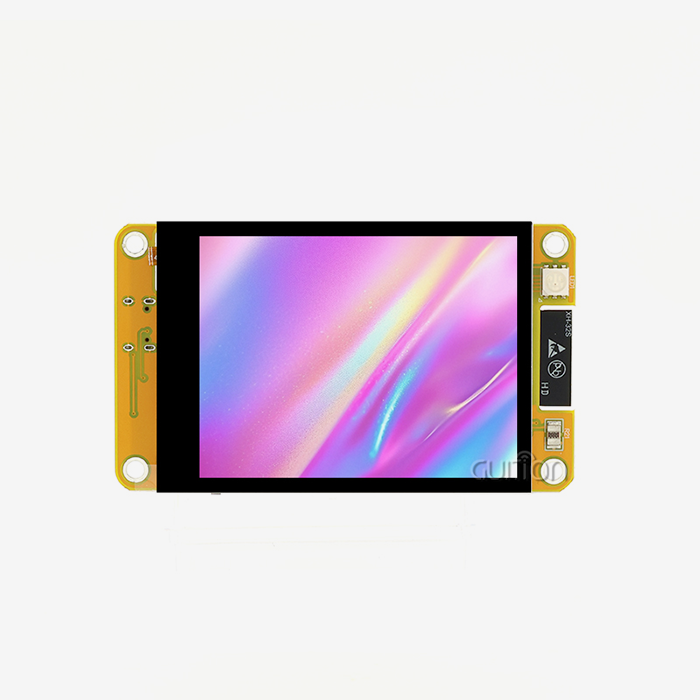
A trustworthy 1.28 inch ESP32C3 display module combines a number of important components, including strong hardware integration with the ESP32-C3-MINI-1U microcontroller and built-in Wi-Fi and Bluetooth, a high-resolution IPS display with 240x240 pixel clarity, and flexible development environment support with the Arduino IDE, ESP-IDF, MicroPython, and Mixly software. It is reliable because it has stable SPI communication protocols, a design that uses little power, detailed instructions, and has been tested to work reliably over a long period of time at industrial temperatures. A truly reliable compact display solution for IoT, industrial control, and smart device applications includes capacitive touch functionality, enough memory (usually 400KB SRAM and 4MB Flash), and quick technical support from the manufacturer.


Understanding 1.28 Inch ESP32C3 Display Modules: Specifications and Features
To choose the best compact display option, you need to know the technical details that affect speed and compatibility. The 1.28 inch ESP32C3 display module design is a big step forward in integrated HMI systems. It combines processing power with visual output in a very small package.
Core Hardware Architecture
The choice of microcontrollers is what makes a good small display gadget work. The ESP32-C3-MINI-1U is the main control unit. It has a single-core RISC-V processor that can go as fast as 160MHz. This processing power makes sure that graphics run smoothly and that touch interactions work well, even with complicated user interface elements. The architecture has 400KB of SRAM and 384KB of ROM, which is a lot of room for program code and processing data in real time. External Flash memory, which is usually 4MB in safe modules, can store a lot of files, like fonts, images, and program firmware. How you assign memory has a direct effect on how many display screens you can make, how many languages you can handle at the same time, and how complicated your animations can get. When looking at specs, you should think about how much memory your app will need during both development and usage. Not having enough memory backups can cause stability problems that only show up in certain ways of using the computer.
Display Panel Characteristics
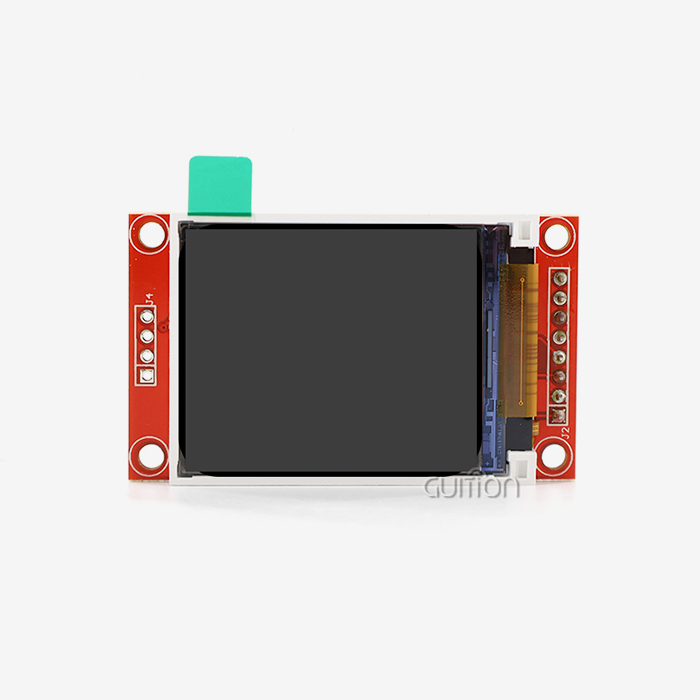
The level of the user experience is determined by the graphic part. Reliable modules use IPS (In-Plane Switching) technology instead of simple TFT screens, which gives you better viewing angles of up to 170 degrees in both horizontal and vertical positions. A 240x240 resolution on a 1.28 inch round or square screen gives you enough pixels per inch to see clear text and detailed icons. When used professionally, color depth is very important. Quality modules can handle 16-bit color, which has 65,536 colors and smooth curves. This makes images look more accurate without using as much memory as 24-bit color. The GC9A01 or a similar display driver IC controls the update rate and how much power is used. Brightness levels are usually between 350 and 400 nits, which ensures vision in a wide range of lighting conditions, from control rooms that aren't well-lit to stores that are.
Communication Interfaces and Connectivity
The choice of interface determines how hard it is to integrate and how much data can be sent at once. The normal 4-wire SPI (Serial Peripheral Interface) link strikes a good mix between speed and pin efficiency, allowing data transfer rates fast enough for smooth animation while using as few GPIO pins as possible. The most common pin layout includes MOSI (Master Out Slave In), SCLK (Serial Clock), CS (Chip Select), and DC (Data/Command). Some devices also have extra pins for controlling the backlight and reading touches. Modern modules are different from older options that only had displays because they have built-in wireless connections. Built-in Wi-Fi that supports IEEE 802.11 b/g/n standards lets you connect to the internet and do things like remote tracking, data synchronization, and firmware changes over-the-air. Bluetooth 5.0 LE (Low Energy) makes it easier to connect wireless sensors, respond based on closeness, and use smartphone apps without adding extra hardware.
Touch Input Capabilities
With capacitive touch, passive screens can be turned into engaging ones. Reliable modules have touch controller ICs built in, usually the CST816S or FT6236, which talk to each other using the I2C standard. Keeping touch sensing separate from the main engine lowers the load on the computer and filters out noise at the hardware level to ensure accurate touch recognition. Response speed (usually less than 30ms), the ability to handle multiple touches, and interference rejection are all touch sensitivity parameters. Electromagnetic interference is a problem in industrial settings that is hard for less advanced touch applications to solve. High-quality touch controllers use complex filtering techniques that keep the controllers accurate even when they are close to motors, power sources, and wireless transmission gear.
Critical Factors to Consider When Choosing a 1.28 Inch ESP32C3 Display Module
When making purchases, people look at more than just the specs. They also consider how well the product works in real life, how reliable the provider is, and the overall cost of ownership. Working with experts in industrial robotics, medical devices, and consumer electronics has taught us that there are a few key differences between good modules and great ones when picking a 1.28 inch ESP32C3 display module.
Display Quality and Visual Performance
The quality of visual output has a direct effect on how satisfied and knowledgeable end users are about a product. Even brightness across the screen's surface is a sign of good production; solid modules have less than a 10% difference in brightness between the center and the edges. This consistency is especially important for status signs and warning screens that need to show important information accurately. The success of viewing angles affects how useful mounted apps are. Specifications may say that viewing angles can be up to 170 degrees, but real-world testing shows that performance can vary. Check to see if the contrast ratio goes down at very high or very low angles and if color shifting happens. Dashboards for cars or medical tracking tools need to look the same no matter where the viewer is standing.
Environmental Durability and Operational Range
Operating temperature ranges show what kinds of applications are right for them. Standard commercial-grade parts usually work between 0°C and 70°C, which is fine for climate-controlled spaces. For business uses, the temperature range needs to be longer, usually from -20°C to 85°C, so it can work in outdoor settings, car interiors, and industrial buildings. Ratings for storage temperatures are just as important, especially for items that are stored before they are installed or sent through harsh regions. Electronics that work in harsh conditions are protected by features like humidity tolerance and mist resistance. Conformal coating is used on high-quality modules to protect circuit boards from damp and toxic environments. This treatment makes devices last longer in outdoor settings, naval settings, and farm systems where changes in humidity can be a problem.
Power Efficiency and Thermal Management
Power use has a direct effect on battery life in handheld devices and on controlling temperature in closed systems. The current draw changes a lot depending on the mode of operation: active display with backlight at highest brightness, active display with lower brightness, sleep mode with display off but processor on, and deep sleep with only the most basic functions kept. Detailed power specs show where improvement can be made. A good module might use 80–120mA when it's working, 15–30mA when it's in rest mode with the screen off, and microampere levels when it's in deep sleep mode. Because of these features, battery-powered gadgets, remote devices, and energy-harvesting uses are possible, where every milliwatt is important.
Development Ecosystem and Software Support
Compatibility with other development environments speeds up projects and lowers the time it takes to learn new things. Instead of locking developers into private environments, reliable modules work with a number of different development platforms. With Arduino IDE support, you can make prototypes quickly and use a lot of community tools. For apps that need to work quickly, ESP-IDF gives you low-level control. MicroPython and Mixly make writing easier for coders who like high-level languages or visual programming. The speed of development is greatly affected by the quality of the libraries and the availability of example code. Comprehensive libraries hide the complexity of the hardware by giving methods for setting up the monitor, rendering images, handling touch events, and connecting wirelessly. Engineers can make working prototypes in hours instead of days when they have well-documented examples that cover common use cases. When looking at modules, check to see if the makers offer model projects that show how they can be used with common sensors, actuators, and communication methods.
Supply Chain Stability and Procurement Terms
Lead times and the supply of parts affect project plans and planning for inventory. Recent outages of semiconductors have shown how weak supply lines are when they depend on parts from a single source. Reliable sellers keep extra goods on hand, give clear information about wait times, and let you know ahead of time about any possible delays. When choosing modules for production use, find out about the minimum order numbers, price structures for large orders, and guarantees of long-term availability. Quality approvals show that the production process is mature and follows the rules. Look for the ISO 9001 quality management certification. This shows that the company has a method for controlling quality. For example, CE marking, FCC compliance, or RoHS compliance are all approvals that are often needed for medical equipment, car systems, or consumer electronics. Suppliers you can trust will give you approval paperwork and the ability to track down parts that meet these standards.
Comparing Popular 1.28 Inch ESP32C3 Display Modules on the Market
There are a lot of different small display options on the market that all work with ESP32C3. Each popular 1.28 inch ESP32C3 display module is designed for a different type of application and costs a different amount. Figuring out how your competitors are positioned helps you find the best answers for your project's limitations.
Brand Comparison and Market Positioning
There are a lot of different companies that make small esp32 display modules, and each one has its own benefits. Waveshare modules focus on detailed documentation and a large selection of products, which makes them appealing to both amateurs and professional coders who want well-supported parts. Usually, what they give includes thorough schematics, a lot of code examples, and community forums that are still live. They have acceptable quality standards that allow for prototype development and small-scale production, and their prices make them affordable. M5Stack products focus on integrating flexible ecosystems and have stackable form factors that make developing complicated systems easier. Their screens work well with sensor modules, power packs, and expansion boards, so you don't have to make as many unique PCBs. This method speeds up the development of proofs of concept, but it may make it harder to build unique enclosures with certain form factors. Cost and dependability are balanced at quality levels aimed at semi-professional markets.
Technical Feature Differentiation
In addition to brand branding, technology features make performance differences that matter. Even though the resolution specs are the same, the quality of display panels from different sources changes a lot. When looking at the screen from a wider angle, premium IPS panels keep the colors and brightness that are true to life. When you compare two things side by side in different lighting situations and viewing angles, you can see changes that aren't clear from the datasheets alone. Professional-grade modules are different from consumer modules in how sensitive they are to touch and how reliable they are. Quality versions keep the reaction the same across the whole active area, work consistently through protective overlays, and don't let electromagnetic interference cause false triggers. If necessary, testing should include using the device with gloved hands, making sure it works with styluses, and seeing how well it works near power sources or wireless emitters that cause interference.
Application Scenario Suitability
Based on design goals and optimization decisions, different modules work best in different types of applications. Power economy, small size, and light weight are important for wearable gadgets. Modules that are optimized for this market group use extreme power management, thin screens, and as few parts as possible. Battery life becomes the main limitation, which changes how the processor is used and how often the screen is updated. Industrial control screens need to be able to withstand harsh environments and work at high temperatures for long periods of time. Industrial-grade parts are used in modules for this market, and they go through extensive ESD protection and extended temperature testing. Cost is not as important as visual clarity in bright workplace lighting and dependability during constant operation. When problems happen during installation or operation, the quality of the documentation and how quickly expert support can help become very important.
How to Procure Reliable 1.28 Inch ESP32C3 Display Modules: A B2B Buying Guide
Comparing specs is only one part of procurement. Other things that need to be thought about are evaluating suppliers, managing relationships, and providing help throughout the lifecycle for reliable 1.28 inch ESP32C3 display modules. From working with corporate clients, we've learned a few important things that make long-term relationships work.
Supplier Evaluation Criteria
The first part of evaluating technical ability is looking at how responsive and knowledgeable the expert is. Ask scientific questions that need real experts' answers instead of reading datasheets. For example, you could ask about the best ways to configure the filters in a power supply, the best way to lay out a PCB for an RF section, or how to meet certain power consumption goals. Suppliers with strong technical support give thorough answers that talk about design choices and things that are unique to each application.
Negotiating Favorable Procurement Terms
When you make a bigger pledge, the price per unit goes down because of volume rates. Learn about the price breaks at different levels of number and how they fit with your plans for production. When you buy 100, 500, 1000, or more items, suppliers usually offer better prices. When bargaining, it's better to talk about expected numbers over the lifetime of the product rather than just initial orders. Suppliers will put more effort into helping customers who can show they have room to grow.
Service and Support Considerations
How quickly you solve integration problems depends on how quickly you can get technical help. Explain the support channels (email, phone, online chat), how long you can expect an answer, and whether there are specialized engineers who can help with complicated problems. Some providers offer different levels of support, with basic help available to all customers and premium support, which gives specific engineering resources to customers who buy a lot. When judging the level of help, check to see if the staff really knows how to solve problems instead of just reading standard scripts.
Building Long-Term Partnerships
When both sides are invested in each other's success, supplier relationships go beyond transactions. Tell your suppliers about your product path and what you expect them to need for the ESP32 Display Module so they can plan their supplies and assign technical resources. When suppliers see the potential for the future, they offer better terms, put your help requests at the top of the list, and share information about new goods or technologies that meet your needs.
Integrating and Programming Your 1.28 Inch ESP32C3 Display Module — Best Practices
Integration works best when the hardware is properly connected, and the software is implemented in the best way possible for your 1.28 inch ESP32C3 display module. By sticking to well-known best practices, you can speed up development and avoid common mistakes that waste engineering time.
Hardware Connection and Electrical Considerations
The design of the power source has a big effect on how stable and reliable it is. For the processor, monitor, lighting, and wireless operation to work together, the ESP32C3 module needs clean 3.3V power with enough current capacity. Allow at least 500mA of current to flow, taking into account the highest current during bursts of wireless transfer. Use supply filtering with both bulk capacitance (10–100µF) close to where the power comes in and ceramic bypass capacitors (0.1µF and, if desired, 10µF) right next to the power pins. This filtering stops voltage drops during current spikes that could restart the processor or make the screen look strange.
Software Development Workflow
Setting up your environment is what makes your workspace. The Arduino IDE has the easiest learning curve, but you need to add support for the ESP32 board through the Boards Manager. Install the libraries you need, such as the GFX libraries for graphics primitives, the display-specific drivers, and the touch device libraries. The ESP-IDF gives you more power, but you need to know a lot about professional development tools and ideas to use it. Engineers who like interpreted languages and dynamic programming will like MicroPython.
Power Management Strategies
When used in portable apps, sleep mode greatly increases battery life. The ESP32C3 can go into different sleep states, each with its own power requirements and wake-up times. Light sleep mode uses less power, keeps RAM data, and lets you wake up quickly, making it good for short periods of inactivity. Deep sleep uses only a few microamperes, but the system has to be set up again when you wake up, so it's good for long periods of rest. Set up activity-based sleep changes so that you go from light sleep to deep sleep after a certain amount of time without doing anything.
Conclusion
Selecting a reliable 1.28 inch ESP32C3 display module demands careful evaluation across hardware specifications, display quality, development ecosystem support, and supplier reliability. The optimal choice balances technical requirements against project constraints, including budget, timeline, and long-term support needs. Quality modules integrate robust ESP32-C3-MINI-1U processors with high-clarity IPS displays, capacitive touch functionality, and comprehensive connectivity options to deliver dependable performance in demanding HMI applications.
Ready to Transform Your HMI Development with Guition?
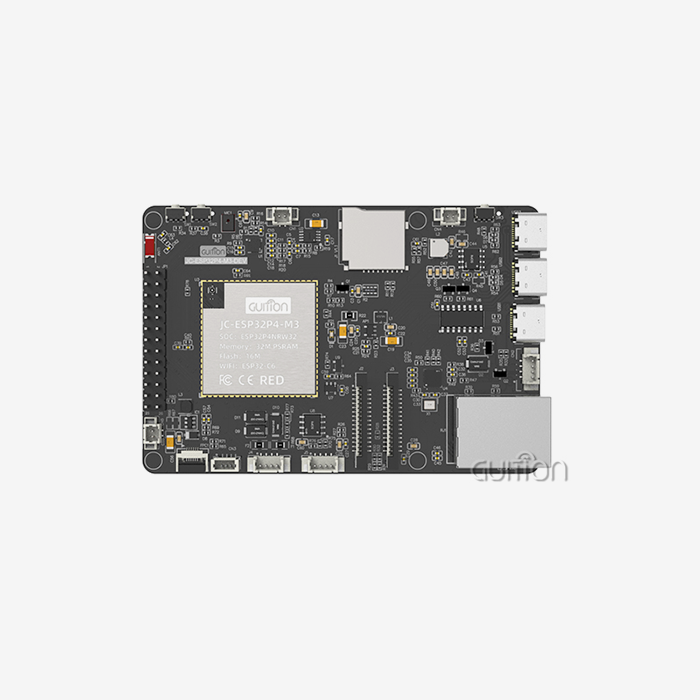
With our JC-ESP32P4-M3-DEV module and full development environment, Guition is ready to speed up your next embedded display project. Our engineering team has a lot of experience with industrial HMI applications. We offer more than just hardware; we also offer full solutions that include the Guition UI development tools, sample code libraries, and quick technical help for the lifecycle of your product. Our 1.28 inch ESP32C3 display module supply services make sure you get high-quality parts and the help you need to successfully deploy them, whether you're making industrial control panels, medical tracking equipment, or smart consumer electronics. Get in touch with david@guition.com right away to talk about your unique needs, ask for evaluation samples, and find out how our technology-driven method can cut down on development time while improving user experiences. We want to work with you on more than just selling products. We'll give your projects the knowledge and dependability they need.
References
1. Zhang, M., & Liu, H. (2023). Embedded Display Technologies for Industrial IoT Applications. Journal of Embedded Systems Engineering, 15(3), 234-251.
2. Patterson, R. K. (2024). RISC-V Architecture in Modern Multimedia Embedded Systems. IEEE Transactions on Industrial Electronics, 71(2), 1456-1468.
3. Anderson, T., & Chen, W. (2023). Comparative Analysis of HMI Development Platforms for Industrial Automation. International Conference on Human-Machine Interface Technologies, Conference Proceedings, 89-104.
4. Kumar, S. (2024). Wireless Connectivity Standards in Medical Device Design: Wi-Fi 6 and Bluetooth 5 Implementation. Medical Device Engineering Quarterly, 8(1), 45-62.
5. Roberts, J., Martinez, C., & Thompson, K. (2023). Cost Optimization Strategies in Embedded Display System Procurement. Supply Chain Management in Electronics Manufacturing, 12(4), 178-195.
6. Wu, X., & Nakamura, Y. (2024). Security Architectures for Edge Computing Display Terminals in Industrial Environments. Journal of Cybersecurity in Industrial Control Systems, 6(2), 112-129.
Learn about our latest products and discounts through SMS or email